steering wheel INFINITI Q50 2019 User Guide
[x] Cancel search | Manufacturer: INFINITI, Model Year: 2019, Model line: Q50, Model: INFINITI Q50 2019Pages: 468, PDF Size: 2.16 MB
Page 96 of 468

2-14Instruments and controls
Master warning light
When the ignition switch is in the ON
position, the master warning light illumi-
nates if any of the following warnings
appear in the vehicle information display:
.No key warning
. PUSH warning
. Key ID Incorrect warning
. Low washer fluid warning
. Door/trunk open warning
. Loose fuel cap warning
. Tire Pressure Low - Add Air warning
. Flat Tire - Visit dealer warning (if so
equipped)
. All-Wheel Drive (AWD) warning (if so
equipped)
. Headlight warning
. Adaptive Front lighting System (AFS)
warning (if so equipped)
. Intelligent Key system warning
. Chassis control warning
. Parking brake release warning
. SHIFT “P” warning
. Low oil pressure warning
See “Vehicle information display” (P.2-19).
If the driver assist system warnings appear
in the vehicle information display, the master
warning light also illuminates. See “Lane Departure Warning (LDW)/Lane Departure
Prevention (LDP)” (P.5-34), “Blind Spot
Warning (BSW)” (P.5-41), “Blind Spot Inter-
vention®(BSI)” (P.5-49), “Back-up Collision
Intervention (BCI)” (P.5-62), “Distance Con-
trol Assist (DCA)” (P.5-95), “Forward Emer-
gency Braking (FEB)” (P.5-106) and
“Predictive Forward Collision Warning
(PFCW)” (P.5-114).
Power steering warning light
Models with Direct Adaptive Steering :
When the ignition switch is in the ON
position, the power steering warning light
illuminates. After starting the engine, the
power steering warning light stays on for a
few seconds and turns off. This indicates
that Direct Adaptive Steering is operational.
Drive the vehicle after the power steering
warning light turns off.
If the power steering warning light illumi-
nates while driving, pull off the road to a
safe location and stop the vehicle. If the
power steering warning light turns off, you
can drive again. If the power steering
warning light continues to illuminate, it is
recommended you have Direct Adaptive
Steering checked by an INFINITI retailer.
(See “Direct Adaptive Steering type” (P.5-
129).) Models with hydraulic pump electric power
steering :
When the ignition switch is in the ON
position, the power steering warning light
illuminates. After starting the engine, the
power steering warning light turns off. This
indicates that or hydraulic pump electric
power steering is operational.
If the power steering warning light illumi-
nates while the engine is running, it may
indicate hydraulic pump electric power
steering is not functioning properly and
may need servicing. It is recommended you
have the hydraulic pump electric power
steering checked by an INFINITI retailer.
(See “Hydraulic pump electric power steering
type” (P.5-128).)
Models with electric power steering :
When the ignition switch is in the ON
position, the power steering warning light
illuminates. After starting the engine, the
power steering warning light turns off. This
indicates the electric power steering is
operational.
If the power steering warning light illumi-
nates while the engine is running, it may
indicate the electric power steering is not
functioning properly and may need servicing.
It is recommended you have the electric
power steering checked by an INFINITI
retailer.
Page 97 of 468

When the power steering warning light
illuminates with the engine running, the
power assist to the steering will cease
operation but you will still have control of
the vehicle. At this time, greater steering
efforts are required to operate the steering
wheel, especially in sharp turns and at low
speeds.
See “Electric power steering type” (P.5-128).
Seat belt warning light and
chime
The light and chime remind you to fasten
seat belts. The light illuminates whenever
the ignition switch is pushed to the ON
position, and will remain illuminated until the
driver’s seat belt is fastened. At the same
time, the chime will sound for about 6
seconds unless the driver’s seat belt is
securely fastened.
The seat belt warning light for the front
passenger will illuminate if the seat belt is
not fastened when the front passenger’s
seat is occupied.
See “Seat belts” (P.1-12) for precautions on
seat belt usage.
Supplemental air bag warning
light
After pushing the ignition switch to the ON
position, the supplemental air bag warning
light will illuminate. The supplemental air bag
warning light will turn off after about 7
seconds if the supplemental front air bag
and supplemental side air bag, curtain side-
impact air bag systems and/or pretensioner
seat belt are operational.
If any of the following conditions occur, the
supplemental front air bag, supplemental
side air bag, supplemental curtain side-
impact air bag and pretensioner seat belt
needs servicing.
. The supplemental air bag warning light
remains on after approximately 7 sec-
onds.
. The supplemental air bag warning light
flashes intermittently.
. The supplemental air bag warning light
does not come on at all.
It is recommended you visit an INFINITI
retailer for these services.
Unless checked and repaired, the Supple-
mental Restraint Systems and/or the pre-
tensioner seat belt may not function
properly.
For additional information, see “Supplemen- tal restraint system” (P.1-42).WARNING
If the supplemental air bag warning light
is on, it could mean that the front air
bag, side air bag, curtain air bag systems
and/or pretensioner seat belt will not
operate in an accident. To help avoid
injury to yourself or others, have your
vehicle checked. It is recommended you
visit an INFINITI retailer for this service.
Vehicle Dynamic Control
(VDC) warning light
When the ignition switch is in the ON
position, the Vehicle Dynamic Control
(VDC) warning light illuminates and then
turns off.
The light will blink when the VDC system or
the traction control system is operating, thus
alerting the driver that the vehicle is nearing
its traction limits. The road surface may be
slippery.
When the VDC warning light illuminates
when the VDC system is turned on, this light
alerts the driver to the fact that the VDC
system’s fail-safe mode is operating, for
example the VDC, active trace control func-
Instruments and controls2-15
Page 109 of 468

JVI1484X
TRIP COMPUTER
Switches for the trip computer are located
on the right side of the steering wheel. To
operate the trip computer, push the
switches.
Each time the
orswitch is pushed,
the display will change.
The display items for trip computer are
changed on the lower display. For details,
see the INFINITI InTouch
TMOwner’s Man-
ual.
1. Distance to empty (dte — mile or
km)
The distance to empty (dte) mode provides you with an estimation of the distance that
can be driven before refueling. The dte is
constantly being calculated, based on the
amount of fuel in the fuel tank and the actual
fuel consumption.
The display is updated every 30 seconds.
The dte mode includes a low range warning
feature. If the fuel level is low, the warning is
displayed on the screen.
When the fuel level drops even lower, the
dte display will change to “——”.
.
If the amount of fuel added is small, the
display just before the ignition switch is
pushed to the OFF position may con-
tinue to be displayed.
. When driving uphill or rounding curves,
the fuel in the tank shifts, which may
momentarily change the display.
2. Vehicle speed (MPH or km/h)
The vehicle speed mode shows the current
vehicle speed and the average vehicle speed
since the last reset.
Average vehicle speed:
Resetting is done by pushing the
orswitch for longer than 1 second.
The average vehicle speed display is updated
every 30 seconds. The first 30 seconds after
a reset, the display shows “——”.
3. Elapsed time and trip odometer
(mile or km)
Elapsed time:
The elapsed time mode shows the time since
the last reset. Resetting is done by pushing
the
orswitch for longer than 1
second. (The trip odometer is also reset at
the same time.)
Trip odometer:
The trip odometer mode shows the total
distance the vehicle has been driven since
the last reset. Resetting is done by pushing
the
orswitch for longer than 1
second. (The elapsed time is also reset at the
same time.)
4. Trip fuel saved and engine stop
time
The trip fuel saved and engine stop time
(Idling Stop System) mode shows amount of
fuel saved and the engine stop time since the
time the ignition switch was placed in the
ON position.
. The estimated quantity of saved fuel
. The time that the engine has been
stopped for by the Idling Stop System
The fuel saved and engine stop time can be
reset by pushing the
orswitch for
longer than 1 second.
Instruments and controls2-27
Page 122 of 468
2-40Instruments and controls
for extended periods of time, other-
wise the battery will be discharged.
. Never leave the light switch on when
the engine is not running for a period
of time even if the headlights turn off
automatically.
Daytime running light system
The daytime running lights automatically
illuminate when the engine is started with
the parking brake released. The daytime
running lights operate with the headlight
switch in the OFF, AUTO or
position.
Turn the headlight switch to theposition
for full illumination when driving at night.
If the parking brake is applied before the
engine is started, the daytime running lights
do not illuminate. The daytime running lights
illuminate once the parking brake is released.
The daytime running lights will remain on
until the ignition switch is pushed to the OFF
position.
WARNING
When the daytime running light system
is active, tail lights on your vehicle are
not on. It is necessary at dusk to turn on
your headlights. Failure to do so could
cause an accident injuring yourself and others.
Adaptive Front lighting System
(AFS) (if so equipped)
The Adaptive Front lighting System (AFS)
will automatically adjust the headlights (low
beam) toward the turning direction to
improve the driver’s view. When the head-
light switch is ON and the driver operates
the steering wheel in a turn, the AFS system
will be activated.
The AFS will operate:
.
when the headlight switch is ON.
. when the shift lever is in any position
other than P (Park) or R (Reverse).
. when the vehicle is driven at above 3
MPH (5 km/h) for the left-side head-
light. Note that the right-side low beam
headlight will swivel but the left-side
headlight will not swivel when the vehicle
is below 3 MPH (5 km/h) and the
steering wheel is turned.
AFS will also adjust the headlight to a proper
axis automatically, depending on the number
of occupants in the vehicle, the load the
vehicle is carrying and the road conditions.
If the AFS warning appears in the vehicle
information display after the ignition switch
has been pushed to the ON position, this may indicate that the AFS is not functioning
properly. Have the system checked. It is
recommended you visit an INFINITI retailer
for this service. When the engine is started,
the headlights will vibrate to check the
system condition. This is not a malfunction.
Page 124 of 468

2-42Instruments and controls
signal will automatically flash three
times.
Choose the appropriate method to signal a
lane change based on road and traffic
conditions.
SIC3272
FOG LIGHT SWITCH
To turn the fog lights on, turn the headlight
switch to theposition, then turn the
switch to theposition. To turn them off,
turn the switch to the OFF position.
The headlights must be on with the low
beams selected for the fog lights to operate.
The fog lights automatically turn off when
the high beam headlights are selected.
JVI1491X
To sound the horn, push the center pad area
of the steering wheel.
WARNING
Do not disassemble the horn. Doing so
could affect proper operation of the
supplemental front air bag system. Tam-
pering with the supplemental front air
bag system may result in serious perso-
nal injury.
HORN
Page 127 of 468
WARNING
Do not use or allow occupants to come
into contact with the heated steering
wheel if you or the occupants cannot
monitor elevated steering wheel tem-
peratures or have an inability to feel pain
in those body parts in contact. Use of the
heated steering wheel by such people
could result in serious injuries.
CAUTION
.The battery could run down if the
steering wheel heater is operated
while the engine is not running.
. Do not use the steering wheel heater
for extended periods of time as it may
cause burns and overheating.
. Any liquid spilled on the steering
wheel should be removed immedi-
ately with a dry cloth.
. When cleaning the steering wheel,
never use gasoline, thinner, or any
similar materials.
. If any malfunctions are found or the
steering wheel heater does not oper-
ate, turn the switch off and have the system checked. It is recommended
that you visit an INFINITI retailer for
this service.
Push the CLIMATE button and touch
[Steering Heater] on the lower display to
turn on or off the steering wheel heating
manually. The steering wheel heating will
turn off automatically 30 minutes after it
has been turned on. When the steering
wheel heating is turned on, the indicator
above [Steering Heater] will turn on.
If the surface temperature of the steering
wheel is above the temperature within which
the system is designed to operate, the
system will not heat the steering wheel. This
is not a malfunction.
Automatic steering wheel heating can be
turned on or off from the climate control
settings screen. For details, see the INFINITI
InTouch
TMOwner’s Manual.
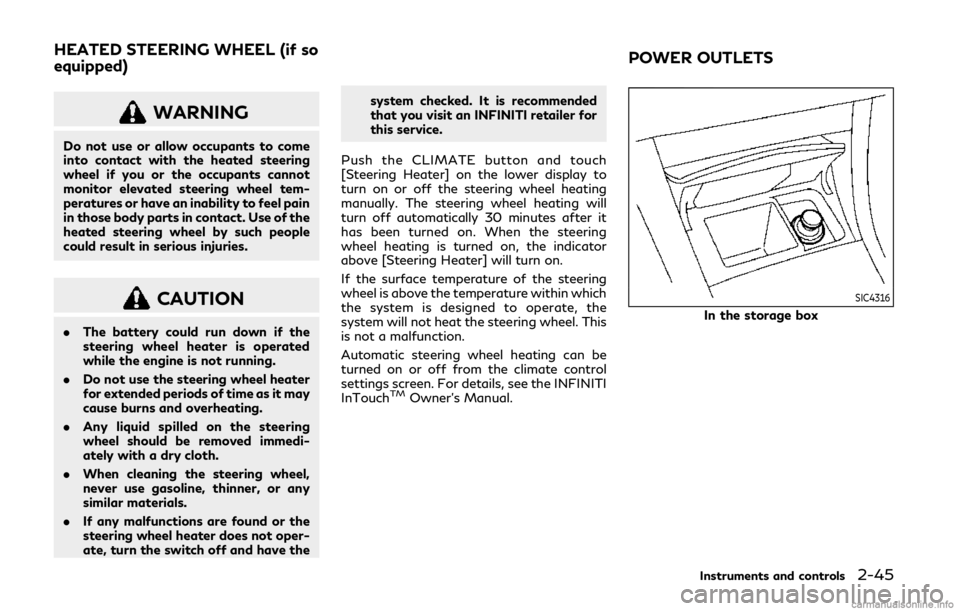
SIC4316
In the storage box
Instruments and controls2-45
HEATED STEERING WHEEL (if so
equipped) POWER OUTLETS
Page 172 of 468

3-28Pre-driving checks and adjustments
JVP0455X
Loose Fuel Cap warning
The Loose Fuel Cap warning appears in the
vehicle information display when the fuel-
filler cap is not tightened correctly after the
vehicle has been refueled. It may take a few
driving trips for the warning to be displayed.
To turn off the warning, perform the
following:
1. Remove and install the fuel-filler cap assoon as possible. (See “Fuel-filler cap”
(P.3-26).)
2. Tighten the fuel-filler cap until a single click is heard.
3. Push the
orswitchon the
steering wheel for longer than 1 second to turn off the Loose Fuel Cap warning
after tightening the fuel-filler cap.
WARNING
.
Do not adjust the steering wheel
while driving. You could lose control
of your vehicle and cause an accident.
. Do not adjust the steering wheel any
closer to you than is necessary for
proper steering operation and com-
fort. The driver’s air bag inflates with
great force. If you are unrestrained,
leaning forward, sitting sideways or
out of position in any way, you are at
greater risk of injury or death in a
crash. You may also receive serious or
fatal injuries from the air bag if you
are up against it when it inflates.
Always sit back against the seatback
and as far away as practical from the
steering wheel. Always use the seat
belts.
TILT/TELESCOPIC STEERING
Page 173 of 468

SPA2328
MANUAL OPERATION (if so
equipped)
Tilt or telescopic operation
Pull the lock leverdown and adjust the
steering wheel up, down, forward or rear-
ward to the desired position.
Push the lock lever up securely to lock the
steering wheel in place.
JVP0205X
ELECTRIC OPERATION (if so
equipped)
Tilt or telescopic operation
Move the switch to adjust the steering
wheel up or down, forward or rearward to
the desired position.
Entry/Exit function operation:
The automatic drive positioner system will
make the steering wheel move up automa-
tically when the driver’s door is opened with
the ignition switch in the LOCK position.
This lets the driver get into and out of the
seat more easily. For more information, see “Automatic drive
positioner” (P.3-33).
Pre-driving checks and adjustments3-29
Page 177 of 468

SIC3869
VANITY MIRROR
To use the front vanity mirror, pull down the
sun visor and pull up the cover.The automatic drive positioner system has
two features:
.
Entry/exit function
. Memory storage
ENTRY/EXIT FUNCTION
This system is designed so that the driver’s
seat and steering column will automatically
move when the shift lever is in the P (Park)
position. This allows the driver to get into
and out of the driver’s seat more easily.
The driver’s seat will slide backward and the
steering wheel will move up when the
driver’s door is opened with the ignition
switch in the LOCK position.
The driver’s seat and steering wheel will
return to the previous positions when the
ignition switch is pushed to the ACC posi-
tion.
The driver’s seat will not return to the
previous positions if the seat or steering
adjusting switch is operated when the seat is
at the exit position.
Cancel or activate entry/exit func-
tion
All the following conditions must be met
before cancelling or activating the entry/exit
function. .
The ignition switch is placed in the LOCK
position.
. The entry/exit function is not in opera-
tion.
. The following switches are not operated.
— Seat memory switches
— Power seat switches
— Electric tilting/telescopic steering wheel switch
The entry/exit function can be activated or
canceled by pushing and holding the SET
switch for more than 10 seconds.
The entry/exit function can also be acti-
vated or canceled if the [Lift Steering Wheel
on Exit] or [Slide Driver Seat Back on Exit]
key is turned to ON or OFF in the [Settings]
menu on the lower display. (See the INFINITI
InTouch
TMOwner’s Manual.)
Initialize entry/exit function
If the battery cable is disconnected, or if the
fuse opens, the entry/exit function will not
work though this function was set on before.
In such a case, after connecting the battery
or replacing with a new fuse, open and close
the driver’s door more than two times after
the ignition switch is switched from the ON
position to the LOCK position. The entry/
exit function will be activated.
Pre-driving checks and adjustments3-33
AUTOMATIC DRIVE POSITIONER
(if so equipped)
Page 187 of 468

System maintenance .............................................. 5-122
Break-in schedule ......................................................... 5-123
Fuel Efficient Driving Tips .......................................... 5-123
Increasing fuel economy ............................................ 5-124
Intelligent All-Wheel Drive (AWD) (if
so equipped) ................................................................... 5-125
Parking/parking on hills .............................................. 5-127
Power steering ............................................................. 5-128 Electric power steering type ............................... 5-128
Hydraulic pump electric power
steering type ............................................................ 5-128
Direct Adaptive Steering type ............................. 5-129
Brake system .................................................................. 5-131 Braking precautions ................................................ 5-131
Parking brake break-in .......................................... 5-131
Brake assist .................................................................... 5-132 Brake assist ............................................................... 5-132
Anti-lock Braking System (ABS) ......................... 5-132
Vehicle Dynamic Control (VDC) system ................. 5-133 Brake force distribution ........................................ 5-134 Active trace control ..................................................... 5-135
Hill Start Assist system .............................................. 5-137
Chassis control .............................................................. 5-137
Idling Stop System (if so equipped) ....................... 5-138
Retrograde movement control function ........ 5-139
Idling Stop System display ................................ 5-139
Idling Stop OFF switch ....................................... 5-141
Cold weather driving .................................................. 5-142
Freeing a frozen door lock ................................ 5-142
Antifreeze ............................................................... 5-142
Battery .................................................................... 5-142
Draining of coolant water ................................. 5-142
Tire equipment ...................................................... 5-142
Special winter equipment .................................. 5-143
Driving on snow or ice ........................................ 5-143
Engine block heater (if so equipped) .............. 5-143
Active noise cancellation/Active
sound enhancement ................................................... 5-144
Active noise cancellation .................................... 5-145
Active sound enhancement ............................... 5-145