sonar INFINITI Q50 2020 User Guide
[x] Cancel search | Manufacturer: INFINITI, Model Year: 2020, Model line: Q50, Model: INFINITI Q50 2020Pages: 468, PDF Size: 2.18 MB
Page 207 of 468
![INFINITI Q50 2020 User Guide MOD function setting
The MOD function settings can be changed
using the following procedures.
1. Push the MENU button.
2. Touch [Settings] on the lower display.
3. Touch [Camera].
4. Touch [Camera].
A](/img/42/35000/w960_35000-206.png "INFINITI Q50 2020 User Guide MOD function setting
The MOD function settings can be changed
using the following procedures.
1. Push the MENU button.
2. Touch [Settings] on the lower display.
3. Touch [Camera].
4. Touch [Camera].
A")
MOD function setting
The MOD function settings can be changed
using the following procedures.
1. Push the MENU button.
2. Touch [Settings] on the lower display.
3. Touch [Camera].
4. Touch [Camera].
Available setting items:
MOD:
When this item is turned on, the MOD
system is activated. When this item is turned
off (indicator turns off), the MOD system is
deactivated.
WAE0213X
When the MOD system is deactivated, the
MOD iconwill disappear.
When the sonar is turned off on the settings
menu as well, the Sonar/MOD key
will
disappear.
MOD Volume:
Adjust the volume of the chime.
MOD SYSTEM LIMITATIONS
WARNING
Listed below are the system limitations
for MOD. Failure to operate the vehicle
in accordance with these system limita-
tions could result in serious injury or
death.
. Excessive noise (for example, audio
system volume or open vehicle win-
dow) will interfere with the chime
sound, and it may not be heard.
. The MOD system performance will be
limited according to environmental
conditions and surrounding objects
such as:
— When there is low contrast be- tween background and the mov-
ing objects.
— When there is blinking source of light.
— When strong light such as an- other vehicle’s headlight or sun-
light is present.
— When camera orientation is not in its usual position, such as when
mirror is folded.
Monitor, climate, audio, phone and voice recognition systems4-33
Page 221 of 468

Break-in schedule ......................................................... 5-119
Fuel Efficient Driving Tips .......................................... 5-119
Increasing fuel economy ............................................ 5-120
Intelligent All-Wheel Drive (AWD)
(if so equipped) .............................................................. 5-121
Parking/parking on hills .............................................. 5-123
Power steering ............................................................. 5-124Electric power steering type ............................... 5-124
Direct Adaptive Steering type ............................ 5-124
Brake system .................................................................. 5-126 Braking precautions ................................................ 5-126
Parking brake break-in .......................................... 5-127
Brake assist .................................................................... 5-127 Brake assist ............................................................... 5-127
Anti-lock Braking System (ABS) ......................... 5-127
Vehicle Dynamic Control (VDC) system ................. 5-129 Brake force distribution ......................................... 5-129
Active trace control ..................................................... 5-130 Hill Start Assist system .............................................. 5-132
Chassis control .............................................................. 5-132
Sonar system (if so equipped) .................................. 5-133
Sonar system settings ........................................ 5-134
Sonar indicator ....................................................... 5-135
Cold weather driving ................................................... 5-135 Freeing a frozen door lock ................................. 5-135
Antifreeze ................................................................ 5-135
Battery ..................................................................... 5-135
Draining of coolant water .................................. 5-135
Tire equipment ....................................................... 5-135
Special winter equipment .................................. 5-136
Driving on snow or ice ........................................ 5-136
Engine block heater (if so equipped) .............. 5-136
Active noise cancellation/Active sound
enhancement ................................................................. 5-137 Active noise cancellation .................................... 5-138
Active sound enhancement ............................... 5-138
Page 279 of 468

WARNING
Failure to follow the warnings and
instructions for proper use of the BCI
system could result in serious injury or
death.
.The BCI system is not a replacement
for proper driving procedure, is not
designed to prevent contact with
vehicles or objects and does not
provide full brake power. When back-
ing out of parking spaces, always use
the inside and rear mirrors and turn
and look in the direction you will
move. Never rely solely on the BCI
system.
. There is a limitation to the detection
capability of the radar or the sonar.
Using the BCI system under some
road, ground, traffic or weather con-
ditions could lead to improper system
operation. Always rely on your own
operation to avoid accidents.
The BCI system can help alert the driver of
an approaching vehicle or objects behind the
vehicle when the driver is backing out of a
parking space.
JVS1121X
The BCI system uses radar sensorsinstalled on both sides near the rear bumper
to detect an approaching vehicle and sonar
sensors
to detect objects in the rear.
JVS0173X
JVS0234X
Starting and driving5-61
BACK-UP COLLISION
INTERVENTION (BCI) (if so equipped)
Page 280 of 468

5-62Starting and driving
The radar sensorsdetect an approaching
vehicle from up to approximately 49 ft (15
m) away. The sonar sensors
detect
stationary objects behind the vehicle up to
approximately 4.9 ft (1.5 m). Refer to the
illustration for approximate zone coverage
areas
.
WAF0278X
Side indicator light
BCI system key
BCI system indicator
Upper display
Lower display
Page 281 of 468

JVS0173X
BCI SYSTEM OPERATION
When the shift lever is in the R (Reverse)
position and the vehicle speed is less than
approximately 5 MPH (8 km/h), the BCI
system operates.
If the radar detects a vehicle approaching
from the side or the sonar detects close
stationary objects behind the vehicle, the
system gives visual and audible warnings. If
the driver does not apply the brakes, the
system automatically applies the brake for a
moment when the vehicle is moving back-
wards. After the automatic brake applica-
tion, the driver must depress the brake pedal
to maintain brake pressure. If the driver’s
foot is on the accelerator pedal, the systempushes the accelerator upward before ap-
plying the brake. If you continue to accel-
erate, the system will not engage the brake.
WAF0283X
Upper display
When the shift lever is placed in the R
(Reverse) position, the indicator on the BCI
system key
illuminates on the upper
display.
Starting and driving5-63
Page 283 of 468

NOTE:
.In the case of several vehicles approach-
ing in a row (Illustration 1) or in the
opposite direction (Illustration 2), a
chime may not be sounded by the BCI
system after the first vehicle passes the
sensors.
. The sonar system chime indicating there
is an object behind the vehicle has a
higher priority than the BCI chime
(single beep) indicating an approaching
vehicle. If the sonar system detects an
object behind the vehicle and the BCI
system detects an approaching vehicle
at the same time, the following indica-
tions are provided:
— The sonar system chime sounds
— The side indicator light on the side of
the approaching vehicle flashes, and
— A yellow rectangular frame appears
in the display.
WAF0284X
Upper display
If an approaching vehicle or object behind
the vehicle is detected when your vehicle is
backing up, a red frame
will appear on the
upper display and the system will chime
three times. Then, the brakes will be applied
momentarily. After the automatic brake
application, the driver must depress the
brake pedal to maintain brake pressure.
If the driver’s foot is on the accelerator
pedal, the system moves the accelerator
pedal upward before the braking is applied.
However, if you continue to accelerate, the
system will not engage the brakes.
The BCI system does not operate if the
object is very close to the bumper.
WAF0283X
Upper display
TURNING THE BCI SYSTEM ON/
OFF
The BCI system automatically turns on every
time the engine is started.
The BCI system can be turned off tempora-
rily by touching the BCI system key
on the
upper display. The indicator on the BCI
system key turns off. When the shift lever
is placed in the R (Reverse) position again,
the BCI system is turned on.
Starting and driving5-65
Page 285 of 468
— Severe weather
— Road spray
— Ice/frost/dirt build up on thevehicle
. Do not attach stickers (including
transparent material), install acces-
sories or apply additional paint near
the radar sensors. These conditions
may reduce the ability of the radar
sensors to detect other vehicles.
. The sonar sensors detect stationary
objects behind the vehicle. The sonar
sensor may not detect:
— Small or moving objects
— Wedge-shaped objects
— Object close to the bumper (less than approximately 1 ft (30 cm))
— Thin objects such as rope, wire and chain, etc.
. The brake engagement by the BCI
system is not as effective on a slope
as it is on flat ground. When on a
steep slope the system may not
function properly.
. Do not use the BCI system under the
following conditions because the sys-
tem may not function properly. — When driving with a tire that is
not within normal tire conditions
(for example, tire wear, low tire
pressure, installation of spare tire,
tire chains, non-standard wheels).
— When the vehicle is equipped with non-original brake parts or sus-
pension parts.
. Excessive noise (for example, audio
system volume, open vehicle window)
will interfere with the chime sound,
and it may not be heard.
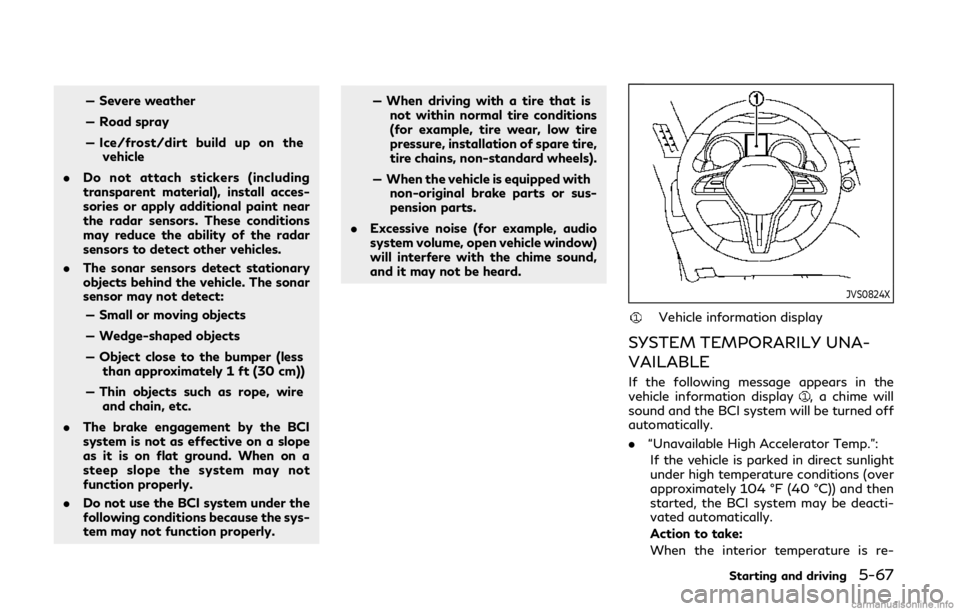
JVS0824X
Vehicle information display
SYSTEM TEMPORARILY UNA-
VAILABLE
If the following message appears in the
vehicle information display, a chime will
sound and the BCI system will be turned off
automatically.
. “Unavailable High Accelerator Temp.”:
If the vehicle is parked in direct sunlight
under high temperature conditions (over
approximately 104 °F (40 °C)) and then
started, the BCI system may be deacti-
vated automatically.
Action to take:
When the interior temperature is re-
Starting and driving5-67
Page 351 of 468

SSD0602
WARNING
.The sonar system is a convenience
but it is not a substitute for proper
parking. Always look around and
check that it is safe to do so before
parking. Always move slowly.
. Read and understand the limitations
of the sonar system as contained in
this section. Inclement weather may
affect the function of the sonar
system; this may include reduced
performance or a false activation. .
This system is not designed to pre-
vent contact with small or moving
objects.
. The system is designed as an aid to
the driver in detecting large station-
ary objects to help avoid damaging
the vehicle. The system will not
detect small objects below the bum-
per, and may not detect objects that
are too close to the bumper or on the
ground.
. If your vehicle sustains damage to the
bumper fascia, leaving it misaligned
or bent, the sensing zone may be
altered causing inaccurate measure- ment of obstacles or false alarms.
CAUTION
Keep the interior of the vehicle as quiet
as possible to hear the tone clearly.
The sonar system sounds a tone to warn the
driver of obstacles near the bumper. When
the [Auto Show Sonar Image] key is turned
on in the [Parking Sonar] settings, the sonar
indicator will also appear on the upper
display. (See “Sonar indicator” (P.5-135).)
The system detects front obstacles when the
shift lever is in the D (Drive) position or N
(Neutral) position. The system detects both
front and rear obstacles when the shift lever
is in the R (Reverse) position.
The system may not detect objects at speeds
above 6 MPH (10 km/h) and may not detect
certain angular or moving objects.
The sonar system detects obstacles up to
3.9 ft (1.2 m) from the bumper with a
decreased coverage area at the outer cor-
ners of the bumper. Refer to the illustration
for approximate zone coverage areas. As
you move closer to the obstacle, the rate of
the tone increases. When the obstacle is less
than 11.8 in (30 cm) away, the tone will
Starting and driving5-133
SONAR SYSTEM (if so equipped)
Page 352 of 468
5-134Starting and driving
sound continuously.
Keep the corner/center sonar (located on
the bumper fascia) free from snow, ice and
large accumulations of dirt (do not clean the
sonar with sharp objects). If the sonar is
covered, it will affect the accuracy of the
sonar system.
The sensitivity level of the corner/center
sonar can be adjusted (higher or lower) on
the lower display.
The intermittent tone will stop in 3 seconds
when an obstacle is detected by only the
corner sensor and the distance does not
change.
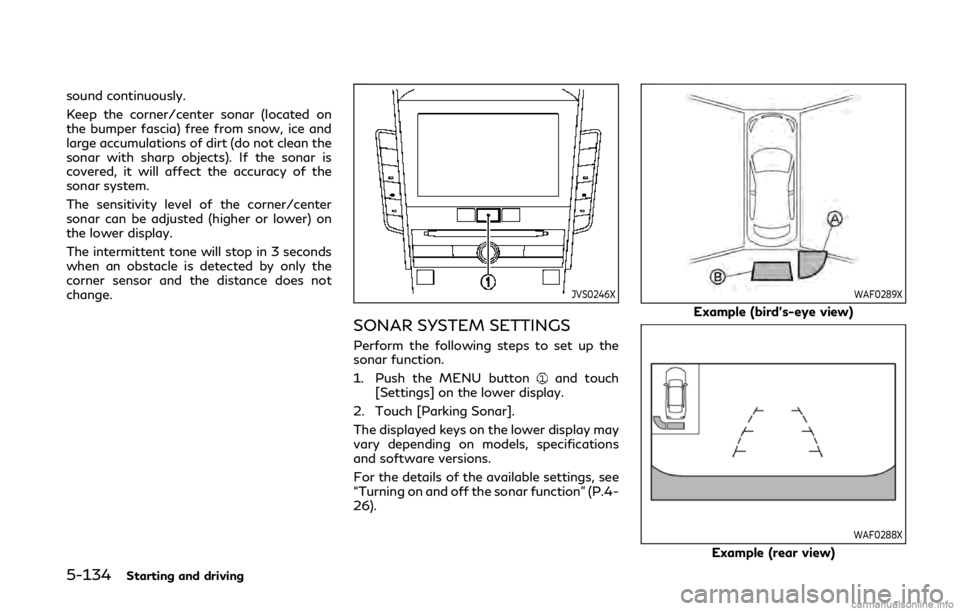
JVS0246X
SONAR SYSTEM SETTINGS
Perform the following steps to set up the
sonar function.
1. Push the MENU button
and touch
[Settings] on the lower display.
2. Touch [Parking Sonar].
The displayed keys on the lower display may
vary depending on models, specifications
and software versions.
For the details of the available settings, see
“Turning on and off the sonar function” (P.4-
26).
WAF0289X
Example (bird’s-eye view)
WAF0288X
Example (rear view)
Page 353 of 468

SONAR INDICATOR
When the corner of the vehicle moves closer
to an object, the corner sensor indicator
appears on the upper display.
When the center of the vehicle moves close
to an object, the center sensor indicator
appears on the upper display.
FREEING A FROZEN DOOR LOCK
To prevent a door lock from freezing, apply
deicer through the key hole. If the lock
becomes frozen, heat the key before insert-
ing it into the key hole or use the Intelligent
Key system.
ANTIFREEZE
In the winter when it is anticipated that the
outside temperature will drop below 32°F
(0°C), check antifreeze to assure proper
winter protection. For additional informa-
tion, see “Engine cooling system” (P.8-3) or
“Intercooler cooling system” (P.8-5).
BATTERY
If the battery is not fully charged during
extremely cold weather conditions, the bat-
tery fluid may freeze and damage the
battery. To maintain maximum efficiency,
the battery should be checked regularly. For
additional information, see “Battery” (P.8-
11).
DRAINING OF COOLANT WATER
If the vehicle is to be left outside without
antifreeze, drain the cooling system, includ-
ing the engine block. Refill before operating
the vehicle. For details, see “Engine cooling
system” (P.8-3).
TIRE EQUIPMENT
SUMMER tires have a tread designed to
provide superior performance on dry pave-
ment. However, the performance of these
tires will be substantially reduced in snowy
and icy conditions. If you operate your
vehicle on snowy or icy roads, INFINITI
recommends the use of MUD & SNOW or
ALL SEASON tires on all four wheels. It is
recommended you consult an INFINITI re-
tailer for the tire type, size, speed rating and
availability information.
For additional traction on icy roads, studded
tires may be used. However, some U.S.
states and Canadian provinces prohibit their
use. Check local, state and provincial laws
before installing studded tires.
Skid and traction capabilities of studded
snow tires, on wet or dry surfaces, may be
poorer than that of non-studded snow tires.
Tire chains may be used. For details, see
“Tire chains” (P.8-34) of this manual.
Intelligent All-Wheel Drive (AWD)
models
If you install snow tires, they must also be
the same size, brand, construction and tread
pattern on all four wheels.
Starting and driving5-135
COLD WEATHER DRIVING