AUX INFINITI Q50 2021 Infiniti Intouch
[x] Cancel search | Manufacturer: INFINITI, Model Year: 2021, Model line: Q50, Model: INFINITI Q50 2021Pages: 268, PDF Size: 1.13 MB
Page 74 of 268
![INFINITI Q50 2021 Infiniti Intouch 3. Audio system
USB operation keys:
Touch to control USB playback func-
tions.
[] Each time [] is touched, the
repeat mode changes.
“Changing play mode”
(page 3-26)
[
] Touch to return to the begi](/img/42/35007/w960_35007-73.png "INFINITI Q50 2021 Infiniti Intouch 3. Audio system
USB operation keys:
Touch to control USB playback func-
tions.
[] Each time [] is touched, the
repeat mode changes.
“Changing play mode”
(page 3-26)
[
] Touch to return to the begi")
3. Audio system
USB operation keys:
Touch to control USB playback func-
tions.
[] Each time [] is touched, the
repeat mode changes.
“Changing play mode”
(page 3-26)
[
] Touch to return to the beginning of the current track. Touch again
to select the previous track.
Touch and hold to rewind the
current track.
[
] Touch to play the track.
[
] Touch to pause the track.
[
] Touch to select the next track. Touch and hold to fast-forward
the track.
[
] Each time [] is touched, the
random mode changes.
“Changing play mode”
(page 3-26)
USB memory device player opera-
tion
Activation and playing:
Connecting the USB memory device into the
USB connection port will start playing the USB memory.
USB memory device can also be played by
selecting the source on the audio source
menu screen or by pushing
“Selecting audio source” (page 3-13)“Audio main buttons” (page 3-11)
Selecting search method:
A list of search methods is displayed in the
USB menu.
“USB Menu” (page 3-27)
Skipping tracks:
Skip the tracks with the following opera-
tions. . Control panel
— Push
. Steering wheel
— Tilt <
/OK>
Touch screen
— Touch [
]/[]
INFO:
Depending on the condition, skipping to the
previous track may require pushing the
button or touching the key twice. Pushing the button or touching the key once may
only restart the current track from the
beginning.
Changing folders:
To change folders, touch [USB Menu].
“USB Menu” (page 3-27)
Push
different folders.
Rewinding/fast-forwarding:
Rewind or fast-forward the track with the
following operations.
. Control panel
— Push and hold
. Steering wheel
— Tilt and hold <
/OK>
. Touch screen
— Touch and hold [
]/[]
Changing play mode:
Repeat mode
Touch [
] on the USB screen to change the
repeat mode. The following modes are
available.
No text displayed: Repeat off
[All]: Repeat all
3-26
Page 75 of 268
![INFINITI Q50 2021 Infiniti Intouch [Folder]: Repeat folder/sub-folder
[Track]: Repeat track
Random mode
Touch [
] on the screen to change the
random mode as follows.
No text displayed: Random off
[Random]: Random play
USB Menu
Touch [U](/img/42/35007/w960_35007-74.png "INFINITI Q50 2021 Infiniti Intouch [Folder]: Repeat folder/sub-folder
[Track]: Repeat track
Random mode
Touch [
] on the screen to change the
random mode as follows.
No text displayed: Random off
[Random]: Random play
USB Menu
Touch [U")
[Folder]: Repeat folder/sub-folder
[Track]: Repeat track
Random mode
Touch [
] on the screen to change the
random mode as follows.
No text displayed: Random off
[Random]: Random play
USB Menu
Touch [USB Menu] on the USB screen to
display the USB Menu screen.
The following items are available.
[Now Play-
ing] Touch to display the USB
screen.
[Folder List]
* Touch to display the folder list.
Touch an item on the list to
select the folder.
The sub-folder or track list will
be displayed. Select a sub-
folder or track from the list.
[Album Art-
work] Touch to turn on/off the al-
bum artwork display on the
USB screen. [Playlists] Touch to display the list ac-
cording to the selected item.
[Artists]
[Albums]
[Songs]
[Genres]
[Compo-
sers]
*: Displayed only when available.
iPod® PLAYER
Connecting iPod®
WARNING
Do not connect, disconnect or operate the
USB device while driving. Doing so can be
a distraction. If distracted you could lose
control of your vehicle and cause an
accident or serious injury.
CAUTION
. Do not force the USB device into the
USB connection port. Inserting the
USB device tilted or up-side-down
into the port may damage the port.
Make sure that the USB device is connected correctly into the USB
connection port.
. Do not grab the USB connection port
cover (if so equipped) when pulling
the USB device out of the port. This
could damage the port and the cover.
. Do not leave the USB cable in a place
where it can be pulled unintentionally.
Pulling the cable may damage the
port.
Connect the iPod® to the USB connection
port.
“USB (Universal Serial Bus) connection
ports and AUX (auxiliary) input jack”
(page 2-8)
“USB connection ports” (page 2-9)
The battery of the iPod® will be charged
while the device is connected to the vehicle if
the iPod® supports charging via a USB
connection.
Depending on the device and iOS, the
display on the iPod® shows an INFINITI or
Accessory Attached screen when the con-
nection is completed. When the iPod® is
connected to the vehicle, the iPod® music
library can only be operated by the vehicle
audio controls.
3. Audio system
3-27
Page 77 of 268
![INFINITI Q50 2021 Infiniti Intouch [iPod Menu]:
Touch to display the iPod® Menu
screen.
“iPod® Menu” (page 3-30)
[Source]:
Touch to switch to the source menu
screen.
“Selecting audio source”
(page 3-13)
Track information:
Tra](/img/42/35007/w960_35007-76.png "INFINITI Q50 2021 Infiniti Intouch [iPod Menu]:
Touch to display the iPod® Menu
screen.
“iPod® Menu” (page 3-30)
[Source]:
Touch to switch to the source menu
screen.
“Selecting audio source”
(page 3-13)
Track information:
Tra")
[iPod Menu]:
Touch to display the iPod® Menu
screen.
“iPod® Menu” (page 3-30)
[Source]:
Touch to switch to the source menu
screen.
“Selecting audio source”
(page 3-13)
Track information:
Track information such as the song
name, artist name and album name are
displayed.
Device name indicator:
Indicates the name of the iPod® cur-
rently playing.
Album artwork:
Image of an album artwork is displayed
when available if the setting is turned
on.
“iPod® Menu” (page 3-30)
Play time and progress bar:
The play time of the track is displayed.
The progress bar indicates the progress
in playing the current track.
iPod® operation keys:
Touch to control iPod® playback func-
tions.
[] Each time [] is touched, the
repeat mode changes.
“Changing play mode”
(page 3-30)
[
] Touch to return to the beginning of the current track. Touch again
to select the previous track.
Touch and hold to rewind the
current track.
[
] Touch to play the track.
[
] Touch to pause the track.
[
] Touch to select the next track. Touch and hold to fast-forward
the track.
[
] Each time [] is touched, the
random mode changes.
“Changing play mode”
(page 3-30)
iPod® player operation
Depending on the connected device, some
functions cannot be used. Activation and playing:
Connecting an iPod® to the vehicle via USB
cable will activate the iPod® mode.
The iPod® can also be played by selecting
the source on the audio source menu screen
or by pushing
“Selecting audio source” (page 3-13)“Audio main buttons” (page 3-11)
Selecting search method:
A list of search methods is displayed in the
iPod® menu.
“iPod® Menu” (page 3-30)
Skipping tracks:
Skip the tracks with the following opera-
tions. . Control panel
— Push
. Steering wheel
— Tilt <
/OK>
. Touch screen
— Touch [
]/[]
3. Audio system
3-29
Page 81 of 268
![INFINITI Q50 2021 Infiniti Intouch Bluetooth® audio operation keys:
Touch to control the Bluetooth® audio
playback function.
[]Each time []is
touched, the repeat mode
changes.
“Changing play
mode” (page 3-34)
[
] Touch to return](/img/42/35007/w960_35007-80.png "INFINITI Q50 2021 Infiniti Intouch Bluetooth® audio operation keys:
Touch to control the Bluetooth® audio
playback function.
[]Each time []is
touched, the repeat mode
changes.
“Changing play
mode” (page 3-34)
[
] Touch to return")
Bluetooth® audio operation keys:
Touch to control the Bluetooth® audio
playback function.
[]Each time []is
touched, the repeat mode
changes.
“Changing play
mode” (page 3-34)
[
] Touch to return to the
beginning of the current
track. Touch again to se-
lect the previous track.
Touch and hold to rewind
the current track.
[
] Touch to play the track.
[
] Touch to pause the track.
[
] Touch to select the next
track. Touch and hold to
fast-forward the track.
[
] Each time []is
touched, the random
mode changes.
“Changing play
mode” (page 3-34)
INFO:
Depending on the audio device that is
connected to the vehicle, track information
may not be displayed.
Bluetooth® audio operation
The ability to pause, change tracks, fast
forward, rewind, randomize and repeat
music may be different between devices.
Some or all of these functions may not be
supported on each device.
INFO:
Depending on the Bluetooth® audio device
that is connected, it may not be possible to
perform audio operations or a delay may
occur before music is played back.
Activation and playing:
A Bluetooth® audio device can be played by
selecting the source on the audio source
menu screen or by pushing
“Selecting audio source” (page 3-13)“Audio main buttons” (page 3-11) Skipping tracks:
Skip the tracks with the following opera-
tions. . Control panel
— Push
. Steering wheel
— Tilt <
/OK>
. Touch screen
— Touch [
]/[]
INFO:
Depending on the condition, skipping to the
previous track may require pushing the
button or touching the key twice. Pushing
the button or touching the key once may
only restart the current track from the
beginning.
Changing folders:
To change folders, touch [Menu].
“Bluetooth® menu” (page 3-34)
Push
different folders.
Rewinding/fast-forwarding:
Rewind or fast-forward the track with the
following operations.
3. Audio system
3-33
Page 82 of 268
![INFINITI Q50 2021 Infiniti Intouch 3. Audio system
.Control panel
— Push and hold <SEEK·TRACK>
. Steering wheel
— Tilt and hold <
/OK>
. Touch screen
— Touch and hold [
]/[]
Changing play mode:
Repeat mode
Touch [
] on the scree](/img/42/35007/w960_35007-81.png "INFINITI Q50 2021 Infiniti Intouch 3. Audio system
.Control panel
— Push and hold <SEEK·TRACK>
. Steering wheel
— Tilt and hold <
/OK>
. Touch screen
— Touch and hold [
]/[]
Changing play mode:
Repeat mode
Touch [
] on the scree")
3. Audio system
.Control panel
— Push and hold
. Steering wheel
— Tilt and hold <
/OK>
. Touch screen
— Touch and hold [
]/[]
Changing play mode:
Repeat mode
Touch [
] on the screen to change the
repeat mode.
Random mode
Touch [
] on the screen to change the
random mode.
INFO:
Available repeat/random modes change
depending on the connected device.
Bluetooth® menu
Touch [Menu] on the Bluetooth® audio
screen to display the Bluetooth® audio menu
screen.
The following items are available.
[Now Play-
ing] Touch to display the Blue-
tooth® audio screen.
[Current
List] A list of tracks in the currently
selected folder is displayed.
[Connec-
tions] Touch to display the Connec-
tions screen.
“Connections settings”
(page 2-28)
Folder list* The track list for the selected folder is displayed. The name
of sub folder is displayed on
the top of the list if the sub
holder is included in the se-
lected folder. Touch an item on
the list to select the folder or
track. Touch [
] and go back
to the previous screen.
*: Displayed only when available.
INFO:
Depending on the connected device, [Menu]
may not be displayed.
AUXILIARY (AUX) DEVICES (if so
equipped)
Connecting auxiliary devices
Connect an AUX device to the AUX input
jack.
AUX input jack location:
“USB (Universal Serial Bus) connection
ports and AUX (auxiliary) input jack”
(page 2-8)
The AUX input jack accepts any standard
analog audio input such as from a portable
cassette player, CD player or MP3 player.
INFO:
Insert a 1/8 in (3.5 mm) stereo mini plug in
the audio input jack. If a cable with a mono
plug is used, the audio output may not
function normally.
AUX operation
Activation and playing:
Turn on an AUX device.
Connect an AUX cable to the AUX device
and the AUX input jack. Select AUX mode
from the audio source menu screen or by
pushing
3-34
Page 83 of 268
![INFINITI Q50 2021 Infiniti Intouch “Selecting audio source” (page 3-13)“Audio main buttons” (page 3-11)
How to view AUX screen
[Source]:
Touch to switch to the source menu
screen.
“Selecting audio source”
(page 3-13)
Audio](/img/42/35007/w960_35007-82.png "INFINITI Q50 2021 Infiniti Intouch “Selecting audio source” (page 3-13)“Audio main buttons” (page 3-11)
How to view AUX screen
[Source]:
Touch to switch to the source menu
screen.
“Selecting audio source”
(page 3-13)
Audio")
“Selecting audio source” (page 3-13)“Audio main buttons” (page 3-11)
How to view AUX screen
[Source]:
Touch to switch to the source menu
screen.
“Selecting audio source”
(page 3-13)
Audio source indicator:
Indicates that the AUX source is cur-
rently playing.
Volume Setting keys:
Touch one of the keys to select the
sound output gain from [Low], [Med-
ium] and [High].
SMARTPHONE AUDIO
You can also listen to music from your
compatible smartphone using Apple Car-
Play® or Android Auto.
“Apple CarPlay®” (page 5-18)“Android AutoTM” (page 5-22)
Connecting smartphone
Connect the iPhone® or Android phone to
the USB connection port.
“USB (Universal Serial Bus) connection
ports and AUX (auxiliary) input jack”
(page 2-8)
“USB connection ports” (page 2-9)
Smartphone audio operation
1. Connect the iPhone® or Android phoneto the USB connection port and activate
Apple CarPlay® or Android Auto.
2. Push
Page 138 of 268
5. Information and vehicle settings
Apple CarPlay®
WARNING
.Stop your vehicle in a safe location
and apply the parking brake before
connecting your iPhone® to the ve-
hicle or operating your connected
iPhone® for setup.
. If you are unable to devote full
attention to vehicle operation while
using Apple CarPlay®, pull off the
road to a safe location and stop your
vehicle.
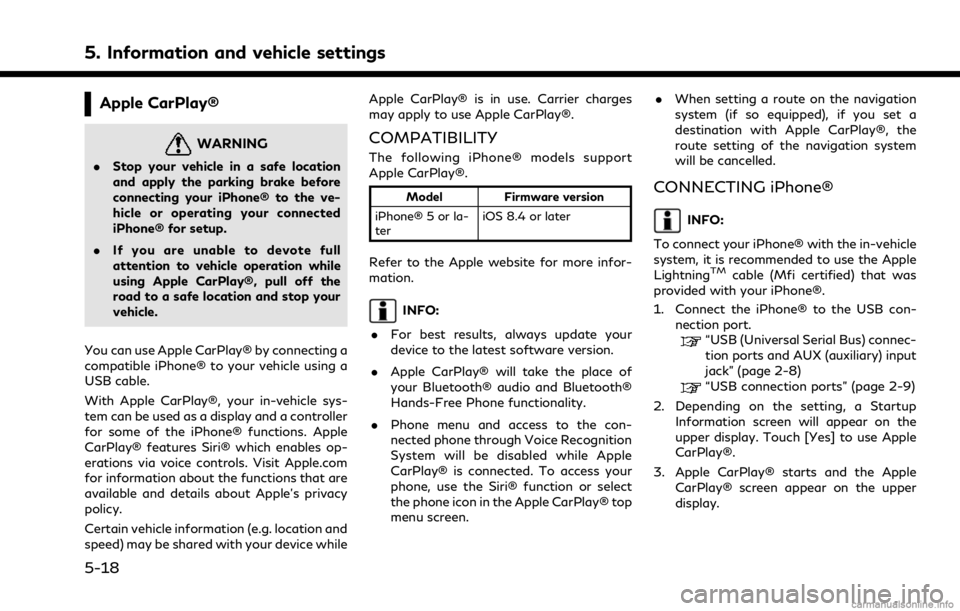
You can use Apple CarPlay® by connecting a
compatible iPhone® to your vehicle using a
USB cable.
With Apple CarPlay®, your in-vehicle sys-
tem can be used as a display and a controller
for some of the iPhone® functions. Apple
CarPlay® features Siri® which enables op-
erations via voice controls. Visit Apple.com
for information about the functions that are
available and details about Apple’s privacy
policy.
Certain vehicle information (e.g. location and
speed) may be shared with your device while Apple CarPlay® is in use. Carrier charges
may apply to use Apple CarPlay®.
COMPATIBILITY
The following iPhone® models support
Apple CarPlay®.
Model
Firmware version
iPhone® 5 or la-
ter iOS 8.4 or later
Refer to the Apple website for more infor-
mation.
INFO:
. For best results, always update your
device to the latest software version.
. Apple CarPlay® will take the place of
your Bluetooth® audio and Bluetooth®
Hands-Free Phone functionality.
. Phone menu and access to the con-
nected phone through Voice Recognition
System will be disabled while Apple
CarPlay® is connected. To access your
phone, use the Siri® function or select
the phone icon in the Apple CarPlay® top
menu screen. .
When setting a route on the navigation
system (if so equipped), if you set a
destination with Apple CarPlay®, the
route setting of the navigation system
will be cancelled.
CONNECTING iPhone®
INFO:
To connect your iPhone® with the in-vehicle
system, it is recommended to use the Apple
Lightning
TMcable (Mfi certified) that was
provided with your iPhone®.
1. Connect the iPhone® to the USB con- nection port.
“USB (Universal Serial Bus) connec-
tion ports and AUX (auxiliary) input
jack” (page 2-8)
“USB connection ports” (page 2-9)
2. Depending on the setting, a Startup Information screen will appear on the
upper display. Touch [Yes] to use Apple
CarPlay®.
3. Apple CarPlay® starts and the Apple CarPlay® screen appear on the upper
display.
5-18
Page 143 of 268

setting of the navigation system will be
cancelled.
. The Phone menu and access to the
connected phone through the Voice
Recognition System will be disabled
while Android Auto is connected. To
access your phone, talk to your Google
Assistant or select the phone icon in the
Android Auto top menu screen.
INITIAL Android Auto SETTINGS
Before using Android Auto, download the
Android Auto app from the Google Play
store on your Android phone.
It may be necessary to operate the Android
phone when connecting first.
Depending on the selection on the connect-
ing Android phone, such as approval, some
of the features of Android Auto are not
available.
Android Auto OPERATION
Unlock your phone’s screen before connect-
ing your Android phone.
1. Connect your Android phone to the USB
connection port.
“USB (Universal Serial Bus) connec-
tion ports and AUX (auxiliary) input
jack” (page 2-8)
“USB connection ports” (page 2-9)
2. Depending on the setting, a Startup Information screen will appear on the
upper display. Touch [Yes] to use An-
droid Auto.
INFO:
.If you are using Android Auto or AppleCarPlay®, you can not start Android
Auto with the other Android phone.
To use the Android Auto with the
other Android phone, disconnect the
current device, or deactivate Android
Auto or Apple CarPlay® on the Con-
nections settings.
“Connections settings”
(page 2-28)
.If you do not wish to display the
Startup Information screen each time
you activate Android Auto, turn on [Don’t Ask Anymore] on the Startup
Information screen. The Startup In-
formation screen will not be displayed
from the next Android Auto activa-
tion. The Startup Information screen
can be set to appear again in the
Android Auto setting menu.
“Android Auto settings”
(page 5-25)
.The Bluetooth® setting of your An-
droid phone will be turned on and
connected to in-vehicle system auto-
matically when Android Auto is acti-
vated. Keep the Bluetooth® turned
on to use the phone functions.
.Some functions of Android Auto arenot available if the Bluetooth® is not
connected.
3. The Android Auto top menu screen will appear on the upper display. The Android
phone functions displayed on the screen
should now be operable using the in-
vehicle system.
4. To exit the Android Auto screen, touch [
] and then touch the key to return to
INFINITI InTouchTM.
5. Information and vehicle settings
5-23
Page 216 of 268
6. Navigation (if so equipped)
— Even if the ferry preference is set toOFF, a route that uses a ferry line
may be suggested.
HOW TO UPDATE MAP DATA
WARNING
TO AVOID RISK OF DEATH OR SER-
IOUS PERSONAL INJURY WHEN UP-
DATING THE MAP SOFTWARE:
If you choose to park the vehicle within
range of a TCU (Telematics Control Unit)
or a Wi-Fi connection (if so equipped),
park the vehicle in a secure, safe well-
ventilated location that is open to the air.
During the update process, if you choose
to park your vehicle, it should be kept in a
well ventilated area to avoid exposure to
carbon monoxide. Do not breathe ex-
haust gases; they contain colorless and
odorless carbon monoxide. Carbon mon-
oxide is dangerous. It can cause uncon-
sciousness or death.
1.Apply the parking brake.
2. Remain with the vehicle while the
update is in process.
3. Do not allow children, pets or people
who may need assistance to remain in the vehicle while the software is
updating.
NOTE:
The vehicle is not required to be parked
during the map update process. If the
vehicle disconnects from the Wi-Fi connec-
tion (if so equipped), it will resume when the
vehicle reconnects to a known Wi-Fi con-
nection.
Navigation map data can be updated via
USB memory device, Wi-Fi (if so equipped)
or TCU (Telematics Control Unit).
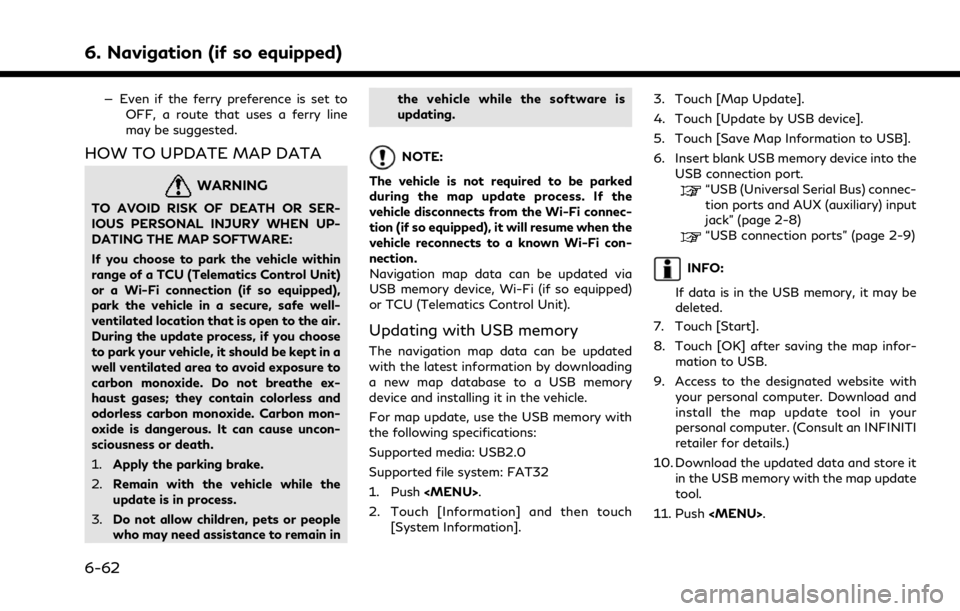
Updating with USB memory
The navigation map data can be updated
with the latest information by downloading
a new map database to a USB memory
device and installing it in the vehicle.
For map update, use the USB memory with
the following specifications:
Supported media: USB2.0
Supported file system: FAT32
1. Push
Page 241 of 268

BLUETOOTH® AUDIO
SymptomPossible cause Possible solution
Registration cannot be performed. The Bluetooth® audio device is not compatible
with the in-vehicle audio system. Check the Bluetooth® audio device Owner’s
Manual.
Bluetooth® is disabled on device. Check that the Bluetooth® function is enabled on
device.
The PIN code is incorrect. Check the PIN code for the Bluetooth® audio
device that is to be registered.
Check that the PIN code for the Bluetooth®
audio device is consistent with that for the in-
vehicle audio system.
Another Bluetooth® device is used in the
vehicle. Turn off the other Bluetooth® device until the
registration is completed.
Music cannot be played back. The Bluetooth® audio device is not compatible
with the in-vehicle audio system. Check the Bluetooth® audio device Owner’s
Manual.
The system is not set to the Bluetooth® audio
mode. Display the source menu screen, and select the
Bluetooth® audio mode.
“Selecting audio source” (page 3-13)
Push
select the Bluetooth® audio mode.
“Audio main buttons” (page 3-11)
A Bluetooth® adapter is turned off. Turn on a Bluetooth® adapter when it is used for a Bluetooth® audio device.
8. Troubleshooting guide
8-13