automatic transmission INFINITI Q60 2014 User Guide
[x] Cancel search | Manufacturer: INFINITI, Model Year: 2014, Model line: Q60, Model: INFINITI Q60 2014Pages: 466, PDF Size: 3.2 MB
Page 116 of 466

SIC3469
GLOVE BOX
WARNING
Keep glove box lid closed while driving to
help prevent injury in an accident or a
sudden stop.
To open the glove box, pull the handle*1.
To close, push the lid in until the lock
latches.
To lock
*2/unlock*3the glove box, use
the mechanical key. For the mechanical key
usage, see “Keys”(P.3-3).
SIC4363
Automatic transmission models
SIC4174
Manual transmission models
CONSOLE BOX
To open the console boxes, push the knob
*Aand pull up the lid.
To close, push the lid down until latched.
The inner tray (if so equipped) can be
moved to the front or rear position.
Instruments and controls2-47
Page 123 of 466

2-54Instruments and controls
The HomeLink®Universal Transceiver pro-
vides a convenient way to consolidate the
functions of up to three individual hand-
held transmitters into one built-in device.
HomeLink
®Universal Transceiver:
. Will operate most Radio Frequency (RF)
devices such as garage doors, gates,
home and office lighting, entry door
locks and security systems.
. Is powered by your vehicle’s battery. No
separate batteries are required. If the
vehicle’s battery is discharged or is
disconnected, HomeLink
®will retain all
programming.
When the HomeLink
®Universal Transcei-
ver is programmed, retain the original
transmitter for future programming proce-
dures (Example: new vehicle purchases).
Upon sale of the vehicle, the programmed
HomeLink
®Universal Transceiver buttons
should be erased for security purposes.
For additional information, refer to “Pro-
gramming HomeLink
®” (P.2-54).
WARNING
. Do not use the HomeLink®Universal
Transceiver with any garage door opener
that lacks safety stop and reverse features as required by federal safety
standards. (These standards became
effective for opener models manufac-
tured after April 1, 1982). A garage door
opener which cannot detect an object in
the path of a closing garage door and
then automatically stop and reverse,
does not meet current federal safety
standards. Using a garage door opener
without these features increases the risk
of serious injury or death.
. During the programming procedure your
garage door or security gate will open
and close (if the transmitter is within
range). Make sure that people or objects
are clear of the garage door, gate, etc.
that you are programming.
. Your vehicle’s engine should be turned
off while programming the HomeLink
®
Universal Transceiver. Do not breathe
exhaust gases; they contain colorless
and odorless carbon monoxide. Carbon
monoxide is dangerous. It can cause
unconsciousness or death.
PROGRAMMING HomeLink®
If you have any questions or are having
difficulty programming your HomeLink®
buttons, refer to the HomeLink®web site
at: www.homelink.com or call 1-800-355-
3515.
NOTE:
It is also recommended that a new battery
be placed in the hand-held transmitter of
the device being programmed to
HomeLink
®for quicker programming and
accurate transmission of the radio-fre-
quency.
1. Position the end of your hand-held transmitter 1 - 3 in (26 - 76 mm) away
from the HomeLink
®surface, keeping
the HomeLink®indicator light*1in
view.
HomeLink®UNIVERSAL TRANSCEIVER (if so
equipped)
Page 125 of 466

2-56Instruments and controls
stand on your vehicle to perform the
next steps.
4. At the receiver located on the garage door opener motor in the garage, locate
the “learn” or“smart” button (the
name and color of the button may vary
by manufacturer but it is usually
located near where the hanging anten-
na wire is attached to the unit). If there
is difficulty locating the button, refer-
ence the garage door opener’s manual.
5. Press and release the “learn” or
“smart” button.
NOTE:
Once the button is pressed, you have
approximately 30 seconds to initiate
the next step.
6. Return to the vehicle and firmly press and hold the programmed HomeLink
®
button for two seconds and release.
Repeat the “press/hold/release” se-
quence up to 3 times to complete the
programming process. HomeLink
®
should now activate your rolling code
equipped device.
7. If you have any questions or are having difficulty programming your
HomeLink
®buttons, refer to the HomeLink
®web site at: www.
homelink.com or call 1-800-355-3515.
PROGRAMMING HomeLink®FOR
CANADIAN CUSTOMERS AND GATE
OPENERS
Canadian radio-frequency laws require
transmitter signals to “time-out”(or quit)
after several seconds of transmission –
which may not be long enough for
HomeLink
®to pick up the signal during
programming. Similar to this Canadian
law, some U.S. gate operators are de-
signed to “time-out” in the same manner.
If you live in Canada or you are having
difficulties programming a gate operator or
garage door opener by using the “Pro-
gramming HomeLink
®” procedures, re-
place “Programming HomeLink®”Step 2
with the following:
NOTE:
When programming a garage door opener,
etc., unplug the device during the “cy-
cling” process to prevent possible damage
to the garage door opener components.
Step 2: Using both hands, simultaneously
press and hold the desired HomeLink
®
button and the hand-held transmitter button. During programming, your hand-
held transmitter may automatically stop
transmitting. Continue to press and hold
the desired HomeLink
®button while you
press and re-press (“cycle”) your hand-
held transmitter every two seconds until
the frequency signal has been learned. The
HomeLink
®indicator light will flash slowly
and then rapidly after several seconds
upon successful programming. DO NOT
release until the HomeLink
®indicator light
flashes slowly and then rapidly. When the
indicator light flashes rapidly, both buttons
may be released. The rapid flashing
indicates successful programming.
Proceed with “Programming HomeLink
®”
step 3 to complete.
Remember to plug the device back in when
programming is completed.
OPERATING THE HomeLink®UNI-
VERSAL TRANSCEIVER
The HomeLink®Universal Transceiver, after
it is programmed, can be used to activate
the programmed device. To operate, simply
press and release the appropriate pro-
grammed HomeLink
®Universal Transceiver
button. The amber indicator light will
illuminate while the signal is being trans-
Page 139 of 466
3-12Pre-driving checks and adjustments
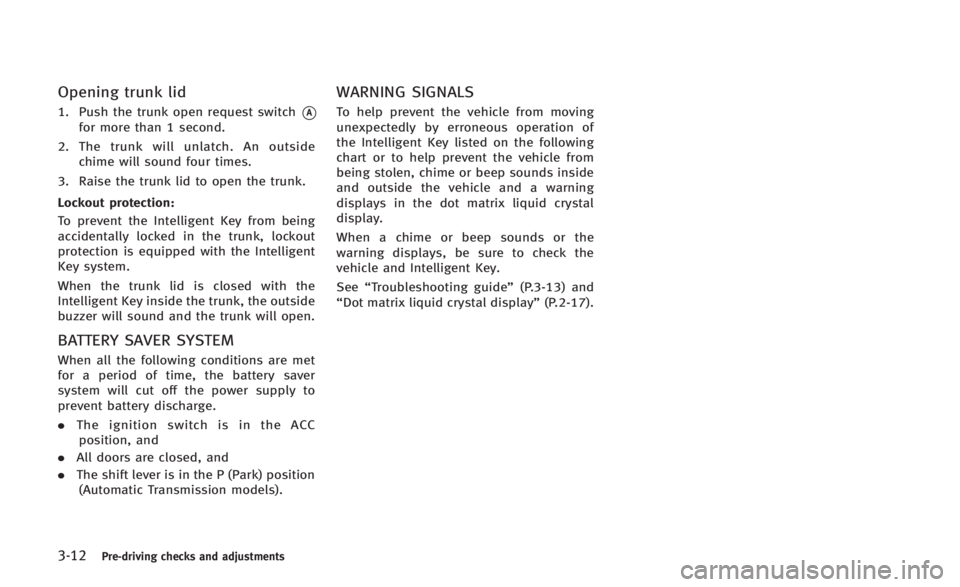
Opening trunk lid
1. Push the trunk open request switch*Afor more than 1 second.
2. The trunk will unlatch. An outside chime will sound four times.
3. Raise the trunk lid to open the trunk.
Lockout protection:
To prevent the Intelligent Key from being
accidentally locked in the trunk, lockout
protection is equipped with the Intelligent
Key system.
When the trunk lid is closed with the
Intelligent Key inside the trunk, the outside
buzzer will sound and the trunk will open.
BATTERY SAVER SYSTEM
When all the following conditions are met
for a period of time, the battery saver
system will cut off the power supply to
prevent battery discharge.
. The ignition switch is in the ACC
position, and
. All doors are closed, and
. The shift lever is in the P (Park) position
(Automatic Transmission models).
WARNING SIGNALS
To help prevent the vehicle from moving
unexpectedly by erroneous operation of
the Intelligent Key listed on the following
chart or to help prevent the vehicle from
being stolen, chime or beep sounds inside
and outside the vehicle and a warning
displays in the dot matrix liquid crystal
display.
When a chime or beep sounds or the
warning displays, be sure to check the
vehicle and Intelligent Key.
See “Troubleshooting guide” (P.3-13) and
“Dot matrix liquid crystal display” (P.2-17).
Page 140 of 466

TROUBLESHOOTING GUIDE
SymptomPossible causeAction to take
When pushing the ignition switch
to stop the engine The SHIFT P warning appears on the display
and the inside warning chime sounds con-
tinuously (Automatic Transmission models).
The shift lever is not in the P (Park)
position.
Shift the shift lever to the P (Park) position.
When shifting the shift lever to
the P (Park) position. The inside warning chime sounds continu-
ously. The ignition switch is in the ACC or ON
position.
Push the ignition switch to the OFF position.
When opening the driver’s door to
get out of the vehicle The inside warning chime sounds continu-
ously. The ignition switch is in the ACC
position.
Push the ignition switch to the OFF position.
The Intelligent Key is in the Intelligent
Key port. Remove the Intelligent Key from the Intel-
ligent Key port.
When closing the door after get-
ting out of the vehicle The NO KEY warning appears on the display,
the outside chime sounds 3 times and the
inside warning chime sounds for a few
seconds.
The ignition switch is in the ACC or ON
position.
Push the ignition switch to the OFF position.
The SHIFT P warning appears on the display
and the outside chime sounds continuously
(Automatic Transmission models). The ignition switch is in the ACC or OFF
position and the shift lever is not in the
P (Park) position.Move the shift lever to the P (Park) position
and push the ignition switch to the OFF
position.
When closing the door with the
inside lock knob turned to LOCK The outside chime sounds for a few seconds
and all the doors unlock. The Intelligent Key is inside the vehicle
or trunk.
Carry the Intelligent Key with you.
When pushing the request switch
or LOCK
button on the
Intelligent Key to lock the door The outside chime sounds for a few seconds. The Intelligent Key is inside the vehicle
or trunk.
Carry the Intelligent Key with you.
A door is not closed securely. Close the door securely.
When closing the trunk lid The outside chime sounds for approximately
10 seconds and the trunk lid opens.
The Intelligent Key is inside the trunk.
Carry the Intelligent Key with you.
Pre-driving checks and adjustments3-13
Page 150 of 466

SPA2632
OPENING THE RETRACTABLE HARD
TOP
1. Make sure the trunk lid is securelyclosed before operating the retractable
hard top.
2. Apply the parking brake and move the shift lever to the P (Park) position (for
the automatic transmission models) or
the shift lever to the N (Neutral)
position (for the manual transmission
models).
3. Start the engine.
4. Push the OPEN side of the retractable hard top operating switch and hold it until the retractable hard top is fully
opened.
.When the OPEN side of the retract-
able hard top operating switch is
pushed a beep sounds.
.“ROOF IN OPERATION” is displayed
on the dot matrix liquid crystal
display while the retractable hard
top is in motion.
.The windows will automatically be fully opened.
5. Release the switch when the retractable hard top is fully opened.
.When the retractable hard top isfully opened, a beep sounds.
.“ROOF OPEN” is displayed on the
dot matrix liquid crystal display
when the retractable hard top is
fully opened.
CAUTION
Be sure to fully open or fully close the
retractable hard top and do not stop using
the operating switch half way through the
roof opening or closing process. If the
retractable hard top is only partially opened,
significant damage to the retractable hard top could occur.
Pre-driving checks and adjustments3-23
Page 151 of 466

3-24Pre-driving checks and adjustments
SPA2633
CLOSING THE RETRACTABLE HARD
TOP
1. Make sure the trunk lid is securelyclosed before operating the retractable
hard top.
2. Apply the parking brake and move the shift lever to the P (Park) position (for
the automatic transmission models) or
the shift lever to the N (Neutral)
position (for the manual transmission
models).
3. Start the engine.
4. Push the CLOSE side of the retractable hard top operating switch and hold it until the retractable hard top is fully
closed.
.When the CLOSE side of the retract-
able hard top operating switch is
pushed a beep sounds.
.“ROOF IN OPERATION” is displayed
on the dot matrix liquid crystal
display while the retractable hard
top is in motion.
.The windows will automatically be fully opened.
5. Release the switch when the retractable hard top is fully closed.
.When the retractable hard top isfully closed, a beep sounds.
.“ROOF CLOSED” is displayed on the
dot matrix liquid crystal display
when the retractable hard top is
fully closed.
IF THE RETRACTABLE HARD TOP
DOES NOT OPEN OR CLOSE ELEC-
TRICALLY
If you cannot operate the retractable hard
top with the operating switch, first check
whether all the following operating condi-
tions are satisfied.
. The vehicle is stopped .
The engine is running
. The separator is fixed in the position
separating the roof storage area and
the trunk room
. Make sure that no objects interfere with
the rear parcel shelf, the side flaps and
the retractable hard top.
. The trunk lid is closed
If the retractable hard top still does not
move under the above conditions or has
any system malfunction, see an INFINITI
retailer as soon as possible.
WARNING
. Do not drive with the retractable hard
top partially opened.
. When the buzzer continuously sounds
while the vehicle is being driven, im-
mediately park the car in a safe location
and check that the retractable hard top
is not partially open
. If the retractable hard top cannot be
operated properly, see an INFINITI retai-
ler as soon as possible to have your
vehicle checked.
Page 153 of 466

3-26Pre-driving checks and adjustments
TROUBLESHOOTING GUIDE
If the retractable hard top stops halfway during operation or does not operate normally, follow the procedures shown in the following
table. If the procedures in the following table do not solve the symptom, immediately contact INFINITI retailer for the inspection.
SymptomBeepPossible cause Possible solution
The OPEN side of the retractable hard top
operating switch is pushed, but the
retractable hard top does not operate. Sounds twice
The OPEN side of the retractable hard top operating
switch is pushed while the retractable hard top is
fully open, or the CLOSE side of the retractable
hard top operating switch is pushed while the
retractable hard top is fully closed. Push the CLOSE side of the retractable hard top
operating switch when the retractable hard top is
fully open. Push the OPEN side of the retractable
hard top operating switch when the retractable hard
top is fully closed.
Sounds twice The shift lever (automatic transmission models
only) or the shift lever (manual transmission
models only) is in the R (Reverse) position. Shift the shift lever (automatic transmission models
only) to the P (Park) or N (Neutral) position, or shift
the shift lever (manual transmission model only) to
the N (Neutral) position, and then operate the
retractable hard top.
Sounds twice The trunk lid is opened. Fully close the trunk lid.
Does not sound The battery voltage is low. Start the engine again and operate the retractable
hard top.
Sounds twice The separator in the trunk room is not correctly set. Set the separator correctly. For details, refer to
“Separator”
(P.3-20).
Does not sound The retractable hard top is in the deactivation
mode in order to avoid motor overheating by the
continuous operation of the retractable hard top. Wait for approximately 20 minutes without operating
the retractable hard top and then operate the
retractable hard top.
The retractable hard top stops halfway
during operation. Sounds twice
Objects are trapped in the moving structure of the
retractable hard top. Check that an object is not trapped inside the rear
parcel shelf, side flap and retractable hard top. After
the check, turn the ignition switch to the OFF
position, start the engine again and then operate the
retractable hard top.
Does not sound The battery voltage is low. Start the engine again and operate the retractable
hard top.
Page 165 of 466

3-38Pre-driving checks and adjustments
The automatic drive positioner system has
two features:
.Seat synchronization function
. Memory storage
JVP0223X
SEAT SYNCHRONIZATION FUNCTION
The seat synchronization function automa-
tically adjusts the positions of the steering
wheel and outside mirrors when the seat is
adjusted using the power seat switches.
However, the steering wheel and outside
mirrors will not move if the seat is adjusted
over the maximum thresholds. The system
considers that the steering wheel and
outside mirror adjustments are not neces-
sary because the seat may not be adjusted
for the driving position. Note that the
function is set to disabled as the factory
default setting. The seat synchronization function operates
under the following conditions:
.
The ignition switch is in the ON posi-
tion.
. The shift lever is in the P (Park) position
(Automatic Transmission models) or the
parking brake is applied (Manual Trans-
mission models).
. The seatback is raised.
If the outside mirrors or the steering wheel
reaches its maximum adjustment, the
function is automatically disabled. Restart
the function by selecting a previously
stored seat memory position using the
memory switches (1 or 2). An Intelligent
Key that was previously linked to the
stored seat memory can also be used to
restart the function.
If a seat position was not previously stored
in the seat memory, restart the function by
adjusting the steering wheel and outside
mirrors manually for your best driving
position and then drive the vehicle above
4 MPH (7 km/h).
AUTOMATIC DRIVE POSITIONER (if so
equipped)
Page 166 of 466

Cancel or activate seat synchroni-
zation function
For Automatic Transmission models:
The shift lever must be in the P (Park)
position with the ignition switch in the ACC
position.
For Manual Transmission models:
The parking brake must be applied with
the ignition switch in the ACC position.
The seat synchronization function can be
activated or canceled by pushing and
holding the SET switch for more than 10
seconds while the ignition switch is in the
ACC position.
The indicator lights on the memory
switches (1 and 2) will blink once when
the function is canceled, and the indicator
lights will blink twice when the function is
activated. Note that the indicator lights
may illuminate after 5 seconds while
holding the SET switch. This indicates
readiness for linking the Intelligent Key to
a stored memory position. Keep the SET
switch pushed for more than 10 seconds to
turn on or off the seat synchronization
function.
MEMORY STORAGE
Two positions for the driver’s seat, steering
column and outside mirrors can be stored
in the automatic drive positioner memory.
Follow these procedures to use the mem-
ory system.
1.Automatic transmission models:
Move the shift lever to the P (Park)
position.
Manual transmission models:
Apply the parking brake.
2. Raise the seatback.
3. Push the ignition switch to the ON position.
4. Adjust the driver’s seat, steering col- umn and outside mirrors to the desired
positions by manually operating each
adjusting switch. For additional infor-
mation, see “Seats”(P.1-2) and “Tilt/
telescopic steering” (P.3-34) and“Out-
side mirrors” (P.3-36).
5. Push the SET switch and, within 5 seconds, push the memory switch (1
or 2) fully for at least 1 second.
The indicator light for the pushed
memory switch will stay on for approxi-
mately 5 seconds after pushing the switch.
If memory is stored in the same
memory switch, the previous memory
will be deleted.
Linking Intelligent Key to a stored
memory position
The Intelligent Key can be linked to a
stored memory position with the following
procedure.
1. Follow the steps for storing a memory
position.
2. While the indicator light for the memory switch being set is illuminated for 5
seconds, push the
button on the
Intelligent Key. If the indicator light
blinks, the Intelligent Key is linked to
that memory setting.
Push the ignition switch to the OFF posi-
tion, and then push the
button on the
Intelligent Key. The driver’s seat, steering
wheel and outside mirrors will move to the
memorized position.
Confirming memory storage
. Push the ignition switch to the ON
position and push the SET switch. If
the main memory has not been stored,
the indicator light will come on for
Pre-driving checks and adjustments3-39