air condition INFINITI Q60 2018 User Guide
[x] Cancel search | Manufacturer: INFINITI, Model Year: 2018, Model line: Q60, Model: INFINITI Q60 2018Pages: 466, PDF Size: 2.47 MB
Page 74 of 466
SSS1016
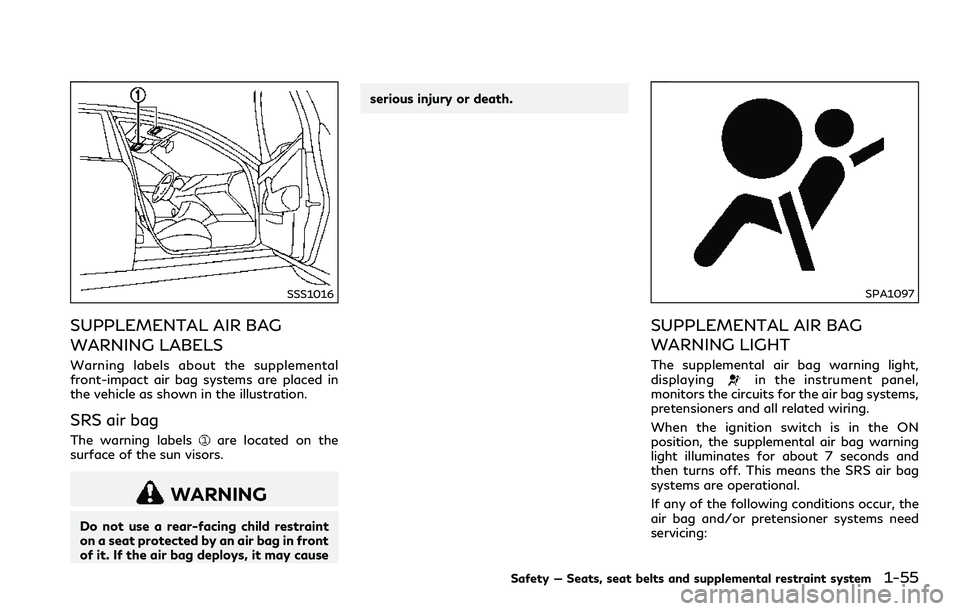
SUPPLEMENTAL AIR BAG
WARNING LABELS
Warning labels about the supplemental
front-impact air bag systems are placed in
the vehicle as shown in the illustration.
SRS air bag
The warning labelsare located on the
surface of the sun visors.
WARNING
Do not use a rear-facing child restraint
on a seat protected by an air bag in front
of it. If the air bag deploys, it may causeserious injury or death.
SPA1097
SUPPLEMENTAL AIR BAG
WARNING LIGHT
The supplemental air bag warning light,
displayingin the instrument panel,
monitors the circuits for the air bag systems,
pretensioners and all related wiring.
When the ignition switch is in the ON
position, the supplemental air bag warning
light illuminates for about 7 seconds and
then turns off. This means the SRS air bag
systems are operational.
If any of the following conditions occur, the
air bag and/or pretensioner systems need
servicing:
Safety — Seats, seat belts and supplemental restraint system1-55
Page 75 of 466
1-56Safety — Seats, seat belts and supplemental restraint system
.The supplemental air bag warning light
remains on after approximately 7 sec-
onds.
.The supplemental air bag warning light
flashes intermittently.
.The supplemental air bag warning light
does not come on at all.
Under these conditions, the air bag or
pretensioner systems may not operate prop-
erly. They must be checked and repaired. It is
recommended you visit an INFINITI retailer
for this service.
WARNING
If the supplemental air bag warning light
is on, it could mean that the front air
bag, side air bag, curtain air bag and/or
pretensioner systems will not operate in
an accident. To help avoid injury to
yourself or others, have your vehicle
checked as soon as possible. It is recom-
mended you visit an INFINITI retailer for
this service.
REPAIR AND REPLACEMENT
PROCEDURE
The front air bags, side air bags, curtain air
bags and pretensioners are designed to
activate on a one-time-only basis. As a
reminder, unless it is damaged, the supple-
mental air bag warning light will remain
illuminated after inflation has occurred.
These systems should be repaired and/or
replaced as soon as possible. It is recom-
mended you visit an INFINITI retailer for this
service.
When maintenance work is required on the
vehicle, the front air bags, side air bags,
curtain air bags, pretensioners and related
parts should be pointed out to the person
conducting the maintenance. The ignition
switch should always be in the LOCK
position when working under the hood or
inside the vehicle.
WARNING
.Once a front air bag, side air bag, or
curtain air bag has inflated, the air
bag module will not function again
and must be replaced. Additionally,
the activated pretensioner must also
be replaced. The air bag module and
pretensioner should be replaced. It isrecommended you visit an INFINITI
retailer for this service. However, the
air bag module and pretensioner
system cannot be repaired.
.The front air bag, side air bag, curtain
air bag and the pretensioner system
should be inspected if there is any
damage to the front end or side
portion of the vehicle. It is recom-
mended you visit an INFINITI retailer
for this service.
.If you need to dispose of the supple-
mental air bag or pretensioner or
scrap the vehicle, it is recommended
you visit an INFINITI retailer. Correct
supplemental air bag and seat belt
pretensioner system disposal proce-
dures are set forth in the appropriate
INFINITI Service Manual. Incorrect
disposal procedures could cause per-
sonal injury.
.If there is an impact to your vehicle
from any direction, your Occupant
Classification Sensor (OCS) should be
checked by an INFINITI retailer to
verify it is still functioning correctly.
The OCS should be checked even if no
air bags deploy as a result of the
impact. Failure to verify proper OCS
function may result in an improper air
bag deployment resulting in injury or
Page 85 of 466

2-8Instruments and controls
JVI0638X
TACHOMETER
The tachometer indicates engine speed in
revolutions per minute (RPM).Do not rev
the engine into the red zone
.
The scale length and the red zone vary with
the engine model.
CAUTION
When engine speed approaches the red
zone, shift to a higher gear or reduce
engine speed. Operating the engine in
the red zone may cause serious engine
damage.
JVI0639X
ENGINE COOLANT TEMPERA-
TURE GAUGE
The gauge indicates the engine coolant
temperature.
The engine coolant temperature is within the
normal range when the gauge needle points
within the zone
shown in the illustration.
The engine coolant temperature varies with
the outside air temperature and driving
conditions.
CAUTION
If the gauge indicates the engine coolant
temperature is near the hot (H) end of
the normal range, reduce vehicle speed
to decrease the temperature. If the
gauge is over the normal range, stop
the vehicle as soon as safely possible and
let the engine idle. If the engine is
overheated, continued operation of the
vehicle may seriously damage the engine.
See “If your vehicle overheats” (P.6-21)
for immediate action required.
Page 92 of 466
illuminates to indicate a TPMS malfunction.
For additional information, see “Tire Pres-
sure Monitoring System (TPMS)” (P.5-5).
WARNING
.Radio waves could adversely affect
electric medical equipment. Those
who use a pacemaker should contact
the electric medical equipment man-
ufacturer for the possible influences
before use.
.If the light does not illuminate with
the ignition switch pushed ON, have
the vehicle checked as soon as possi-
ble. It is recommended you visit an
INFINITI retailer for this service.
.If the light illuminates while driving,
avoid sudden steering maneuvers or
abrupt braking, reduce vehicle speed,
pull off the road to a safe location
and stop the vehicle as soon as
possible. Driving with under-inflated
tires may permanently damage the
tires and increase the likelihood of
tire failure. Serious vehicle damage
could occur and may lead to an
accident and could result in serious
personal injury. Check the tire pres-
sure for all four tires. Adjust the tire
pressure to the recommended COLDtire pressure shown on the Tire and
Loading Information label to turn the
low tire pressure warning light OFF.
If the light still illuminates while
driving after adjusting the tire pres-
sure, a tire may be flat or the TPMS
may be malfunctioning. If you have a
flat tire, replace it with a spare tire (if
so equipped) or repair it with the
emergency tire puncture repair kit (if
so equipped) as soon as possible. If no
tire is flat and all tires are properly
inflated, it is recommended you con-
sult an INFINITI retailer.
.For models with run-flat tires,
although you can continue driving
with a punctured run-flat tire, re-
member that vehicle handling stabi-
lity is reduced, which could lead to an
accident and personal injury. Also,
driving a long distance at high speeds
may damage the tires.
— Do not drive at speeds above 50
MPH (80 km/h) and do not drive
more than approximately 93 miles
(150 km) with a punctured run-
flat tire. The actual distance the
vehicle can be driven on a flat tire
depends on outside temperature,
vehicle load, road conditions and
other factors.— If you detect any unusual sounds
or vibrations while driving with a
punctured run-flat tire, pull off
the road to a safe location and
stop the vehicle as soon as possi-
ble. The tire may be seriously
damaged and need to be replaced.
.Since the spare tire is not equipped
with the TPMS, when a spare tire is
mounted or a wheel is replaced, the
TPMS will not function and the low
tire pressure warning light will flash
for approximately 1 minute. The light
will remain on after the 1 minute.
Have your tires replaced and/or
TPMS system reset as soon as pos-
sible. It is recommended you visit an
INFINITI retailer for these services.
.Replacing tires with those not origin-
ally specified by INFINITI could affect
the proper operation of the TPMS.
CAUTION
.The TPMS is not a substitute for the
regular tire pressure check. Be sure to
check the tire pressure regularly.
.If the vehicle is being driven at speeds
of less than 16 MPH (25 km/h), the
Instruments and controls2-15
Page 94 of 466

indicate the electric power steering is not
functioning properly and may need servicing.
It is recommended you have the electric
power steering checked by an INFINITI
retailer.
When the power steering warning light
illuminates with the engine running, the
power assist to the steering will cease
operation but you will still have control of
the vehicle. At this time, greater steering
efforts are required to operate the steering
wheel, especially in sharp turns and at low
speeds.
See “Electric power steering type” (P.5-129).
Seat belt warning light and
chime
The light and chime remind you to fasten
seat belts. The light illuminates whenever
the ignition switch is pushed to the ON
position, and will remain illuminated until the
driver’s seat belt is fastened. At the same
time, the chime will sound for about 6
seconds unless the driver’s seat belt is
securely fastened.
The seat belt warning light for the front
passenger will illuminate if the seat belt is
not fastened when the front passenger’s
seat is occupied.
See “Seat belts” (P.1-11) for precautions onseat belt usage.
Supplemental air bag warning
light
After pushing the ignition switch to the ON
position, the supplemental air bag warning
light will illuminate. The supplemental air bag
warning light will turn off after about 7
seconds if the supplemental front air bag
and supplemental side air bag, curtain side-
impact air bag systems and/or pretensioner
seat belt are operational.
If any of the following conditions occur, the
supplemental front air bag, supplemental
side air bag, supplemental curtain side-
impact air bag and pretensioner seat belt
needs servicing.
.The supplemental air bag warning light
remains on after approximately 7 sec-
onds.
.The supplemental air bag warning light
flashes intermittently.
.The supplemental air bag warning light
does not come on at all.
It is recommended you visit an INFINITI
retailer for these services.
Unless checked and repaired, the Supple-
mental Restraint Systems and/or the pre-
tensioner seat belt may not function
properly.For additional information, see “Supplemen-
tal restraint system” (P.1-38).
WARNING
If the supplemental air bag warning light
is on, it could mean that the supple-
mental front air bag, supplemental side
air bag, curtain side-impact air bag
systems and/or pretensioner seat belt
will not operate in an accident. To help
avoid injury to yourself or others, have
your vehicle checked. It is recommended
you visit an INFINITI retailer for this
service.
Vehicle Dynamic Control
(VDC) warning light
When the ignition switch is in the ON
position, the Vehicle Dynamic Control
(VDC) warning light illuminates and then
turns off.
The light will blink when the VDC system or
the traction control system is operating, thus
alerting the driver that the vehicle is nearing
its traction limits. The road surface may be
slippery.
When the VDC warning light illuminates
when the VDC system is turned on, this light
Instruments and controls2-17
Page 107 of 466

2-30Instruments and controls
See “Idling Stop System” (P.5-139) for more
details.
5. Total fuel saved and engine stop
time (if so equipped)
The total fuel saved and engine stop time
(Idling Stop System) mode shows amount of
fuel saved and the engine stop time since the
last reset.
.The estimated quantity of saved fuel
.The time that the engine has been
stopped for by the Idling Stop System
The fuel saved and engine stop time can be
reset by pushing the
orswitch for
longer than 1 second.
See “Idling Stop System” (P.5-139) for more
details.
6. Current fuel consumption and
average fuel consumption (MPG, l
(liter)/100 km or km/l)
Current fuel consumption:
The current fuel consumption mode shows
the current fuel consumption.
Average fuel consumption:
The average fuel consumption mode shows
the average fuel consumption since the last
reset. Resetting is done by pushing the
orswitch for longer than 1 second.The average fuel consumption is also reset
on the lower display. See the Infiniti InTouch
Owner’s Manual.
The display is updated every 30 seconds. At
about the first 1/3 mile (500 m) after a
reset, the display shows “——”.
7. Navigation (if so equipped)
When the route guidance is set in the
navigation system, this item shows the
navigation route information.
For more details, see the Infiniti InTouch
Owner’s Manual.
8. Audio
The audio mode shows the status of audio
information.
For more details, see the Infiniti InTouch
Owner’s Manual.
9. Driving aids (if so equipped)
The driving aids mode shows the operating
condition for the following systems.
.Lane Departure Warning (LDW)
.Lane Departure Prevention (LDP)
.Blind Spot Warning (BSW)
.Blind Spot Intervention
®(BSI)
.Distance Control Assist (DCA)
.Forward Emergency Braking (FEB) with
pedestrian detection system.Predictive Forward Collision Warning
(PFCW)
For more details, see “Lane Departure
Warning (LDW) system/Lane Departure
Prevention (LDP)” (P.5-34), “Blind Spot
Warning (BSW)” (P.5-41), “Blind Spot Inter-
vention
®(BSI)” (P.5-49), “Distance Control
Assist (DCA)” (P.5-94), “Forward Emer-
gency Braking (FEB) with pedestrian detec-
tion system” (P.5-105) and “Predictive
Forward Collision Warning (PFCW)” (P.5-
115).
10. Tire pressure
The tire pressure mode shows the pressure
of all four tires while the vehicle is driven.
When the “Tire Pressure Low - Add Air” or
“Flat Tire - Visit dealer” (if so equipped)
warning appears, the display can be
switched to the tire pressure mode by
pushing the
orswitch.
The tire pressure unit can be changed in the
[TPMS setting] under the [Settings] menu
on the lower display. (See the Infiniti InTouch
Owner’s Manual.)
NOTE:
After the ignition switch is placed in the ON
position, it may take a period of time for the
tire pressure to be displayed while the
vehicle is driven. Depending on the radio
wave circumstance, tire pressure may not
Page 108 of 466
correctly be displayed.
11. Chassis control
When Active Lane Control (if so equipped) or
the active trace control system is operated, it
shows the operating condition. See “Active
Lane Control” (P.5-26) and “Active trace
control” (P.5-136) for more details.
12. Oil control system (for
VR30DDTT engine models)
Engine oil information informs the distance
to oil change.
Distance to oil change:
The distance to oil change is displayed if the
distance to oil change comes to be less than
940 miles (1,500 km).
Oil replacement indicator:
When the set mileage approaches, the
engine oil replacement indicator will appear
on the display. After the oil is changed, reset
the oil control system by pushing the
orswitch for longer than 1 second.
The oil change interval cannot be adjusted
manually. The distance to oil change interval
is calculated depending on the driving con-
ditions and set automatically by the oil
control system.
CAUTION
If the oil replacement indicator is dis-
played, change the engine oil as soon as
possible. Operating your vehicle with
deteriorated oil can damage the engine.
Warning check
The present warnings are displayed. If no
warning is present, “No Warning” is dis-
played.
JVI0679M
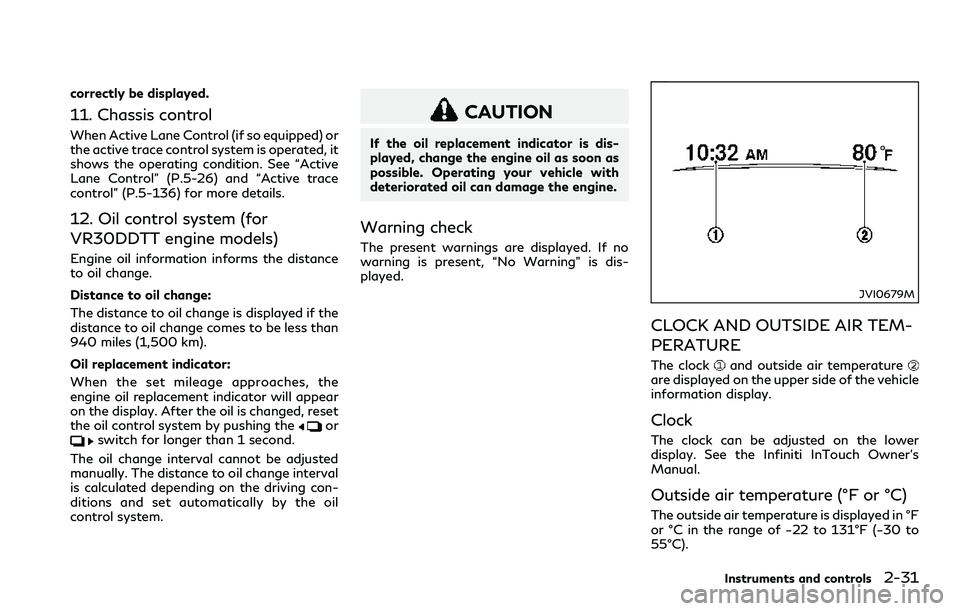
CLOCK AND OUTSIDE AIR TEM-
PERATURE
The clockand outside air temperatureare displayed on the upper side of the vehicle
information display.
Clock
The clock can be adjusted on the lower
display. See the Infiniti InTouch Owner’s
Manual.
Outside air temperature (°F or °C)
The outside air temperature is displayed in °F
or °C in the range of −22 to 131°F (−30 to
55°C).
Instruments and controls2-31
Page 121 of 466
2-44Instruments and controls
signal will automatically flash three
times.
Choose the appropriate method to signal a
lane change based on road and traffic
conditions.
JVI1490X
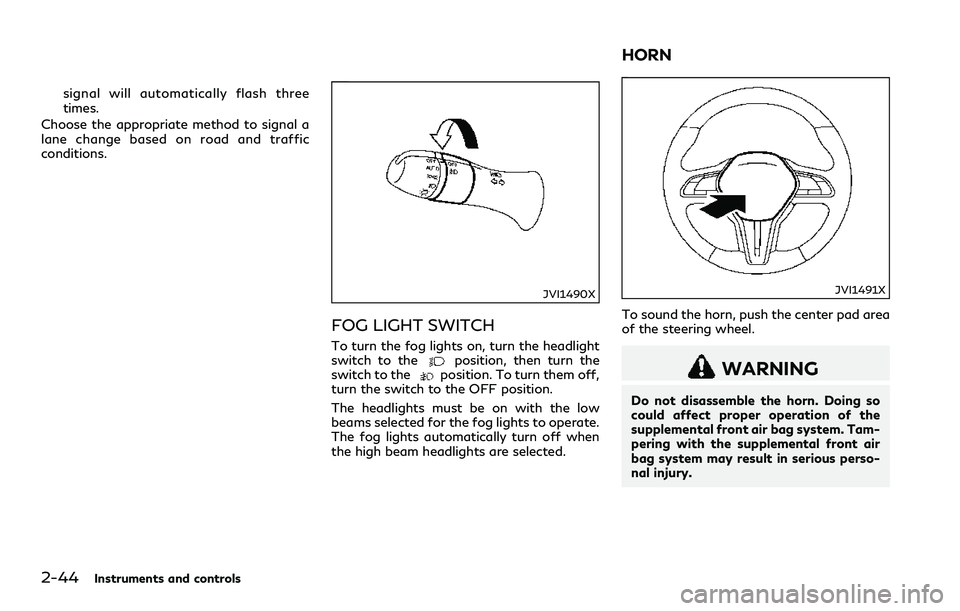
FOG LIGHT SWITCH
To turn the fog lights on, turn the headlight
switch to theposition, then turn the
switch to theposition. To turn them off,
turn the switch to the OFF position.
The headlights must be on with the low
beams selected for the fog lights to operate.
The fog lights automatically turn off when
the high beam headlights are selected.
JVI1491X
To sound the horn, push the center pad area
of the steering wheel.
WARNING
Do not disassemble the horn. Doing so
could affect proper operation of the
supplemental front air bag system. Tam-
pering with the supplemental front air
bag system may result in serious perso-
nal injury.
HORN
Page 125 of 466

2-48Instruments and controls
The power outlets are located in the storage
box and in the console box.
CAUTION
.The outlet and plug may be hot
during or immediately after use.
.Do not use with accessories that
exceed a 12 volt, 120W (10A) power
draw. Do not use double adapters or
more than one electrical accessory.
.Use power outlet with the engine
running to avoid discharging the
vehicle battery.
.Avoid using power outlet when the
air conditioner, headlights or rear
window defroster is on.
.This power outlet is not designed for
use with a cigarette lighter unit.
.Push the plug in as far as it will go. If
good contact is not made, the plug
may overheat or the internal tem-
perature fuse may blow.
.Before inserting or disconnecting a
plug, be sure the electrical accessory
being used is turned OFF.
.When not in use, be sure to close the
cap. Do not allow water or any liquid
to contact the outlet.
CUP HOLDERS
CAUTION
.Avoid abrupt starting and braking
when the cup holder is being used to
prevent spilling the drink. If the liquid
is hot, it can scald you or your
passenger.
.Use only soft cups in the cup holder.
Hard objects can injure you in an
accident.
JVI0649X
Front
JVI1492X
Rear
STORAGE
Page 133 of 466
2-56Instruments and controls
If the control unit detects something caught
in the moonroof when it is closing, the
moonroof will be immediately opened.
The auto reverse function can be activated
when the moonroof is closed by automatic
operation when the ignition switch is in the
ON position or for about 45 seconds after
the ignition switch is pushed to the OFF
position.
If the moonroof cannot be closed automa-
tically when the auto reverse function
activates due to a malfunction, push and
hold the moonroof switch to the close
position
.
Depending on the environment or driving
conditions, the auto reverse function may
be activated if an impact or load similar to
something being caught in the moonroof
occurs.
If the moonroof does not operate
If the moonroof does not operate properly,
perform the following procedure to initialize
the moonroof operation system.
1. If the moonroof is open, close it fully by
repeatedly pushing the moonroof switch
to the close position
to tilt the moon-
roof up.
2. Push and hold the switch to the close
position
.3. Release the moonroof switch after the
moonroof moves slightly up and down.
4. Push and hold the switch to the open
position
to fully tilt the moonroof
down.
5. Check if the moonroof switch operates
normally.
If the moonroof does not operate properly
after performing the procedure above, have
your moonroof checked and repaired. It is
recommended you visit an INFINITI retailer
for this service.
JVI0656X
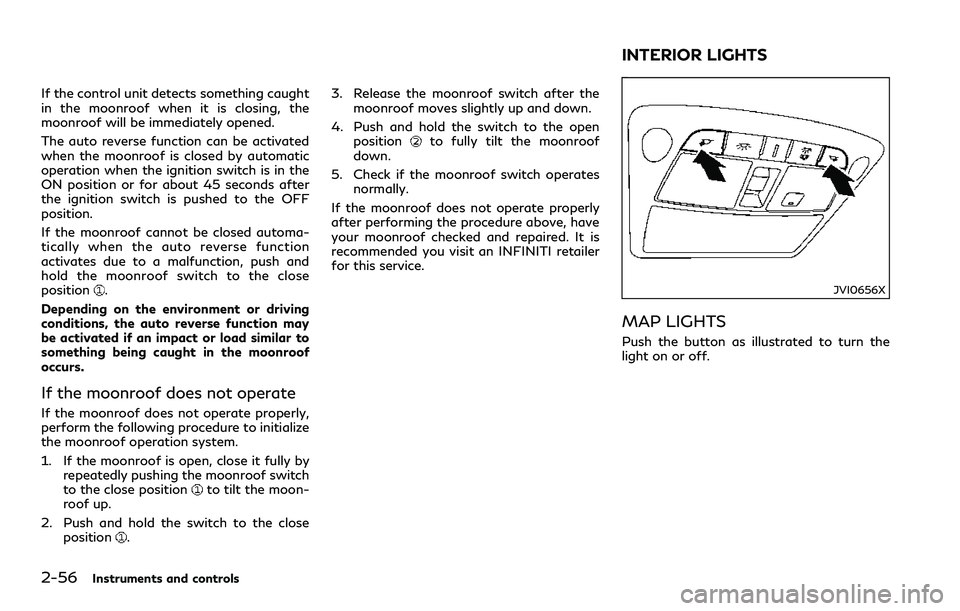
MAP LIGHTS
Push the button as illustrated to turn the
light on or off.
INTERIOR LIGHTS