headlights INFINITI Q60 COUPE 2014 Owner's Manual
[x] Cancel search | Manufacturer: INFINITI, Model Year: 2014, Model line: Q60 COUPE, Model: INFINITI Q60 COUPE 2014Pages: 458, PDF Size: 4.27 MB
Page 72 of 458
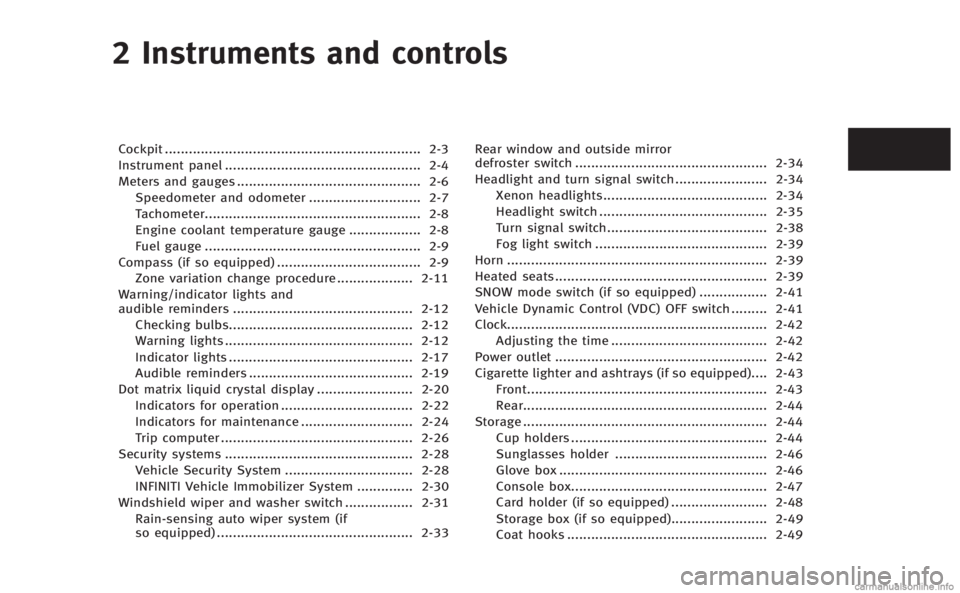
2 Instruments and controls
Cockpit................................................................ 2-3
Instrument panel ................................................. 2-4
Meters and gauges .............................................. 2-6
Speedometer and odometer ............................ 2-7
Tachometer...................................................... 2-8
Engine coolant temperature gauge .................. 2-8
Fuel gauge ...................................................... 2-9
Compass (if so equipped) .................................... 2-9 Zone variation change procedure ................... 2-11
Warning/indicator lights and
audible reminders ............................................. 2-12 Checking bulbs.............................................. 2-12
Warning lights ............................................... 2-12
Indicator lights .............................................. 2-17
Audible reminders ......................................... 2-19
Dot matrix liquid crystal display ........................ 2-20
Indicators for operation ................................. 2-22
Indicators for maintenance ............................ 2-24
Trip computer ................................................ 2-26
Security systems ............................................... 2-28
Vehicle Security System ................................ 2-28
INFINITI Vehicle Immobilizer System .............. 2-30
Windshield wiper and washer switch ................. 2-31
Rain-sensing auto wiper system (if
so equipped) ................................................. 2-33 Rear window and outside mirror
defroster switch ................................................ 2-34
Headlight and turn signal switch ....................... 2-34
Xenon headlights......................................... 2-34
Headlight switch .......................................... 2-35
Turn signal switch........................................ 2-38
Fog light switch ........................................... 2-39
Horn ................................................................. 2-39
Heated seats..................................................... 2-39
SNOW mode switch (if so equipped) ................. 2-41
Vehicle Dynamic Control (VDC) OFF switch ......... 2-41
Clock................................................................. 2-42 Adjusting the time ....................................... 2-42
Power outlet ..................................................... 2-42
Cigarette lighter and ashtrays (if so equipped).... 2-43 Front............................................................ 2-43
Rear............................................................. 2-44
Storage ............................................................. 2-44 Cup holders ................................................. 2-44
Sunglasses holder ...................................... 2-46
Glove box .................................................... 2-46
Console box................................................. 2-47
Card holder (if so equipped) ........................ 2-48
Storage box (if so equipped)........................ 2-49
Coat hooks .................................................. 2-49>
Page 100 of 458
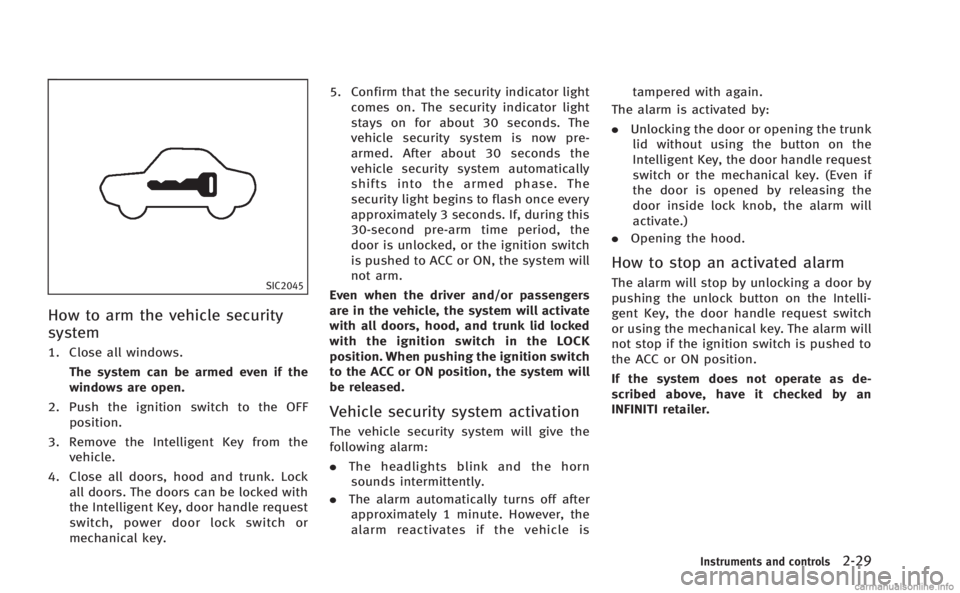
SIC2045
How to arm the vehicle security
system
1. Close all windows.The system can be armed even if the
windows are open.
2. Push the ignition switch to the OFF position.
3. Remove the Intelligent Key from the vehicle.
4. Close all doors, hood and trunk. Lock all doors. The doors can be locked with
the Intelligent Key, door handle request
switch, power door lock switch or
mechanical key. 5. Confirm that the security indicator light
comes on. The security indicator light
stays on for about 30 seconds. The
vehicle security system is now pre-
armed. After about 30 seconds the
vehicle security system automatically
shifts into the armed phase. The
security light begins to flash once every
approximately 3 seconds. If, during this
30-second pre-arm time period, the
door is unlocked, or the ignition switch
is pushed to ACC or ON, the system will
not arm.
Even when the driver and/or passengers
are in the vehicle, the system will activate
with all doors, hood, and trunk lid locked
with the ignition switch in the LOCK
position. When pushing the ignition switch
to the ACC or ON position, the system will
be released.
Vehicle security system activation
The vehicle security system will give the
following alarm:
. The headlights blink and the horn
sounds intermittently.
. The alarm automatically turns off after
approximately 1 minute. However, the
alarm reactivates if the vehicle is tampered with again.
The alarm is activated by:
. Unlocking the door or opening the trunk
lid without using the button on the
Intelligent Key, the door handle request
switch or the mechanical key. (Even if
the door is opened by releasing the
door inside lock knob, the alarm will
activate.)
. Opening the hood.
How to stop an activated alarm
The alarm will stop by unlocking a door by
pushing the unlock button on the Intelli-
gent Key, the door handle request switch
or using the mechanical key. The alarm will
not stop if the ignition switch is pushed to
the ACC or ON position.
If the system does not operate as de-
scribed above, have it checked by an
INFINITI retailer.
Instruments and controls2-29
Page 105 of 458
2-34Instruments and controls
SIC3239
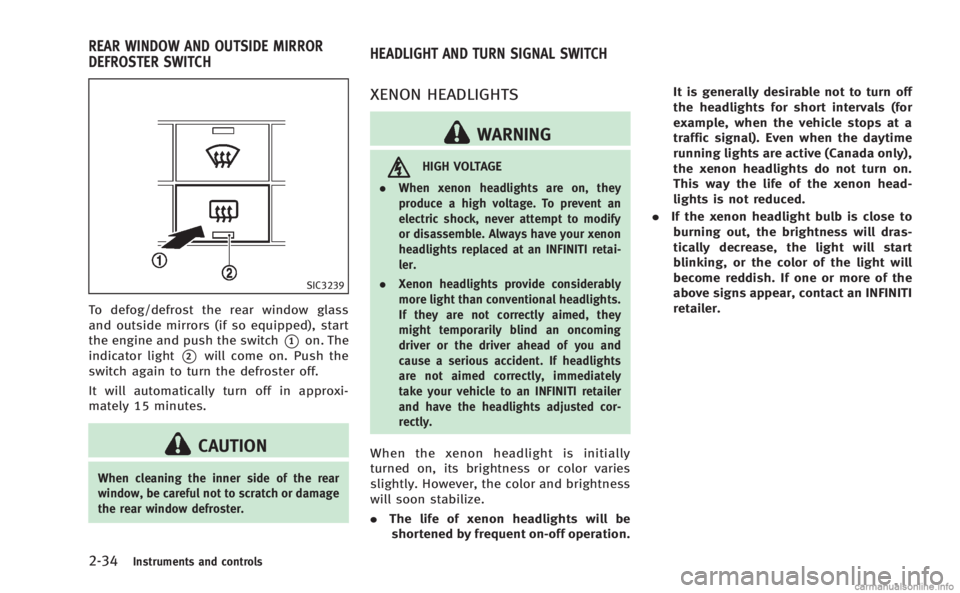
To defog/defrost the rear window glass
and outside mirrors (if so equipped), start
the engine and push the switch
*1on. The
indicator light
*2will come on. Push the
switch again to turn the defroster off.
It will automatically turn off in approxi-
mately 15 minutes.
CAUTION
When cleaning the inner side of the rear
window, be careful not to scratch or damage
the rear window defroster.
XENON HEADLIGHTS
WARNING
HIGH VOLTAGE
. When xenon headlights are on, they
produce a high voltage. To prevent an
electric shock, never attempt to modify
or disassemble. Always have your xenon
headlights replaced at an INFINITI retai-
ler.
. Xenon headlights provide considerably
more light than conventional headlights.
If they are not correctly aimed, they
might temporarily blind an oncoming
driver or the driver ahead of you and
cause a serious accident. If headlights
are not aimed correctly, immediately
take your vehicle to an INFINITI retailer
and have the headlights adjusted cor-
rectly.
When the xenon headlight is initially
turned on, its brightness or color varies
slightly. However, the color and brightness
will soon stabilize.
.The life of xenon headlights will be
shortened by frequent on-off operation. It is generally desirable not to turn off
the headlights for short intervals (for
example, when the vehicle stops at a
traffic signal). Even when the daytime
running lights are active (Canada only),
the xenon headlights do not turn on.
This way the life of the xenon head-
lights is not reduced.
. If the xenon headlight bulb is close to
burning out, the brightness will dras-
tically decrease, the light will start
blinking, or the color of the light will
become reddish. If one or more of the
above signs appear, contact an INFINITI
retailer.
REAR WINDOW AND OUTSIDE MIRROR
DEFROSTER SWITCH HEADLIGHT AND TURN SIGNAL SWITCH
Page 106 of 458
SIC3267
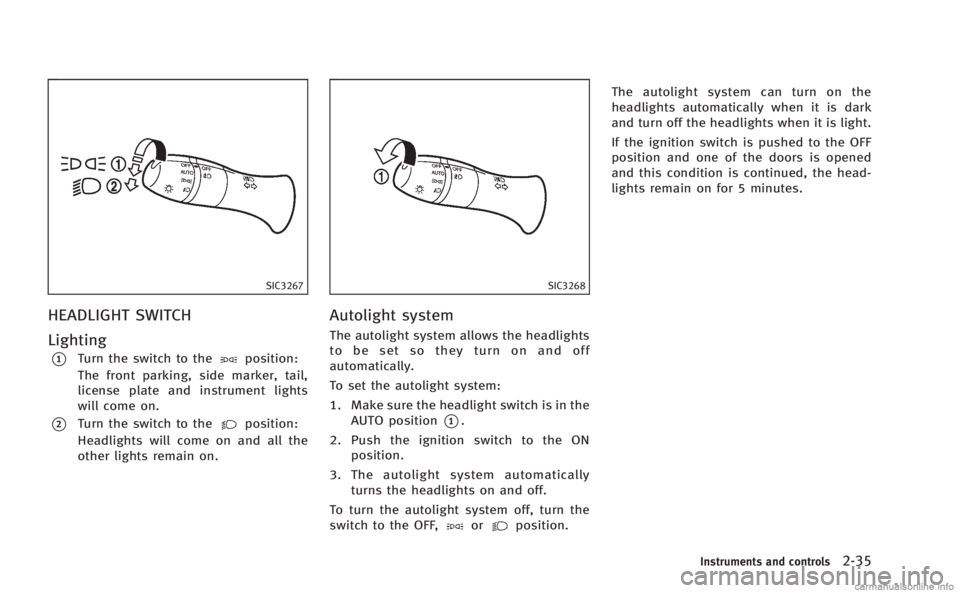
HEADLIGHT SWITCH
Lighting
*1Turn the switch to theposition:
The front parking, side marker, tail,
license plate and instrument lights
will come on.
*2Turn the switch to theposition:
Headlights will come on and all the
other lights remain on.
SIC3268
Autolight system
The autolight system allows the headlights
to be set so they turn on and off
automatically.
To set the autolight system:
1. Make sure the headlight switch is in the AUTO position
*1.
2. Push the ignition switch to the ON position.
3. The autolight system automatically turns the headlights on and off.
To turn the autolight system off, turn the
switch to the OFF,
orposition. The autolight system can turn on the
headlights automatically when it is dark
and turn off the headlights when it is light.
If the ignition switch is pushed to the OFF
position and one of the doors is opened
and this condition is continued, the head-
lights remain on for 5 minutes.
Instruments and controls2-35
Page 107 of 458

2-36Instruments and controls
SAA0642A
Be sure not to put anything on top of the
photo sensor
*Alocated on the top of the
instrument panel. The photo sensor con-
trols the autolight; if it is covered, the
photo sensor reacts as if it is dark and the
headlights will illuminate.
Automatic headlights off delay:
You can keep the headlights on for up to
180 seconds after you push the ignition
switch to OFF and open any door then close
all the doors.
You can adjust the period of the automatic
headlights off delay from 0 seconds (OFF)
to 180 seconds. The factory default setting
is 45 seconds. For automatic headlights off delay setting,
see
“How to use SETTING button” (P.4-14).
SIC3269
Headlight beam select
*1To select the low beam, put the lever
in the neutral position as shown.
*2To select the high beam, push the
lever forward while the switch is in the
position. Pull it back to select the
low beam.
*3Pulling the lever toward you will flash
the headlight high beam even when
the headlight switch is in the OFF
position.
Page 108 of 458
Battery saver system
A chime will sound when the driver side
door is opened with the light switch in the
orposition and the ignition switch
in the ACC, OFF or LOCK position.
When the headlight switch is in the
orposition while the ignition switch is in
the ON position, the lights will automati-
cally turn off after a period of time when
the ignition switch has been pushed to the
OFF position.
When the headlight switch remains in the
orposition after the lights
automatically turn off, the lights will turn
on when the ignition switch is pushed to
the ON position.
CAUTION
. When you turn on the headlight switch
again after the lights automatically turn
off, the lights will not turn off auto-
matically. Be sure to turn the light
switch to the OFF position when you
leave the vehicle for extended periods of
time, otherwise the battery will be
discharged. .
Never leave the light switch on when the
engine is not running for extended
periods of time even if the headlights
turn off automatically.
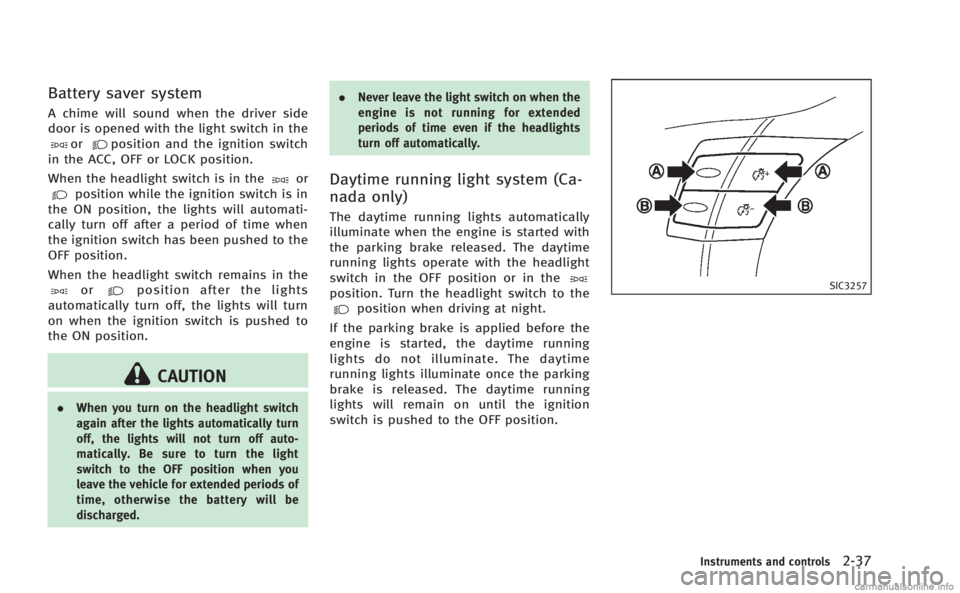
Daytime running light system (Ca-
nada only)
The daytime running lights automatically
illuminate when the engine is started with
the parking brake released. The daytime
running lights operate with the headlight
switch in the OFF position or in the
position. Turn the headlight switch to theposition when driving at night.
If the parking brake is applied before the
engine is started, the daytime running
lights do not illuminate. The daytime
running lights illuminate once the parking
brake is released. The daytime running
lights will remain on until the ignition
switch is pushed to the OFF position.
SIC3257
Instruments and controls2-37
Page 110 of 458

SIC3272
FOG LIGHT SWITCH
To turn the fog lights on, turn the headlight
switch to theposition, then turn the
switch to theposition. To turn them
off, turn the switch to the OFF position.
The headlights must be on for the fog
lights to operate.
SIC3312
To sound the horn, push the center pad
area of the steering wheel.
WARNING
Do not disassemble the horn. Doing so
could affect proper operation of the supple-
mental front air bag system. Tampering with
the supplemental front air bag system may
result in serious personal injury.
WARNING
Do not use or allow occupants to use the
seat heater if you or the occupants cannot
monitor elevated seat temperatures or have
an inability to feel pain in body parts that
contact the seat. Use of the seat heater by
such people could result in serious injury.
CAUTION
. The battery could run down if the seat
heater is operated while the engine is
not running.
. Do not use the seat heater for extended
periods or when no one is using the
seat.
. Do not put anything on the seat which
insulates heat, such as a blanket,
cushion, seat cover, etc. Otherwise, the
seat may become overheated.
. Do not place anything hard or heavy on
the seat or pierce it with a pin or similar
object. This may result in damage to the
heater.
Instruments and controls2-39
HORN HEATED SEATS
Page 114 of 458
.Avoid using power outlet when the air
conditioner, headlights or rear window
defroster is on.
. This power outlet is not designed for use
with a cigarette lighter unit.
. Push the plug in as far as it will go. If
good contact is not made, the plug may
overheat or the internal temperature
fuse may blow.
. Before inserting or disconnecting a plug,
be sure the electrical accessory being
used is turned OFF.
. When not in use, be sure to close the
cap. Do not allow water or any liquid to
contact the outlet.
SIC3219
FRONT
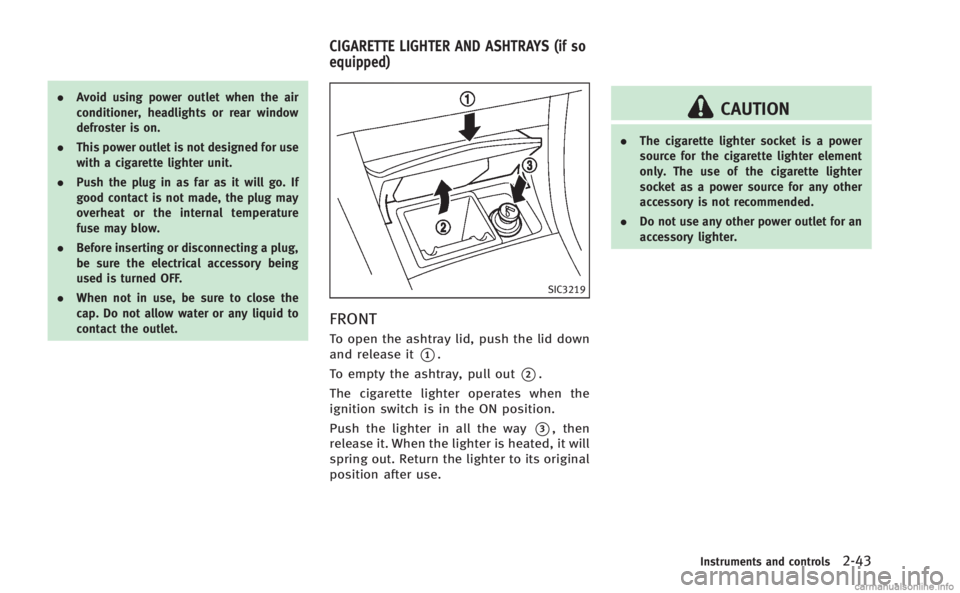
To open the ashtray lid, push the lid down
and release it
*1.
To empty the ashtray, pull out
*2.
The cigarette lighter operates when the
ignition switch is in the ON position.
Push the lighter in all the way
*3, then
release it. When the lighter is heated, it will
spring out. Return the lighter to its original
position after use.
CAUTION
. The cigarette lighter socket is a power
source for the cigarette lighter element
only. The use of the cigarette lighter
socket as a power source for any other
accessory is not recommended.
. Do not use any other power outlet for an
accessory lighter.
Instruments and controls2-43
CIGARETTE LIGHTER AND ASHTRAYS (if so
equipped)
Page 146 of 458
Locking doors and fuel-filler door
1. Push the ignition switch to the OFFposition and make sure you carry the
Intelligent Key with you.*
2. Close all the doors.
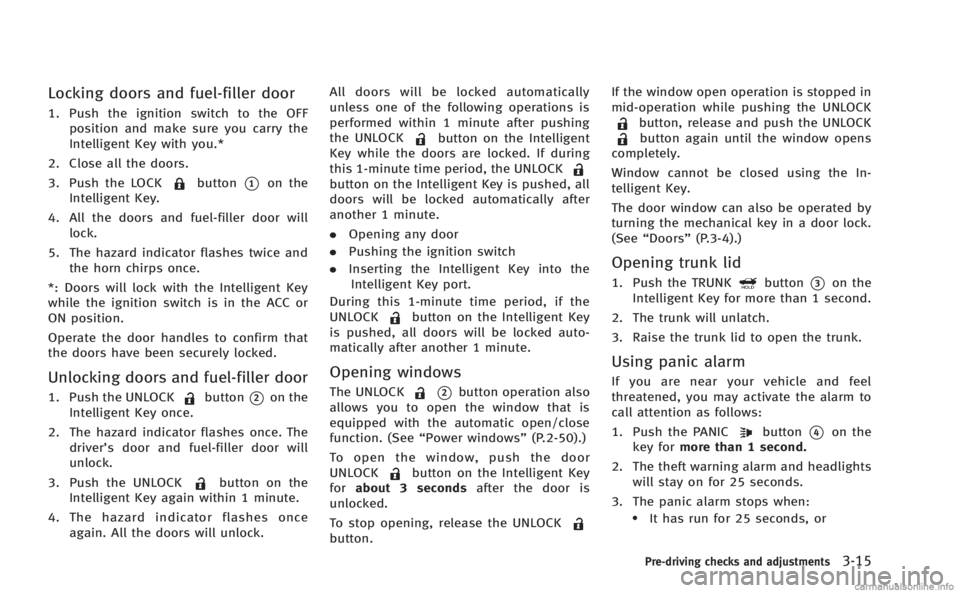
3. Push the LOCK
button*1on the
Intelligent Key.
4. All the doors and fuel-filler door will lock.
5. The hazard indicator flashes twice and the horn chirps once.
*: Doors will lock with the Intelligent Key
while the ignition switch is in the ACC or
ON position.
Operate the door handles to confirm that
the doors have been securely locked.
Unlocking doors and fuel-filler door
1. Push the UNLOCKbutton*2on the
Intelligent Key once.
2. The hazard indicator flashes once. The driver’s door and fuel-filler door will
unlock.
3. Push the UNLOCK
button on the
Intelligent Key again within 1 minute.
4. The hazard indicator flashes once again. All the doors will unlock. All doors will be locked automatically
unless one of the following operations is
performed within 1 minute after pushing
the UNLOCK
button on the Intelligent
Key while the doors are locked. If during
this 1-minute time period, the UNLOCK
button on the Intelligent Key is pushed, all
doors will be locked automatically after
another 1 minute.
. Opening any door
. Pushing the ignition switch
. Inserting the Intelligent Key into the
Intelligent Key port.
During this 1-minute time period, if the
UNLOCK
button on the Intelligent Key
is pushed, all doors will be locked auto-
matically after another 1 minute.
Opening windows
The UNLOCK*2button operation also
allows you to open the window that is
equipped with the automatic open/close
function. (See “Power windows” (P.2-50).)
To open the window, push the door
UNLOCK
button on the Intelligent Key
for about 3 seconds after the door is
unlocked.
To stop opening, release the UNLOCK
button. If the window open operation is stopped in
mid-operation while pushing the UNLOCK
button, release and push the UNLOCKbutton again until the window opens
completely.
Window cannot be closed using the In-
telligent Key.
The door window can also be operated by
turning the mechanical key in a door lock.
(See “Doors” (P.3-4).)
Opening trunk lid
1. Push the TRUNKbutton*3on the
Intelligent Key for more than 1 second.
2. The trunk will unlatch.
3. Raise the trunk lid to open the trunk.
Using panic alarm
If you are near your vehicle and feel
threatened, you may activate the alarm to
call attention as follows:
1. Push the PANIC
button*4on the
key for more than 1 second.
2. The theft warning alarm and headlights will stay on for 25 seconds.
3. The panic alarm stops when:
.It has run for 25 seconds, or
Pre-driving checks and adjustments3-15
Page 157 of 458

3-26Pre-driving checks and adjustments
Automatic anti-glare type
The inside mirror is designed so that it
automatically changes reflection according
to the intensity of the headlights of the
following vehicle.
The anti-glare system will be automatically
turned on when the ignition switch is
pushed to the ON position.
When the anti-glare system is turned on,
the indicator light
*Awill illuminate and
excessive glare from the headlights of the
vehicle behind you will be reduced.
Type A: Push the
switch*Bto make the
inside rearview mirror operate normally
and the indicator light will turn off. Push
the
switch again to turn the system on.
Type B: Push the “*”switch
*Cto make
the inside rearview mirror operate nor-
mally. The indicator light will turn off. Push
the “I”switch
*Dto turn the system on.
Do not allow any object to cover the
sensors
*Eor apply glass cleaner on
them. Doing so will reduce the sensitivity
of the sensor, resulting in improper
operation.
For the compass (if so equipped) opera- tion, see
“Compass” (P.2-9).
For the HomeLink
®Universal Transceiver
operation, see “HomeLink®Universal
Transceiver” (P.2-56).
SPA2319
OUTSIDE MIRRORS
WARNING
Objects viewed in the outside mirror on the
passenger side are closer than they appear.
Be careful when moving to the right. Using
only this mirror could cause an accident.
Use the inside mirror or glance over your
shoulder to properly judge distances to
other objects.