park assist INFINITI Q70 2018 Owner's Manual
[x] Cancel search | Manufacturer: INFINITI, Model Year: 2018, Model line: Q70, Model: INFINITI Q70 2018Pages: 458, PDF Size: 2.21 MB
Page 88 of 458
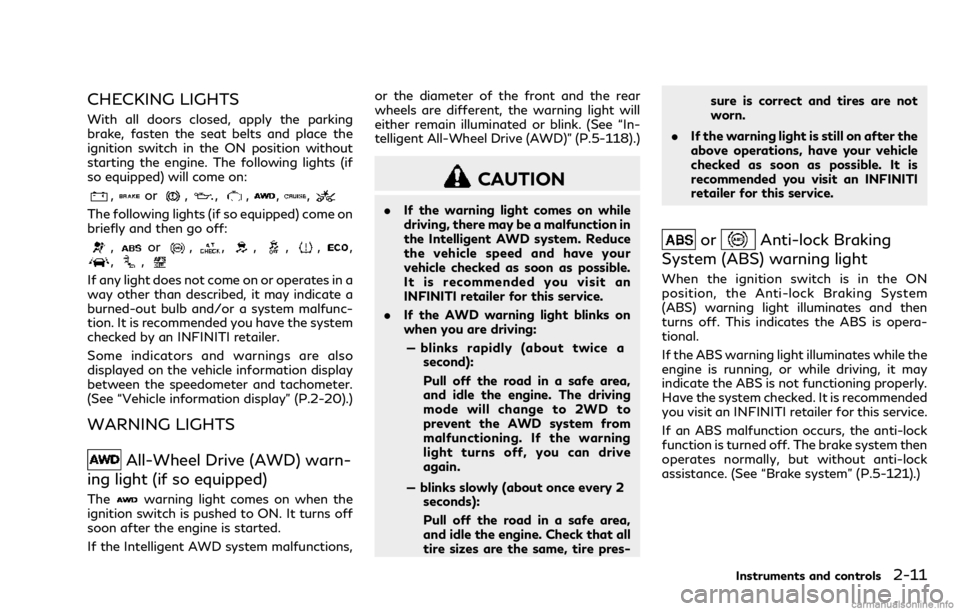
CHECKING LIGHTS
With all doors closed, apply the parking
brake, fasten the seat belts and place the
ignition switch in the ON position without
starting the engine. The following lights (if
so equipped) will come on:
,or,,,,,
The following lights (if so equipped) come on
briefly and then go off:
,or,,,,,,,,
If any light does not come on or operates in a
way other than described, it may indicate a
burned-out bulb and/or a system malfunc-
tion. It is recommended you have the system
checked by an INFINITI retailer.
Some indicators and warnings are also
displayed on the vehicle information display
between the speedometer and tachometer.
(See “Vehicle information display” (P.2-20).)
WARNING LIGHTS
All-Wheel Drive (AWD) warn-
ing light (if so equipped)
Thewarning light comes on when the
ignition switch is pushed to ON. It turns off
soon after the engine is started.
If the Intelligent AWD system malfunctions, or the diameter of the front and the rear
wheels are different, the warning light will
either remain illuminated or blink. (See “In-
telligent All-Wheel Drive (AWD)” (P.5-118).)
CAUTION
.
If the warning light comes on while
driving, there may be a malfunction in
the Intelligent AWD system. Reduce
the vehicle speed and have your
vehicle checked as soon as possible.
It is recommended you visit an
INFINITI retailer for this service.
. If the AWD warning light blinks on
when you are driving:
— blinks rapidly (about twice a second):
Pull off the road in a safe area,
and idle the engine. The driving
mode will change to 2WD to
prevent the AWD system from
malfunctioning. If the warning
light turns off, you can drive
again.
— blinks slowly (about once every 2 seconds):
Pull off the road in a safe area,
and idle the engine. Check that all
tire sizes are the same, tire pres- sure is correct and tires are not
worn.
. If the warning light is still on after the
above operations, have your vehicle
checked as soon as possible. It is
recommended you visit an INFINITI
retailer for this service.
orAnti-lock Braking
System (ABS) warning light
When the ignition switch is in the ON
position, the Anti-lock Braking System
(ABS) warning light illuminates and then
turns off. This indicates the ABS is opera-
tional.
If the ABS warning light illuminates while the
engine is running, or while driving, it may
indicate the ABS is not functioning properly.
Have the system checked. It is recommended
you visit an INFINITI retailer for this service.
If an ABS malfunction occurs, the anti-lock
function is turned off. The brake system then
operates normally, but without anti-lock
assistance. (See “Brake system” (P.5-121).)
Instruments and controls2-11
Page 90 of 458

Charge warning light
If the light comes on while the engine is
running, it may indicate the charging system
is not functioning properly. Turn the engine
off and check the alternator belt. If the belt is
loose, broken, missing or if the light remains
on, have your vehicle serviced immediately. It
is recommended you visit an INFINITI re-
tailer for this service.
CAUTION
Do not continue driving if the alternator
belt is loose, broken or missing.
Distance Control Assist (DCA)
system warning light (orange; if so
equipped)
This light comes on if there is a malfunction
in the Distance Control Assist (DCA) system.
If the warning light illuminates, park the
vehicle in a safe place. Turn the engine off,
restart the engine, resume driving and turn
on the DCA system again.
If it is not possible to turn on the system or
the warning light stays on, it may indicate
that the system is malfunctioning. Although the vehicle is still driveable under normal
conditions, have the vehicle checked. It is
recommended you visit an INFINITI retailer
for this service.
Engine oil pressure warning
light
This light warns of low engine oil pressure. If
the light flickers or comes on during normal
driving, pull off the road in a safe area, stop
the engine immediately and call an INFINITI
retailer or other authorized repair shop.
The engine oil pressure warning light is not
designed to indicate a low oil level. Use the
dipstick to check the oil level. (See “Engine
oil” (P.8-10).)
CAUTION
Running the engine with the engine oil
pressure warning light on could cause
serious damage to the engine almost
immediately. Such damage is not cov-
ered by warranty. Turn off the engine as
soon as it is safe to do so.
Forward Emergency Braking
(FEB) system warning light (if so
equipped)
Thiswarning light comes on when the
ignition switch is placed in the ON position.
It turns off after the engine is started.
This light illuminates when the Forward
Emergency Braking (FEB) system is set to
OFF on the center display.
If the light illuminates when the FEB system
is ON, it may indicate that the system is
unavailable. See “Forward Emergency Brak-
ing (FEB)” (P.5-101) for more details.
This light will also illuminates if the Active
Trace Control is malfunctioning. Although
the vehicle is still driveable under normal
conditions, have the vehicle checked. It is
recommended you visit an INFINITI retailer
for this service. (See “Vehicle Dynamic Con-
trol (VDC) system” (P.5-123).)
Intelligent Cruise Control (ICC)
system warning light (orange; if so
equipped)
This light comes on if there is a malfunction
in the Intelligent Cruise Control (ICC) sys-
tem.
If the warning light comes on, park the
Instruments and controls2-13
Page 94 of 458

if the AFS is operational.
This light also illuminates when the AFS is
turned off using the AFS switch.
If the AFS off indicator light blinks, it may
indicate the AFS is not functioning properly.
Have the system checked. It is recommended
you visit an INFINITI retailer for this service.
See “Adaptive Front lighting System (AFS)”
(P.2-36).
Automatic Transmission (AT)
position indicator light
When the ignition switch is pushed to the
ON position, the indicator shows the auto-
matic shift position.
In the manual shift mode, when the trans-
mission does not shift to the selected gear
due to a transmission protection mode, the
AT position indicator light will blink and a
chime will sound.
See “Automatic transmission” (P.5-15) for
further details.
Blind Spot Intervention®(BSI)
ON indicator light (green; if so
equipped)
The light comes on in green when the Blind
Spot Intervention®(BSI) system is turned on. The light turns off when the system is turned
off.
NOTE:
This light is common with the Blind Spot
Warning (BSW)/Blind Spot Intervention
(BSI) system warning light (orange). (See
“Blind Spot Warning (BSW)/Blind Spot
Intervention
®(BSI) system warning light”
(P.2-12).)
For more details, see “Blind Spot Interven-
tion
®(BSI)” (P.5-42).
ECO drive indicator light
When the ignition switch is pushed to the
ON position, the light will come on in orange,
turn green, and then turn off.
When the INFINITI Drive Mode Selector is
turned to the ECO mode, the ECO drive
indicator light will illuminate or change its
color depending on the accelerator pedal
operation to help assist the driver to drive
economically. For more details, see “Eco
mode” (P.5-21).
Exterior light indicator
This indicator illuminates when the headlight
switch is turned to the AUTO,orposition and the front parking lights, instru-
ment panel lights, rear combination lights, license plate lights or headlights are on. The
indicator turns off when these lights are
turned off.
Front fog light indicator light
The front fog light indicator light illuminates
when the front fog lights are on. (See “Fog
light switch” (P.2-39).)
Front passenger air bag status
light
The front passenger air bag status light
() will be lit and the passenger front air
bag will be OFF depending on how the front
passenger seat is being used.
For front passenger air bag status light
operation, see “INFINITI Advanced Air Bag
System (front seats)” (P.1-44).
High beam indicator light
This light comes on when the headlight high
beam is on and goes out when the low beam
is selected.
Instruments and controls2-17
Page 211 of 458

Turning the BSI system ON/OFF ......................... 5-45
How to enable/disable the BSI system ............... 5-45
BSI system limitations............................................... 5-45
BSI driving situations................................................. 5-47
System temporarily unavailable ............................. 5-52
System malfunction ................................................... 5-53
System maintenance.................................................. 5-53
Back-up Collision Intervention (BCI) (if
so equipped) ...................................................................... 5-54 BCI system operation................................................ 5-56
Turning the BCI system ON/OFF......................... 5-61
How to enable/disable the BCI system............... 5-61
BCI system limitations .............................................. 5-62
System temporarily unavailable ............................. 5-63
System malfunction ................................................... 5-64
System maintenance.................................................. 5-64
Cruise control (if so equipped) ..................................... 5-65 Precautions on cruise control ................................. 5-65
Cruise control operations......................................... 5-65
Intelligent Cruise Control (ICC) (if so equipped) ..... 5-67 How to select the cruise control mode................ 5-69
Vehicle-to-vehicle distance control mode........... 5-69
Conventional (fixed speed) cruise
control mode................................................................ 5-85
Distance Control Assist (DCA) (if so equipped) ..... 5-88 DCA system operation............................................. 5-90
Turning the DCA system ON/OFF....................... 5-93
How to enable/disable the DCA system............. 5-94
DCA system display and indicators....................... 5-94 DCA system limitations .......................................... 5-95
System temporarily unavailable ........................... 5-98
System malfunction.............................................. 5-100
System maintenance ............................................ 5-100
Forward Emergency Braking (FEB) (if
so equipped)................................................................... 5-101 FEB system operation ......................................... 5-103
Turning the FEB system ON/OFF................... 5-104
FEB system limitations........................................ 5-105
System temporarily unavailable ........................ 5-106
System malfunction.............................................. 5-107
System maintenance ............................................ 5-108
Predictive Forward Collision Warning (PFCW)
(if so equipped).............................................................. 5-108
PFCW system operation..................................... 5-110
Turning the PFCW system ON/OFF............... 5-111
PFCW system limitations..................................... 5-113
System temporarily unavailable ......................... 5-114
System malfunction............................................... 5-115
System maintenance ............................................. 5-115
Break-in schedule.......................................................... 5-116
Fuel efficient driving tips ............................................ 5-116
Increasing fuel economy.............................................. 5-117
Intelligent All-Wheel Drive (AWD) (if
so equipped).................................................................... 5-118
Parking/parking on hills .............................................. 5-119
Power steering.............................................................. 5-120
Brake system .................................................................. 5-121 Braking precautions............................................... 5-121
Page 212 of 458

Parking brake break-in ........................................... 5-121
Brake assist...................................................................... 5-122 Brake assist................................................................ 5-122
Anti-lock Braking System (ABS) .......................... 5-122
Vehicle Dynamic Control (VDC) system.................. 5-123 Active trace control (if so equipped).................. 5-124
Rise-up and build-up.............................................. 5-124
Brake force distribution......................................... 5-124
Hill Start Assist system ................................................ 5-125 Cold weather driving.................................................... 5-126
Freeing a frozen door lock................................... 5-126
Antifreeze ................................................................. 5-126
Battery....................................................................... 5-126
Draining of coolant water.................................... 5-126
Tire equipment ........................................................ 5-126
Special winter equipment..................................... 5-126
Driving on snow or ice .......................................... 5-126
Engine block heater (if so equipped)................. 5-127
Active noise cancellation............................................ 5-128
Page 228 of 458

Control on downhill roads:
The adaptive shift control system shifts to a
low gear that suits the degree of the slope,
and uses the engine braking to reduce the
number of times that the brake must be
used.
Control on winding roads:
A low gear is maintained on continuous
curves that involve repeated acceleration
and deceleration, so that smooth accelera-
tion is available instantly when the accel-
erator pedal is depressed.
NOTE:
.Adaptive shift control may not operate
when the transmission oil temperature
is low immediately after the start of
driving or when it is very hot.
. During some driving situations, hard
braking for example, the adaptive shift
control may automatically operate. The
transmission may automatically shift to
a lower gear for engine braking. This
increases engine speed but not vehicle
speed. Vehicle speed is controlled by the
accelerator pedal when the vehicle is in
the Adaptive shift control mode.
. When the adaptive shift control oper-
ates, the transmission sometimes main-
tains a lower gear for a longer period of
time than when adaptive shift control is not operating. Engine speed will be
higher for a specific vehicle speed while
ASC system is operating than when ASC
is not operating.
WARNING
.
Be sure the parking brake is fully
released before driving. Failure to do
so can cause brake failure and lead to
an accident.
. Do not release the parking brake
from outside the vehicle.
. Do not use the shift lever in place of
the parking brake. When parking, be
sure the parking brake is fully en-
gaged.
. To help avoid risk of injury or death
through unintended operation of the
vehicle and/or its systems, do not
leave children, people who require the
assistance of others or pets unat-
tended in your vehicle. Additionally,
the temperature inside a closed ve-
hicle on a warm day can quickly
become high enough to cause a sig-
nificant risk of injury or death to
people and pets.
Starting and driving5-19
PARKING BRAKE
Page 239 of 458

5-30Starting and driving
JVS0693X
LDP ON indicator light (green) (on the
instrument panel)
Warning systems ON indicator light
Dynamic driver assistance switch
SYSTEM TEMPORARILY UNA-
VAILABLE
Condition A:
Under the following conditions, a beep will
sound and the LDP system will be canceled
automatically. The LDP ON indicator light
(green)
will blink, and the LDP system
cannot be activated:
. When the VDC system (except TCS
function) or ABS operates.
. When the VDC system is turned off.
. When the INFINITI Drive Mode Selector
is turned to the SNOW mode.
Action to take:
When the above conditions no longer exist,
turn off the LDP system. Push the dynamic
driver assistance switch
again to turn the
LDP system back on.
Condition B:
LDW system: If the vehicle is parked in direct
sunlight under high temperature conditions
(over approximately 104°F (40°C)) and then
the LDW system is turned on, the LDW
system may be deactivated automatically,
and the warning systems ON indicator light
on the switch will blink.
LDP system: If the vehicle is parked in direct
sunlight under high temperature conditions
(over approximately 104°F (40°C)) and then
Page 240 of 458

the LDP system is turned on, the LDP
system will be turned off automatically, a
beep will sound and the LDP ON indicator
light (green)
will blink.
The LDW and LDP systems are not available
until the conditions no longer exist.
Action to take:
When the above conditions no longer exist,
the LDW system will resume automatically.
For the LDP system, push the dynamic driver
assistance switch
again to turn the LDP
system back on.
SYSTEM MALFUNCTION
LDW system: When the LDW system mal-
functions, it will cancel automatically, and
the LDW indicator light (orange) will illumi-
nate.
LDP system: When the LDP system mal-
functions, it will be turned off automatically,
a beep will sound, and the LDW indicator
light (orange) will illuminate.
Action to take:
Stop the vehicle in a safe location, place the
vehicle in the P (Park) position, turn the
engine off and restart the engine. If the LDW
indicator light (orange) continues to illumi-
nate, have the system checked. It is recom-
mended you visit an INFINITI retailer for this
service.
JVS0691X
SYSTEM MAINTENANCE
The lane camera unitfor the LDW/LDP
systems is located above the inside mirror.
To keep the proper operation of the LDW/
LDP systems and prevent a system mal-
function, be sure to observe the following:
. Always keep the windshield clean.
. Do not attach a sticker (including trans-
parent material) or install an accessory
near the camera unit.
. Do not place reflective materials, such as
white paper or a mirror, on the instru-
ment panel. The reflection of sunlight
may adversely affect the camera unit’s
capability of detecting the lane markers. .
Do not strike or damage the areas around
the camera unit. Do not touch the
camera lens or remove the screw located
on the camera unit. It is recommended
you contact an INFINITI retailer if the
camera unit is damaged due to an
accident.
Starting and driving5-31
Page 297 of 458
5-88Starting and driving
slows down to the desired speed.
3. Push, then quickly release the COAST/ SET switch. Each time you do this, the
set speed will decrease by about 1 MPH
(1.6 km/h).
To resume the preset speed, push and
release the ACCELERATE/RESUME
switch. The vehicle will resume the last set
cruising speed when the vehicle speed is over
25 MPH (40 km/h).
System temporarily unavailable
A chime sounds under the following condi-
tions and the control is automatically can-
celed.
. When the vehicle slows down more than
8 MPH (13 km/h) below the set speed
. When the shift lever is not in the D (Drive)
or manual shift mode
. When the parking brake is applied.
. When the VDC operates (including the
traction control system)
. When a wheel slipsJVS0715X
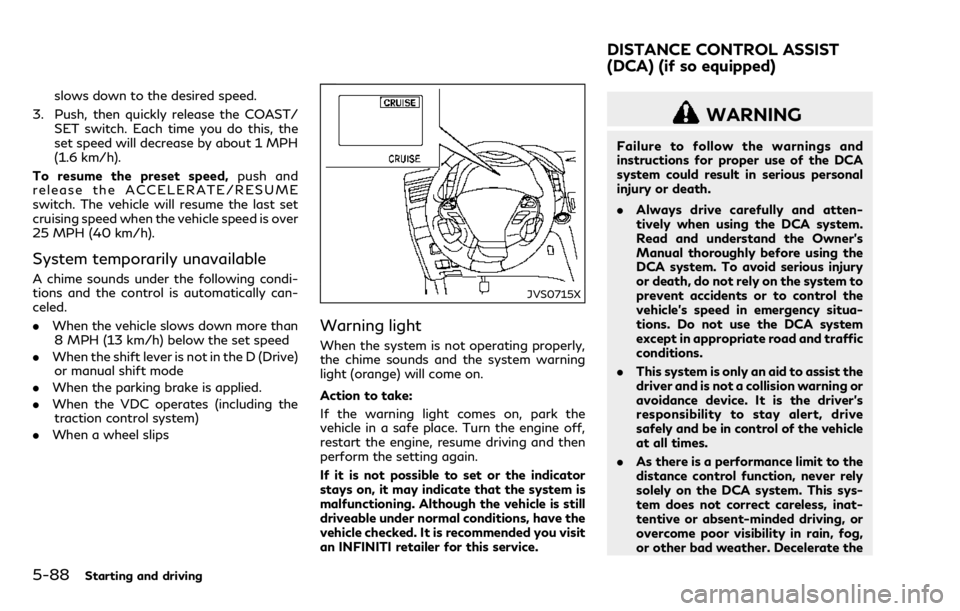
Warning light
When the system is not operating properly,
the chime sounds and the system warning
light (orange) will come on.
Action to take:
If the warning light comes on, park the
vehicle in a safe place. Turn the engine off,
restart the engine, resume driving and then
perform the setting again.
If it is not possible to set or the indicator
stays on, it may indicate that the system is
malfunctioning. Although the vehicle is still
driveable under normal conditions, have the
vehicle checked. It is recommended you visit
an INFINITI retailer for this service.
WARNING
Failure to follow the warnings and
instructions for proper use of the DCA
system could result in serious personal
injury or death.
.Always drive carefully and atten-
tively when using the DCA system.
Read and understand the Owner’s
Manual thoroughly before using the
DCA system. To avoid serious injury
or death, do not rely on the system to
prevent accidents or to control the
vehicle’s speed in emergency situa-
tions. Do not use the DCA system
except in appropriate road and traffic
conditions.
. This system is only an aid to assist the
driver and is not a collision warning or
avoidance device. It is the driver’s
responsibility to stay alert, drive
safely and be in control of the vehicle
at all times.
. As there is a performance limit to the
distance control function, never rely
solely on the DCA system. This sys-
tem does not correct careless, inat-
tentive or absent-minded driving, or
overcome poor visibility in rain, fog,
or other bad weather. Decelerate the
DISTANCE CONTROL ASSIST
(DCA) (if so equipped)
Page 308 of 458

.When the VDC or ABS (including the
traction control system) operates
. When the INFINITI Drive Mode Selector
is turned to the SNOW mode (To use the
DCA system, turn the INFINITI Drive
Mode Selector to a mode other than the
SNOW mode, then turn on the dynamic
driver assistance switch
.)
For details about the INFINITI Drive
Mode Selector, see “INFINITI Drive
Mode Selector” (P.5-20).
. When the radar signal is temporarily
interrupted
Action to take:
When the conditions listed above are no
longer present, turn the system off with the
dynamic driver assistance switch
. Turn the
DCA system back on to use the system.
JVS0482X
Condition B:
The chime sounds and the DCA system
warning light (orange) will come on and the
“FRONT RADAR OBSTRUCTION” warning
will appear.
. When the radar sensor area is covered
with dirt or is obstructed, making it
impossible to detect a vehicle ahead,
the DCA system is automatically can-
celed.
Action to take:
If the warning light comes on, park the
vehicle in a safe place, place the shift lever in
the P (Park) position and turn the engine off.
When the radar signal is temporarily inter-
rupted, clean the sensor area and restart the engine. If the “FRONT RADAR OBSTRUC-
TION” warning continues to be displayed,
have the DCA system checked. It is recom-
mended you visit an INFINITI retailer for this
service.
.
When driving on roads with limited road
structures or buildings (for example, long
bridges, deserts, snow fields, driving next
to long walls), the system may illuminate
the DCA system warning light (orange)
and display the “FRONT RADAR OB-
STRUCTION” warning.
Action to take:
When the conditions listed above are no
longer present, turn the DCA system back on
to use the system.
Starting and driving5-99