brake INFINITI QX50 2019 User Guide
[x] Cancel search | Manufacturer: INFINITI, Model Year: 2019, Model line: QX50, Model: INFINITI QX50 2019Pages: 573, PDF Size: 7.4 MB
Page 111 of 573
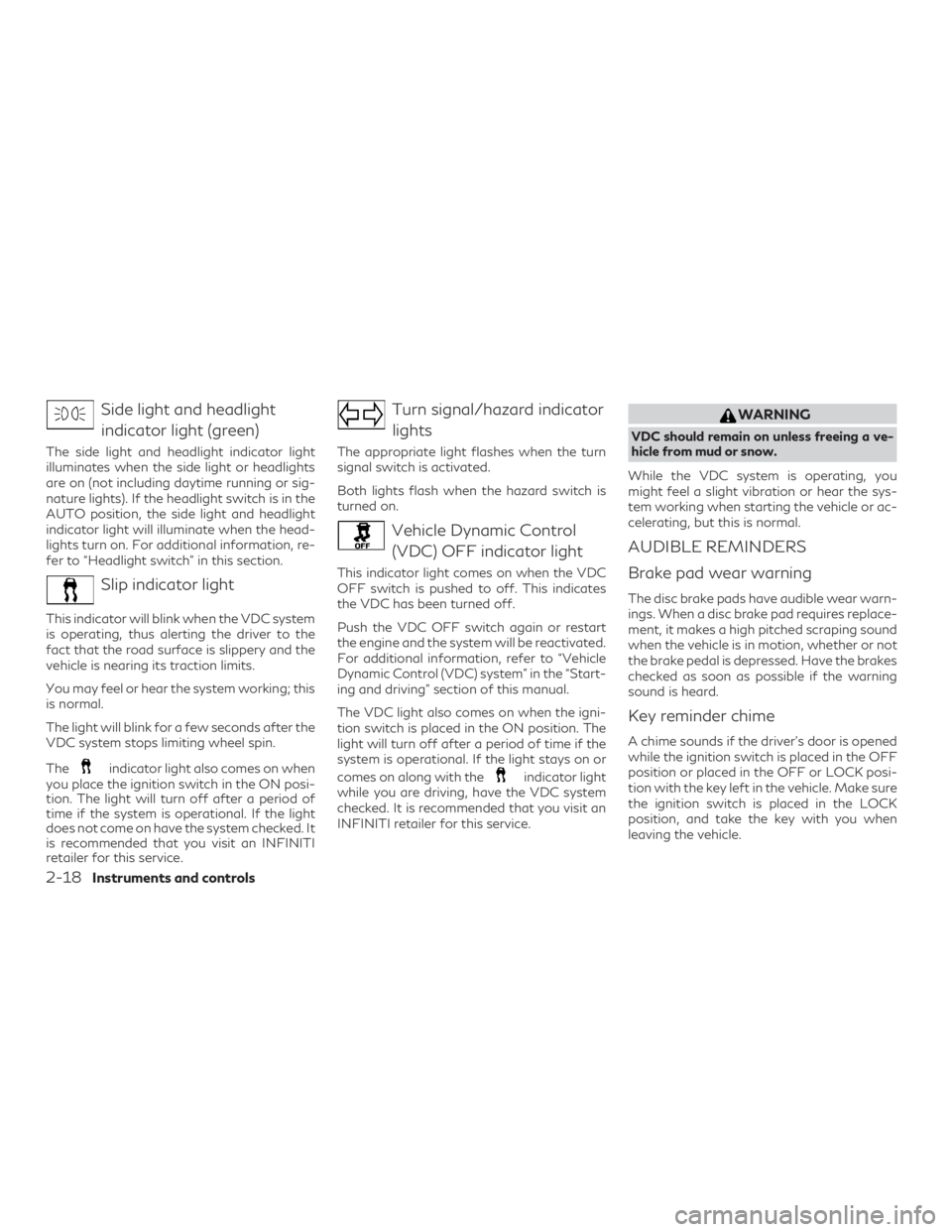
Side light and headlightindicator light (green)
The side light and headlight indicator light
illuminates when the side light or headlights
are on (not including daytime running or sig-
nature lights). If the headlight switch is in the
AUTO position, the side light and headlight
indicator light will illuminate when the head-
lights turn on. For additional information, re-
fer to “Headlight switch” in this section.
Slip indicator light
This indicator will blink when the VDC system
is operating, thus alerting the driver to the
fact that the road surface is slippery and the
vehicle is nearing its traction limits.
You may feel or hear the system working; this
is normal.
The light will blink for a few seconds after the
VDC system stops limiting wheel spin.
The
indicator light also comes on when
you place the ignition switch in the ON posi-
tion. The light will turn off after a period of
time if the system is operational. If the light
does not come on have the system checked. It
is recommended that you visit an INFINITI
retailer for this service.
Turn signal/hazard indicator
lights
The appropriate light flashes when the turn
signal switch is activated.
Both lights flash when the hazard switch is
turned on.
Vehicle Dynamic Control(VDC) OFF indicator light
This indicator light comes on when the VDC
OFF switch is pushed to off. This indicates
the VDC has been turned off.
Push the VDC OFF switch again or restart
the engine and the system will be reactivated.
For additional information, refer to “Vehicle
Dynamic Control (VDC) system” in the “Start-
ing and driving” section of this manual.
The VDC light also comes on when the igni-
tion switch is placed in the ON position. The
light will turn off after a period of time if the
system is operational. If the light stays on or
comes on along with the
indicator light
while you are driving, have the VDC system
checked. It is recommended that you visit an
INFINITI retailer for this service.
WARNING
VDC should remain on unless freeing a ve-
hicle from mud or snow.
While the VDC system is operating, you
might feel a slight vibration or hear the sys-
tem working when starting the vehicle or ac-
celerating, but this is normal.
AUDIBLE REMINDERS
Brake pad wear warning
The disc brake pads have audible wear warn-
ings. When a disc brake pad requires replace-
ment, it makes a high pitched scraping sound
when the vehicle is in motion, whether or not
the brake pedal is depressed. Have the brakes
checked as soon as possible if the warning
sound is heard.
Key reminder chime
A chime sounds if the driver’s door is opened
while the ignition switch is placed in the OFF
position or placed in the OFF or LOCK posi-
tion with the key left in the vehicle. Make sure
the ignition switch is placed in the LOCK
position, and take the key with you when
leaving the vehicle.
2-18Instruments and controls
Page 117 of 573
VEHICLE INFORMATION
DISPLAY WARNINGS AND
INDICATORS
1. No Key Detected
2. Key ID Incorrect
3. Key Battery Low
4. Key System Error: See Owner’s Manual
5. Key Registration Complete
6. Push brake and start switch to drive
7. Push Ignition to OFF
8. Shift to Park
9. Engine start operation for Intelligent Keysystem (if I-Key battery level is low)
10. Release Parking Brake
11. Low Fuel
12. Loose Fuel Cap
13. Transmission Shift Position indicator
14. Low Washer Fluid
15. Tire Pressure Low - Add Air
16. Steering Assist Not Available: Cannot Detect Lane (if so equipped) 17. AWD Error: See Owner’s Manual (if so
equipped)
18. AWD High Temp. Stop Vehicle (if so equipped)
19. Tire Size Incorrect: See Owner’s Manual (if so equipped)
20. Door Open
21. Steering Assist Alert (if so equipped)
22. Steering Assist status (if so equipped)
23. Chassis Control System Error: See Own- er’s Manual
24. Power will turn off to save the battery
25. Reminder: Turn OFF Headlights
26. When parked apply parking brake
27. Predictive Forward Collision Warning (PFCW) indicator (if so equipped)
28. Lane Departure Warning (LDW)/Lane Departure Prevention (LDP) indicator (if
so equipped)
29. Blind Spot Intervention (BSI)/ Blind Spot Warning (BSW)/ Backup Collision Inter-
vention (BCI) indicator (if so equipped)
30. Malfunction 31. Intelligent Cruise Control (ICC) indica-
tors (if so equipped)
32. Stop vehicle and Apply parking brake (if so equipped)
33. INFINITI Drive Mode Selector indicators
34. Cruise control indicator
35. AFS System Error: See Owner’s Manual (if so equipped)
36. Flat Tire — Visit dealer
37. Not Available: High Camera Temp (if so equipped)
38. Unavailable: Side Radar Obstruction (if so equipped)
39. Unavailable: High Accelerator Tempera- ture (if so equipped)
40. Unavailable: Front Radar Blocked (if so equipped)
41. System OFF (if so equipped)
42. Shipping Mode On Push Storage Fuse
43. CVT Error: See Owner’s Manual
44. Headlight System Error: See Owner’s Manual (if so equipped)
2-24Instruments and controls
Page 118 of 573
45. Distance Control Assist (DCA)/BlindSpot Intervention (BSI)/Lane Departure
Prevention (LDP) indicator (if so
equipped)
46. Not Available: Seat Belt Not Fastened (if so equipped)
47. Not Available: Poor Road Conditions (if so equipped)
48. Not Available: Visibility is impaired (if so equipped)
49. Press Brake Pedal (if so equipped)
50. Power turned off to save the battery
51. Shift system malfunction. Visit dealer
52. Check position of shift lever
53. Shift to P range
54. Currently not available
No Key Detected
This warning appears when the Intelligent
Key is left outside the vehicle with the ignition
switch in the ON position. Make sure the
Intelligent Key is inside the vehicle.
For additional information, refer to “INFINITI
Intelligent Key System” in the “Pre-driving
checks and adjustments” section of this
manual. Key ID Incorrect
This warning appears when the ignition
switch is placed in the OFF position and the
Intelligent Key is not recognized by the sys-
tem. You cannot start the engine with an
unregistered key.
For additional information, refer to “INFINITI
Intelligent Key System” in the “Pre-driving
checks and adjustments” section of this
manual.
Key Battery Low
This indicator illuminates when the Intelligent
Key battery is running out of power.
If this indicator illuminates, replace the bat-
tery with a new one. For additional informa-
tion, refer to “Battery replacement” in the
“Do-it-yourself” section of this manual.
Key System Error: See Owner’s Manual
After the ignition switch is pushed to the ON
position, this light comes on for a period of
time and then turns off.
The Key System Error message warns of a
malfunction with the Intelligent Key system.
If the light comes on while the engine is
stopped, it may be impossible to start the
engine.If the light comes on while the engine is run-
ning, you can drive the vehicle. However in
these cases, have the system checked. It is
recommended that you visit an INFINITI re-
tailer for this service.
Key Registration Complete
This appears when a new Intelligent Key is
registered to the vehicle.
Push brake and start switch to drive
This indicator appears when the shift lever is
in the P (Park) position.
This indicator also appears when the vehicle
has been started using the Remote Engine
Start (if so equipped) function.
This indicator means that the engine will start
by pushing the ignition switch with the brake
pedal depressed. You can start the engine
from any position of the ignition switch.
Push Ignition to OFF
After the Push Ignition to OFF warning illu-
minates, the warning will illuminate if the ig-
nition switch is placed in the Auto ACC posi-
tion when the shift lever is moved to the P
(Park) position.
Instruments and controls2-25
Page 119 of 573

To turn off the Push warning, place the igni-
tion switch in the ON position and then in the
LOCK position.
Shift to Park
This warning appears when the door is
opened while the shift lever is in positions
other than the P (Park) position.
If this warning illuminates, move the shift
lever to the P position.
Engine start operation for Intelligent Key
system (if I-Key battery level is low)
This indicator appears when the battery of
the Intelligent Key is low and when the Intel-
ligent Key system and the vehicle are not
communicating normally.
If this appears, touch the ignition switch with
the Intelligent Key while depressing the brake
pedal. For additional information, refer to
“INFINITI Intelligent Key battery discharge” in
the “Starting and driving” section of this
manual.
Release Parking Brake
This warning illuminates in the message area
of the vehicle information display when the
parking brake is set and the vehicle is driven.Low Fuel
This warning illuminates when the fuel level in
the fuel tank is getting low. Refuel as soon as
it is convenient, preferably before the fuel
gauge reaches 0 (Empty).
There will be a
small reserve of fuel in the tank when the fuel
gauge needle reaches 0 (Empty).
Loose Fuel Cap
This warning appears when the fuel-filler cap
is not tightened correctly after the vehicle has
been refueled. For additional information, re-
fer to “Fuel-filler cap” in the “Pre-driving
checks and adjustments” section of this
manual.
Transmission Shift Position indicator
This indicator shows the transmission shift
position.
Low Washer Fluid
This warning illuminates when the
windshield-washer fluid is at a low level. Add
windshield-washer fluid as necessary. For
additional information, refer to “Windshield-
washer fluid” in the “Do-it-yourself” section
of this manual. Tire Pressure Low - Add Air
This warning appears when the low tire pres-
sure warning light in the meter illuminates
and low tire pressure is detected. The warn-
ing appears each time the ignition switch is
placed in the ON position as long as the low
tire pressure warning light remains illumi-
nated. If this warning appears, stop the ve-
hicle and adjust the tire pressures of all four
tires to the recommended COLD tire pres-
sure shown on the Tire and Loading Informa-
tion label. For additional information, refer to
“Low tire pressure warning light” in this sec-
tion and “Tire Pressure Monitoring System
(TPMS)” in the “Starting and driving” section
of this manual.
Steering Assist Not Available: Cannot De-
tect Lane (if so equipped)
This message may appear when the Steering
Assist system is engaged.
Under the following conditions, the Steering
Assist system is automatically canceled:
∙ When lane markers in the traveling lane cannot be correctly detected for a period
of time due to such items as a snow rut,
reflection of light on a rainy day or several
unclear lane markers are present
2-26Instruments and controls
Page 120 of 573
If you want to use the Steering Assist system
again, cancel the ProPILOT Assist system
and set it again when lane markers are clearly
visible.
AWD Error: See Owner’s Manual (if so
equipped)
This warning appears when the all-wheel
drive system is not functioning properly while
the engine is running.
AWD High Temp. Stop Vehicle (if so
equipped)
This warning may appear while trying to free
a stuck vehicle due to increased oil tempera-
ture. The driving mode may change to
2-Wheel Drive (2WD). If this warning is dis-
played, stop the vehicle with the engine idling,
as soon as it is safe to do so. Then if the
warning turns off, you can continue driving.
Tire Size Incorrect: See Owner’s Manual (if
so equipped)
This warning may appear if there is a large
difference between the diameters of the
front and rear wheels. Pull off the road in a
safe area, with the engine idling. Check that
all the tire sizes are the same, that the tire
pressure is correct and that the tires are not
excessively worn.Door Open
This warning illuminates when a door has
been opened.
Steering Assist Alert (if so equipped)
This message may appear when the Steering
Assist system is engaged.
It will be displayed under the following con-
dition:
∙ When not holding the steering wheel or when there is no steering wheel opera-
tion
Please hold on the steering wheel immedi-
ately. When the steering operation is de-
tected, the warning turns off and the steering
assist function is automatically restored.
Steering Assist status (if so equipped)
This indicator appears when the Steering As-
sist system is engaged.
For additional information, refer to “ProPI-
LOT Assist” in the “Starting and driving” sec-
tion of this manual.
Chassis Control System Error: See Owner’s
Manual
This warning appears if the Integrated
Dynamics-control Module detects an error in the Active Trace Control, Active Engine
Brake, or the Active Ride Control systems.
Have the system checked. It is recommended
that you visit an INFINITI retailer for this
service. For additional information, refer to
“Chassis Control” in the “Starting and driving”
section of this manual.
Power will turn off to save the battery
This warning appears in the message area of
the vehicle information display after a period
of time if the shift lever has not moved from
the P (Park) position.
Reminder: Turn OFF Headlights
This warning appears when the headlights
are left in the ON position when exiting the
vehicle. Place the headlight switch in the OFF
or AUTO position. For additional informa-
tion, refer to “Headlight switch” in this sec-
tion.
When parked apply parking brake
This message appears when a malfunction
occurs in the electric shift control system be-
low 6 mph (10 km/h).
Have the system checked. It is recommended
that you visit an INFINITI retailer for this
service.
Instruments and controls2-27
Page 121 of 573

Predictive Forward Collision Warning
(PFCW) indicator (if so equipped)
This indicator shows when the PFCW system
is engaged.
For additional information, refer to “Distance
Control Assist (DCA)” , “Forward Emergency
Braking (FEB) with Pedestrian Detection”
and “Predictive Forward Collision Warning
(PFCW)” in the “Starting and driving” section
of this manual.
Lane Departure Warning (LDW)/Lane De-
parture Prevention (LDP) indicator (if so
equipped)
This indicator shows when the LDW/LDP
systems are engaged.
For additional information, refer to ”Dynamic
driver assistance switch” in this section and
“Lane Departure Warning (LDW) system”
and “Lane Departure Prevention (LDP) sys-
tem” in the “Starting and driving” section of
this manual.
Blind Spot Intervention® (BSI)/ Blind Spot
Warning (BSW)/ Backup Collision Inter-
vention (BCI)/ Rear Cross Traffic Alert
(RCTA) indicator (if so equipped)
This indicator shows when the BSI, BSW,
BCI, or RCTA systems are engaged.For additional information, refer to “Blind
Spot Intervention® (BSI)” , “Blind Spot Warn-
ing (BSW)” , “Backup Collision Intervention
(BCI)” and “Rear Cross Traffic Alert (RCTA)”
in the “Starting and driving” section of this
manual.
Malfunction
This warning appears when one or more of
the following systems (if so equipped) is not
functioning properly:
∙ Backup Collision Intervention (BCI)
∙ Blind Spot Intervention® (BSI)
∙ Blind Spot Warning (BSW)
∙ Distance Control Assist (DCA)
∙ Forward Emergency Braking (FEB) with Pedestrian Detection
∙ Intelligent Cruise Control (ICC)
∙ Lane Departure Warning (LDW)
∙ Lane Departure Prevention (LDP)
∙ Predictive Forward Collision Warning (PFCW)
If one or more of these warning appears,
have the system checked. It is recommended
that you visit an INFINITI retailer for this
service. Intelligent Cruise Control (ICC) indicators
(if so equipped)
These indicators show the Intelligent Cruise
Control (ICC) system status. For additional
information, refer to “Intelligent Cruise Con-
trol (ICC)” in the “Starting and driving” section
of this manual.
Stop vehicle and Apply parking brake (if so
equipped)
This message may appear when the battery
charge is low.
Please park vehicle as soon as possible. It is
recommended that you visit an INFINITI re-
tailer.
INFINITI Drive Mode Selector indicators
These indicators show the current drive
mode of the vehicle.
For additional information, refer to “INFINITI
Drive Mode Selector” in the “Starting and
driving” section of this manual.
Cruise control indicator
This indicator shows the cruise control sys-
tem status.
When cruise control is activated, a green
circle will illuminate to indicate it is set. The
vehicle information display will also display
2-28Instruments and controls
Page 124 of 573
If the warning message continues to appear,
stop the vehicle in a safe location, turn the
engine off and clean the windshield.
Press Brake Pedal (if so equipped)
This message may appear in the following
situations:∙ The driver tries to release the electronic parking brake manually without depress-
ing the brake pedal.
∙ The vehicle is stopped on a steep hill; and there is a possibility of moving back-
wards, even if the electronic parking
brake is applied.
∙ The vehicle moves while the automatic brake hold is activated.
For additional information, refer to “Elec-
tronic parking brake” in the “Starting and driv-
ing” section of this manual.
Power turned off to save the battery
This message appears after the ignition
switch is automatically turned off. For addi-
tional information, refer to “Push-button ig-
nition switch positions” in the “Starting and
driving” section of this manual. Shift system malfunction. Visit Dealer
This message appears when a malfunction
occurs in the electric shift control system at
6 mph (10 km/h) or higher.
Have the system checked. It is recommended
that you visit an INFINITI retailer for this
service.
Check position of shift lever
This message appears when a malfunction
occurs in the electric shift device.
Have the system checked. It is recommended
that you visit an INFINITI retailer for this
service.
Shift to P range
This warning appears when the driver’s door
is opened with the shift position in any posi-
tion other than the P (Park) position.
If this warning illuminates, move the shift
lever to the P position.
Currently not available
This message appears when the VDC system
is turned off. The BSI system, the DCA sys-
tem and the LDP system will be turned off
automatically. For additional information, re-
fer to “Vehicle Dynamic Control (VDC)” ,
“Blind Spot Intervention® (BSI)” , “Distance
Control Assist (DCA)” and “Lane Departure
Prevention (LDP)” in the “Starting and driving”
section of this manual.
Instruments and controls2-31
Page 137 of 573
∙ when the vehicle is driven at above16 mph (25 km/h) for the left-side head-
light. Note that the right-side low beam
headlight will swivel but the left side will
not swivel when the vehicle is at a stop
and the steering wheel is turned. The ve-
hicle must attain a speed above 16 mph
(25 km/h) before AFS activates the left-
side headlight.
AFS will also adjust the headlight to a proper
axis automatically, depending on the number
of occupants in the vehicle, the load the ve-
hicle is carrying and the road conditions.
If the AFS OFF indicator light blinks after the
ignition switch has been pushed to the ON
position, this may indicate that the AFS is not
functioning properly. Have the system
checked. It is recommended you visit an
INFINITI retailer for this service. When the
engine is started, the headlights will vibrate
to check the system condition. This is not a
malfunction.
Automatic headlight aiming control
(if so equipped)
Your vehicle is equipped with an automatic
headlight levelling system. The headlight axis
is controlled automatically. INFINITI recommends that you consult the
local regulations on the use of lights.
LED DAYTIME RUNNING LIGHTS
(DRL) SYSTEM
The LED portion of the headlights automati-
cally illuminate at 100% intensity when the
engine is started and the parking brake re-
leased. The LED Daytime Running Lights
(DRL) system operates with the headlight
switch in the OFF position. When you turn
the headlight switch to the
position for
full illumination, the LED lights switch from
LED DRL system to the park function.
If the parking brake is applied before the
engine is started, the LED DRL system does
not illuminate. The LED DRL system illumi-
nates when the parking brake is released. The
LED DRL system will remain on until the
ignition switch is placed in the OFF position.
It is necessary at dusk to turn the headlight
switch on for interior controls and switches
to illuminate, as those remain off while the
switch is in the OFF position.
WARNING
When the LED DRL system is active, tail
lights on your vehicle are not on. It is neces-
sary at dusk to turn on your headlights.
Failure to do so could cause an accident in-
juring yourself and others.
2-44Instruments and controls
Page 142 of 573
NOTE:
The heated seats may also be adjusted in the
lower display. For additional information,
refer to “Heater and air conditioner (auto-
matic)” in the “Monitor, climate, audio,
phone and voice recognition” section of this
manual.
WARNING
When this switch is activated the following
systems (if so equipped) are turned off and
will not work.
∙ Distance Control Assist (DCA)
∙ Blind Spot Intervention (BSI)
∙ Lane Departure Prevention (LDP)
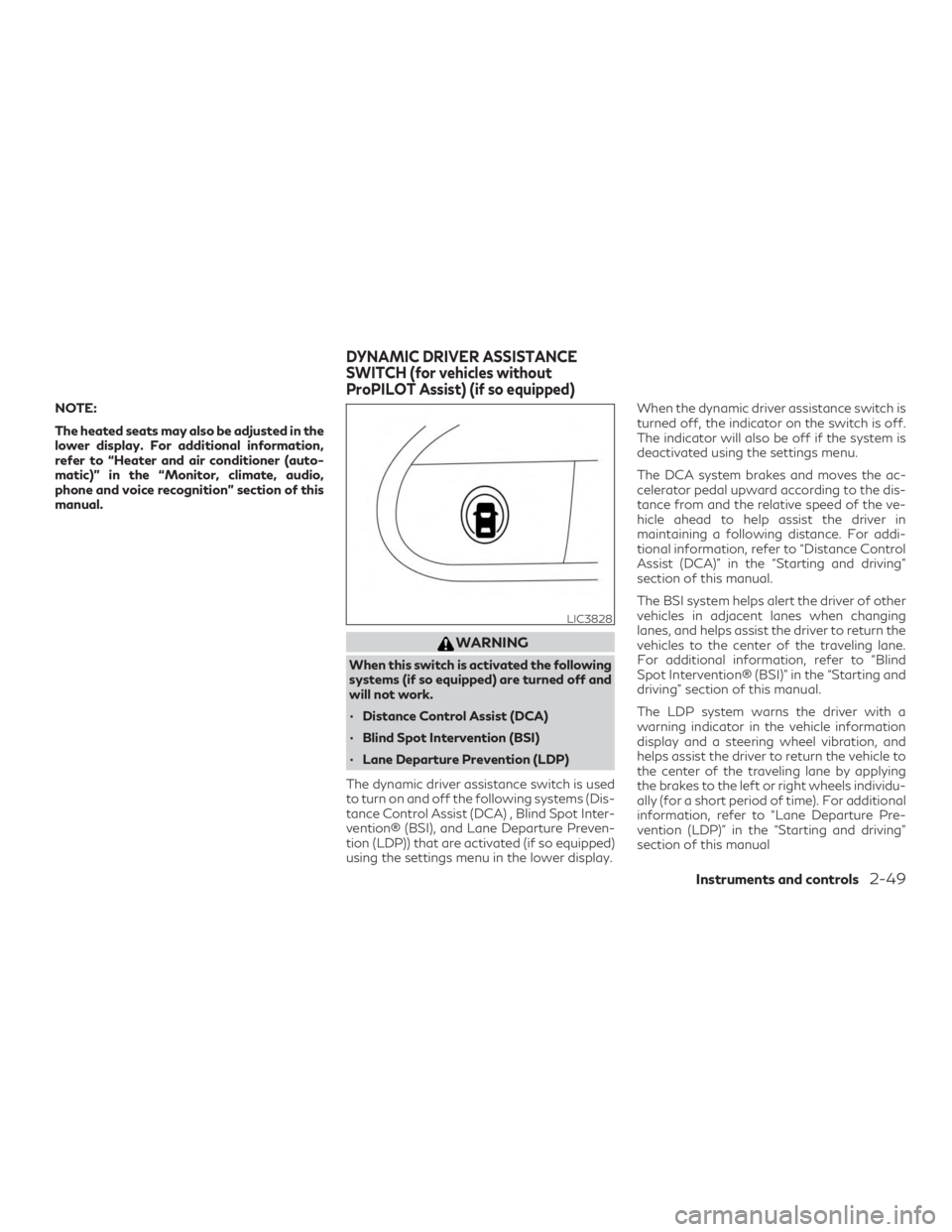
The dynamic driver assistance switch is used
to turn on and off the following systems (Dis-
tance Control Assist (DCA) , Blind Spot Inter-
vention® (BSI), and Lane Departure Preven-
tion (LDP)) that are activated (if so equipped)
using the settings menu in the lower display. When the dynamic driver assistance switch is
turned off, the indicator on the switch is off.
The indicator will also be off if the system is
deactivated using the settings menu.
The DCA system brakes and moves the ac-
celerator pedal upward according to the dis-
tance from and the relative speed of the ve-
hicle ahead to help assist the driver in
maintaining a following distance. For addi-
tional information, refer to “Distance Control
Assist (DCA)” in the “Starting and driving”
section of this manual.
The BSI system helps alert the driver of other
vehicles in adjacent lanes when changing
lanes, and helps assist the driver to return the
vehicles to the center of the traveling lane.
For additional information, refer to “Blind
Spot Intervention® (BSI)” in the “Starting and
driving” section of this manual.
The LDP system warns the driver with a
warning indicator in the vehicle information
display and a steering wheel vibration, and
helps assist the driver to return the vehicle to
the center of the traveling lane by applying
the brakes to the left or right wheels individu-
ally (for a short period of time). For additional
information, refer to “Lane Departure Pre-
vention (LDP)” in the “Starting and driving”
section of this manual
LIC3828
DYNAMIC DRIVER ASSISTANCE
SWITCH (for vehicles without
ProPILOT Assist) (if so equipped)
Instruments and controls2-49
Page 178 of 573
CHILD SAFETY REAR DOOR
LOCK
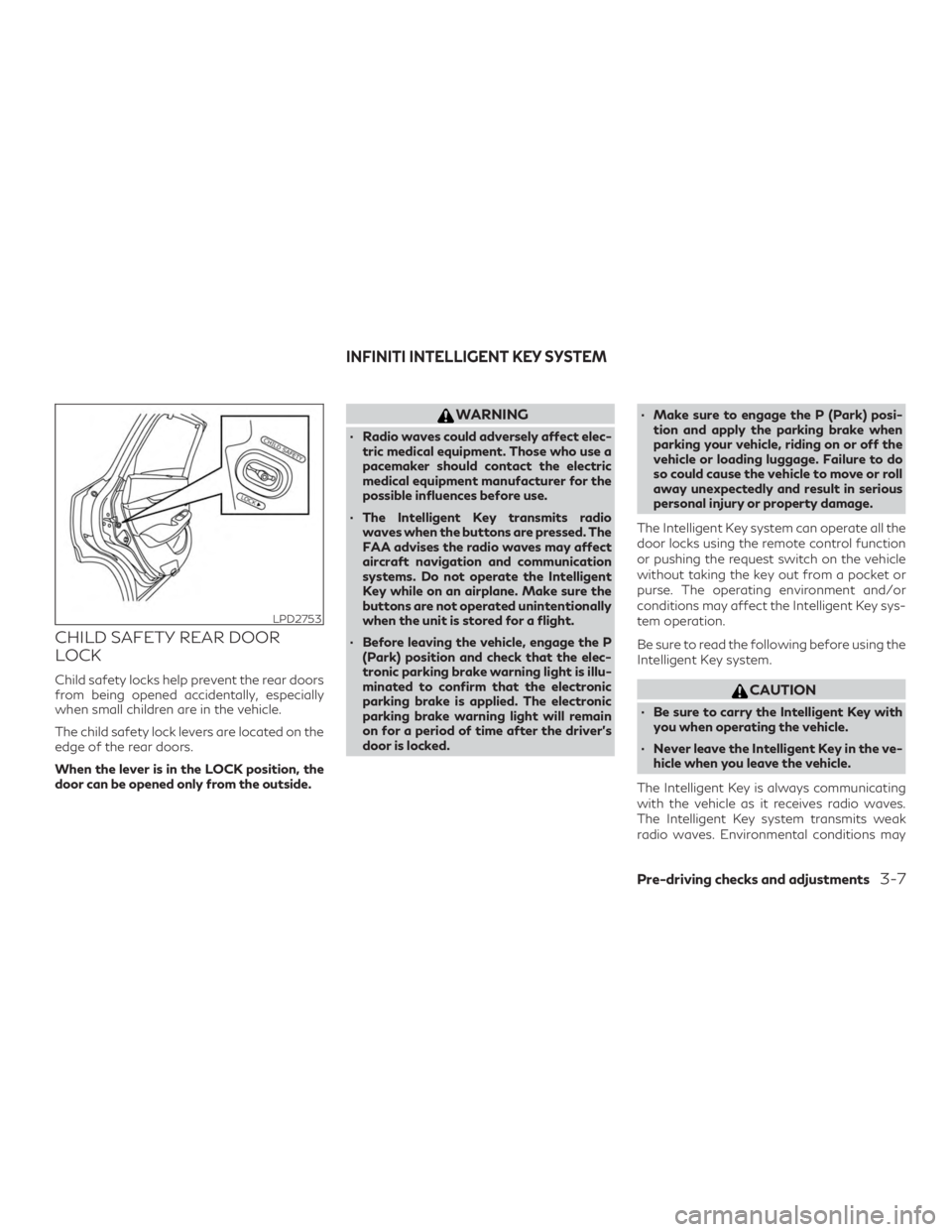
Child safety locks help prevent the rear doors
from being opened accidentally, especially
when small children are in the vehicle.
The child safety lock levers are located on the
edge of the rear doors.
When the lever is in the LOCK position, the
door can be opened only from the outside.
WARNING
∙ Radio waves could adversely affect elec-tric medical equipment. Those who use a
pacemaker should contact the electric
medical equipment manufacturer for the
possible influences before use.
∙ The Intelligent Key transmits radio waves when the buttons are pressed. The
FAA advises the radio waves may affect
aircraft navigation and communication
systems. Do not operate the Intelligent
Key while on an airplane. Make sure the
buttons are not operated unintentionally
when the unit is stored for a flight.
∙ Before leaving the vehicle, engage the P (Park) position and check that the elec-
tronic parking brake warning light is illu-
minated to confirm that the electronic
parking brake is applied. The electronic
parking brake warning light will remain
on for a period of time after the driver’s
door is locked. ∙ Make sure to engage the P (Park) posi-
tion and apply the parking brake when
parking your vehicle, riding on or off the
vehicle or loading luggage. Failure to do
so could cause the vehicle to move or roll
away unexpectedly and result in serious
personal injury or property damage.
The Intelligent Key system can operate all the
door locks using the remote control function
or pushing the request switch on the vehicle
without taking the key out from a pocket or
purse. The operating environment and/or
conditions may affect the Intelligent Key sys-
tem operation.
Be sure to read the following before using the
Intelligent Key system.
CAUTION
∙ Be sure to carry the Intelligent Key with you when operating the vehicle.
∙ Never leave the Intelligent Key in the ve- hicle when you leave the vehicle.
The Intelligent Key is always communicating
with the vehicle as it receives radio waves.
The Intelligent Key system transmits weak
radio waves. Environmental conditions may
LPD2753
INFINITI INTELLIGENT KEY SYSTEM
Pre-driving checks and adjustments3-7