power steering INFINITI QX50 2020 Owner's Manual
[x] Cancel search | Manufacturer: INFINITI, Model Year: 2020, Model line: QX50, Model: INFINITI QX50 2020Pages: 580, PDF Size: 7.43 MB
Page 23 of 580
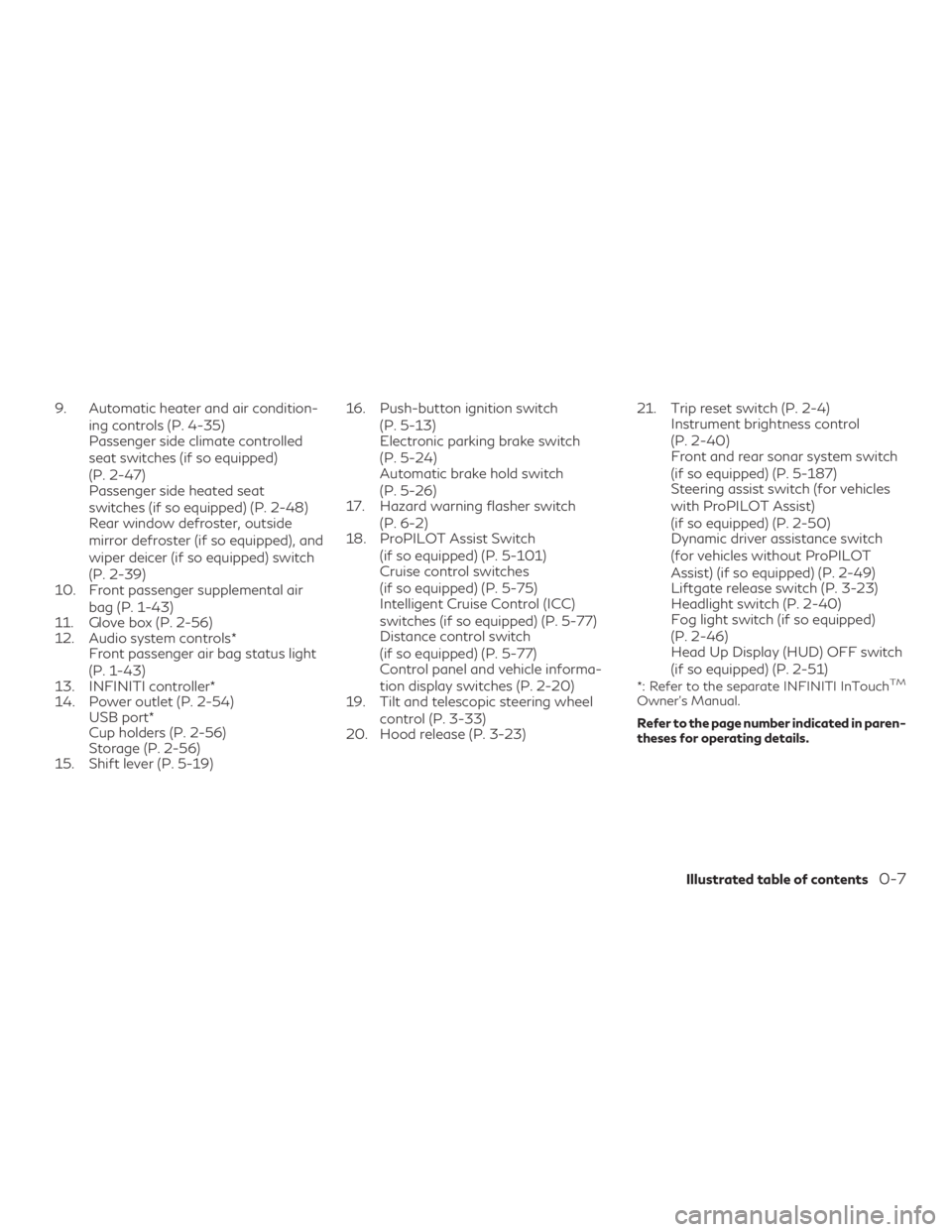
9. Automatic heater and air condition-ing controls (P. 4-35)
Passenger side climate controlled
seat switches (if so equipped)
(P. 2-47)
Passenger side heated seat
switches (if so equipped) (P. 2-48)
Rear window defroster, outside
mirror defroster (if so equipped), and
wiper deicer (if so equipped) switch
(P. 2-39)
10. Front passenger supplemental air
bag (P. 1-43)
11. Glove box (P. 2-56)
12. Audio system controls* Front passenger air bag status light
(P. 1-43)
13. INFINITI controller*
14. Power outlet (P. 2-54) USB port*
Cup holders (P. 2-56)
Storage (P. 2-56)
15. Shift lever (P. 5-19) 16. Push-button ignition switch
(P. 5-13)
Electronic parking brake switch
(P. 5-24)
Automatic brake hold switch
(P. 5-26)
17. Hazard warning flasher switch
(P. 6-2)
18. ProPILOT Assist Switch
(if so equipped) (P. 5-101)
Cruise control switches
(if so equipped) (P. 5-75)
Intelligent Cruise Control (ICC)
switches (if so equipped) (P. 5-77)
Distance control switch
(if so equipped) (P. 5-77)
Control panel and vehicle informa-
tion display switches (P. 2-20)
19. Tilt and telescopic steering wheel
control (P. 3-33)
20. Hood release (P. 3-23) 21. Trip reset switch (P. 2-4)
Instrument brightness control
(P. 2-40)
Front and rear sonar system switch
(if so equipped) (P. 5-187)
Steering assist switch (for vehicles
with ProPILOT Assist)
(if so equipped) (P. 2-50)
Dynamic driver assistance switch
(for vehicles without ProPILOT
Assist) (if so equipped) (P. 2-49)
Liftgate release switch (P. 3-23)
Headlight switch (P. 2-40)
Fog light switch (if so equipped)
(P. 2-46)
Head Up Display (HUD) OFF switch
(if so equipped) (P. 2-51)
*: Refer to the separate INFINITI InTouchTM
Owner’s Manual.
Refer to the page number indicated in paren-
theses for operating details.
Illustrated table of contents0-7
Page 25 of 580
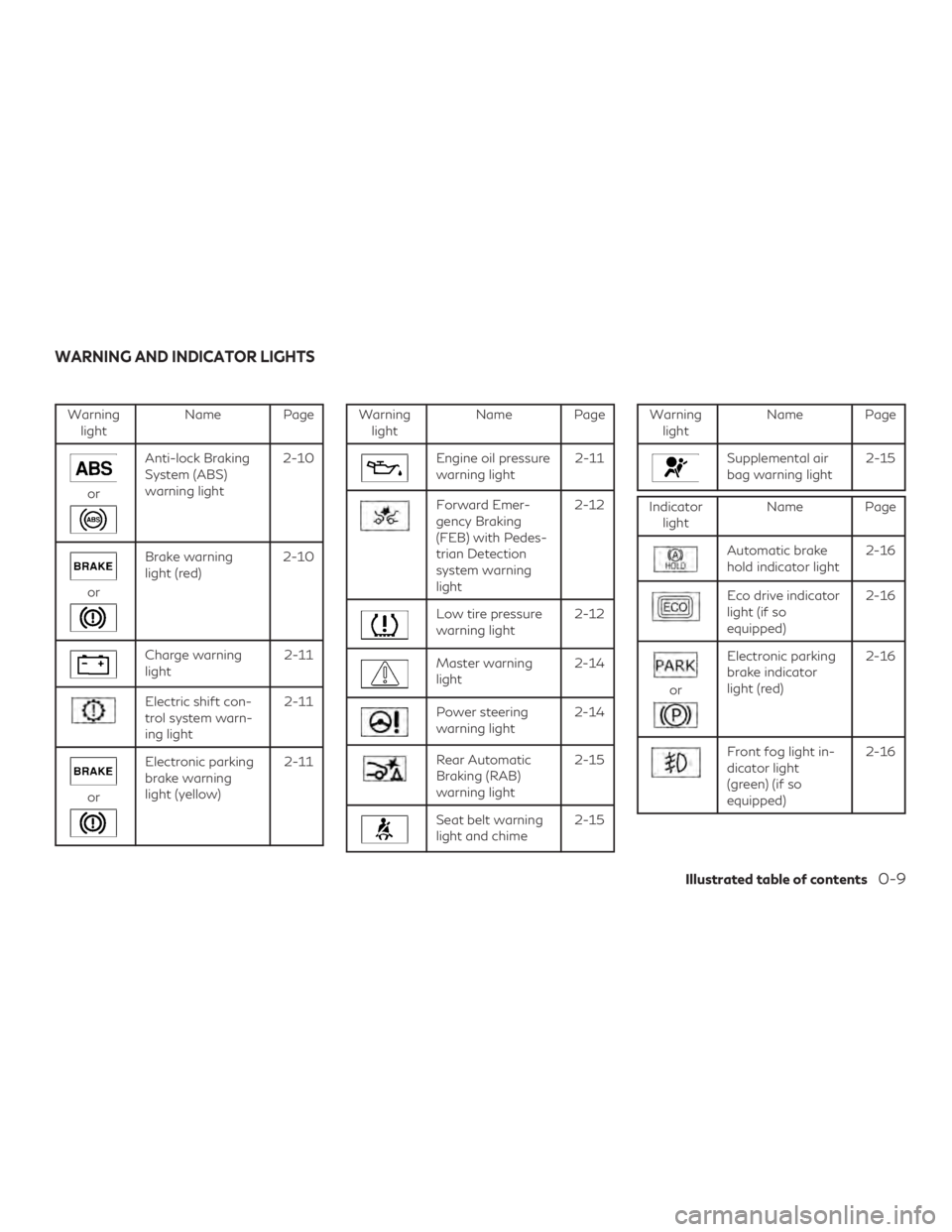
Warninglight Name Page
or
Anti-lock Braking
System (ABS)
warning light 2-10
or
Brake warning
light (red)
2-10
Charge warning
light 2-11
Electric shift con-
trol system warn-
ing light2-11
or
Electronic parking
brake warning
light (yellow)2-11
Warning
light Name Page
Engine oil pressure
warning light 2-11
Forward Emer-
gency Braking
(FEB) with Pedes-
trian Detection
system warning
light2-12
Low tire pressure
warning light
2-12
Master warning
light2-14
Power steering
warning light2-14
Rear Automatic
Braking (RAB)
warning light 2-15
Seat belt warning
light and chime
2-15
Warning
light Name Page
Supplemental air
bag warning light 2-15
Indicator
light Name Page
Automatic brake
hold indicator light 2-16
Eco drive indicator
light (if so
equipped)2-16
or
Electronic parking
brake indicator
light (red)2-16
Front fog light in-
dicator light
(green) (if so
equipped)2-16
WARNING AND INDICATOR LIGHTS
Illustrated table of contents0-9
Page 95 of 580
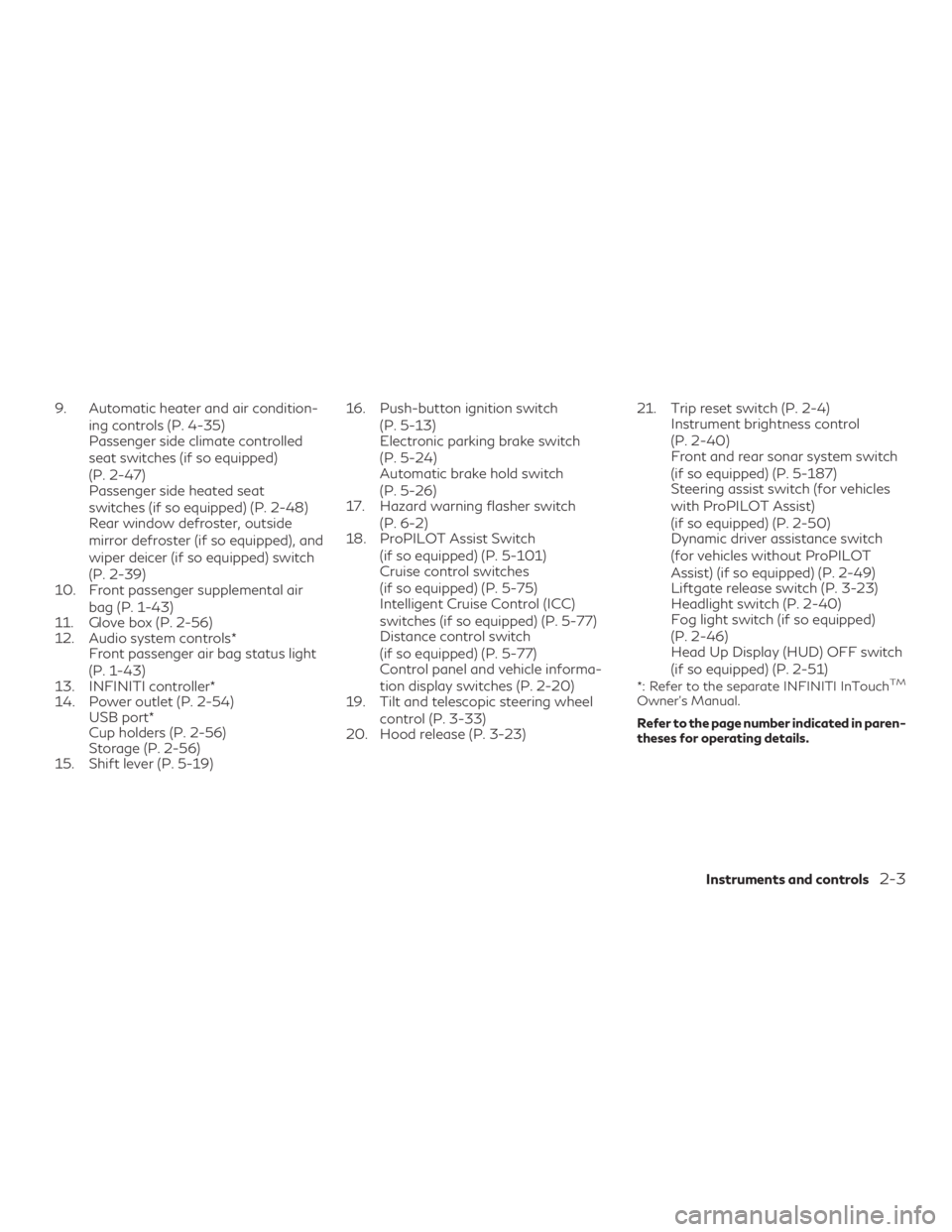
9. Automatic heater and air condition-ing controls (P. 4-35)
Passenger side climate controlled
seat switches (if so equipped)
(P. 2-47)
Passenger side heated seat
switches (if so equipped) (P. 2-48)
Rear window defroster, outside
mirror defroster (if so equipped), and
wiper deicer (if so equipped) switch
(P. 2-39)
10. Front passenger supplemental air
bag (P. 1-43)
11. Glove box (P. 2-56)
12. Audio system controls* Front passenger air bag status light
(P. 1-43)
13. INFINITI controller*
14. Power outlet (P. 2-54) USB port*
Cup holders (P. 2-56)
Storage (P. 2-56)
15. Shift lever (P. 5-19) 16. Push-button ignition switch
(P. 5-13)
Electronic parking brake switch
(P. 5-24)
Automatic brake hold switch
(P. 5-26)
17. Hazard warning flasher switch
(P. 6-2)
18. ProPILOT Assist Switch
(if so equipped) (P. 5-101)
Cruise control switches
(if so equipped) (P. 5-75)
Intelligent Cruise Control (ICC)
switches (if so equipped) (P. 5-77)
Distance control switch
(if so equipped) (P. 5-77)
Control panel and vehicle informa-
tion display switches (P. 2-20)
19. Tilt and telescopic steering wheel
control (P. 3-33)
20. Hood release (P. 3-23) 21. Trip reset switch (P. 2-4)
Instrument brightness control
(P. 2-40)
Front and rear sonar system switch
(if so equipped) (P. 5-187)
Steering assist switch (for vehicles
with ProPILOT Assist)
(if so equipped) (P. 2-50)
Dynamic driver assistance switch
(for vehicles without ProPILOT
Assist) (if so equipped) (P. 2-49)
Liftgate release switch (P. 3-23)
Headlight switch (P. 2-40)
Fog light switch (if so equipped)
(P. 2-46)
Head Up Display (HUD) OFF switch
(if so equipped) (P. 2-51)
*: Refer to the separate INFINITI InTouchTM
Owner’s Manual.
Refer to the page number indicated in paren-
theses for operating details.
Instruments and controls2-3
Page 101 of 580
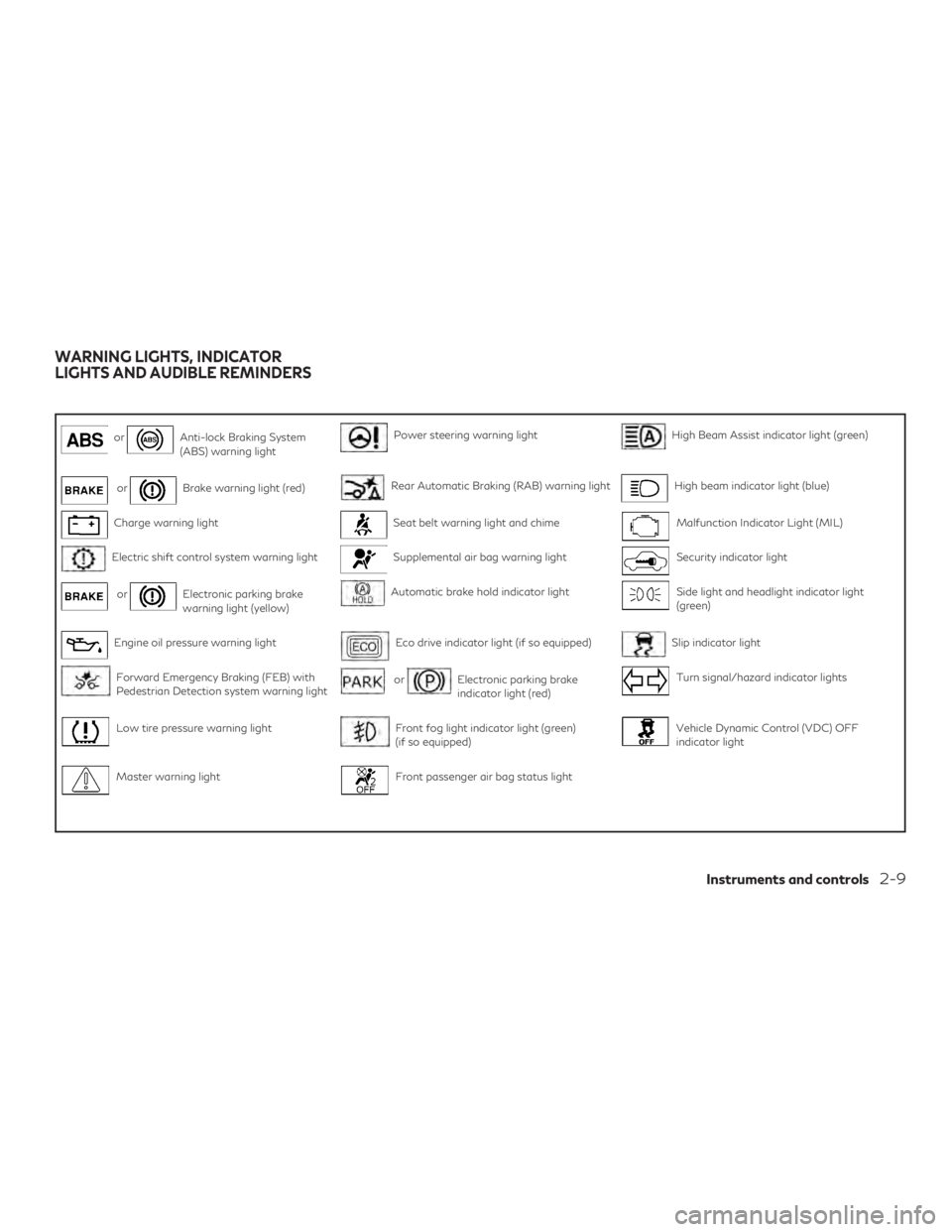
orAnti-lock Braking System
(ABS) warning lightPower steering warning lightHigh Beam Assist indicator light (green)
orBrake warning light (red)Rear Automatic Braking (RAB) warning lightHigh beam indicator light (blue)
Charge warning lightSeat belt warning light and chimeMalfunction Indicator Light (MIL)
Electric shift control system warning lightSupplemental air bag warning lightSecurity indicator light
orElectronic parking brake
warning light (yellow)Automatic brake hold indicator lightSide light and headlight indicator light
(green)
Engine oil pressure warning lightEco drive indicator light (if so equipped)Slip indicator light
Forward Emergency Braking (FEB) with
Pedestrian Detection system warning lightorElectronic parking brake
indicator light (red)Turn signal/hazard indicator lights
Low tire pressure warning lightFront fog light indicator light (green)
(if so equipped)Vehicle Dynamic Control (VDC) OFF
indicator light
Master warning lightFront passenger air bag status light
WARNING LIGHTS, INDICATOR
LIGHTS AND AUDIBLE REMINDERS
Instruments and controls2-9
Page 106 of 580
Master warning light
When the ignition switch is in the ON posi-
tion, the master warning light illuminates if
any of the following (if so equipped) are dis-
played on the vehicle information display:∙ No key warning
∙ I-Key system warning
∙ Low fuel warning
∙ Low washer fluid warning
∙ Parking brake warning
∙ Door/ liftgate open warning
∙ Loose fuel cap warning
∙ Low tire pressure warning
∙ Flat tire warning
∙ Transmission system warning
∙ Headlight warning
∙ Driver Attention Support system warning
∙ Shift position warning
∙ Low battery warning
∙ Shipping mode warning
∙ Low oil pressure warning ∙ All Wheel Drive (AWD) system warning
∙ Adaptive Front lighting System (AFS)
warning
∙ Handle Release warning
∙ Driving Aids malfunction warning
∙ Chassis Control system warning
For additional information, refer to “Vehicle
information display” in this section.
Power steering warning light
WARNING
∙ If the engine is not running or is turned off while driving, the power assist for the
steering will not work. Steering will be
harder to operate.
∙ When the power steering warning light illuminates with the engine running,
there will be no power assist for the
steering. You will still have control of the
vehicle, but the steering will be harder to
operate. Have the power steering system
checked. It is recommended that you visit
an INFINITI retailer for this service. Models with Direct Adaptive Steering®:
When the ignition switch is in the ON posi-
tion, the power steering warning light illumi-
nates. After starting the engine, the power
steering warning light stays on for a few
seconds and turns off. This indicates that
Direct Adaptive Steering is operational. Drive
the vehicle after the power steering warning
light turns off.
If the power steering warning light illumi-
nates while driving, pull off the road to a safe
location and stop the vehicle. If the power
steering warning light turns off, you can drive
again. If the power steering warning light
continues to illuminate, have the Direct
Adaptive Steering checked. It is recom-
mended that you visit an INFINITI retailer for
this service. For additional information, refer
to “Power Steering” in the “Starting and driv-
ing” section of this manual.
Models with electric power steering:
When the ignition switch is in the ON posi-
tion, the power steering warning light illumi-
nates. After starting the engine, the power
steering warning light turns off. This indicates
the electric power steering is operational.
2-14Instruments and controls
Page 107 of 580
If the power steering warning light illumi-
nates while the engine is running, it may indi-
cate the electric power steering is not func-
tioning properly and may need servicing. It is
recommended that you have the electric
power steering checked by an INFINITI re-
tailer.
When the power steering warning light illu-
minates with the engine running, the power
assist to the steering will cease operation but
you will still have control of the vehicle. At this
time, greater steering efforts are required to
operate the steering wheel, especially in
sharp turns and at low speeds. For additional
information, refer to “Power Steering” in the
“Starting and driving” section of this manual.
Rear Automatic Braking(RAB) warning light
This light comes on when the ignition switch
is placed in the ON position. It turns off after
the engine is started.
This light illuminates when the RAB system is
turned off in the vehicle information display.
If the light illuminates when the RAB system
is on, it may indicate that the system is un-
available. For additional information, refer to
“Rear Automatic Braking (RAB)” in the “Start-
ing and driving” section of this manual.
Seat belt warning light andchime
The light and chime remind you to fasten your
seat belts. The light illuminates whenever the
ignition switch is placed in the ON or START
position and remains illuminated until the
driver’s seat belt is fastened. At the same
time, the chime sounds for about 6 seconds
unless the driver’s seat belt is securely fas-
tened.
The seat belt warning light may also illumi-
nate if the front passenger’s seat belt is not
fastened when the front passenger’s seat is
occupied. For 7 seconds after the ignition
switch is placed in the ON position, the sys-
tem does not activate the warning light for
the front passenger.
The 2nd row seats may be also equipped with
a seat belt warning light.
For additional information, refer to “Seat
belts” in the “Safety—Seats, seat belts and
supplemental restraint system” section of this
manual.
Supplemental air bag
warning light
When the ignition switch is placed in the ON
or START position, the supplemental air bag
warning light illuminates for about 7 seconds
and then turns off. This means the system is
operational.
If any of the following conditions occur, the
front air bag, side air bag, curtain air bag, and
pretensioner seat belt systems need servicing:
∙ The supplemental air bag warning light remains on after approximately 7 sec-
onds.
∙ The supplemental air bag warning light flashes intermittently.
∙ The supplemental air bag warning light does not come on at all.
It is recommended that you visit an INFINITI
retailer for these services.
Unless checked and repaired, the supplemen-
tal restraint system (air bag system) and/or
the pretensioners may not function properly.
For additional information, refer to “Supple-
mental Restraint System (SRS)” in the
“Safety—Seats, seat belts and supplemental
restraint system” section of this manual.
Instruments and controls2-15
Page 116 of 580
VEHICLE INFORMATION
DISPLAY WARNINGS AND
INDICATORS
1. No Key Detected
2. Key ID Incorrect
3. Key Battery Low
4. Key System Error: See Owner’s Manual
5. Key Registration Complete
6. Push brake and start switch to drive
7. Push Ignition to OFF
8. Shift to Park
9. Engine start operation for Intelligent Keysystem (if I-Key battery level is low)
10. Release Parking Brake
11. Low Fuel
12. Loose Fuel Cap
13. Transmission Shift Position indicator
14. Low Washer Fluid
15. Tire Pressure Low - Add Air
16. Steering Assist Not Available: Cannot Detect Lane (if so equipped) 17. AWD Error: See Owner’s Manual (if so
equipped)
18. AWD High Temp. Stop Vehicle (if so equipped)
19. AWD Tire Size Incorrect: See Owner’s Manual (if so equipped)
20. Door/liftgate Open
21. Steering Assist Alert (if so equipped)
22. Steering Assist status (if so equipped)
23. Chassis Control System Error: See Own- er’s Manual
24. Power will turn off to save the battery
25. Reminder: Turn OFF Headlights
26. When parked apply parking brake
27. Vehicle ahead detection indicator
28. Lane Departure Warning (LDW)/Lane Departure Prevention (LDP) indicator (if
so equipped)
29. Blind Spot Warning (BSW) indicator
30. Malfunction
31. Intelligent Cruise Control (ICC) indica- tors (if so equipped) 32. Stop vehicle and Apply parking brake (if
so equipped)
33. INFINITI Drive Mode Selector indicators
34. Cruise control indicator (if so equipped)
35. AFS System Error: See Owner’s Manual (if so equipped)
36. Flat Tire — Visit dealer
37. Not Available: High Camera Temp (if so equipped)
38. Unavailable: Side Radar Obstruction (if so equipped)
39. Unavailable: Front Radar Blocked (if so equipped)
40. Shipping Mode On Push Storage Fuse
41. CVT (AT) Malfunction Service now
42. Service CVT (AT) Power reduced
43. Headlight System Error: See Owner’s Manual
44. Distance Control Assist (DCA) ON indi- cator (if so equipped)
45. Not Available: Seat Belt Not Fastened (if so equipped)
46. Not Available: Poor Road Conditions (if so equipped)
2-24Instruments and controls
Page 119 of 580
Under the following conditions, the Steering
Assist system is automatically canceled:∙ When lane markers in the traveling lane cannot be correctly detected for a period
of time due to such items as a snow rut,
reflection of light on a rainy day or several
unclear lane markers are present
If you want to use the Steering Assist system
again, cancel the ProPILOT Assist system
and set it again when lane markers are clearly
visible.
AWD Error: See Owner’s Manual (if so
equipped)
This warning appears when the all-wheel
drive system is not functioning properly while
the engine is running.
AWD High Temp. Stop Vehicle (if so
equipped)
This warning may appear while trying to free
a stuck vehicle due to increased oil tempera-
ture. The driving mode may change to
2-Wheel Drive (2WD). If this warning is dis-
played, stop the vehicle with the engine idling,
as soon as it is safe to do so. Then if the
warning turns off, you can continue driving. AWD Tire Size Incorrect: See Owner’s
Manual (if so equipped)
This warning may appear if there is a large
difference between the diameters of the
front and rear wheels. Pull off the road in a
safe area, with the engine idling. Check that
all the tire sizes are the same, that the tire
pressure is correct and that the tires are not
excessively worn.
Door/liftgate Open
This warning illuminates when a door or the
liftgate has been opened.
Steering Assist Alert (if so equipped)
This message may appear when the Steering
Assist system is engaged.
It will be displayed under the following con-
dition:
∙ When not holding the steering wheel or when there is no steering wheel opera-
tion
Please hold on the steering wheel immedi-
ately. When the steering operation is de-
tected, the warning turns off and the steering
assist function is automatically restored. Steering Assist status (if so equipped)
This indicator appears when the Steering As-
sist system is engaged.
For additional information, refer to “ProPI-
LOT Assist” in the “Starting and driving” sec-
tion of this manual.
Chassis Control System Error: See Owner’s
Manual
This warning appears if the Integrated
Dynamics-control Module detects an error in
the Active Trace Control, Active Engine
Brake, or the Active Ride Control systems.
Have the system checked. It is recommended
that you visit an INFINITI retailer for this
service. For additional information, refer to
“Chassis Control” in the “Starting and driving”
section of this manual.
Power will turn off to save the battery
This warning appears in the message area of
the vehicle information display after a period
of time if the shift lever has not moved from
the P (Park) position.
Instruments and controls2-27
Page 174 of 580
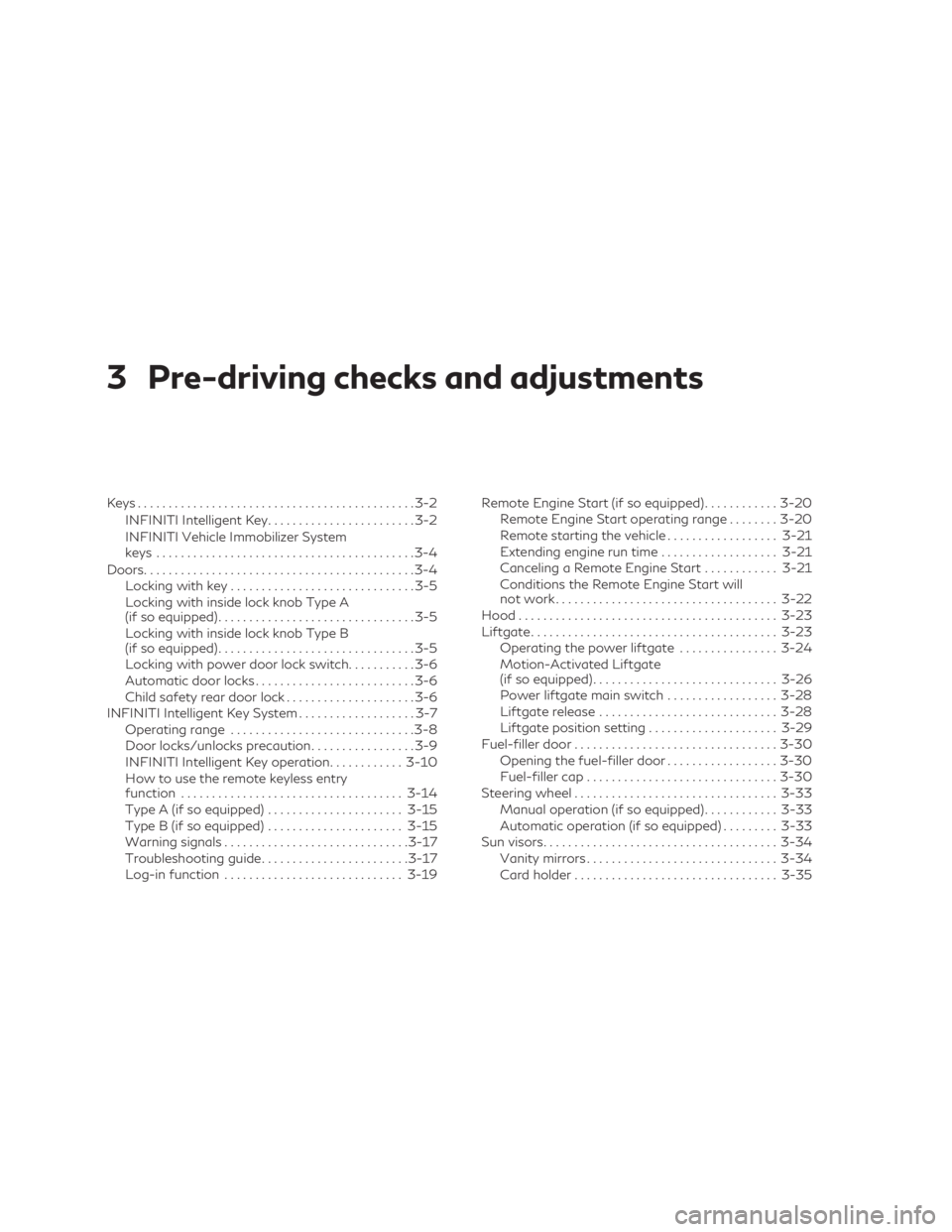
3 Pre-driving checks and adjustments
Keys.............................................3-2
INFINITI Intelligent Key ........................3-2
INFINITI Vehicle Immobilizer System
keys ..........................................3-4
Doors ............................................3-4
Locking with key ..............................3-5
Locking with inside lock knob Type A
(if so equipped) ................................3-5
Locking with inside lock knob Type B
(if so equipped) ................................3-5
Locking with power door lock switch ...........3-6
Automatic door locks ..........................3-6
Child safety rear door lock .....................3-6
INFINITI Intelligent Key System ...................3-7
Operating range ..............................3-8
Door locks/unlocks precaution .................3-9
INFINITI Intelligent Key operation ............3-10
How to use the remote keyless entry
function .................................... 3-14
Type A (if so equipped) ......................3-15
Type B (if so equipped) ......................3-15
Warning signals .............................. 3-17
Troubleshooting guide ........................ 3-17
Log-in function ............................. 3-19Remote Engine Start (if so equipped)
............3-20
Remote Engine Start operating range ........3-20
Remote starting the vehicle ..................3-21
Extending engine run time ...................3-21
Canceling a Remote Engine Start ............3-21
Conditions the Remote Engine Start will
not work .................................... 3-22
Hood .......................................... 3-23
Liftgate ........................................ 3-23
Operating the power liftgate ................3-24
Motion-Activated Liftgate
(if so equipped) .............................. 3-26
Power liftgate main switch ..................3-28
Liftgate release ............................. 3-28
Liftgate position setting .....................3-29
Fuel-filler door ................................. 3-30
Opening the fuel-filler door ..................3-30
Fuel-filler cap ............................... 3-30
Steering wheel ................................. 3-33
Manual operation
(if so equipped)............3-33
Automatic operation (if so equipped) .........3-33
Sun visors ...................................... 3-34
Vanity mirrors ............................... 3-34
Card holder ................................. 3-35
Page 253 of 580
tures. During this period, the climate control
display and buttons will be inoperable until
the ignition switch is turned on. In Remote
Engine Start defrosting mode, the rear win-
dow defroster, heated seat (if so equipped)
and heated steering wheel (if so equipped)
may be activated automatically. In Remote
Engine Start cooling mode, the climate con-
trolled seat (if so equipped) may be activated
automatically.
Voice Recognition logic (if so
equipped)
When the climate control system is on, the
fan speed may be automatically lowered so
that commands are more easily recognized.
Fan speed can be adjusted using the
fan
speed decrease and
increase buttons, if
desired.
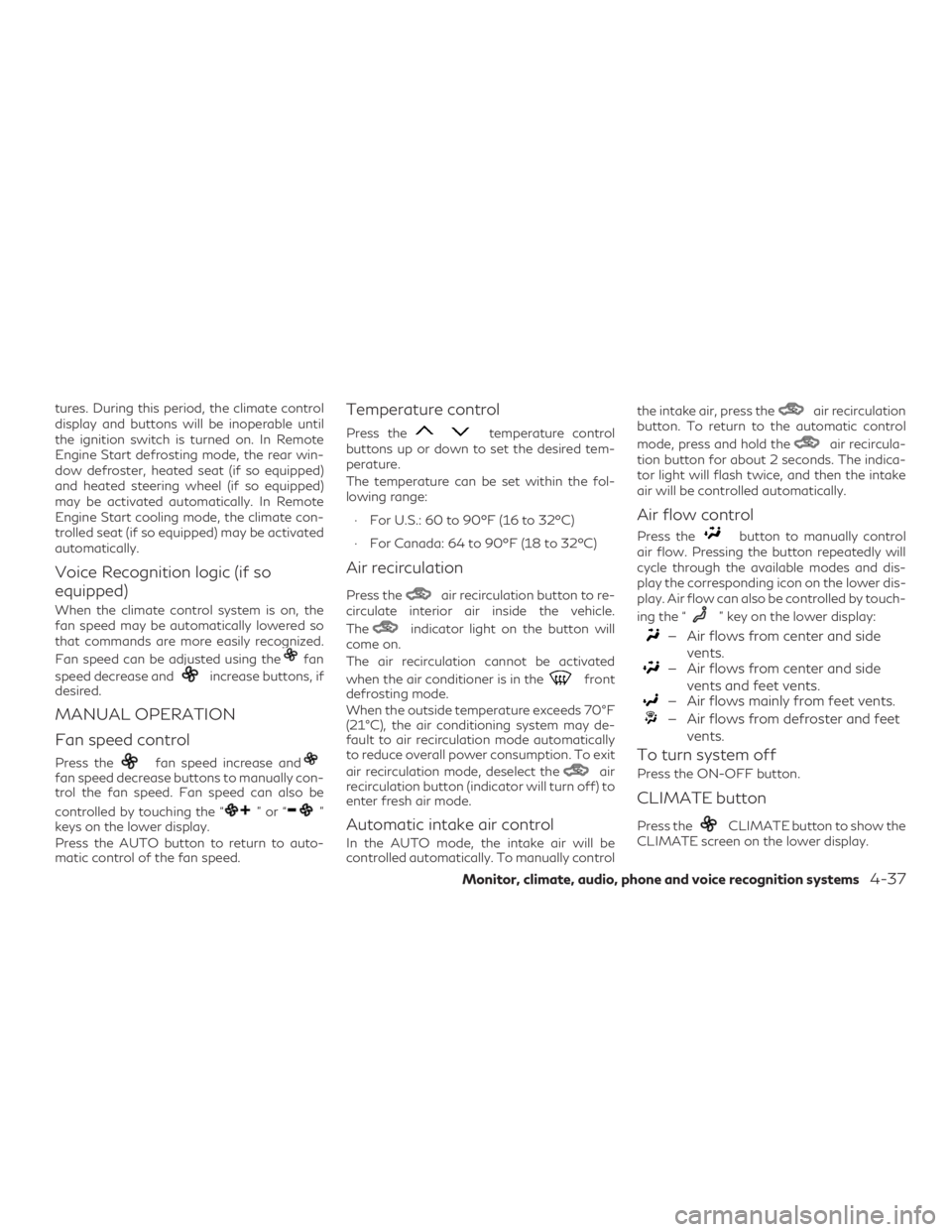
MANUAL OPERATION
Fan speed control
Press thefan speed increase andfan speed decrease buttons to manually con-
trol the fan speed. Fan speed can also be
controlled by touching the “
”or“”
keys on the lower display.
Press the AUTO button to return to auto-
matic control of the fan speed.
Temperature control
Press thetemperature control
buttons up or down to set the desired tem-
perature.
The temperature can be set within the fol-
lowing range:
∙ For U.S.: 60 to 90ºF (16 to 32ºC)
∙ For Canada: 64 to 90ºF (18 to 32ºC)
Air recirculation
Press theair recirculation button to re-
circulate interior air inside the vehicle.
The
indicator light on the button will
come on.
The air recirculation cannot be activated
when the air conditioner is in the
front
defrosting mode.
When the outside temperature exceeds 70°F
(21°C), the air conditioning system may de-
fault to air recirculation mode automatically
to reduce overall power consumption. To exit
air recirculation mode, deselect the
air
recirculation button (indicator will turn off) to
enter fresh air mode.
Automatic intake air control
In the AUTO mode, the intake air will be
controlled automatically. To manually control the intake air, press the
air recirculation
button. To return to the automatic control
mode, press and hold the
air recircula-
tion button for about 2 seconds. The indica-
tor light will flash twice, and then the intake
air will be controlled automatically.
Air flow control
Press thebutton to manually control
air flow. Pressing the button repeatedly will
cycle through the available modes and dis-
play the corresponding icon on the lower dis-
play. Air flow can also be controlled by touch-
ing the “
” key on the lower display:
— Air flows from center and side
vents.
— Air flows from center and sidevents and feet vents.
— Air flows mainly from feet vents.
— Air flows from defroster and feetvents.
To turn system off
Press the ON-OFF button.
CLIMATE button
Press theCLIMATE button to show the
CLIMATE screen on the lower display.
Monitor, climate, audio, phone and voice recognition systems4-37