lane assist INFINITI QX50 2021 Owner's Guide
[x] Cancel search | Manufacturer: INFINITI, Model Year: 2021, Model line: QX50, Model: INFINITI QX50 2021Pages: 542, PDF Size: 3.51 MB
Page 354 of 542
If the LDP, BSI and DCA systems are set to
off in the lower display and the ProPILOT
Assist switch on the steering wheel is pushed,
the LDP ON indicator, BSI ON indicator, and
the DCA ON indicator will blink for approxi-
mately 2 seconds.
For additional information on LDP and BSI,
see “Lane Departure Prevention (LDP)”
(P. 5-40) and “Blind Spot Intervention® (BSI)”
(P. 5-54).
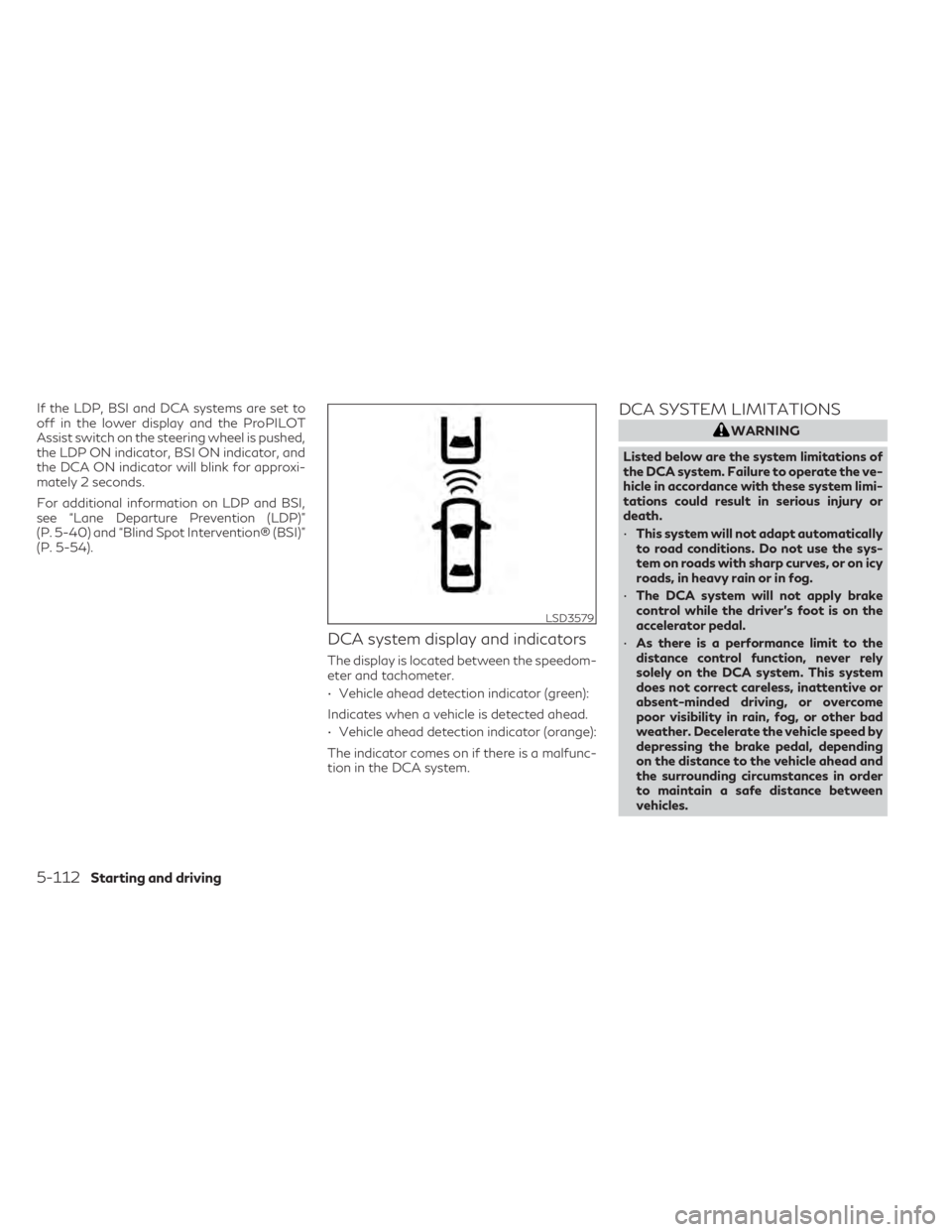
DCA system display and indicators
The display is located between the speedom-
eter and tachometer.
• Vehicle ahead detection indicator (green):
Indicates when a vehicle is detected ahead.
• Vehicle ahead detection indicator (orange):
The indicator comes on if there is a malfunc-
tion in the DCA system.
DCA SYSTEM LIMITATIONS
WARNING
Listed below are the system limitations of
the DCA system. Failure to operate the ve-
hicle in accordance with these system limi-
tations could result in serious injury or
death.
• This system will not adapt automatically
to road conditions. Do not use the sys-
tem on roads with sharp curves, or on icy
roads, in heavy rain or in fog.
• The DCA system will not apply brake
control while the driver’s foot is on the
accelerator pedal.
• As there is a performance limit to the
distance control function, never rely
solely on the DCA system. This system
does not correct careless, inattentive or
absent-minded driving, or overcome
poor visibility in rain, fog, or other bad
weather. Decelerate the vehicle speed by
depressing the brake pedal, depending
on the distance to the vehicle ahead and
the surrounding circumstances in order
to maintain a safe distance between
vehicles.
LSD3579
5-112Starting and driving
Page 357 of 542
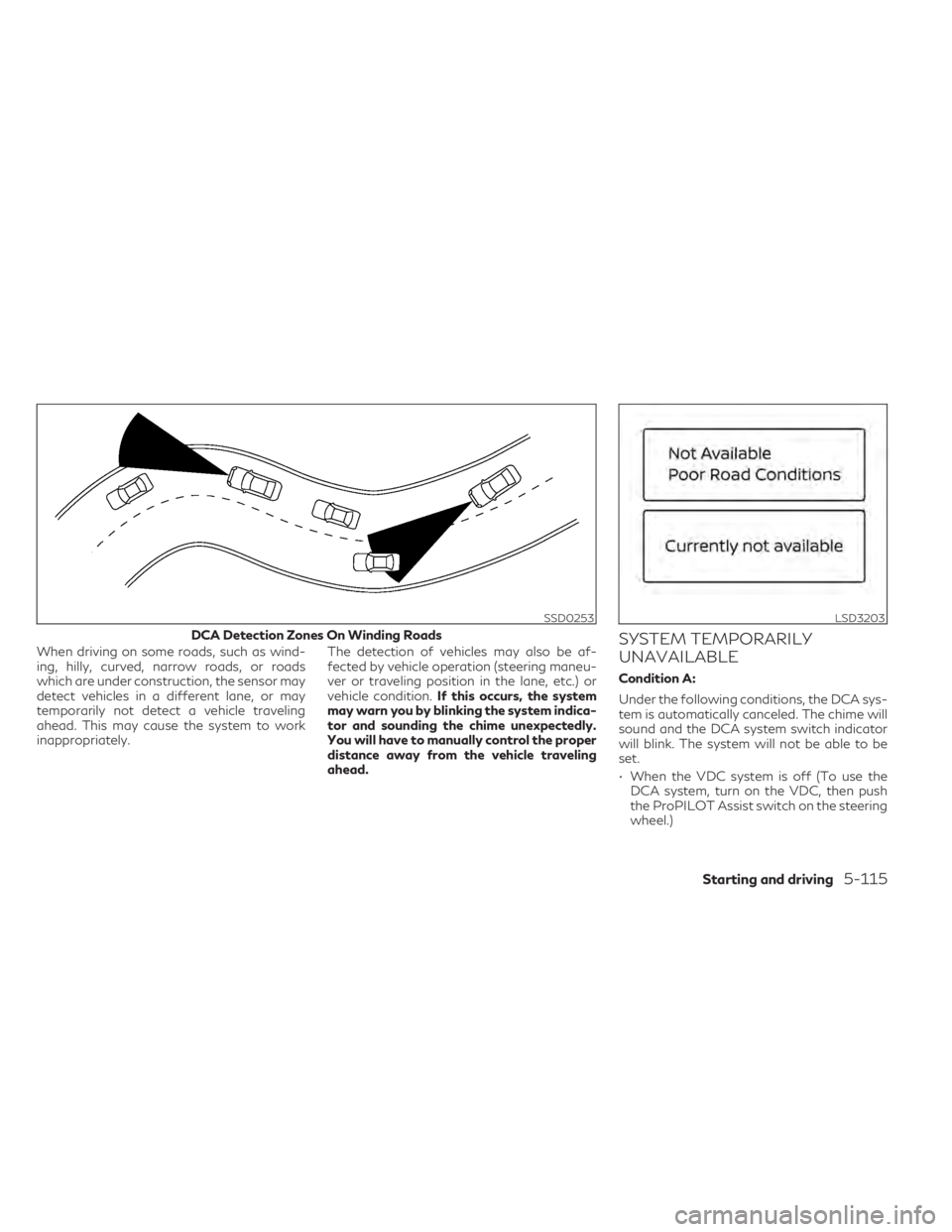
When driving on some roads, such as wind-
ing, hilly, curved, narrow roads, or roads
which are under construction, the sensor may
detect vehicles in a different lane, or may
temporarily not detect a vehicle traveling
ahead. This may cause the system to work
inappropriately.The detection of vehicles may also be af-
fected by vehicle operation (steering maneu-
ver or traveling position in the lane, etc.) or
vehicle condition.
If this occurs, the system
may warn you by blinking the system indica-
tor and sounding the chime unexpectedly.
You will have to manually control the proper
distance away from the vehicle traveling
ahead.SYSTEM TEMPORARILY
UNAVAILABLE
Condition A:
Under the following conditions, the DCA sys-
tem is automatically canceled. The chime will
sound and the DCA system switch indicator
will blink. The system will not be able to be
set.
• When the VDC system is off (To use the DCA system, turn on the VDC, then push
the ProPILOT Assist switch on the steering
wheel.)
SSD0253
DCA Detection Zones On Winding Roads
LSD3203
Starting and driving5-115
Page 365 of 542

• Do not install any stickers (including trans-parent stickers) or accessories on the park-
ing sensors
O1and their surrounding areas.
This may cause a malfunction or improper
operation.
WARNING
Failure to follow the warnings and instruc-
tions for proper use of the FEB with Pedes-
trian Detection system could result in seri-
ous injury or death.
• The FEB with Pedestrian Detection sys-
tem is a supplemental aid to the driver. It
is not a replacement for the driver’s at-
tention to traffic conditions or responsi-
bility to drive safely. It cannot prevent
accidents due to carelessness or danger-
ous driving techniques.
• The FEB with Pedestrian Detection sys-
tem does not function in all driving, traf-
fic, weather and road conditions.
The FEB with Pedestrian Detection system
can assist the driver when there is a risk of a
forward collision with the vehicle ahead in the
traveling lane or with a pedestrian ahead in
the traveling lane. The FEB with Pedestrian Detection system
uses a radar sensor
OAlocated on the front of
the vehicle to measure the distance to the
vehicle ahead in the same lane. For pedestri-
ans, the FEB with Pedestrian Detection sys-
tem uses a camera
OBinstalled behind the
windshield in addition to the radar sensor.
LSD2954
FORWARD EMERGENCY BRAKING
(FEB) WITH PEDESTRIAN
DETECTION SYSTEM
Starting and driving5-123
Page 528 of 542
WARNING
A vehicle equipped with All-Wheel Drive
(AWD) should never be tested using a two
wheel dynamometer (such as the dyna-
mometers used by some states for emis-
sions testing), or similar equipment. Make
sure you inform the test facility personnel
that your vehicle is equipped with AWD
before it is placed on a dynamometer. Us-
ing the wrong test equipment may result in
transmission damage or unexpected ve-
hicle movement which could result in seri-
ous vehicle damage or personal injury.
Due to legal requirements in some states and
Canadian Provinces, your vehicle may be re-
quired to be in what is called the “ready con-
dition” for an Inspection/Maintenance (I/M)
test of the emission control system.
The vehicle is set to the “ready condition”
when it is driven through certain driving pat-
terns. Usually, the ready condition can be
obtained by ordinary usage of the vehicle. If a powertrain system component is repaired
or the battery is disconnected, the vehicle
may be reset to a “not ready” condition. Be-
fore taking the I/M test, check the vehicle's
inspection/maintenance test readiness con-
dition. Place the ignition switch in the ON
position without starting the engine. If the
Malfunction Indicator Light (MIL) comes on
steady for 20 seconds and then blinks for 10
seconds , the I/M test condition is “not
ready”. If the MIL does not blink after 20
seconds, the I/M test condition is “ready”. It is
recommended that you visit an INFINITI re-
tailer to set the “ready condition” or to pre-
pare the vehicle for testing.
The ProPILOT Assist is equipped with an
Event Data Recording function.
The main purpose is to record, in certain crash
or near crash-like situations, such as an air
bag deployment or hitting a road obstacle,
data that will assist in understanding how a
vehicle’s systems performed. The Data re-
cording function is designed to record data
related to driver operation, vehicle dynamics
and system status for a short period of time.
The Data recording function in this vehicle is
designed to record such data as:
• Driver operational status of accelerator,
brake, handle etc.
• Detection status of a vehicle ahead and lane markers
• Vehicle information such as vehicle speed
• Information on the operation of the ProPI- LOT Assist
• ProPILOT Assist malfunction diagnosis information
• Images from multi-sensing front camera (Available only when SRS air bag or FEB
with Pedestrian Detection system is
activated)
The ProPILOT Assist does not record con-
versations, sounds or images of the inside of
the vehicle.
READINESS FOR INSPECTION/
MAINTENANCE (I/M) TEST EVENT DATA RECORDERS (EDR)
10-32Technical and consumer information