tire pressure INFINITI QX50 2021 Owner's Manual
[x] Cancel search | Manufacturer: INFINITI, Model Year: 2021, Model line: QX50, Model: INFINITI QX50 2021Pages: 542, PDF Size: 3.51 MB
Page 3 of 542
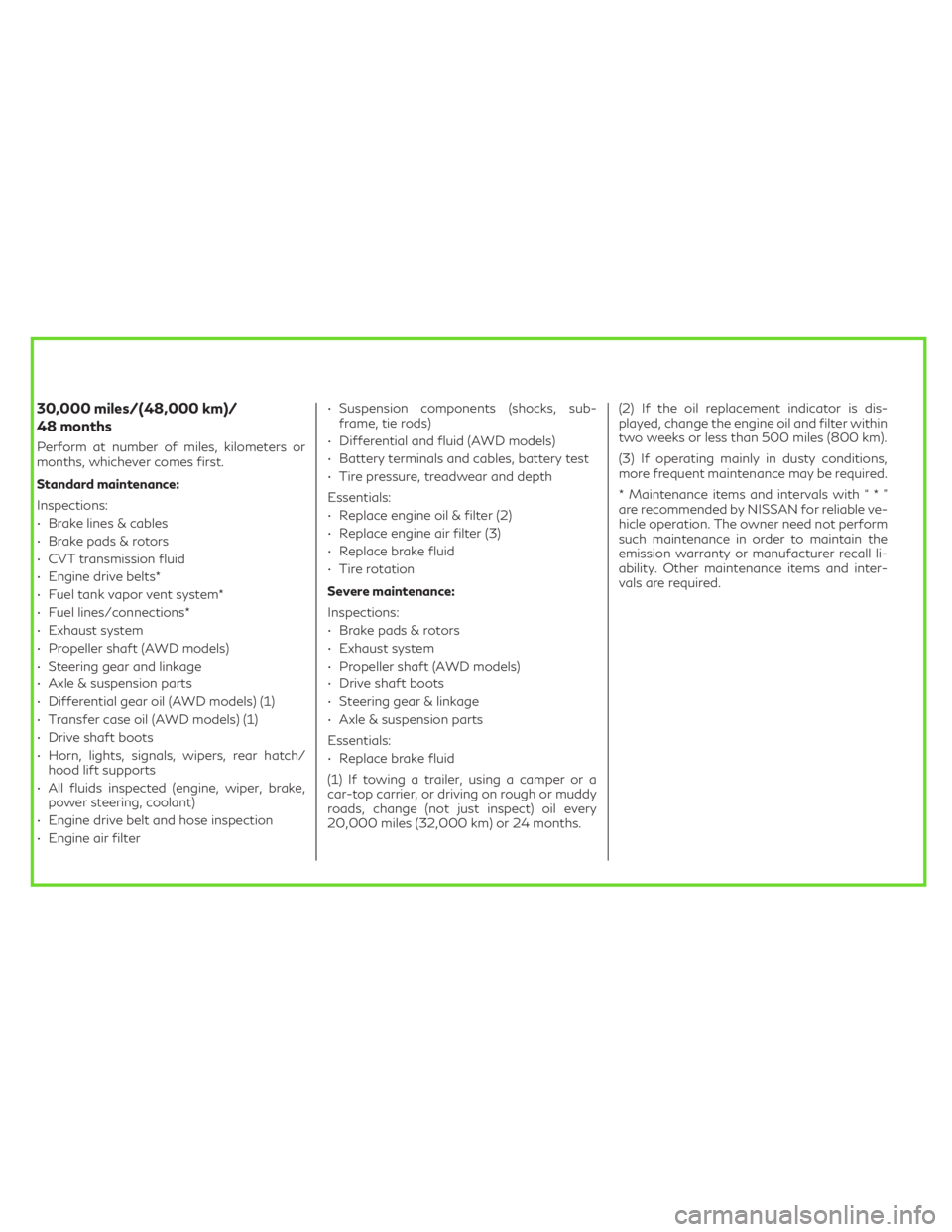
30,000 miles/(48,000 km)/
48 months
Perform at number of miles, kilometers or
months, whichever comes first.
Standard maintenance:
Inspections:
• Brake lines & cables
• Brake pads & rotors
• CVT transmission fluid
• Engine drive belts*
• Fuel tank vapor vent system*
• Fuel lines/connections*
• Exhaust system
• Propeller shaft (AWD models)
• Steering gear and linkage
• Axle & suspension parts
• Differential gear oil (AWD models) (1)
• Transfer case oil (AWD models) (1)
• Drive shaft boots
• Horn, lights, signals, wipers, rear hatch/
hood lift supports
• All fluids inspected (engine, wiper, brake,
power steering, coolant)
• Engine drive belt and hose inspection
• Engine air filter• Suspension components (shocks, sub-
frame, tie rods)
• Differential and fluid (AWD models)
• Battery terminals and cables, battery test
• Tire pressure, treadwear and depth
Essentials:
• Replace engine oil & filter (2)
• Replace engine air filter (3)
• Replace brake fluid
• Tire rotation
Severe maintenance:
Inspections:
• Brake pads & rotors
• Exhaust system
• Propeller shaft (AWD models)
• Drive shaft boots
• Steering gear & linkage
• Axle & suspension parts
Essentials:
• Replace brake fluid
(1) If towing a trailer, using a camper or a
car-top carrier, or driving on rough or muddy
roads, change (not just inspect) oil every
20,000 miles (32,000 km) or 24 months.(2) If the oil replacement indicator is dis-
played, change the engine oil and filter within
two weeks or less than 500 miles (800 km).
(3) If operating mainly in dusty conditions,
more frequent maintenance may be required.
* Maintenance items and intervals with“*”
are recommended by NISSAN for reliable ve-
hicle operation. The owner need not perform
such maintenance in order to maintain the
emission warranty or manufacturer recall li-
ability. Other maintenance items and inter-
vals are required.
Page 13 of 542

1. Engine hood (P. 3-21)
2. Wiper and washer switch (P. 2-32)Wiper blades (P. 8-17) 3. Windshield (P. 8-17)
4. Front camera (P. 5-32, 5-40, 5-77,
5-123)
5. Power windows (P. 2-63) 6. Door locks (P. 3-4)
INFINITI Intelligent Key (P. 3-6)
Keys (P. 3-2)
7. Mirrors (P. 3-33) Side camera (if so equipped) (P. 4-10)
8. Tire pressure (P. 8-27) Flat tire (P. 6-3)
Tire chains (P. 8-36)
9. Replacing bulbs (P. 8-24) Headlight switch (P. 2-36)
Turn signal switch (P. 2-36)
LED Daytime Running Lights (DRL)
system (P. 2-36)
10. Fog light switch (if so equipped) (P. 2-36)
11. Sonar sensors (if so equipped) (P. 5-160)
12. Front view camera (if so equipped)
(P. 4-10)
See the page number indicated in parenthe-
ses for operating details.
LII2611
EXTERIOR FRONT
Illustrated table of contents0-3
Page 20 of 542
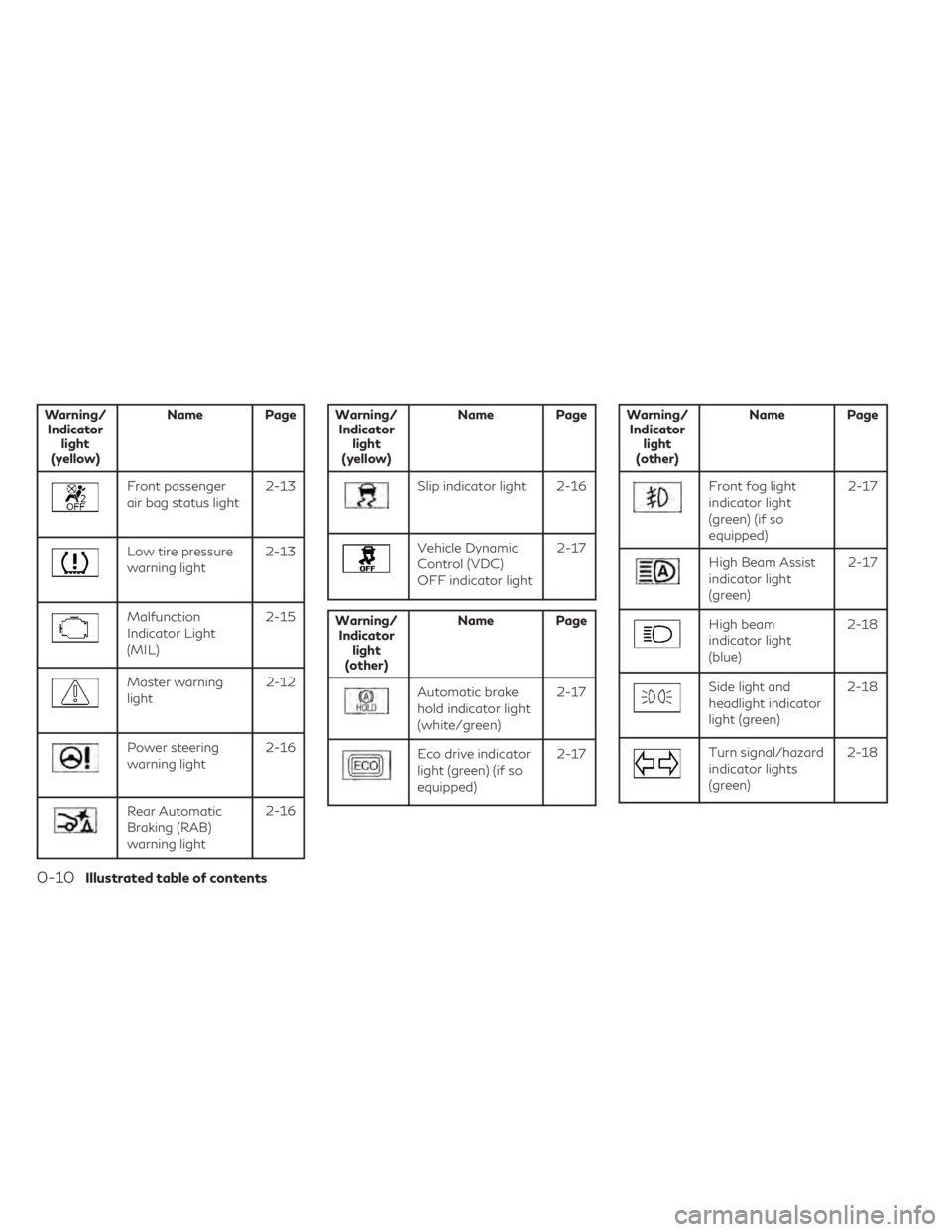
Warning/Indicator light
(yellow) Name Page
Front passenger
air bag status light
2-13
Low tire pressure
warning light2-13
Malfunction
Indicator Light
(MIL) 2-15
Master warning
light
2-12
Power steering
warning light2-16
Rear Automatic
Braking (RAB)
warning light2-16
Warning/
Indicator light
(yellow) Name Page
Slip indicator light 2-16
Vehicle Dynamic
Control (VDC)
OFF indicator light
2-17
Warning/
Indicator light
(other) Name Page
Automatic brake
hold indicator light
(white/green)
2-17
Eco drive indicator
light (green) (if so
equipped)2-17
Warning/
Indicator light
(other) Name Page
Front fog light
indicator light
(green) (if so
equipped) 2-17
High Beam Assist
indicator light
(green)
2-17
High beam
indicator light
(blue)2-18
Side light and
headlight indicator
light (green)2-18
Turn signal/hazard
indicator lights
(green)2-18
0-10Illustrated table of contents
Page 93 of 542
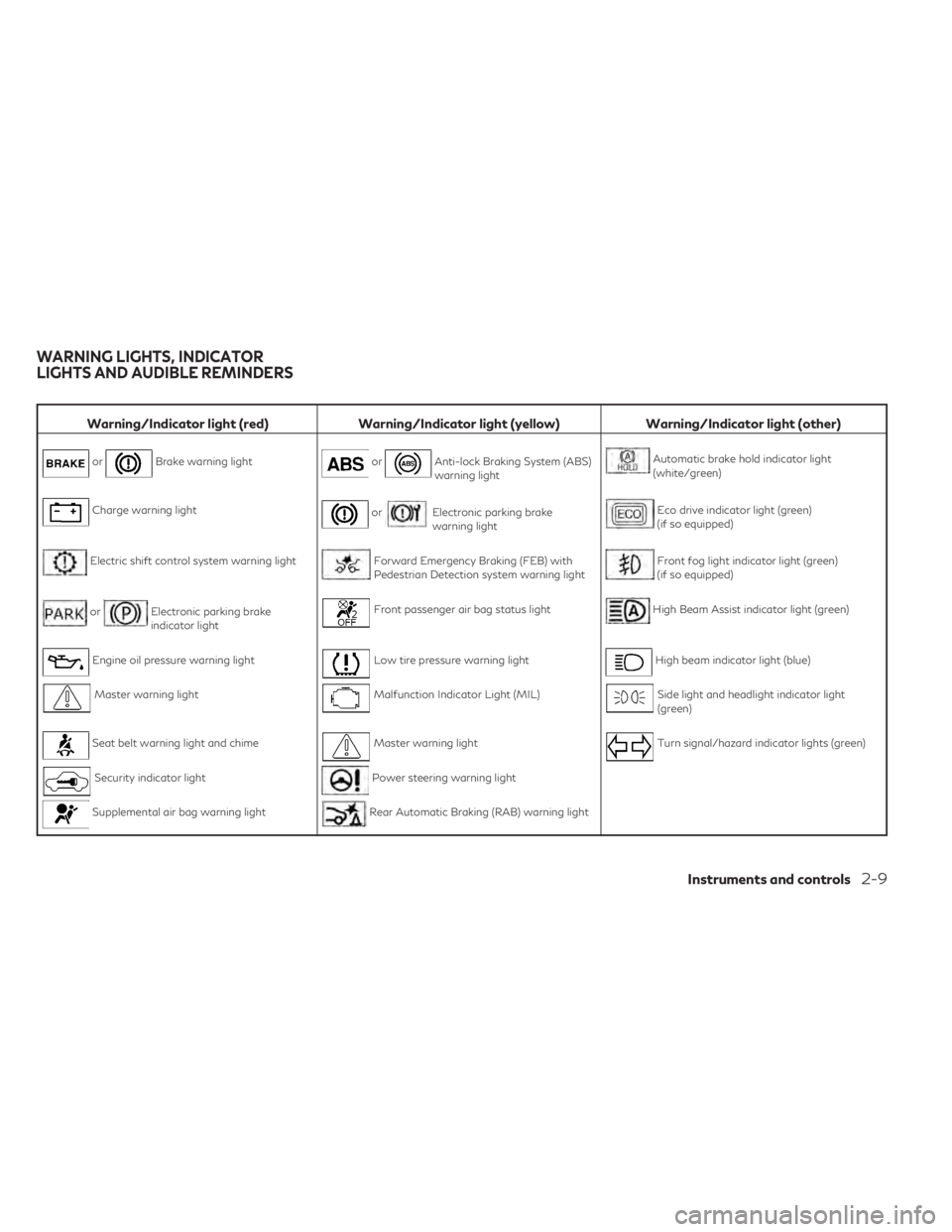
Warning/Indicator light (red)Warning/Indicator light (yellow) Warning/Indicator light (other)
orBrake warning lightorAnti-lock Braking System (ABS)
warning lightAutomatic brake hold indicator light
(white/green)
Charge warning lightorElectronic parking brake
warning lightEco drive indicator light (green)
(if so equipped)
Electric shift control system warning lightForward Emergency Braking (FEB) with
Pedestrian Detection system warning lightFront fog light indicator light (green)
(if so equipped)
orElectronic parking brake
indicator lightFront passenger air bag status lightHigh Beam Assist indicator light (green)
Engine oil pressure warning lightLow tire pressure warning lightHigh beam indicator light (blue)
Master warning lightMalfunction Indicator Light (MIL)Side light and headlight indicator light
(green)
Seat belt warning light and chimeMaster warning lightTurn signal/hazard indicator lights (green)
Security indicator lightPower steering warning light
Supplemental air bag warning lightRear Automatic Braking (RAB) warning light
WARNING LIGHTS, INDICATOR
LIGHTS AND AUDIBLE REMINDERS
Instruments and controls2-9
Page 97 of 542
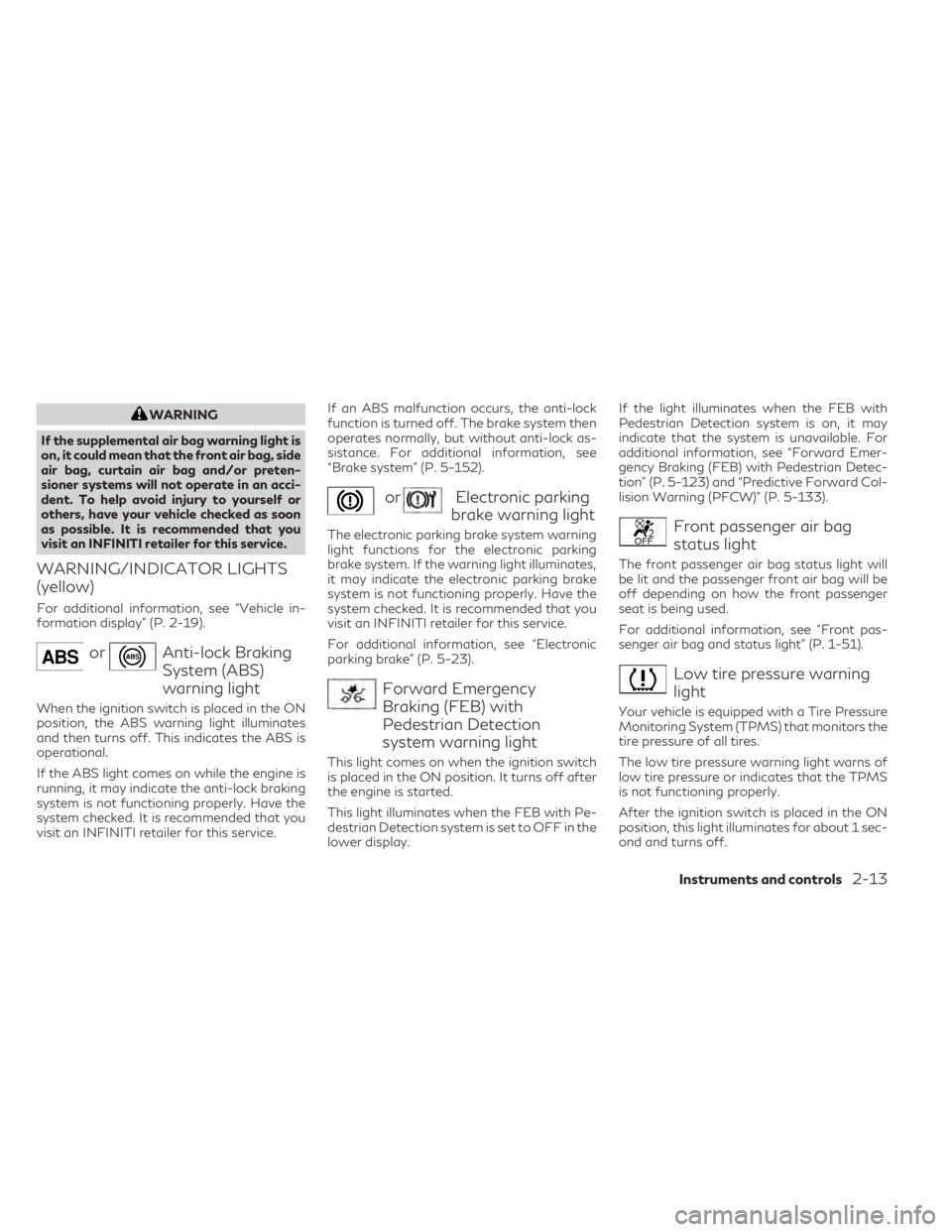
WARNING
If the supplemental air bag warning light is
on, it could mean that the front air bag, side
air bag, curtain air bag and/or preten-
sioner systems will not operate in an acci-
dent. To help avoid injury to yourself or
others, have your vehicle checked as soon
as possible. It is recommended that you
visit an INFINITI retailer for this service.
WARNING/INDICATOR LIGHTS
(yellow)
For additional information, see “Vehicle in-
formation display” (P. 2-19).
orAnti-lock Braking
System (ABS)
warning light
When the ignition switch is placed in the ON
position, the ABS warning light illuminates
and then turns off. This indicates the ABS is
operational.
If the ABS light comes on while the engine is
running, it may indicate the anti-lock braking
system is not functioning properly. Have the
system checked. It is recommended that you
visit an INFINITI retailer for this service. If an ABS malfunction occurs, the anti-lock
function is turned off. The brake system then
operates normally, but without anti-lock as-
sistance. For additional information, see
“Brake system” (P. 5-152).
orElectronic parking
brake warning light
The electronic parking brake system warning
light functions for the electronic parking
brake system. If the warning light illuminates,
it may indicate the electronic parking brake
system is not functioning properly. Have the
system checked. It is recommended that you
visit an INFINITI retailer for this service.
For additional information, see “Electronic
parking brake” (P. 5-23).
Forward Emergency
Braking (FEB) with
Pedestrian Detection
system warning light
This light comes on when the ignition switch
is placed in the ON position. It turns off after
the engine is started.
This light illuminates when the FEB with Pe-
destrian Detection system is set to OFF in the
lower display. If the light illuminates when the FEB with
Pedestrian Detection system is on, it may
indicate that the system is unavailable. For
additional information, see “Forward Emer-
gency Braking (FEB) with Pedestrian Detec-
tion” (P. 5-123) and “Predictive Forward Col-
lision Warning (PFCW)” (P. 5-133).
Front passenger air bag
status light
The front passenger air bag status light will
be lit and the passenger front air bag will be
off depending on how the front passenger
seat is being used.
For additional information, see “Front pas-
senger air bag and status light” (P. 1-51).
Low tire pressure warning
light
Your vehicle is equipped with a Tire Pressure
Monitoring System (TPMS) that monitors the
tire pressure of all tires.
The low tire pressure warning light warns of
low tire pressure or indicates that the TPMS
is not functioning properly.
After the ignition switch is placed in the ON
position, this light illuminates for about 1 sec-
ond and turns off.
Instruments and controls2-13
Page 98 of 542
Low tire pressure warning
If the vehicle is being driven with low tire
pressure, the warning light will illuminate. A
“Tire Pressure Low - Add Air” warning also
appears in the vehicle information display.
When the low tire pressure warning light il-
luminates, you should stop and adjust the
tire pressure of all four tires to the recom-
mended COLD tire pressure shown on the
Tire and Loading Information label located in
the driver's door opening. The low tire pres-
sure warning light does not automatically
turn off when the tire pressure is adjusted.
After the tire is inflated to the recommended
pressure, the vehicle must be driven at
speeds above 16 mph (25 km/h) to activate
the TPMS and turn off the low tire pressure
warning light. Use a tire pressure gauge to
check the tire pressure.
The “Tire Pressure Low - Add Air” warning
appears each time the ignition switch is
placed in the ON position as long as the low
tire pressure warning light remains
illuminated.
For additional information, see “Vehicle in-
formation display” (P. 2-19) and “Tire Pres-
sure Monitoring System (TPMS)” (P. 5-5) and
(P. 6-3).
TPMS malfunction
If the TPMS is not functioning properly, the
low tire pressure warning light will flash for
approximately 1 minute when the ignition
switch is placed in the ON position. The light
will remain on after 1 minute. Have the sys-
tem checked. It is recommended that you visit
an INFINITI retailer for this service. The "Tire
Pressure Low — Add Air" warning does not
appear if the low tire pressure warning light
illuminates to indicate a TPMS malfunction.
For additional information, see “Tire Pressure
Monitoring System (TPMS)” (P. 5-5) and “Tire
pressure” (P. 8-27).
WARNING
• Radio waves could adversely affect elec-
tric medical equipment. Those who use a
pacemaker should contact the electric
medical equipment manufacturer for the
possible influences before use.
• If the light does not illuminate with the
ignition switch placed in the ON position,
have the vehicle checked as soon as pos-
sible. It is recommended that you visit an
INFINITI retailer for this service. •
If the light illuminates while driving,
avoid sudden steering maneuvers or
abrupt braking, reduce vehicle speed,
pull off the road to a safe location and
stop the vehicle as soon as possible. Driv-
ing with under-inflated tires may perma-
nently damage the tires and increase the
likelihood of tire failure. Serious vehicle
damage could occur and may lead to an
accident and could result in serious per-
sonal injury or death. Check the tire pres-
sure for all four tires. Adjust the tire
pressure to the recommended COLD tire
pressure show on the Tire and Loading
Information label located in the driver’s
door opening to turn the low tire pres-
sure warning light OFF. If the light still
illuminates while driving after adjusting
the tire pressure, a tire may be flat or the
TPMS may be malfunctioning. If you
have a flat tire, replace it with a replace-
ment tire as soon as possible. If no tire is
flat and all tires are properly inflated,
have the vehicle checked. It is recom-
mended that you visit an INFINITI re-
tailer for this service.
2-14Instruments and controls
Page 99 of 542
•When replacing a wheel without the
TPMS such as the spare tire, the TPMS
will not function and the low tire pres-
sure warning light will flash for approxi-
mately 1 minute. The light will remain on
after 1 minute. Have your tires replaced
and/or TPMS system reset as soon as
possible. It is recommended that you
visit an INFINITI retailer for these
services.
• Replacing tires with those not originally
specified by INFINITI could affect the
proper operation of the TPMS.
CAUTION
• The TPMS is not a substitute for the
regular tire pressure check. Be sure to
check the tire pressure regularly.
• If the vehicle is being driven at speeds of
less than 16 mph (25 km/h), the TPMS
may not operate correctly.
• Be sure to install the specified size of
tires to the four wheels correctly.
Malfunction Indicator Light
(MIL)
If this indicator light comes on steady or
blinks while the engine is running, it may indi-
cate a potential emission control
malfunction.
The MIL may also come on steady if the
fuel-filler cap is loose or missing, or if the
vehicle runs out of fuel. Check to make sure
the fuel-filler cap is installed and closed
tightly, and that the vehicle has at least 3
gallons (11.4 liters) of fuel in the fuel tank.
After a few driving trips, the
light should
turn off if no other potential emission control
system malfunction exists.
If this indicator light comes on steady for 20
seconds and then blinks for 10 seconds when
the engine is not running, it indicates that the
vehicle is not ready for an emission control
system inspection/maintenance test. For ad-
ditional information, see “Readiness for
Inspection/Maintenance (I/M) test”
(P. 10-32).
Master warning light
When the ignition switch is in the ON posi-
tion, the master warning light illuminates if
any of the following (if so equipped) are dis-
played on the vehicle information display:
• I-Key system warnings
• Low washer fluid warning
• Door/ liftgate open warning (when vehicle is stopped)
• Loose fuel cap warning
• Low tire pressure warning
• Flat tire warning
• Transmission system warning
• Headlight warning
• Driver Attention Support system warning
• Shipping mode warning
• All Wheel Drive (AWD) system warning
• Adaptive Front lighting System (AFS) warning
• Driving Aids malfunction warning
• Chassis Control system warning
• Engine warnings
For additional information, see “Vehicle in-
formation display” (P. 2-19).
Instruments and controls2-15
Page 103 of 542
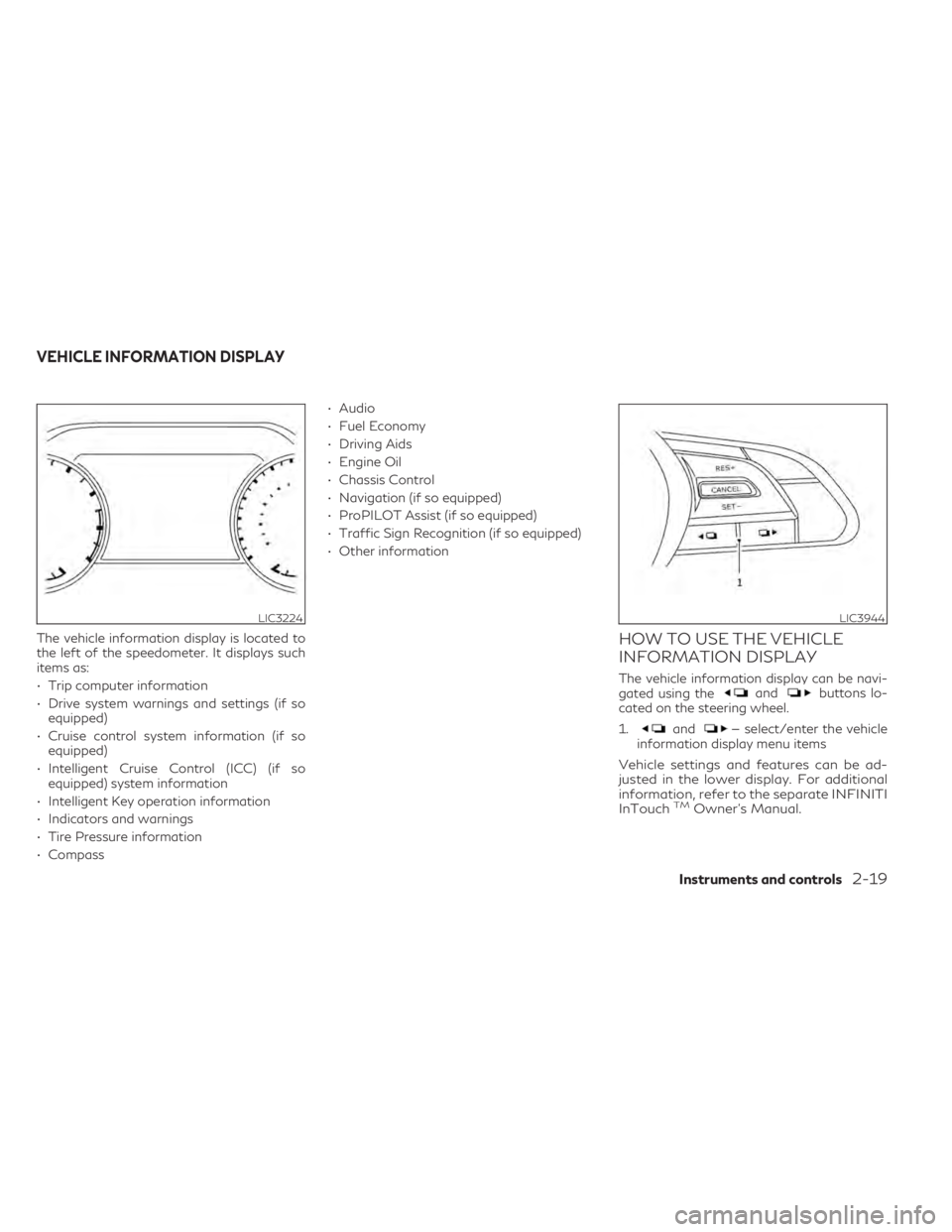
The vehicle information display is located to
the left of the speedometer. It displays such
items as:
• Trip computer information
• Drive system warnings and settings (if soequipped)
• Cruise control system information (if so equipped)
• Intelligent Cruise Control (ICC) (if so equipped) system information
• Intelligent Key operation information
• Indicators and warnings
• Tire Pressure information
• Compass • Audio
• Fuel Economy
• Driving Aids
• Engine Oil
• Chassis Control
• Navigation (if so equipped)
• ProPILOT Assist (if so equipped)
• Traffic Sign Recognition (if so equipped)
• Other informationHOW TO USE THE VEHICLE
INFORMATION DISPLAY
The vehicle information display can be navi-
gated using theandbuttons lo-
cated on the steering wheel.
1.
and— select/enter the vehicle
information display menu items
Vehicle settings and features can be ad-
justed in the lower display. For additional
information, refer to the separate INFINITI
InTouch
TMOwner’s Manual.
LIC3224LIC3944
VEHICLE INFORMATION DISPLAY
Instruments and controls2-19
Page 104 of 542

STARTUP DISPLAY
When the vehicle in placed in the ON position
the screens that display in the vehicle infor-
mation include:
• Active system status
• Trip computer
• Tire pressure information
• Fuel economy
• Warnings
• Audio
• Navigation (if so equipped)
• Engine Oil
• Speed
• Intelligent Cruise Control (if so equipped)
• Variable Compression Turbo
• Chassis Control
• Driving Aids
Warnings will only display if there are any
present. For additional information see, “Ve-
hicle information display warnings and indi-
cators” (P. 2-21).
To control what items display in the vehicle
information display, refer to the separate
INFINITI InTouch
TMOwner’s Manual
RESETTING THE TRIP
COMPUTER
1. Press thebutton until you reach the
trip computer mode.
2. Press the
button again for more
than 1.5 seconds to reset average fuel
consumption, average speed, distance to
empty, and journey time.
OIL CONTROL SYSTEM
Engine oil information informs the distance
to oil change. Never exceed one year or 7500
miles (12000 km) between oil change
intervals.
Display when
ignition is ON Display timing Action Required
Engine Oil
Service due in
xxx miles Remaining oil
life is less than
940 miles
(1500 km). Plan to have
your vehicle
serviced.
Engine Oil
Service due Remaining oil
life is 0 miles
(0 km). Have your
vehicle serviced
within two
weeks or less
than 500 miles
(800 km).
The oil change interval cannot be adjusted
manually. The distance to oil change interval is calcu-
lated depending on the driving conditions and
set automatically by the oil control system.
CAUTION
If the oil replacement indicator is displayed,
change the engine oil within two weeks or
less than 500 miles (800 km).
Operating the vehicle with deteriorated oil
can damage the engine.
To reset oil control system:
1. Place the ignition switch in the “ON” position.
2. Push the trip computer switches
andlocated on the right side of the steer-
ing wheel to change the display.
3. Select the Engine Oil Service due in xxx miles display.
4. Push and hold the
orswitch for
longer than 1 second. Hold until the re-
maining distance changes to – – – miles
(km).
2-20Instruments and controls
Page 108 of 542
Stop vehicle and Apply
parking brake
This message may appear when the battery
charge is low.
Please park vehicle as soon as possible. It is
recommended that you visit an INFINITI
retailer.
Transmission Shift Position
indicator
This indicator shows the transmission shift
position.
Tire Pressure Low - Add Air
This warning appears when the low tire pres-
sure warning light in the meter illuminates
and low tire pressure is detected. The warn-
ing appears each time the ignition switch is
placed in the ON position as long as the low
tire pressure warning light remains illumi-
nated. If this warning appears, stop the ve-
hicle and adjust the tire pressures of all four
tires to the recommended COLD tire pres-
sure shown on the Tire and Loading Informa-
tion label. For additional information, see
“Low tire pressure warning light” (P. 2-13)
and “Tire Pressure Monitoring System
(TPMS)” (P. 5-5).
When parked apply parking
brake
This message appears when a malfunction
occurs in the electric shift control system be-
low 6 mph (10 km/h).
Have the system checked. It is recommended
that you visit an INFINITI retailer for this
service.
AWD Error: See Owner’s
Manual
This warning appears when the all-wheel
drive system is not functioning properly while
the engine is running.
AWD High Temp. Stop vehicle
This warning may appear while trying to free
a stuck vehicle due to increased oil tempera-
ture. The driving mode may change to
2-Wheel Drive (2WD). If this warning is dis-
played, stop the vehicle with the engine idling,
as soon as it is safe to do so. Then if the
warning turns off, you can continue driving.
AWD Tire Size Incorrect: See
Owner’s Manual
This warning may appear if there is a large
difference between the diameters of the
front and rear wheels. Pull off the road in a
safe area, with the engine idling. Check that
all the tire sizes are the same, that the tire
pressure is correct and that the tires are not
excessively worn.
CVT (AT) Malfunction Service now
This warning appears when there is a prob-
lem with the CVT system. If this warning
comes on, have the system checked. It is rec-
ommended that you visit an INFINITI retailer
for this service.
CVT (AT) hot Power reduced
This transmission has a high fluid tempera-
ture protection mode. If the fluid temperature
becomes too high (for example, climbing
steep grades in high temperatures with heavy
loads, such as when towing a trailer), engine
power and, under some conditions, vehicle
speed will be decreased automatically to re-
duce the chance of transmission damage.
Vehicle speed can be controlled with the ac-
celerator pedal, but the engine and vehicle
speed may be reduced.
2-24Instruments and controls