oil change INFINITI QX55 2023 Owners Manual
[x] Cancel search | Manufacturer: INFINITI, Model Year: 2023, Model line: QX55, Model: INFINITI QX55 2023Pages: 526, PDF Size: 5.75 MB
Page 109 of 526

When the “Tire Pressure Low — Add Air” or
“Flat Tire — Visit dealer” warning appears, the
display can be switched to the tire pressure
mode by pushing the
orswitch to
reveal additional details on the displayed
warning.
For additional information, see “Low tire
pressure warning light” (P. 2-13), “Tire Pres-
sure Monitoring System (TPMS)” (P. 5-5),
“Flat tire” (P. 6-3) and “Types of tires”
(P. 8-35)
8. Chassis Control
The chassis control mode displays the status
of the Active Trace Control, Active Engine
Brake, and Active Ride Control.
For additional information, see “Chassis Con-
trol” (P. 5-144).
9. Oil control system
Engine oil information informs the distance
to oil change. Never exceed one year or 7500
miles (12000 km) between oil change
intervals.
Display when
ignition is ON Display timing Action Required
Engine Oil Ser-
vice due in xxx
miles Remaining oil
life is less than
940 miles
(1500 km). Plan to have
your vehicle
serviced.
Engine Oil Ser-
vice due Remaining oil
life is 0 miles (0
km). Have your ve-
hicle serviced
within two
weeks or less
than 500 miles
(800 km).
The oil change interval cannot be adjusted
manually.
The distance to oil change interval is calcu-
lated depending on the driving conditions and
set automatically by the oil control system.
CAUTION
If the oil replacement indicator is displayed,
change the engine oil within two weeks or
less than 500 miles (800 km).
Operating the vehicle with deteriorated oil
can damage the engine. To reset oil control system:
1. Place the ignition switch in the “ON”
position.
2. Push the trip computer switches
andlocated on the right side of the steer-
ing wheel to change the display.
3. Select the Engine Oil Service due in xxx miles display.
4. Push and hold the
orswitch for
longer than 1 second. Hold until the re-
maining distance changes to – – – miles
(km).
10. Variable Compression Turbo
Your engine is equipped with a variable com-
pression ratio system called “Variable Com-
pression Turbo”. This system can vary the
engine compression ratio continuously.
According to driving conditions, the system
applies optimum compression ratio auto-
matically to achieve both high output and
high fuel economy efficiency.
This is not a physical gauge. It is a display
option in the vehicle information display that
can be selected. For additional information,
see “Vehicle information display” (P. 2-19).
Instruments and controls2-23
Page 111 of 526

OIL CONTROL SYSTEM
Engine oil information informs the distance
to oil change. Never exceed one year or 7500
miles (12000 km) between oil change
intervals.
Display when
ignition is ONDisplay timing Action Required
Engine Oil Ser-
vice due in xxx
miles Remaining oil
life is less than
940 miles
(1500 km). Plan to have
your vehicle
serviced.
Engine Oil Ser-
vice due Remaining oil
life is 0 miles (0
km). Have your ve-
hicle serviced
within two
weeks or less
than 500 miles
(800 km).
The oil change interval cannot be adjusted
manually.
The distance to oil change interval is calcu-
lated depending on the driving conditions and
set automatically by the oil control system.
CAUTION
If the oil replacement indicator is displayed,
change the engine oil within two weeks or
less than 500 miles (800 km).
Operating the vehicle with deteriorated oil
can damage the engine.
To reset oil control system:
1. Place the ignition switch in the “ON” position.
2. Push the trip computer switches
andlocated on the right side of the steer-
ing wheel to change the display.
3. Select the Engine Oil Service due in xxx miles display.
4. Push and hold the
orswitch for
longer than 1 second. Hold until the re-
maining distance changes to – – – miles
(km).
VEHICLE INFORMATION
DISPLAY WARNINGS AND
INDICATORS
The following messages may appear in your
vehicle information display.
Engine start operation for
Intelligent Key system (if
I-Key battery level is low)
This indicator appears when the battery of
the Intelligent Key is low and when the Intel-
ligent Key system and the vehicle are not
communicating normally.
If this appears, touch the ignition switch with
the Intelligent Key while depressing the brake
pedal. For additional information, see
“INFINITI Intelligent Key battery discharge”
(P. 5-15).
Key Battery Low
This indicator appears when the Intelligent
Key battery is running out of power.
If this indicator appears, replace the battery
with a new one. For additional information,
see “Battery replacement” (P. 8-22).
Key ID Incorrect
This warning appears when the ignition
switch is placed in the OFF position and the
Intelligent Key is not recognized by the sys-
tem. You cannot start the engine with an
unregistered key.
For additional information, see “INFINITI In-
telligent Key System” (P. 3-2).
Instruments and controls2-25
Page 115 of 526
When parked apply parking
brake
This message appears when a malfunction
occurs in the electric shift control system be-
low 6 mph (10 km/h).
Have the system checked. It is recommended
that you visit an INFINITI retailer for this
service.
AWD Error: See Owner’s
Manual
This warning appears when the All-Wheel
Drive (AWD) system is not functioning prop-
erly while the engine is running.
AWD High Temp. Stop vehicle
This warning may appear while trying to free
a stuck vehicle due to increased oil tempera-
ture. The driving mode may change to
2-Wheel Drive (2WD). If this warning is dis-
played, stop the vehicle with the engine idling,
as soon as it is safe to do so. Then if the
warning turns off, you can continue driving.
AWD Tire Size Incorrect: See
Owner’s Manual
This warning may appear if there is a large
difference between the diameters of the
front and rear wheels. Pull off the road in a
safe area, with the engine idling. Check that
all the tire sizes are the same, that the tire
pressure is correct and that the tires are not
excessively worn.
CVT (AT) Malfunction Service now
This warning appears when there is a prob-
lem with the CVT system. If this warning
comes on, have the system checked. It is rec-
ommended that you visit an INFINITI retailer
for this service.
CVT (AT) hot Power reduced
This transmission has a high fluid tempera-
ture protection mode. If the fluid temperature
becomes too high (for example, climbing
steep grades in high temperatures with heavy
loads), engine power and, under some condi-
tions, vehicle speed will be decreased auto-
matically to reduce the chance of transmis-
sion damage. Vehicle speed can be controlled
with the accelerator pedal, but the engine
and vehicle speed may be reduced.
WARNING
When the high fluid temperature protec-
tion mode operation occurs, vehicle speed
may be gradually reduced. The reduced
speed may be lower than other traffic,
which could increase the chance of a colli-
sion. Be especially careful when driving. If
necessary, pull to the side of the road at a
safe place and allow the transmission to
return to normal operation; or have it re-
paired if necessary.
Engine hot Power reduced
This engine has a high fluid temperature pro-
tection mode. If the fluid temperature be-
comes too high (for example, climbing steep
grades in high temperatures with heavy
loads), engine power and, under some condi-
tions, vehicle speed will be decreased auto-
matically to reduce the chance of engine
damage. Vehicle speed can be controlled
with the accelerator pedal, but the engine
and vehicle speed may be reduced.
Instruments and controls2-29
Page 344 of 526

NOTE:
If the driver lightly touches (instead of firmly
grips) the steering wheel, the steering
torque sensor may not detect the driver’s
hand(s) on the steering wheel and a sequence
of warnings may occur. When the driver
holds and operates the steering wheel again,
the warnings turn off.
Steering Assist limitations
WARNING
• In the following situations, the camera
may not detect lane markers correctly or
may detect lane markers incorrectly and
the Steering Assist may not operate
properly:
– When driving on roads where there
are multiple parallel lane markers,
lane markers that are faded or not
painted clearly, nonstandard lane
markers, or lane markers covered
with water, dirt, snow, etc.
– When driving on roads with discon-
tinued lane markers
– When driving on roads with a widen-
ing or narrowing lane width –
When driving on roads where there
are multiple lanes or unclear lane
markers due to road construction
– When driving on roads where there
are sharply contrasting objects, such
as shadows, snow, water, wheel ruts,
seams, or lines remaining after road
repairs (the Steering Assist could de-
tect these items as lane markers)
– When driving on roads where the
traveling lane merges or separates
• Do not use the Steering Assist under the
following conditions because the system
may not properly detect lane markers.
Doing so could cause a loss of vehicle
control and result in an accident.
– During bad weather (rain, fog, snow,
dust, etc.)
– When rain, snow, sand, etc., is thrown
up by the wheels of other vehicles
– When dirt, oil, ice, snow, water, or an-
other object adheres to the camera
unit
– When the lens of the camera unit is
foggy
– When strong light (for example, sun-
light or high beams from oncoming
vehicles) shines on the camera –
When the headlights are not bright
due to dirt on the lens or the head-
lights are off in tunnels or darkness
– When a sudden change in brightness
occurs (for example, when the vehicle
enters or exits a tunnel or is under a
bridge)
– When driving on roads where the
traveling lane merges or separates or
where there are temporary lane
markers because of road
construction
– When there is a lane closure due to
road repairs
– When driving on a bumpy road sur-
face, such as an uneven dirt road
– When driving on sharp curves or
winding roads
– When driving on repeated uphill and
downhill roads
• Do not use the Steering Assist under the
following conditions because the system
will not operate properly:
– When driving with a tire that is not
within normal tire conditions (for ex-
ample, tire wear, abnormal tire pres-
sure, installation of a spare tire, tire
chains, nonstandard wheels)
5-98Starting and driving
Page 378 of 526

Follow these easy-to-use Fuel Efficient Driv-
ing Tips to help you achieve the most fuel
economy from your vehicle.
1.Use Smooth Accelerator and Brake Pedal
Application
• Avoid rapid starts and stops.
• Use smooth, gentle accelerator and brake application whenever possible.
• Maintain constant speed while com- muting and coast whenever possible.
2. Maintain Constant Speed
• Look ahead to try and anticipate and minimize stops.
• Synchronizing your speed with traffic lights allows you to reduce your number
of stops.
• Maintaining a steady speed can mini- mize red light stops and improve fuel
efficiency.
3. Use Air Conditioning (A/C) at Higher Ve-
hicle Speeds
• Below 40 mph (64 km/h), it is more efficient to open windows to cool the
vehicle due to reduced engine load.
• Above 40 mph (64 km/h), it is more efficient to use A/C to cool the vehicle
due to increased aerodynamic drag. • Recirculating the cool air in the cabin
when the A/C is on reduces cooling
load.
4. Drive at Economical Speeds and
Distances
• Observing the speed limit and not ex- ceeding 60 mph (97 km/h) (where le-
gally allowed) can improve fuel effi-
ciency due to reduced aerodynamic
drag.
• Maintaining a safe following distance behind other vehicles reduces unneces-
sary braking.
• Safely monitoring traffic to anticipate changes in speed permits reduced brak-
ing and smooth acceleration changes.
• Select a gear range suitable to road conditions.
5. Use Cruise Control
• Using cruise control during highway driving helps maintain a steady speed.
• Cruise control is particularly effective in providing fuel savings when driving on
flat terrains.
6. Plan for the Shortest Route
• Utilize a map or navigation system to determine the best route to save time. 7.
Avoid Idling
• Shutting off your engine when safe for stops exceeding 30–60 seconds saves
fuel and reduces emissions.
8. Buy an Automated Pass for Toll Roads
• Automated passes permit drivers to use special lanes to maintain cruising speed
through the toll and avoid stopping and
starting.
9. Winter Warm Up
• Limit idling time to minimize impact to fuel economy.
• Vehicles typically need no more than 30 seconds of idling at start-up to effec-
tively circulate the engine oil before
driving.
• Your vehicle will reach its ideal operat- ing temperature more quickly while driv-
ing versus idling.
10. Keeping your Vehicle Cool
• Park your vehicle in a covered parking area or in the shade whenever possible.
• When entering a hot vehicle, opening the windows will help to reduce the in-
side temperature faster, resulting in re-
duced demand on your A/C system.
FUEL EFFICIENT DRIVING TIPS
5-132Starting and driving
Page 379 of 526
• Keep your engine tuned up.
• Follow the recommended scheduledmaintenance.
• Keep the tires inflated to the correct pres- sure. Low tire pressure increases tire wear
and lowers fuel economy.
• Keep all the wheels in correct alignment. Improper alignment increases tire wear and
lowers fuel economy.
• Use the recommended viscosity engine oil. For additional information, see “Recom-
mended fluids/lubricants and capacities”
(P. 10-2).
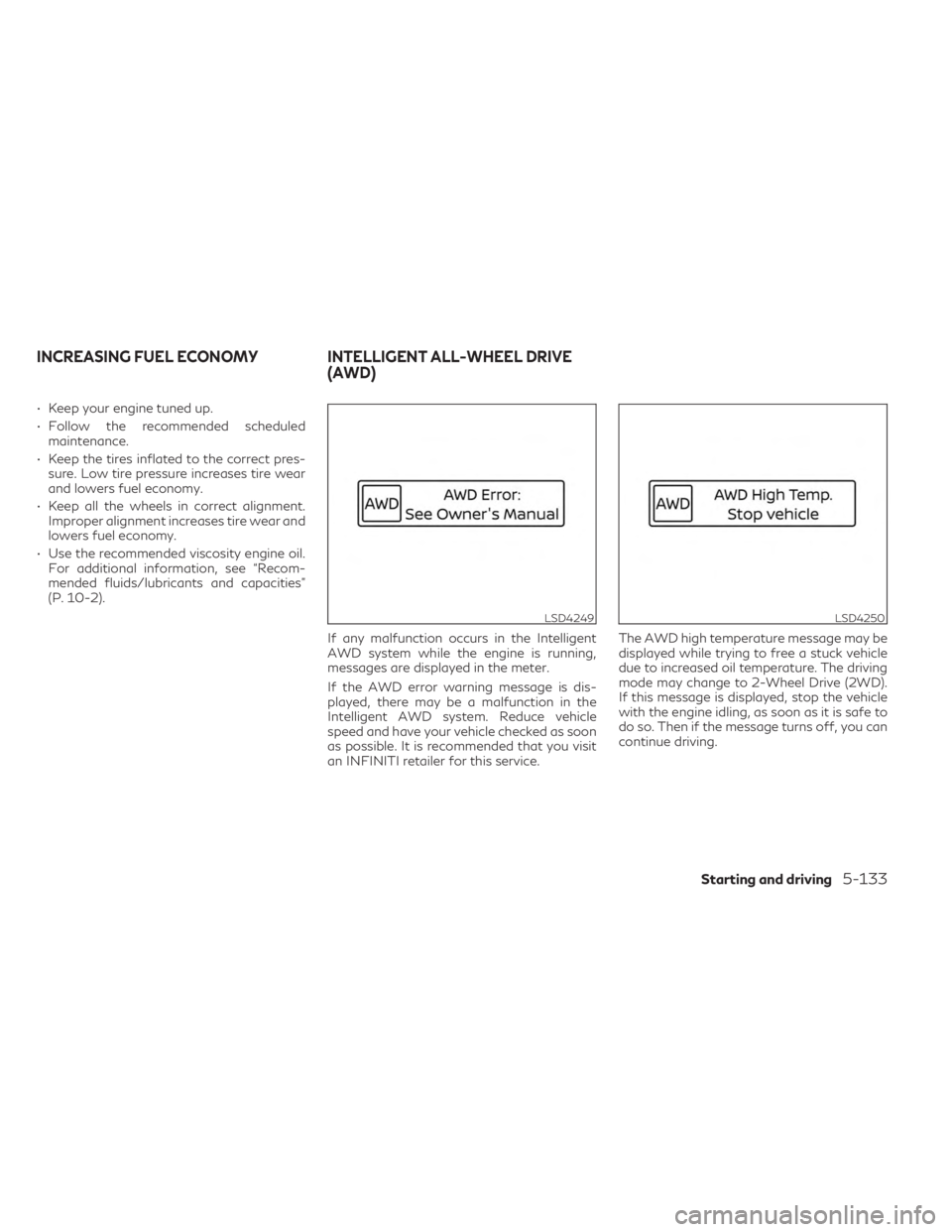
If any malfunction occurs in the Intelligent
AWD system while the engine is running,
messages are displayed in the meter.
If the AWD error warning message is dis-
played, there may be a malfunction in the
Intelligent AWD system. Reduce vehicle
speed and have your vehicle checked as soon
as possible. It is recommended that you visit
an INFINITI retailer for this service. The AWD high temperature message may be
displayed while trying to free a stuck vehicle
due to increased oil temperature. The driving
mode may change to 2-Wheel Drive (2WD).
If this message is displayed, stop the vehicle
with the engine idling, as soon as it is safe to
do so. Then if the message turns off, you can
continue driving.
LSD4249LSD4250
INCREASING FUEL ECONOMY INTELLIGENT ALL-WHEEL DRIVE
(AWD)
Starting and driving5-133
Page 426 of 526

CHECKING ENGINE OIL LEVEL
1. Park the vehicle on a level surface andapply the parking brake.
2. Start the engine and let it idle until it reaches operating temperature.
3. Turn off the engine. Wait more than 10
minutes for the oil to drain back into the
oil pan.
4. Remove the dipstick and wipe it clean. Reinsert it all the way. 5. Remove the dipstick again and check the
oil level. It should be between the H (High)
and L (Low) marksOB. This is the normal
operating oil level range. If the oil level is
below the L (Low) mark
OA, remove the oil
filler cap and pour recommended oil
through the opening. Do not fill oil level
above H (High) mark
OC.
6. Recheck the oil level with the dipstick.
It is normal to add some oil between oil main-
tenance intervals or during the break-in pe-
riod, depending on the severity of operating
conditions.
CAUTION
Oil level should be checked regularly. Oper-
ating the engine with an insufficient
amount of oil can damage the engine, and
such damage is not covered by warranty.
CHANGING ENGINE OIL AND OIL
FILTER
For additional information on engine oil and
oil filter change, refer to the instructions out-
lined in this section.
Vehicle set-up
1. Park the vehicle on a level surface and apply the parking brake.
2. Run the engine until it reaches operating temperature.
3.
Turn the engine off and wait for 15 minutes.
4. Raise and support the vehicle using a suit- able floor jack and safety jack stands.
• Place the safety jack stands under the ve- hicle jack-up points.
• A suitable adapter should be attached to the jack stand saddle.
LDI3158LDI0371
ENGINE OIL
8-6Do-it-yourself
Page 464 of 526

Parking brake:Check the parking brake op-
eration regularly. The vehicle should be se-
curely held on a fairly steep hill with only the
parking brake applied. If the parking brake
does not securely hold the vehicle, it is recom-
mended that you visit an INFINITI retailer for
service.
Seat belts: Check that all parts of the seat
belt system (for example, buckles, anchors,
adjusters and retractors) operate properly
and smoothly, and are installed securely.
Check the belt webbing for cuts, fraying,
wear or damage.
Seats: Check seat position controls such as
seat adjusters, seatback recliner, etc., to en-
sure they operate smoothly and all latches
lock securely in every position. Check that the
head restraints/headrests move up and
down smoothly and the locks (if so equipped)
hold securely in all latched positions.
Steering wheel: Check for changes in the
steering system, such as excessive free play,
hard steering or strange noises.
Warning lights and chimes: Make sure all
warning lights and chimes are operating
properly.
Windshield defroster: Check that the air
comes out of the defroster outlets properly and in sufficient quantity when operating the
heater or air conditioner.
Windshield wiper and washer*:
Check that
the wipers and washer operate properly and
that the wipers do not streak.
Under the hood and vehicle
The maintenance items listed here should be
checked periodically (for example, each time
you check the engine oil or refuel).
Battery (for maintenance free batteries)*:
This vehicle is equipped with a sealed main-
tenance free battery. It is recommended that
you visit an INFINITI retailer for this service.
NOTE:
Care should be taken to avoid situations
that can lead to potential battery discharge
and potential no-start conditions such as:
1. Installation or extended use of electronic accessories that consume battery power
when the engine is not running (Phone
chargers, GPS, DVD players, etc.).
2. Vehicle is not driven regularly and/or only driven short distances.
In these cases, the battery may need to be
charged to maintain battery health. Brake fluid level*:
Make sure that the brake
fluid level is between the MAX and MIN lines
on the reservoir.
Engine coolant level*: Check the coolant level
when the engine is cold.
Engine drive belt*: Make sure the drive belt is
not frayed, worn, cracked or oily.
Engine oil level*: Check the level after parking
the vehicle on a level spot and turning off the
engine. Wait more than 15 minutes for the oil
to drain back into the oil pan.
Exhaust system: Make sure there are no
loose supports, cracks or holes. If the sound
of the exhaust seems unusual or there is a
smell of exhaust fumes, immediately have the
exhaust system inspected. It is recommended
that you visit an INFINITI retailer for this
service. For additional information, see “Ex-
haust gas (carbon monoxide)” (P. 5-4).
Fluid leaks: Check under the vehicle for fuel,
oil, water or other fluid leaks after the vehicle
has been parked for a while. Water dripping
from the air conditioner after use is normal. If
you should notice any leaks or if fuel fumes
are evident, check for the cause and have it
corrected immediately.
9-4Maintenance and schedules
Page 468 of 526

OIL CONTROL SYSTEM
Your vehicle is equipped with oil control sys-
tem. It calculates engine oil and filter change
intervals based on driving conditions. Driving
in the following severe conditions will shorten
the engine oil and filter change interval.
How driving conditions affect OCS display
timing
ConditionsDriving Scene Display timing
Light • Freeway driving
• City driving (flat/moderate hills)
• No heavy loads
• No extended engine idling Normal
Extreme • Repeated short trips of less than 5 miles (8 km).
• Repeated short trips of less than 10 miles (16 km) with outside temperatures remaining below
freezing.
• Operating in hot weather in stop-and-go “rush hour” traffic.
• Extensive idling and/or low speed driving for long distances, such as police, taxi or door-to-door delivery use.
• Using a car-top carrier.
• Driving with frequent use of braking or in mountainous areas.
• Sustained high speed driving. Early
CAUTION
• If the oil replacement indicator is dis-
played, change the engine oil within two
weeks or less than 500 miles (800 km).
• Operating your vehicle with deterio-
rated oil can damage the engine. •
If your oil replacement indicator resets
prematurely or becomes inoperative,
please change the oil within six months
or 3,750 miles (6,000 km) from your last
oil change.
9-8Maintenance and schedules
Page 470 of 526
Severe use maintenance:
Inspections:
• Brake pads & rotors
• Exhaust system
• Propeller shaft (AWD models)
• Drive shaft boots
• Steering gear and linkage
• Axle & suspension parts
Essentials:
• Replace brake fluid
(1) If the oil replacement indicator is dis-
played, change the engine oil and filter within
two weeks or less than 500 miles (800 km).11,250 miles/(18,000 km)/18 months
Perform at number of miles, kilometers or
months, whichever comes first.
Standard maintenance:
Inspections:
• Intelligent key battery
• Horn, lights, signals, wipers, rear hatch/hood lift supports
• All fluids inspected (engine, wiper, brake, power steering, coolant)
• Engine drive belts
• Hose inspections
• Engine air filter
• Suspension components (shocks, sub- frame, tie rods)
• Battery terminals and cables, battery test
• Tire pressure, treadwear and depth
• Differential oil (AWD models)
Essentials:
• Replace in-cabin microfilter Severe use maintenance:
Inspections:
• Brake pads & rotors
• Exhaust system
• Propeller shaft (AWD models)
• Drive shaft boots
• Steering gear and linkage
• Axle & suspension parts
9-10Maintenance and schedules