ad blue INFINITI QX60 2015 User Guide
[x] Cancel search | Manufacturer: INFINITI, Model Year: 2015, Model line: QX60, Model: INFINITI QX60 2015Pages: 554, PDF Size: 5.78 MB
Page 245 of 554

●Partitioned USB devices may not play cor-
rectly.
● Some characters used in other languages
(Chinese, Japanese, etc.) may not appear
properly in the display. Using English lan-
guage characters with a USB device is rec-
ommended.
General notes for USB use:
Refer to your device manufacturer’s owner infor-
mation regarding the proper use and care of the
device.
Notes for iPod® use:
iPod® is a trademark of Apple Inc., registered in
the U.S. and other countries. ● Improperly plugging in the iPod® may cause
a checkmark to be displayed on and off
(flickering) . Always make sure that the
iPod® is connected properly.
● An iPod® nano (1st Generation) may remain
in fast forward or rewind mode if it is con-
nected during a seek operation. In this case,
please manually reset the iPod®.
● An iPod® nano (2nd Generation) will con-
tinue to fast-forward or rewind if it is discon-
nected during a seek operation. ●
An incorrect song title may appear when the
Play Mode is changed while using an iPod®
nano (2nd Generation) .
● Audiobooks may not play in the same order
as they appear on an iPod®.
● Large video files cause slow responses in an
iPod®. The vehicle center display may mo-
mentarily black out, but will soon recover.
● If an iPod® automatically selects large video
files while in the shuffle mode, the vehicle
center display may momentarily black out,
but will soon recover.
Bluetooth® streaming audio (if so
equipped)
●Some Bluetooth® audio devices may not be
recognized by the in-vehicle audio system.
● It is necessary to set up the wireless con-
nection between a compatible Bluetooth®
audio device and the in-vehicle Bluetooth®
module before using the Bluetooth® audio.
● Operating procedure of the Bluetooth® au-
dio will vary depending on the devices. Make
sure how to operate your audio device be-
fore using it with this system.
● The Bluetooth® audio may be stopped un-
der the following conditions: ●
Receiving a call on the Hands-Free
Phone System.
● Checking the connection to the hands-
free phone.
● Do not place the Bluetooth® audio device in
an area surrounded by metal or far away from
the in-vehicle Bluetooth® module to prevent
tone quality degradation and wireless con-
nection disruption.
● While an audio device is connected through
the Bluetooth® wireless connection, the
battery power of the device may discharge
quicker than usual.
● This system supports the Bluetooth® Audio
Distribution Profile (A2DP, AVRCP) .BLUETOOTH® is a
trademark owned by
Bluetooth SIG, Inc.
and licensed to
Clarion Co., Ltd.
CD or USB with Compressed Audio
Files (models without Navigation
System)
The file types supported by this system are MP3
and WMA.
4-58Monitor, climate, audio, phone and voice recognition systems
Page 257 of 554

Once you have adjusted the sound quality to the
desired level, press the AUDIO control knob re-
peatedly until the radio or CD display reappears.
If the control knob is not pressed for approxi-
mately 10 seconds, the radio or CD display will
automatically reappear.
BOSE® Centerpoint® (if so equipped)
When this item is turned to ON, an exciting
surround sound effect is generated from a tradi-
tional stereo recording.
Surround Effect (models with Navigation
System)
To adjust the surround sound volume, select
“Surround Effect” key and adjust it with the
INFINITI controller.
Speed Sensitive Vol.
The audio system’s volume is increased with the
vehicle speed. Select the “Speed Sensitive Vol.”
key and adjust the effect level with the INFINITI
controller. The Speed Sensitive Volume function
is turned off when the level is set to OFF. Increas-
ing the value will cause the volume to increase
faster with vehicle speed.
DivX® Registration Code (models with
Navigation System)
The registration code for a device that is used to
download DivX® files will be displayed on thescreen. If a disc is loaded or a USB memory is
connected to the audio system, this function will
not be activated.
Display Album Cover Art (models with
Navigation System)
When this item is turned to ON, the album cover
image is displayed when playing iPod® or MP3
music files through a CD, DVD or USB memory
device. The image will not be displayed when the
image is not properly embedded in the file or
device.
Switching the display
Press the DISC·AUX button to switch the dis-
plays as follows:
● Models without Navigation System
iPod®/USB →CD →iPod®/USB
● Models with Navigation System
iPod®/USB →CD/DVD →Bluetooth® Audio →
iPod®/USB
Linking Intelligent Key (models with Navi-
gation System)
The audio settings can be memorized for each
Intelligent Key. For additional information, refer to
“Setting memory function” in the “Pre-driving
checks and adjustments” section of this manual.FM/AM/SAT radio operation
FM/AM band select
Pressing the FM·AM button will change the band
as follows:
AM →FM1 →FM2 →AM
When the FM·AM button is pressed while the
ignition switch is in the ACC or ON position, the
radio will come on at the station last played.
The last station played will also come on when
the VOL/ON·OFF control knob is pressed ON.
If a compact disc is playing when the FM·AM
button is pressed, the compact disc will auto-
matically be turned off and the last radio station
played will come on.
The FM stereo indicator STEREO will illuminate
during FM stereo reception. When the stereo
broadcast signal is weak, the radio will automati-
cally change from stereo to monaural reception.
XM band select
Pressing the XM button will change the band as
follows:
XM1* →XM2* →XM3* →XM1
When the XM button is pressed while the ignition
switch is in the ACC or ON position, the radio will
come on at the station last played.
4-70Monitor, climate, audio, phone and voice recognition systems
Page 263 of 554

AUX settings
Select the “Menu” key using the INFINITI control-
ler.
The display mode can be set to Normal, Wide or
Cinema. The volume setting can be set to Low,
Medium or High.
Additional features
For additional information about the iPod® player
available with this system, refer to “iPod® player
operation without navigation system” or “iPod®
player operation with navigation system” in this
section.For additional information about the USB (Uni-
versal Serial Bus) Connect Port available with
this system, refer to “USB (Universal Serial Bus)
Connection Port (models without navigation sys-
tem)” or “USB (Universal Serial Bus) Connection
Port (models with navigation system)” in this sec-
tion.
For additional information about the Bluetooth®
streaming audio feature available with this sys-
tem, refer to “Bluetooth® streaming audio” in this
section.
DIGITAL VERSATILE DISC (DVD)
PLAYER OPERATION (models with
Navigation System)
Precautions
Start the engine when using the DVD entertain-
ment system.
Movies will not be shown on the front display
while the vehicle is in any drive position to reduce
driver distraction. Audio is available when a movie
is played. To view movies on the front display,
stop the vehicle in a safe location, move the shift
lever to the P (Park) position and apply the park-
ing brake.
LHA2150LHA1394
4-76Monitor, climate, audio, phone and voice recognition systems
Page 278 of 554

Scrolling menus
While navigating long lists of artists, albums or
songs in the music menu, it is possible to scroll
the list by the first letter. To activate letter index-
ing, perform one of the following:● Turn the INFINITI controller quickly.
● Press and hold the up/down directional ar-
rows on the INFINITI controller.
● Touch and hold the page up/down arrows
on the touch-screen. To exit the scrolling by letter mode, perform one of
the following:
● Press the ENTER button on the INFINITI
controller.
● Push the ENTER switch on the steering
wheel.
● Do not touch the controls for 2 seconds.
BLUETOOTH® STREAMING AUDIO
(if so equipped)
If you have a compatible Bluetooth® audio de-
vice that is capable of playing audio files, the
device can be connected to the vehicle’s audio
system so that the audio files on the device play
through the vehicle’s speakers.
Connecting Bluetooth® audio
To connect your Bluetooth® audio device to the
vehicle, follow the procedure below:
1. Press the SETTING button on the control panel.
2. Touch the “Bluetooth” key.
3. Touch the “Connect Bluetooth” key.
LHA1399LHA1316
Monitor, climate, audio, phone and voice recognition systems4-91
Page 279 of 554
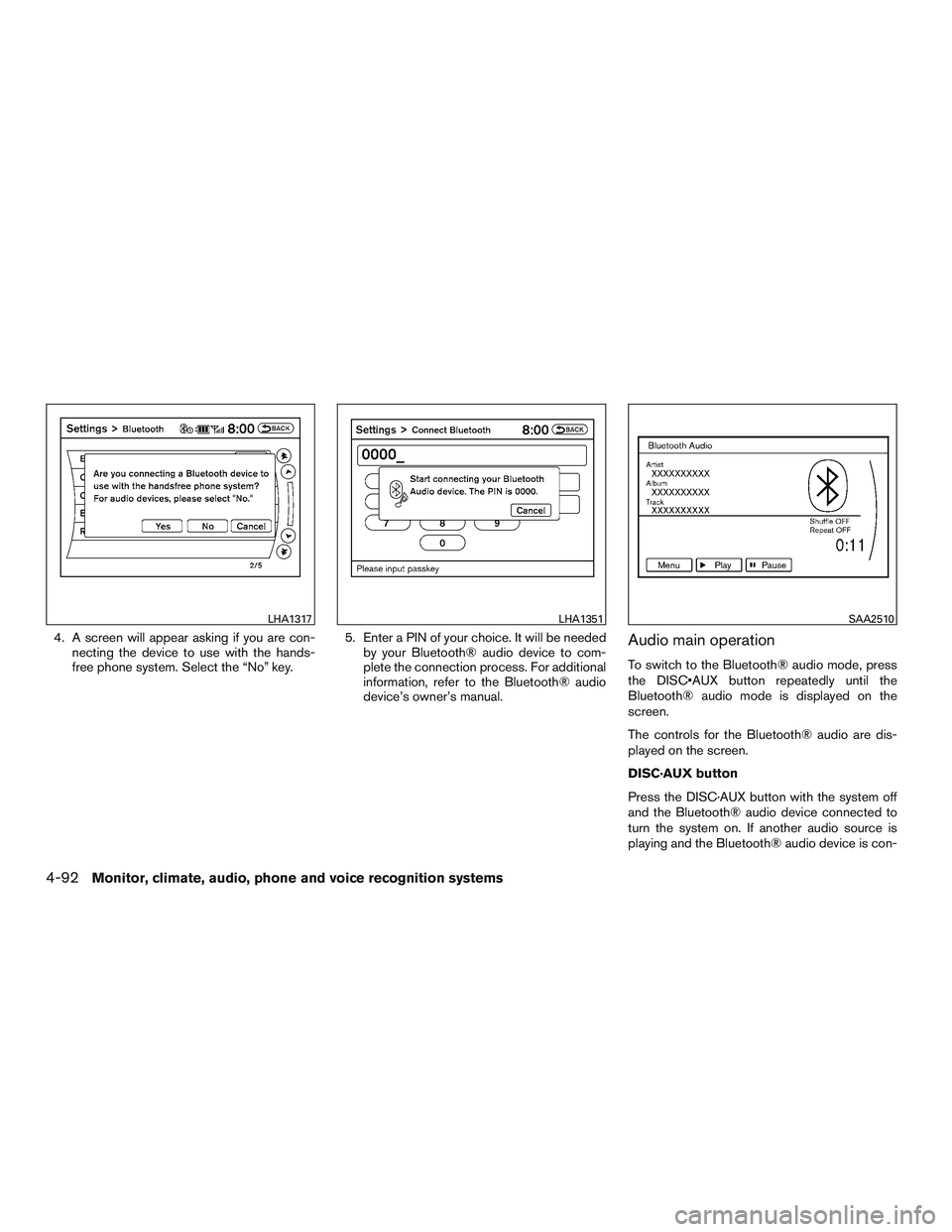
4. A screen will appear asking if you are con-necting the device to use with the hands-
free phone system. Select the “No” key. 5. Enter a PIN of your choice. It will be needed
by your Bluetooth® audio device to com-
plete the connection process. For additional
information, refer to the Bluetooth® audio
device’s owner’s manual.Audio main operation
To switch to the Bluetooth® audio mode, press
the DISC•AUX button repeatedly until the
Bluetooth® audio mode is displayed on the
screen.
The controls for the Bluetooth® audio are dis-
played on the screen.
DISC·AUX button
Press the DISC·AUX button with the system off
and the Bluetooth® audio device connected to
turn the system on. If another audio source is
playing and the Bluetooth® audio device is con-
LHA1317LHA1351SAA2510
4-92Monitor, climate, audio, phone and voice recognition systems
Page 280 of 554
nected, press the DISC·AUX button repeatedly
until the display changes to the Bluetooth® audio
mode.
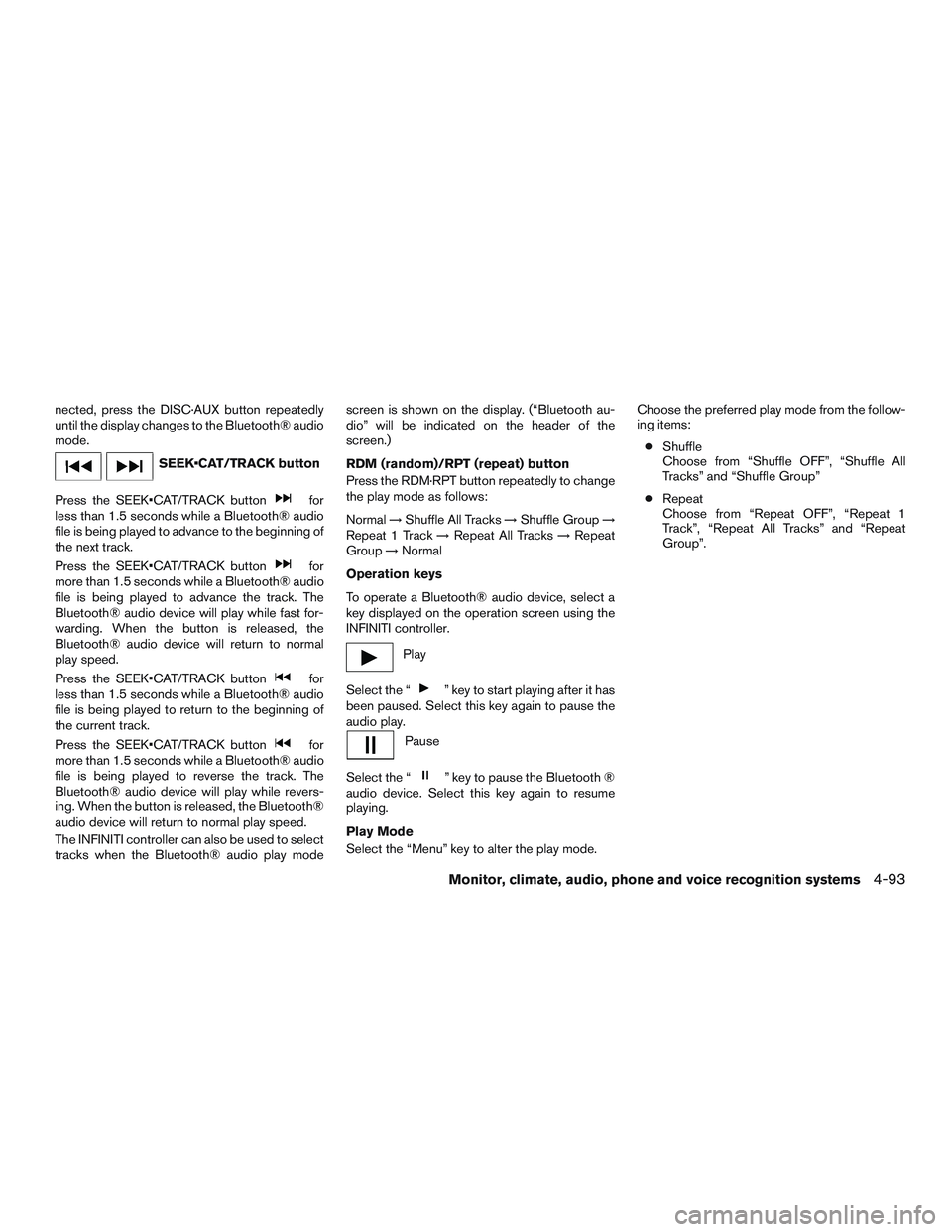
SEEK•CAT/TRACK button
Press the SEEK•CAT/TRACK button
for
less than 1.5 seconds while a Bluetooth® audio
file is being played to advance to the beginning of
the next track.
Press the SEEK•CAT/TRACK button
for
more than 1.5 seconds while a Bluetooth® audio
file is being played to advance the track. The
Bluetooth® audio device will play while fast for-
warding. When the button is released, the
Bluetooth® audio device will return to normal
play speed.
Press the SEEK•CAT/TRACK button
for
less than 1.5 seconds while a Bluetooth® audio
file is being played to return to the beginning of
the current track.
Press the SEEK•CAT/TRACK button
for
more than 1.5 seconds while a Bluetooth® audio
file is being played to reverse the track. The
Bluetooth® audio device will play while revers-
ing. When the button is released, the Bluetooth®
audio device will return to normal play speed.
The INFINITI controller can also be used to select
tracks when the Bluetooth® audio play mode screen is shown on the display. (“Bluetooth au-
dio” will be indicated on the header of the
screen.)
RDM (random)/RPT (repeat) button
Press the RDM·RPT button repeatedly to change
the play mode as follows:
Normal
→Shuffle All Tracks →Shuffle Group →
Repeat 1 Track →Repeat All Tracks →Repeat
Group →Normal
Operation keys
To operate a Bluetooth® audio device, select a
key displayed on the operation screen using the
INFINITI controller.
Play
Select the “
” key to start playing after it has
been paused. Select this key again to pause the
audio play.
Pause
Select the “
” key to pause the Bluetooth ®
audio device. Select this key again to resume
playing.
Play Mode
Select the “Menu” key to alter the play mode. Choose the preferred play mode from the follow-
ing items:
● Shuffle
Choose from “Shuffle OFF”, “Shuffle All
Tracks” and “Shuffle Group”
● Repeat
Choose from “Repeat OFF”, “Repeat 1
Track”, “Repeat All Tracks” and “Repeat
Group”.
Monitor, climate, audio, phone and voice recognition systems4-93
Page 281 of 554
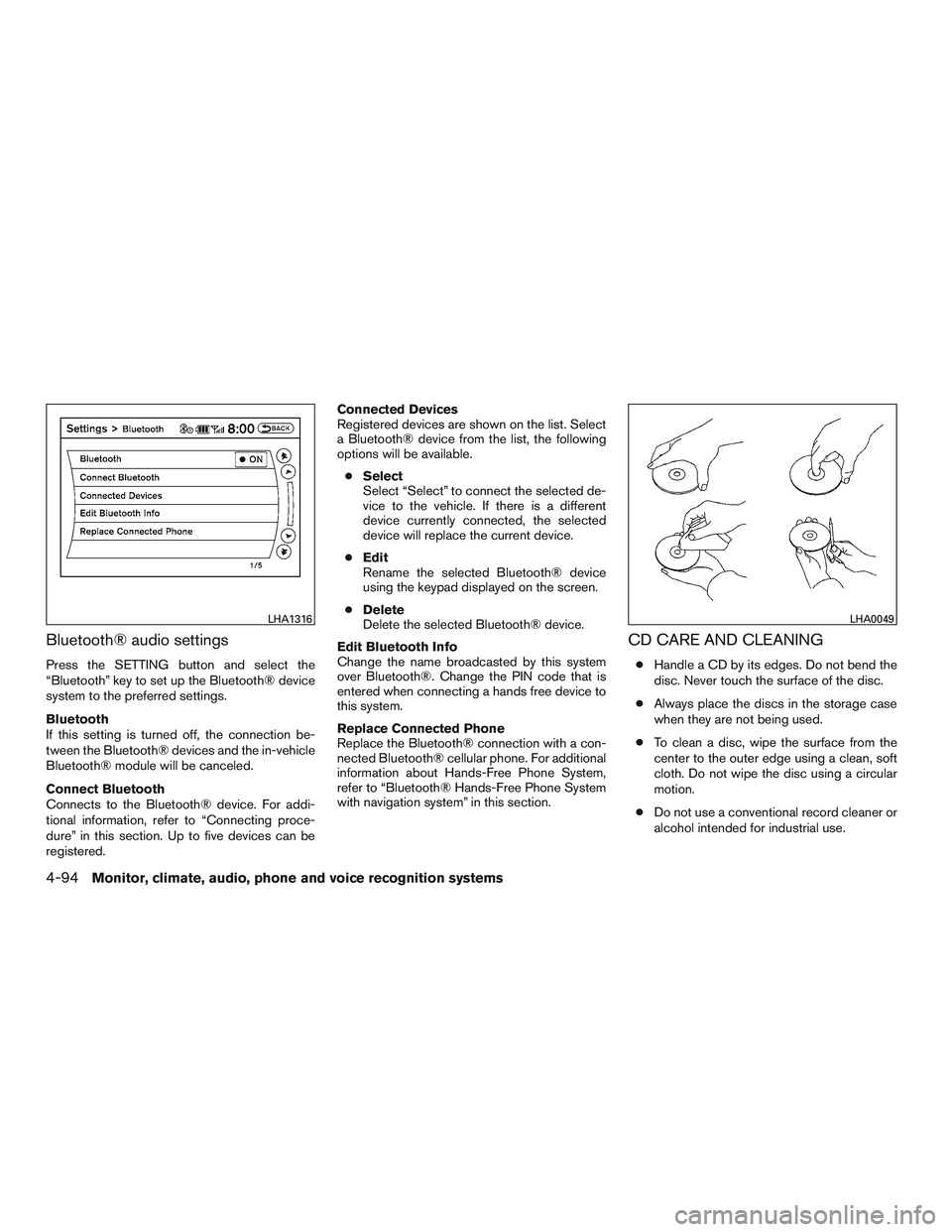
Bluetooth® audio settings
Press the SETTING button and select the
“Bluetooth” key to set up the Bluetooth® device
system to the preferred settings.
Bluetooth
If this setting is turned off, the connection be-
tween the Bluetooth® devices and the in-vehicle
Bluetooth® module will be canceled.
Connect Bluetooth
Connects to the Bluetooth® device. For addi-
tional information, refer to “Connecting proce-
dure” in this section. Up to five devices can be
registered.Connected Devices
Registered devices are shown on the list. Select
a Bluetooth® device from the list, the following
options will be available.
● Select
Select “Select” to connect the selected de-
vice to the vehicle. If there is a different
device currently connected, the selected
device will replace the current device.
● Edit
Rename the selected Bluetooth® device
using the keypad displayed on the screen.
● Delete
Delete the selected Bluetooth® device.
Edit Bluetooth Info
Change the name broadcasted by this system
over Bluetooth®. Change the PIN code that is
entered when connecting a hands free device to
this system.
Replace Connected Phone
Replace the Bluetooth® connection with a con-
nected Bluetooth® cellular phone. For additional
information about Hands-Free Phone System,
refer to “Bluetooth® Hands-Free Phone System
with navigation system” in this section.
CD CARE AND CLEANING
● Handle a CD by its edges. Do not bend the
disc. Never touch the surface of the disc.
● Always place the discs in the storage case
when they are not being used.
● To clean a disc, wipe the surface from the
center to the outer edge using a clean, soft
cloth. Do not wipe the disc using a circular
motion.
● Do not use a conventional record cleaner or
alcohol intended for industrial use.
LHA1316LHA0049
4-94Monitor, climate, audio, phone and voice recognition systems
Page 282 of 554
●A new disc may be rough on the inner and
outer edges. Remove the rough edges by
rubbing the inner and outer edges with the
side of a pen or pencil as illustrated.
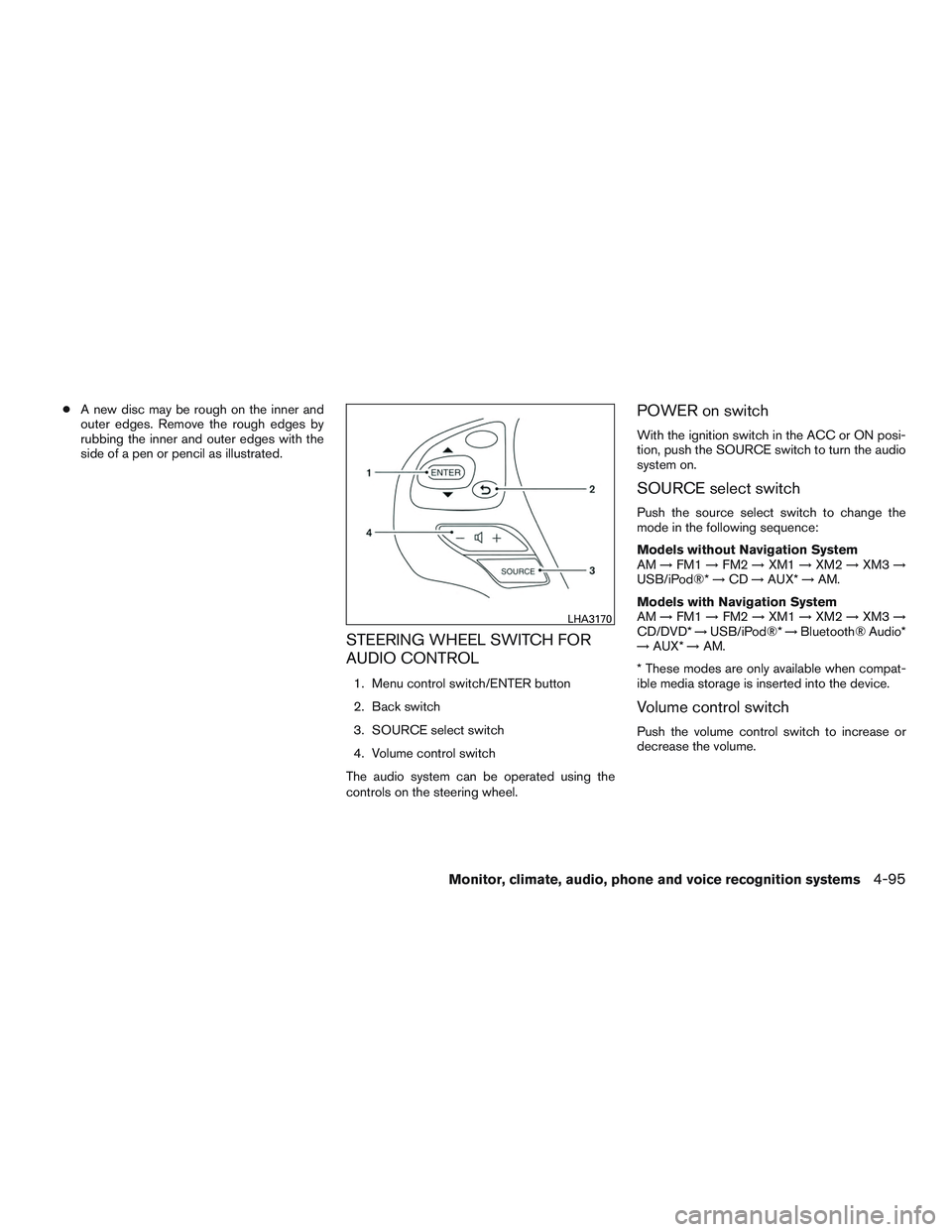
STEERING WHEEL SWITCH FOR
AUDIO CONTROL
1. Menu control switch/ENTER button
2. Back switch
3. SOURCE select switch
4. Volume control switch
The audio system can be operated using the
controls on the steering wheel.
POWER on switch
With the ignition switch in the ACC or ON posi-
tion, push the SOURCE switch to turn the audio
system on.
SOURCE select switch
Push the source select switch to change the
mode in the following sequence:
Models without Navigation System
AM →FM1 →FM2 →XM1 →XM2 →XM3 →
USB/iPod®* →CD →AUX* →AM.
Models with Navigation System
AM →FM1 →FM2 →XM1 →XM2 →XM3 →
CD/DVD* →USB/iPod®* →Bluetooth® Audio*
→ AUX* →AM.
* These modes are only available when compat-
ible media storage is inserted into the device.
Volume control switch
Push the volume control switch to increase or
decrease the volume.
LHA3170
Monitor, climate, audio, phone and voice recognition systems4-95
Page 283 of 554
Menu controlswitch/ENTER button
While the display is showing a MAP, STATUS or
Audio screen, tilt the Menu Control switch up-
ward or downward to select a station, track, CD
or folder. For most audio sources, tilting the
switch up/down for more than 1.5 seconds pro-
vides a different function than a tilting up/down
for less than 1.5 seconds.
AM and FM
● Tilt up/down for less than 1.5 seconds to
increase or decrease the preset station.
● Tilt up/down for more than 1.5 seconds to
seek up or down to the next station.
● Press the ENTER button to show the list of
preset stations.
XM (if so equipped) ● Tilt up/down for less than 1.5 seconds to
increase or decrease the preset station.
● Tilt up/down for more than 1.5 seconds to
go to the next or previous category.
● Press the ENTER button to show the XM
Menu. iPod®
● Tilt up/down for less than 1.5 seconds to
increase or decrease the track number.
● Press the ENTER button to show the iPod
Menu.
CD ● Tilt up/down for less than 1.5 seconds to
increase or decrease the track number.
● Tilt up/down for more than 1.5 seconds to
increase or decrease the folder number (if
playing compressed audio files) .
● Press the ENTER button to show the CD
Menu.
DVD (if so equipped) ● Tilt up/down for less than 1.5 seconds to
increase or decrease the track number.
● Tilt up/down for more than 1.5 seconds to
increase or decrease the title number.
● Press the ENTER button to select an item
from the DVD display.
● When the transparent operation menu ap-
pears, the switch will control the menu. USB
● Tilt up/down for less than 1.5 seconds to
increase or decrease the track number.
● Tilt up/down for more than 1.5 seconds to
increase or decrease the folder number.
● Press the ENTER button to show the USB
Menu.
Bluetooth® Audio ● Tilt up/down for less than 1.5 seconds to
increase or decrease the track number.
AUX ● Press the ENTER button to show the AUX
Menu.
BACK switch
Press theswitch to return to the previous
screen or cancel the current selection.
4-96Monitor, climate, audio, phone and voice recognition systems
Page 290 of 554
●Do not allow the system to get wet.
Excessive moisture such as spilled liq-
uids may cause the system to
malfunction.
● While playing VIDEO-CD media, this
DVD player does not guarantee com-
plete functionality of all VIDEO-CD
formats.
Parental level (parental control)
Video data with the parental control setting can
be played with this system. Please use your own
judgement to set the parental control with the
system.
Disc selection
You can play the following disc formats with the
DVD player:
● DVD-VIDEO
● VIDEO-CD
● DTS-CD
Use DVDs with the region code “ALL” or the code
applicable to your country. The region code is
displayed as a small symbol printed on the top of
the DVD. This vehicle-installed DVD player can
only play DVDs with an applicable region code.
Available audio sources
The following sources are available to play on
each display:
Front display ● Radio
● CD/DVD
● USB memory/iPod®
● Bluetooth® audio
● AUX (front)
Rear display ● DVD
● USB memory with video files
● AUX (front/rear)
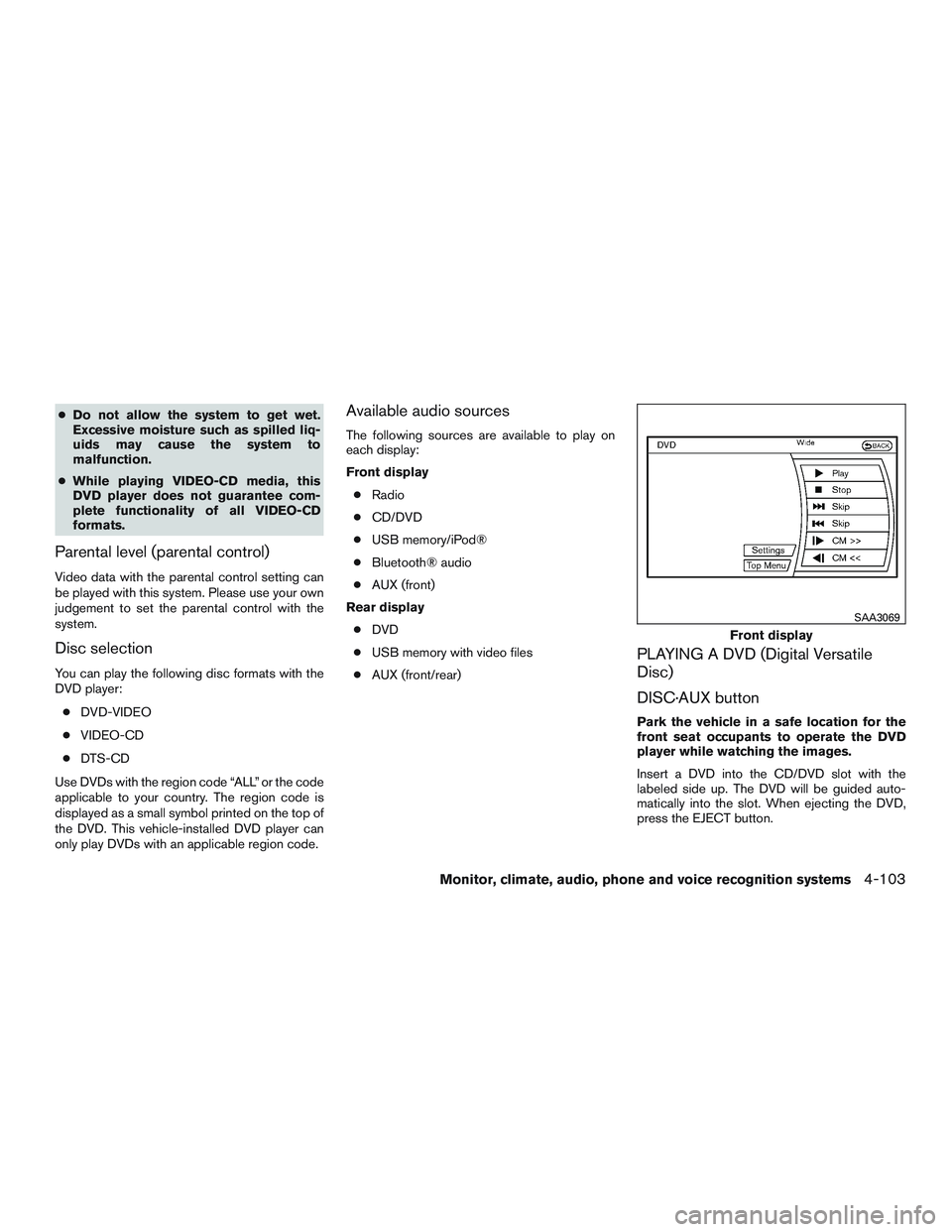
PLAYING A DVD (Digital Versatile
Disc)
DISC·AUX button
Park the vehicle in a safe location for the
front seat occupants to operate the DVD
player while watching the images.
Insert a DVD into the CD/DVD slot with the
labeled side up. The DVD will be guided auto-
matically into the slot. When ejecting the DVD,
press the EJECT button.
Front display
SAA3069
Monitor, climate, audio, phone and voice recognition systems4-103