wheel INFINITI QX60 2017 Service Manual
[x] Cancel search | Manufacturer: INFINITI, Model Year: 2017, Model line: QX60, Model: INFINITI QX60 2017Pages: 629, PDF Size: 6.89 MB
Page 326 of 629

Receiving a message
When the cellular phone connected to the ve-
hicle receives a text message, a notification is
displayed on the display accompanied by a tone.
To check the message, touch the “Check Now”
key. Touch the “Later” key to save the message to
be checked later.
Using the text message function with iPhone®.
If you would like to use the text message function
with your iPhone®, please follow the steps be-
low.1. Connect iPhone® to the Bluetooth® Hands-Free Phone System. 2. Disconnect iPhone® from vehicle setting
menu.
3. Turn “Show Notification” ON from Bluetooth® setting menu on your iPhone®.
4. Connect iPhone® from vehicle setting menu.
Displaying received message list
1. To display the phone menu screen, take thefollowing actions:
● Push the
switch on the steering
wheel or control panel (models without
navigation system) .
2. Touch the “Text Messages” key.
3. Touch an item on the list to read or to reply to the message.
Up to 20 messages can be stored on the mes-
sage list.
JVH1470MJVH1471M
Monitor, climate, audio, phone and voice recognition systems4-123
Page 328 of 629
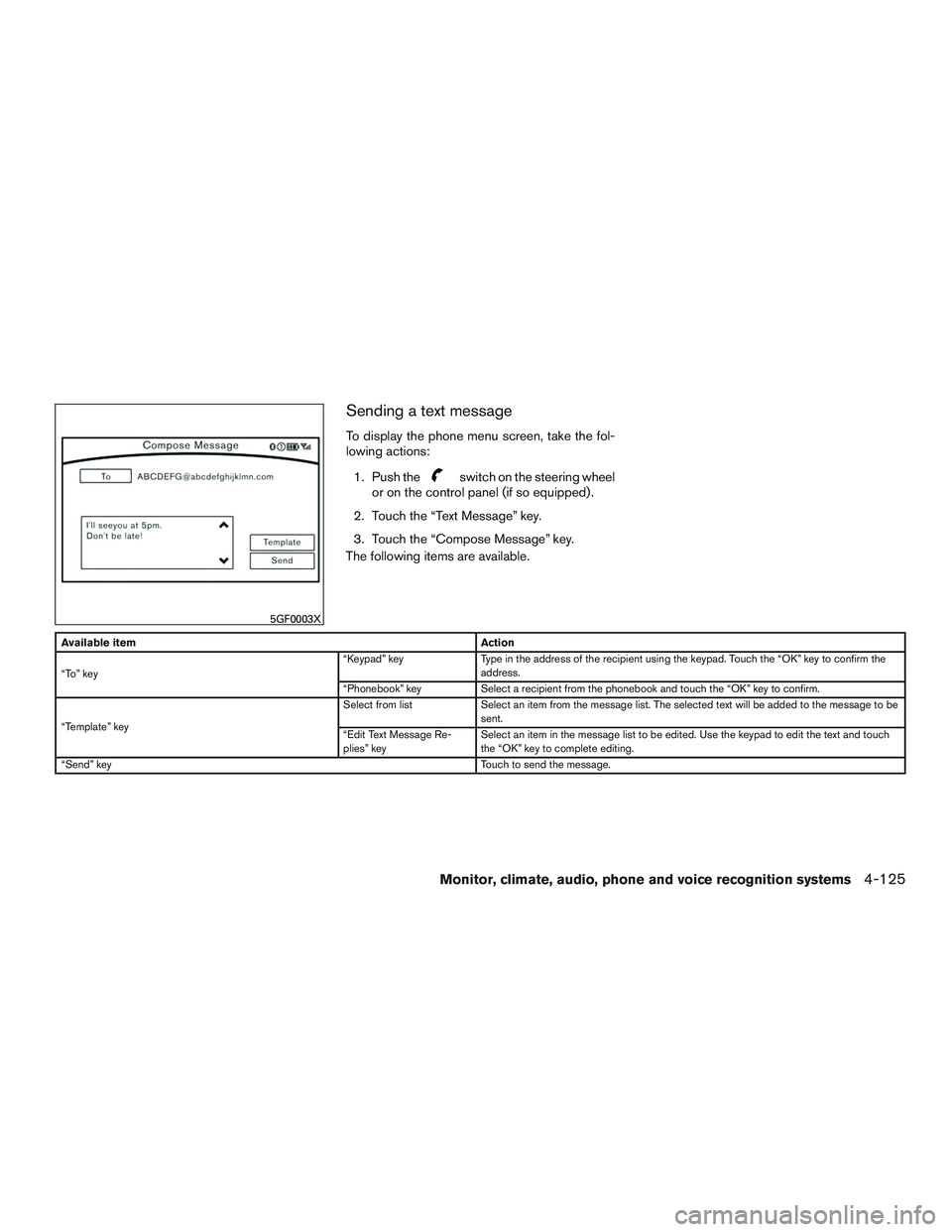
Sending a text message
To display the phone menu screen, take the fol-
lowing actions:1. Push the
switch on the steering wheel
or on the control panel (if so equipped) .
2. Touch the “Text Message” key.
3. Touch the “Compose Message” key.
The following items are available.
Available item Action
“To” key “Keypad” key
Type in the address of the recipient using the keypad. Touch the “OK” key to confirm the
address.
“Phonebook” key Select a recipient from the phonebook and touch the “OK” key to confirm.
“Template” key Select from list
Select an item from the message list. The selected text will be added to the message to be
sent.
“Edit Text Message Re-
plies” key Select an item in the message list to be edited. Use the keypad to edit the text and touch
the “OK” key to complete editing.
“Send” key Touch to send the message.
5GF0003X
Monitor, climate, audio, phone and voice recognition systems4-125
Page 343 of 629
Google
© 2012 Google Inc. All rights reserved. Google
Calendar™ calendaring application is a trade-
mark of Google Inc.USING VOICE RECOGNITION
SYSTEM
Initialization
The Voice Recognition system will activate a few
seconds after the ignition switch is turned on.
Once activation is complete, you can start using
the system by pushing the
switch on the
steering wheel and speaking voice commands. If
the
switch on the steering wheel is pushed
before the activation completes, the display will
show a message to wait until the system is ready.
BEFORE STARTING
To get the best recognition performance from the
Voice Recognition system, observe the following
items.
● The interior of the vehicle should be as quiet
as possible. Close the windows to eliminate
surrounding noises (traffic noise and vibra-
tion sounds, etc.) which may prevent the
system from correctly recognizing the voice
commands.
● Wait until the tone sounds before speaking a
command.
● Speak in a natural conversational voice with-
out pausing between words.GIVING VOICE COMMANDS
1. Push theswitch located on the steer-
ing wheel.
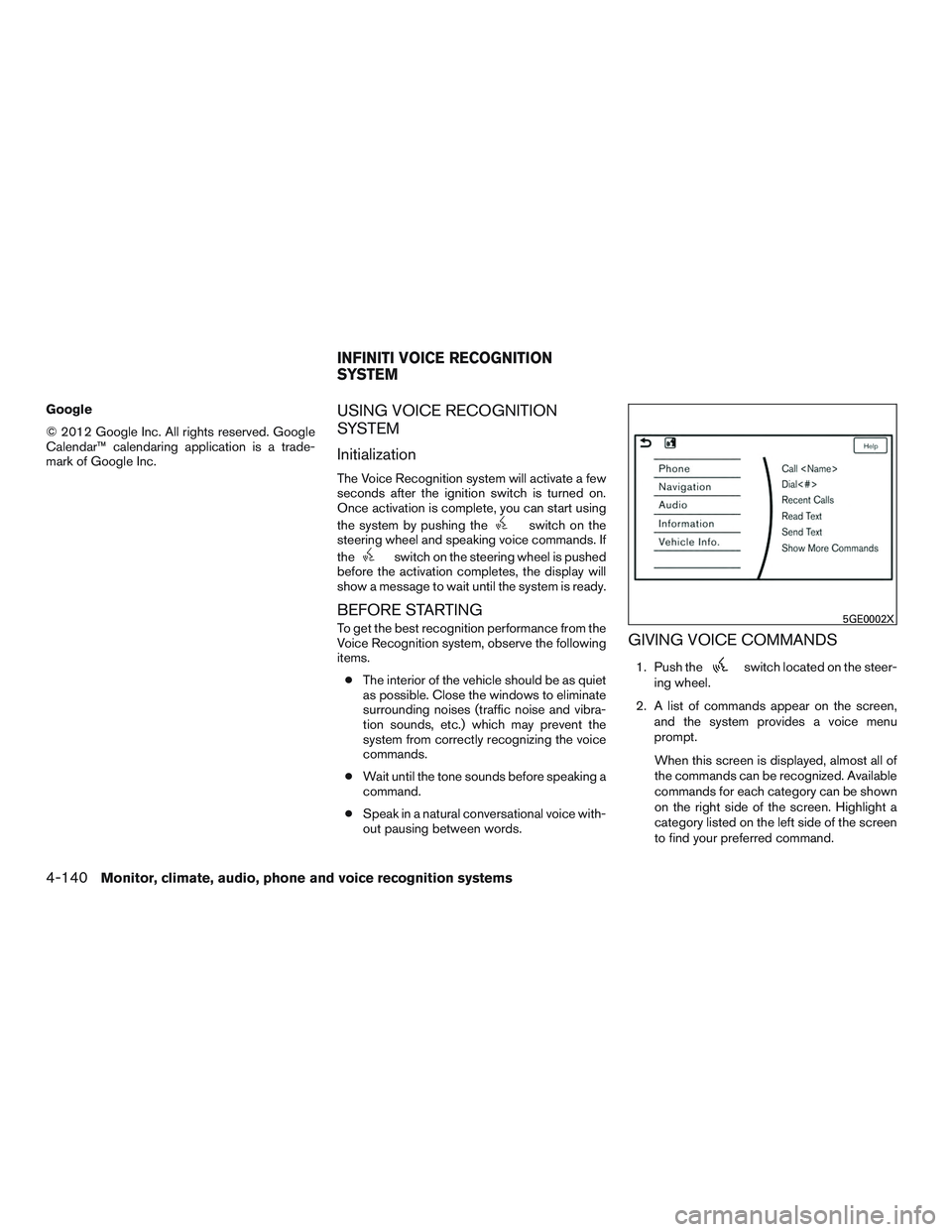
2. A list of commands appear on the screen, and the system provides a voice menu
prompt.
When this screen is displayed, almost all of
the commands can be recognized. Available
commands for each category can be shown
on the right side of the screen. Highlight a
category listed on the left side of the screen
to find your preferred command.
5GE0002X
INFINITI VOICE RECOGNITION
SYSTEM
4-140Monitor, climate, audio, phone and voice recognition systems
Page 344 of 629
Selecting a category by touching the screen or
pressing the ENTER button will execute the com-
mand. After executing the category command,
only the commands related to the selected cat-
egory can be recognized.3. After the tone sounds and the icon on the screen changes from
to,
speak a command. You can also select a
command by directly touching the screen.
The Voice Recognition system will pause opera-
tion when the center dial or slide switch is moved.
To resume operation, push the
switch on
the steering wheel.
4. Continue to follow the voice menu prompts and speak after the tone sounds until the
preferred operation is completed.
To cancel the voice command, push and hold
the
switch.
You can interrupt the voice prompt at any time by
pushing the
switch.
Operating tips
● Speak a command after the tone.
● If the command is not accepted, the system
announces, “Please say again”. Repeat the
command in a clear voice. ●
Push the
switch on the steering-
wheel once to return to the previous screen.
● Voice commands spoken from the passen-
ger seat cannot be recognized.
● When the
switch on the steering
wheel is pushed while the air conditioner is
set to the Auto mode, the system controls
the air conditioner fan speed in order to
improve Voice Recognition performance.
When the fan speed is set higher than the
4th speed position, the fan speed is de-
creased to 4th speed. When the air condi-
tioner is set to the manual mode, the fan
speed does not change. The accuracy of
Voice Recognition may be affected depend-
ing on the fan speed and the air direction.
● To skip the voice guidance function and give
the command immediately, push the
switch on the steering wheel to interrupt the
system. Remember to speak after the tone.
● To cancel the command, push and hold
the
switch or theswitch on the
steering-wheel. ●
To adjust the volume of the system feedback,
push the volume switch on the steering
wheel or use the audio system
VOL/ON•OFF button while the system is
making the announcement.
Voice prompt interrupt
Push the
switch on the steering-wheel to
stop the voice prompt and give the command at
once. Remember to wait for the tone before
speaking.
How to see the voice command
screen
1. Push theswitch to display the first
screen of the voice command list.
2. Speak a command or select an item from the voice command list. The second screen is
displayed.
3. Speak a command. The list screen is dis- played.
4. Speak the preferred number from the list to perform operation.
The voice commands can be spoken one at a
time following prompts step by step or the com-
mand can be spoken successively in one step.
Monitor, climate, audio, phone and voice recognition systems4-141
Page 346 of 629
Examples
1–800–662–6200
“One eight zero zero six six two six two zero zero”
For the best recognition, speak “zero” for the
number “0” and “oh” for the letter “o”.
Voice command examples
As examples, some additional basic operations
that can be performed by voice commands are
described here.
Example 1– Placing a call from handsfree
phonebook:1. Push the
switch located on the steer-
ing wheel.
2. Wait for the indicator to change to
and speak “ Phone”.
You can also speak “Phone” and then “Call
3. Speak “Call
When options (Home, Work, etc.) are registered
to a name in the contact list of a cellular phone,
the option can be commanded directly.
Example, “Call Steve Brown Work” or “Call Steve
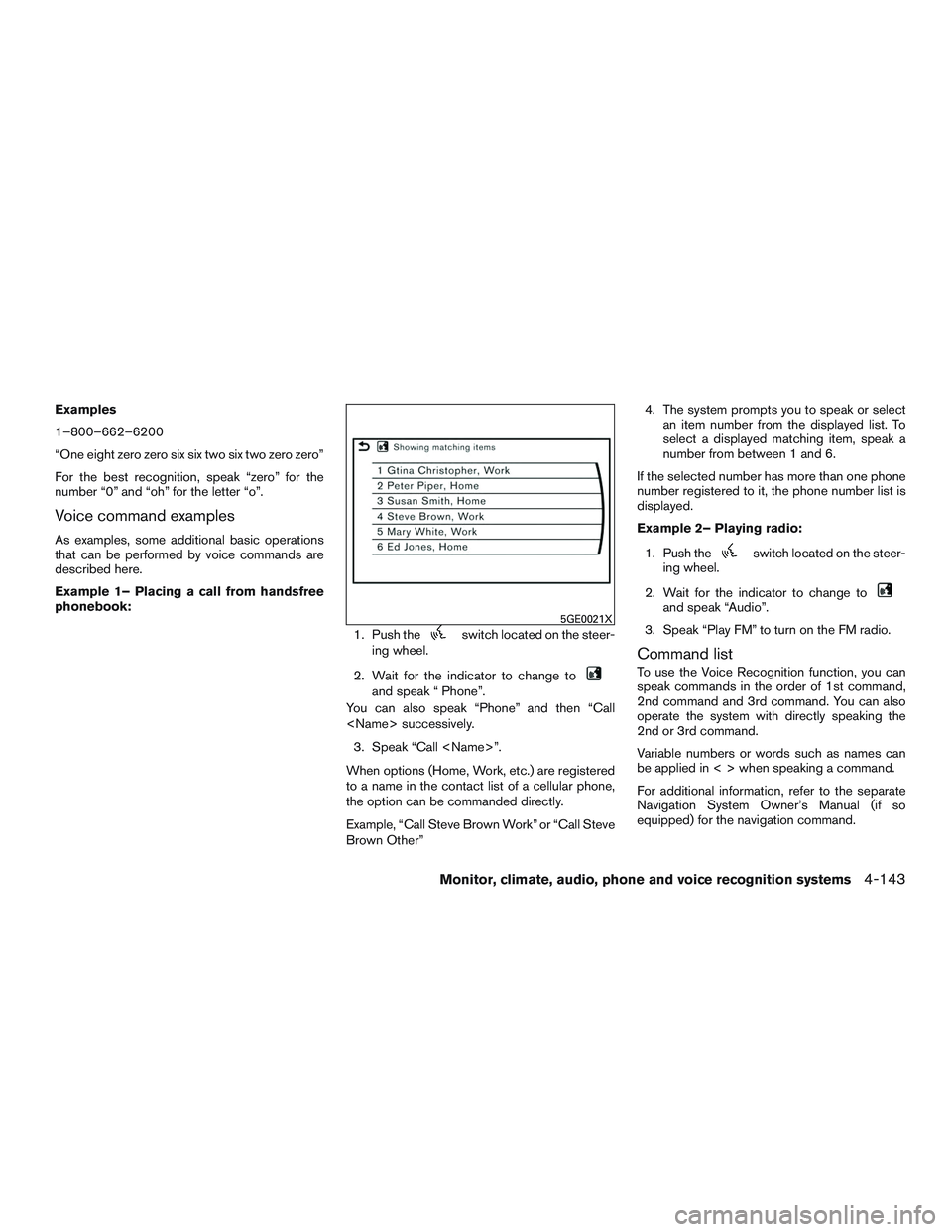
Brown Other” 4. The system prompts you to speak or select
an item number from the displayed list. To
select a displayed matching item, speak a
number from between 1 and 6.
If the selected number has more than one phone
number registered to it, the phone number list is
displayed.
Example 2– Playing radio:
1. Push the
switch located on the steer-
ing wheel.
2. Wait for the indicator to change to
and speak “Audio”.
3. Speak “Play FM” to turn on the FM radio.
Command list
To use the Voice Recognition function, you can
speak commands in the order of 1st command,
2nd command and 3rd command. You can also
operate the system with directly speaking the
2nd or 3rd command.
Variable numbers or words such as names can
be applied in < > when speaking a command.
For additional information, refer to the separate
Navigation System Owner’s Manual (if so
equipped) for the navigation command.
5GE0021X
Monitor, climate, audio, phone and voice recognition systems4-143
Page 363 of 629

Infiniti InTouchTMuses an operating system like
those found on many computers, tablets and cell
phones. Like these devices, processing speed
may vary, and system response delays or resets
may occur intermittently. This does not indicate a
malfunction, and further information on system
operation can be found below.
System Start-Up
Due to the large number of features and capabili-
ties that the Infiniti InTouch
TMneeds to load on
start-up, it may take up to a minute for all func-
tions (such as Apps) to be available. The system
will display “Now Loading All Apps...” during this
time.
System Response Delay
Infiniti InTouch
TMuses an operating system like
those found on many computers, tablets and cell
phones. Like these devices, sometimes pro-
grams do not respond immediately and this may
temporarily delay system use.
In most situations, simply waiting a few moments
longer should be sufficient for the pending opera-
tions to complete.
If the system temporarily does not respond to
commands, the system can be easily reset. Sim-
ply push down the VOL/ON-OFF button for at
least 5 seconds. The system will turn off and
restart. After restart, all functions should be available.
If a navigation route was set, the route should
resume automatically.
System Reset
As noted above, intermittent system resets may
occur during normal operation. You may also
wish to reset the system if you find that a particu-
lar feature is not loading or responding. Often, a
quick system reset will resolve any issue you may
be experiencing. After restart, all functions will be
available as described above.
System Updates
Like many digital devices, the Infiniti InTouch
TMis
designed to allow for software updates as en-
hancements are developed and additional fea-
tures added. If you have questions about system
performance, it is recommended that you contact
an INFINITI retailer to ensure that your vehicle has
had the latest available software installed.
Operating Tips
Infiniti InTouch
TMprovides several methods of
operation to suit your preferences. The following
are suggested operating tips. ●
Operating the control panel, steering wheel
controls, or other controls too quickly can
cause a lag between the control and the
display. Operate the controls carefully and
allow the system to respond to your request.
● INFINITI recommends using Voice Recogni-
tion whenever possible to select options
while driving. Some touch screen function-
ality is intentionally unavailable during driv-
ing. Please view the available voice com-
mands by pushing the
(TALK) switch
and then selecting a category on the display.
● When looking for a street address or Points
of Interest (POI) , remember that you can use
Connected Search and Assisted Search
features within Infiniti InTouch
TMServices to
expand your search methods and results.
The Voice Recognition system recognizes a
defined set of commands. These commands
can be viewed in the display by pushing
the
(TALK) switch and then selecting
a category from the displayed list. The com-
mands can also be found in the Voice Rec-
ognition section under command list. For
additional information, refer to “Command
list” in this section.
ADDITIONAL SYSTEM INFORMATION
4-160Monitor, climate, audio, phone and voice recognition systems
Page 366 of 629
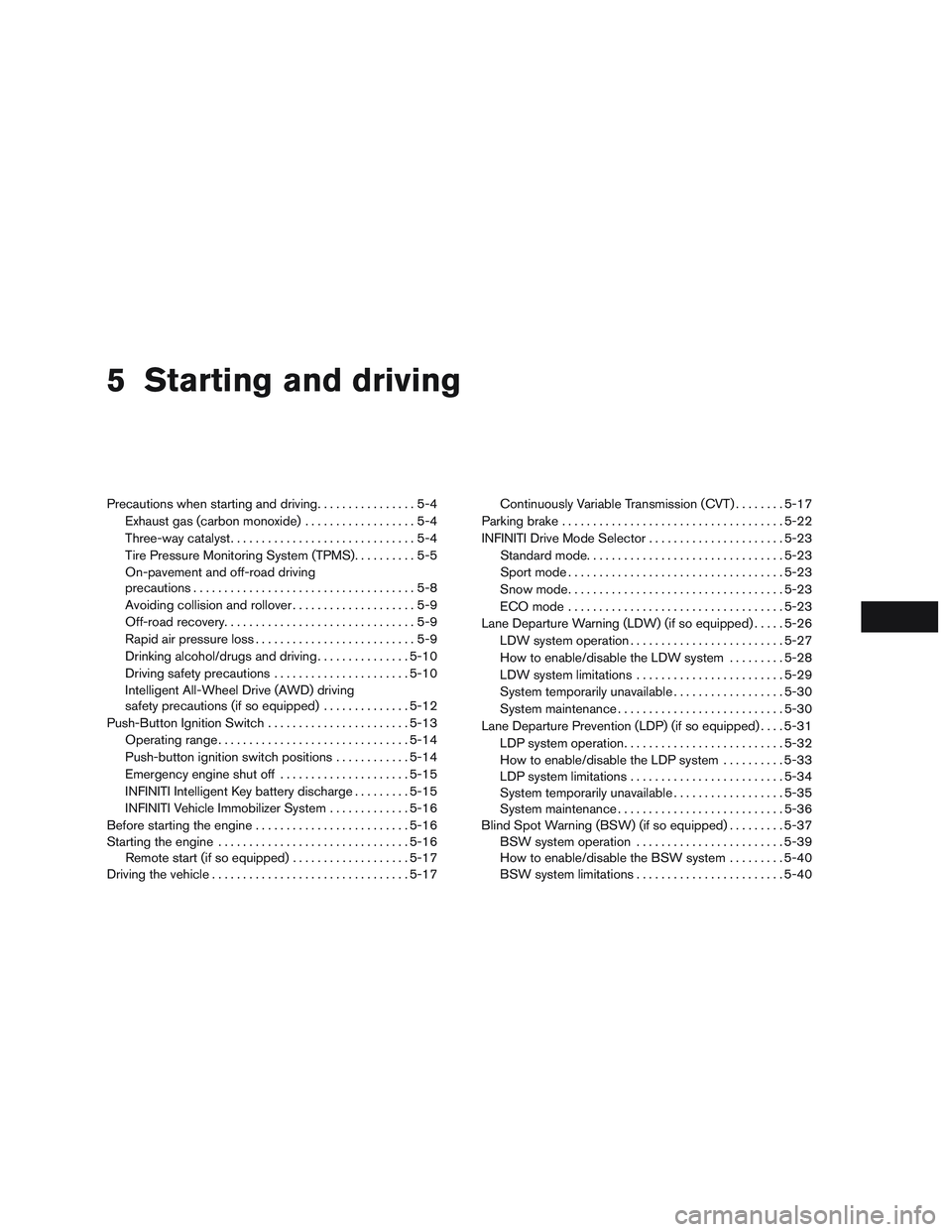
5 Starting and driving
Precautions when starting and driving................5-4
Exhaust gas (carbon monoxide) ..................5-4
Three-way catalyst ..............................5-4
Tire Pressure Monitoring System (TPMS) ..........5-5
On-pavement and off-road driving
precautions ....................................5-8
Avoiding collision and rollover . . ..................5-9
Off-road recovery ...............................5-9
Rapid air pressure loss ..........................5-9
Drinking alcohol/drugs and driving ...............5-10
Driving safety precautions ......................5-10
Intelligent All-Wheel Drive (AWD) driving
safety precautions (if so equipped) ..............5-12
Push-Button Ignition Switch .......................5-13
Operating range ............................... 5-14
Push-button ignition switch positions . . . .........5-14
Emergency engine shut off .....................5-15
INFINITI Intelligent Key battery discharge .........5-15
INFINITI Vehicle Immobilizer System .............5-16
Before starting the engine ......................... 5-16
Starting the engine ............................... 5-16
Remote start (if so equipped) ...................5-17
Driving the vehicle ................................ 5-17Continuously Variable Transmission (CVT)
........5-17
Parking brake .................................... 5-22
INFINITI Drive Mode Selector ......................5-23
Standard mode ................................ 5-23
Sport mode ................................... 5-23
Snow mode ................................... 5-23
ECO mode ................................... 5-23
Lane Departure Warning (LDW) (if so equipped) .....5-26
LDW system operation ......................... 5-27
How to enable/disable the LDW system .........5-28
LDW system limitations ........................ 5-29
System temporarily unavailable ..................5-30
System maintenance ........................... 5-30
Lane Departure Prevention (LDP) (if so equipped) ....5-31
LDP system operation .......................... 5-32
How
to enable/disable the LDP system ..........5-33
LDP system limitations ......................... 5-34
System temporarily unavailable ..................5-35
System maintenance ........................... 5-36
Blind Spot Warning (BSW) (if so equipped) .........5-37
BSW system operation ........................ 5-39
How to enable/disable the BSW system .........5-40
BSW system limitations ........................ 5-40
Page 368 of 629
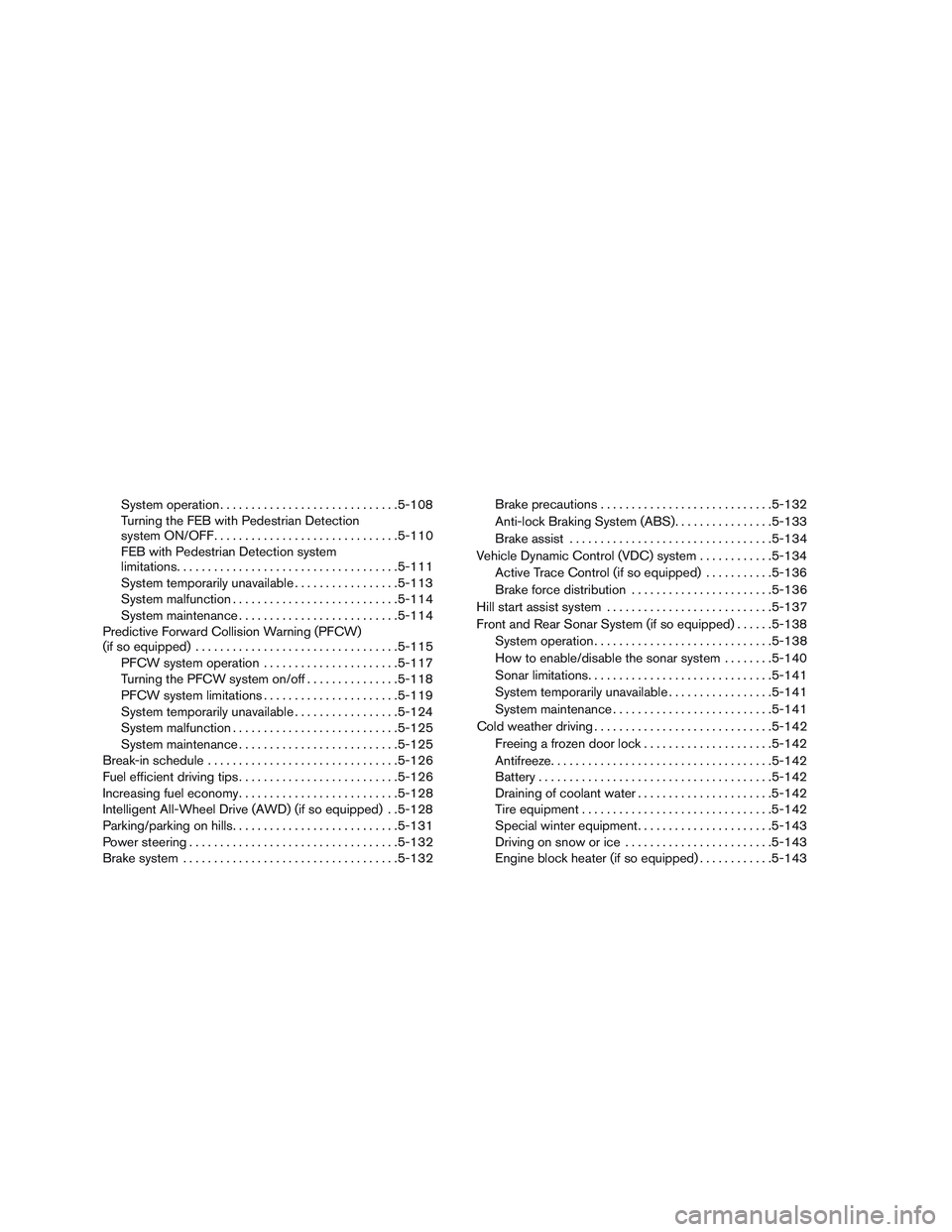
System operation............................. 5-108
Turning the FEB with Pedestrian Detection
system ON/OFF .............................. 5-110
FEB with Pedestrian Detection system
limitations .................................... 5-111
System temporarily unavailable .................5-113
System malfunction ........................... 5-114
System maintenance .......................... 5-114
Predictive Forward Collision Warning (PFCW)
(if so equipped) ................................. 5-115
PFCW system operation ......................5-117
Turning the PFCW system on/off ...............5-118
PFCW system limitations ......................5-119
System temporarily unavailable .................5-124
System malfunction ........................... 5-125
System maintenance .......................... 5-125
Break-in schedule ............................... 5-126
Fuel efficient driving tips .......................... 5-126
Increasing fuel economy .......................... 5-128
Intelligent All-Wheel Drive (AWD) (if so equipped) . .5-128
Parking/parking on hills ........................... 5-131
Power steering . . ................................ 5-132
Brake system ................................... 5-132Brake precautions
............................ 5-132
Anti-lock Braking System (ABS) ................5-133
Brake assist ................................. 5-134
Vehicle Dynamic Control (VDC) system ............5-134
Active Trace Control (if so equipped) ...........5-136
Brake force distribution ....................... 5-136
Hill start assist system ........................... 5-137
Front and Rear Sonar System (if so equipped) ......5-138
System operation ............................. 5-138
How to enable/disable the sonar system . .......5-140
Sonar limitations .............................. 5-141
System temporarily unavailable .................5-141
System maintenance .......................... 5-141
Cold weather driving ............................. 5-142
Freeing
a frozen door lock ..................... 5-142
Antifreeze .................................... 5-142
Battery ...................................... 5-142
Draining of coolant water ......................5-142
Tire equipment . . ............................. 5-142
Special winter equipment ......................5-143
Driving on snow or ice ........................ 5-143
Engine block heater (if so equipped) ............5-143
Page 370 of 629

CAUTION
●Do not use leaded gasoline. Deposits
from leaded gasoline will seriously re-
duce the three-way catalyst’s ability to
help reduce exhaust pollutants.
● Keep your engine tuned up. Malfunc-
tions in the ignition, fuel injection, or
electrical systems can cause over rich
fuel flow into the three-way catalyst,
causing it to overheat. Do not keep driv-
ing if the engine misfires, or if notice-
able loss of performance or other un-
usual operating conditions are
detected. Have the vehicle inspected
promptly. It is recommended that you
visit an INFINITI retailer for this service.
● Avoid driving with an extremely low fuel
level. Running out of fuel could cause
the engine to misfire, damaging the
three-way catalyst.
● Do not race the engine while warming it
up.
● Do not push or tow your vehicle to start
the engine.
TIRE PRESSURE MONITORING
SYSTEM (TPMS)
Each tire, including the spare (if provided) ,
should be checked monthly when cold and in-
flated to the inflation pressure recommended by
the vehicle manufacturer on the vehicle placard
or tire inflation pressure label. (If your vehicle has
tires of a different size than the size indicated on
the vehicle placard or tire inflation pressure label,
you should determine the proper tire inflation
pressure for those tires.)
As an added safety feature, your vehicle has been
equipped with a TPMS that illuminates a low tire
pressure telltale when one or more of your tires is
significantly under-inflated. Accordingly, when
the low tire pressure telltale illuminates, you
should stop and check your tires as soon as
possible, and inflate them to the proper pressure.
Driving on a significantly under-inflated tire
causes the tire to overheat and can lead to tire
failure. Under-inflation also reduces fuel effi-
ciency and tire tread life, and may affect the
vehicle’s handling and stopping ability.
Please note that the TPMS is not a substitute for
proper tire maintenance, and it is the driver’s
responsibility to maintain correct tire pressure,
even if under-inflation has not reached the level to
trigger illumination of the TPMS low tire pressure
telltale. Your vehicle has also been equipped with a
TPMS malfunction indicator to indicate when the
system is not operating properly. The TPMS mal-
function indicator is combined with the low tire
pressure telltale. When the system detects a
malfunction, the telltale will flash for approxi-
mately one minute and then remain continuously
illuminated. This sequence will continue upon
subsequent vehicle start-ups as long as the mal-
function exists. When the malfunction indicator is
illuminated, the system may not be able to detect
or signal low tire pressure as intended. TPMS
malfunctions may occur for a variety of reasons,
including the installation of replacement or alter-
nate tires or wheels on the vehicle that prevent
the TPMS from functioning properly. Always
check the TPMS malfunction telltale after replac-
ing one or more tires or wheels on your vehicle to
ensure that the replacement or alternate tires and
wheels allow the TPMS to continue to function
properly.
Additional information:
● Since the spare tire is not equipped with the
TPMS, the TPMS does not monitor the tire
pressure of the spare tire.
Starting and driving5-5
Page 372 of 629

●Since the spare tire is not equipped with
the TPMS, when a spare tire is mounted
or a wheel is replaced, tire pressure will
not be indicated, the TPMS will not
function and the low tire pressure warn-
ing light will flash for approximately
1 minute. The light will remain on after
1 minute. Have your tires replaced
and/or TPMS system reset as soon as
possible. It is recommended that you
visit an INFINITI retailer for this service.
● Replacing tires with those not originally
specified by INFINITI could affect the
proper operation of the TPMS.
● Do not inject any tire liquid or aerosol
tire sealant into the tires, as this may
cause a malfunction of the tire pressure
sensors.
CAUTION
● The TPMS may not function properly
when the wheels are equipped with tire
chains or the wheels are buried in snow.
●
Do not place metalized film or any metal
parts (antenna, etc.) on the windows. This
may cause poor reception of the signals
from the tire pressure sensors, and the
TPMS will not function properly.
Some devices and transmitters may temporarily
interfere with the operation of the TPMS and
cause the low tire pressure warning light to illu-
minate.
Some examples are:
– Facilities or electric devices using similar radio frequencies are near the vehicle.
– If a transmitter set to similar frequencies is being used in or near the vehicle.
– If a computer (or similar equipment) or a DC/AC converter is being used in or near the
vehicle.
Low tire pressure warning light may illuminate in
the following cases. ● If the vehicle is equipped with a wheel and
tire without TPMS.
● If the TPMS has been replaced and the ID
has not been registered.
● If the wheel is not originally specified by
INFINITI. FCC Notice:
For USA:
This device complies with Part 15 of the
FCC Rules. Operation is subject to the fol-
lowing two conditions: (1) This device may
not cause harmful interference, and (2) this
device must accept any interference re-
ceived, including interference that may
cause undesired operation.
Note: Changes or modifications not ex-
pressly approved by the party responsible
for compliance could void the user’s au-
thority to operate the equipment.
For Canada:
This device complies with Industry Canada
licence-exempt RSS standard(s) . Operation
is subject to the following two conditions: (1)
this device may not cause interference, and
(2) this device must accept any interference,
including interference that may cause unde-
sired operation of the device
TPMS with Tire Inflation Indicator
When adding air to an under-inflated tire, the
TPMS with Tire Inflation Indicator provides visual
and audible signals outside the vehicle to help
you inflate the tires to the recommended COLD
tire pressure.
Starting and driving5-7