display INFINITI QX60 2018 User Guide
[x] Cancel search | Manufacturer: INFINITI, Model Year: 2018, Model line: QX60, Model: INFINITI QX60 2018Pages: 490, PDF Size: 6.34 MB
Page 96 of 490

For additional information, refer to “Vehicle
information display” in this section and “Tire
Pressure Monitoring System (TPMS)” in the
“Starting and driving” and “In case of emer-
gency” sections of this manual.
TPMS malfunction
If the TPMS is not functioning properly, the
low tire pressure warning light will flash for
approximately 1 minute when the ignition
switch is placed in the ON position. The light
will remain on after the 1 minute. Have the
system checked. It is recommended that you
visit an INFINITI retailer for this service. The
“Tyre Pressure Low - Add Air” warning does
not appear if the low tire pressure warning
light illuminates to indicate a TPMS malfunc-
tion.
For additional information, refer to “Tire
Pressure Monitoring System (TPMS)” in the
“Starting and driving” section and “Tire pres-
sure” in the “Maintenance and do-it-yourself”
section of this manual.WARNING
∙ Radio waves could adversely affect elec-tric medical equipment. Those who use a
pacemaker should contact the electric
medical equipment manufacturer for the
possible influences before use.
∙ If the light does not illuminate with the ignition switch placed in the ON position,
have the vehicle checked. It is recom-
mended that you visit an INFINITI re-
tailer as soon as possible for this service.
∙ If the light illuminates while driving, avoid sudden steering maneuvers or
abrupt braking, reduce vehicle speed, pull
off the road to a safe location and stop
the vehicle as soon as possible. Driving
with under-inflated tires may perma-
nently damage the tires and increase the
likelihood of tire failure. Serious vehicle
damage could occur and may lead to an
accident and could result in serious per-
sonal injury or death. Check the tire pres-
sure for all four tires. Adjust the tire pres-
sure to the recommended COLD tire
pressure shown on the tire placard label
located in the driver’s door opening to
turn the low tire pressure warning light
OFF. If the light still illuminates while
driving after adjusting the tire pressure, a tire may be flat or the TPMS may be
malfunctioning. If you have a flat tire, re-
place it with a spare tire as soon as pos-
sible. If no tire is flat and all tires are
properly inflated, have the vehicle
checked. It is recommended that you visit
an INFINITI retailer for this service.
∙ When replacing a wheel without the TPMS such as the spare tire, the TPMS
will not function and the low tire pressure
warning light will flash for approximately
1 minute. The light will remain on after
1 minute. Have your tires replaced
and/or TPMS system reset as soon as
possible. It is recommended that you visit
an INFINITI retailer for these services.
∙ Replacing tires with those not originally specified by INFINITI could affect the
proper operation of the TPMS.
CAUTION
∙ The TPMS is not a substitute for theregular tire pressure check. Be sure to
check the tire pressure regularly.
∙ If the vehicle is being driven at speeds of less than 25 km/h (16 mph), the TPMS
may not operate correctly.
Instruments and controls2-11
Page 97 of 490
∙ Be sure to install the specified size of tiresto the four wheels correctly.
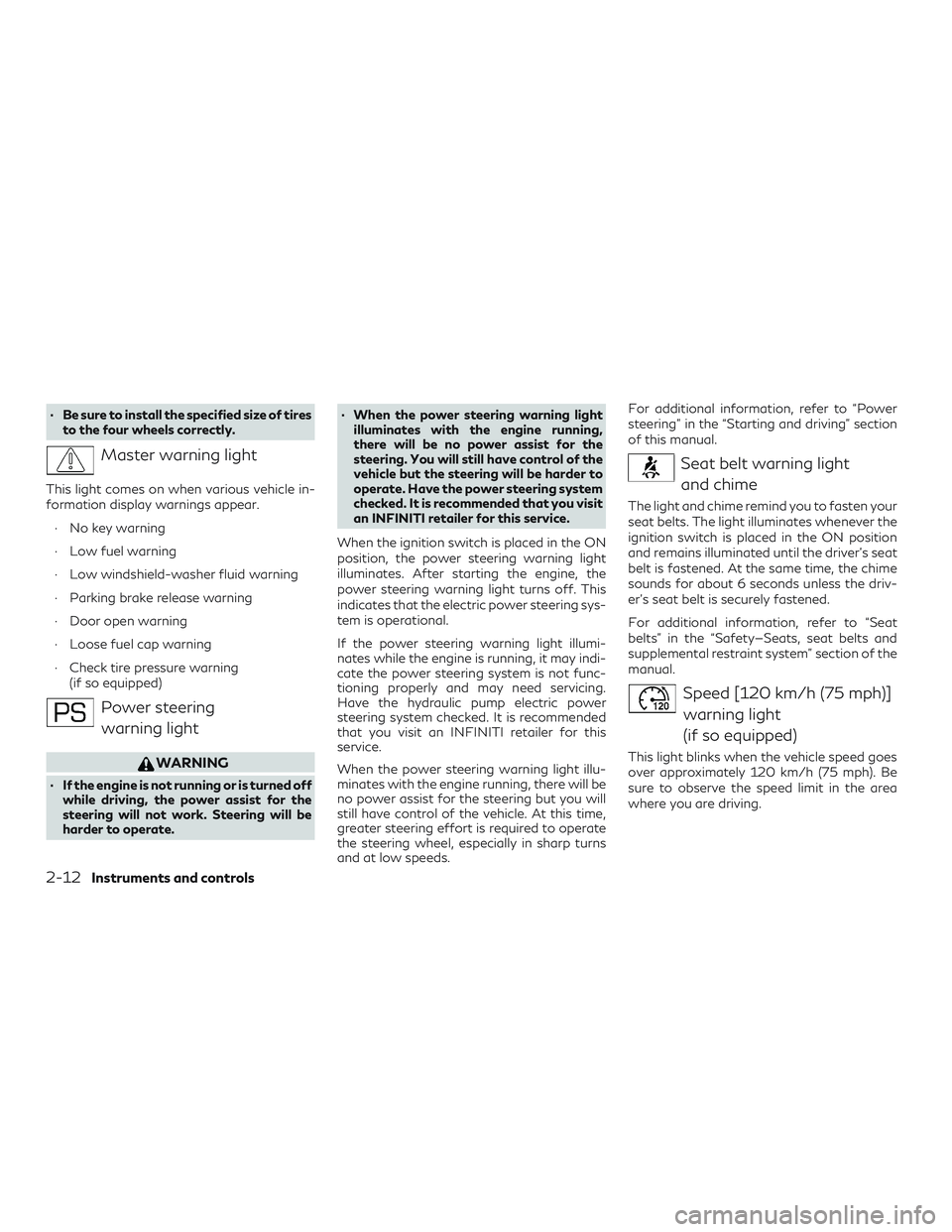
Master warning light
This light comes on when various vehicle in-
formation display warnings appear.
∙ No key warning
∙ Low fuel warning
∙ Low windshield-washer fluid warning
∙ Parking brake release warning
∙ Door open warning
∙ Loose fuel cap warning
∙ Check tire pressure warning (if so equipped)
Power steering
warning light
WARNING
∙ If the engine is not running or is turned off while driving, the power assist for the
steering will not work. Steering will be
harder to operate. ∙ When the power steering warning light
illuminates with the engine running,
there will be no power assist for the
steering. You will still have control of the
vehicle but the steering will be harder to
operate. Have the power steering system
checked. It is recommended that you visit
an INFINITI retailer for this service.
When the ignition switch is placed in the ON
position, the power steering warning light
illuminates. After starting the engine, the
power steering warning light turns off. This
indicates that the electric power steering sys-
tem is operational.
If the power steering warning light illumi-
nates while the engine is running, it may indi-
cate the power steering system is not func-
tioning properly and may need servicing.
Have the hydraulic pump electric power
steering system checked. It is recommended
that you visit an INFINITI retailer for this
service.
When the power steering warning light illu-
minates with the engine running, there will be
no power assist for the steering but you will
still have control of the vehicle. At this time,
greater steering effort is required to operate
the steering wheel, especially in sharp turns
and at low speeds. For additional information, refer to “Power
steering” in the “Starting and driving” section
of this manual.
Seat belt warning light
and chime
The light and chime remind you to fasten your
seat belts. The light illuminates whenever the
ignition switch is placed in the ON position
and remains illuminated until the driver’s seat
belt is fastened. At the same time, the chime
sounds for about 6 seconds unless the driv-
er’s seat belt is securely fastened.
For additional information, refer to “Seat
belts” in the “Safety—Seats, seat belts and
supplemental restraint system” section of the
manual.
Speed [120 km/h (75 mph)]warning light
(if so equipped)
This light blinks when the vehicle speed goes
over approximately 120 km/h (75 mph). Be
sure to observe the speed limit in the area
where you are driving.
2-12Instruments and controls
Page 98 of 490
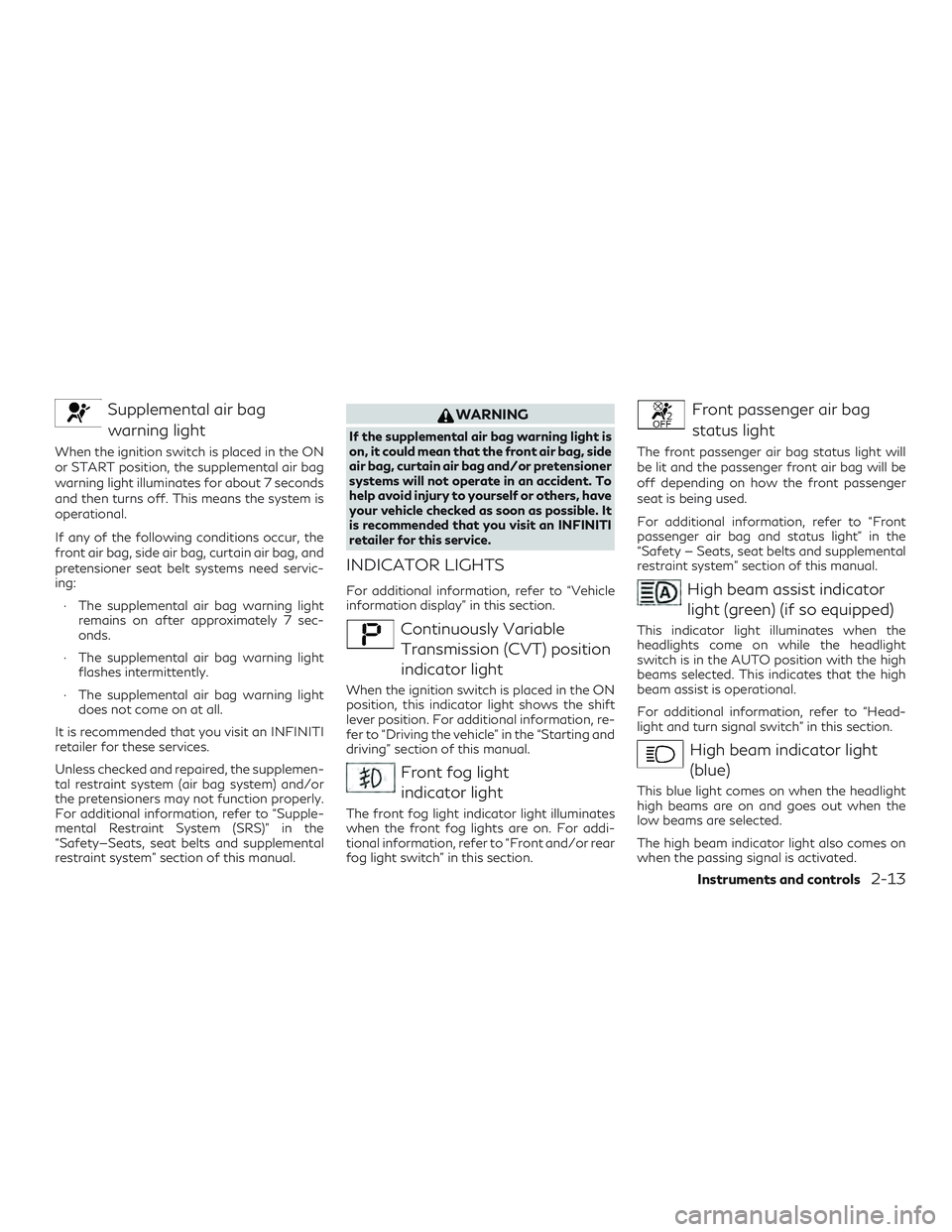
Supplemental air bagwarning light
When the ignition switch is placed in the ON
or START position, the supplemental air bag
warning light illuminates for about 7 seconds
and then turns off. This means the system is
operational.
If any of the following conditions occur, the
front air bag, side air bag, curtain air bag, and
pretensioner seat belt systems need servic-
ing:
∙ The supplemental air bag warning light remains on after approximately 7 sec-
onds.
∙ The supplemental air bag warning light flashes intermittently.
∙ The supplemental air bag warning light does not come on at all.
It is recommended that you visit an INFINITI
retailer for these services.
Unless checked and repaired, the supplemen-
tal restraint system (air bag system) and/or
the pretensioners may not function properly.
For additional information, refer to “Supple-
mental Restraint System (SRS)” in the
“Safety—Seats, seat belts and supplemental
restraint system” section of this manual.
WARNING
If the supplemental air bag warning light is
on, it could mean that the front air bag, side
air bag, curtain air bag and/or pretensioner
systems will not operate in an accident. To
help avoid injury to yourself or others, have
your vehicle checked as soon as possible. It
is recommended that you visit an INFINITI
retailer for this service.
INDICATOR LIGHTS
For additional information, refer to “Vehicle
information display” in this section.
Continuously Variable Transmission (CVT) position
indicator light
When the ignition switch is placed in the ON
position, this indicator light shows the shift
lever position. For additional information, re-
fer to “Driving the vehicle” in the “Starting and
driving” section of this manual.
Front fog lightindicator light
The front fog light indicator light illuminates
when the front fog lights are on. For addi-
tional information, refer to “Front and/or rear
fog light switch” in this section.
Front passenger air bag
status light
The front passenger air bag status light will
be lit and the passenger front air bag will be
off depending on how the front passenger
seat is being used.
For additional information, refer to “Front
passenger air bag and status light” in the
“Safety — Seats, seat belts and supplemental
restraint system” section of this manual.
High beam assist indicatorlight (green) (if so equipped)
This indicator light illuminates when the
headlights come on while the headlight
switch is in the AUTO position with the high
beams selected. This indicates that the high
beam assist is operational.
For additional information, refer to “Head-
light and turn signal switch” in this section.
High beam indicator light(blue)
This blue light comes on when the headlight
high beams are on and goes out when the
low beams are selected.
The high beam indicator light also comes on
when the passing signal is activated.
Instruments and controls2-13
Page 101 of 490
Turn the headlight control switch off before
leaving the vehicle.
Intelligent Key door buzzer
The Intelligent Key door buzzer sounds if any
one of the following improper operations is
found.∙ The ignition switch is not returned to the LOCK position when locking the doors.
∙ The Intelligent Key is left inside the ve- hicle when locking the doors.
∙ The Intelligent Key is taken outside the vehicle when operating the vehicle.
∙ Any doors are not closed securely when locking the doors.
When the buzzer sounds, be sure to check
both the vehicle and the Intelligent Key Sys-
tem. For additional information, refer to
“INFINITI Intelligent Key” in the “Pre-driving
checks and adjustments” section of this
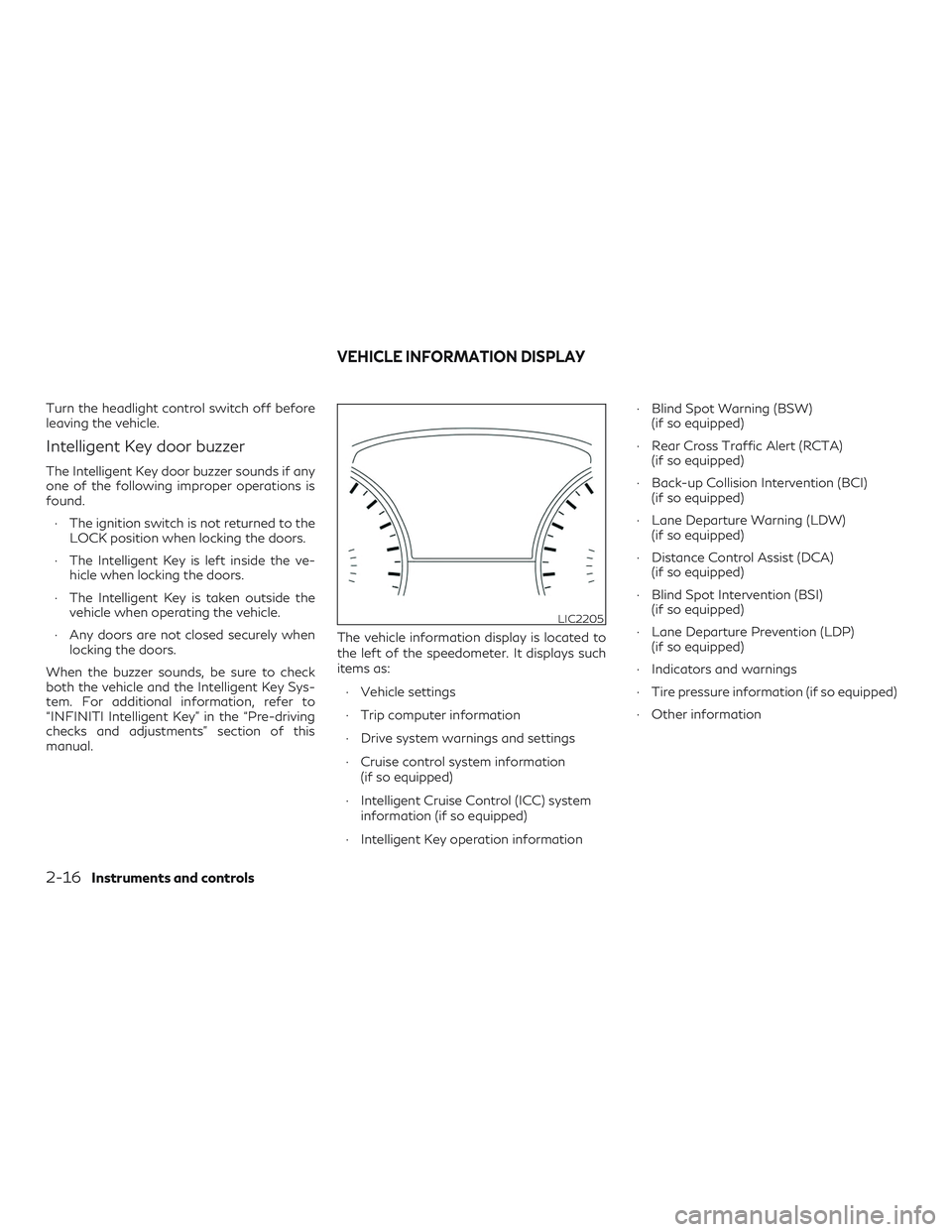
manual. The vehicle information display is located to
the left of the speedometer. It displays such
items as:
∙ Vehicle settings
∙ Trip computer information
∙ Drive system warnings and settings
∙ Cruise control system information (if so equipped)
∙ Intelligent Cruise Control (ICC) system information (if so equipped)
∙ Intelligent Key operation information ∙ Blind Spot Warning (BSW)
(if so equipped)
∙ Rear Cross Traffic Alert (RCTA) (if so equipped)
∙ Back-up Collision Intervention (BCI) (if so equipped)
∙ Lane Departure Warning (LDW) (if so equipped)
∙ Distance Control Assist (DCA) (if so equipped)
∙ Blind Spot Intervention (BSI) (if so equipped)
∙ Lane Departure Prevention (LDP) (if so equipped)
∙ Indicators and warnings
∙ Tire pressure information (if so equipped)
∙ Other information
LIC2205
VEHICLE INFORMATION DISPLAY
2-16Instruments and controls
Page 102 of 490

HOW TO USE THE VEHICLE
INFORMATION DISPLAY
The vehicle information display can be navi-
gated using the
,, ENTER ,
and
buttons located on the steering
wheel.
1.
— select/enter the vehicle infor-
mation display menu items or to change
from one display screen to the next (i.e.
trip, TPMS, fuel economy) 2.
— navigate through the items in
the vehicle information display
ENTER — change or select an item in the
vehicle information display
3.
— go back to the previous menu
The ENTER and
buttons also control
audio and control panel functions. For addi-
tional information, refer to “Steering wheel
switch for audio control” in the “Monitor, cli-
mate, audio, phone and voice recognition
systems” section of this manual.
STARTUP DISPLAY
When the vehicle in placed in the ON or ACC
position the screens that display in the vehicle
information include:
∙ Active system status (if so equipped)
∙ Trip computer
∙ Tire pressure information (if so equipped)
∙ Fuel economy
∙ Warnings
∙ Settings
Warnings will only display if there are any
present. For additional information on warn-
ings and indicators, refer to “Vehicle informa-
tion display warnings and indicators” in this
section. To control what items display in the vehicle
information display, refer to “Main menu se-
lection” in this section.
RESETTING THE TRIP
COMPUTER
1. Press thebutton until you reach
the trip computer mode.
2. Press the
button again for more
than 1.5 seconds to reset average fuel
consumption, average speed, distance
to empty, and journey time.
SETTINGS
The setting mode allows you to change the
information displayed in the vehicle informa-
tion display:
∙ Driver Assistance (if so equipped)
∙ Vehicle Settings
∙ Main Menu Selection
∙ Body Color
∙ Maintenance
∙ Alarms
∙ Language
∙ Unit
∙ Welcome EffectsLIC2245
Instruments and controls2-17
Page 103 of 490
Driver Assistance (if so equipped)
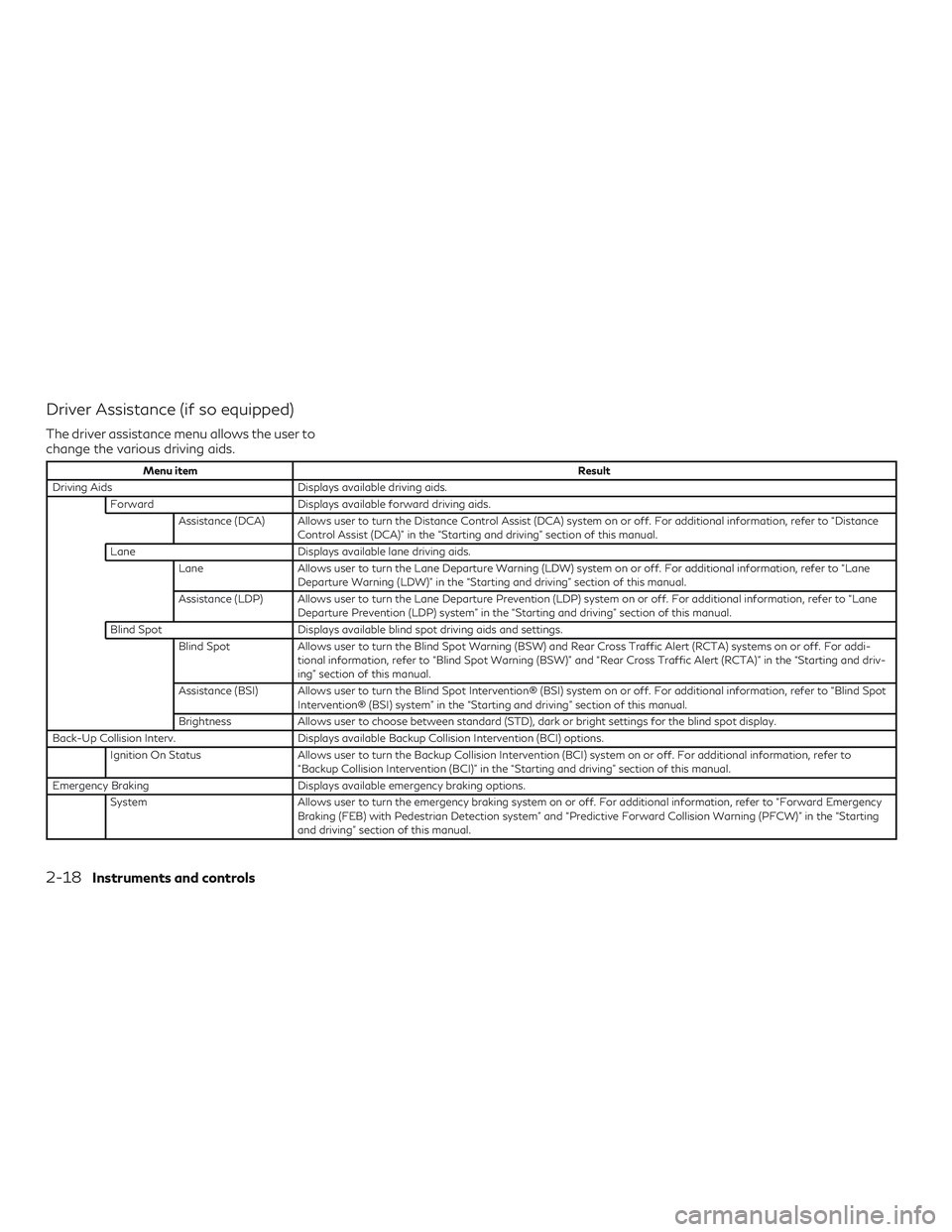
The driver assistance menu allows the user to
change the various driving aids.
Menu itemResult
Driving Aids Displays available driving aids.
Forward Displays available forward driving aids.
Assistance (DCA) Allows user to turn the Distance Control Assist (DCA) system on or off. For additional information, refer to “Distance Control Assist (DCA)” in the “Starting and driving” section of this manual.
Lane Displays available lane driving aids.
Lane Allows user to turn the Lane Departure Warning (LDW) system on or off. For additional information, refer to “Lane
Departure Warning (LDW)” in the “Starting and driving” section of this manual.
Assistance (LDP) Allows user to turn the Lane Departure Prevention (LDP) system on or off. For additional information, refer to “Lane Departure Prevention (LDP) system” in the “Starting and driving” section of this manual.
Blind Spot Displays available blind spot driving aids and settings.
Blind Spot Allows user to turn the Blind Spot Warning (BSW) and Rear Cross Traffic Alert (RCTA) systems on or off. For addi-
tional information, refer to “Blind Spot Warning (BSW)” and “Rear Cross Traffic Alert (RCTA)” in the “Starting and driv-
ing” section of this manual.
Assistance (BSI) Allows user to turn the Blind Spot Intervention® (BSI) system on or off. For additional information, refer to “Blind Spot Intervention® (BSI) system” in the “Starting and driving” section of this manual.
Brightness Allows user to choose between standard (STD), dark or bright settings for the blind spot display.
Back-Up Collision Interv. Displays available Backup Collision Intervention (BCI) options.
Ignition On Status Allows user to turn the Backup Collision Intervention (BCI) system on or off. For additional information, refer to
“Backup Collision Intervention (BCI)” in the “Starting and driving” section of this manual.
Emergency Braking Displays available emergency braking options.
System Allows user to turn the emergency braking system on or off. For additional information, refer to “Forward Emergency
Braking (FEB) with Pedestrian Detection system” and “Predictive Forward Collision Warning (PFCW)” in the “Starting
and driving” section of this manual.
2-18Instruments and controls
Page 106 of 490
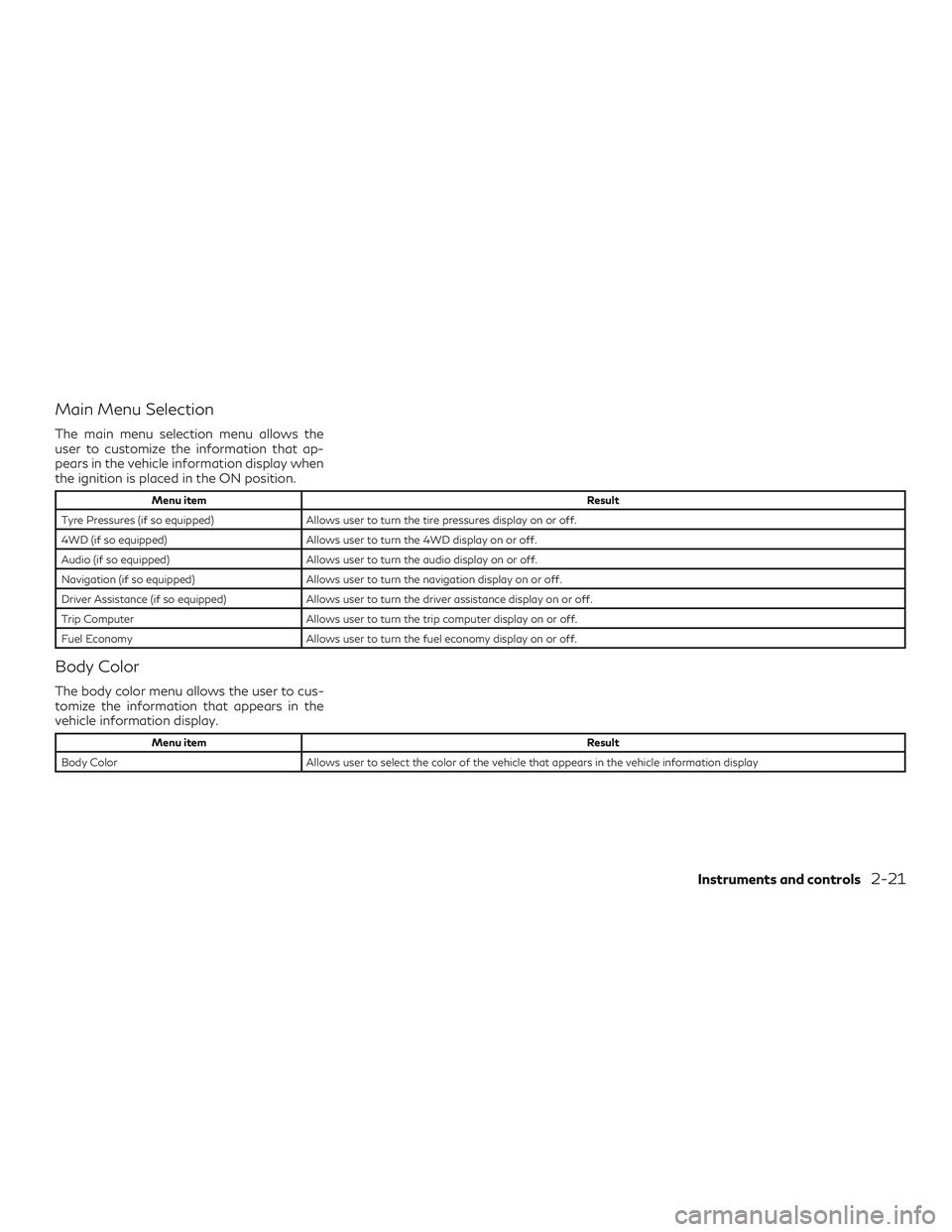
Main Menu Selection
The main menu selection menu allows the
user to customize the information that ap-
pears in the vehicle information display when
the ignition is placed in the ON position.
Menu itemResult
Tyre Pressures (if so equipped) Allows user to turn the tire pressures display on or off.
4WD (if so equipped) Allows user to turn the 4WD display on or off.
Audio (if so equipped) Allows user to turn the audio display on or off.
Navigation (if so equipped) Allows user to turn the navigation display on or off.
Driver Assistance (if so equipped) Allows user to turn the driver assistance display on or off.
Trip Computer Allows user to turn the trip computer display on or off.
Fuel Economy Allows user to turn the fuel economy display on or off.
Body Color
The body color menu allows the user to cus-
tomize the information that appears in the
vehicle information display.
Menu item Result
Body Color Allows user to select the color of the vehicle that appears in the vehicle information display
Instruments and controls2-21
Page 107 of 490

Maintenance
The maintenance menu allows the user to set
reminders for various vehicle maintenance
intervals.
WARNING
The tire replacement indicator is not a sub-
stitute for regular tire checks, including tire
pressure checks. For additional informa-
tion, refer to “Changing wheels and tires” in
the “Maintenance and do-it-yourself” sec-
tion of this manual. Many factors including
tire inflation, alignment, driving habits and
road conditions affect tire wear and when
tires should be replaced. Setting the tirereplacement indicator for a certain driving
distance does not mean your tires will last
that long. Use the tire replacement indica-
tor as a guide only and always perform
regular tire checks. Failure to perform
regular tire checks, including tire pressure
checks could result in tire failure. Serious
vehicle damage could occur and may lead to
a collision, which could result in serious per-
sonal injury or death.
Menu item
Result
Maintenance Displays various Maintenance settings Service This indicator appears when the customer set distance is reached for checking or replacing maintenance items like the engine oil, oil filter and tires. You can set or reset the distance for checking or replacing the items. You can set
or reset the distance for service type items. For scheduled maintenance items and intervals, refer to your
“INFINITI Service and Maintenance Guide.”
Tyre This indicator appears when the customer set distance is reached for replacing tires. You can set or reset the dis- tance for replacing tires.
Other This indicator appears when the customer set distance is reached for checking or replacing maintenance items other than the engine oil, oil filter and tires. Other maintenance items can include such things as air filter or tire
rotation. The distance for checking or replacing the items can be set or reset.
2-22Instruments and controls
Page 108 of 490

Alarms
The alarms menu allows the user to set
various alerts.
Menu itemResult
Outside Temp. Allows user to turn the outside temp. alarm on or off.
Timer Alert Allows user to set the timer alert for a specific interval.
Language
The language menu allows the user to
change the languages displayed in the vehicle
information display.
Menu item Result
Language The language of the vehicle information display is displayed in UK English only. The language of the center display/navigation can be changed independently of the vehicle information display. For additional information
refer to “How to use the Setting Button” in the “Monitor, climate, audio, phone and voice recognition systems”
section of this manual.
Units
The units menu allows the user to change the
units shown in the vehicle information dis-
play. The units of the center display/
navigation can be changed independently of
the vehicle information display.For additional information, refer to “How to
use the SETTING button” in the “Monitor,
climate, audio, phone and voice recognition
systems” section of this manual.
Menu item
Result
Mileage Allows user to select different mileage display units
Tyre Pressures Allows user to select different pressure display units
Temperature Allows user to select different temperature display units
Instruments and controls2-23
Page 109 of 490

Welcome Effect
The welcome effect menu allows the user to
control the welcome effect feature.
Menu itemResult
Welcome Effect Allows user to turn the welcome effect feature on or off.
Factory Reset
The factory reset menu allows the user to
restore the vehicle information display set-
tings to factory status.
Menu item Result
Factory Reset Allows user to reset the vehicle information display settings to the original factory settings. Once selected, the user can confirm or deny the reset.
2-24Instruments and controls