warning light INFINITI QX60 2023 Service Manual
[x] Cancel search | Manufacturer: INFINITI, Model Year: 2023, Model line: QX60, Model: INFINITI QX60 2023Pages: 636, PDF Size: 7.28 MB
Page 140 of 636

retailer for this service. For additional infor-
mation, see “Chassis Control” (P. 5-170).
Check Back Seat For All Articles
When the system is enabled, this message
appears when the vehicle comes to a com-
plete stop, the vehicle is transitioned from the
D (Drive) position to P (Park) position, and the
driver exits the vehicle. This message alerts
the driver, after a period of time, to check for
items in the rear seat after the audible alert
has been provided.
NOTE:
This system is disabled until a driver enables
it using the vehicle information display. For
additional information, see “How to use the
vehicle information display” (P. 2-44).
For additional information, see “Rear Door
Alert” (P. 2-92).
Rear Door Alert is activated
When the system is enabled, this message
appears when the Rear Door Alert system is
active and can remind the driver to check the
back seat.
• Using the steering wheel switch, a drivercan select “Dismiss Message” to clear the
display for a period of time. If no selection is
made, this message automatically turns off
after a period of time. • Using the steering wheel switch, a driver
can select “Disable Alert” to disable the
horn alert for the remainder of the current
trip.
WARNING
Selecting “Dismiss Message” during a stop
within a trip temporarily dismisses the
message for that stop without turning the
system off. Alerts can be provided for
other stops during the trip. Selecting “Dis-
able Alert” turns off the Rear Door Alert
system for the remainder of a trip and no
audible alert will be provided.
NOTE:
This system is disabled until a driver enables
it using the vehicle information display. For
additional information, see “How to use the
vehicle information display” (P. 2-44).
For additional information, see “Rear Door
Alert” (P. 2-92).
Door/Liftgate Open
This warning appears when a door or the
liftgate has been opened.
Headlight System Error: See Owner’s
Manual
This warning appears when there is an error
with the system. For additional information,
see “Headlight and turn signal switch”
(P. 2-77).
INFINITI Drive Mode Selector indicator
When a driving mode is selected using the
INFINITI Drive Mode Selector, the selected
mode indicator is displayed.
• PERSONAL
• SPORT
• STANDARD (2WD models)
• AUTO (AWD models)
• ECO
• SNOW
For additional information, see “INFINITI
Drive Mode Selector” (P. 5-29).
Low Fuel
This warning appears when the fuel level in
the fuel tank is getting low. Refuel as soon as
it is convenient, preferably before the fuel
gauge reaches 0 (Empty). There will be a
small reserve of fuel in the tank when the fuel
gauge needle reaches 0 (Empty).
2-38Instruments and controls
Page 142 of 636

Press brake to operate switch
This indicator appears if the automatic brake
hold switch is pushed without depressing the
brake pedal while the automatic brake hold
function is activated. Depress the brake pedal
and push the switch to deactivate the auto-
matic brake hold function.
For additional information, see “Automatic
brake hold” (P. 5-27).
Push brake and start switch
to drive
This indicator appears when the shift position
is in the P (Park) position.
This indicator also appears when the vehicle
has been started using the Remote Engine
Start (if so equipped) function.
This indicator means that the engine will start
by pushing the ignition switch with the brake
pedal depressed. You can start the engine
from any position of the ignition switch.
Rear seat belt reminder
This rear seat belt reminder appears after
placing the ignition switch in the ON position.If any of the rear passenger seat belts are not
fastened, the seat belt icon illuminates in red
to show which seat belt is not fastened.
When a rear passenger’s seat belt has been
securely fastened, the color of the corre-
sponding seat belt icon will change. The
warning will automatically turn off after ap-
proximately 65 seconds.
After the initial reminder is turned off (by 65
second timer or dismissing the warning in
vehicle information display) and the vehicle
speed is less than 10 mph (15 km/h), if any
rear seat belt is unfastened, the rear seat belt
reminder will display. The warning will auto-
matically turn off after approximately 95
seconds.
After the initial reminder is turned off (by 65
second timer or dismissing the warning in
vehicle information display) and the vehicle
speed is greater than 10 mph (15 km/h), if
any rear seat belt is unfastened, the rear seat
belt reminder will display and a warning
chime will sound every two seconds until the
corresponding seat belt is fastened. The
chime will automatically turn off after ap-
proximately 95 seconds. The rear seat belt
reminder will be displayed until it is dismissed
in the vehicle information display.
Reminder: Turn OFF
headlights
This warning appears when the headlights
are left in the ON position when exiting the
vehicle. Place the headlight switch in the OFF
or AUTO position. For additional informa-
tion, see “Headlight and turn signal switch”
(P. 2-77).
Shipping Mode On Push Storage Fuse
This warning may appear if the extended
storage switch is not pushed in. When this
warning appears, push in the extended stor-
age switch to turn off the warning. For addi-
tional information, see “Extended storage
switch” (P. 2-99).
Steep Slope Apply foot brake
This indicator appears, and chime sounds if
the “Caution Steep slope” has appeared over
about 3 minutes. Then the parking brake will
automatically be applied and the brake force
of the automatic brake hold will be released,
and the vehicle may move or roll away unex-
pectedly. Apply the foot brake to stop the
vehicle moving.
For additional information, see “Automatic
brake hold” (P. 5-27).
2-40Instruments and controls
Page 143 of 636
Timer Alert — Have a break?
This indicator appears when the set time is
reached. The time can be set up to six hours.
For additional information, see “Driver Assis-
tance” (P. 2-28).
Tire Pressure Low - Add Air
This warning appears when the low tire pres-
sure warning light in the meter illuminates
and low tire pressure is detected. The
warning appears each time the ignition
switch is placed in the ON position as long as
the low tire pressure warning light remains
illuminated. If this warning appears, stop the
vehicle and adjust the tire pressures of all four
tires to the recommended COLD tire pres-
sure shown on the Tire and Loading Informa-
tion label. For additional information, see
“Low tire pressure warning light” (P. 2-18)
and “Tire Pressure Monitoring System
(TPMS)” (P. 5-5).
TPMS Error: See Owner’s Manual
This warning appears when there is an error
with your TPMS. If this warning appears,
have the system checked. It is recommended
that you visit an INFINITI retailer for this
service.
Transmission Shift Position
indicator
This indicator shows the transmission shift
position.
When parked apply parking
brake
This message appears when a malfunction
occurs in the electric shift control system be-
low 6 mph (10 km/h).
Have the system checked. It is recommended
that you visit an INFINITI retailer for this
service.
AWD Error: See Owner’s Manual
This warning appears when the Intelligent
All-Wheel Drive (AWD) system is not func-
tioning properly while the engine is running.
Reduce vehicle speed and have your vehicle
checked by an INFINITI retailer as soon as
possible. For additional information, see “In-
telligent All-Wheel Drive (AWD)” (P. 5-161).
AWD High Temp. Stop Vehicle
This warning appears when the oil tempera-
ture of the powertrain parts will increase due
to the difference in rotation between the
front and rear wheels is large (wheel slip),
such as when driving the vehicle on rough
roads, through sand or mud, or freeing a
stuck vehicle. If this warning is displayed, stopthe vehicle with the engine idling, as soon as it
is safe to do so. In these cases, the AWD
changes to 2WD to protect the powertrain
parts. Then if the warning turns off, you can
continue AWD driving.
Tire Size Incorrect: See Owner’s Manual
This warning may appear if there is a large
difference between the diameters of the
front and rear wheels. Pull off the road in a
safe area, with the engine idling. Check that
all the tire sizes, brand, construction and
tread patterns are the same, that the tire
pressure is correct and that the tires are not
excessively worn. If you have any problems,
please change tires or adjust to the correct
tire pressure. Do not select the SNOW mode
with the INFINITI Drive Mode Selector and
do not drive fast. For additional information,
see “Intelligent All-Wheel Drive (AWD)”
(P. 5-161).
Forward Emergency Braking
(FEB) with Pedestrian
Detection emergency warning
indicator
This indicator appears along, with an audible
warning, when the system detects the possi-
bility of a forward collision.
Instruments and controls2-41
Page 162 of 636

VEHICLE INFORMATION
DISPLAY WARNINGS AND
INDICATORS
The following messages may appear in your
vehicle information display.
Engine start operation for
Intelligent Key system (if
I-Key battery level is low)
This indicator appears when the battery of
the Intelligent Key is low and when the Intel-
ligent Key system and the vehicle are not
communicating normally.
If this appears, touch the ignition switch with
the Intelligent Key while depressing the brake
pedal. For additional information, see “Bat-
tery replacement” (P. 8-24).
Key ID Incorrect
This warning appears when the ignition
switch is placed from the OFF position and
the Intelligent Key is not recognized by the
system. You cannot start the engine with an
unregistered key.
For additional information, see “INFINITI In-
telligent Key system” (P. 3-6).
I-Key System Error: See
Owner’s Manual
After the ignition switch is placed in the ON
position, this warning appears for a period of
time and then turns off.
The Key System Error message warns of a
malfunction with the Intelligent Key system.
If the warning appears while the engine is
stopped, it may be impossible to start the
engine.
If the warning appears while the engine is
running, you can drive the vehicle. However,
in these cases, have the system checked. It is
recommended that you visit an INFINITI re-
tailer for this service.
Key low battery
This indicator appears when the Intelligent
Key battery is running out of power.
If this indicator appears, replace the battery
with a new one. For additional information,
see “Battery replacement” (P. 8-24).
No Key Detected
This warning appears when the Intelligent
Key is left outside the vehicle with the ignition
switch in the ON position. Make sure the
Intelligent Key is inside the vehicle.For additional information, see “INFINITI In-
telligent Key system” (P. 3-6).
AFS System Error: See Owner’s Manual
This message may appear when the Adaptive
Front Lighting System (AFS) encounters an
error. For additional information, see “Adap-
tive Front Lighting System (AFS)” (P. 2-82).
Automatic brake hold
indicator (white/green)
The automatic brake hold indicator (white)
appears when the automatic brake hold sys-
tem is on standby.
The automatic brake hold indicator (green)
appears when the automatic brake hold sys-
tem is operating.
For additional information, see “Automatic
brake hold” (P. 5-27).
Brightness indicator
This indicator shows the brightness adjust-
ment of the instrument panel. For additional
information, see “Instrument brightness con-
trol” (P. 2-83).
2-60Instruments and controls
Page 164 of 636

Headlight System Error: See Owner’s
Manual
This warning appears when there is an error
with the system. For additional information,
see “Headlight and turn signal switch” (P. 2-77).
High Beam Assist indicator
(green)
This indicator appears when the headlights
come on while the headlight switch is in the
AUTO position with the high beams selected
and the engine running. This indicates that
the high beam assist is operational.
For additional information, see “Headlight
and turn signal switch” (P. 2-77).
High beam indicator (blue)
This blue indicator appears when the head-
light high beams are on and goes out when
the low beams are selected.
The high beam indicator also appears when
the passing signal is activated.
INFINITI Drive Mode Selector indicator
When a driving mode is selected using the
INFINITI Drive Mode Selector, the selected
mode indicator is displayed.
• PERSONAL
• SPORT• STANDARD (2WD models)
• AUTO (AWD models)
• ECO
• SNOW
For additional information, see “INFINITI
Drive Mode Selector” (P. 5-29).
Low beam indicator
This indicator appears when the switch is
turned to theposition. The headlights
will come on; and the front side, tail, number
plate, and instrument lights remain on.
Low Fuel
This warning appears when the fuel level in
the fuel tank is getting low. Refuel as soon as
it is convenient, preferably before the fuel
gauge reaches 0 (Empty). There will be a
small reserve of fuel in the tank when the fuel
gauge needle reaches 0 (Empty).
Low Oil Pressure: See
Owner’s Manual
This warning appears in the message area of
the vehicle information display if low oil pres-
sure is detected. This gauge is not designed
to indicate low oil level. The low oil pressure
warning is not designed to indicate a low oil level.
Use the dipstick to check the oil level.
For additional information, see “Engine oil”
(P. 8-6).
Low Outside Temperature
This warning appears if the outside tempera-
ture is below 37°F (3°C). The temperature
can be changed to display in Celsius or Fahr-
enheit. For additional information, see “Driver
Assistance” (P. 2-51).
Low Washer Fluid
This warning appears when the windshield-
washer fluid is at a low level. Add windshield-
washer fluid as necessary. For additional infor-
mation, see “Windshield-washer fluid” (P. 8-11).
Low tire pressure indicator
Your vehicle is equipped with a Tire Pressure
Monitoring System (TPMS) that monitors the
tire pressure of all tires except the spare.
The low tire pressure indicator warns of low
tire pressure or indicates that the TPMS is
not functioning properly.
After the ignition switch is placed in the ON
position, this indicator appears for about 1
second and turns off.
2-62Instruments and controls
Page 168 of 636

When a rear passenger’s seat belt has been
securely fastened, the color of the corre-
sponding seat belt icon will change. The
warning will automatically turn off after ap-
proximately 65 seconds.
After the initial reminder is turned off (by 65
second timer or dismissing the warning in
vehicle information display) and the vehicle
speed is less than 10 mph (15 km/h), if any
rear seat belt is unfastened, the rear seat belt
reminder will display. The warning will auto-
matically turn off after approximately 95
seconds.
After the initial reminder is turned off (by 65
second timer or dismissing the warning in
vehicle information display) and the vehicle
speed is greater than 10 mph (15 km/h), if
any rear seat belt is unfastened, the rear seat
belt reminder will display and a warning
chime will sound every two seconds until the
corresponding seat belt is fastened. The
chime will automatically turn off after ap-
proximately 95 seconds. The rear seat belt
reminder will be displayed until it is dismissed
in the vehicle information display.Reminder: Turn OFF
headlights
This warning appears when the headlights
are left in the ON position when exiting the
vehicle. Place the headlight switch in the OFF
or AUTO position. For additional informa-
tion, see “Headlight and turn signal switch”
(P. 2-77).
Seat belt indicator and chime
The light and chime remind you to fasten the
driver and front passenger seat belts.
The 2nd and 3rd row seats may also be
equipped with a seat belt indicator.
For additional information, see “Seat belts”
(P. 1-17).
Shipping Mode On Push Storage Fuse
This warning may appear if the extended
storage switch is not pushed in. When this
warning appears, push in the extended stor-
age switch to turn off the warning. For addi-
tional information, see “Extended storage
switch” (P. 2-99).
Side light and headlight
indicator (green)
The side indicator and headlight indicator ap-
pears when the side light or headlights are on
(not including the Daytime Running Lights
(DRL) system or signature lights). If the head-
light switch is in the AUTO position, the side
indicator and headlight indicator will appear
when the headlights turn on. For additional
information, see “Headlight and turn signal
switch” (P. 2-77).
Steep Slope Apply foot brake
This indicator appears, and chime sounds if
the “Caution Steep slope” has appeared over
about 3 minutes. Then the parking brake will
automatically be applied and the brake force
of the automatic brake hold will be released,
and the vehicle may move or roll away unex-
pectedly. Apply the foot brake to stop the
vehicle moving.
For additional information, see “Automatic
brake hold” (P. 5-27).
Timer Alert — Have a break?
This indicator appears when the set time is
reached. The time can be set up to six hours.
For additional information, see “Driver Assis-
tance” (P. 2-51).
2-66Instruments and controls
Page 169 of 636
Tire Pressure Low - Add Air
This warning appears when the low tire pres-
sure warning light in the meter illuminates
and low tire pressure is detected. The
warning appears each time the ignition
switch is placed in the ON position as long as
the low tire pressure warning light remains
illuminated. If this warning appears, stop the
vehicle and adjust the tire pressures of all four
tires to the recommended COLD tire pres-
sure shown on the Tire and Loading Informa-
tion label. For additional information, see
“Low tire pressure warning light” (P. 2-18)
and “Tire Pressure Monitoring System
(TPMS)” (P. 5-5).
TPMS Error: See Owner’s Manual
This warning appears when there is an error
with your TPMS. If this warning appears,
have the system checked. It is recommended
that you visit an INFINITI retailer for this
service.
Transmission Shift Position
indicator
This indicator shows the transmission shift
position.
Turn signal/hazard indicators
(green)
The appropriate indicator flashes when the
turn signal switch is activated.
Both indicators flash when the hazard switch
is turned on.
When parked apply parking
brake
This message appears when a malfunction
occurs in the electric shift control system be-
low 6 mph (10 km/h).
Have the system checked. It is recommended
that you visit an INFINITI retailer for this
service.
AWD Error: See Owner’s Manual
This warning appears when the Intelligent
All-Wheel Drive (AWD) system is not func-
tioning properly while the engine is running.
Reduce vehicle speed and have your vehicle
checked by an INFINITI retailer as soon as
possible. For additional information, see “In-
telligent All-Wheel Drive (AWD)” (P. 5-161).
AWD High Temp. Stop Vehicle
This warning appears when the oil tempera-
ture of the powertrain parts will increase due
to the difference in rotation between the
front and rear wheels is large (wheel slip),such as when driving the vehicle on rough
roads, through sand or mud, or freeing a
stuck vehicle. If this warning is displayed, stop
the vehicle with the engine idling, as soon as it
is safe to do so. In these cases, the AWD
changes to 2WD to protect the powertrain
parts. Then if the warning turns off, you can
continue AWD driving.
Tire Size Incorrect: See Owner’s Manual
This warning may appear if there is a large
difference between the diameters of the
front and rear wheels. Pull off the road in a
safe area, with the engine idling. Check that
all the tire sizes, brand, construction and
tread patterns are the same, that the tire
pressure is correct and that the tires are not
excessively worn. If you have any problems,
please change tires or adjust to the correct
tire pressure. Do not select the SNOW mode
with the INFINITI Drive Mode Selector and
do not drive fast. For additional information,
see “Intelligent All-Wheel Drive (AWD)”
(P. 5-161).
Forward Emergency Braking
(FEB) with Pedestrian
Detection system indicator
This warning appears when the ignition
switch is placed in the ON position.
Instruments and controls2-67
Page 171 of 636
Hands on detection warning
This warning appears when the Steering As-
sist system is engaged and the following con-
dition(s) occur:
• When not holding the steering wheel
• When there is no steering wheel operation
Hold onto the steering wheel immediately.
When the steering operation is detected, the
warning turns off and the Steering Assist
function is automatically restored.
For additional information, see “ProPILOT
Assist” (P. 5-84).
Idling Stop System
This indicator shows the Idling Stop System
status.
For addition information, see “Idling Stop
System” (P. 5-178).
Lane Departure Prevention
(LDP)/Blind Spot
Intervention® (BSI)/
ProPILOT Assist indicator
This indicator shows when the LDP, BSI or
ProPILOT Assist system is engaged.
For additional information, see “Lane Depar-
ture Prevention (LDP)” (P. 5-43), “Blind SpotIntervention® (BSI)” (P. 5-61) or “ProPILOT
Assist” (P. 5-84).
Lane Departure Warning
(LDW) indicator
This indicator appears when the LDW system
is unavailable.
For additional information, see “Lane Depar-
ture Warning (LDW)” (P. 5-36).
Malfunction: See Owner’s Manual
This warning appears when one or more of
the following systems (if so equipped) is not
functioning properly:
• Rear Automatic Braking (RAB)
• Traffic Sign Recognition (TSR)
If one or more of these warning appears,
have the system checked. It is recommended
that you visit an INFINITI retailer for this
service.
Malfunction warning
This warning appears when one or more of
the following systems (if so equipped) mal-
function:
• Rear Cross Traffic Alert (RCTA)
• Forward Emergency Braking with Pedes-
trian Detection
• Predictive Forward Collision Warning (PFCW) If one or more of these warning appears,
have the system checked. It is recommended
that you visit an INFINITI retailer for this
service.
Not Available Bad Weather indicator
This message may appear when the Steering
Assist system is engaged.
Under the following conditions, the Steering
Assist system is automatically canceled:
• When the wiper (HI) operates.
• When lane markers in the traveling lane
cannot be correctly detected for a period of
time due to such items as a snow rut, re-
flection of light on a rainy day or several
unclear lane markers are present.
If you want to use the Steering Assist system
again, cancel the ProPILOT Assist system
and set it again when lane markers are clearly
visible.
Not Available Front Camera Obstructed
indicator
This message may appear when the Steering
Assist system is engaged.
Instruments and controls2-69
Page 172 of 636
Under the following conditions, the Steering
Assist system is automatically canceled:
• The camera area of the windshield isfogged up or covered with dirt, water
drops, ice, snow, etc.
• Strong light, such as sunlight or high beams from oncoming vehicles, enter the front
camera.
Not Available Parking Brake On
This message may appear when the ProPI-
LOT Assist system is engaged.
Under the following condition, the ProPILOT
Assist system is automatically canceled:
• The electronic parking brake is applied.
The above system cannot be used when the
electronic parking is activated.
For additional information, see "ProPILOT
Assist (P. 5-84) and “Parking brake” (P. 5-25).
Not Available Poor Road Conditions
This message may appear when the ProPI-
LOT Assist system, Blind Spot Intervention®
(BSI) or the Lane Departure Prevention (LDP)
system is engaged.
Under the following conditions, the ProPI-
LOT Assist system, Blind Spot Intervention®
(BSI) or the Lane Departure Prevention (LDP)
system is automatically canceled: • When the VDC system operates
• When a wheel slips
The above system cannot be used in some
situations (VDC operates, wheel slip and
VDC system is off.)
Not Available Seat Belt Not Fastened
This message may appear when the ProPI-
LOT Assist system is engaged.
Under the following condition, the ProPILOT
Assist system is automatically canceled:
• When the driver’s seat belt is not fastened
The above system cannot be used when the
driver’s seat belt is not fastened.
Not Available System Malfunction
This warning appears when one or more of
the following systems (if so equipped) is not
functioning properly.
• ProPILOT
• Blind Spot Warning (BSW)
• Blind Spot Intervention® (BSI)
• Lane Departure Warning (LDW)
• Lane Departure Prevention (LDP)
If one or more of these warnings appear,
have the system checked. It is recommended
that you visit an INFINITI retailer for this
service.
For additional information, see “ProPILOT
Assist” (P. 5-84), “Blind Spot Intervention®
(BSI)” (P. 5-61), “Blind Spot Warning (BSW)”
(P. 5-49), “Lane Departure Warning (LDW)”
(P. 5-36) or “Lane Departure Prevention
(LDP)” (P. 5-43).
ProPILOT Assist indicators
These indicators show the ProPILOT Assist
system status. The status is shown by color.
For additional information, see “ProPILOT
Assist” (P. 5-84).
Rear Automatic Braking
(RAB) system warning
indicator
This indicator appears to indicate the status
of the Rear Automatic Braking (RAB) system.
For additional information, see “Rear Auto-
matic Braking (RAB)” (P. 5-121).
Speed Limit Sign indicator
This message may appear when the Traffic
Sign Recognition system is engaged.
For additional information, see “Traffic Sign
Recognition (TSR)” (P. 5-34).
2-70Instruments and controls
Page 173 of 636
Steering Assist Not Available Cannot
Detect Lane indicator
This indicator may appear when the Steering
Assist system is engaged. The Steering Assist
system is automatically canceled when the
lane markers in the traveling lane cannot be
correctly detected for a period of time due to
such items as a snow rut, reflection of light on
a rainy day or several unclear lane markers
are present.
If you want to use the Steering Assist system
again, cancel the ProPILOT Assist system
and set it again when lane markers are clearly
visible.
Steering Assist status
This indicator appears when the Steering As-
sist system is engaged.
For additional information, see “ProPILOT
Assist” (P. 5-84).
Unavailable: High Cabin Temperature
This message appears when the camera de-
tects an interior temperature of more than
104°F (40°C). For additional information,
see (if so equipped) “ProPILOT Assist”
(P. 5-84), “Lane Departure Prevention (LDP)”(P. 5-43), “Lane Departure Warning (LDW)”
(P. 5-36) or “Blind Spot Intervention® (BSI)”
(P. 5-61).
Unavailable Side Radar Obstruction
This message appears when the Blind Spot
Warning (BSW) or Rear Cross Traffic Alert
(RCTA) systems become unavailable because
a radar blockage is detected. For additional
information, see (if so equipped) “Blind Spot
Warning (BSW)” (P. 5-49), “Blind Spot Inter-
vention (BSI)” (P. 5-61) or “Rear Cross Traffic
Alert (RCTA)” (P. 5-72).
Vehicle ahead detection
indicator
This indicator shows when the following sys-
tems are engaged and have detected a ve-
hicle:
• Forward Emergency Braking (FEB) with
Pedestrian Detection
• Predictive Forward Collision Warning (PFCW)
For additional information, see “Forward
Emergency Braking (FEB) with Pedestrian
Detection” (P. 5-128) or “Predictive Forward
Collision Warning (PFCW)” (P. 5-140). Your vehicle has two types of security
systems:
• Vehicle security system
• INFINITI Vehicle Immobilizer System
VEHICLE SECURITY SYSTEM
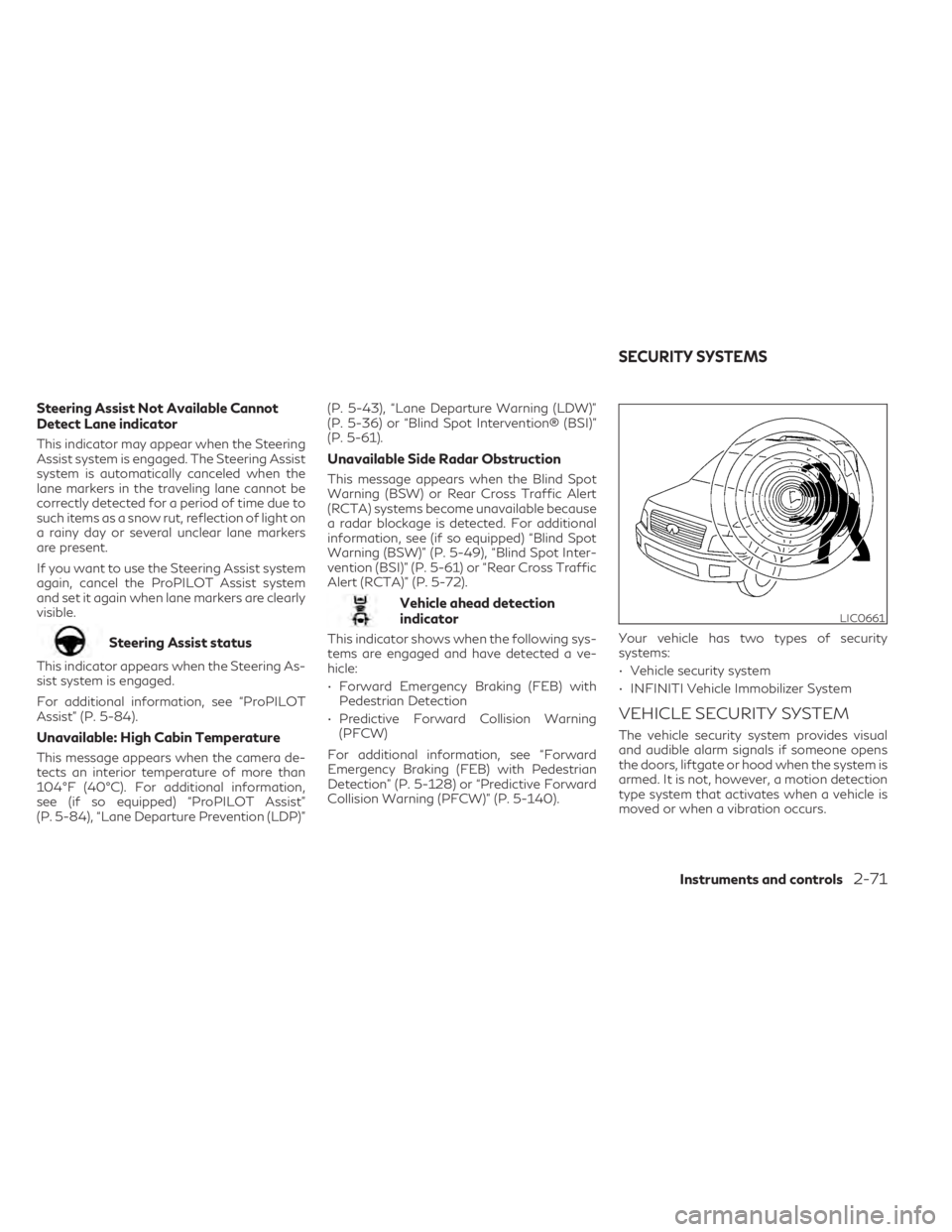
The vehicle security system provides visual
and audible alarm signals if someone opens
the doors, liftgate or hood when the system is
armed. It is not, however, a motion detection
type system that activates when a vehicle is
moved or when a vibration occurs.
LIC0661
SECURITY SYSTEMS
Instruments and controls2-71