checking INFINITI QX60 2023 Owners Manual
[x] Cancel search | Manufacturer: INFINITI, Model Year: 2023, Model line: QX60, Model: INFINITI QX60 2023Pages: 636, PDF Size: 7.28 MB
Page 49 of 636

WARNING
When fastening the seat belts, be certain
that the seatbacks are completely secured
in the latched position. If they are not com-
pletely secured, passengers may be injured
in an accident or sudden stop.
Unfastening the seat belts
To unfasten the seat belt, press the button on
the buckle
O1. The seat belt automatically
retracts.
Checking seat belt operation
Seat belt retractors are designed to lock seat
belt movement by two separate methods:
• When the seat belt is pulled quickly from the retractor.
• When the vehicle slows down rapidly. To increase your confidence in the seat belts,
check the operation as follows.
• Grasp the shoulder belt and pull forward
quickly. The retractor should lock and re-
strict further belt movement.
If the retractor does not lock during this
check, get the system checked. It is recom-
mended that you visit an INFINITI retailer for
this service, or to learn more about seat belt
operation.
WRS0139
Safety-Seats, seat belts and supplemental restraint system1-23
Page 94 of 636

Steps
1. Adjust the seat as outlined in “Seats”(P. 1-2). Sit upright, leaning against the
seatback, and centered on the seat cush-
ion with your feet comfortably extended
to the floor.
2. Make sure there are no objects on your lap.
3. Fasten the seat belt as outlined in “Seat belts” (P. 1-17). Front passenger seat belt
buckle status is monitored by the occu-
pant classification system, and is used as
an input to determine occupancy status.
So, it is highly recommended that the
front passenger fasten their seat belt.
4. Remain in this position for 30 seconds allowing the system to classify the front
passenger before the vehicle is put into
motion.
5. Ensure proper classification by checking the front passenger air bag status light.NOTE:
This vehicle’s occupant classification sensor
system generally keeps the classification
locked during driving, so it is important that
you confirm that the front passenger is
properly classified prior to driving. However,
the occupant classification sensor may re-
calculate the weight of the occupant under
some conditions (both while driving and
when stopped), so front passenger seat oc-
cupants should continue to remain seated as
outlined above.
Troubleshooting
If you think the front passenger air bag status
light is incorrect:
1. If the light is ON with an adult occupyingthe front passenger seat:
• Occupant is a small adult — the front pas- senger air bag status light is functioning as
intended. The front passenger air bag and
front passenger supplemental knee air bag
are suppressed.
However, if the occupant is not a small adult,
then this may be due to the following condi-
tions that may be interfering with the weight
sensors: • Occupant is not sitting upright, leaning
against the seatback, and centered on the
seat cushion with his/her feet comfortably
extended to the floor.
• A child restraint or other object pressing against the rear of the seatback.
• A rear passenger pushing or pulling on the back of the front passenger seat.
• Forcing the front seat or seatback against an object on the seat or floor behind it.
• An object placed under the front passenger seat.
• An object placed between the seat cushion and center console or between the seat
cushion and the door.
If the vehicle is moving, please come to a stop
when it is safe to do so. Check and correct
any of the above conditions. Restart the ve-
hicle and wait 1 minute.
NOTE:
A system check will be performed during
which the front passenger air bag status
light will remain lit for about 7 seconds
initially.
1-68Safety-Seats, seat belts and supplemental restraint system
Page 103 of 636

2 Instruments and controls
Instrument panel.................................2-4
Meters and gauges ..............................2-6
Speedometer and odometer ...................2-6
Tachometer ..................................2-8
Engine coolant temperature gauge ............2-9
Fuel gauge ................................. 2-10
Distance To Empty (DTE) ...................2-10
Warning lights, indicator lights and audible
reminders ....................................... 2-12
Checking lights .............................. 2-14
Warning/Indicator lights (red) ...............2-14
Warning/Indicator lights (yellow) ............2-16
Warning/Indicator lights (other) ..............2-21
Audible reminders ........................... 2-22
Vehicle information display 7 inch (18 cm) Type
A (if so equipped) .............................. 2-22
How to use the vehicle information
display ...................................... 2-23
Startup display .............................. 2-23
Trip computer .............................. 2-24
Oil control system (if so equipped) ...........2-27
Settings .................................... 2-27
Vehicle information display warnings and
indicators ................................... 2-37
Vehicle information display 12.3 inch (31 cm)
Type B (if so equipped) ......................... 2-44How to use the vehicle information
display
...................................... 2-44
Startup display .............................. 2-45
Trip computer .............................. 2-46
Changing the meter screen view .............2-49
Oil control system (if so equipped) ...........2-49
Settings .................................... 2-50
Vehicle information display warnings and
indicators ................................... 2-60
Security systems ................................ 2-71
Vehicle security system .......................2-71
INFINITI Vehicle Immobilizer System .........2-72
Wiper and washer switch ......................2-73
Switch operation ............................ 2-73
Rain-sensing auto wiper system .............2-75
Rear switch operation ....................... 2-76
Rear
window and outside mirror
(if so equipped) defroster switch .................2-77
Headlight and turn signal switch .................2-77
Headlight control switch .....................2-77
LED Daytime Running Lights (DRL)
system ..................................... 2-82
Instrument brightness control ................2-83
Turn signal switch ........................... 2-83
Horn .......................................... 2-84
Page 116 of 636

CHECKING LIGHTS
With all doors closed, apply the parking
brake, fasten the seat belts and place the
ignition switch in the ON position without
starting the engine. The following lights (if so
equipped) will come on:
or,or,,,,,
The following lights (if so equipped) come on
briefly and then go off:
,or,,,,,
If any light fails to come on or operate in a
way other than described, it may indicate a
burned-out bulb and/or a system malfunc-
tion. Have the system checked. It is recom-
mended that you visit an INFINITI retailer for
this service.
Some indicators and warnings are also dis-
played in the vehicle information display be-
tween the speedometer and tachometer. For
additional information, see “Vehicle informa-
tion display–7 inch (18 cm) Type A” (P. 2-22)
or “Vehicle information display—12.3 inch (31
cm) Type B” (P. 2-44).
WARNING/INDICATOR LIGHTS
(red)
For additional information on warnings and
indicators, see “Vehicle information display–7
inch (18 cm) Type A” (P. 2-22) or “Vehicle
information display—12.3 inch (31 cm) Type
B” (P. 2-44).
orBrake warning
light
This light functions for both the parking brake
and the foot brake systems.
Parking brake indicator
When the ignition switch is placed in the ON
position, the light comes on when the parking
brake is applied.
Low brake fluid warning light
When the ignition switch is placed in the ON
position, the light warns of a low brake fluid
level. If the light comes on while the engine is
running, with the parking brake not applied,
stop the vehicle and perform the following:
1. Check the brake fluid level. Add brake fluidas necessary. For additional information,
see “Brake fluid” (P. 8-11). 2. If the brake fluid level is correct, have the
warning system checked. It is recom-
mended that you visit an INFINITI retailer
for this service.
WARNING
• Your brake system may not be working
properly if the warning light is on. Driv-
ing could be dangerous. If you judge it to
be safe, drive carefully to the nearest
service station for repairs. Otherwise,
have your vehicle towed because driving
it could be dangerous.
• Pressing the brake pedal with the engine
stopped and/or a low brake fluid level
may increase your stopping distance and
braking will require greater pedal effort
as well as pedal travel.
• If the brake fluid level is below the MINI-
MUM or MIN mark on the brake fluid
reservoir, do not drive until the brake
system has been checked. It is recom-
mended that you visit an INFINITI re-
tailer for this service.
2-14Instruments and controls
Page 135 of 636
Maintenance
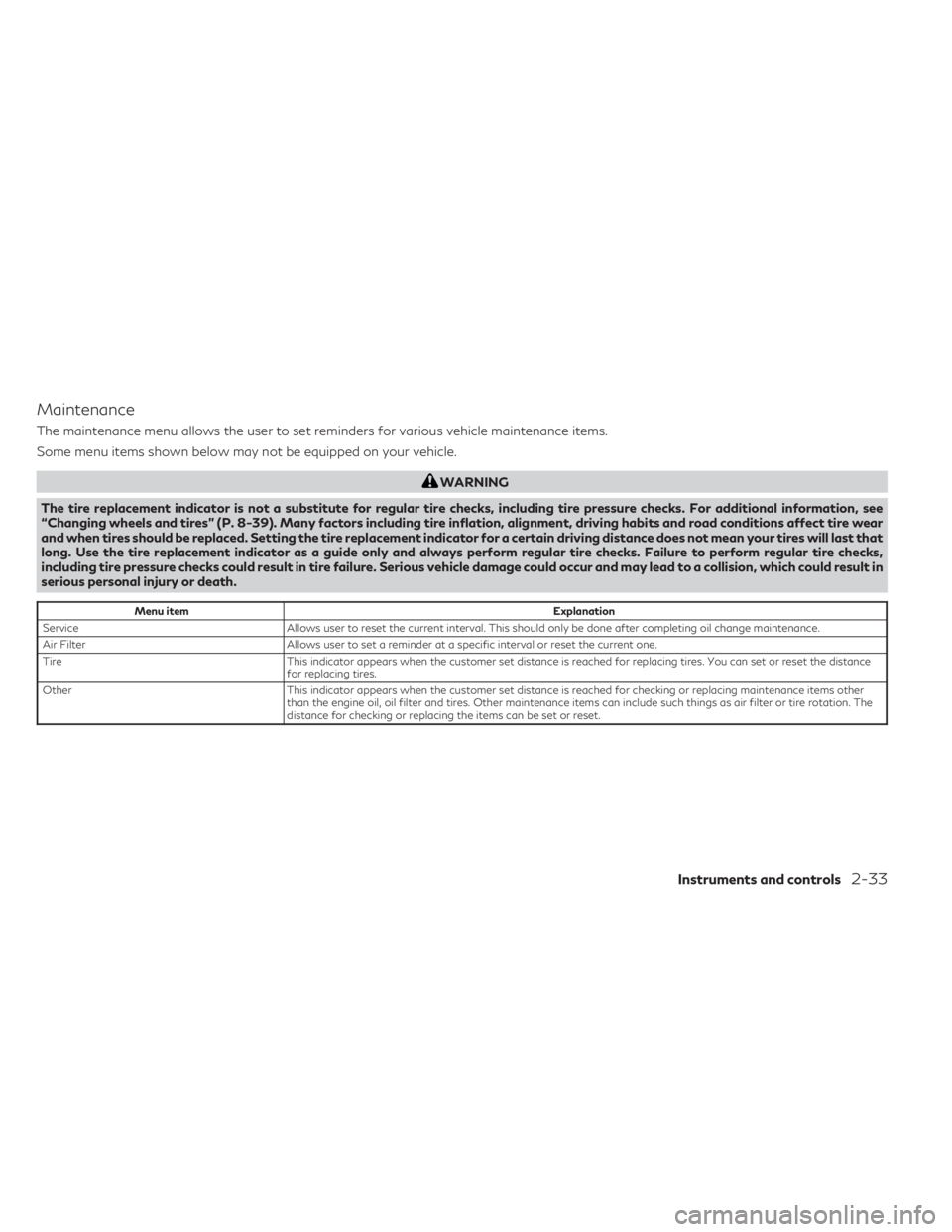
The maintenance menu allows the user to set reminders for various vehicle maintenance items.
Some menu items shown below may not be equipped on your vehicle.
WARNING
The tire replacement indicator is not a substitute for regular tire checks, including tire pressure checks. For additional information, see
“Changing wheels and tires” (P. 8-39). Many factors including tire inflation, alignment, driving habits and road conditions affect tire wear
and when tires should be replaced. Setting the tire replacement indicator for a certain driving distance does not mean your tires will last that
long. Use the tire replacement indicator as a guide only and always perform regular tire checks. Failure to perform regular tire checks,
including tire pressure checks could result in tire failure. Serious vehicle damage could occur and may lead to a collision, which could result in
serious personal injury or death.
Menu item Explanation
Service Allows user to reset the current interval. This should only be done after completing oil change maintenance.
Air Filter Allows user to set a reminder at a specific interval or reset the current one.
Tire This indicator appears when the customer set distance is reached for replacing tires. You can set or reset the distance
for replacing tires.
Other This indicator appears when the customer set distance is reached for checking or replacing maintenance items other
than the engine oil, oil filter and tires. Other maintenance items can include such things as air filter or tire rotation. The
distance for checking or replacing the items can be set or reset.
Instruments and controls2-33
Page 159 of 636
Maintenance
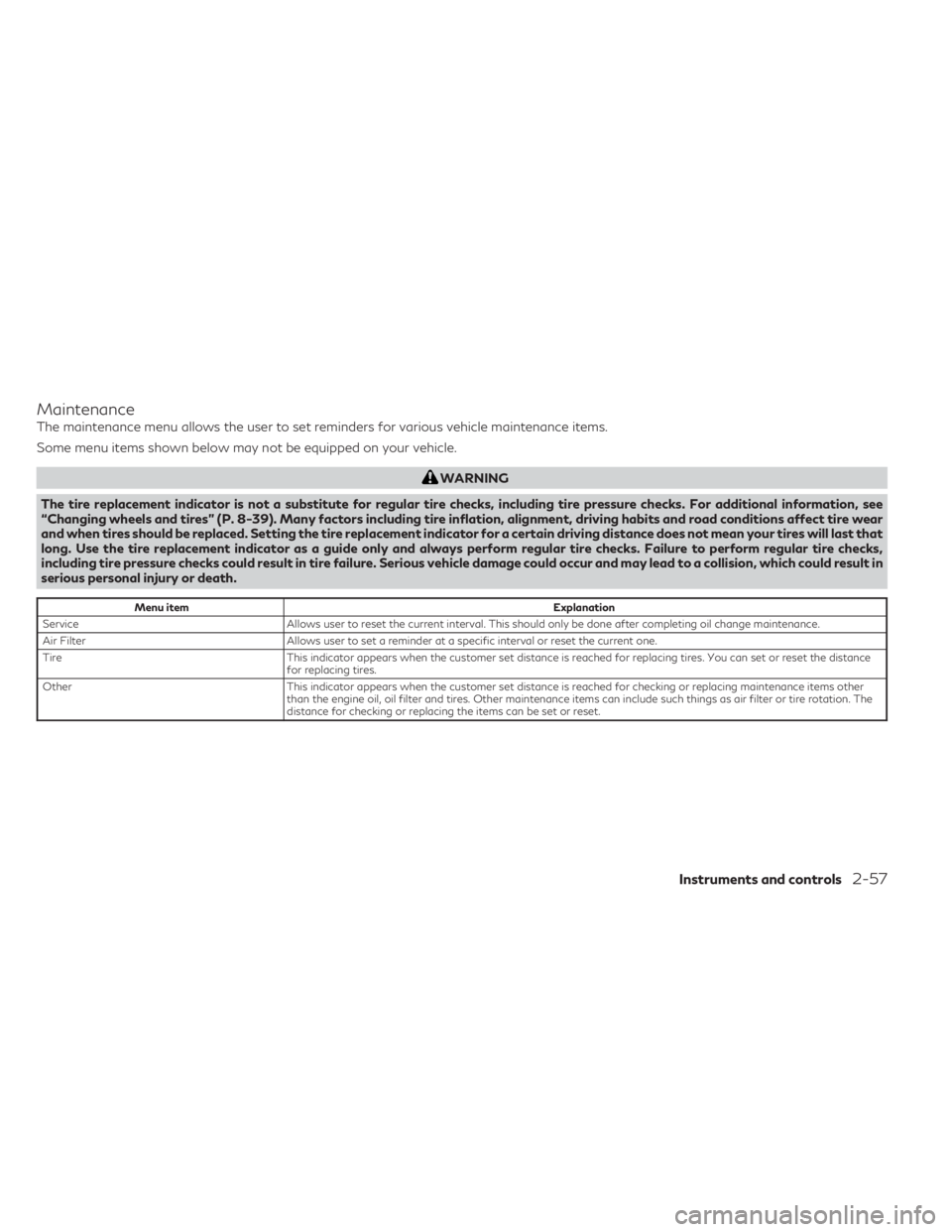
The maintenance menu allows the user to set reminders for various vehicle maintenance items.
Some menu items shown below may not be equipped on your vehicle.
WARNING
The tire replacement indicator is not a substitute for regular tire checks, including tire pressure checks. For additional information, see
“Changing wheels and tires” (P. 8-39). Many factors including tire inflation, alignment, driving habits and road conditions affect tire wear
and when tires should be replaced. Setting the tire replacement indicator for a certain driving distance does not mean your tires will last that
long. Use the tire replacement indicator as a guide only and always perform regular tire checks. Failure to perform regular tire checks,
including tire pressure checks could result in tire failure. Serious vehicle damage could occur and may lead to a collision, which could result in
serious personal injury or death.
Menu item Explanation
Service Allows user to reset the current interval. This should only be done after completing oil change maintenance.
Air Filter Allows user to set a reminder at a specific interval or reset the current one.
Tire This indicator appears when the customer set distance is reached for replacing tires. You can set or reset the distance
for replacing tires.
Other This indicator appears when the customer set distance is reached for checking or replacing maintenance items other
than the engine oil, oil filter and tires. Other maintenance items can include such things as air filter or tire rotation. The
distance for checking or replacing the items can be set or reset.
Instruments and controls2-57
Page 285 of 636
Front-side view
Guiding lines
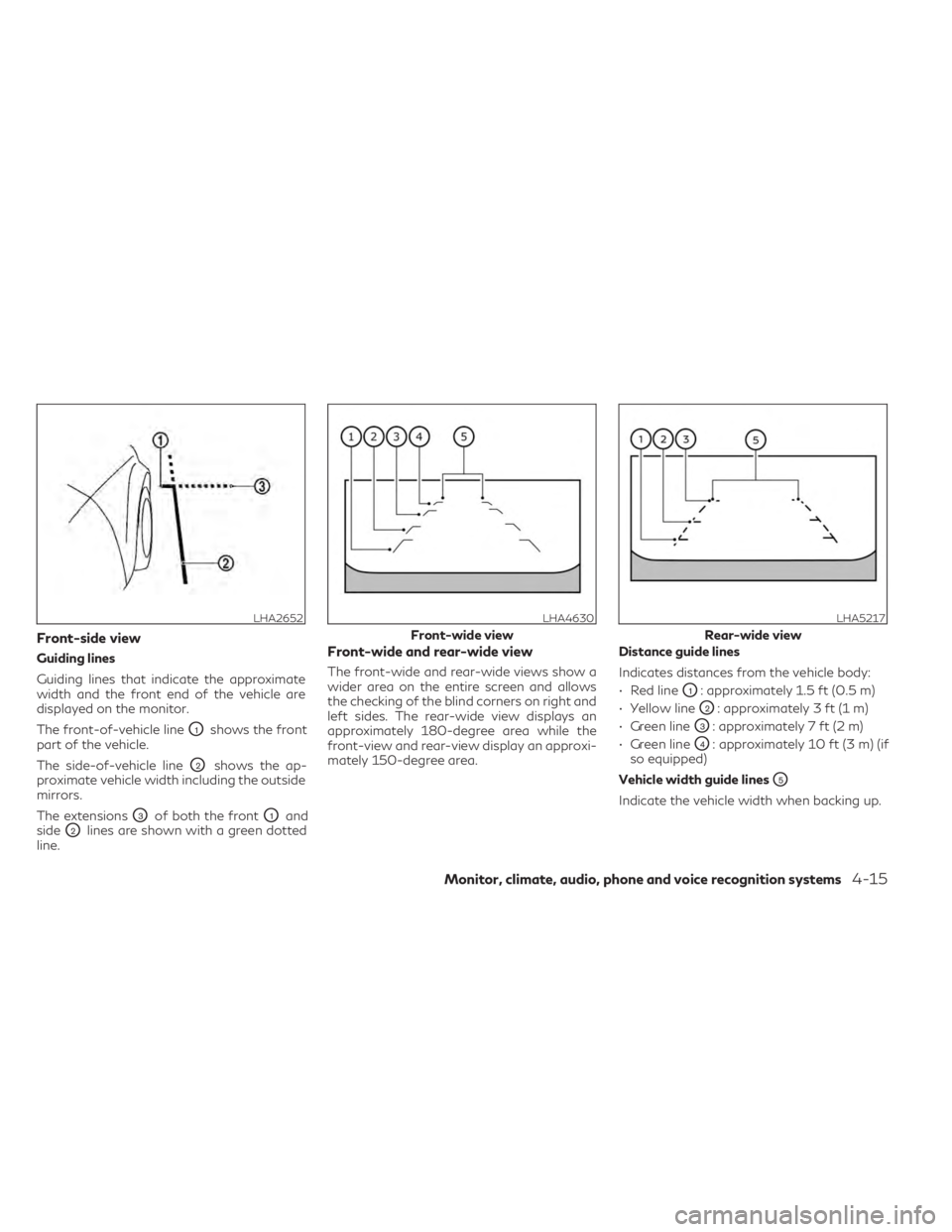
Guiding lines that indicate the approximate
width and the front end of the vehicle are
displayed on the monitor.
The front-of-vehicle line
O1shows the front
part of the vehicle.
The side-of-vehicle line
O2shows the ap-
proximate vehicle width including the outside
mirrors.
The extensions
O3of both the frontO1and
side
O2lines are shown with a green dotted
line.
Front-wide and rear-wide view
The front-wide and rear-wide views show a
wider area on the entire screen and allows
the checking of the blind corners on right and
left sides. The rear-wide view displays an
approximately 180-degree area while the
front-view and rear-view display an approxi-
mately 150-degree area. Distance guide lines
Indicates distances from the vehicle body:
• Red line
O1: approximately 1.5 ft (0.5 m)
• Yellow line
O2: approximately 3 ft (1 m)
• Green line
O3: approximately 7 ft (2 m)
• Green line
O4: approximately 10 ft (3 m) (if
so equipped)
Vehicle width guide lines
O5
Indicate the vehicle width when backing up.
LHA2652LHA4630
Front-wide view
LHA5217
Rear-wide view
Monitor, climate, audio, phone and voice recognition systems4-15
Page 328 of 636

Confirm that the vehicle is in the desired shift
position by checking the shift indicator lo-
cated on the shift lever or in the vehicle infor-
mation display.
WARNING
Apply the electronic parking brake if the
shift lever is in any position while the en-
gine is not running. Failure to do so could
cause the vehicle to move unexpectedly or
roll away and result in serious personal in-
jury or property damage.
CAUTION
• Use the P (Park), R (Reverse) or D (Drive)
position only when the vehicle is com-
pletely stopped.
• When switching to the desired shift po-
sition by operating the shift lever, check
that the shift lever returns to the home
position by releasing your hand from the
lever. Holding the shift lever in a mid-
way position may also damage the shift
control system. •
Do not operate the shift lever while the
accelerator pedal is depressed. This may
cause a sudden start which could result in
an accident.
• The following operations are not allowed
because excessive force would be ap-
plied to the transmission and this may
result in damage to the vehicle:
– Moving the shift lever to the R (Re- verse) position when driving forward
– Moving the shift lever to the D (Drive) position when reversing
If the vehicle is moving over 8 km/h (5mph)
when shifting to D (Drive) from R (Re-
verse), the N (Neutral) position will auto-
matically be selected. A buzzer will sound,
noting that D (Drive) was not selected.
When selecting D (Drive) while reversing
below 8 km/h (5 mph) the range will
change normally.
If these operations are attempted, a chime
sounds and the vehicle shifts to the N (Neu-
tral) position.
P (Park)
CAUTION
• To prevent transmission damage, use the
P (Park) position only when the vehicle is
completely stopped.
• Do not slide the shift lever while pressing
the park button. This may damage the
shift control system.
Use the P (Park) position when the vehicle is
parked or when starting the engine. Make
sure the vehicle is completely stopped before
pressing the park button to engage the P
(Park) position. For maximum safety, the
brake pedal must be depressed before en-
gaging the P (Park) position. Use this position
together with the electronic parking brake.
When parking on a hill, first depress the brake
pedal, apply the electronic parking brake and
then engage the P (Park) position. The park-
ing lock should not be used as a brake when
parking. In order to secure the vehicle, always
apply the electronic parking brake in addition
to the parking lock.
5-20Starting and driving
Page 521 of 636

8 Do-it-yourself
Maintenance precautions........................8-2
Engine compartment check locations .............8-3
Engine cooling system .......................... 8-4
Checking engine coolant level .................8-5
Changing engine coolant ......................8-5
Engine oil ........................................8-6
Checking engine oil level .......................8-6
Changing engine oil and oil filter ...............8-6
Automatic Transmission Fluid (ATF) ............8-10
Brake fluid ...................................... 8-11
Windshield-washer fluid ......................... 8-11
Windshield-washer fluid reservoir .............8-11
Battery ........................................ 8-13
Jump starting ............................... 8-14
Variable voltage control system ................8-15
Drive belt ...................................... 8-15
Spark plugs .................................... 8-16
Replacing spark plugs ....................... 8-16
Air cleaner ..................................... 8-17
In-cabin microfilter .......................... 8-17Windshield wiper blades
........................ 8-18
Cleaning .................................... 8-18
Replacing ................................... 8-18
Brakes ......................................... 8-20
Fuses .......................................... 8-20
Engine compartment ........................ 8-21
Passenger compartment ....................8-22
Battery replacement ........................... 8-24
INFINITI Intelligent Key .....................8-24
Lights ......................................... 8-26
Headlights .................................. 8-26
Exterior and interior lights ...................8-26
Wheels and tires ............................... 8-28
Tire pressure ................................ 8-28
Tire labeling ................................ 8-33
Types of tires ............................... 8-37
Tire chains .................................. 8-38
Changing
wheels and tires ................... 8-39
Page 525 of 636
CHECKING ENGINE COOLANT
LEVEL
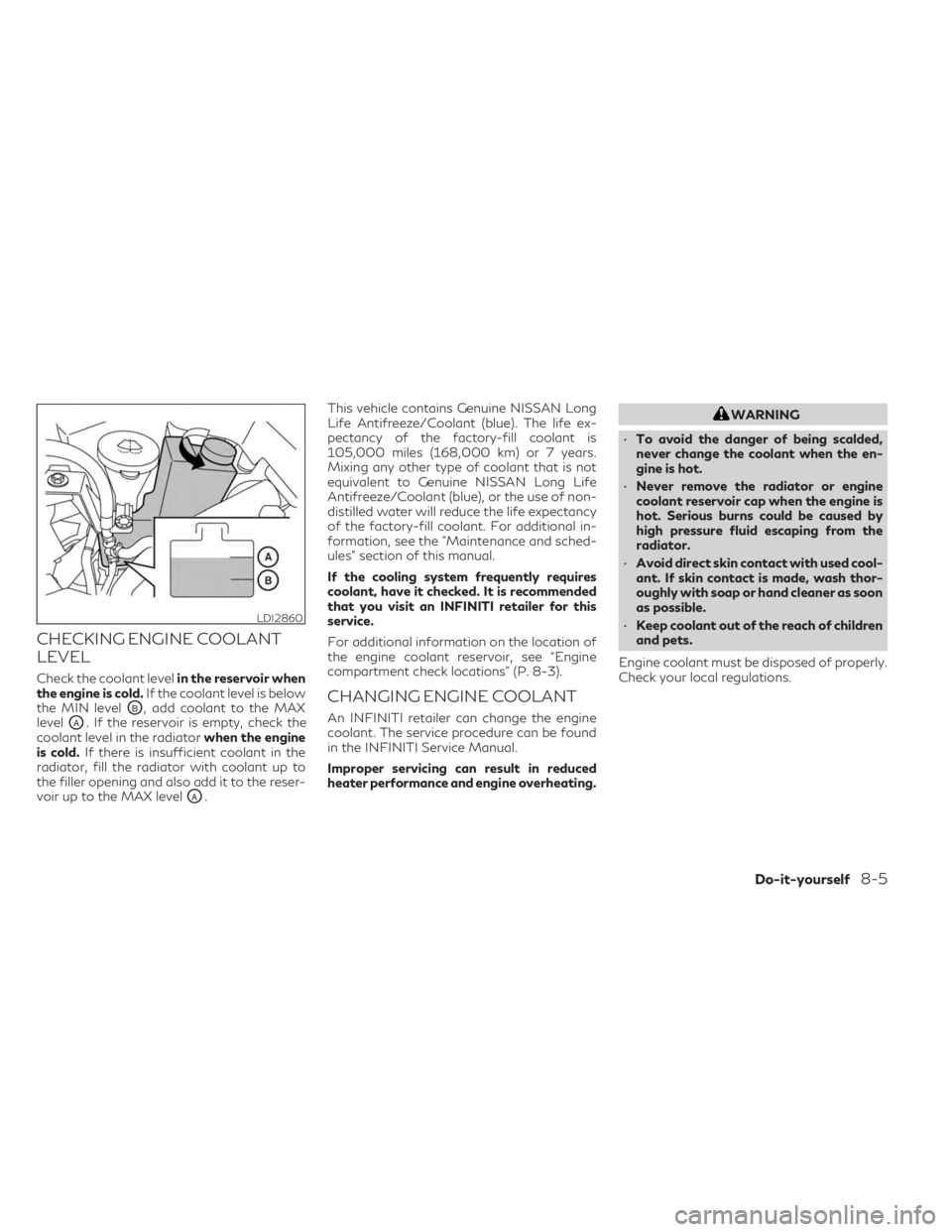
Check the coolant levelin the reservoir when
the engine is cold. If the coolant level is below
the MIN level
OB, add coolant to the MAX
level
OA. If the reservoir is empty, check the
coolant level in the radiator when the engine
is cold. If there is insufficient coolant in the
radiator, fill the radiator with coolant up to
the filler opening and also add it to the reser-
voir up to the MAX level
OA. This vehicle contains Genuine NISSAN Long
Life Antifreeze/Coolant (blue). The life ex-
pectancy of the factory-fill coolant is
105,000 miles (168,000 km) or 7 years.
Mixing any other type of coolant that is not
equivalent to Genuine NISSAN Long Life
Antifreeze/Coolant (blue), or the use of non-
distilled water will reduce the life expectancy
of the factory-fill coolant. For additional in-
formation, see the "Maintenance and sched-
ules" section of this manual.
If the cooling system frequently requires
coolant, have it checked. It is recommended
that you visit an INFINITI retailer for this
service.
For additional information on the location of
the engine coolant reservoir, see “Engine
compartment check locations” (P. 8-3).
CHANGING ENGINE COOLANT
An INFINITI retailer can change the engine
coolant. The service procedure can be found
in the INFINITI Service Manual.
Improper servicing can result in reduced
heater performance and engine overheating.
WARNING
• To avoid the danger of being scalded,
never change the coolant when the en-
gine is hot.
• Never remove the radiator or engine
coolant reservoir cap when the engine is
hot. Serious burns could be caused by
high pressure fluid escaping from the
radiator.
• Avoid direct skin contact with used cool-
ant. If skin contact is made, wash thor-
oughly with soap or hand cleaner as soon
as possible.
• Keep coolant out of the reach of children
and pets.
Engine coolant must be disposed of properly.
Check your local regulations.
LDI2860
Do-it-yourself8-5