change wheel INFINITI QX60-HYBRID 2015 User Guide
[x] Cancel search | Manufacturer: INFINITI, Model Year: 2015, Model line: QX60-HYBRID, Model: INFINITI QX60-HYBRID 2015Pages: 577, PDF Size: 5.58 MB
Page 341 of 577
INFINITI Voice Recognition allows hands-free
operation of the systems equipped on this ve-
hicle, such as phone and vehicle information.
There are two voice recognition modes of opera-
tion available. They are:● Standard Mode
● Alternate Command Mode
In Standard Mode (the factory default setting) ,
commands that are available are always shown
on the display and announced by the system. You
can complete your desired operation by simply
following the prompts given by the system. Not all
INFINITI Voice Recognition options are available
while in Standard Mode.
For advanced operation, you can change to an
Alternate Command Mode that enables the op-
eration of the display and audio system through
INFINITI Voice Recognition. When this mode is
active, an expanded list of commands can be
spoken after pushing the TALK
switch on
the steering wheel, and the voice command
menu prompts are turned off.
In Alternate Command Mode the recognition
success rate may be affected because the num-
ber of available commands and the ways of
speaking each command are increased. For ad- ditional information, refer to “INFINITI Voice Rec-
ognition Alternate Command Mode” in this sec-
tion.
To improve the recognition success rate when
Alternate Command Mode is active, try using the
Speaker Adaptation Function available in that
mode. For additional information, refer to
“Speaker Adaptation Function” in this section.
Otherwise, it is recommended that Alternate
Command Mode be turned off and Standard
Mode be used for the best recognition perfor-
mance.
While using the INFINITI Voice Recognition sys-
tem for certain Phone and Navigation features,
you can switch to using manual controls (touch-
screen, INFINITI controller, steering wheel con-
trols) and the information you have already en-
tered by voice control will be retained. To switch
to manual controls, select the “Manual Controls”
key on the display when it appears. The system
will respond by speaking “Changing to manual
operation. Please use manual controls to con-
tinue.”
For the voice commands for the navigation sys-
tem, refer to the Navigation System Owner’s
Manual of your vehicle.
For vehicles in the U.S., the factory default setting
is the Standard Mode. For additional information,
refer to “Standard Mode” in this section. Forvehicles in Canada, the factory default setting is
the Alternate Command Mode. For additional
information, refer to “Alternate Command Mode”
in this section.
INFINITI VOICE RECOGNITION
STANDARD MODE
The Standard Mode enables control of naviga-
tion, phone and vehicle information. With this
setting active, commands that are available are
always shown on the display and announced by
the system.
Displaying user guide
If you use the INFINITI Voice Recognition system
for the first time or you do not know how to
operate it, you can display the User Guide for
confirmation.
You can confirm how to use voice commands by
accessing a simplified User Guide, which con-
tains basic instructions and tutorials for several
voice commands.
1. Press the INFO button on the control panel.
2. Touch the “Others” key.
3. Touch the “Voice Recognition” key.
4. Touch the “User Guide” key.
5. Touch an item.
INFINITI VOICE RECOGNITION
SYSTEM
4-134Monitor, climate, audio, phone and voice recognition systems
Page 344 of 577
USING THE SYSTEM
Initialization
When the ignition switch is placed in the ON
position, INFINITI Voice Recognition is initialized,
which takes a few seconds. When completed,
the system is ready to accept voice commands. If
the
switch is pressed before the initializa-
tion completes, voice commands will not be ac-
cepted. Please wait until the INFINITI Voice Rec-
ognition initialization is completed.
BEFORE STARTING
To get the best recognition performance from
Voice Recognition, observe the following:
● The interior of the vehicle should be as quiet
as possible. Close the windows to eliminate
the surrounding noises (traffic noise and vi-
bration sounds, etc.) , which may prevent the
system from correctly recognizing the voice
commands.
● Wait until the tone sounds before speaking a
command.
● Speak in a natural conversational voice with-
out pausing between words.
● If the air conditioner is set to “Auto”, the fan
speed is automatically lowered so that your
commands can be recognized more easily.
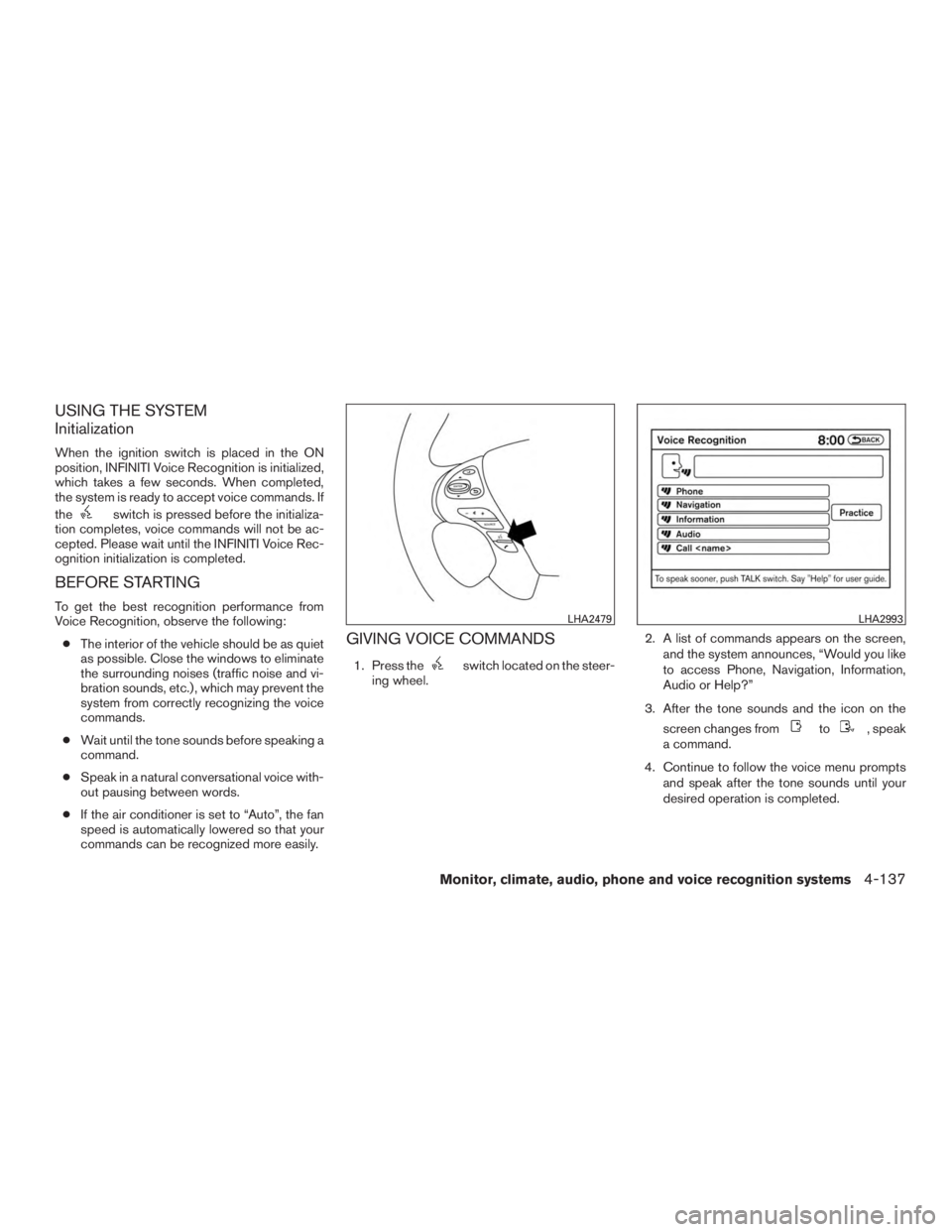
GIVING VOICE COMMANDS
1. Press theswitch located on the steer-
ing wheel. 2. A list of commands appears on the screen,
and the system announces, “Would you like
to access Phone, Navigation, Information,
Audio or Help?”
3. After the tone sounds and the icon on the screen changes from
to, speak
a command.
4. Continue to follow the voice menu prompts and speak after the tone sounds until your
desired operation is completed.
LHA2479LHA2993
Monitor, climate, audio, phone and voice recognition systems4-137
Page 348 of 577
Voice command examples
Some basic voice command examples are de-
scribed here.
For navigation system commands, refer to the
separate Navigation System Owner’s Manual.Example 1 — Placing a call to the phone
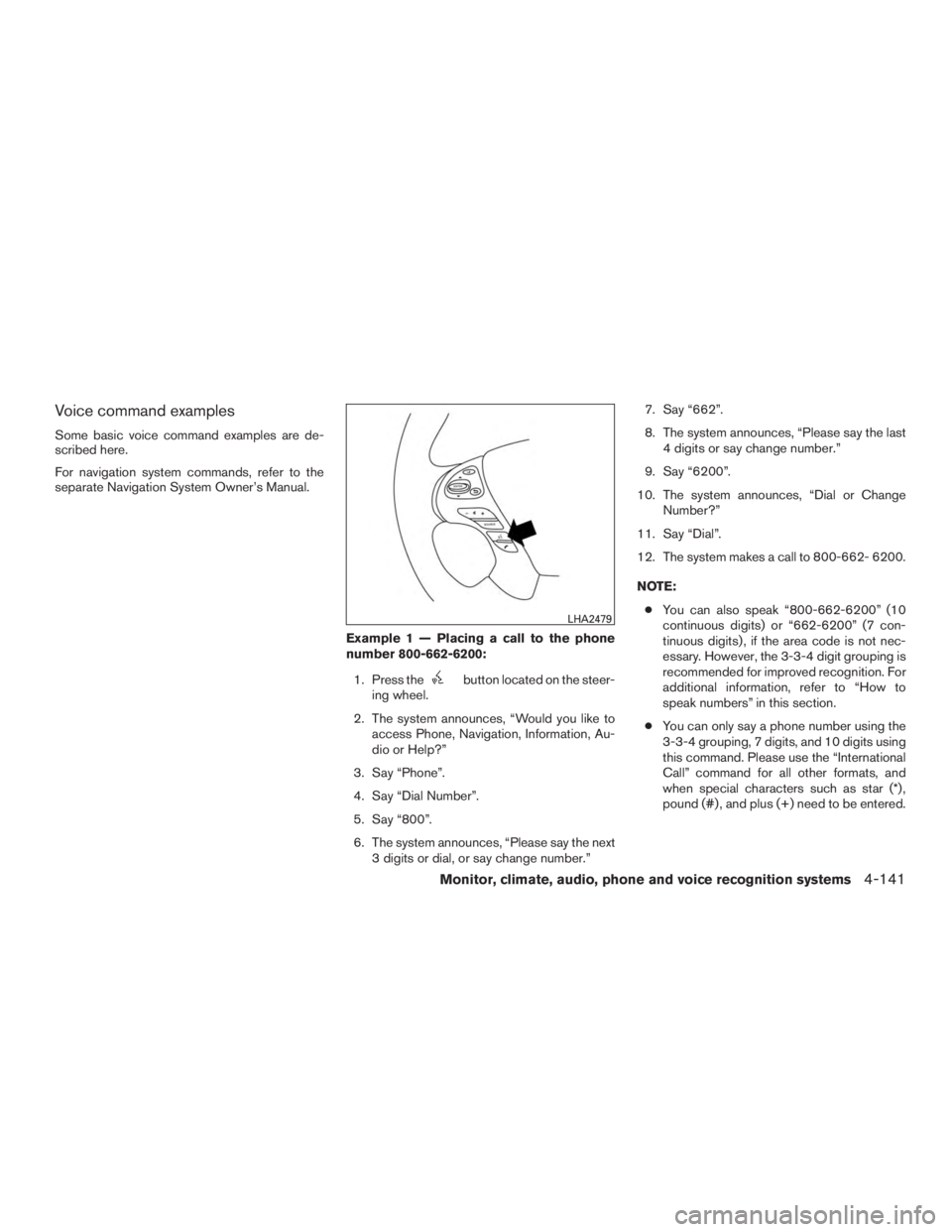
number 800-662-6200:1. Press the
button located on the steer-
ing wheel.
2. The system announces, “Would you like to access Phone, Navigation, Information, Au-
dio or Help?”
3. Say “Phone”.
4. Say “Dial Number”.
5. Say “800”.
6. The system announces, “Please say the next 3 digits or dial, or say change number.” 7. Say “662”.
8. The system announces, “Please say the last
4 digits or say change number.”
9. Say “6200”.
10. The system announces, “Dial or Change Number?”
11. Say “Dial”.
12. The system makes a call to 800-662- 6200.
NOTE: ● You can also speak “800-662-6200” (10
continuous digits) or “662-6200” (7 con-
tinuous digits) , if the area code is not nec-
essary. However, the 3-3-4 digit grouping is
recommended for improved recognition. For
additional information, refer to “How to
speak numbers” in this section.
● You can only say a phone number using the
3-3-4 grouping, 7 digits, and 10 digits using
this command. Please use the “International
Call” command for all other formats, and
when special characters such as star (*) ,
pound (#) , and plus (+) need to be entered.
LHA2479
Monitor, climate, audio, phone and voice recognition systems4-141
Page 349 of 577
●If you say “Change Number” during phone
number entry, the system will automatically
request that you repeat the number using
the 3-3-4 format. In this case please say the
area code first and then follow the prompts.
● Do not add a “1” in front of the area code
when speaking phone numbers.
● If the system does not recognize your com-
mand, please try repeating the command
using a natural voice. Speaking too slowly or
too loudly may further decrease recognition
performance.
Example 2 — Placing an international call
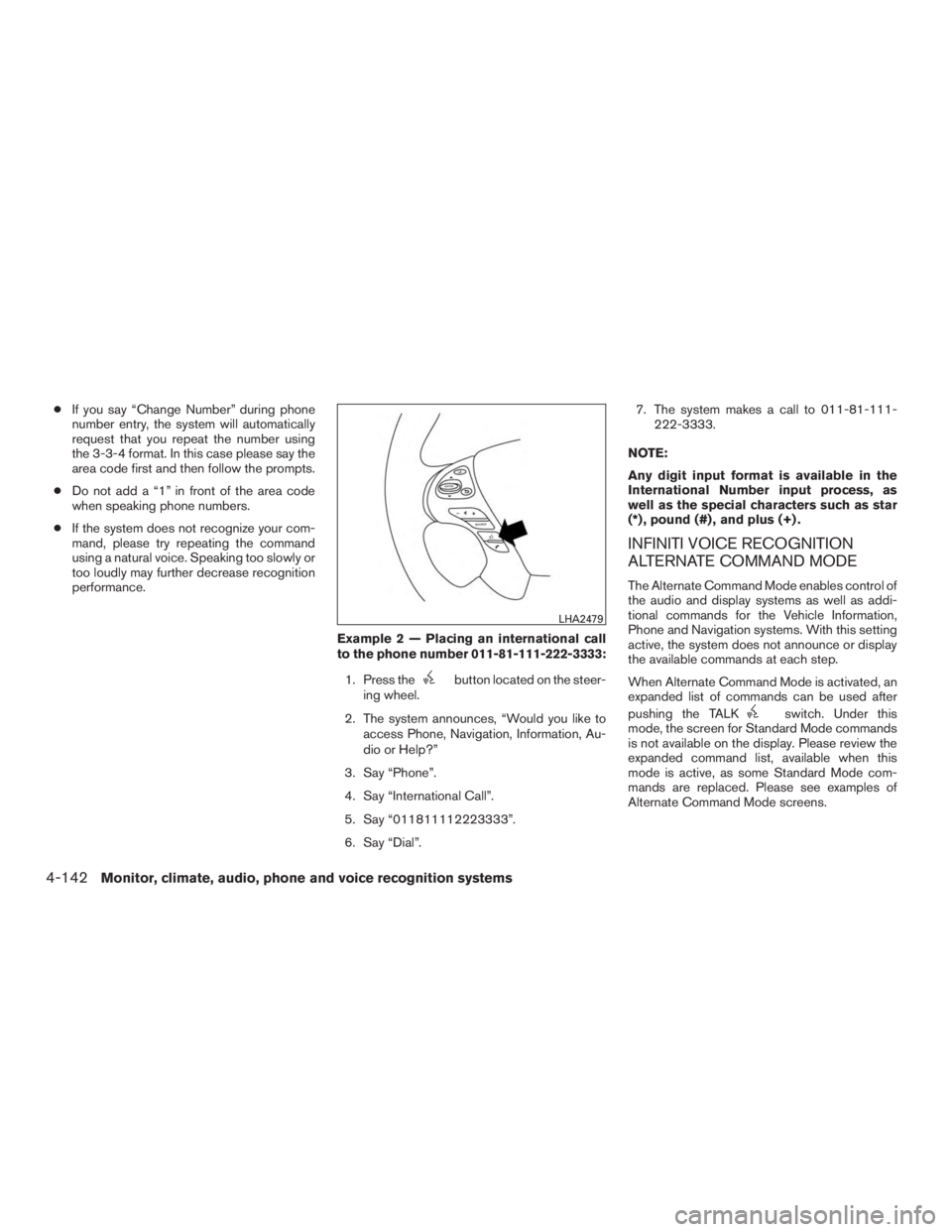
to the phone number 011-81-111-222-3333:1. Press the
button located on the steer-
ing wheel.
2. The system announces, “Would you like to access Phone, Navigation, Information, Au-
dio or Help?”
3. Say “Phone”.
4. Say “International Call”.
5. Say “011811112223333”.
6. Say “Dial”. 7. The system makes a call to 011-81-111-
222-3333.
NOTE:
Any digit input format is available in the
International Number input process, as
well as the special characters such as star
(*) , pound (#) , and plus (+) .
INFINITI VOICE RECOGNITION
ALTERNATE COMMAND MODE
The Alternate Command Mode enables control of
the audio and display systems as well as addi-
tional commands for the Vehicle Information,
Phone and Navigation systems. With this setting
active, the system does not announce or display
the available commands at each step.
When Alternate Command Mode is activated, an
expanded list of commands can be used after
pushing the TALK
switch. Under this
mode, the screen for Standard Mode commands
is not available on the display. Please review the
expanded command list, available when this
mode is active, as some Standard Mode com-
mands are replaced. Please see examples of
Alternate Command Mode screens.
LHA2479
4-142Monitor, climate, audio, phone and voice recognition systems
Page 354 of 577
USING THE SYSTEM
Initialization
When the ignition switch is placed in the ON
position, INFINITI Voice Recognition is initialized,
which takes a few seconds. When completed,
the system is ready to accept voice commands. If
the
switch is pressed before the initializa-
tion completes, the display will show the mes-
sage: “System not ready” or a beep sounds.
Before starting
To get the best performance from INFINITI Voice
Recognition, observe the following:
● Keep the interior of the vehicle as quiet as
possible. Close the windows to eliminate the
surrounding noises (traffic noises, vibration
sounds, etc.) , which may prevent the system
from recognizing the voice commands cor-
rectly.
● When the climate control is in the AUTO
mode, the fan speed decreases automati-
cally for easy recognition.
● Wait until a tone sounds before speaking a
command.
● Speak in a natural voice without pausing
between words.
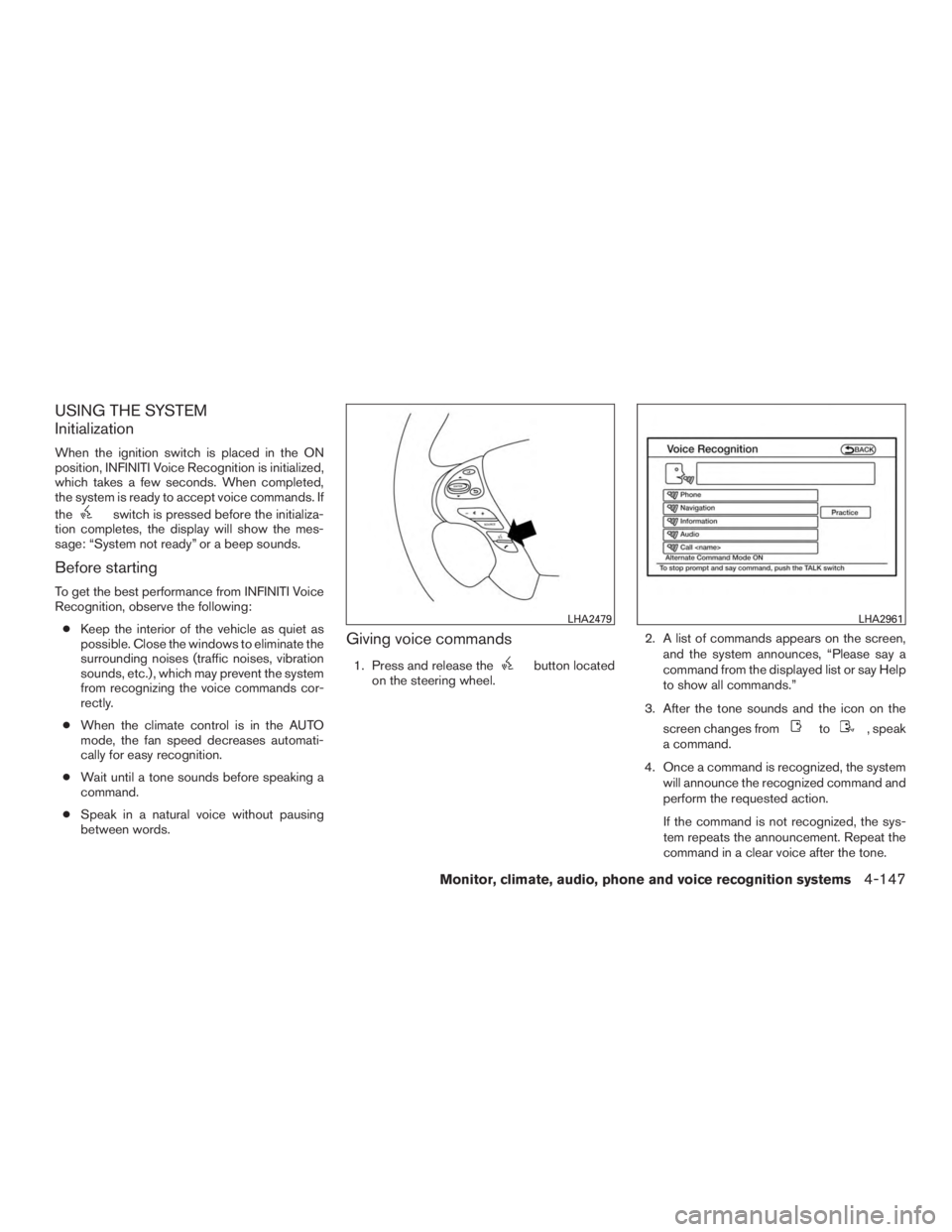
Giving voice commands
1. Press and release thebutton located
on the steering wheel. 2. A list of commands appears on the screen,
and the system announces, “Please say a
command from the displayed list or say Help
to show all commands.”
3. After the tone sounds and the icon on the screen changes from
to, speak
a command.
4. Once a command is recognized, the system will announce the recognized command and
perform the requested action.
If the command is not recognized, the sys-
tem repeats the announcement. Repeat the
command in a clear voice after the tone.
LHA2479LHA2961
Monitor, climate, audio, phone and voice recognition systems4-147
Page 364 of 577
●When a spare tire is mounted or a wheel
is replaced, tire pressure will not be
indicated, the TPMS will not function
and the low tire pressure warning light
will flash for approximately 1 minute.
The light will remain on after 1 minute.
Contact your INFINITI retailer as soon
as possible for tire replacement and/or
system resetting.
● Replacing tires with those not originally
specified by INFINITI could affect the
proper operation of the TPMS.
● Do not inject any tire liquid or aerosol
tire sealant into the tires, as this may
cause a malfunction of the tire pressure
sensors.
CAUTION
●The TPMS may not function properly
when the wheels are equipped with tire
chains or the wheels are buried in snow.
● Do not place metalized film or any
metal parts (antenna, etc.) on the win-
dows. This may cause poor reception of
the signals from the tire pressure sen-
sors, and the TPMS will not function
properly. Some devices and transmitters may temporarily
interfere with the operation of the TPMS and
cause the low tire pressure warning light to illu-
minate.
Some examples are:
– Facilities or electric devices using similar radio
frequencies are near the vehicle.
– If a transmitter set to similar frequencies is being used in or near the vehicle.
– If a computer (or similar equipment) or a DC/AC converter is being used in or near the
vehicle.
FCC Notice:
For USA:
This device complies with Part 15 of the
FCC Rules. Operation is subject to the fol-
lowing two conditions: (1) This device may
not cause interference, and (2) this device
must accept any interference, including in-
terference that may cause undesired op-
eration. NOTE:
Changes or modification not expressly ap-
proved by the party responsible for compli-
ance could void the user’s authority to op-
erate the equipment.
For Canada:
This device complies with Industry Canada
license-exempt RSS standard(s) . Opera-
tion is subject to the following two condi-
tions: (1) this device may not cause harmful
interference, and (2) this device must ac-
cept any interference received, including
interference that may cause undesired op-
eration of the device.
TPMS with Tire Inflation Indicator
When adding air to an under-inflated tire, the
TPMS with Tire Inflation Indicator provides visual
and audible signals outside the vehicle to help
you inflate the tires to the recommended COLD
tire pressure.
Vehicle set-up:
1. Park the vehicle in a safe and level place.
2. Apply the parking brake and place the shift lever into the P (Park) position.
3. Place the ignition switch to the ON position. Do not start the engine.
Starting and driving5-7
Page 367 of 577
1. Remain calm and do not overreact.
2. Maintain a firm grip on the steering wheelwith both hands and try to hold a straight
course.
3. When appropriate, slowly release the accel- erator pedal to gradually slow the vehicle.
4. Gradually steer the vehicle to a safe location off the road and away from traffic if possible.
5. Lightly apply the brake pedal to gradually stop the vehicle.
6. Turn on the hazard warning flashers and contact a roadside emergency service to
change the tire. For additional information,
refer to “Changing a flat tire” in the “In case
of emergency” section of this manual.DRINKING ALCOHOL/DRUGS AND
DRIVING
WARNING
Never drive under the influence of alcohol
or drugs. Alcohol in the bloodstream re-
duces coordination, delays reaction time
and impairs judgement. Driving after
drinking alcohol increases the likelihood
of being involved in an accident injuring
yourself and others. Additionally, if you
are injured in an accident, alcohol can
increase the severity of the injury.
INFINITI is committed to safe driving. However,
you must choose not to drive under the influence
of alcohol. Every year thousands of people are
injured or killed in alcohol-related accidents. Al-
though the local laws vary on what is considered
to be legally intoxicated, the fact is that alcohol
affects all people differently and most people
underestimate the effects of alcohol.
Remember, drinking and driving don’t mix! And
that is true for drugs, too (over-the-counter, pre-
scription, and illegal drugs) . Don’t drive if your
ability to operate your vehicle is impaired by alco-
hol, drugs, or some other physical condition.
DRIVING SAFETY PRECAUTIONS
Your INFINITI is designed for both normal and
off-road use. However, avoid driving in deep wa-
ter or mud as your INFINITI is mainly designed for
leisure use, unlike a conventional off-road ve-
hicle.
Remember that FWD drive models are less ca-
pable than AWD drive models for rough road
driving and extrication when stuck in deep snow
or mud, or the like.
Please observe the following precautions:
WARNING
● Spinning the front wheels on slippery
surface may cause the AWD warning
message to display and the AWD sys-
tem to automatically switch from the
AWD to the 2WD mode. This could re-
duce the traction. Be especially careful
when towing a trailer. (AWD models)
● Drive carefully when off the road and
avoid dangerous areas. Every person
who drives or rides in this vehicle
should be seated with their seat belt
fastened. This will keep you and your
passengers in position when driving
over rough terrain.
5-10Starting and driving
Page 379 of 577
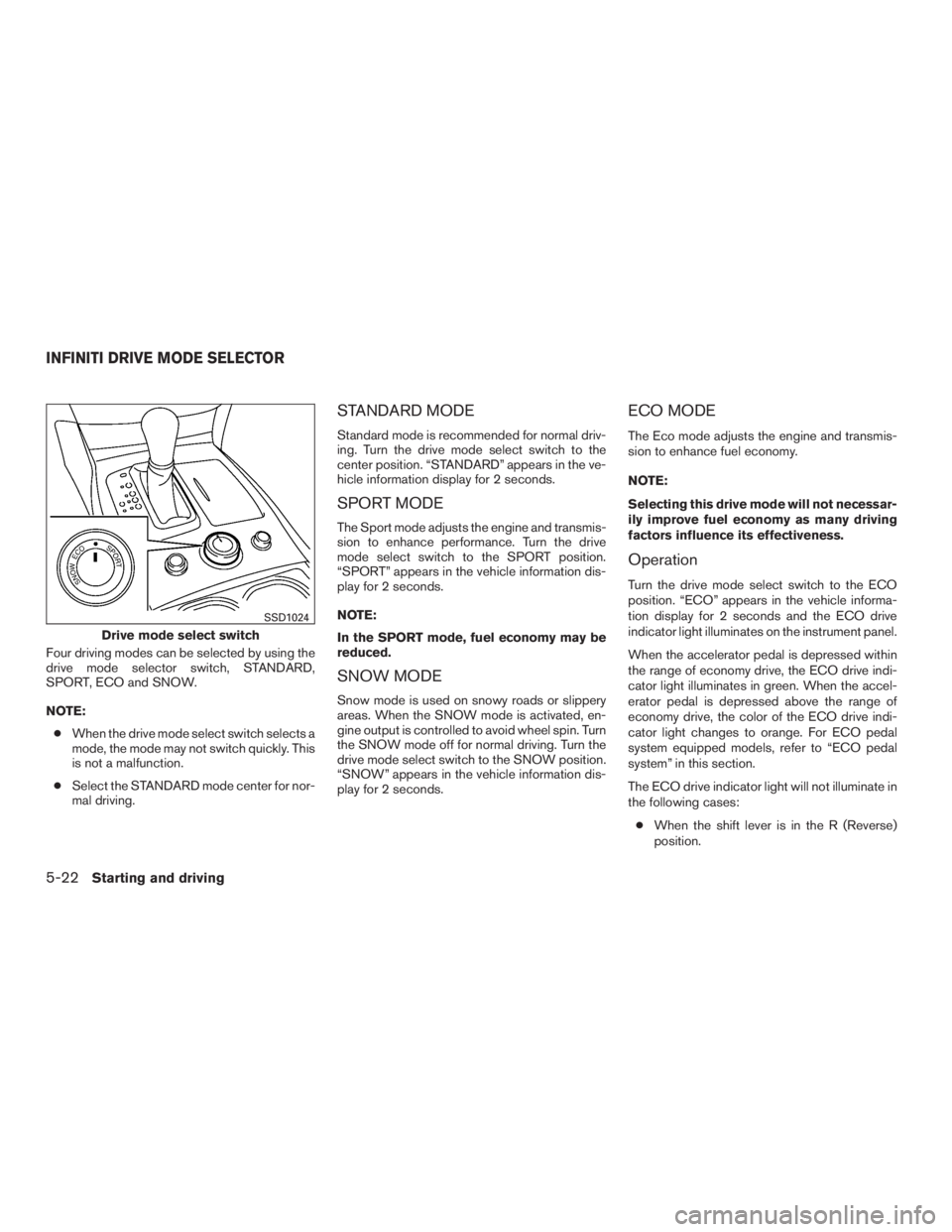
Four driving modes can be selected by using the
drive mode selector switch, STANDARD,
SPORT, ECO and SNOW.
NOTE:● When the drive mode select switch selects a
mode, the mode may not switch quickly. This
is not a malfunction.
● Select the STANDARD mode center for nor-
mal driving.
STANDARD MODE
Standard mode is recommended for normal driv-
ing. Turn the drive mode select switch to the
center position. “STANDARD” appears in the ve-
hicle information display for 2 seconds.
SPORT MODE
The Sport mode adjusts the engine and transmis-
sion to enhance performance. Turn the drive
mode select switch to the SPORT position.
“SPORT” appears in the vehicle information dis-
play for 2 seconds.
NOTE:
In the SPORT mode, fuel economy may be
reduced.
SNOW MODE
Snow mode is used on snowy roads or slippery
areas. When the SNOW mode is activated, en-
gine output is controlled to avoid wheel spin. Turn
the SNOW mode off for normal driving. Turn the
drive mode select switch to the SNOW position.
“SNOW” appears in the vehicle information dis-
play for 2 seconds.
ECO MODE
The Eco mode adjusts the engine and transmis-
sion to enhance fuel economy.
NOTE:
Selecting this drive mode will not necessar-
ily improve fuel economy as many driving
factors influence its effectiveness.
Operation
Turn the drive mode select switch to the ECO
position. “ECO” appears in the vehicle informa-
tion display for 2 seconds and the ECO drive
indicator light illuminates on the instrument panel.
When the accelerator pedal is depressed within
the range of economy drive, the ECO drive indi-
cator light illuminates in green. When the accel-
erator pedal is depressed above the range of
economy drive, the color of the ECO drive indi-
cator light changes to orange. For ECO pedal
system equipped models, refer to “ECO pedal
system” in this section.
The ECO drive indicator light will not illuminate in
the following cases:
● When the shift lever is in the R (Reverse)
position.
Drive mode select switch
SSD1024
INFINITI DRIVE MODE SELECTOR
5-22Starting and driving
Page 383 of 577
●If the LDW system malfunctions, it will
cancel automatically, and “Please see
owner’s manual” will appear in the ve-
hicle information display. If “Please see
owner’s manual” appears in the vehicle
information display, pull off the road to
a safe location and stop the vehicle.
Place the shift lever into the P (Park)
position and the ignition switch to the
off position and restart the engine. If
“Please see owner’s manual” continues
to appear in the vehicle information dis-
play, have the system checked by an
INFINITI retailer.
● Excessive noise will interfere with the
warning chime sound, and the chime
may not be heard.
● Do not use the LDW system under the
following conditions as it may not func-
tion properly:
– During bad weather (rain, fog, snow, etc.) .
– When driving on slippery roads, such as on ice or snow, etc.
– When driving on winding or uneven roads. – When there is a lane closure due to
road repairs.
– When driving in a makeshift or tem- porary lane.
– When driving on roads where the lane width is too narrow.
– When driving without normal tire conditions (for example, tire wear,
low tire pressure, installation of
spare tire, tire chains, nonstandard
wheels) .
– When the vehicle is equipped with nonoriginal brake parts or suspen-
sion parts.
– When you are towing a trailer or other vehicle.
The system may not function properly under the
following conditions: ● On roads where there are multiple parallel
lane markers; lane markers that are faded or
not painted clearly; yellow painted lane
markers; non-standard lane markers; or lane
markers covered with water, dirt, snow, etc.
● On roads where the discontinued lane mark-
ers are still detectable.
● On roads where there are sharp curves. ●
On roads where there are sharply contrast-
ing objects, such as shadows, snow, water,
wheel ruts, seams or lines remaining after
road repairs. (The LDW system could detect
these items as lane markers.)
● On roads where the traveling lane merges or
separates.
● When the vehicle’s traveling direction does
not align with the lane marker.
● When traveling close to the vehicle in front of
you, which obstructs the lane camera unit
detection range.
● When rain, snow, dirt or object adheres to
the windshield in front of the lane camera
unit.
● When the headlights are not bright due to
dirt on the lens or if the aiming is not adjusted
properly.
● When strong light enters the lane camera
unit. (For example, the light directly shines on
the front of the vehicle at sunrise or sunset.)
● When a sudden change in brightness oc-
curs. (For example, when the vehicle enters
or exits a tunnel or under a bridge.)
5-26Starting and driving
Page 385 of 577
LANE DEPARTURE PREVENTION
(LDP) SYSTEM
Precautions on LDP system
WARNING
●The LDP system will not always steer
the vehicle to keep it in the lane. It is not
designed to prevent loss of control. It is
the driver’s responsibility to stay alert,
drive safely, keep the vehicle in the trav-
eling lane, and be in control of vehicle at
all times.
● The LDP system is primarily intended
for use on well-developed freeways or
highways. It may not detect the lane
markers in certain roads, weather or
driving conditions.
● Using the LDP system under some con-
ditions of road, lane marker or weather,
or when you change lanes without us-
ing the lane change signal could lead to
an unexpected system operation. In
such conditions, you need to correct the
vehicle’s direction with your steering
operation to avoid accidents. ●
When the LDP system is operating,
avoid excessive or sudden steering ma-
neuvers. Otherwise, you could lose con-
trol of the vehicle.
● The LDP system will not operate at
speeds below approximately 45 MPH
(70 km/h) or if it cannot detect lane
markers.
● Do not use the LDP system under the
following conditions as it may not func-
tion properly:
– During bad weather (rain, fog, snow, etc.) .
– When driving on slippery roads, such as on ice or snow, etc.
– When driving on winding or uneven roads.
– When there is a lane closure due to road repairs.
– When driving in a makeshift or tem- porary lane.
– When driving on roads where the lane width is too narrow. – When driving without normal tire
conditions (for example, tire wear,
low tire pressure, installation of
spare tire, tire chains, non-standard
wheels) .
– When the vehicle is equipped with nonoriginal brake parts or suspen-
sion parts.
– When you are towing a trailer or other vehicle.
● If the LDP system malfunctions, it will
cancel automatically. The LDP system
warning light (orange) will illuminate in
the display.
● If LDP system warning light (orange)
illuminates in the display, pull off the
road to a safe location and stop the
vehicle. Turn the engine off and restart
the engine. If the LDP system warning
light (orange) continues to illuminate,
have the LDP system checked by an
INFINITI retailer.
● Excessive noise will interfere with the
warning chime sound, and the chime
may not be heard.
The LDP system may or may not operate
properly under the following conditions:
5-28Starting and driving