maintenance INFINITI QX60-HYBRID 2016 User Guide
[x] Cancel search | Manufacturer: INFINITI, Model Year: 2016, Model line: QX60-HYBRID, Model: INFINITI QX60-HYBRID 2016Pages: 623, PDF Size: 12.97 MB
Page 129 of 623
Key ID Incorrect
The warning appears when the ignition switch is
turned from the OFF position and the Intelligent
Key is not recognized by the system. You cannot
start the engine with an unregistered key.
For additional information, refer to “INFINITI Intel-
ligent Key System” in “Pre-driving checks and
adjustments.”
Shift to Park
This will be displayed in the following conditions:● When the shift lever is in any position expect
P (Park) and the push button ignition switch
has been placed in the “OFF” position from
the “ON” position.
● When the shift lever is operated while the
READY to driver indicator light is flashing.
● The driver’s door is opened with the shift
lever in N (Neutral) , D (Drive) or R (Reverse) .
● When the vehicle cannot be driven because
the hybrid system temperature has become
too high.
● The Lithium-ion (Li-ion) battery drops be-
cause the shift lever is in the N position. ●
If a malfunction occurs in a situation other
than those described above and the engine
cannot start automatically.
When this warning appears, place the shift
lever in the P (Park) position.
When the shift “P” warning appears, a
buzzer will sound.
This will turn off in the following conditions:
● When the shift lever has been placed in the
P (Park) position.
Push ignition to OFF
After the Push ignition to OFF warning illumi-
nates, the warning will illuminate if the ignition
switch is placed in the ACC position when the
shift lever is moved to the P (Park) position.
To turn off the Push warning, place the ignition
switch in the ON position and then in the LOCK
position.
Key Battery Low
This indicator illuminates when the Intelligent Key
battery is running out of power.
If this indicator illuminates, replace the battery
with a new one. For additional information, refer
to “Battery replacement” in the “Maintenance and
do-it-yourself” section of this manual. Engine start operation for Intelligent Key
system
This indicator appears when the battery of the
Intelligent Key is low and when the Intelligent Key
system and the vehicle are not communicating
normally.
If this appears, touch the ignition switch with the
Intelligent Key while depressing the brake pedal.
For additional information, refer to “INFINITI Intel-
ligent Key battery discharge” in the “Starting and
driving” section of this manual.
Release Parking Brake
This warning illuminates in the message area of
the vehicle information display when the parking
brake is set and the vehicle is driven.
Low Fuel
This warning illuminates when the fuel level in the
fuel tank is getting low. Refuel as soon as it is
convenient, preferably before the fuel gauge
reaches 0 (Empty) .
There will be a small re-
serve of fuel in the tank when the fuel
gauge needle reaches 0 (Empty) .
HV System Warm up Please Wait In Park
This warning appears when the hybrid system
has not reached full operating temperature.
When the warning turns off, the vehicle can be
driven.
2-28Instruments and controls
Page 130 of 623
Shutting Down
This warning appears when the hybrid system
has been turned off. This warning also may ap-
pear when the ignition is turned off, however, this
is not a malfunction of the system.
Low Washer Fluid
This warning illuminates when the windshield-
washer fluid is at a low level. Add windshield-
washer fluid as necessary. For additional informa-
tion, refer to “Windshield-washer fluid” in the
“Maintenance and do-it-yourself” section of this
manual.
Door Open
This warning illuminates when a door has been
opened when the engine is running.
Liftgate Open
This warning illuminates when the liftgate has
been opened when the engine is running.
Timer Alert – Time for a driver break?
This indicator appears when the set time is
reached. The time can be set up to six hours. For
additional information, refer to “Settings” in this
section.Low Outside Temperature
This warning appears if the outside temperature
is below 37°F (3°C) . The temperature can be
changed to display in Celsius or Fahrenheit. For
additional information, refer to “Settings” in this
section.
Power will turn off to save the battery
This warning appears in the message area of the
vehicle information display after a period of time if
the shift lever has not moved from the P (Park)
position.
CVT Error: See Owner’s Manual
This warning illuminates when the there is a prob-
lem with the CVT system. If this warning comes
on, have the system checked. It is recommended
that you visit an INFINITI retailer for this service.
Reminder: Turn OFF headlights
This warning appears when the headlights are
left in the ON position when exiting the vehicle.
Place the headlight switch in the OFF or AUTO
position. For additional information, refer to
“Headlight and turn signal switch” in this section.
Shift to Park Press Brake & Start
This warning appears after the hybrid system was
automatically turned off if the level of remaining
charge in the Li-ion battery is low. When thiswarning appears, place the shift lever in the P
(Park) position and restart the hybrid system.
Shift to Park Li-ion battery low
This warning appears when the shift lever is in the
N (Neutral) position and level of remaining charge
in the Li-ion battery is low. When this warning
appears, place the shift lever in the P (Park)
position.
This will turn off in the following conditions.
● When the shift lever has been placed in the
P (Park) position.
Low Oil Pressure: See Owner’s Manual
This warning appears in the message area of the
vehicle information display if low oil pressure is
detected. This gauge is not designed to indicate
low oil level. The low oil pressure warning is
not designed to indicate a low oil level. Use
the dipstick to check the oil level. For additional
information, refer to “Engine oil” in the “Mainte-
nance and do-it-yourself” section of this manual.
Key Registration Complete
This appears when a new Intelligent Key is regis-
tered to the vehicle.
Tire Pressure Low - Add Air
This warning appears when the low tire pressure
warning light in the meter illuminates and low tire
Instruments and controls2-29
Page 180 of 623
WARNING
●Radio waves could adversely affect
electric medical equipment. Those who
use a pacemaker should contact the
electric medical equipment manufac-
turer for the possible influences before
use.
● The Intelligent Key transmits radio
waves when the buttons are pressed.
The FAA advises the radio waves may
affect aircraft navigation and communi-
cation systems. Do not operate the In-
telligent Key while on an airplane. Make
sure the buttons are not operated unin-
tentionally when the unit is stored for a
flight.
The Intelligent Key system can operate all the
door locks using the remote control function or
pushing the request switch on the vehicle without
taking the key out from a pocket or purse. The
operating environment and/or conditions may af-
fect the Intelligent Key system operation.
Be sure to read the following before using the
Intelligent Key system.
CAUTION
● Be sure to carry the Intelligent Key with
you when operating the vehicle.
● Never leave the Intelligent Key in the
vehicle when you leave the vehicle.
The Intelligent Key is always communicating with
the vehicle as it receives radio waves. The Intel-
ligent Key system transmits weak radio waves.
Environmental conditions may interfere with the
operation of the Intelligent Key system under the
following operating conditions: ● When operating near a location where
strong radio waves are transmitted, such as
a TV tower, power station and broadcasting
station.
● When in possession of wireless equipment,
such as a cellular telephone, transceiver or a
CB radio.
● When the Intelligent Key is in contact with or
covered by metallic materials.
● When any type of radio wave remote control
is used nearby.
● When the Intelligent Key is placed near an
electric appliance such as a personal com-
puter. ●
When the vehicle is parked near a parking
meter.
In such cases, correct the operating conditions
before using the Intelligent Key function or use
the mechanical key.
Although the life of the battery varies depending
on the operating conditions, the battery’s life is
approximately two years. If the battery is dis-
charged, replace it with a new one.
When the Intelligent Key battery is low, an indi-
cator illuminates in the vehicle information dis-
play. For additional information, refer to “Vehicle
information display” in the “Instruments and con-
trols” section of this manual.
Since the Intelligent Key is continuously receiving
radio waves, if the key is left near equipment
which transmits strong radio waves, such as sig-
nals from a TV and personal computer, the bat-
tery life may become shorter.
For additional information, refer to “Battery re-
placement” in the “Maintenance and do-it-
yourself” section of this manual.
As many as four Intelligent Keys can be regis-
tered and used with one vehicle. For information
about the purchase and use of additional Intelli-
gent Keys, it is recommended that you visit an
INFINITI retailer.
INFINITI INTELLIGENT KEY SYSTEM
Pre-driving checks and adjustments3-7
Page 191 of 623
SymptomPossible CauseRemedy
When pushing the ignition switch to start
the engine The Intelligent Key battery indicator appears
on the display.
The battery charge is low.Replace the battery with a new one. For
additional information, refer to “Battery re-
placement” in the “Maintenance and do-it-
yourself” section of this manual.
The No Key Detected warning appears on
the display, the outside chime sounds three
times and the inside warning chime sounds
for approximately 3 seconds. The Intelligent Key is not in the vehicle. Carry the Intelligent Key with you.
When pushing the ignition switch The Intelligent Key system warning light in
the meter illuminates in yellow. It warns of a malfunction with the Intelligent
Key system.It is recommended that you visit an INFINITI
retailer.
3-18Pre-driving checks and adjustments
Page 210 of 623
4 Monitor, climate, audio, phone and voice
recognition systems
Control panel buttons — color screen without
Navigation System (if so equipped)..................4-4
How to use the INFINITI controller ................4-5
How to select menus on the screen ..............4-6
How to use the STATUS button ..................4-7
How to use the INFO button .....................4-7
How to use the DISP button .....................4-8
How to use the SETTING button ................4-10
ECON (fuel economy) button .............4-11
OFF button............................. 4-11
Control panel buttons — color screen with
Navigation System (if so equipped) .................4-12
How to use the INFINITI controller ...............4-13
How to use the touch-screen . . .................4-13
Menu options ................................. 4-15
How to select menus on the screen .............4-16
How to use the STATUS button .................4-17
How to use the INFO button ....................4-17
How to use the SETTING button ................4-19
OFF button............................. 4-21
Image viewer (if so equipped) ......................4-22
Using the image viewer ........................ 4-22
RearView Monitor (if so equipped) ..................4-24RearView Monitor system operation
.............4-25
How to read the displayed lines .................4-25
Difference between predicted and actual
distances ..................................... 4-26
How to park with predicted course lines ..........4-27
Adjusting the screen ........................... 4-29
How to turn on and off predicted course
lines ......................................... 4-29
RearView Monitor system limitations .............4-29
System maintenance ........................... 4-30
Around View® Monitor (if so equipped) .............4-31
Around View® Monitor system operation .........4-32
Difference between predicted and actual
distances ..................................... 4-35
How to park with predicted course lines ..........4-37
How to switch the display ......................4-38
Adjusting the screen ........................... 4-39
Around View® Monitor system limitations ........4-39
System maintenance ........................... 4-41
Camera Aiding Sonar (parking sensor) ..............4-42
Moving Object Detection (MOD) (if so equipped) ....4-44
MOD system operation ......................... 4-45
Turning MOD on and off ........................ 4-46
MOD system limitations ........................ 4-46
Page 211 of 623
System maintenance........................... 4-47
Vents ........................................... 4-48
Heater and air conditioner (automatic) ..............4-49
Automatic operation ........................... 4-50
Manual operation .............................. 4-50
Operating tips ................................. 4-51
CLIMATE setting screen ........................ 4-52
Rear automatic air conditioning system. . .........4-54
Servicing air conditioner ........................... 4-57
Audio system .................................... 4-57
Radio ........................................ 4-57
FM radio reception ............................ 4-57
AM radio reception ............................ 4-58
Satellite radio reception ........................ 4-58
Audio operation precautions ....................4-58
FM/AM/SAT radio with compact disc (CD)
player ........................................ 4-72
Digital Versatile Disc (DVD) Player
Operation (models with Navigation System)
(if so equipped) ............................... 4-80
USB (Universal Serial Bus) Connection Port
(models without Navigation System)
(if so equipped) ............................... 4-83USB (Universal Serial Bus) Connection Port
(models with Navigation System)
(if so equipped)
............................... 4-85
iPod®* player operation without Navigation
System (if so equipped) ........................ 4-88
iPod®* player operation with Navigation
System (if so equipped) ........................ 4-90
Bluetooth® streaming audio (if so equipped) .....4-94
CD care and cleaning .......................... 4-97
Steering wheel switch for audio control ..........4-98
Antenna ...................................... 4-99
INFINITI Mobile Entertainment System (MES)
(if so equipped) .................................. 4-99
System components .......................... 4-100
Before operating dual head restraint/
headrest DVD system ......................... 4-105
Playing a DVD (Digital Versatile Disc) ...........4-106
Operating tips ................................ 4-110
Care and maintenance ........................ 4-111
Car phone or CB radio ........................... 4-111
Bluetooth® Hands-Free
Phone System without
Navigation System (if so equipped) ................4-112
Regulatory Information ........................ 4-113
Page 216 of 623
HOW TO USE THE STATUS
BUTTON
To display the status of the audio, climate control
system and fuel consumption, press the STATUS
button.
The following information will appear when the
STATUS button is pressed multiple times:
Audio→Audio and climate control system →
Audio and fuel consumption →Audio
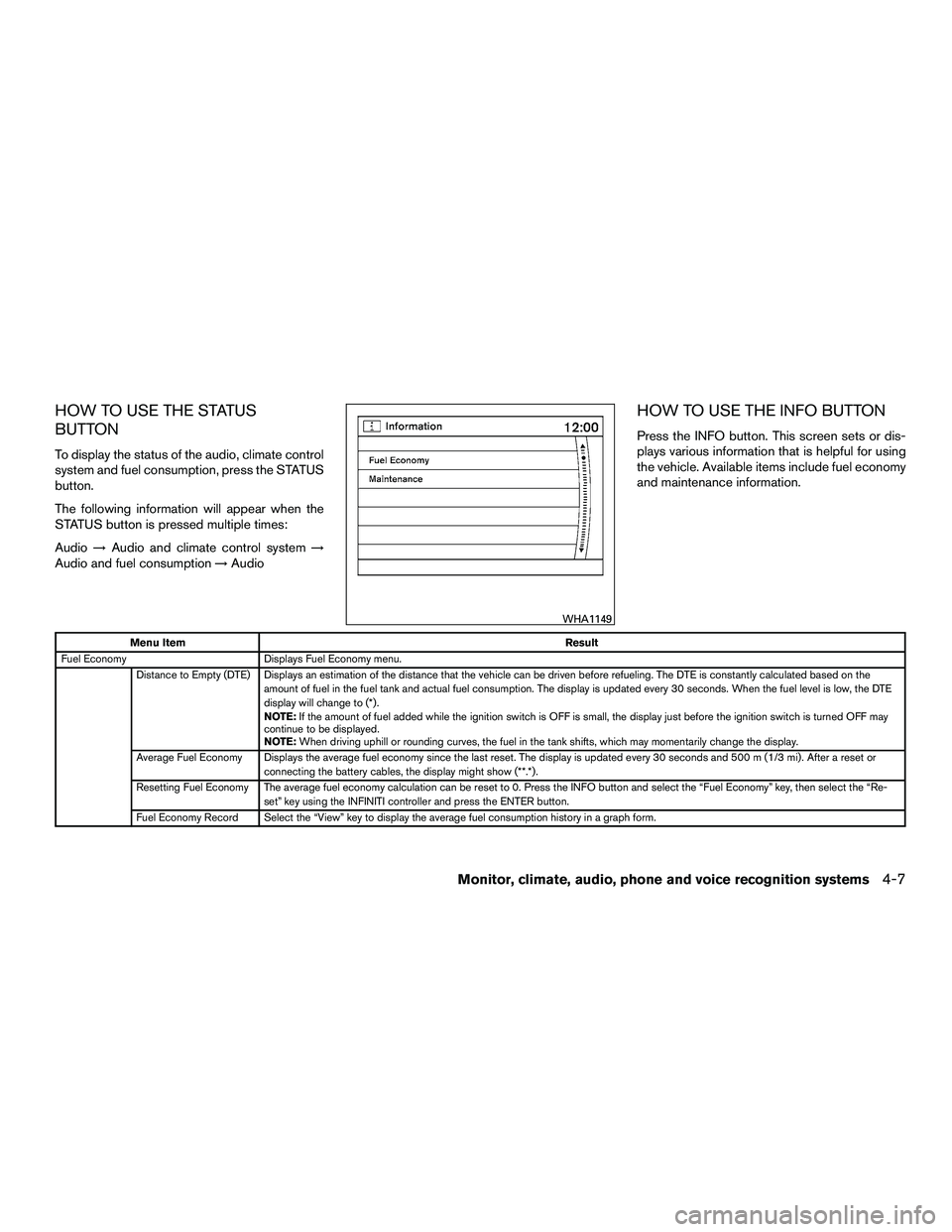
HOW TO USE THE INFO BUTTON
Press the INFO button. This screen sets or dis-
plays various information that is helpful for using
the vehicle. Available items include fuel economy
and maintenance information.
Menu Item Result
Fuel Economy Displays Fuel Economy menu.
Distance to Empty (DTE) Displays an estimation of the distance that the vehicle can be driven before refueling. The DTE is constantly calculated based on the amount of fuel in the fuel tank and actual fuel consumption. The display is updated every 30 seconds. When the fuel level is low, the DTE
display will change to (*) .
NOTE:If the amount of fuel added while the ignition switch is OFF is small, the display just before the ignition switch is turned OFF may
continue to be displayed.
NOTE: When driving uphill or rounding curves, the fuel in the tank shifts, which may momentarily change the display.
Average Fuel Economy Displays the average fuel economy since the last reset. The display is updated every 30 seconds and 500 m (1/3 mi) . After a reset or connecting the battery cables, the display might show (**.*) .
Resetting Fuel Economy The average fuel economy calculation can be reset to 0. Press the INFO button and select the “Fuel Economy” key, then select the “Re- set” key using the INFINITI controller and press the ENTER button.
Fuel Economy Record Select the “View” key to display the average fuel consumption history in a graph form.
WHA1149
Monitor, climate, audio, phone and voice recognition systems4-7
Page 217 of 623
Menu ItemResult
Maintenance Displays maintenance reminders.
Reminder keys (1–4) Select a key to display that maintenance interval. Reset Distance
key Resets the distance for the selected reminder to 0 mi (km) .
Interval key Displays the interval for the selected reminder. Select the “+” or “-” keys to adjust the distance up or down.
Interval Re-
minder key Displays status of the selected interval reminder. Select to toggle on or off. If set to “On”, the maintenance notice screen will be displayed
once the interval is met and the ignition switch is placed in the OFF and then ON position.
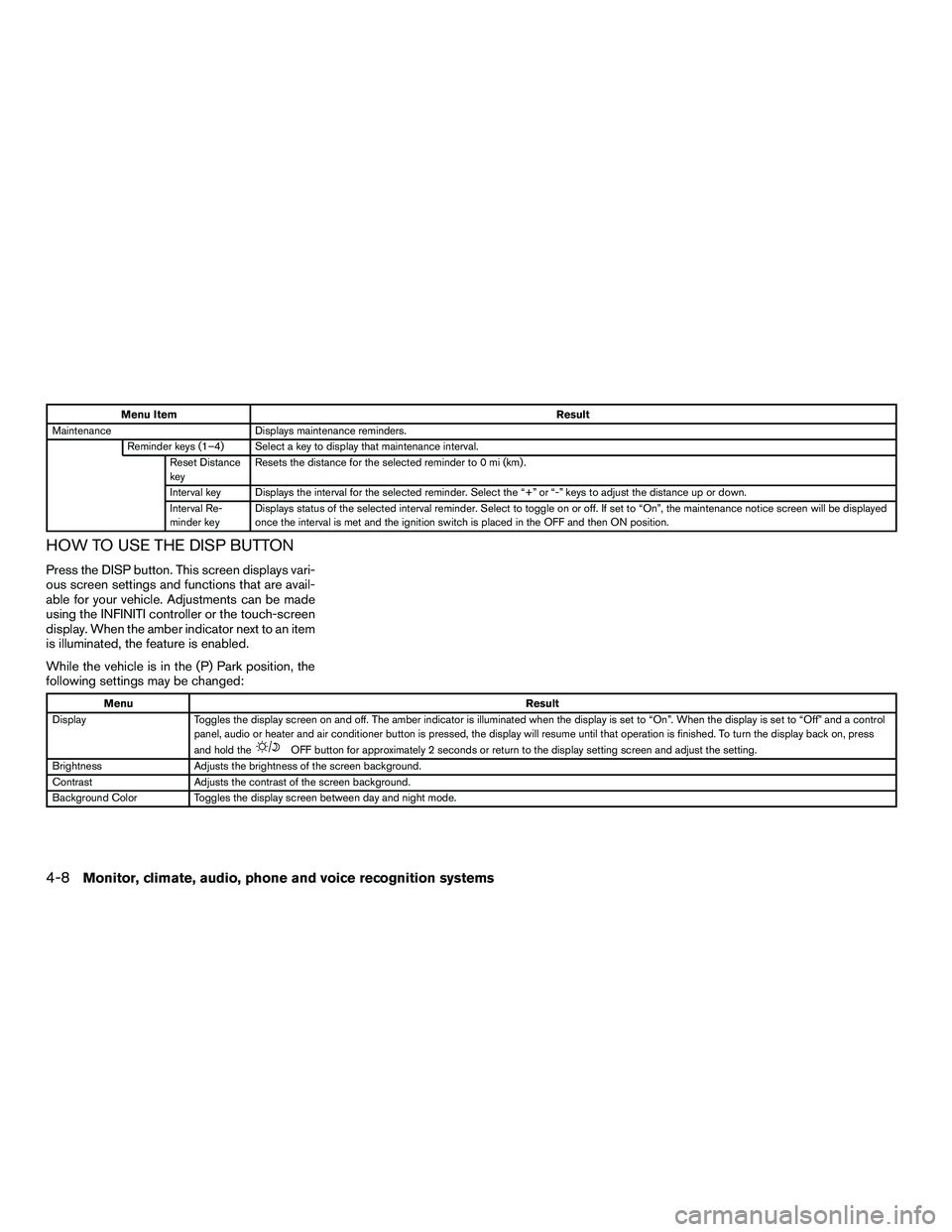
HOW TO USE THE DISP BUTTON
Press the DISP button. This screen displays vari-
ous screen settings and functions that are avail-
able for your vehicle. Adjustments can be made
using the INFINITI controller or the touch-screen
display. When the amber indicator next to an item
is illuminated, the feature is enabled.
While the vehicle is in the (P) Park position, the
following settings may be changed:
Menu
Result
Display Toggles the display screen on and off. The amber indicator is illuminated when the display is set to “On”. When the display is set to “Off” and a control
panel, audio or heater and air conditioner button is pressed, the display will resume until that operation is finished. To turn the display back on, press
and hold the
OFF button for approximately 2 seconds or return to the display setting screen and adjust the setting.
Brightness Adjusts the brightness of the screen background.
Contrast Adjusts the contrast of the screen background.
Background Color Toggles the display screen between day and night mode.
4-8Monitor, climate, audio, phone and voice recognition systems
Page 224 of 623
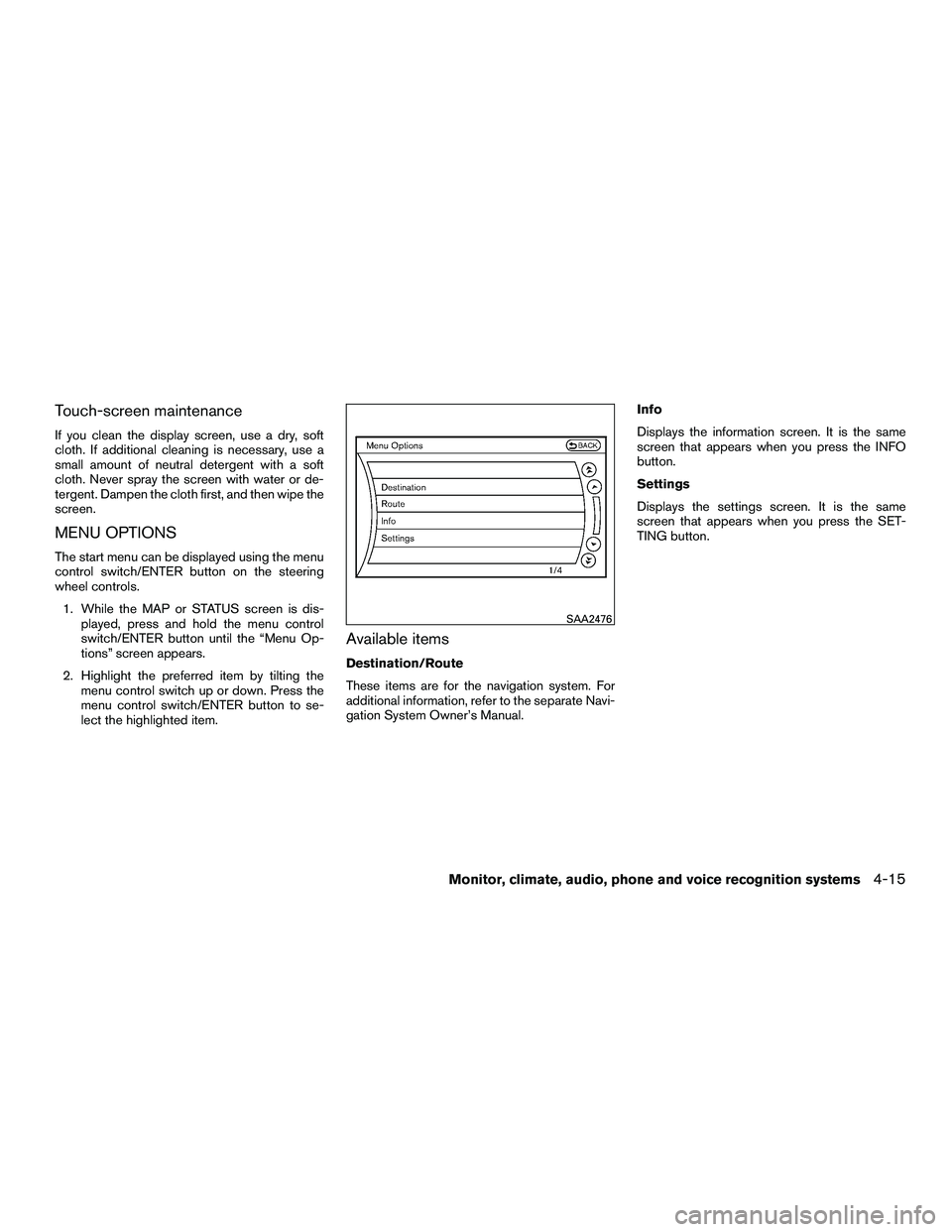
Touch-screen maintenance
If you clean the display screen, use a dry, soft
cloth. If additional cleaning is necessary, use a
small amount of neutral detergent with a soft
cloth. Never spray the screen with water or de-
tergent. Dampen the cloth first, and then wipe the
screen.
MENU OPTIONS
The start menu can be displayed using the menu
control switch/ENTER button on the steering
wheel controls.1. While the MAP or STATUS screen is dis- played, press and hold the menu control
switch/ENTER button until the “Menu Op-
tions” screen appears.
2. Highlight the preferred item by tilting the menu control switch up or down. Press the
menu control switch/ENTER button to se-
lect the highlighted item.
Available items
Destination/Route
These items are for the navigation system. For
additional information, refer to the separate Navi-
gation System Owner’s Manual. Info
Displays the information screen. It is the same
screen that appears when you press the INFO
button.
Settings
Displays the settings screen. It is the same
screen that appears when you press the SET-
TING button.
SAA2476
Monitor, climate, audio, phone and voice recognition systems4-15
Page 226 of 623
HOW TO USE THE STATUS
BUTTON
The STATUS button is used to display system
information. Three different split screens of infor-
mation are available. Press the STATUS button
multiple times to cycle through these screens as
follows:
Audio with Turn Information for Navigation→
Audio with Fuel Economy Information →Audio
with Climate Control Information →Audio with
Turn Information for Navigation
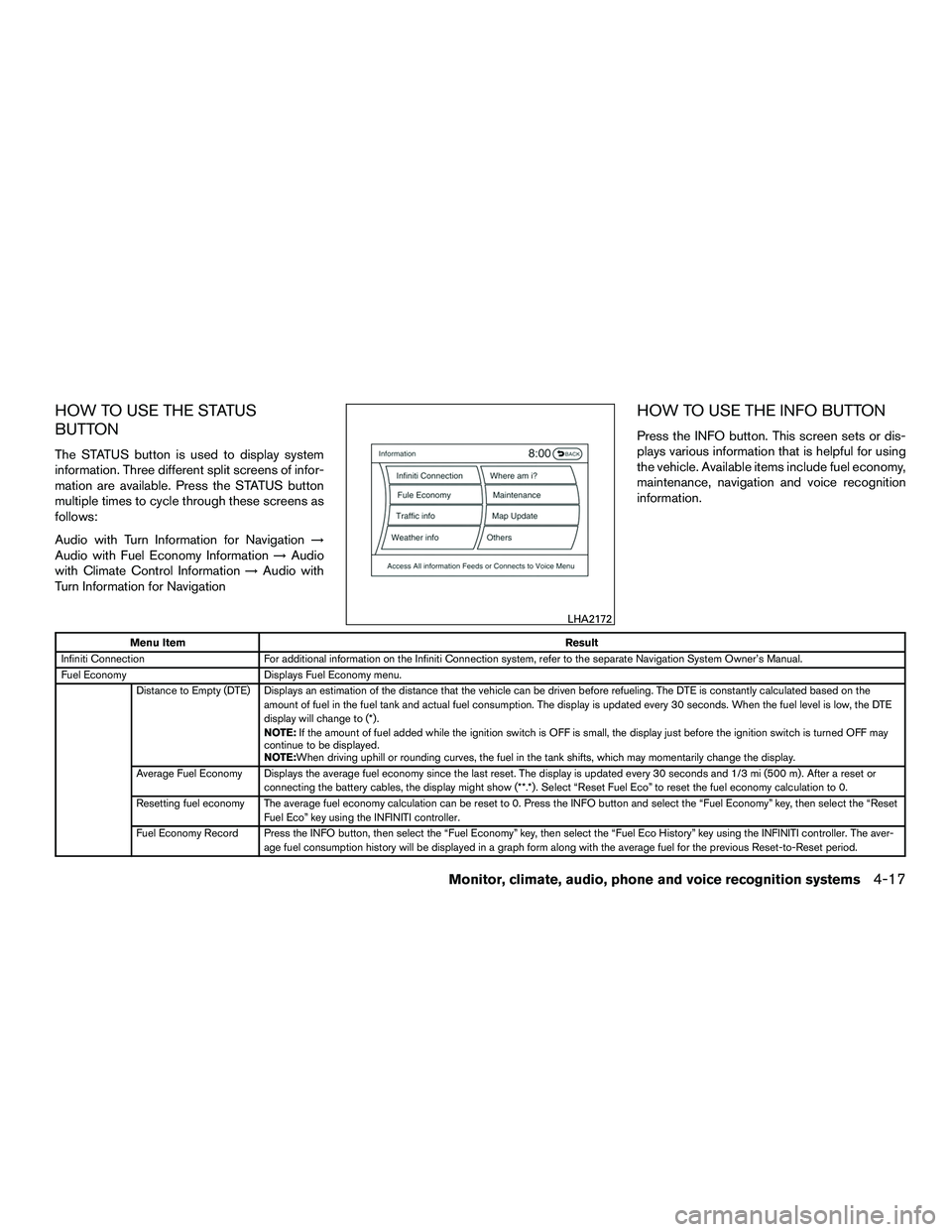
HOW TO USE THE INFO BUTTON
Press the INFO button. This screen sets or dis-
plays various information that is helpful for using
the vehicle. Available items include fuel economy,
maintenance, navigation and voice recognition
information.
Menu Item Result
Infiniti Connection For additional information on the Infiniti Connection system, refer to the separate Navigation System Owner’s Manual.
Fuel Economy Displays Fuel Economy menu.
Distance to Empty (DTE) Displays an estimation of the distance that the vehicle can be driven before refueling. The DTE is constantly calculated based on the amount of fuel in the fuel tank and actual fuel consumption. The display is updated every 30 seconds. When the fuel level is low, the DTE
display will change to (*) .
NOTE:If the amount of fuel added while the ignition switch is OFF is small, the display just before the ignition switch is turned OFF may
continue to be displayed.
NOTE:When driving uphill or rounding curves, the fuel in the tank shifts, which may momentarily change the display.
Average Fuel Economy Displays the average fuel economy since the last reset. The display is updated every 30 seconds and 1/3 mi (500 m) . After a reset or connecting the battery cables, the display might show (**.*) . Select “Reset Fuel Eco” to reset the fuel economy calculation to 0.
Resetting fuel economy The average fuel economy calculation can be reset to 0. Press the INFO button and select the “Fuel Economy” key, then select the “Reset Fuel Eco” key using the INFINITI controller.
Fuel Economy Record Press the INFO button, then select the “Fuel Economy” key, then select the “Fuel Eco History” key using the INFINITI controller. The aver- age fuel consumption history will be displayed in a graph form along with the average fuel for the previous Reset-to-Reset period.
LHA2172
Monitor, climate, audio, phone and voice recognition systems4-17