display ISUZU TROOPER 1998 Service Repair Manual
[x] Cancel search | Manufacturer: ISUZU, Model Year: 1998, Model line: TROOPER, Model: ISUZU TROOPER 1998Pages: 3573, PDF Size: 60.36 MB
Page 3517 of 3573
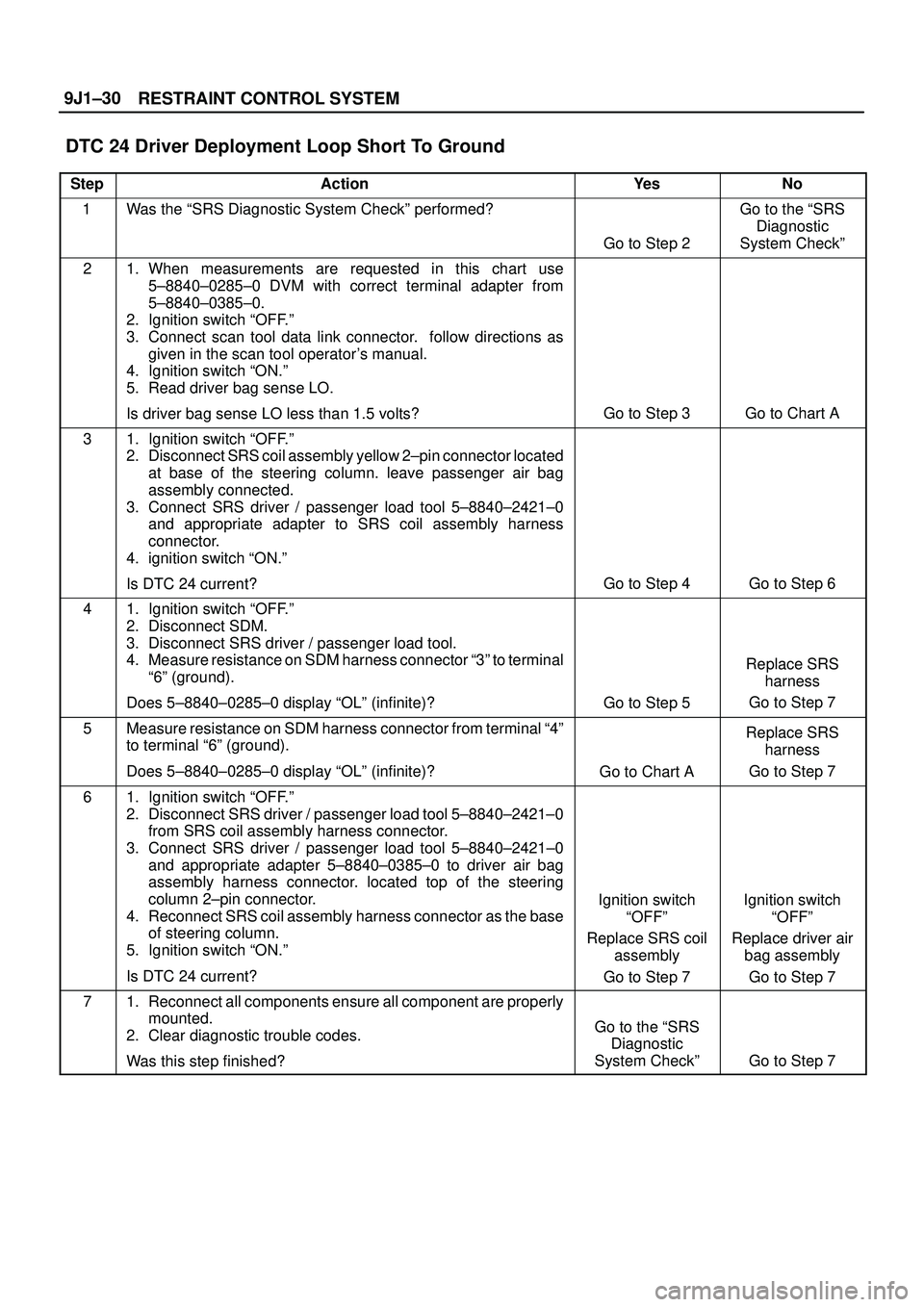
RESTRAINT CONTROL SYSTEM 9J1±30
DTC 24 Driver Deployment Loop Short To Ground
StepActionYe sNo
1Was the ªSRS Diagnostic System Checkº performed?
Go to Step 2
Go to the ªSRS
Diagnostic
System Checkº
21. When measurements are requested in this chart use
5±8840±0285±0 DVM with correct terminal adapter from
5±8840±0385±0.
2. Ignition switch ªOFF.º
3. Connect scan tool data link connector. follow directions as
given in the scan tool operator's manual.
4. Ignition switch ªON.º
5. Read driver bag sense LO.
Is driver bag sense LO less than 1.5 volts?
Go to Step 3Go to Chart A
31. Ignition switch ªOFF.º
2. Disconnect SRS coil assembly yellow 2±pin connector located
at base of the steering column. leave passenger air bag
assembly connected.
3. Connect SRS driver / passenger load tool 5±8840±2421±0
and appropriate adapter to SRS coil assembly harness
connector.
4. ignition switch ªON.º
Is DTC 24 current?
Go to Step 4Go to Step 6
41. Ignition switch ªOFF.º
2. Disconnect SDM.
3. Disconnect SRS driver / passenger load tool.
4. Measure resistance on SDM harness connector ª3º to terminal
ª6º (ground).
Does 5±8840±0285±0 display ªOLº (infinite)?
Go to Step 5
Replace SRS
harness
Go to Step 7
5Measure resistance on SDM harness connector from terminal ª4º
to terminal ª6º (ground).
Does 5±8840±0285±0 display ªOLº (infinite)?
Go to Chart A
Replace SRS
harness
Go to Step 7
61. Ignition switch ªOFF.º
2. Disconnect SRS driver / passenger load tool 5±8840±2421±0
from SRS coil assembly harness connector.
3. Connect SRS driver / passenger load tool 5±8840±2421±0
and appropriate adapter 5±8840±0385±0 to driver air bag
assembly harness connector. located top of the steering
column 2±pin connector.
4. Reconnect SRS coil assembly harness connector as the base
of steering column.
5. Ignition switch ªON.º
Is DTC 24 current?
Ignition switch
ªOFFº
Replace SRS coil
assembly
Go to Step 7Ignition switch
ªOFFº
Replace driver air
bag assembly
Go to Step 7
71. Reconnect all components ensure all component are properly
mounted.
2. Clear diagnostic trouble codes.
Was this step finished?
Go to the ªSRS
Diagnostic
System Checkº
Go to Step 7
Page 3519 of 3573
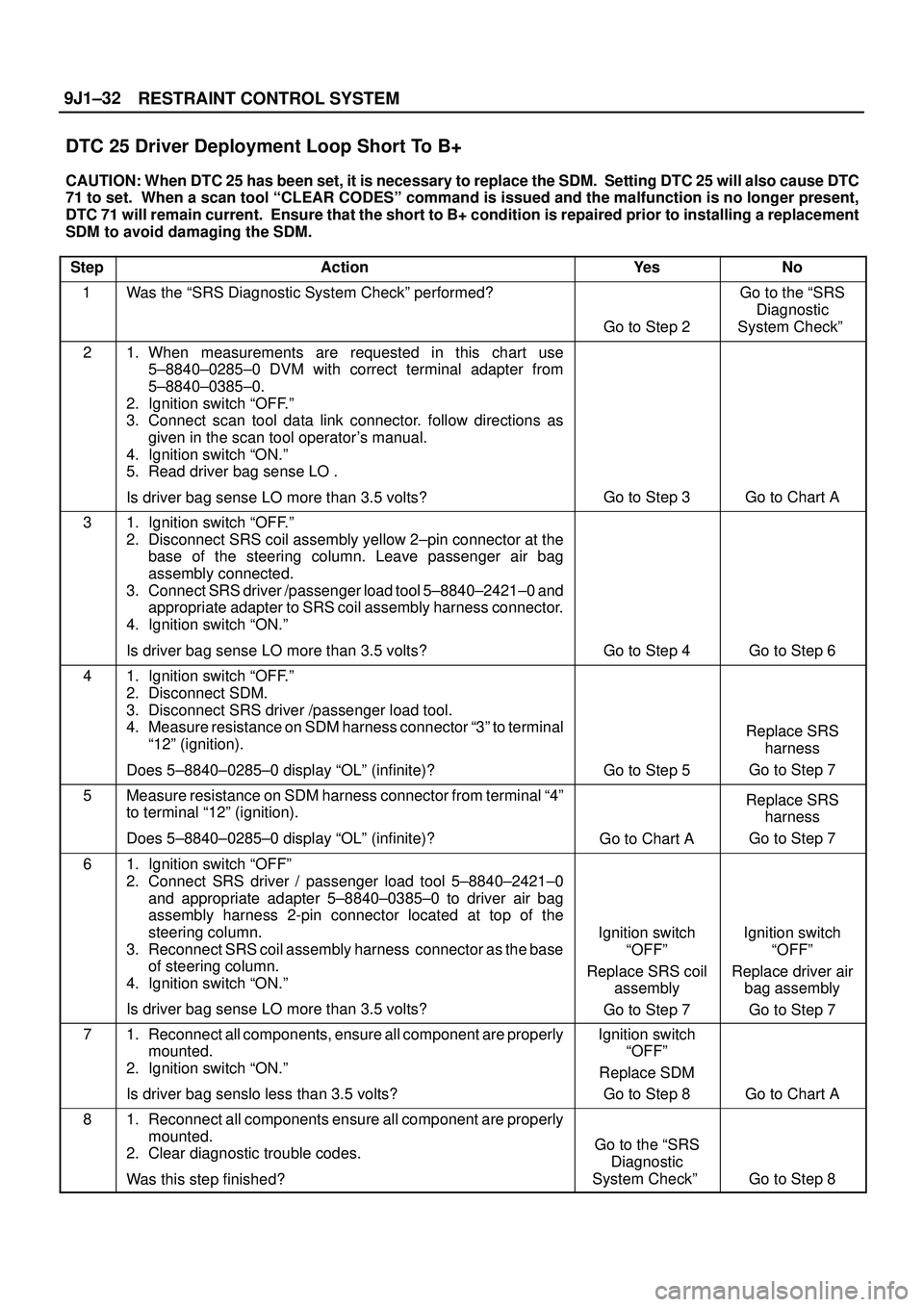
RESTRAINT CONTROL SYSTEM 9J1±32
DTC 25 Driver Deployment Loop Short To B+
CAUTION: When DTC 25 has been set, it is necessary to replace the SDM. Setting DTC 25 will also cause DTC
71 to set. When a scan tool ªCLEAR CODESº command is issued and the malfunction is no longer present,
DTC 71 will remain current. Ensure that the short to B+ condition is repaired prior to installing a replacement
SDM to avoid damaging the SDM.
Step
ActionYe sNo
1Was the ªSRS Diagnostic System Checkº performed?
Go to Step 2
Go to the ªSRS
Diagnostic
System Checkº
21. When measurements are requested in this chart use
5±8840±0285±0 DVM with correct terminal adapter from
5±8840±0385±0.
2. Ignition switch ªOFF.º
3. Connect scan tool data link connector. follow directions as
given in the scan tool operator's manual.
4. Ignition switch ªON.º
5. Read driver bag sense LO .
Is driver bag sense LO more than 3.5 volts?
Go to Step 3Go to Chart A
31. Ignition switch ªOFF.º
2. Disconnect SRS coil assembly yellow 2±pin connector at the
base of the steering column. Leave passenger air bag
assembly connected.
3. Connect SRS driver /passenger load tool 5±8840±2421±0 and
appropriate adapter to SRS coil assembly harness connector.
4. Ignition switch ªON.º
Is driver bag sense LO more than 3.5 volts?
Go to Step 4Go to Step 6
41. Ignition switch ªOFF.º
2. Disconnect SDM.
3. Disconnect SRS driver /passenger load tool.
4. Measure resistance on SDM harness connector ª3º to terminal
ª12º (ignition).
Does 5±8840±0285±0 display ªOLº (infinite)?
Go to Step 5
Replace SRS
harness
Go to Step 7
5Measure resistance on SDM harness connector from terminal ª4º
to terminal ª12º (ignition).
Does 5±8840±0285±0 display ªOLº (infinite)?
Go to Chart A
Replace SRS
harness
Go to Step 7
61. Ignition switch ªOFFº
2. Connect SRS driver / passenger load tool 5±8840±2421±0
and appropriate adapter 5±8840±0385±0 to driver air bag
assembly harness 2-pin connector located at top of the
steering column.
3. Reconnect SRS coil assembly harness connector as the base
of steering column.
4. Ignition switch ªON.º
Is driver bag sense LO more than 3.5 volts?
Ignition switch
ªOFFº
Replace SRS coil
assembly
Go to Step 7Ignition switch
ªOFFº
Replace driver air
bag assembly
Go to Step 7
71. Reconnect all components, ensure all component are properly
mounted.
2. Ignition switch ªON.º
Is driver bag senslo less than 3.5 volts?Ignition switch
ªOFFº
Replace SDM
Go to Step 8
Go to Chart A
81. Reconnect all components ensure all component are properly
mounted.
2. Clear diagnostic trouble codes.
Was this step finished?
Go to the ªSRS
Diagnostic
System Checkº
Go to Step 8
Page 3531 of 3573
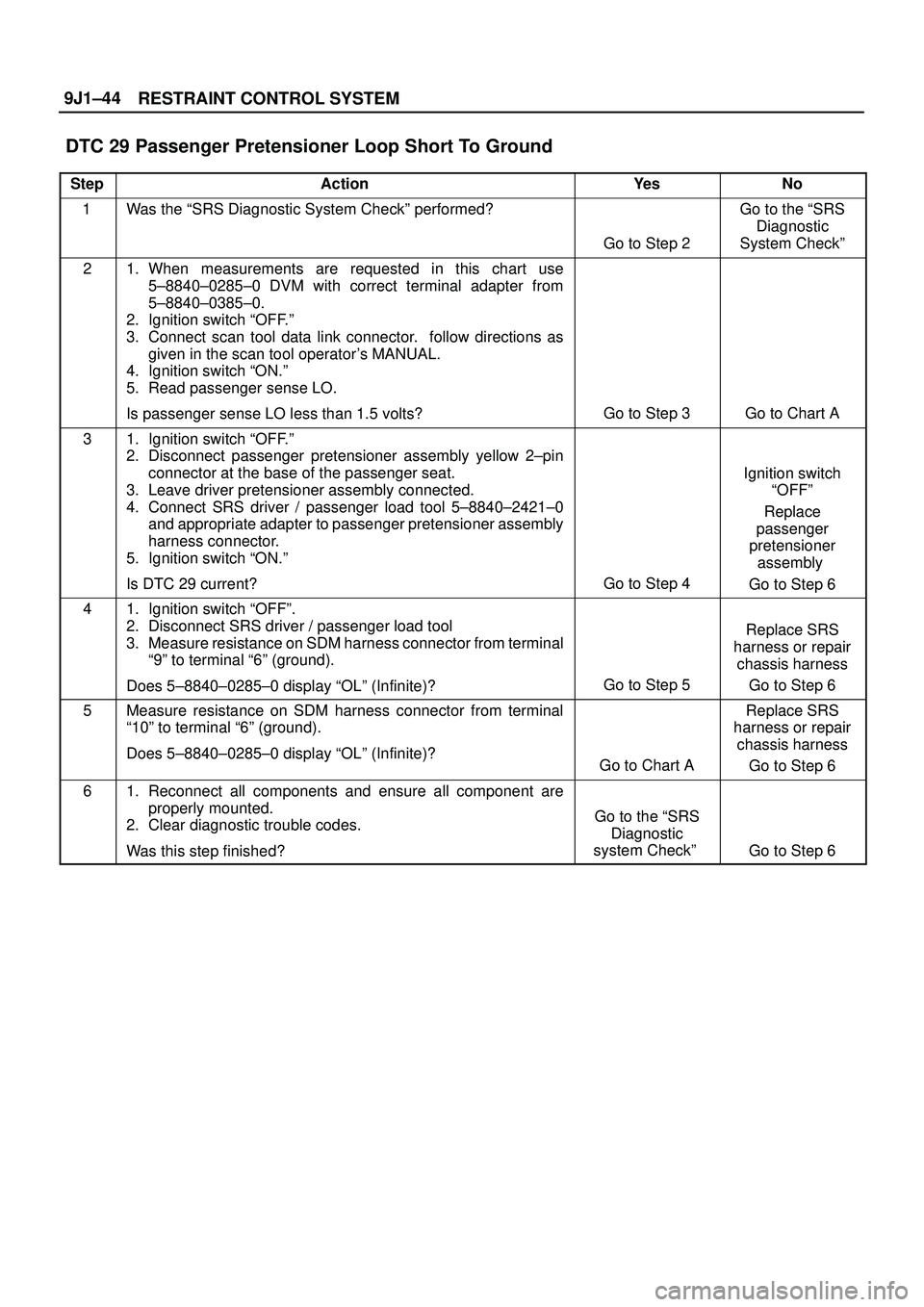
RESTRAINT CONTROL SYSTEM 9J1±44
DTC 29 Passenger Pretensioner Loop Short To Ground
StepActionYe sNo
1Was the ªSRS Diagnostic System Checkº performed?
Go to Step 2
Go to the ªSRS
Diagnostic
System Checkº
21. When measurements are requested in this chart use
5±8840±0285±0 DVM with correct terminal adapter from
5±8840±0385±0.
2. Ignition switch ªOFF.º
3. Connect scan tool data link connector. follow directions as
given in the scan tool operator's MANUAL.
4. Ignition switch ªON.º
5. Read passenger sense LO.
Is passenger sense LO less than 1.5 volts?
Go to Step 3Go to Chart A
31. Ignition switch ªOFF.º
2. Disconnect passenger pretensioner assembly yellow 2±pin
connector at the base of the passenger seat.
3. Leave driver pretensioner assembly connected.
4. Connect SRS driver / passenger load tool 5±8840±2421±0
and appropriate adapter to passenger pretensioner assembly
harness connector.
5. Ignition switch ªON.º
Is DTC 29 current?
Go to Step 4
Ignition switch
ªOFFº
Replace
passenger
pretensioner
assembly
Go to Step 6
41. Ignition switch ªOFFº.
2. Disconnect SRS driver / passenger load tool
3. Measure resistance on SDM harness connector from terminal
ª9º to terminal ª6º (ground).
Does 5±8840±0285±0 display ªOLº (Infinite)?
Go to Step 5
Replace SRS
harness or repair
chassis harness
Go to Step 6
5Measure resistance on SDM harness connector from terminal
ª10º to terminal ª6º (ground).
Does 5±8840±0285±0 display ªOLº (Infinite)?
Go to Chart A
Replace SRS
harness or repair
chassis harness
Go to Step 6
61. Reconnect all components and ensure all component are
properly mounted.
2. Clear diagnostic trouble codes.
Was this step finished?
Go to the ªSRS
Diagnostic
system Checkº
Go to Step 6
Page 3537 of 3573
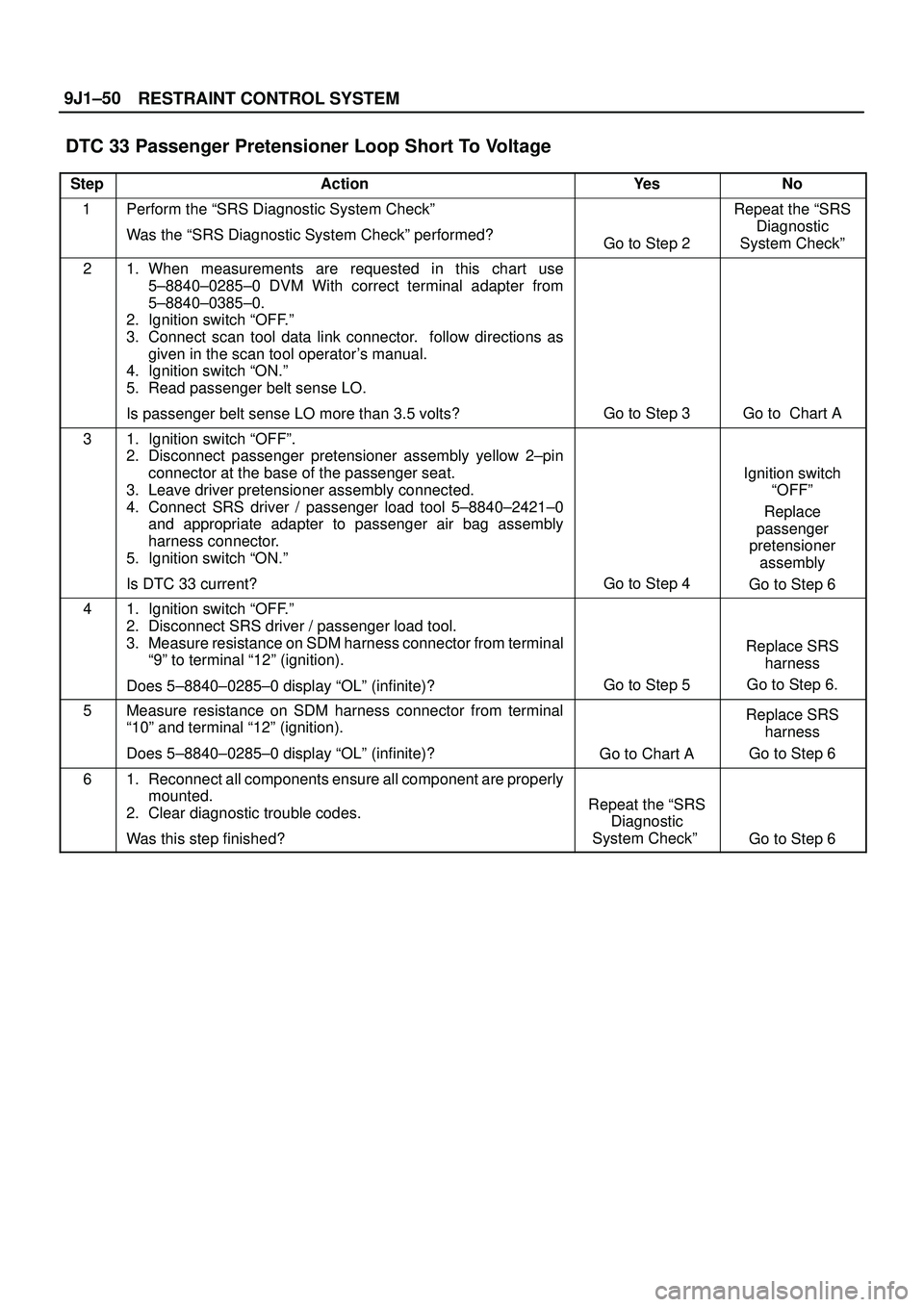
RESTRAINT CONTROL SYSTEM 9J1±50
DTC 33 Passenger Pretensioner Loop Short To Voltage
StepActionYe sNo
1Perform the ªSRS Diagnostic System Checkº
Was the ªSRS Diagnostic System Checkº performed?
Go to Step 2
Repeat the ªSRS
Diagnostic
System Checkº
21. When measurements are requested in this chart use
5±8840±0285±0 DVM With correct terminal adapter from
5±8840±0385±0.
2. Ignition switch ªOFF.º
3. Connect scan tool data link connector. follow directions as
given in the scan tool operator's manual.
4. Ignition switch ªON.º
5. Read passenger belt sense LO.
Is passenger belt sense LO more than 3.5 volts?
Go to Step 3Go to Chart A
31. Ignition switch ªOFFº.
2. Disconnect passenger pretensioner assembly yellow 2±pin
connector at the base of the passenger seat.
3. Leave driver pretensioner assembly connected.
4. Connect SRS driver / passenger load tool 5±8840±2421±0
and appropriate adapter to passenger air bag assembly
harness connector.
5. Ignition switch ªON.º
Is DTC 33 current?
Go to Step 4
Ignition switch
ªOFFº
Replace
passenger
pretensioner
assembly
Go to Step 6
41. Ignition switch ªOFF.º
2. Disconnect SRS driver / passenger load tool.
3. Measure resistance on SDM harness connector from terminal
ª9º to terminal ª12º (ignition).
Does 5±8840±0285±0 display ªOLº (infinite)?
Go to Step 5
Replace SRS
harness
Go to Step 6.
5Measure resistance on SDM harness connector from terminal
ª10º and terminal ª12º (ignition).
Does 5±8840±0285±0 display ªOLº (infinite)?
Go to Chart A
Replace SRS
harness
Go to Step 6
61. Reconnect all components ensure all component are properly
mounted.
2. Clear diagnostic trouble codes.
Was this step finished?
Repeat the ªSRS
Diagnostic
System Checkº
Go to Step 6
Page 3547 of 3573
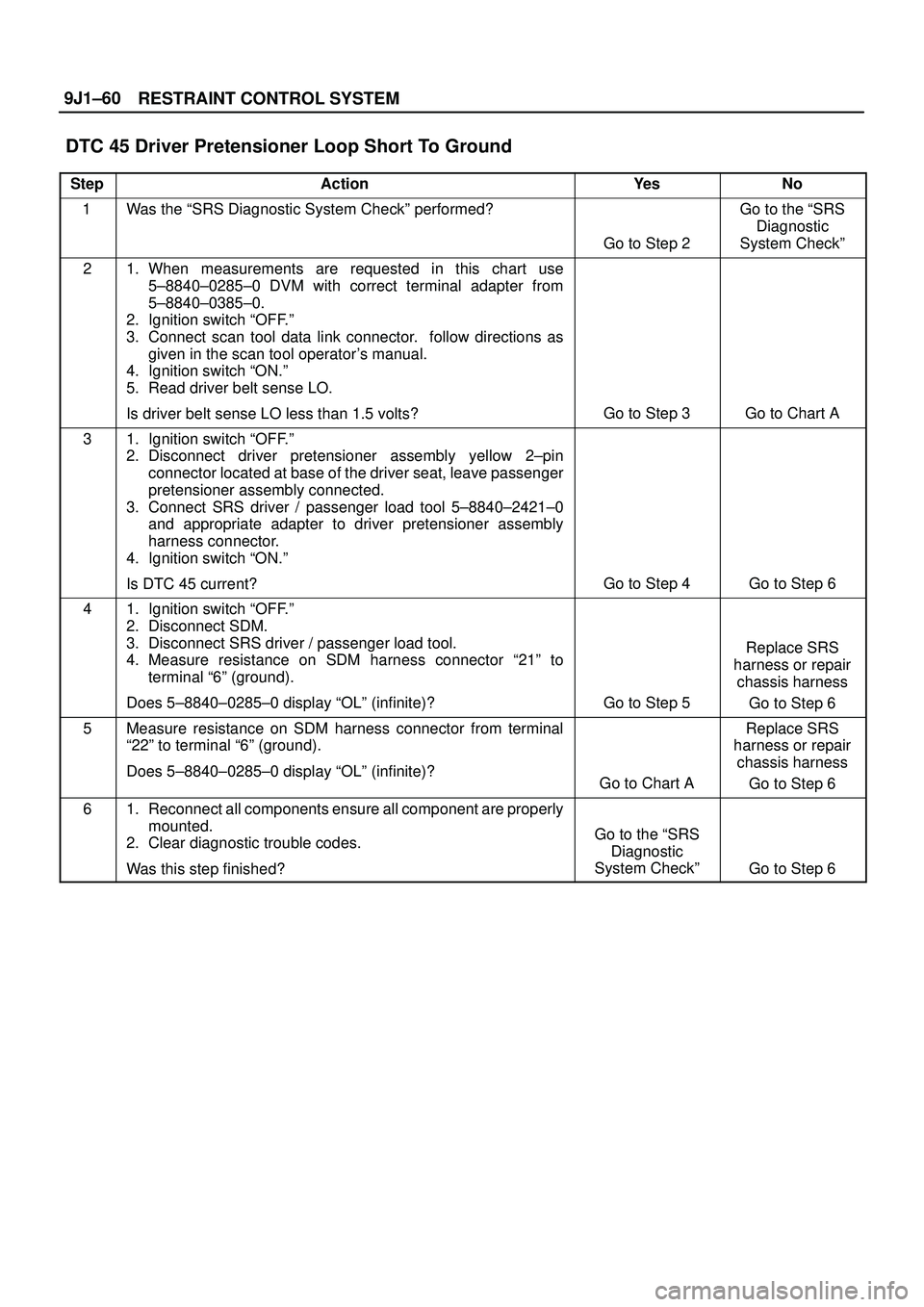
RESTRAINT CONTROL SYSTEM 9J1±60
DTC 45 Driver Pretensioner Loop Short To Ground
StepActionYe sNo
1Was the ªSRS Diagnostic System Checkº performed?
Go to Step 2
Go to the ªSRS
Diagnostic
System Checkº
21. When measurements are requested in this chart use
5±8840±0285±0 DVM with correct terminal adapter from
5±8840±0385±0.
2. Ignition switch ªOFF.º
3. Connect scan tool data link connector. follow directions as
given in the scan tool operator's manual.
4. Ignition switch ªON.º
5. Read driver belt sense LO.
Is driver belt sense LO less than 1.5 volts?
Go to Step 3Go to Chart A
31. Ignition switch ªOFF.º
2. Disconnect driver pretensioner assembly yellow 2±pin
connector located at base of the driver seat, leave passenger
pretensioner assembly connected.
3. Connect SRS driver / passenger load tool 5±8840±2421±0
and appropriate adapter to driver pretensioner assembly
harness connector.
4. Ignition switch ªON.º
Is DTC 45 current?
Go to Step 4Go to Step 6
41. Ignition switch ªOFF.º
2. Disconnect SDM.
3. Disconnect SRS driver / passenger load tool.
4. Measure resistance on SDM harness connector ª21º to
terminal ª6º (ground).
Does 5±8840±0285±0 display ªOLº (infinite)?
Go to Step 5
Replace SRS
harness or repair
chassis harness
Go to Step 6
5Measure resistance on SDM harness connector from terminal
ª22º to terminal ª6º (ground).
Does 5±8840±0285±0 display ªOLº (infinite)?
Go to Chart A
Replace SRS
harness or repair
chassis harness
Go to Step 6
61. Reconnect all components ensure all component are properly
mounted.
2. Clear diagnostic trouble codes.
Was this step finished?
Go to the ªSRS
Diagnostic
System Checkº
Go to Step 6
Page 3549 of 3573
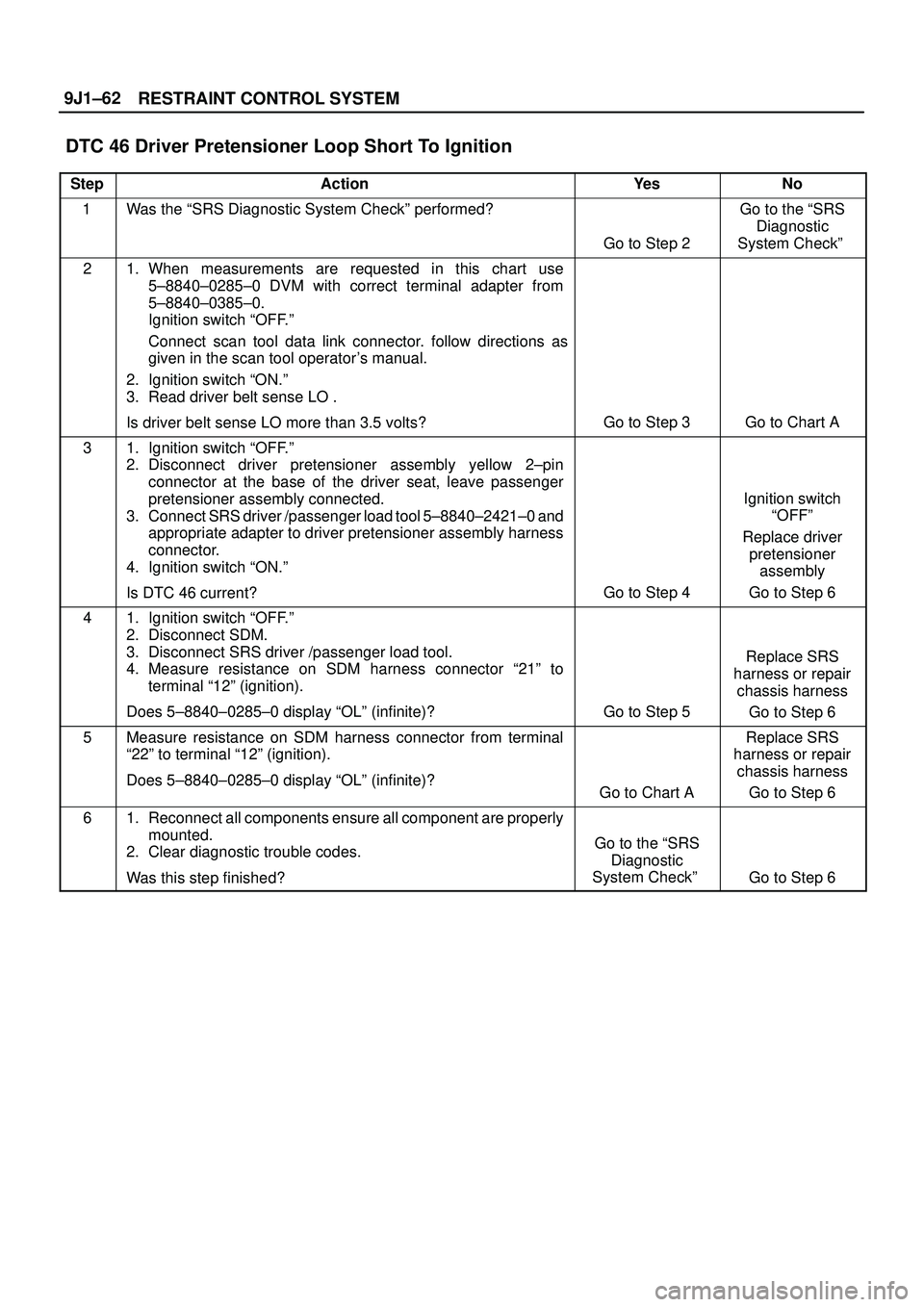
RESTRAINT CONTROL SYSTEM 9J1±62
DTC 46 Driver Pretensioner Loop Short To Ignition
StepActionYe sNo
1Was the ªSRS Diagnostic System Checkº performed?
Go to Step 2
Go to the ªSRS
Diagnostic
System Checkº
21. When measurements are requested in this chart use
5±8840±0285±0 DVM with correct terminal adapter from
5±8840±0385±0.
Ignition switch ªOFF.º
Connect scan tool data link connector. follow directions as
given in the scan tool operator's manual.
2. Ignition switch ªON.º
3. Read driver belt sense LO .
Is driver belt sense LO more than 3.5 volts?
Go to Step 3Go to Chart A
31. Ignition switch ªOFF.º
2. Disconnect driver pretensioner assembly yellow 2±pin
connector at the base of the driver seat, leave passenger
pretensioner assembly connected.
3. Connect SRS driver /passenger load tool 5±8840±2421±0 and
appropriate adapter to driver pretensioner assembly harness
connector.
4. Ignition switch ªON.º
Is DTC 46 current?
Go to Step 4
Ignition switch
ªOFFº
Replace driver
pretensioner
assembly
Go to Step 6
41. Ignition switch ªOFF.º
2. Disconnect SDM.
3. Disconnect SRS driver /passenger load tool.
4. Measure resistance on SDM harness connector ª21º to
terminal ª12º (ignition).
Does 5±8840±0285±0 display ªOLº (infinite)?
Go to Step 5
Replace SRS
harness or repair
chassis harness
Go to Step 6
5Measure resistance on SDM harness connector from terminal
ª22º to terminal ª12º (ignition).
Does 5±8840±0285±0 display ªOLº (infinite)?
Go to Chart A
Replace SRS
harness or repair
chassis harness
Go to Step 6
61. Reconnect all components ensure all component are properly
mounted.
2. Clear diagnostic trouble codes.
Was this step finished?
Go to the ªSRS
Diagnostic
System Checkº
Go to Step 6