Sound JAGUAR XJ 2004 X350 / 3.G User Guide
[x] Cancel search | Manufacturer: JAGUAR, Model Year: 2004, Model line: XJ, Model: JAGUAR XJ 2004 X350 / 3.GPages: 227, PDF Size: 4.22 MB
Page 77 of 227
4-6 On the Road
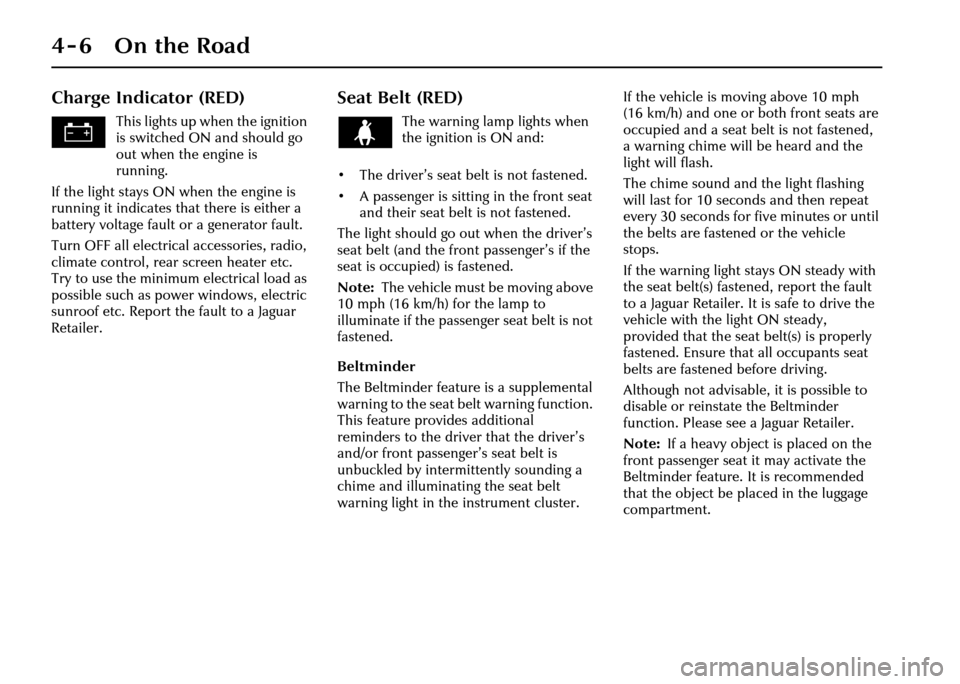
Charge Indicator (RED)
This lights up when the ignition
is switched ON and should go
out when the engine is
running.
If the light stays ON when the engine is
running it indicates that there is either a
battery voltage fault or a generator fault.
Turn OFF all electrical accessories, radio,
climate control, rear screen heater etc.
Try to use the minimum electrical load as
possible such as power windows, electric
sunroof etc. Report the fault to a Jaguar
Retailer.
Seat Belt (RED)
The warning lamp lights when
the ignition is ON and:
• The driver’s seat belt is not fastened.
• A passenger is sitting in the front seat and their seat belt is not fastened.
The light should go out when the driver’s
seat belt (and the front passenger’s if the
seat is occupied) is fastened.
Note: The vehicle must be moving above
10 mph (16 km/h) for the lamp to
illuminate if the passeng er seat belt is not
fastened.
Beltminder
The Beltminder feature is a supplemental
warning to the seat be lt warning function.
This feature provides additional
reminders to the driver that the driver’s
and/or front passenger’s seat belt is
unbuckled by intermittently sounding a
chime and illuminating the seat belt
warning light in the instrument cluster. If the vehicle is moving above 10 mph
(16 km/h) and one or both front seats are
occupied and a seat belt is not fastened,
a warning chime will be heard and the
light will flash.
The chime sound and the light flashing
will last for 10 seconds and then repeat
every 30 seconds for five minutes or until
the belts are fastened or the vehicle
stops.
If the warning light stays ON steady with
the seat belt(s) fastened, report the fault
to a Jaguar Retailer. It is safe to drive the
vehicle with the light ON steady,
provided that the seat belt(s) is properly
fastened. Ensure that all occupants seat
belts are fastened before driving.
Although not advisable, it is possible to
disable or reinstate the Beltminder
function. Please see a Jaguar Retailer.
Note:
If a heavy object is placed on the
front passenger seat it may activate the
Beltminder feature. It is recommended
that the object be placed in the luggage
compartment.
Page 80 of 227
On the Road 4 - 9
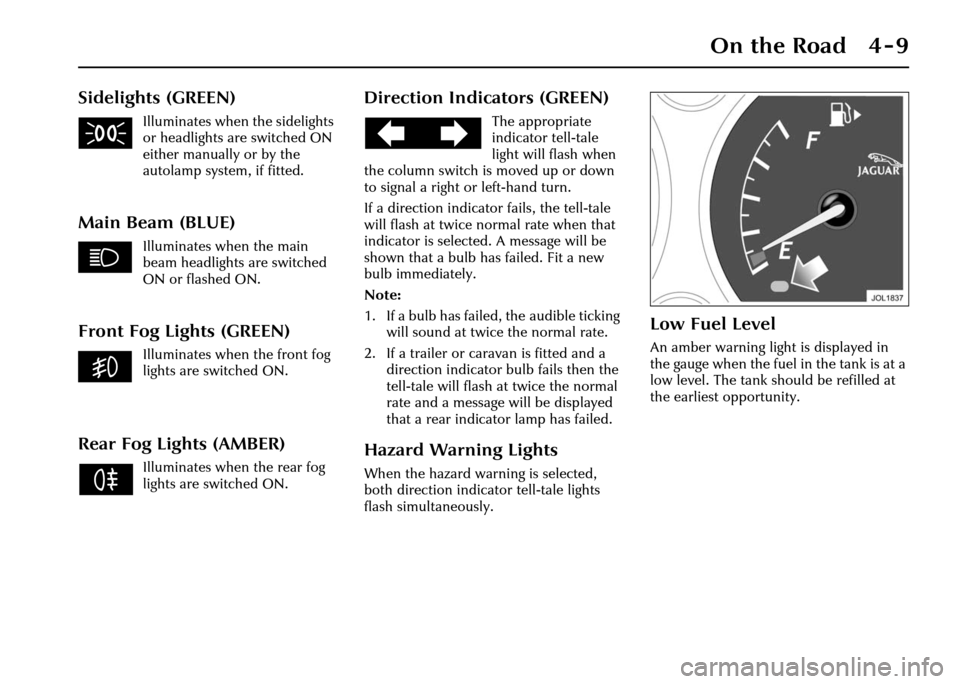
Sidelights (GREEN)
Illuminates when the sidelights
or headlights are switched ON
either manually or by the
autolamp system, if fitted.
Main Beam (BLUE)
Illuminates when the main
beam headlights are switched
ON or flashed ON.
Front Fog Lights (GREEN)
Illuminates when the front fog
lights are switched ON.
Rear Fog Lights (AMBER)
Illuminates when the rear fog
lights are switched ON.
Direction Indicators (GREEN)
The appropriate
indicator tell-tale
light will flash when
the column switch is moved up or down
to signal a right or left-hand turn.
If a direction indicato r fails, the tell-tale
will flash at twice normal rate when that
indicator is selected. A message will be
shown that a bulb has failed. Fit a new
bulb immediately.
Note:
1. If a bulb has failed, the audible ticking will sound at twice the normal rate.
2. If a trailer or caravan is fitted and a direction indicator bulb fails then the
tell-tale will flash at twice the normal
rate and a message will be displayed
that a rear indicator lamp has failed.
Hazard Warning Lights
When the hazard warning is selected,
both direction indicator tell-tale lights
flash simultaneously.
Low Fuel Level
An amber warning light is displayed in
the gauge when the fuel in the tank is at a
low level. The tank should be refilled at
the earliest opportunity.
Page 81 of 227
4-10 On the Road
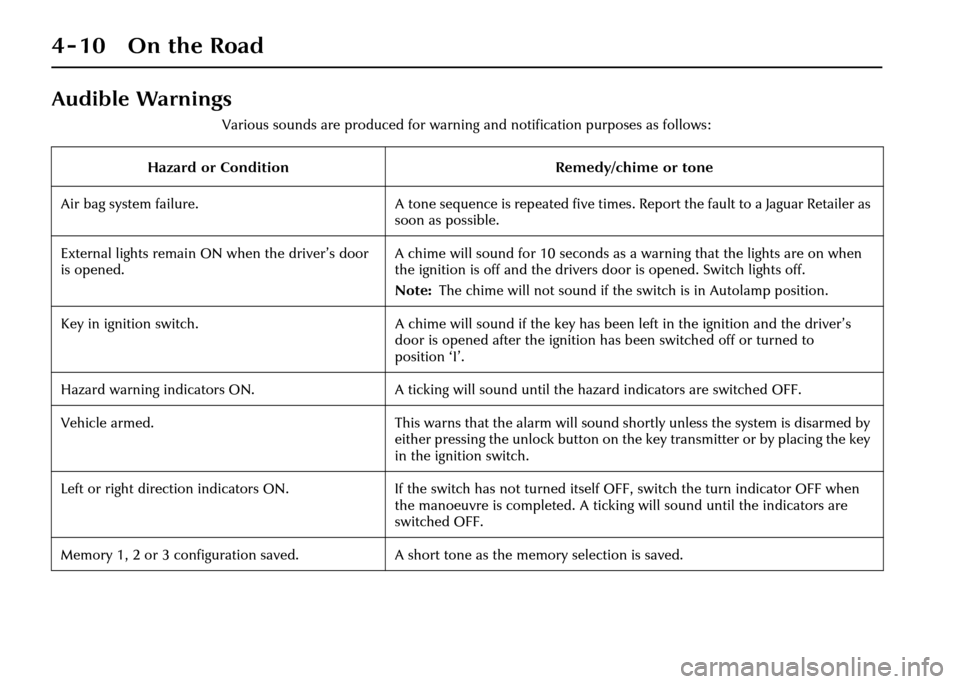
Audible Warnings
Various sounds are produced for warning and notification purposes as follows:
Hazard or Condition Remedy/chime or tone
Air bag system failure. A tone sequence is repeated five times. Report the fault to a Jaguar Retailer as
soon as possible.
External lights remain ON when the driver’s door
is opened. A chime will sound for 10 seconds as a warning that the lights are on when
the ignition is off and the drivers door is opened. Switch lights off.
Note:
The chime will not sound if the switch is in Autolamp position.
Key in ignition switch. A chime will sound if the key has been left in the ignition and the driver’s
door is opened after the ignition has been switched off or turned to
position ‘I’.
Hazard warning indicators ON. A ticking will sound until the hazard indicators are switched OFF.
Vehicle armed. This warns that the alarm will sound shortly unless the system is disarmed by
either pressing the unlock button on the key transmitter or by placing the key
in the ignition switch.
Left or right direction indicators ON. If the switch has not turned itself OFF, switch the turn indicator OFF when
the manoeuvre is completed. A ticking will sound until the indicators are
switched OFF.
Memory 1, 2 or 3 configuration saved. A short tone as the memory selection is saved.
Page 82 of 227
On the Road 4 - 11
Hazard or ConditionRemedy/chime or tone
Valet mode. This indicates that the valet mode has not been set or that access to a
restricted area has been prevented because valet mode has been set.
Seat belt reminder. A chime will sound for 60 seconds after the ignition is switched on or until
the driver’s seat belt is fastened or the ignition switch turned to ‘0’.
The chime will also sound at regular intervals for five minutes if the vehicle is
moving above 10 mph (16 km/h) and the driver’s and/or front passenger’s
(if occupied) seat belts are not fastened or are unfastened.
Electric parkbrake. If the message ‘PARKBRAKE ON’ is displayed, it means that the parkbrake is
applied but the vehicle is moving. Release the parkbrake or stop the vehicle
when it is safe to do so.
Parkbrake cannot be applied. This sounds a warning that the parkbrake cannot be applied. The parkbrake
needs to be reset. Release the parkbrake, depress the footbrake and at the
same time apply the parkbrake.
Adaptive cruise control driver intervene. Action is required by the driver to apply the brakes.
Gear selector not in ‘Park’. This warns that the gear selector is not in Park when the ignition is turned off.
Page 97 of 227
4-26 On the Road
Direction Indicators
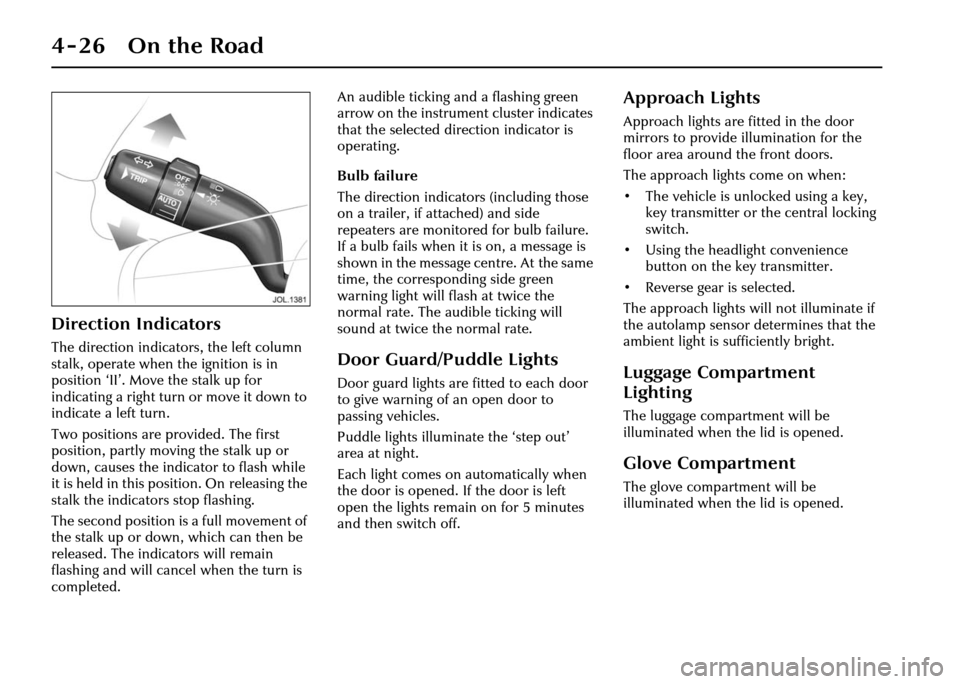
The direction indicators, the left column
stalk, operate when the ignition is in
position ‘II’. Move the stalk up for
indicating a right turn or move it down to
indicate a left turn.
Two positions are provided. The first
position, partly moving the stalk up or
down, causes the indicator to flash while
it is held in this position. On releasing the
stalk the indicators stop flashing.
The second position is a full movement of
the stalk up or down, which can then be
released. The indicators will remain
flashing and will cancel when the turn is
completed. An audible ticking an
d a flashing green
arrow on the instrument cluster indicates
that the selected direction indicator is
operating.
Bulb failure
The direction indicators (including those
on a trailer, if attached) and side
repeaters are monitored for bulb failure.
If a bulb fails when it is on, a message is
shown in the message centre. At the same
time, the corresponding side green
warning light will flash at twice the
normal rate. The audible ticking will
sound at twice the normal rate.Door Guard/Puddle Lights
Door guard lights are fitted to each door
to give warning of an open door to
passing vehicles.
Puddle lights illuminate the ‘step out’
area at night.
Each light comes on automatically when
the door is opened. If the door is left
open the lights remain on for 5 minutes
and then switch off.
Approach Lights
Approach lights are fitted in the door
mirrors to provide illumination for the
floor area around the front doors.
The approach lights come on when:
• The vehicle is unlocked using a key, key transmitter or the central locking
switch.
• Using the headlight convenience button on the key transmitter.
• Reverse gear is selected.
The approach lights will not illuminate if
the autolamp sensor determines that the
ambient light is sufficiently bright.
Luggage Compartment
Lighting
The luggage compar tment will be
illuminated when the lid is opened.
Glove Compartment
The glove compartment will be
illuminated when the lid is opened.
Page 105 of 227
4-34 On the Road
Parkbrake
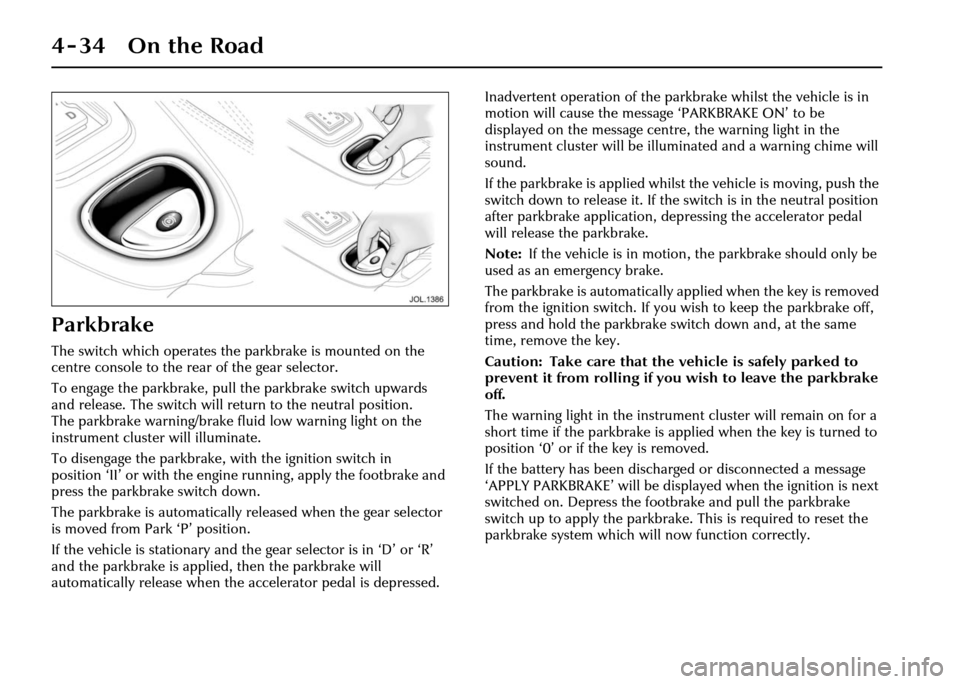
The switch which operates the parkbrake is mounted on the
centre console to the rear of the gear selector.
To engage the parkbrake, pull the parkbrake switch upwards
and release. The switch will return to the neutral position.
The parkbrake warning/brake fluid low warning light on the
instrument cluster will illuminate.
To disengage the parkbrake, with the ignition switch in
position ‘II’ or with the engine running, apply the footbrake and
press the parkbrake switch down.
The parkbrake is automatically released when the gear selector
is moved from Park ‘P’ position.
If the vehicle is stationary and the gear selector is in ‘D’ or ‘R’
and the parkbrake is applied, then the parkbrake will
automatically release when the accelerator pedal is depressed. Inadvertent operation of the parkbrake whilst the vehicle is in
motion will cause the message ‘PARKBRAKE ON’ to be
displayed on the message centre, the warning light in the
instrument cluster will be illuminated and a warning chime will
sound.
If the parkbrake is applied whilst
the vehicle is moving, push the
switch down to release it. If the switch is in the neutral position
after parkbrake application, depressing the accelerator pedal
will release the parkbrake.
Note: If the vehicle is in motion, the parkbrake should only be
used as an emergency brake.
The parkbrake is auto matically applied when the key is removed
from the ignition switch. If you wi sh to keep the parkbrake off,
press and hold the parkbrake switch down and, at the same
time, remove the key.
Caution: Take care that the vehicle is safely parked to
prevent it from rolling if you wish to leave the parkbrake
off.
The warning light in the instrument cluster will remain on for a
short time if the parkbrake is applied when the key is turned to
position ‘0’ or if the key is removed.
If the battery has been discharged or disconnected a message
‘APPLY PARKBRAKE’ will be displa yed when the ignition is next
switched on. Depress the footbrake and pull the parkbrake
switch up to apply the parkbrake. This is required to reset the
parkbrake system which will now function correctly.
Page 106 of 227
On the Road 4 - 35
Park Distance Control
Caution: It remains the driver’s
responsibility to detect obstacles and
estimate the car’s distance from
them. Some overhanging objects,
barriers, thin obstructions or painted
surfaces which could possibly cause
damage to the vehicle may not be
detected by the system. Always be
vigilant when reversing.
Park distance control is always
automatically switched on when the
ignition is turned on.
Caution:
1. If, for example, you are driving into a confined space such as a
home garage, the outer sensors
will detect the side walls and after
3 seconds will switch the tone off.
However, as movement
continues, the inner sensors will
eventually detect the rear wall
and will start the tone again.
2. The sensors are not active when the gear selector is in neutral,
therefore, take care if moving the
vehicle as the tone will not be
heard.
3. Do not clean the sensors with abrasive or sharp objects. Note:
1. For reliable operation, the sensors in
the front (if fitted) and rear bumpers
should be kept free from frost, ice and
grime.
2. When using a high pressure spray the sensors should only be sprayed briefly
and at least 8 inches (20 cm) distance
from the sensors.
3. The front parking aid may sound spurious tones if it detects a frequency
tone using the same band as the
sensors.
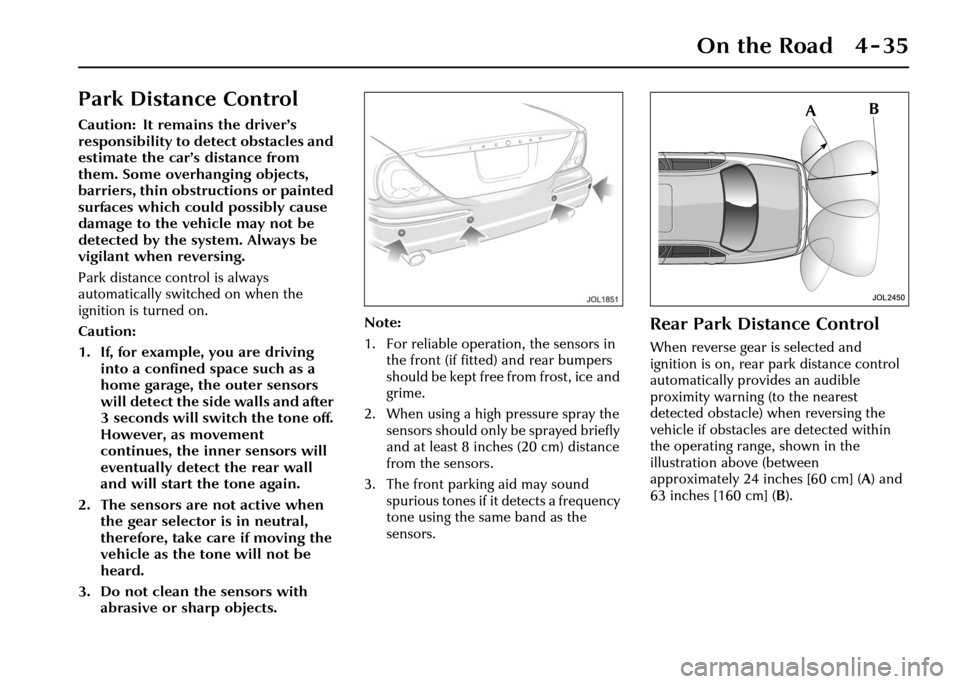
Rear Park Distance Control
When reverse gear is selected and
ignition is on, rear park distance control
automatically provides an audible
proximity warning (to the nearest
detected obstacle) when reversing the
vehicle if obstacles are detected within
the operating range, shown in the
illustration above (between
approximately 24 inches [60 cm] ( A) and
63 inches [160 cm] ( B).
Page 124 of 227
On the Road 4 - 53
When a vehicle ahead enters the same
lane or a slower vehicle is ahead in the
same lane, the vehicle speed will be
adjusted automatically until the gap to
the vehicle ahead corresponds to the
preset gap. The vehicle is now in ‘follow
mode’.The warning light in the
instrument cluster will be
illuminated,
and the message centre
will display the gap set.
The vehicle will then maintain the
constant time gap to the vehicle ahead
until:
• The vehicle ahead accelerates to a speed above the set speed.
• The vehicle ahead moves out of lane or out of view.
• The vehicle ahead slows so that ‘low speed automatic switch off’ occurs.
• A new gap distance is set.
If necessary, the vehicle brakes will be
automatically applied to slow the vehicle
to maintain the gap to the vehicle in
front. The maximum braking which is applied
by the ACC system is limited and can be
overridden by the driver applying the
brakes, if required.
Note:
Driver braking will cancel adaptive
cruise control.
If the ACC system predicts that its
maximum braking level will not be
sufficient, then an audible warning will
sound while the ACC continues to brake.
This is accompanied by a red warning
light and ‘DRIVER INTERVENE’ will be
displayed on the message centre.
The driver should take IMMEDIATE
action.
When in follow mode the vehicle will
automatically return to the set speed
when the road ahead is clear, for instance
when:
• The vehicle in front accelerates or changes lane.
• The driver changes lane to either side or enters an exit lane.
The driver should intervene if
appropriate.
Low speed automatic switch off
If the speed of the vehicle decreases
below 18 mph (30 km/h), the ACC system
will be automatically switched OFF and
the instrument warning lamp will go out. If the brakes were
being applied by the
ACC system, they will be slowly released.
This will be accompanied by an audible
warning, a red warning light and ‘DRIVER
INTERVENE’ will be displayed on the
message centre. The driver must take
control.
Overriding the set speed/follow mode
!WARNING:
Whenever the driver is overriding the
ACC by depressing the accelerator
pedal, the ACC will not automatically
apply the brakes to maintain
separation from any vehicle ahead.
The set speed and gap can be overridden
by pressing the accelerator pedal when
cruising at constant speed or in follow
mode. If the vehicle is in follow mode,
the instrument warning lamp will go out
when the ACC is overridden by the driver
using the accelera tor and ‘CRUISE
OVERRIDE’ will be displayed on the
message centre. When the accelerator is
released the ACC function will operate
again and vehicle speed will decrease to
the set speed, or a lower speed if follow
mode is active.
GAP
Page 126 of 227
On the Road 4 - 55
Forward alert
Limited detection and warning of objects
ahead is provided during ACC operation
by the ACC ‘DRIVER INTERVENE’
warning.
The forward alert feature additionally
provides warnings whilst ACC is not
engaged, if an object is detected close
ahead then a warning tone and message
will be issued. The brakes will not be
applied.
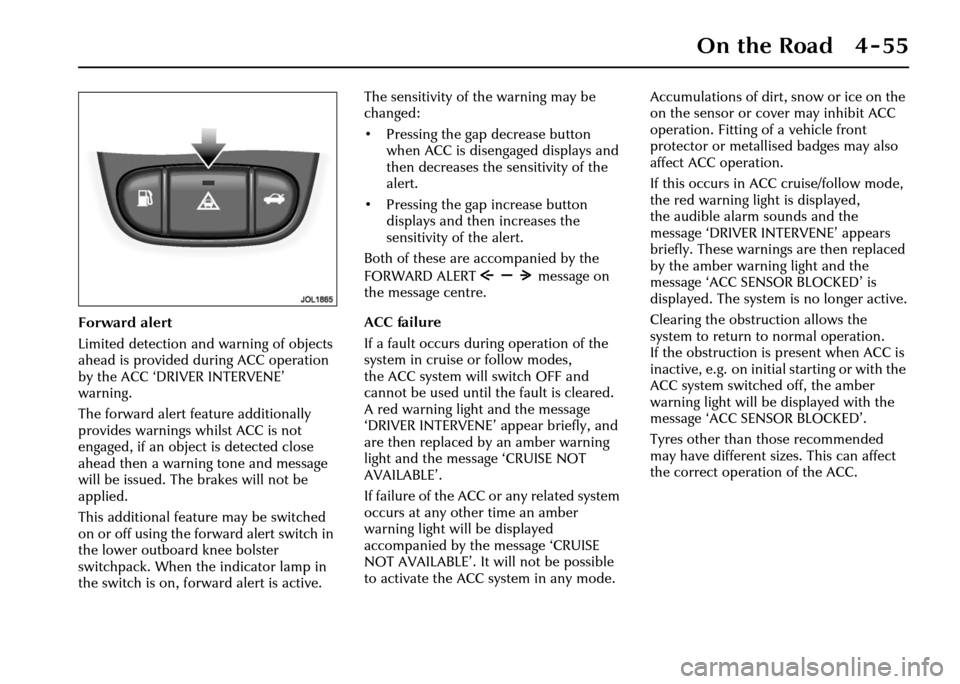
This additional feature may be switched
on or off using the forward alert switch in
the lower outboard knee bolster
switchpack. When the indicator lamp in
the switch is on, forward alert is active.The sensitivity of the warning may be
changed:
• Pressing the gap decrease button
when ACC is disengaged displays and
then decreases the sensitivity of the
alert.
• Pressing the gap increase button displays and then increases the
sensitivity of the alert.
Both of these are accompanied by the
FORWARD ALERT message on
the message centre.
ACC failure
If a fault occurs during operation of the
system in cruise or follow modes,
the ACC system will switch OFF and
cannot be used until the fault is cleared.
A red warning light and the message
‘DRIVER INTERVENE’ appear briefly, and
are then replaced by an amber warning
light and the message ‘CRUISE NOT
AVAILABLE’.
If failure of the ACC or any related system
occurs at any other time an amber
warning light will be displayed
accompanied by th e message ‘CRUISE
NOT AVAILABLE’. It will not be possible
to activate the ACC system in any mode. Accumulations of dirt, snow or ice on the
on the sensor or cover may inhibit ACC
operation. Fitting of a vehicle front
protector or metallis
ed badges may also
affect ACC operation.
If this occurs in ACC cruise/follow mode,
the red warning light is displayed,
the audible alarm sounds and the
message ‘DRIVER INTERVENE’ appears
briefly. These warnings are then replaced
by the amber warning light and the
message ‘ACC SENSOR BLOCKED’ is
displayed. The system is no longer active.
Clearing the obstruction allows the
system to return to normal operation.
If the obstruction is present when ACC is
inactive, e.g. on initial starting or with the
ACC system switched off, the amber
warning light will be displayed with the
message ‘ACC SENSOR BLOCKED’.
Tyres other than those recommended
may have different sizes. This can affect
the correct operation of the ACC.
Page 127 of 227
4-56 On the Road
Notes on using adaptive cruise
control
1. Adaptive cruise control operates when the gear selector lever is in
position ‘2’, ‘3’ ‘4’ ‘5’ or ‘D’.
2. When engaged, the accelerator pedal rests in the raised position.
Fully release the pedal to allow
normal ACC operation.
3. When braking is applied by the ACC
the brake pedal will move down and
up as braking is applied or removed.
The vehicle brake lights will be
switched on while braking is applied.
!WARNING:
The driver must not rest a foot under
the brake pedal, as it may become
trapped. Driving with ACC active
The system acts by regulating the speed
of the vehicle using engine control and
the brakes. Gear changes may occur in
response to decelerati
on or acceleration
whilst in ACC.
ACC is not a collision avoidance system,
however, during some situations the
system may provide the driver with an
indication that intervention is required.
An audible alarm will sound,
accompanied by a re d warning light and
the message ‘DRIVER INTERVENE’ if the
ACC detects:
• That using maximum ACC braking only is not sufficient.
• That the vehicle speed has decreased below the minimum for ACC
operation.
• A failure has occurred whilst the system is active.