clock JEEP CHEROKEE 2015 KL / 5.G User Guide
[x] Cancel search | Manufacturer: JEEP, Model Year: 2015, Model line: CHEROKEE, Model: JEEP CHEROKEE 2015 KL / 5.GPages: 772, PDF Size: 18.21 MB
Page 429 of 772
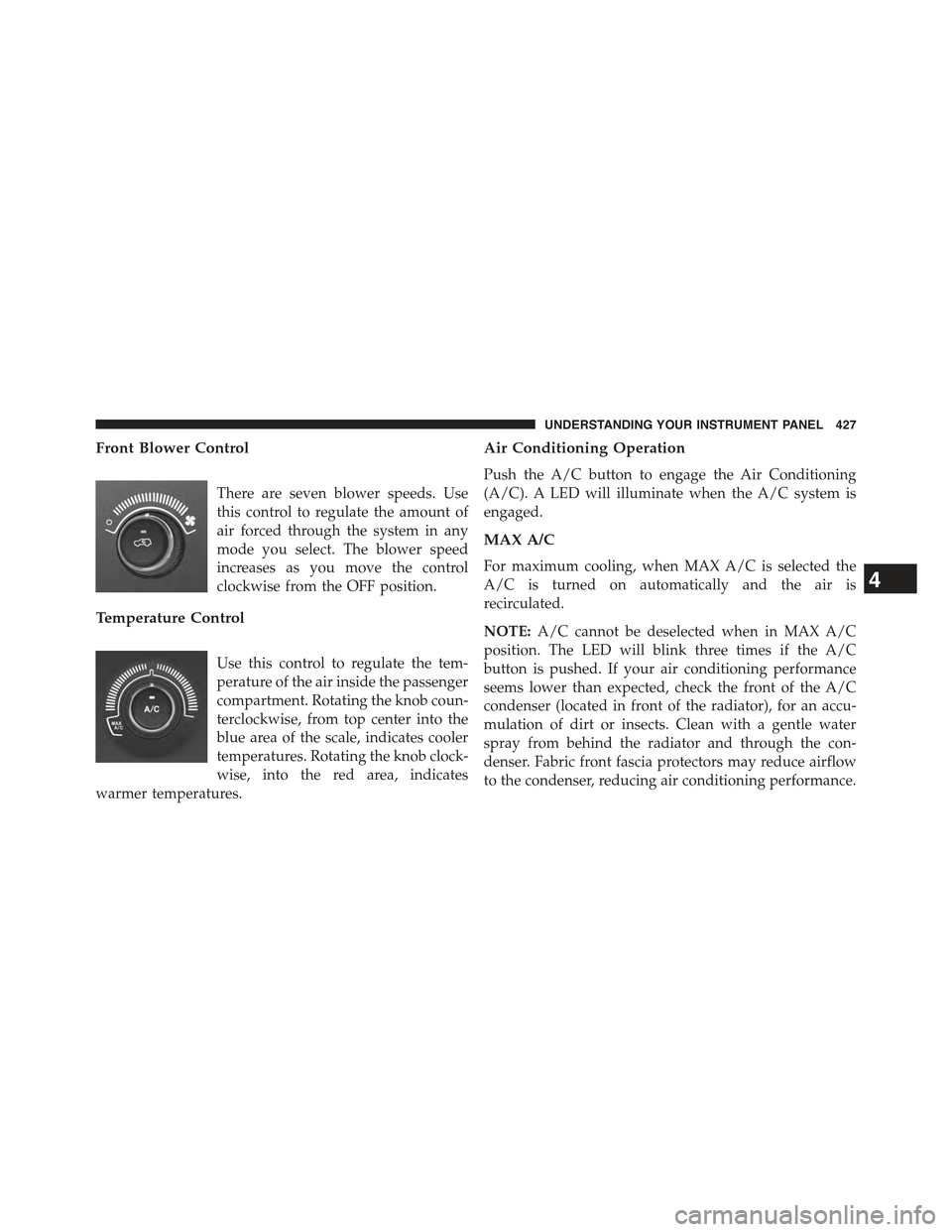
Front Blower Control
There are seven blower speeds. Use
this control to regulate the amount of
air forced through the system in any
mode you select. The blower speed
increases as you move the control
clockwise from the OFF position.
Temperature Control
Use this control to regulate the tem-
perature of the air inside the passenger
compartment. Rotating the knob coun-
terclockwise, from top center into the
blue area of the scale, indicates cooler
temperatures. Rotating the knob clock-
wise, into the red area, indicates
warmer temperatures.
Air Conditioning Operation
Push the A/C button to engage the Air Conditioning
(A/C). A LED will illuminate when the A/C system is
engaged.
MAX A/C
For maximum cooling, when MAX A/C is selected the
A/C is turned on automatically and the air is
recirculated.
NOTE:A/C cannot be deselected when in MAX A/C
position. The LED will blink three times if the A/C
button is pushed. If your air conditioning performance
seems lower than expected, check the front of the A/C
condenser (located in front of the radiator), for an accu-
mulation of dirt or insects. Clean with a gentle water
spray from behind the radiator and through the con-
denser. Fabric front fascia protectors may reduce airflow
to the condenser, reducing air conditioning performance.
4
UNDERSTANDING YOUR INSTRUMENT PANEL 427
Page 436 of 772
CAUTION!
Failure to follow these cautions can cause damage to
the heating elements:
•Use care when washing the inside of the rear
window. Do not use abrasive window cleaners on
the interior surface of the window. Use a soft cloth
and a mild washing solution, wiping parallel to the
heating elements. Labels can be peeled off after
soaking with warm water.
•Do not use scrapers, sharp instruments, or abrasive
window cleaners on the interior surface of the
window.
•Keep all objects a safe distance from the window.
6. Blower Control
Blower control is used to regulate the amount of air
forced through the climate system. There are seven
blower speeds available. Adjusting the blower will cause
automatic mode to switch to manual operation. The
speeds can be selected using either the blower control
knob on the faceplate or buttons on the touchscreen as
follows:
Blower Control Knob On The Faceplate
The blower speed increases as you turn the blower
control knob clockwise from the lowest blower setting.
The blower speed decreases as you turn the blower
control knob counterclockwise.
Buttons On The Touchscreen
Use the small blower icon to reduce the blower setting
and the large blower icon to increase the blower setting.
Blower can also be selected by pressing the blower bar
area between the icons.
434 UNDERSTANDING YOUR INSTRUMENT PANEL
Page 443 of 772
speeds can be selected using either the blower control
knob on the faceplate or buttons on the touchscreen as
follows:
Blower Control Knob On The Faceplate
The blower speed increases as you turn the blower
control knob clockwise from the lowest blower setting.
The blower speed decreases as you turn the blower
control knob counterclockwise.
Button On The Touchscreen
Use the small blower icon to reduce the blower setting
and the large blower icon to increase the blower setting.
Blower can also be selected by pressing the blower bar
area between the icons.
11. Modes
The airflow distribution mode can be adjusted so air
comes from the instrument panel outlets, floor outlets,
and demist outlets. The Mode settings are as follows:
•Panel Mode
Air comes from the outlets in the instrument
panel. Each of these outlets can be individually
adjusted to direct the flow of air. The air vanes of the
center outlets and outboard outlets can be moved up and
down or side to side to regulate airflow direction. There
is a shut off wheel located below the air vanes to shut off
or adjust the amount of airflow from these outlets.
•Bi-Level Mode
Air comes from the instrument panel outlets and
floor outlets. A slight amount of air is directed
through the defrost and side window demister outlets.
NOTE:BI-LEVEL mode is designed under comfort con-
ditions to provide cooler air out of the panel outlets and
warmer air from the floor outlets.
4
UNDERSTANDING YOUR INSTRUMENT PANEL 441
Page 635 of 772
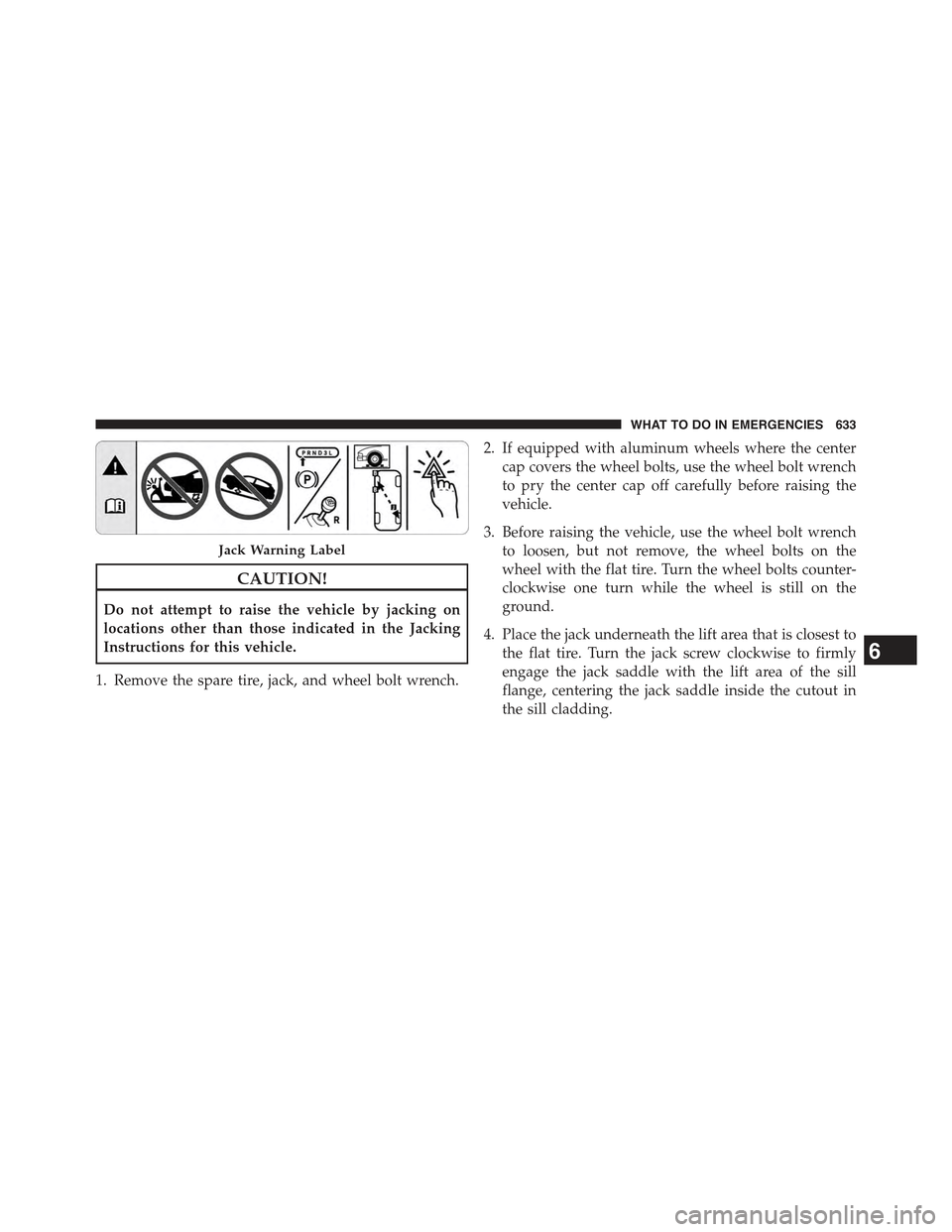
CAUTION!
Do not attempt to raise the vehicle by jacking on
locations other than those indicated in the Jacking
Instructions for this vehicle.
1. Remove the spare tire, jack, and wheel bolt wrench.
2. If equipped with aluminum wheels where the center
cap covers the wheel bolts, use the wheel bolt wrench
to pry the center cap off carefully before raising the
vehicle.
3. Before raising the vehicle, use the wheel bolt wrench
to loosen, but not remove, the wheel bolts on the
wheel with the flat tire. Turn the wheel bolts counter-
clockwise one turn while the wheel is still on the
ground.
4. Place the jack underneath the lift area that is closest to
the flat tire. Turn the jack screw clockwise to firmly
engage the jack saddle with the lift area of the sill
flange, centering the jack saddle inside the cutout in
the sill cladding.
Jack Warning Label
6
WHAT TO DO IN EMERGENCIES 633
Page 640 of 772
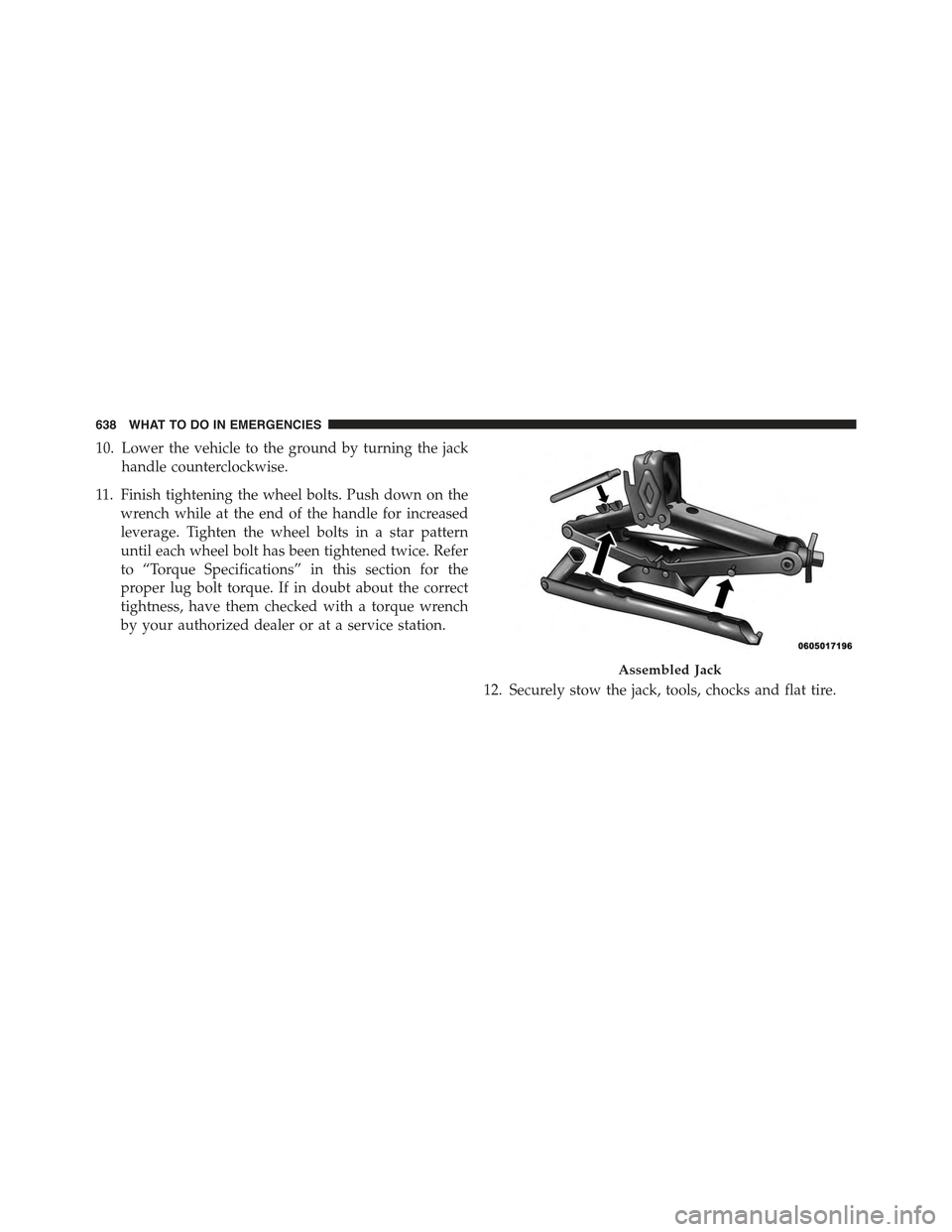
10. Lower the vehicle to the ground by turning the jack
handle counterclockwise.
11. Finish tightening the wheel bolts. Push down on the
wrench while at the end of the handle for increased
leverage. Tighten the wheel bolts in a star pattern
until each wheel bolt has been tightened twice. Refer
to “Torque Specifications” in this section for the
proper lug bolt torque. If in doubt about the correct
tightness, have them checked with a torque wrench
by your authorized dealer or at a service station.
12. Securely stow the jack, tools, chocks and flat tire.
Assembled Jack
638 WHAT TO DO IN EMERGENCIES
Page 642 of 772
3. Lower the vehicle to the ground by turning the jack
handle counterclockwise.
4. Finish tightening the wheel bolts. Push down on the
wrench while at the end of the handle for increased
leverage. Tighten the wheel bolts in a star pattern until
each wheel bolt has been tightened twice. Refer to
“Torque Specifications” in this section for the proper
lug bolt torque. If in doubt about the correct tightness,
have them checked with a torque wrench by your
authorized dealer or service station.
5. Lower the jack until it is free. Remove the wheel
chocks. Reassemble the lug wrench to the jack assem-
bly and stow it in the spare tire area. Secure the
assembly using the means provided. Release the park-
ing brake before driving the vehicle.
6. After 25 miles (40 km) check the wheel bolt torque
with a torque wrench to ensure that all wheel bolts are
properly seated against the wheel.
JUMP-STARTING PROCEDURES
If your vehicle has a discharged battery it can be jump-
started using a set of jumper cables and a battery in
another vehicle or by using a portable battery booster
pack. Jump-starting can be dangerous if done improperly
so please follow the procedures in this section carefully.
NOTE:When using a portable battery booster pack
follow the manufacturer ’s operating instructions and
precautions.
CAUTION!
Do not use a portable battery booster pack or any
other booster source with a system voltage greater
than 12 Volts or damage to the battery, starter motor,
alternator or electrical system may occur.
640 WHAT TO DO IN EMERGENCIES
Page 725 of 772
WARNING!
A transient high voltage occurs at the bulb sockets of
HID headlamps when the headlamp switch is turned
ON. It may cause serious electrical shock or electro-
cution if not serviced properly. See your authorized
dealer for service.
Bi-Halogen Headlamps
1. Remove the 3 hex head screws from the wheel liner.
2. Pull the exterior edge of the liner towards the tire to
gain access to the headlamp bulb cap.
3. Firmly grasp the cap and rotate it counterclockwise to
unlock it.
4. Firmly grasp the bulb and connector assembly and
rotate counterclockwise to remove from the housing.
5. Disconnect the bulb from the electrical connector and
then connect the replacement bulb.
CAUTION!
Do not touch the new bulb with your fingers. Oil
contamination will severely shorten bulb life. If the
bulb comes in contact with any oily surface, clean the
bulb with rubbing alcohol.
6. Install the bulb and connector assembly into the
headlamp housing and rotate clockwise to lock it in
place.
7. Install the bulb cap in the headlamp housing and
rotate clockwise to lock it in place.
8. Install the 3 hex head screws into the wheel liner.
7
MAINTAINING YOUR VEHICLE 723
Page 726 of 772
Front Turn Signals And Front Side Marker Lamps
1. Open the hood.
NOTE:Removal of the air cleaner filter housing may be
necessary prior to replacing bulbs in the upper lamp
assembly on the passenger side of the vehicle.
2. Twist the appropriate bulb and socket assembly coun-
terclockwise, and then remove the bulb and socket
assembly from the lamp housing.
3. Pull the bulb out of the socket and insert the replace-
ment bulb.
4. Install the bulb and socket assembly into the housing,
and rotate the socket clockwise to lock it in place.
5. Re-install air cleaner filter housing, if removed.
Front Fog Lamp
1. Remove the 3 hex head screws from the wheel liner.
2. Pull the exterior edge of the liner towards the tire to
gain access to the bulb.
3. Rotate the bulb’s socket counterclockwise, and remove
the bulb and socket assembly from the fog lamp
housing.
4. Pull the bulb out of the socket and insert the replace-
ment bulb.
CAUTION!
Do not touch the new bulb with your fingers. Oil
contamination will severely shorten bulb life. If the
bulb comes in contact with any oily surface, clean the
bulb with rubbing alcohol.
5. Install the bulb and socket assembly into the into the
fog lamp housing, and rotate the connector clockwise
to lock it in place.
724 MAINTAINING YOUR VEHICLE
Page 727 of 772
6. Install the 3 hex head screws into the wheel liner.
Front Fog Lamp (Trailhawk)
1. Unlock lower access door in wheel liner.
2. Reach behind the fog lamp housing to access the bulb.
3. Squeeze the two tabs on the side of the bulb socket and
pull straight out from the fog lamp.
4. Disconnect the wire harness from the bulb.
CAUTION!
Do not touch the new bulb with your fingers. Oil
contamination will severely shorten bulb life. If the
bulb comes in contact with any oily surface, clean the
bulb with rubbing alcohol.
5. Reconnect the wiring harness to the new bulb and
reinstall by inserting the new bulb straight into the fog
lamp housing until it locks in place.
6. Lock the lower door in the wheel liner.
Bodyside Mounted Back-up Lamp
1. Open the liftgate.
2. Remove the screws that fasten the tail lamp housing to
the vehicle.
3. Grasp the tail lamp and pull firmly rearward to
disengage the lamp from the vehicle.
4. Disconnect the electrical connector.
5. Twist the socket counterclockwise and remove from
housing.
6. Pull the bulb to remove it from the socket.
7. Replace the bulb and install the socket.
7
MAINTAINING YOUR VEHICLE 725
Page 728 of 772
8. Reconnect the electrical connector.
9. Reinstall the tail lamp housing and screws.
10. Close the liftgate.
Liftgate Mounted Back-up Lamp
1. Open the liftgate.
2. Use a fiber stick or flat blade screw driver to pry the
lower trim from the liftgate.
3. Once the trim is loose, pull it back exposing the trim
panel.
4. Using a fiber stick or flat blade screw driver, open the
trim panel exposing the back of the liftgate lamp.
5. Disconnect the electrical connector.
6. Twist the socket counterclockwise and remove from
lamp.
7. Pull the bulb to remove it from the socket.
8. Replace the bulb, reinstall the socket.
9. Connect the electrical connector.
10. Reinstall the trim panel and the lower trim.
11. Close the liftgate.
License Plate Lamp
1. Using a small screwdriver, press inward the locking
tab on the side of the lamp assembly and pull down on
the lamp assembly for removal.
2. Pull bulb from socket, replace, and reinstall the lamp
assembly into place ensuring the locking tab is secure.
726 MAINTAINING YOUR VEHICLE