remote control JEEP CHEROKEE 2015 KL / 5.G User Guide
[x] Cancel search | Manufacturer: JEEP, Model Year: 2015, Model line: CHEROKEE, Model: JEEP CHEROKEE 2015 KL / 5.GPages: 772, PDF Size: 18.21 MB
Page 367 of 772
The light also will turn on when the parking brake is
applied with the ignition switch in the ON/RUN posi-
tion.
NOTE:This light shows only that the parking brake is
applied. It does not show the degree of brake application.
5. Driver Information Display (DID)
The DID display area will normally display the main
menu or the screens of a selected feature of the main
menu. The DID display area also displays “pop up”
messages that consist of approximately 60 possible warn-
ing or information messages. These pop up messages fall
into several categories:
•Five Second Stored Messages
When the appropriate conditions occur, this type of
message takes control of the main display area for
five seconds and then returns to the previous screen.
Most of the messages of this type are then stored (as
long as the condition that activated it remains active)
and can be reviewed from the “Messages” main
menu item. As long as there is a stored message, an
“i” will be displayed in the middle of the DID’s top
line. Examples of this message type are “Right Front
Turn Signal Lamp Out” and “Low Tire Pressure”.
•Unstored Messages
This message type is displayed indefinitely or until
the condition that activated the message is cleared.
Examples of this message type are “Turn Signal On”
(if a turn signal is left on) and “Lights On” (if driver
leaves the vehicle).
•Unstored Messages Until RUN
These messages deal primarily with the Remote Start
feature. This message type is displayed until the
ignition is in the RUN state. Examples of this message
type are “Remote Start Aborted - Door Ajar” and
“Press Brake Pedal and Push Button to Start”.
4
UNDERSTANDING YOUR INSTRUMENT PANEL 365
Page 413 of 772
had been selected. Press the back arrow button on the
touchscreen to return to the previous menu.
•Hill Start Assist — If Equipped
When this feature is selected, the Hill Start Assist (HSA)
system is active. Refer to “Electronic Brake Control
System” in “Starting And Operating” for system function
and operating information. To make your selection, press
the “Hill Start Assist” button on the touchscreen, until a
check-mark appears next to setting, indicating that the
setting had been selected. Press the back arrow button on
the touchscreen to return to the previous menu.
Lights
After pressing the Lights button on the touchscreen the
following settings will be available.
•Headlight Off Delay
When this feature is selected, it allows adjustment of the
amount of time the headlights remain on after the engine
is shut off. To change the Headlights Off Delay setting,
press the “+” or “-” button on the touchscreen to select
your desired time interval, and choose either 0 sec, 30 sec,
60 sec or 90 seconds. Press the back arrow button on the
touchscreen to return to the previous menu, or push the
back button on the faceplate.
•Headlight Illumination On Approach
When this feature is selected, the headlights will activate
and remain on for 0, 30, 60, or 90 seconds when the doors
are unlocked with the Remote Keyless Entry (RKE)
transmitter. To change the Illuminated Approach status,
press the “+” or “–” button on the touchscreen to select
your desired time interval. Press the back arrow button
on the touchscreen to return to the previous menu, or
push the back button on the faceplate.
4
UNDERSTANDING YOUR INSTRUMENT PANEL 411
Page 424 of 772
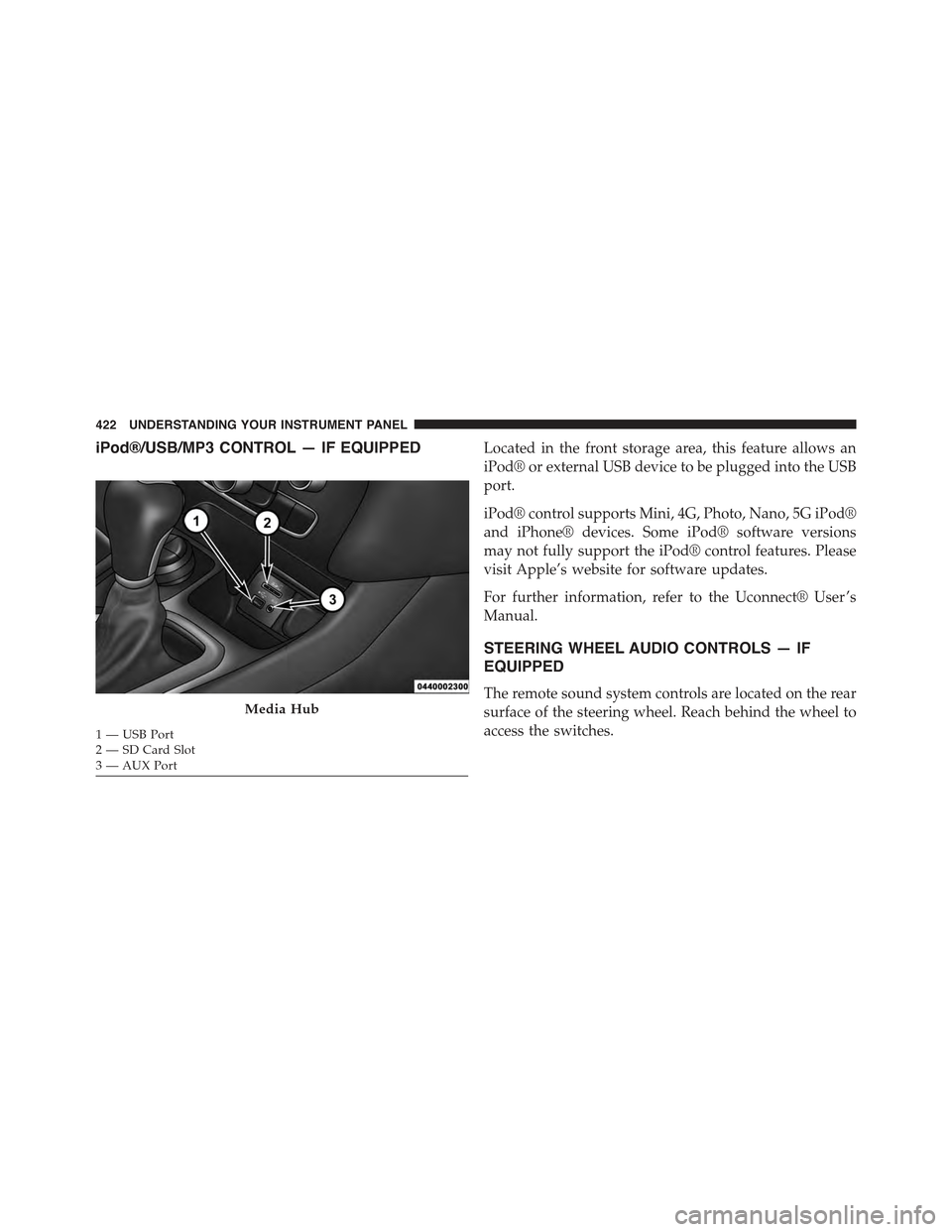
iPod®/USB/MP3 CONTROL — IF EQUIPPEDLocated in the front storage area, this feature allows an
iPod® or external USB device to be plugged into the USB
port.
iPod® control supports Mini, 4G, Photo, Nano, 5G iPod®
and iPhone® devices. Some iPod® software versions
may not fully support the iPod® control features. Please
visit Apple’s website for software updates.
For further information, refer to the Uconnect® User ’s
Manual.
STEERING WHEEL AUDIO CONTROLS — IF
EQUIPPED
The remote sound system controls are located on the rear
surface of the steering wheel. Reach behind the wheel to
access the switches.
Media Hub
1—USBPort2—SDCardSlot3—AUXPort
422 UNDERSTANDING YOUR INSTRUMENT PANEL
Page 425 of 772
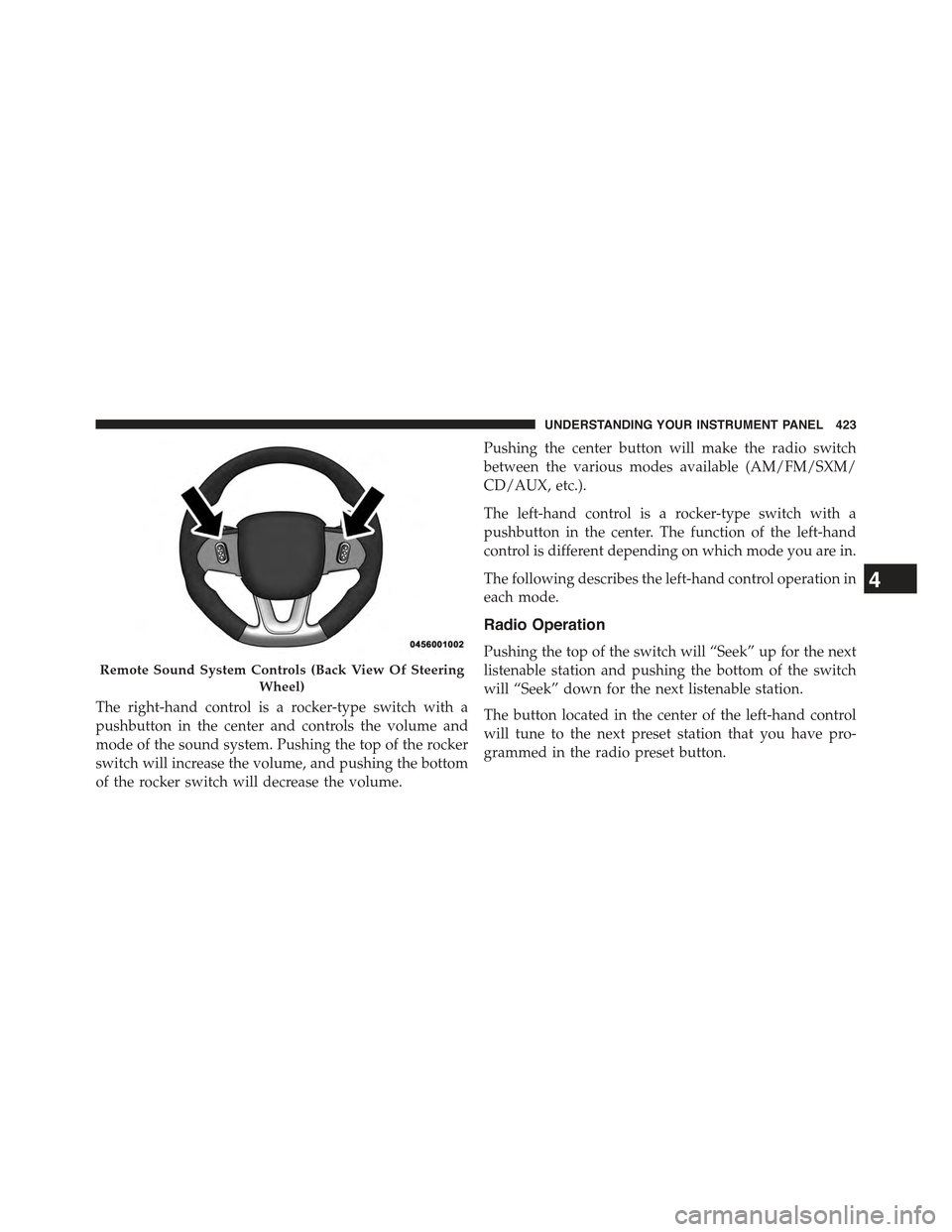
The right-hand control is a rocker-type switch with a
pushbutton in the center and controls the volume and
mode of the sound system. Pushing the top of the rocker
switch will increase the volume, and pushing the bottom
of the rocker switch will decrease the volume.
Pushing the center button will make the radio switch
between the various modes available (AM/FM/SXM/
CD/AUX, etc.).
The left-hand control is a rocker-type switch with a
pushbutton in the center. The function of the left-hand
control is different depending on which mode you are in.
The following describes the left-hand control operation in
each mode.
Radio Operation
Pushing the top of the switch will “Seek” up for the next
listenable station and pushing the bottom of the switch
will “Seek” down for the next listenable station.
The button located in the center of the left-hand control
will tune to the next preset station that you have pro-
grammed in the radio preset button.
Remote Sound System Controls (Back View Of Steering
Wheel)
4
UNDERSTANDING YOUR INSTRUMENT PANEL 423
Page 433 of 772
•Activation By Rear Defrost
The wiper de-icer activates automatically when the Rear
Defrost is operating and theambient temperature is
below 40° F (4.4° C).
•Activation By Remote Start Operation
When the Remote Start is activated and theoutside
ambient temperature is less than 40° F (4.4° C)the
windshield wiper de-icer is activated. Upon exiting Re-
mote Start, the climate control functions will resume their
previous operation except, if the de-icer is active, the
de-icer timer and operation will continue.
Stop/Start System — If Equipped
While in an Autostop, the Climate Controls system may
automatically adjust airflow to maintain cabin comfort.
Customer settings will be maintained upon return to an
engine running condition.
Manual Climate Controls With Touchscreen — If
Equipped
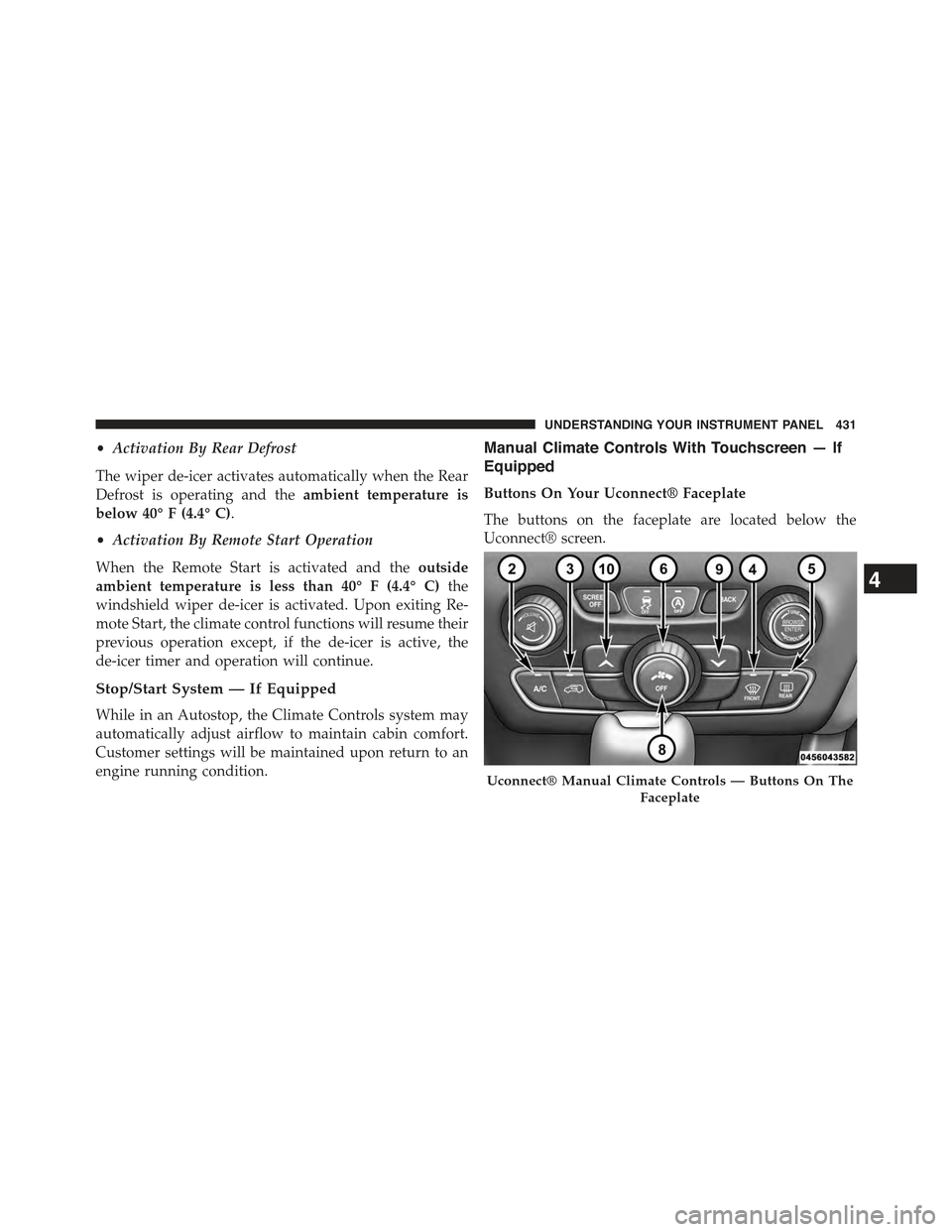
Buttons On Your Uconnect® Faceplate
The buttons on the faceplate are located below the
Uconnect® screen.
Uconnect® Manual Climate Controls — Buttons On The
Faceplate
4
UNDERSTANDING YOUR INSTRUMENT PANEL 431
Page 447 of 772
The windshield wiper de-icer operates automatically
once the following conditions are met:
•Activation By Front Defrost
The wiper de-icer activates automatically during a cold
weather manual start withfull defrost,theblower speed
is greater than five,and when theambient temperature
is below 40° F (4.4° C).
•Activation By Rear Defrost
The wiper de-icer activates automatically when the Rear
Defrost is operating and theambient temperature is
below 40° F (4.4° C).
•Activation By Remote Start Operation
When the Remote Start is activated and theoutside
ambient temperature is less than 40° F (4.4° C)the
windshield wiper de-icer is activated. Upon exiting Re-
mote Start, the climate control functions will resume their
previous operation except, if the de-icer is active, the
de-icer timer and operation will continue.
Automatic Temperature Control (ATC)
Automatic Operation
1. Push the AUTO button on the faceplate or press the
“AUTO” button on the touchscreen.
2. Next, adjust the temperature you would like the
system to maintain by adjusting the driver and pas-
senger temperature buttons on the faceplate or but-
tons on the touchscreen. Once the desired temperature
is displayed, the system will achieve and automati-
cally maintain that comfort level.
4
UNDERSTANDING YOUR INSTRUMENT PANEL 445
Page 754 of 772
Selection of Coolant (Antifreeze).............688
Corrosion Protection.......................698
Cruise Control (Speed Control)................191
Cupholders..............................311
Customer Assistance.......................739
Data Recorder, Event.......................91
Daytime Brightness, Interior Lights.............177
Daytime Running Lights....................172
Dealer Service............................659
Defroster, Rear Window.....................321
Defroster, Windshield......................119
Diagnostic System, Onboard.................657
Dimmer Switch, Headlight...................174
Dipsticks
Oil (Engine)...........................661
Disabled Vehicle Towing....................648
Disposal
Antifreeze (Engine Coolant)................691
Door Locks
Door Locks............................34
Key Fob . . . . . . . . . . . . . . . . . . . . . . . . . . . . . . .34
Remote...............................34
Remote Keyless Entry (RKE)................34
Door Locks, Automatic......................36
Door Opener, Garage.......................288
Driver Information Display
DID . . . . . . . . . . . . . . . . . . . . . . . . . . . . . . . ..380
Instrument Cluster Display................380
Driver Information Display (DID)
Instrument Cluster......................374
Oil Change............................374
Driver’s Seat Back Tilt......................153
Driving................................505
E-85 Fuel...............................584
Economy (Fuel) Mode......................484
Electrical Outlet, Auxiliary (Power Outlet)........302
752 INDEX
Page 755 of 772
Electric Parking Brake......................511
Electric Remote Mirrors.....................138
Electronic Brake Control System...............519
Electronic Range Select (ERS).................492
Electronic Roll Mitigation (ERM)..............523
Electronic Speed Control (Cruise Control)........187
Electronic Stability Control (ESC)..............533
Electronic Vehicle Information Center (EVIC)......286
Change Engine Oil......................351
Selectable Menu Items....................356
Emergency, In Case of
Hazard Warning Flasher..................615
Jacking...............................628
Jump Starting..........................640
Overheating...........................615
Emission Control System Maintenance..........658
Engine.................................655
Air Cleaner...........................664
Block Heater..........................480
Break-In Recommendations................116
Checking Oil Level......................661
Coolant (Antifreeze).....................728
Cooling..............................686
Exhaust Gas Caution.....................117
Fails to Start...........................474
Flooded, Starting.......................474
Fuel Requirements......................579
Jump Starting..........................640
Oil . . . . . . . . . . . . . . . . . . . . . . . . . . . . . . . . ..661
Oil Filler Cap..........................655
Oil Filter.............................664
Oil Selection...........................662
Oil Synthetic..........................663
Overheating...........................615
Starting..............................472
Temperature Gauge......................338
EngineOil Viscosity.......................663
Engine Oil Viscosity Chart...................66310
INDEX 753
Page 761 of 772
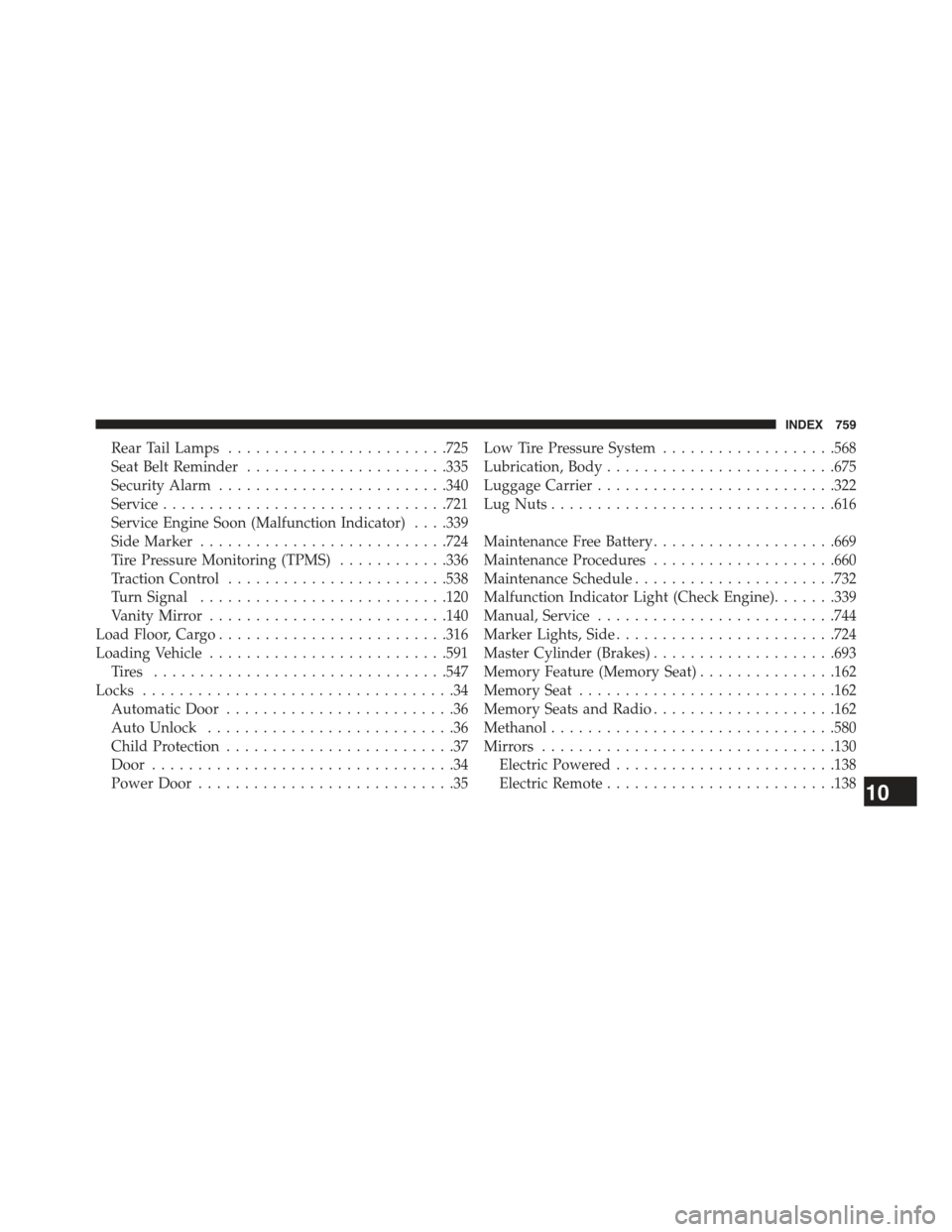
Rear Tail Lamps........................725
Seat Belt Reminder......................335
Security Alarm.........................340
Service...............................721
Service Engine Soon (Malfunction Indicator) . . . .339
Side Marker...........................724
Tire Pressure Monitoring (TPMS)............336
Traction Control........................538
Turn Signal...........................120
Vanity Mirror..........................140
Load Floor, Cargo.........................316
Loading Vehicle..........................591
Ti re s . . . . . . . . . . . . . . . . . . . . . . . . . . . . . . ..547
Locks..................................34
Automatic Door.........................36
Auto Unlock...........................36
Child Protection.........................37
Door.................................34
Power Door............................35
Low Tire Pressure System...................568
Lubrication, Body.........................675
Luggage Carrier..........................322
Lug Nuts...............................616
Maintenance Free Battery....................669
Maintenance Procedures....................660
Maintenance Schedule......................732
Malfunction Indicator Light (Check Engine).......339
Manual, Service..........................744
Marker Lights, Side........................724
Master Cylinder (Brakes)....................693
Memory Feature (Memory Seat)...............162
Memory Seat............................162
Memory Seats and Radio....................162
Methanol...............................580
Mirrors................................130
Electric Powered........................138
Electric Remote.........................13810
INDEX 759
Page 763 of 772
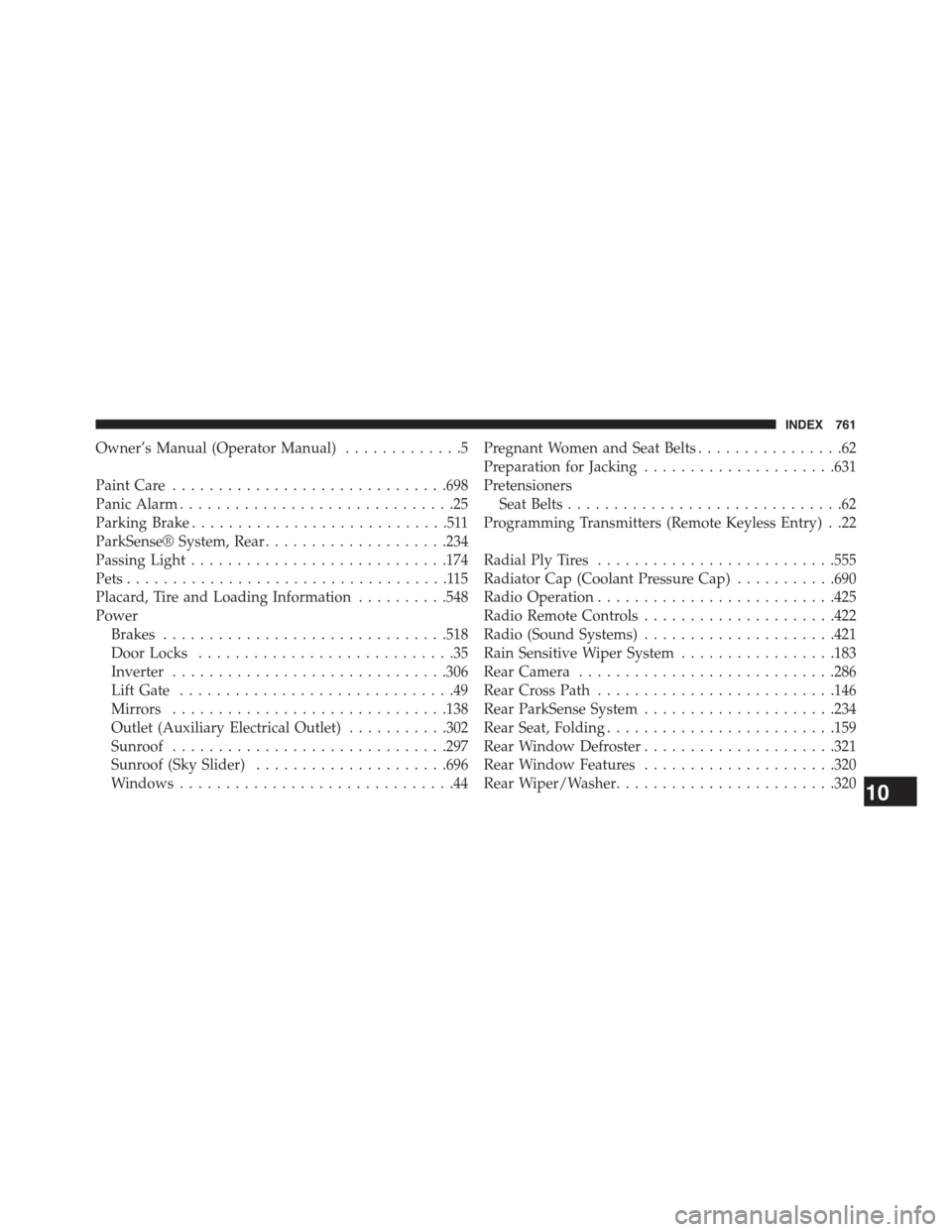
Owner’s Manual (Operator Manual).............5
Paint Care..............................698
Panic Alarm..............................25
Parking Brake............................511
ParkSense® System, Rear....................234
Passing Light............................174
Pets...................................115
Placard, Tire and Loading Information..........548
Power
Brakes...............................518
Door Locks............................35
Inverter..............................306
Lift Gate..............................49
Mirrors..............................138
Outlet (Auxiliary Electrical Outlet)...........302
Sunroof..............................297
Sunroof (Sky Slider).....................696
Windows..............................44
Pregnant Women and Seat Belts................62
Preparation for Jacking.....................631
Pretensioners
Seat Belts..............................62
Programming Transmitters (Remote Keyless Entry) . .22
Radial Ply Tires..........................555
Radiator Cap (Coolant Pressure Cap)...........690
Radio Operation..........................425
Radio Remote Controls.....................422
Radio (Sound Systems).....................421
Rain Sensitive Wiper System.................183
Rear Camera............................286
Rear Cross Path..........................146
Rear ParkSense System.....................234
Rear Seat, Folding.........................159
Rear Window Defroster.....................321
Rear Window Features.....................320
Rear Wiper/Washer........................32010
INDEX 761