lock JEEP CHEROKEE 2015 KL / 5.G Workshop Manual
[x] Cancel search | Manufacturer: JEEP, Model Year: 2015, Model line: CHEROKEE, Model: JEEP CHEROKEE 2015 KL / 5.GPages: 772, PDF Size: 18.21 MB
Page 166 of 772
Linking And Unlinking The Remote Keyless Entry
Transmitter To Memory
Your Remote Keyless Entry (RKE) transmitters can be
programmed to recall one of two pre-programmed
memory profiles with a press of the UNLOCK button on
the RKE transmitter.
NOTE:Before programming your RKE transmitters you
must select the “Memory To FOB” feature through the
Uconnect® system screen. Refer to “Uconnect® Settings”
in “Understanding Your Instrument Panel” for further
information.
To program your RKE transmitters, perform the follow-
ing:
1. Cycle the vehicles ignition to the OFF position.
2. Select the desired memory profile 1 or 2.
NOTE:If a memory profile has not already been set, refer
to#Programming The Memory Feature#in this section for
instructions on how to set a memory profile.
3. Press and release the SET button on the memory
switch, then within five seconds press and release the
button labeled 1 or 2 accordingly. “Memory Profile
Set” (1 or 2) will display in the EVIC/DID.
4. Press and release the LOCK button on the RKE
transmitter within 10 seconds.
NOTE:Your RKE transmitters can be unlinked to your
memory settings by pressing the SET (S) button, and
within 10 seconds, followed by pressing the UNLOCK
button on the RKE transmitter.
164 UNDERSTANDING THE FEATURES OF YOUR VEHICLE
Page 167 of 772
Memory Position Recall
NOTE:
•For vehicles equipped with an automatic transmission,
the vehicle must be in PARK to recall memory posi-
tions. If a recall is attempted when the vehicle is not in
PARK, a message will display in the EVIC/DID.
•For vehicles equipped with a manual transmission, the
vehicle speed must be at 0 mph (0 km/h) to recall
memory positions. If a recall is attempted with the
vehicle speed above 0 mph (0 km/h), a message will
display in the EVIC/DID.
To recall the memory settings for driver one, press
MEMORY button number 1 or the UNLOCK button on
the RKE transmitter linked to memory position 1.
To recall the memory setting for driver two, press
MEMORY button number 2 or the UNLOCK button on
the RKE transmitter linked to memory position 2.
A recall can be cancelled by pressing any of the
MEMORY buttons (S, 1, or 2) during a recall. When a
recall is cancelled, the driver seat will stop moving. A
delay of one second will occur before another recall can
be selected.
Easy Entry/Exit Seat
This feature provides automatic driver seat positioning to
enhance driver mobility when entering and exiting the
vehicle.
The distance the driver seat moves depends on where
you have the driver seat positioned when you cycle the
vehicles ignition to the OFF position.
•When you cycle the vehicles ignition to the OFF
position, the driver seat will move about 2.4 in (60
mm) rearward if the driver seat position is greater than
or equal to 2.7 in (67.7 mm) forward of the rear stop.
3
UNDERSTANDING THE FEATURES OF YOUR VEHICLE 165
Page 169 of 772
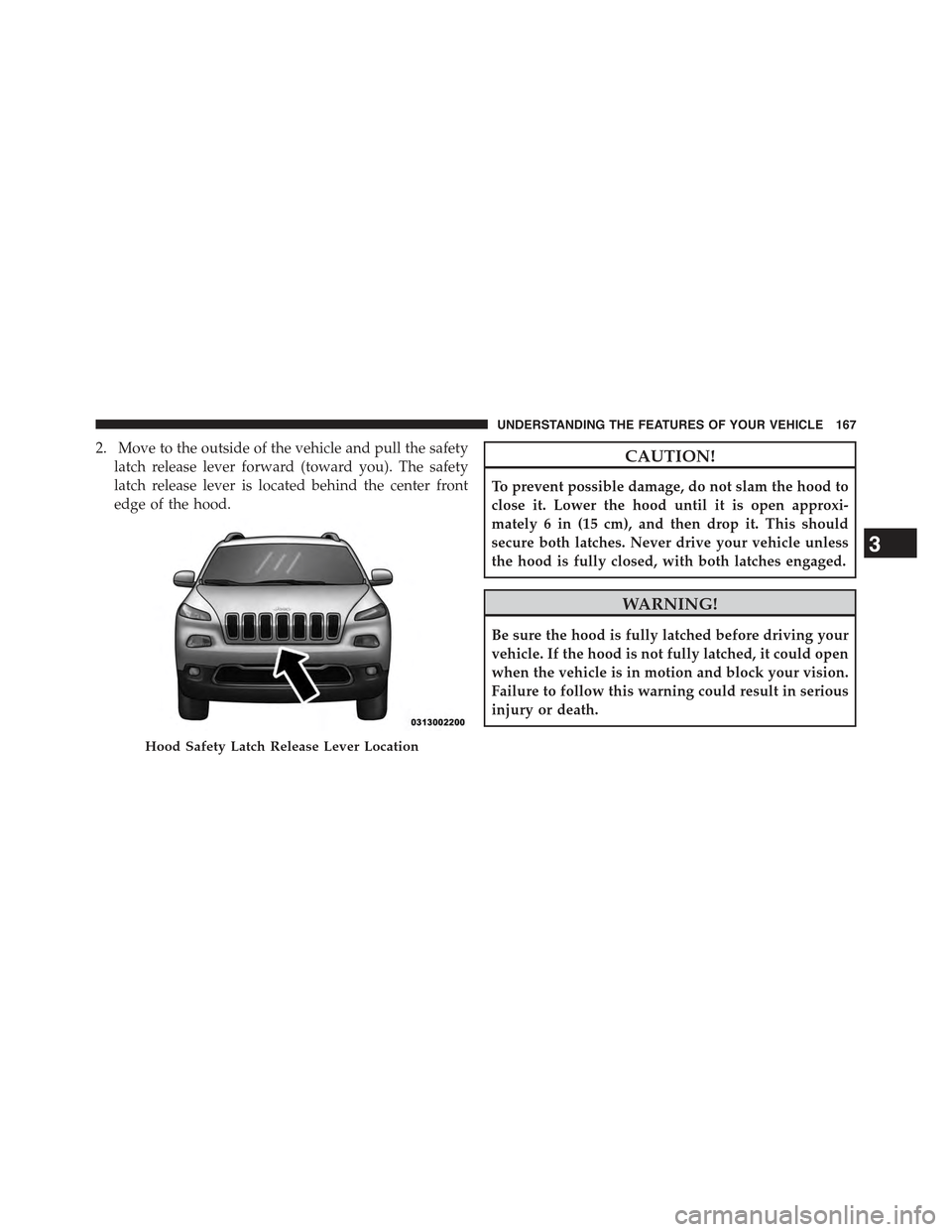
2. Move to the outside of the vehicle and pull the safety
latch release lever forward (toward you). The safety
latch release lever is located behind the center front
edge of the hood.
CAUTION!
To prevent possible damage, do not slam the hood to
close it. Lower the hood until it is open approxi-
mately 6 in (15 cm), and then drop it. This should
secure both latches. Never drive your vehicle unless
the hood is fully closed, with both latches engaged.
WARNING!
Be sure the hood is fully latched before driving your
vehicle. If the hood is not fully latched, it could open
when the vehicle is in motion and block your vision.
Failure to follow this warning could result in serious
injury or death.
Hood Safety Latch Release Lever Location
3
UNDERSTANDING THE FEATURES OF YOUR VEHICLE 167
Page 170 of 772
LIGHTS
Headlight Switch
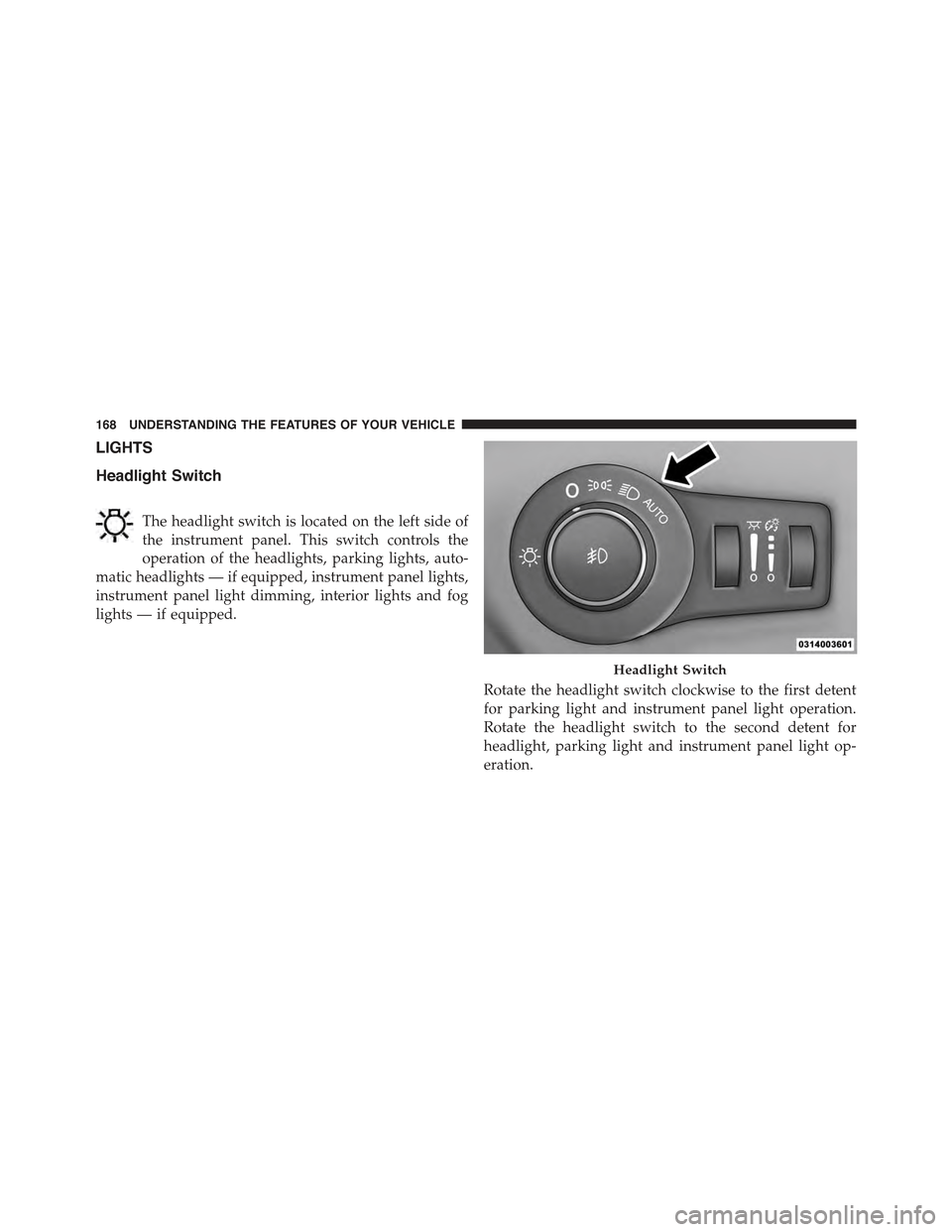
The headlight switch is located on the left side of
the instrument panel. This switch controls the
operation of the headlights, parking lights, auto-
matic headlights — if equipped, instrument panel lights,
instrument panel light dimming, interior lights and fog
lights — if equipped.
Rotate the headlight switch clockwise to the first detent
for parking light and instrument panel light operation.
Rotate the headlight switch to the second detent for
headlight, parking light and instrument panel light op-
eration.
Headlight Switch
168 UNDERSTANDING THE FEATURES OF YOUR VEHICLE
Page 171 of 772
Automatic Headlights — If Equipped
This system automatically turns the headlights on or off
according to ambient light levels. To turn the system on,
rotate the headlight switch clockwise to the last detent for
automatic headlight operation. When the system is on,
the headlight time delay feature is also on. This means
the headlights will stay on for up to 90 seconds after you
place the ignition into the OFF position. To turn the
automatic system off, move the headlight switch out of
the AUTO position.
NOTE:The engine must be running before the head-
lights will come on in the automatic mode.
Headlights On With Wipers (Available With
Automatic Headlights Only)
When this feature is active, the headlights will turn on
after the wipers are turned on if the headlight switch is
placed in the AUTO position and programmable feature
is set to ON. In addition, the headlights will turn off
when the wipers are turned off if they were turned on by
this feature.
NOTE:The Headlights On with Wipers feature can be
turned on or off using the Uconnect® System. Refer to
“Uconnect® Settings/Customer Programmable Fea-
tures” in “Understanding Your Instrument Panel” for
further information.
Headlight Time Delay
This feature provides the safety of headlight illumination
for up to 90 seconds (programmable) when leaving your
vehicle in an unlit area.
To activate the delay feature, place the ignition in the OFF
position while the headlights are still on. Then, turn off
the headlights within 45 seconds. The delay interval
begins when the headlight switch is turned off.
3
UNDERSTANDING THE FEATURES OF YOUR VEHICLE 169
Page 177 of 772
Front Map/Reading Lights
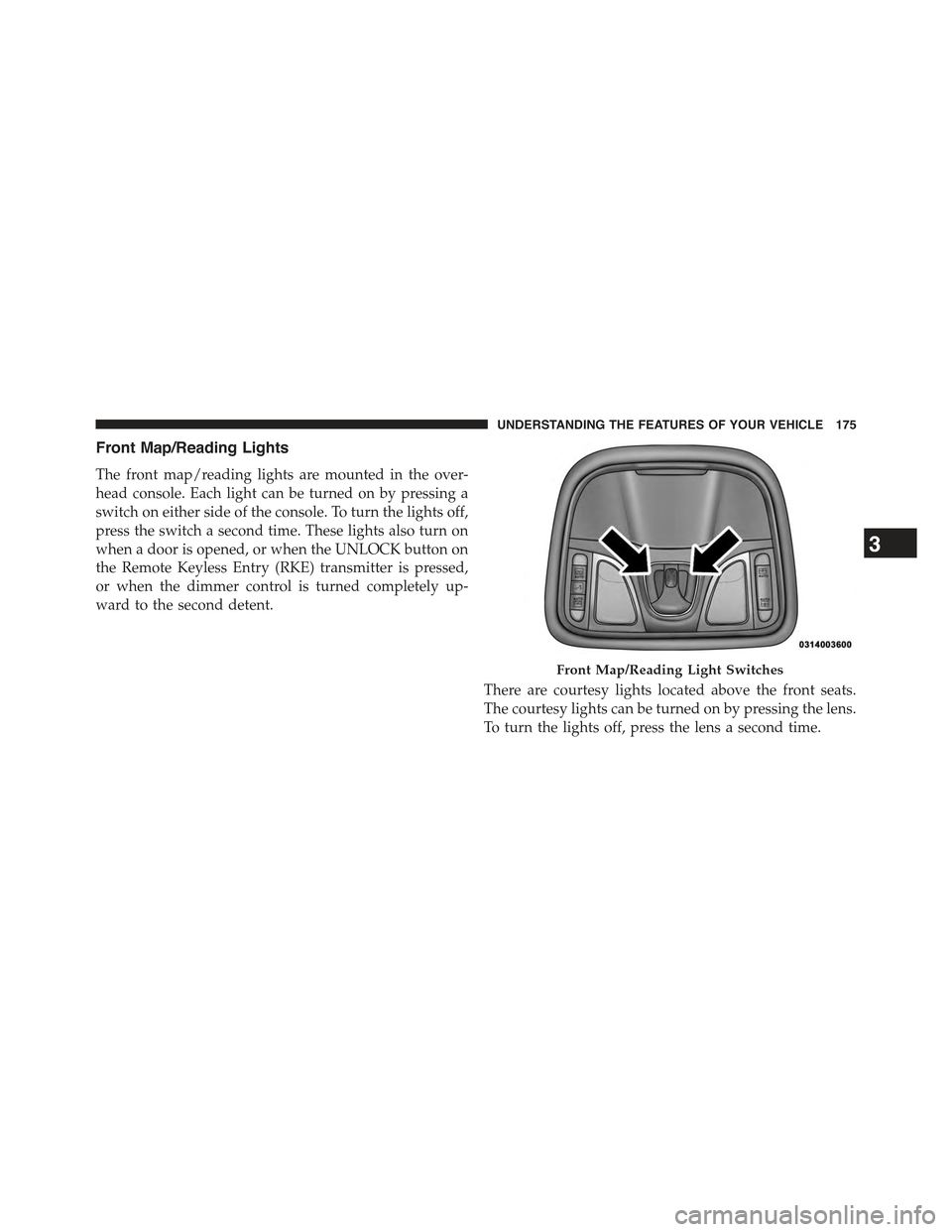
The front map/reading lights are mounted in the over-
head console. Each light can be turned on by pressing a
switch on either side of the console. To turn the lights off,
press the switch a second time. These lights also turn on
when a door is opened, or when the UNLOCK button on
the Remote Keyless Entry (RKE) transmitter is pressed,
or when the dimmer control is turned completely up-
ward to the second detent.
There are courtesy lights located above the front seats.
The courtesy lights can be turned on by pressing the lens.
To turn the lights off, press the lens a second time.
Front Map/Reading Light Switches
3
UNDERSTANDING THE FEATURES OF YOUR VEHICLE 175
Page 178 of 772
Interior Lights
The interior lights come on when a door is opened.
To protect the battery, the interior lights will turn off
automatically 10 minutes after the ignition is moved to
the LOCK position. This will occur if the interior lights
were switched on manually or are on because a door is
open. This includes the glove box light, but not the trunk
light. To restore interior light operation, either place the
ignition in the ON/RUN position or cycle the light
switch.
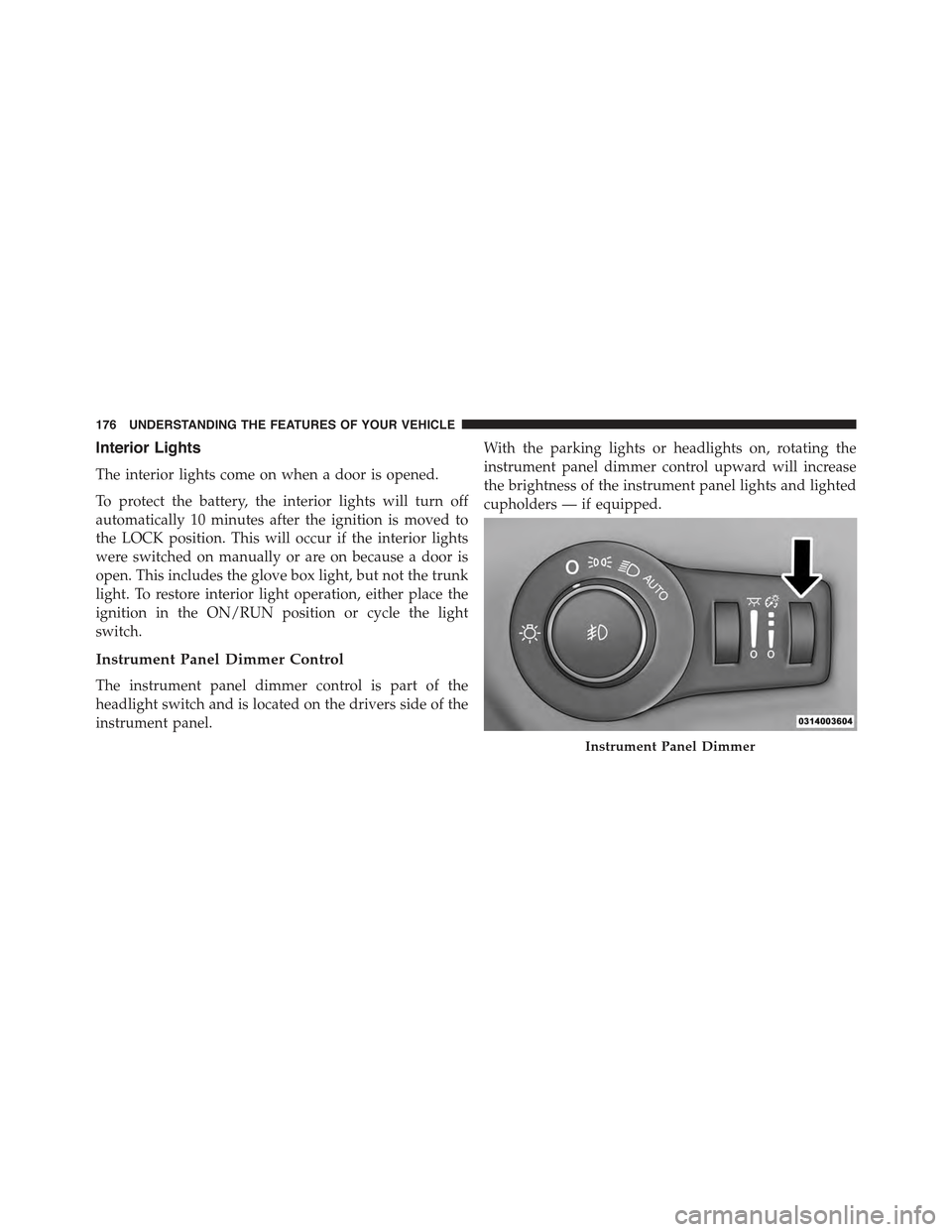
Instrument Panel Dimmer Control
The instrument panel dimmer control is part of the
headlight switch and is located on the drivers side of the
instrument panel.
With the parking lights or headlights on, rotating the
instrument panel dimmer control upward will increase
the brightness of the instrument panel lights and lighted
cupholders — if equipped.
Instrument Panel Dimmer
176 UNDERSTANDING THE FEATURES OF YOUR VEHICLE
Page 180 of 772
Battery Saver Feature
To protect the battery, the interior lights will turn off
automatically 10 minutes after the ignition switch is
moved to the LOCK position. This will occur if the
interior lights were switched on manually or are on
because a door is open.
WINDSHIELD WIPERS AND WASHERS
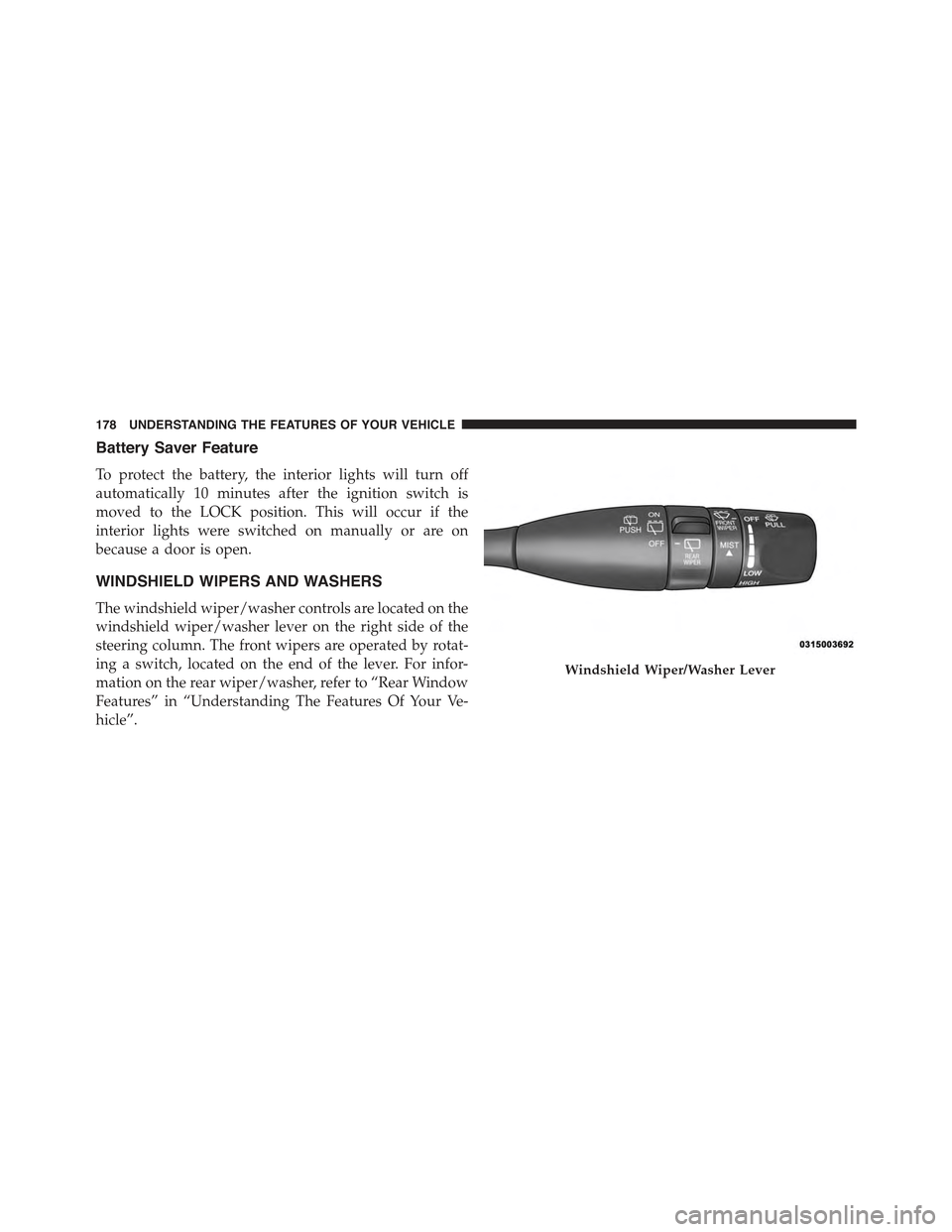
The windshield wiper/washer controls are located on the
windshield wiper/washer lever on the right side of the
steering column. The front wipers are operated by rotat-
ing a switch, located on the end of the lever. For infor-
mation on the rear wiper/washer, refer to “Rear Window
Features” in “Understanding The Features Of Your Ve-
hicle”.
Windshield Wiper/Washer Lever
178 UNDERSTANDING THE FEATURES OF YOUR VEHICLE
Page 187 of 772
Remote Start Mode Inhibit— On vehicles equipped
with Remote Starting system, Rain Sensing wipers are
not operational when the vehicle is in the remote start
mode. Once the operator is in the vehicle and has placed
the ignition switch in the RUN position, rain sensing
wiper operation can resume, if it has been selected, and
no other inhibit conditions (mentioned previously) exist.
TILT/TELESCOPING STEERING COLUMN
This feature allows you to tilt the steering column
upward or downward. It also allows you to lengthen or
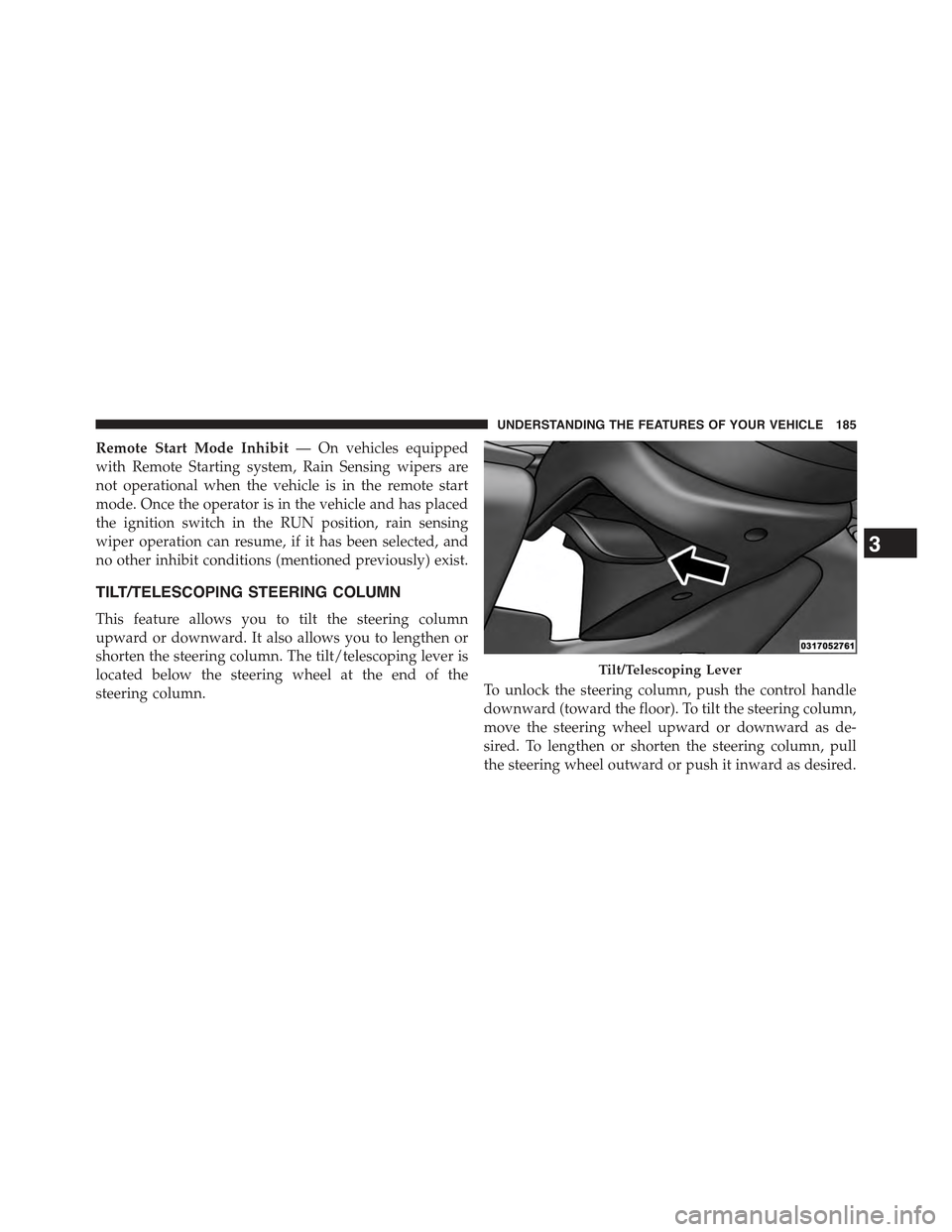
shorten the steering column. The tilt/telescoping lever is
located below the steering wheel at the end of the
steering column.To unlock the steering column, push the control handle
downward (toward the floor). To tilt the steering column,
move the steering wheel upward or downward as de-
sired. To lengthen or shorten the steering column, pull
the steering wheel outward or push it inward as desired.
Tilt/Telescoping Lever
3
UNDERSTANDING THE FEATURES OF YOUR VEHICLE 185
Page 188 of 772
To lock the steering column in position, push the control
handle upward until fully engaged.
WARNING!
Do not adjust the steering column while driving.
Adjusting the steering column while driving or driv-
ing with the steering column unlocked, could cause
the driver to lose control of the vehicle. Failure to
follow this warning may result in serious injury or
death.
HEATED STEERING WHEEL — IF EQUIPPED
The steering wheel contains a heating element that helps
warm your hands in cold weather. The heated steering
wheel has only one temperature setting. Once the heated
steering wheel has been turned on it will operate for up
to 80 minutes before automatically shutting off. The
heated steering wheel can shut off early or may not turn
on when the steering wheel is already warm.
The heated steering wheel control button is located
within the Uconnect® system. You can gain access to the
control button through the climate screen or the controls
screen.
•Press the heated steering wheel buttononce to
turn the heating element ON.
•Press the heated steering wheel buttona second
time to turn the heating element OFF.
NOTE:The engine must be running for the heated
steering wheel to operate.
186 UNDERSTANDING THE FEATURES OF YOUR VEHICLE