buttons JEEP CHEROKEE 2016 KL / 5.G User Guide
[x] Cancel search | Manufacturer: JEEP, Model Year: 2016, Model line: CHEROKEE, Model: JEEP CHEROKEE 2016 KL / 5.GPages: 770, PDF Size: 5.48 MB
Page 162 of 770
DRIVER MEMORY SEAT — IF EQUIPPED
This feature allows the driver to store up to two different
memory profiles, for easy recall through a memory
switch. Each memory profile contains desired position
settings for the driver seat and side mirrors and a set of
desired radio station presets.
The memory switch is located on the driver’s side door
panel. The switch contains 3 buttons, a S (SET) button to
activate the memory save function, the number (1)
memory button and the number (2) memory button. The
memory switch allows the driver to recall either of the
two pre-programmed memory profiles by pushing the
appropriate number button on the switch.
Programming The Memory Feature
To create a new memory profile, perform the following:
NOTE:Saving a new memory profile will erase an
existing profile from memory.
1. Cycle the vehicle’s ignition to the ON position.
Driver Memory Switch
160 UNDERSTANDING THE FEATURES OF YOUR VEHICLE
Page 165 of 770
A recall can be cancelled by pushing any of the MEMORY
buttons (S, 1, or 2) during a recall. When a recall is
cancelled, the driver seat will stop moving. A delay of
one second will occur before another recall can be
selected.
Easy Entry/Exit Seat
This feature provides automatic driver seat positioning to
enhance driver mobility when entering and exiting the
vehicle.
The distance the driver seat moves depends on where
you have the driver seat positioned when you cycle the
vehicle’s ignition to the OFF position.
•When you cycle the vehicle’s ignition to the OFF
position, the driver seat will move about 2.4 in (60
mm) rearward if the driver seat position is greater than
or equal to 2.7 in (67.7 mm) forward of the rear stop. The seat will return to its previously set position when
you cycle the vehicle’s ignition to the ACC or RUN
position.
• The Easy Entry/Easy Exit feature is disabled when the
driver seat position is less than 0.9 in (22.7 mm)
forward of the rear stop. At this position, there is no
benefit to the driver by moving the seat for Easy Exit
or Easy Entry.
Each stored memory setting will have an associated Easy
Entry and Easy Exit position.
NOTE: The Easy Entry/Exit feature is not enabled when
the vehicle is delivered from the factory. The Easy
Entry/Exit feature is enabled (or later disabled) through
the programmable features in the Uconnect system. Refer
to “Uconnect Settings/Customer Programmable Fea-
tures” in “Understanding Your Instrument Panel” for
further information.
3
UNDERSTANDING THE FEATURES OF YOUR VEHICLE 163
Page 185 of 770
ELECTRONIC SPEED CONTROL — IF EQUIPPED
When engaged, the Electronic Speed Control takes over
accelerator operations at speeds greater than 25 mph
(40 km/h).
The Electronic Speed Control buttons are located on the
right side of the steering wheel.
Electronic Speed Control Buttons
1 — ON/OFF4 — SET-/DECEL
2 — SET+/ACCEL 5 — CANCEL
3 — RESUME
3
UNDERSTANDING THE FEATURES OF YOUR VEHICLE 183
Page 190 of 770
•If the ACC sensor detects a vehicle ahead, ACC will
apply limited braking or acceleration (not to exceed
the original set speed) automatically to maintain a
preset following distance, while matching the speed of
the vehicle ahead.
The Cruise Control system has two control modes:
• Adaptive Cruise Control mode for maintaining an
appropriate distance between vehicles.
• Normal (fixed speed) electronic speed control mode
for cruising at a constant preset speed. For additional
information, refer to “Normal (Fixed Speed) Cruise
Control Mode” in this section.
NOTE: Normal (fixed speed) electronic speed control
will not react to preceding vehicles. Always be aware of
the mode selected. You can change the mode by using the Cruise Control
buttons. The two control modes function differently.
Always confirm which mode is selected.
WARNING!
•Adaptive Cruise Control (ACC) is a convenience
system. It is not a substitute for active driving
involvement. It is always the driver ’s responsibility
to be attentive of road, traffic, and weather condi-
tions, vehicle speed, distance to the vehicle ahead;
and, most importantly, brake operation to ensure
safe operation of the vehicle under all road condi-
tions. Your complete attention is always required
while driving to maintain safe control of your ve-
hicle. Failure to follow these warnings can result in a
collision and death or serious personal injury.
(Continued)
188 UNDERSTANDING THE FEATURES OF YOUR VEHICLE
Page 191 of 770
WARNING!(Continued)
•The ACC system:
• Does not react to pedestrians, oncoming vehicles,
and stationary objects (e.g., a stopped vehicle in a
traffic jam or a disabled vehicle).
• Cannot take street, traffic, and weather condi-
tions into account, and may be limited upon
adverse sight distance conditions.
• Does not always fully recognize complex driving
conditions, which can result in wrong or missing
distance warnings.
• Will bring the vehicle to a complete stop while
following a target vehicle and hold the vehicle
for approximately 3 minutes in the stop position.
If the target vehicle does not start moving within
3 minutes the parking brake will be activated,
and the ACC system will be cancelled.
(Continued)
WARNING! (Continued)
You should switch off the ACC system:
•When driving in fog, heavy rain, heavy snow, sleet,
heavy traffic, and complex driving situations (i.e.,
in highway construction zones).
• When entering a turn lane or highway off ramp;
when driving on roads that are winding, icy, snow-
covered, slippery, or have steep uphill or downhill
slopes.
• When towing a trailer up or down steep slopes.
• When circumstances do not allow safe driving at a
constant speed.
Adaptive Cruise Control (ACC) Operation
The speed control buttons (located on the right side of the
steering wheel) operates the ACC system.
3
UNDERSTANDING THE FEATURES OF YOUR VEHICLE 189
Page 192 of 770
NOTE:Any chassis/suspension or tire size modifications
to the vehicle will effect the performance of the Adaptive
Cruise Control and Forward Collision Warning System.
Activating Adaptive Cruise Control (ACC)
You can only engage ACC if the vehicle speed is above
0 mph (0 km/h).
The minimum Set Speed for the ACC system is 20 mph
(32 km/h).
When the system is turned on and in the READY state, the
Electronic Vehicle Information Center (EVIC) or Driver
Information Display (DID) displays “ACC Ready.”
When the system is OFF, the EVIC/DID displays “Adap-
tive Cruise Control (ACC) Off.”
NOTE: You cannot engage ACC under the following
conditions:
• When in Four-Wheel Drive Low.
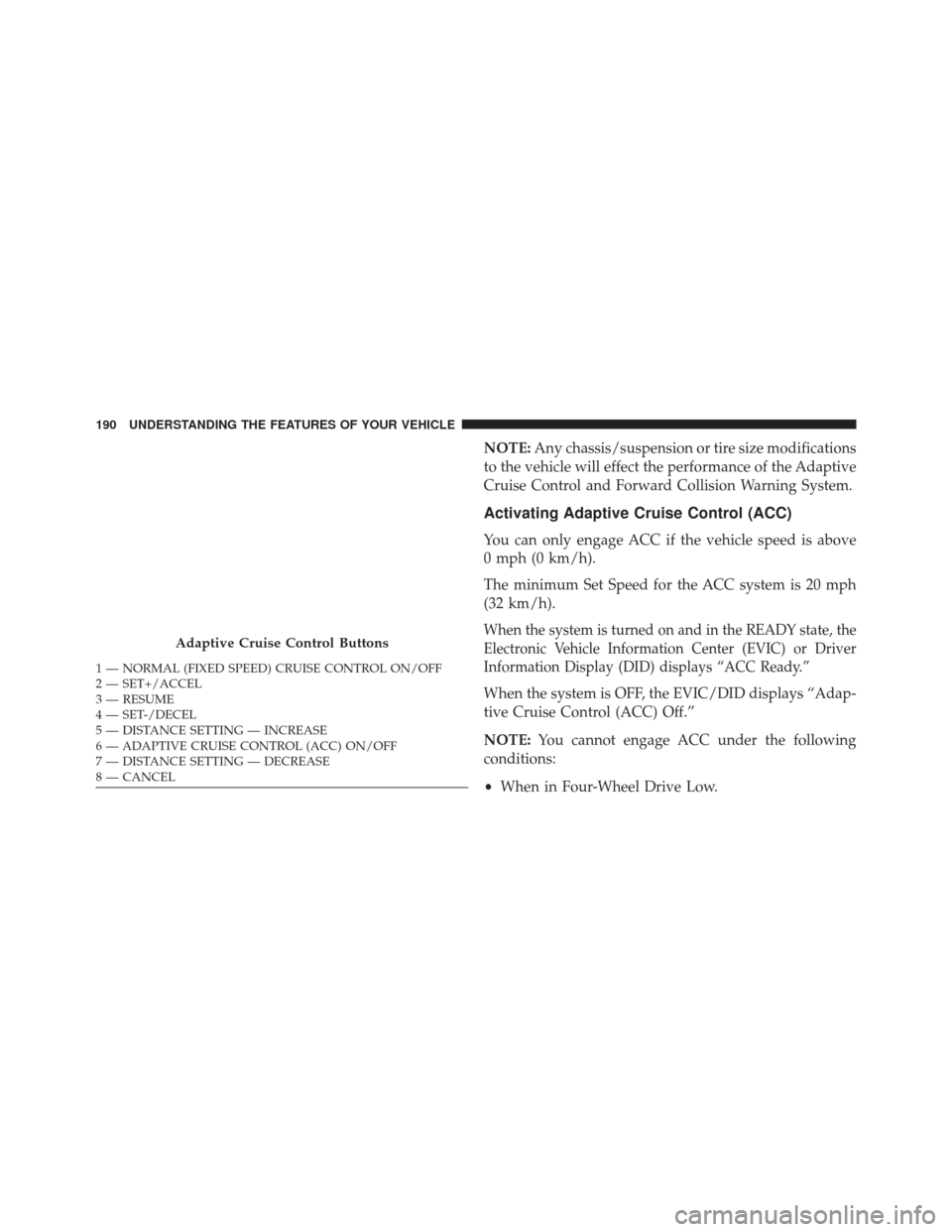
Adaptive Cruise Control Buttons
1 — NORMAL (FIXED SPEED) CRUISE CONTROL ON/OFF
2 — SET+/ACCEL
3 — RESUME
4 — SET-/DECEL
5 — DISTANCE SETTING — INCREASE
6 — ADAPTIVE CRUISE CONTROL (ACC) ON/OFF
7 — DISTANCE SETTING — DECREASE
8 — CANCEL 190 UNDERSTANDING THE FEATURES OF YOUR VEHICLE
Page 198 of 770
•If the button is continually pushed, the set speed will
continue to decrease in 5 mph decrements until the
button is released. The decrease in set speed is re-
flected in the EVIC/DID.
Metric Speed (km/h)
• Pushing the SET -button once will result in a 1 km/h
decrease in set speed. Each subsequent tap of the
button results in a decrease of 1 km/h.
• If the button is continually pushed, the set speed will
continue to decrease in 10 km/h decrements until the
button is released. The decrease in set speed is re-
flected in the EVIC/DID.
NOTE:
• When you override and push the SET +button or SET
- buttons, the new Set Speed will be the current speed
of the vehicle. •
When you use the SET -button to decelerate, if the
engine’s braking power does not slow the vehicle
sufficiently to reach the set speed, the brake system
will automatically slow the vehicle.
• The ACC system decelerates the vehicle to a full stop
when following a target vehicle. If an ACC host vehicle
follows a target vehicle to a standstill, after two
seconds the driver will either have to push the RES
(resume) button, or apply the accelerator pedal to
reengage the ACC to the existing Set Speed.
• The ACC system maintains set speed when driving up
hill and down hill. However, a slight speed change on
moderate hills is normal. In addition, downshifting
may occur while climbing uphill or descending down-
hill. This is normal operation and necessary to main-
tain set speed. When driving up hill and down hill, the
ACC system will cancel if the braking temperature
exceeds normal range (overheated).
196 UNDERSTANDING THE FEATURES OF YOUR VEHICLE
Page 285 of 770
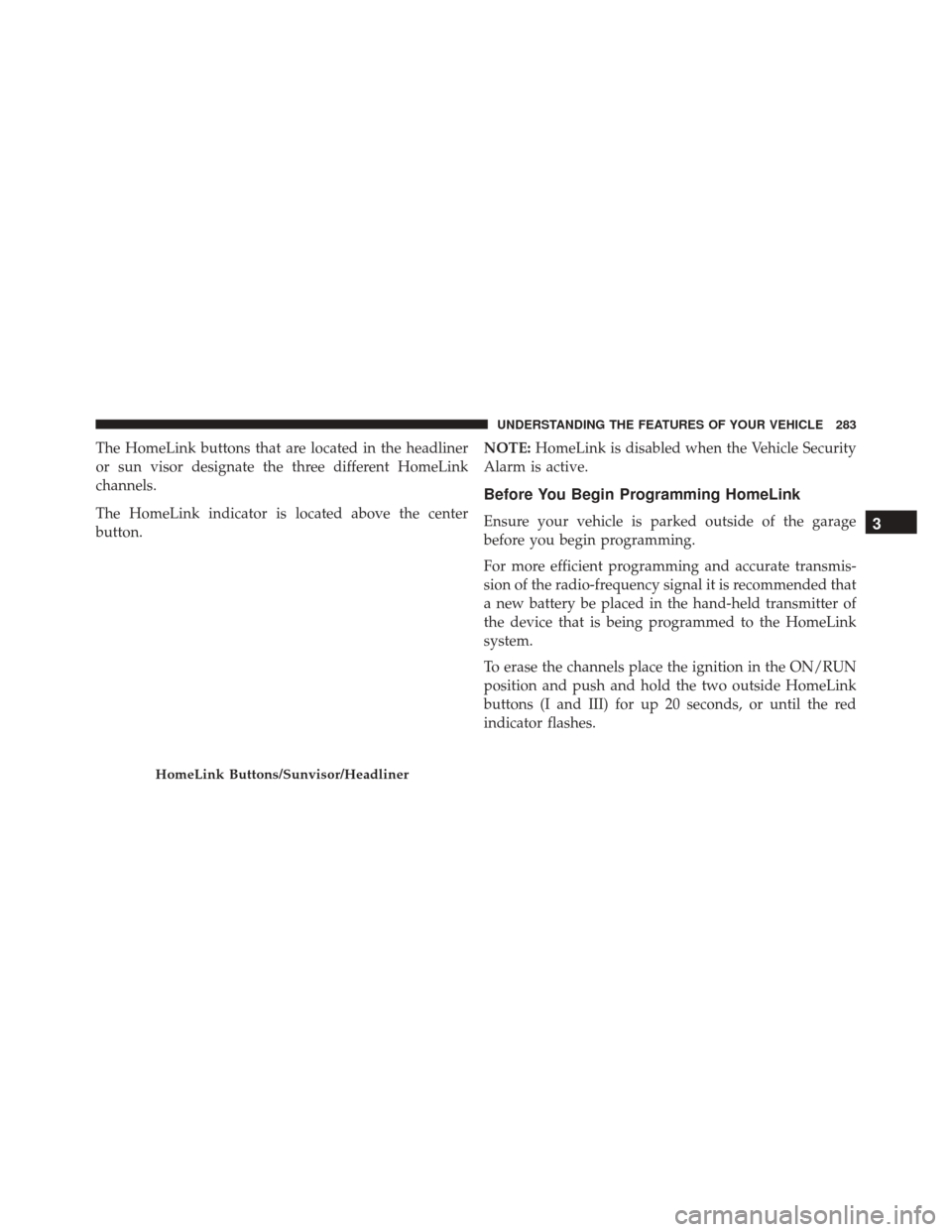
The HomeLink buttons that are located in the headliner
or sun visor designate the three different HomeLink
channels.
The HomeLink indicator is located above the center
button.NOTE:
HomeLink is disabled when the Vehicle Security
Alarm is active.
Before You Begin Programming HomeLink
Ensure your vehicle is parked outside of the garage
before you begin programming.
For more efficient programming and accurate transmis-
sion of the radio-frequency signal it is recommended that
a new battery be placed in the hand-held transmitter of
the device that is being programmed to the HomeLink
system.
To erase the channels place the ignition in the ON/RUN
position and push and hold the two outside HomeLink
buttons (I and III) for up 20 seconds, or until the red
indicator flashes.
HomeLink Buttons/Sunvisor/Headliner
3
UNDERSTANDING THE FEATURES OF YOUR VEHICLE 283
Page 286 of 770
NOTE:
•Erasing all channels should only be performed when
programming HomeLink for the first time. Do not
erase channels when programming additional buttons.
• If you have any problems, or require assistance, please
call toll-free 1-800-355-3515 or, on the Internet at
HomeLink.com for information or assistance.
Programming A Rolling Code
For programming garage door openers that were manu-
factured after 1995. These garage door openers can be
identified by the “LEARN” or “TRAIN” button located
where the hanging antenna is attached to the garage door
opener. It is NOT the button that is normally used to
open and close the door. The name and color of the
button may vary by manufacturer. 1. Place the ignition in the ON/RUN position.
Training The Garage Door Opener
1 — Door Opener
2 — Training Button
284 UNDERSTANDING THE FEATURES OF YOUR VEHICLE
Page 287 of 770
2. Place the hand-held transmitter 1 to 3 inches (3 to 8cm) away from the HomeLink button you wish to
program while keeping the HomeLink indicator light
in view.
3. Push and hold the HomeLink button you want to program while you push and hold the hand-held
transmitter button.
4. Continue to hold both buttons and observe the indi- cator light. The HomeLink indicator will flash slowly
and then rapidly after HomeLink has received the
frequency signal from the hand-held transmitter. Re-
lease both buttons after the indicator light changes
from slow to rapid.
5. At the garage door opener motor (in the garage), locate the “LEARN” or “TRAINING” button. This can
usually be found where the hanging antenna wire is
attached to the garage door opener/device motor. Firmly push and release the “LEARN” or “TRAIN-
ING” button. On some garage door openers/devices
there may be a light that blinks when the garage door
opener/device is in the LEARN/TRAIN mode.
NOTE: You have 30 seconds in which to initiate the next
step after the LEARN button has been pushed.
6. Return to the vehicle and push the programmed HomeLink button twice (holding the button for two
seconds each time). If the garage door opener/device
activates, programming is complete.
NOTE: If the garage door opener/device does not acti-
vate, push the button a third time (for two seconds) to
complete the training.
To program the remaining two HomeLink buttons, repeat
each step for each remaining button. DO NOT erase the
channels.
3
UNDERSTANDING THE FEATURES OF YOUR VEHICLE 285