warning light JEEP COMPASS 2009 1.G Owner's Manual
[x] Cancel search | Manufacturer: JEEP, Model Year: 2009, Model line: COMPASS, Model: JEEP COMPASS 2009 1.GPages: 439, PDF Size: 12.51 MB
Page 171 of 439
WARNING!
A hot engine cooling system is dangerous. You or
others could be badly burned by steam or boiling
coolant. You may want to call an authorized dealer-
ship for service if your vehicle overheats. If you
decide to look under the hood yourself, see Section 7
of this manual. Follow the warnings under the Cool-
ing System Pressure Cap paragraph.
18. Cruise Indicator — If Equipped
This indicator shows that the Electronic Speed
Control System is ON.
19. Cruise Indicator — If Equipped
This indicator shows that the Electronic Speed Control
System is SET to the desired speed.
20. Shift Lever Indicator
This display indicator shows the automatic transmission
shift lever selection.NOTE:You must apply the brakes before shifting from
PARK.
21. Odometer/Trip Odometer Reset Button
Press this button to change the display from odometer to
either of the two trip odometer settings. Trip A or Trip B
will appear when in the trip odometer mode. Push in and
hold the button for two seconds to reset the trip odometer
to 0 miles or kilometers. The odometer must be in Trip
mode to reset.
22. Tire Pressure Monitoring Telltale Light — If
Equipped
Each tire, including the spare (if provided),
should be checked monthly, when cold and in-
flated to the inflation pressure recommended by
the vehicle manufacturer on the vehicle placard or
tire inflation pressure label. (If your vehicle has tires of a
different size than the size indicated on the vehicle placard
UNDERSTANDING YOUR INSTRUMENT PANEL 169
4
Page 173 of 439
CAUTION!
The TPMS has been optimized for the original
equipment tires and wheels. TPMS pressures and
warning have been established for the tire size
equipped on your vehicle. Undesirable system opera-
tion or sensor damage may result when using re-
placement equipment that is not of the same size,
type, and/or style. Aftermarket wheels can cause
sensor damage. Do not use tire sealant from a can, or
balance beads if your vehicle is equipped with a
TPMS, as damage to the sensors may result.
23. 4WD Indicator — If Equipped
This light indicates the vehicle is in 4WD.24. Odometer/Trip Odometer
This display indicates the total distance the vehicle has
been driven. Also, the cluster will display, replacing the
odometer/trip odometer, vehicle warning messages such
as: “door/gate ajar”, “gASCAP” (loose gas cap), “Lo
tIrE” (display toggles between Lo and tIrE when tire
pressure is low), and “Change Oil” message. Loose gas
cap (gASCAP) will be displayed from the Odometer/Trip
Odometer on all models.
NOTE:If the vehicle is equipped with the optional
Electronic Vehicle Information Center (EVIC) in the in-
strument cluster, all warnings including “door”, and
“gATE” will only be displayed in the EVIC display. For
additional information, refer to “Electronic Vehicle Infor-
mation Center — If Equipped” in Section 3.
United States federal regulations require that upon trans-
fer of vehicle ownership, the seller certify to the pur-
chaser the correct mileage that the vehicle has been
UNDERSTANDING YOUR INSTRUMENT PANEL 171
4
Page 175 of 439
Certain conditions such as a loose or missing gas cap,
poor fuel quality, etc. may illuminate the light after
engine start. The vehicle should be serviced if the light
stays on through several of your typical driving cycles. In
most situations the vehicle will drive normally and will
not require towing.
If the MIL flashes when the engine is running, serious
conditions may exist that could lead to immediate loss of
power or severe catalytic converter damage. The vehicle
should be serviced as soon as possible if this occurs.
NOTE:If this indicator comes on, it will brighten to
FULL DAYTIME INTENSITY and will not be dimmable.
26. Front Fog Light Indicator — If Equipped
This light shows when the front fog lights are ON.27.Electronic Stability Program (ESP) Indicator Light /
Traction Control System (TCS) Indicator Light — If
Equipped
If this indicator light flashes during accelera-
tion, apply as little throttle as possible. While
driving, ease up on the accelerator. Adapt your
speed and driving to the prevailing road con-
ditions, and do not switch off the Electronic Stability
Program (ESP), or Traction Control System (TCS).
28. Electronic Stability Program (ESP) Indicator Light
The malfunction lamp for the Electronic Stabil-
ity Program (ESP) is combined with Brake
Assist System (BAS). The yellow “ESP/BAS
Warning Lamp” comes on when the ignition
switch is turned to the “ON” position. They should go
out with the engine running. If the “ESP/BAS Warning
Lamp” comes on continuously with the engine running,
a malfunction has been detected in either the ESP or the
BAS system. If this light remains on after several ignition
UNDERSTANDING YOUR INSTRUMENT PANEL 173
4
Page 176 of 439
cycles, and the vehicle has been driven several miles at
speeds greater than 30 mph (48 km/h), see an authorized
dealer as soon as possible.
29. 4WD! Warning Light — If Equipped
This light monitors the 4-Wheel Drive (4WD)
system. The light will come on, for a bulb
check, when the ignition key is turned to the
ON position and may stay on for as long as
three seconds.
When lit solid:There is an 4WD system fault. 4WD
performance will be at a reduced level. Service the 4WD
system soon.
When blinking:The 4WD system is temporarily dis-
abled due to overload condition.30. Electronic Vehicle Information Center (EVIC)
Display — If Equipped
When the appropriate conditions exist, this display
shows the EVIC messages.
For more information refer to “Electronic Vehicle Infor-
mation Center (EVIC)” in this section of the manual.
31. Electronic Vehicle Information Center (EVIC)
Button — If Equipped
Pushing this button, will change the display to the
choices available for EVIC.
For more information refer to “Electronic Vehicle Infor-
mation Center (EVIC)” in this section of the manual.
174 UNDERSTANDING YOUR INSTRUMENT PANEL
Page 178 of 439
When the appropriate conditions exist, the EVIC displays
the following messages:
•Turn Signal On (with a continuous warning chime
after one mile traveled)
•Left Front Turn Signal Light Out (with a single chime)
•Left Rear Turn Signal Light Out (with a single chime)
•Right Front Turn Signal Light Out (with a single chime)
•Right Rear Turn Signal Light Out (with a single chime)
•RKE Battery Low (with a single chime)
•Personal Settings Not Available – Vehicle not in PARK
(automatic transmissions) or vehicle is in motion
(manual transmissions).
•Left/Right Front Door Ajar (one or more, with a single
chime if speed is above 1 mph (1 km/h)
•Left/Right Rear Door Ajar (one or more, with a single
chime if speed is above 1 mph (1 km/h)
•Door(s) Ajar (with a single chime if vehicle is in
motion)
•Gate Ajar (with a single chime)
•Headlights On
•Key In Ignition
•Check TPM System
Engine Oil Change Indicator System
Oil Change Required
Your vehicle is equipped with an engine oil change
indicator system. The “Oil Change Required” message
will flash in the EVIC display for approximately five
seconds after a single chime has sounded, to indicate the
next scheduled oil change interval. The engine oil change
indicator system is duty-cycle based, which means the
engine oil change interval may fluctuate dependent upon
your personal driving style.
176 UNDERSTANDING YOUR INSTRUMENT PANEL
Page 256 of 439
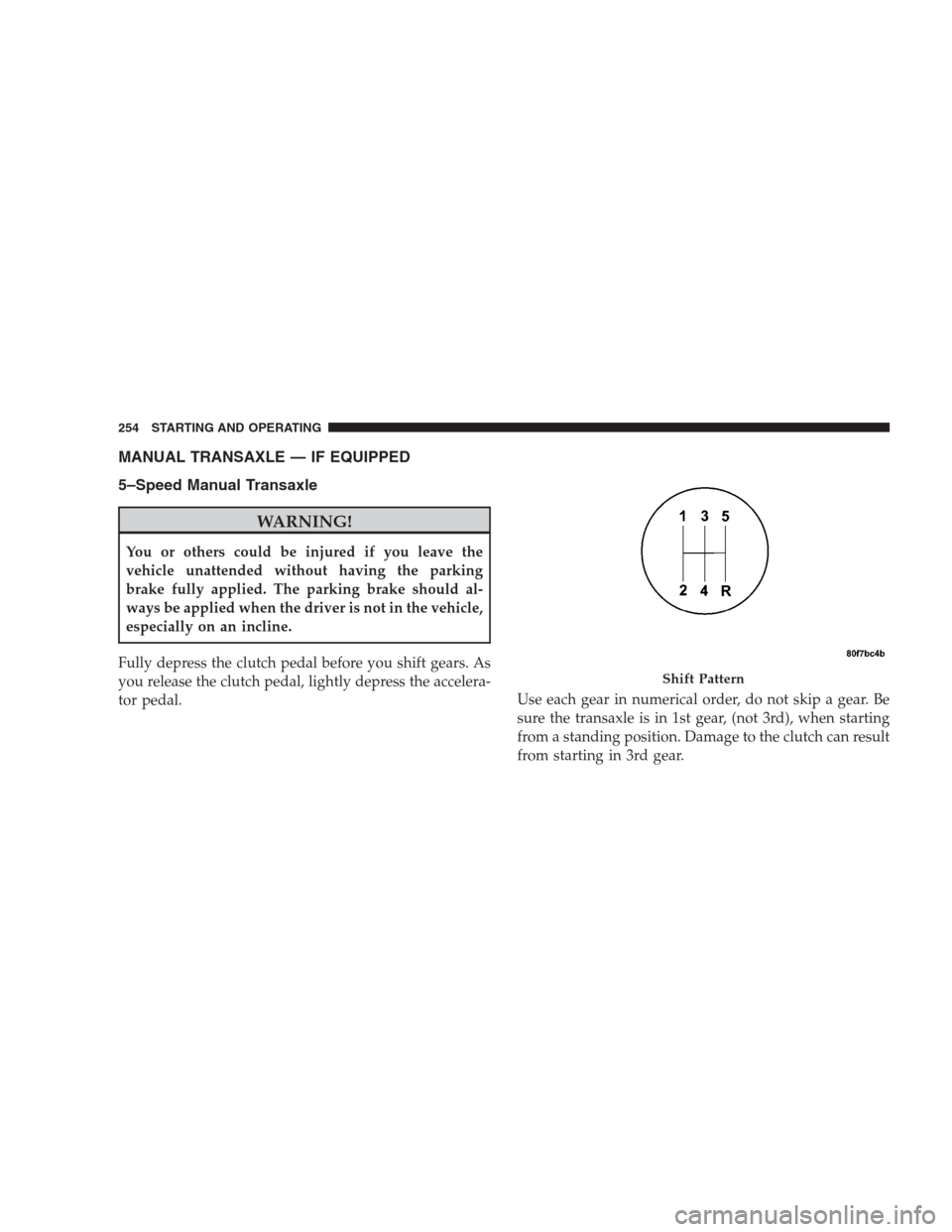
MANUAL TRANSAXLE — IF EQUIPPED
5–Speed Manual Transaxle
WARNING!
You or others could be injured if you leave the
vehicle unattended without having the parking
brake fully applied. The parking brake should al-
ways be applied when the driver is not in the vehicle,
especially on an incline.
Fully depress the clutch pedal before you shift gears. As
you release the clutch pedal, lightly depress the accelera-
tor pedal.Use each gear in numerical order, do not skip a gear. Be
sure the transaxle is in 1st gear, (not 3rd), when starting
from a standing position. Damage to the clutch can result
from starting in 3rd gear.
Shift Pattern
254 STARTING AND OPERATING
Page 264 of 439
Where one or more wheels have wheel spin or if addi-
tional traction is needed in sand, deep snow, or loose
traction surfaces, activate the 4WD LOCK switch by
pulling up once and releasing. This locks the center
coupling allowing more torque to be sent to the rear
wheels. The 4WD Indicator Light will come on in the
cluster. This can be done on the fly, at any vehicle speed.
To deactivate, simply pull on the switch one more time.
The 4WD Indicator Light will then go out.
NOTE:Refer to Electronic Stability Program (ESP) in the
“Electronic Brake Control System” section of this manual
for additional information.DRIVING ON SLIPPERY SURFACES
Acceleration
Rapid acceleration on snow covered, wet, or other slip-
pery surfaces may cause the front wheels to pull errati-
cally to the right or left. This phenomenon occurs when
there is a difference in the surface traction under the front
(driving) wheels.
WARNING!
Rapid acceleration on slippery surfaces is dangerous.
Unequal traction can cause sudden pulling of the
front wheels. You could lose control of the vehicle
and possibly have an accident. Accelerate slowly and
carefully whenever there is likely to be poor traction
(ice, snow, wet, mud, loose sand, etc.).
262 STARTING AND OPERATING
Page 267 of 439
WARNING!
•Driving through standing water limits your vehi-
cle’s traction capabilities. Do not exceed 5 mph
(8 km/h) when driving through standing water.
•Driving through standing water limits your vehi-
cle’s braking capabilities, which increases stop-
ping distances. Therefore, after driving through
standing water, drive slowly and lightly press on
the brake pedal several times to dry the brakes.
•Getting water inside your vehicle’s engine can
cause it to lock up and stall out, and leave you
stranded.
•Failure to follow these warnings may result in
injuries that are serious or fatal to you, your
passengers, and others around you.
POWER STEERING
The standard power steering system will give you good
vehicle response and increased ease of maneuverability
in tight spaces. The system will provide mechanical
steering capability if power assist is lost.
If for some reason the power assist is interrupted, it will
still be possible to steer your vehicle. Under these condi-
tions, you will observe a substantial increase in steering
effort, especially at very low vehicle speeds and during
parking maneuvers.
NOTE:Increased noise levels at the end of the steering
wheel travel are considered normal and do not indicate
that there is a problem with the power steering system.
Upon initial start-up in cold weather, the power steering
pump may make noise for a short amount of time. This is
due to the cold, thick fluid in the steering system. This
noise should be considered normal, and it does not in any
way damage the steering system.
STARTING AND OPERATING 265
5
Page 271 of 439
If either of the two hydraulic systems lose normal capa-
bility, the remaining system will still function with some
loss of overall braking effectiveness. This will be evident
by increased pedal travel during application and greater
pedal force required to slow or stop. In addition, if the
malfunction is caused by an internal leak, as the brake
fluid in the master cylinder drops, the brake warning
indicator will light.
WARNING!
Driving a vehicle with the brake light on is danger-
ous. A significant decrease in braking performance or
vehicle stability during braking may occur. It will
take you longer to stop the vehicle or will make your
vehicle harder to control. You could have an accident.
Have the vehicle checked immediately.
Anti-Lock Brake System (ABS) — If Equipped
The ABS provides increased vehicle stability and brake
performance under most braking conditions. The system
automatically “pumps” the brakes during severe braking
conditions to prevent wheel lock-up.
WARNING!
•Pumping of the Anti-Lock Brakes will diminish
their effectiveness and may lead to an accident.
Pumping makes the stopping distance longer. Just
press firmly on your brake pedal when you need
to slow down or stop.
•The ABS cannot prevent the natural laws of phys-
ics from acting on the vehicle, nor can it increase
braking or steering efficiency beyond that af-
forded by the condition of the vehicle brakes and
tires or the traction afforded.
(Continued)
STARTING AND OPERATING 269
5
Page 272 of 439
WARNING! (Continued)
•The ABS cannot prevent accidents, including
those resulting from excessive speed in turns,
following another vehicle too closely, or hydro-
planing. Only a safe, attentive, and skillful driver
can prevent accidents.
•The capabilities of an ABS-equipped vehicle must
never be exploited in a reckless or dangerous
manner which could jeopardize the user’s safety
or the safety of others.
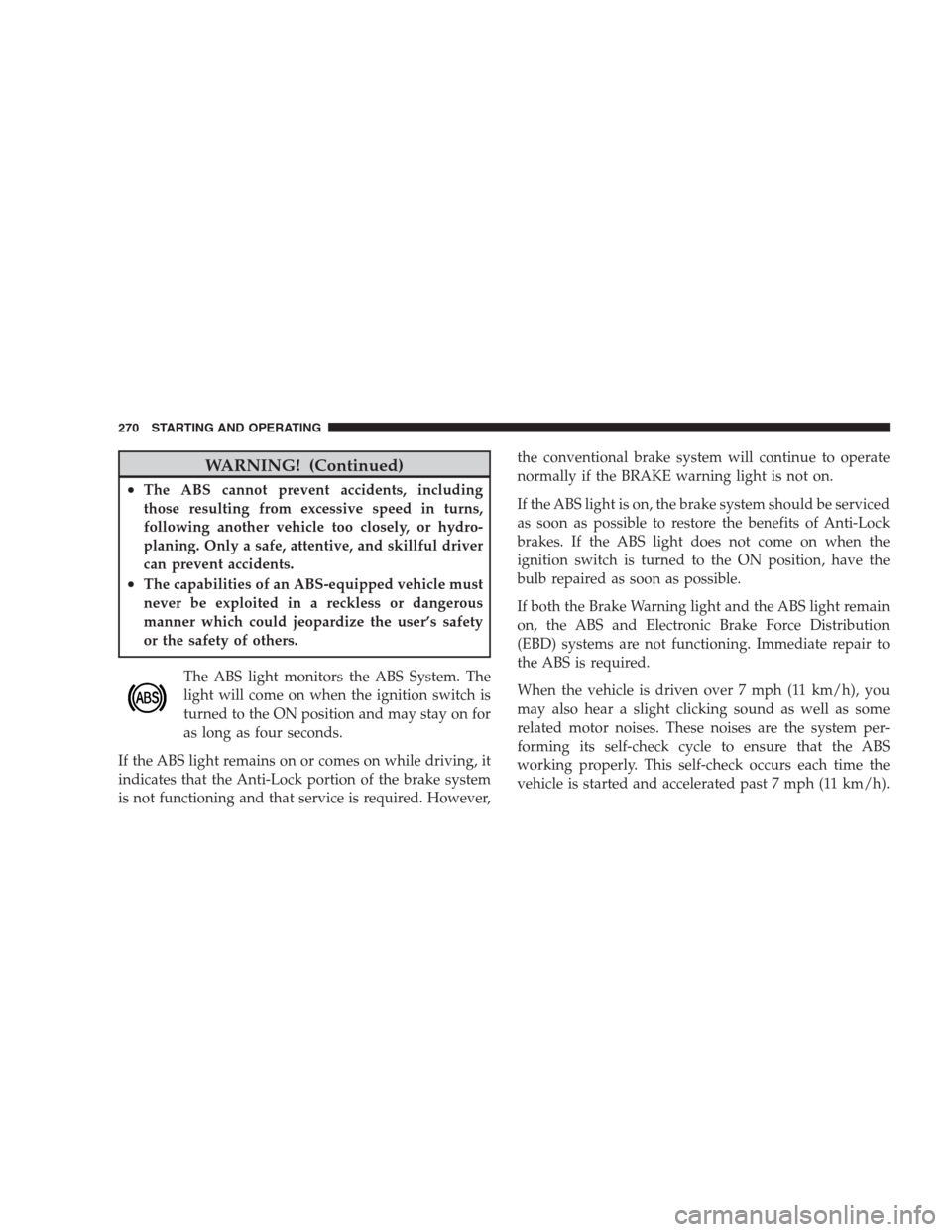
The ABS light monitors the ABS System. The
light will come on when the ignition switch is
turned to the ON position and may stay on for
as long as four seconds.
If the ABS light remains on or comes on while driving, it
indicates that the Anti-Lock portion of the brake system
is not functioning and that service is required. However,the conventional brake system will continue to operate
normally if the BRAKE warning light is not on.
If the ABS light is on, the brake system should be serviced
as soon as possible to restore the benefits of Anti-Lock
brakes. If the ABS light does not come on when the
ignition switch is turned to the ON position, have the
bulb repaired as soon as possible.
If both the Brake Warning light and the ABS light remain
on, the ABS and Electronic Brake Force Distribution
(EBD) systems are not functioning. Immediate repair to
the ABS is required.
When the vehicle is driven over 7 mph (11 km/h), you
may also hear a slight clicking sound as well as some
related motor noises. These noises are the system per-
forming its self-check cycle to ensure that the ABS
working properly. This self-check occurs each time the
vehicle is started and accelerated past 7 mph (11 km/h).
270 STARTING AND OPERATING