tail JEEP COMPASS 2015 1.G User Guide
[x] Cancel search | Manufacturer: JEEP, Model Year: 2015, Model line: COMPASS, Model: JEEP COMPASS 2015 1.GPages: 560, PDF Size: 11.51 MB
Page 263 of 560
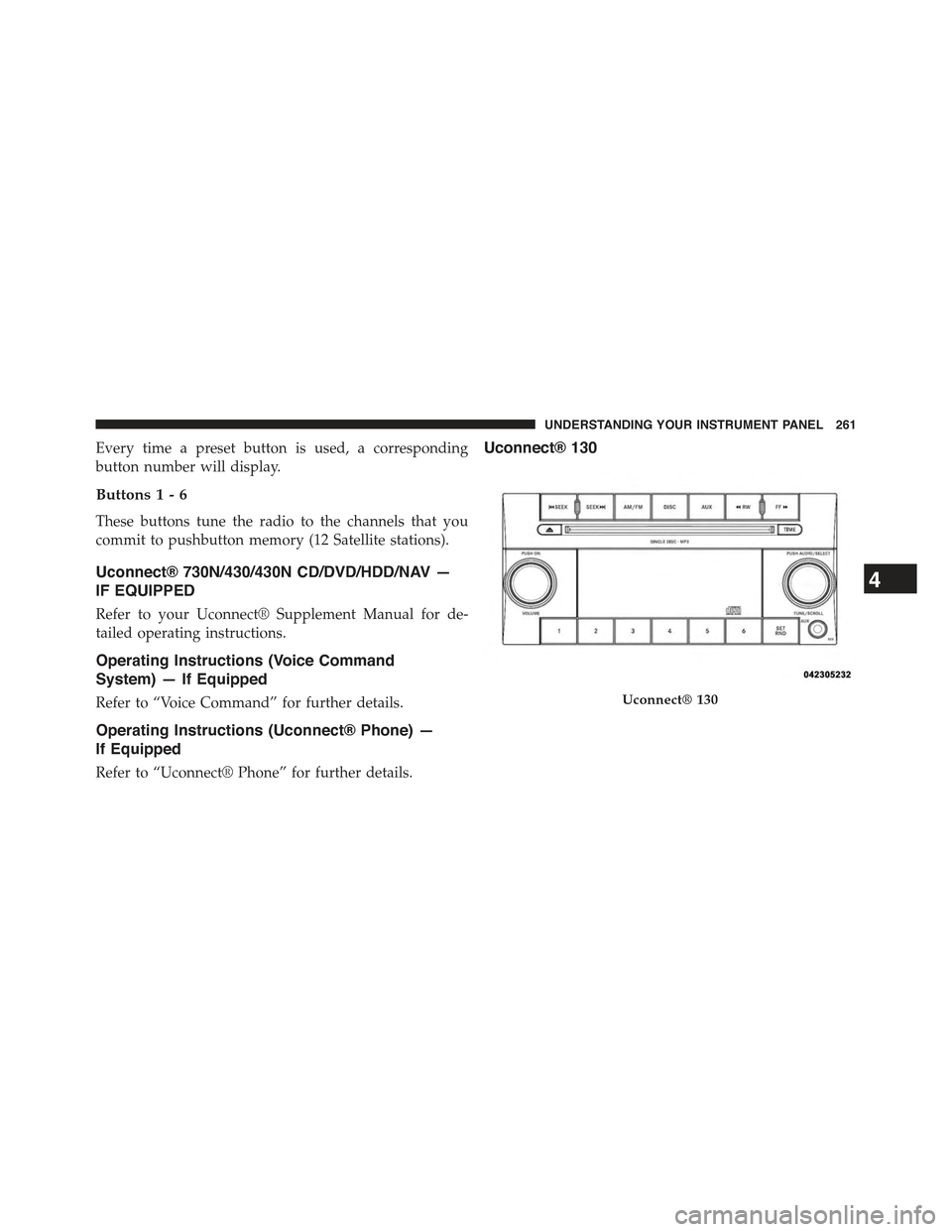
Every time a preset button is used, a corresponding
button number will display.
Buttons1-6
These buttons tune the radio to the channels that you
commit to pushbutton memory (12 Satellite stations).
Uconnect® 730N/430/430N CD/DVD/HDD/NAV —
IF EQUIPPED
Refer to your Uconnect® Supplement Manual for de-
tailed operating instructions.
Operating Instructions (Voice Command
System) — If Equipped
Refer to “Voice Command” for further details.
Operating Instructions (Uconnect® Phone) —
If Equipped
Refer to “Uconnect® Phone” for further details.
Uconnect® 130
Uconnect® 130
4
UNDERSTANDING YOUR INSTRUMENT PANEL 261
Page 293 of 560
•RNDbutton (available on sales code RES radio only):
Pushing this button toggles between Shuffle ON and
Shuffle OFF modes for the iPod® or external USB
device, or push the VR button and say#Shuffle ON#or
#Shuffle Off.#If theRNDicon is showing on the radio
display, then the shuffle mode is ON.
List Or Browse Mode
During Play mode, pushing any of the buttons described
below, will bring up List mode. List mode enables
scrolling through the list of menus and tracks on the
audio device.
TUNEcontrol knob: TheTUNEcontrol knob functions in
a similar manner as the scroll wheel on the audio device
or external USB device.
•Turning it clockwise (forward) and counterclockwise
(backward) scrolls through the lists, displaying the
track detail on the radio display. Once the track to be
played is highlighted on the radio display, push the
TUNEcontrol knob to select and start playing the
track. Turning theTUNEcontrol knob fast will scroll
through the list faster. During fast scroll, a slight delay
in updating the information on the radio display may
be noticeable.
During all List modes, the iPod® displays all lists in
“wrap-around” mode. So if the track is at the bottom of
the list, just turn the wheel backward (counterclockwise)
to get to the track faster.
4
UNDERSTANDING YOUR INSTRUMENT PANEL 291
Page 304 of 560
The recommended setting for maximum comfort for the
average person is 72°F (22°C); however, this may vary.
NOTE:
•The temperature setting can be adjusted at anytime
without affecting automatic operation.
•Pressing the Air Conditioning Control button while in
AUTO mode will cause the LED in the control button
to flash three times and then turn off. This indicates
that the system is in AUTO mode and requesting the
air conditioning is not necessary.
•If your air conditioning performance seems lower than
expected, check the front of the A/C condenser located
in front of the radiator for an accumulation of dirt or
insects. Clean with a gentle water spray from behind
the radiator and through the condenser. Fabric front
fascia protectors may reduce airflow to the condenser,
reducing air conditioning performance.
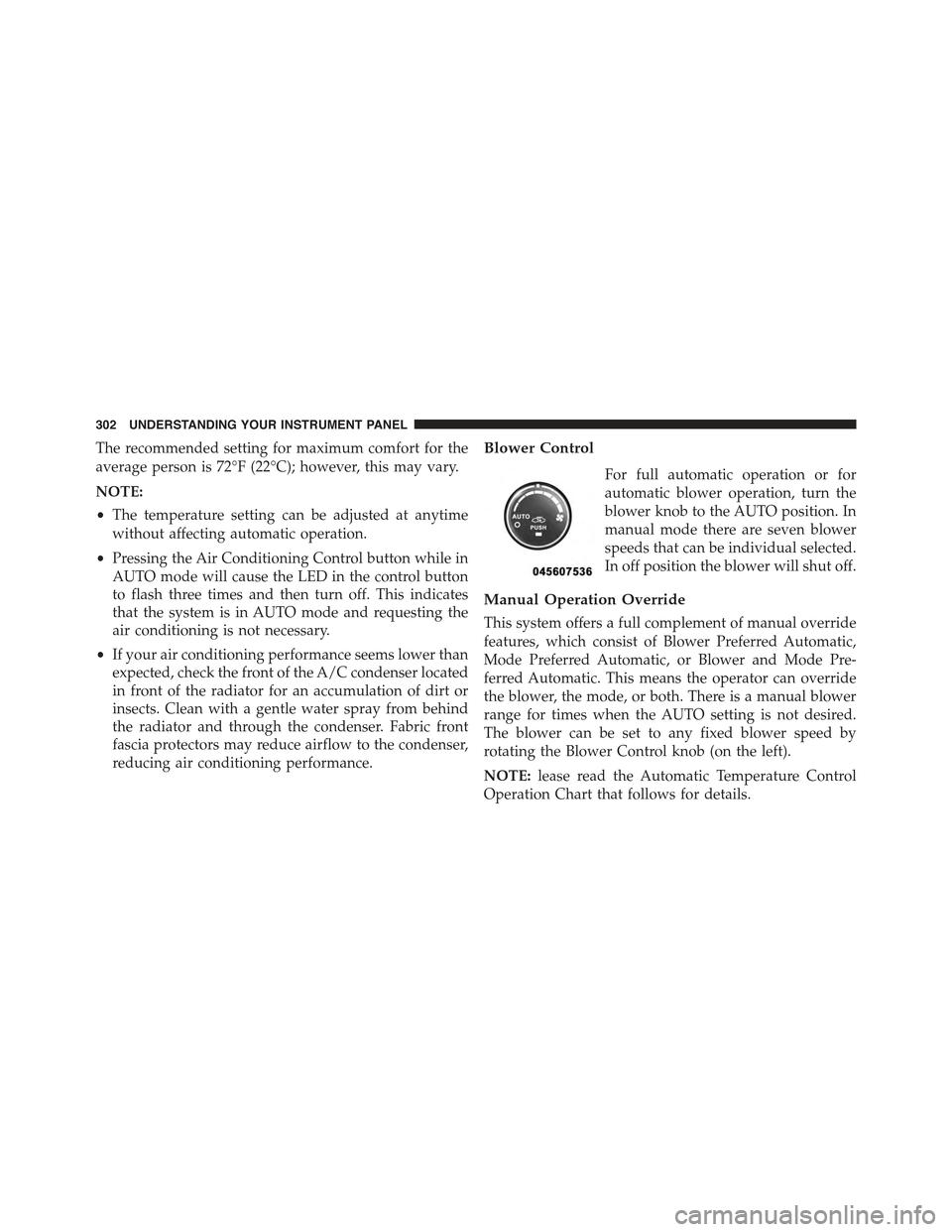
Blower Control
For full automatic operation or for
automatic blower operation, turn the
blower knob to the AUTO position. In
manual mode there are seven blower
speeds that can be individual selected.
In off position the blower will shut off.
Manual Operation Override
This system offers a full complement of manual override
features, which consist of Blower Preferred Automatic,
Mode Preferred Automatic, or Blower and Mode Pre-
ferred Automatic. This means the operator can override
the blower, the mode, or both. There is a manual blower
range for times when the AUTO setting is not desired.
The blower can be set to any fixed blower speed by
rotating the Blower Control knob (on the left).
NOTE:lease read the Automatic Temperature Control
Operation Chart that follows for details.
302 UNDERSTANDING YOUR INSTRUMENT PANEL
Page 407 of 560
To fix a Non-FFV vehicle inadvertently fueled once with
E-85 perform the following:
•Drain the fuel tank (see your authorized dealer).
•Change the engine oil and oil filter.
•Disconnect and reconnect the battery to reset the
engine controller memory.
More extensive repairs will be required for prolonged
exposure to E-85 fuel.
MMT In Gasoline
Methylcyclopentadienyl Manganese Tricarbonyl (MMT)
is a manganese-containing metallic additive that is
blended into some gasoline to increase octane. Gasoline
blended with MMT provides no performance advantage
beyond gasoline of the same octane number without
MMT. Gasoline blended with MMT reduces spark plug
life and reduces emissions system performance in some
vehicles. The manufacturer recommends that gasoline
without MMT be used in your vehicle. The MMT content
of gasoline may not be indicated on the gasoline pump,
therefore, you should ask your gasoline retailer whether
the gasoline contains MMT. MMT is prohibited in Federal
and California reformulated gasoline.
Materials Added To Fuel
All gasoline sold in the United States is required to
contain effective detergent additives. Use of additional
detergents or other additives is not needed under normal
conditions and they would result in additional cost.
Therefore, you should not have to add anything to the
fuel.
5
STARTING AND OPERATING 405
Page 474 of 560
available which include detailed service information for
your vehicle. Refer to these Service Manuals before
attempting any procedure yourself.
NOTE:Intentional tampering with emissions control
systems may void your warranty and could result in civil
penalties being assessed against you.
WARNING!
You can be badly injured working on or around a
motor vehicle. Only do service work for which you
have the knowledge and the proper equipment. If
you have any doubt about your ability to perform a
service job, take your vehicle to a competent me-
chanic.
MAINTENANCE PROCEDURES
The pages that follow contain therequiredmaintenance
services determined by the engineers who designed your
vehicle.
Besides those maintenance items specified in the fixed
“Maintenance Schedule”, there are other components
which may require servicing or replacement in the future.
CAUTION!
•Failure to properly maintain your vehicle or per-
form repairs and service when necessary could
result in more costly repairs, damage to other
components or negatively impact vehicle perfor-
mance. Immediately have potential malfunctions
examined by an authorized dealer or qualified
repair center.
(Continued)
472 MAINTAINING YOUR VEHICLE
Page 483 of 560
CAUTION!
The A/C air filter is identified with an arrow to
indicate airflow direction through the filter. Failure
to properly install the filter will result in the need to
replace it more often.
7. Rotate the glove compartment door back into position.
Body Lubrication
Locks and all body pivot points, including such items as
seat tracks, door hinge pivot points and rollers, liftgate,
tailgate, decklid, sliding doors and hood hinges, should
be lubricated periodically with a lithium based grease,
such as MOPAR® Spray White Lube to assure quiet, easy
operation and to protect against rust and wear. Prior to
the application of any lubricant, the parts concerned
should be wiped clean to remove dust and grit; after
lubricating excess oil and grease should be removed.
Particular attention should also be given to hood latching
components to ensure proper function. When performing
other underhood services, the hood latch, release mecha-
nism and safety catch should be cleaned and lubricated.
The external lock cylinders should be lubricated twice a
year, preferably in the Fall and Spring. Apply a small
amount of a high quality lubricant, such as MOPAR®
Lock Cylinder Lubricant directly into the lock cylinder.
Windshield Wiper Blades
Clean the rubber edges of the wiper blades and the
windshield periodically with a sponge or soft cloth and a
mild nonabrasive cleaner. This will remove accumula-
tions of salt or road film.
Operation of the wipers on dry glass for long periods
may cause deterioration of the wiper blades. Always use
washer fluid when using the wipers to remove salt or dirt
from a dry windshield.
7
MAINTAINING YOUR VEHICLE 481
Page 514 of 560
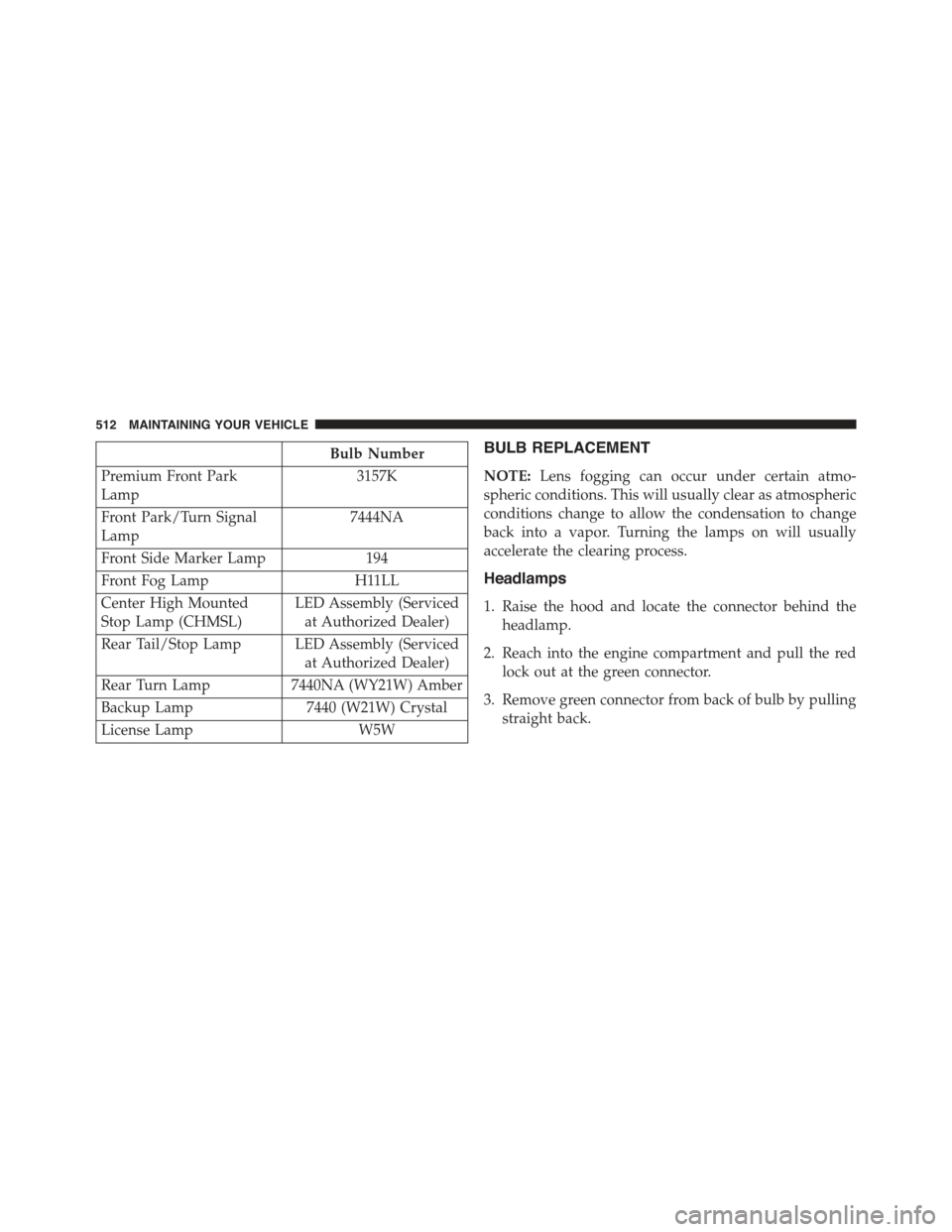
Bulb Number
Premium Front Park
Lamp
3157K
Front Park/Turn Signal
Lamp
7444NA
Front Side Marker Lamp 194
Front Fog Lamp H11LL
Center High Mounted
Stop Lamp (CHMSL)
LED Assembly (Serviced
at Authorized Dealer)
Rear Tail/Stop Lamp LED Assembly (Serviced
at Authorized Dealer)
Rear Turn Lamp7440NA (WY21W) Amber
Backup Lamp7440 (W21W) Crystal
License LampW5W
BULB REPLACEMENT
NOTE:Lens fogging can occur under certain atmo-
spheric conditions. This will usually clear as atmospheric
conditions change to allow the condensation to change
back into a vapor. Turning the lamps on will usually
accelerate the clearing process.
Headlamps
1. Raise the hood and locate the connector behind the
headlamp.
2. Reach into the engine compartment and pull the red
lock out at the green connector.
3. Remove green connector from back of bulb by pulling
straight back.
512 MAINTAINING YOUR VEHICLE
Page 515 of 560
4. Twist the bulb to the left.
5. Pull bulb outward from assembly.
NOTE:These are halogen bulbs. Take care not to touch
the bulb with your fingers. Body oils from your fingers
could cause excessive heat buildup which reduces bulb
life.
Fog Lamps
1. Access lamp through the lower fascia cutout.
2. Remove electrical connector from bulb.
3. Remove bulb from housing.
Rear Turn Signal And Backup Lamp
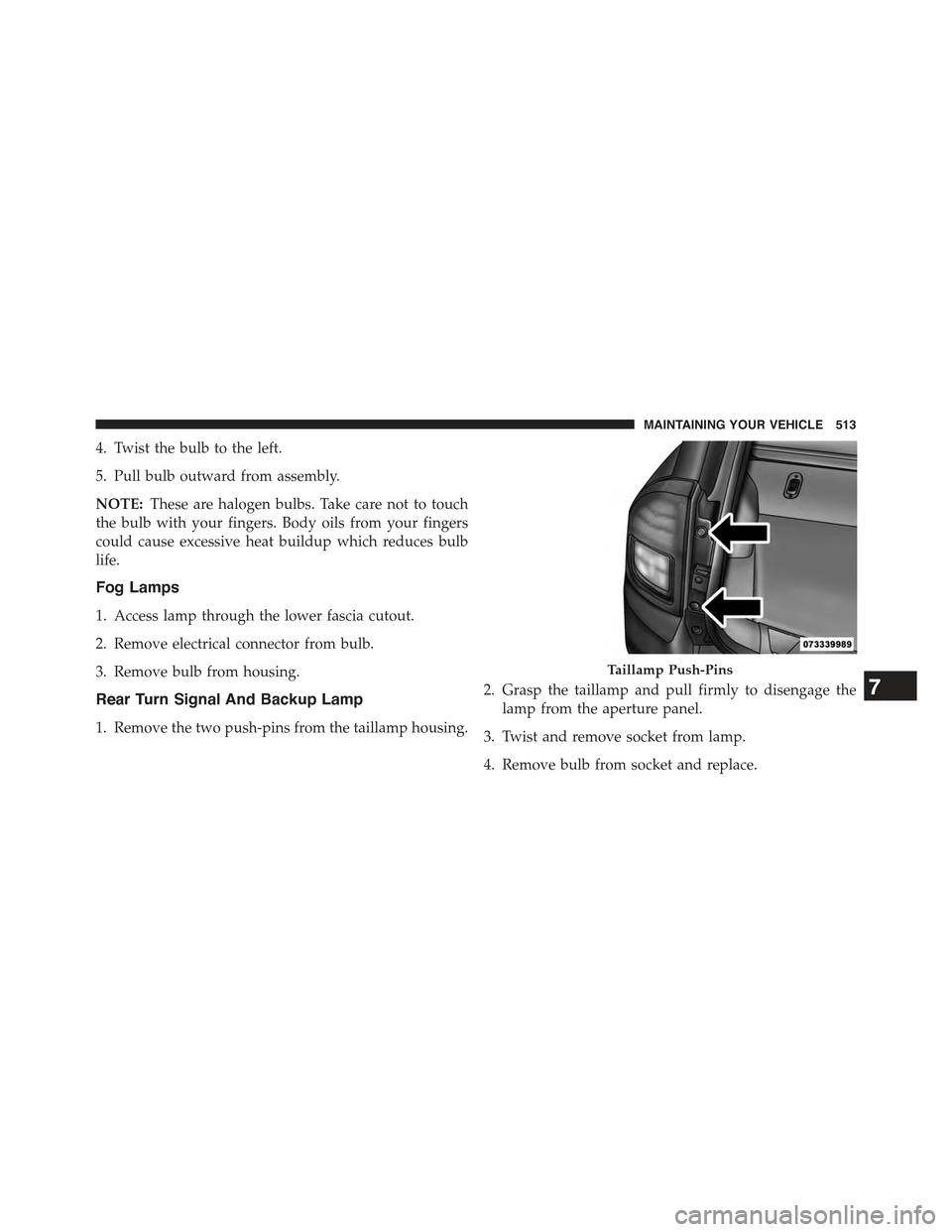
1. Remove the two push-pins from the taillamp housing.
2. Grasp the taillamp and pull firmly to disengage the
lamp from the aperture panel.
3. Twist and remove socket from lamp.
4. Remove bulb from socket and replace.
Taillamp Push-Pins
7
MAINTAINING YOUR VEHICLE 513
Page 536 of 560
PUBLICATION ORDER FORMS
To order the following manuals, you may use either the
website or the phone numbers listed below. Visa, Master-
card, American Express, and Discover orders are ac-
cepted. If you prefer mailing your payment, please call
for an order form.
NOTE:A street address is required when ordering
manuals (no P.O. Boxes).
Service Manuals
These comprehensive Service Manuals provide the infor-
mation that students and professional technicians need in
diagnosing/troubleshooting, problem solving, maintain-
ing, servicing, and repairing Chrysler Group LLC ve-
hicles. A complete working knowledge of the vehicle,
system, and/or components is written in straightforward
language with illustrations, diagrams, and charts.
Diagnostic Procedure Manuals
Diagnostic Procedure Manuals are filled with diagrams,
charts and detailed illustrations. These practical manuals
make it easy for students and technicians to find and fix
problems on computer-controlled vehicle systems and
features. They show exactly how to find and correct
problems the first time, using step-by-step troubleshoot-
ing and drivability procedures, proven diagnostic tests
and a complete list of all tools and equipment.
Owner’s Manuals
These Owner’s Manuals have been prepared with the
assistance of service and engineering specialists to ac-
quaint you with specific Chrysler Group LLC vehicles.
Included are starting, operating, emergency and mainte-
nance procedures as well as specifications, capabilities
and safety tips.
534 IF YOU NEED CONSUMER ASSISTANCE