warning JEEP COMPASS 2017 2.G Owner's Manual
[x] Cancel search | Manufacturer: JEEP, Model Year: 2017, Model line: COMPASS, Model: JEEP COMPASS 2017 2.GPages: 429, PDF Size: 3.46 MB
Page 45 of 429
Rear Head Restraints
The head restraints in the rear are non adjustable. Refer to
“Occupant Restraints” in “Safety” for information on
Tether routing.
STEERING WHEEL
Tilt Steering Column
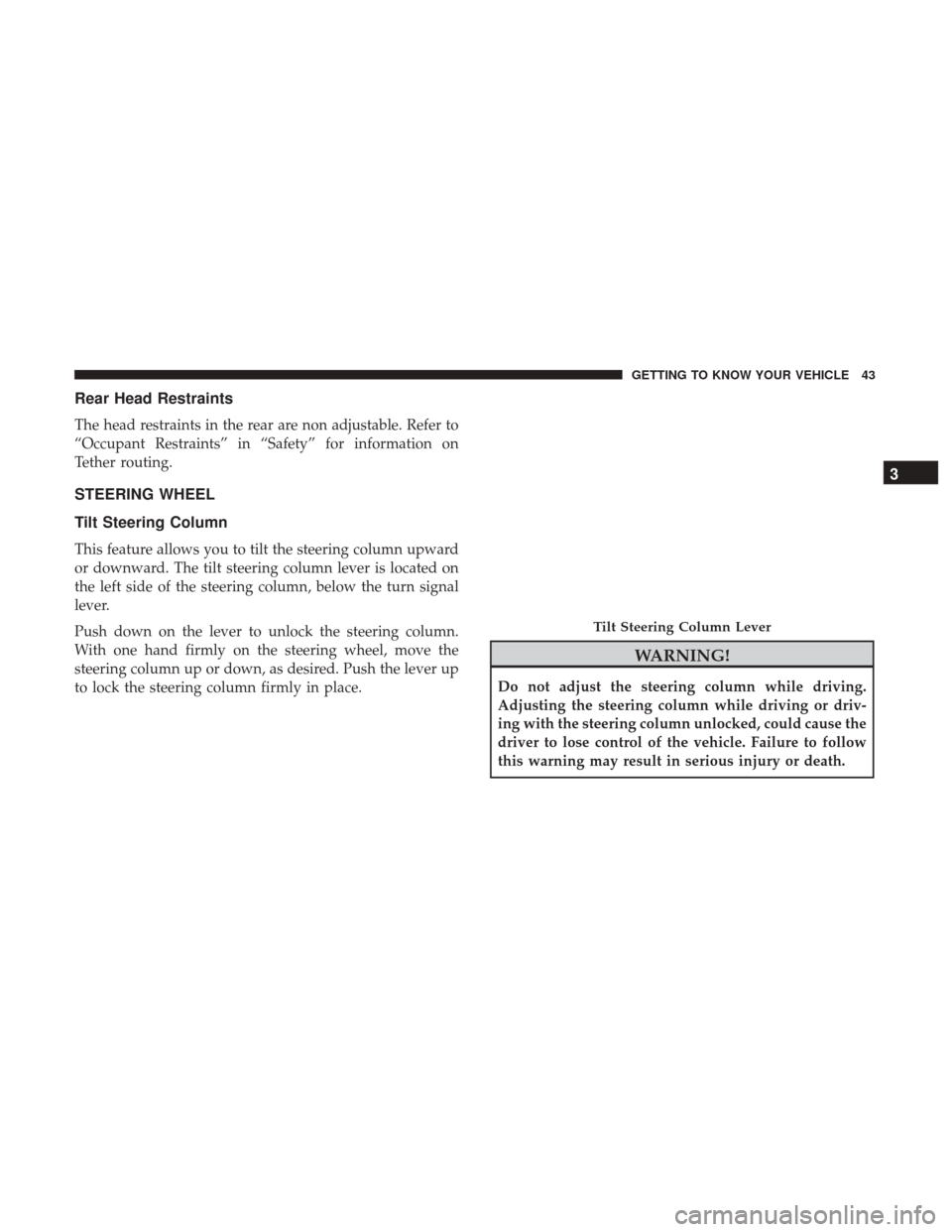
This feature allows you to tilt the steering column upward
or downward. The tilt steering column lever is located on
the left side of the steering column, below the turn signal
lever.
Push down on the lever to unlock the steering column.
With one hand firmly on the steering wheel, move the
steering column up or down, as desired. Push the lever up
to lock the steering column firmly in place.
WARNING!
Do not adjust the steering column while driving.
Adjusting the steering column while driving or driv-
ing with the steering column unlocked, could cause the
driver to lose control of the vehicle. Failure to follow
this warning may result in serious injury or death.
Tilt Steering Column Lever
3
GETTING TO KNOW YOUR VEHICLE 43
Page 47 of 429
CAUTION!
To avoid damage to the mirror during cleaning, never
spray any cleaning solution directly onto the mirror.
Apply the solution onto a clean cloth and wipe the
mirror clean.
Outside Mirror — Driver Side
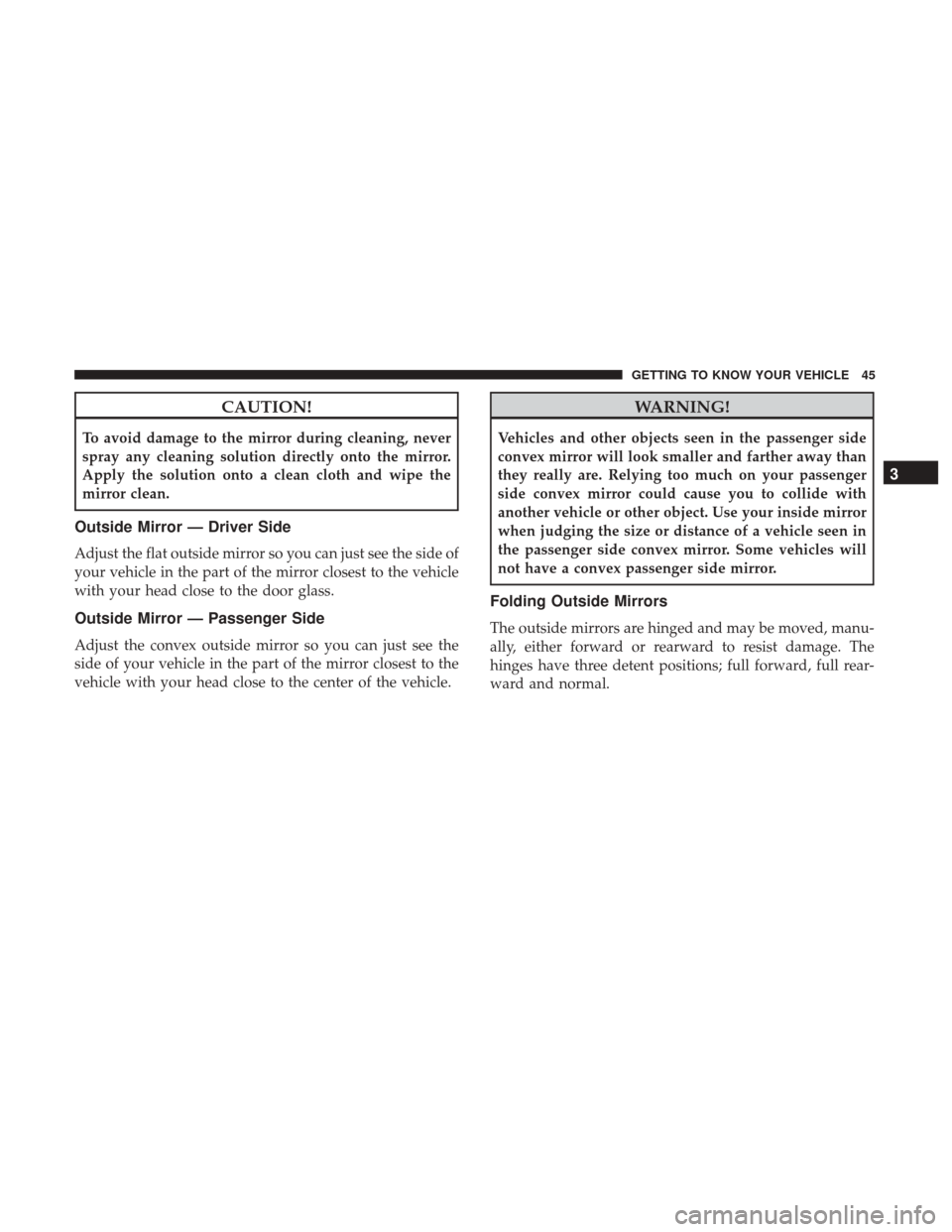
Adjust the flat outside mirror so you can just see the side of
your vehicle in the part of the mirror closest to the vehicle
with your head close to the door glass.
Outside Mirror — Passenger Side
Adjust the convex outside mirror so you can just see the
side of your vehicle in the part of the mirror closest to the
vehicle with your head close to the center of the vehicle.
WARNING!
Vehicles and other objects seen in the passenger side
convex mirror will look smaller and farther away than
they really are. Relying too much on your passenger
side convex mirror could cause you to collide with
another vehicle or other object. Use your inside mirror
when judging the size or distance of a vehicle seen in
the passenger side convex mirror. Some vehicles will
not have a convex passenger side mirror.
Folding Outside Mirrors
The outside mirrors are hinged and may be moved, manu-
ally, either forward or rearward to resist damage. The
hinges have three detent positions; full forward, full rear-
ward and normal.
3
GETTING TO KNOW YOUR VEHICLE 45
Page 55 of 429
NOTE:The wiper delay times depend on vehicle speed. If
the vehicle is moving less than 10 mph (16 km/h), delay
times will be doubled.
Windshield Washers
To use the washer, pull the control lever toward you and
hold while spray is desired. If the lever is pulled while in
the delay range, the wiper will operate in low-speed while
the lever is pulled and for two wipe cycles after the lever is
released, and then resume the intermittent interval previ-
ously selected.
If the lever is pulled while in the off position, the wipers
will operate for two wipe cycles, then turn off.
WARNING!
Sudden loss of visibility through the windshield could
lead to a collision. You might not see other vehicles or
other obstacles. To avoid sudden icing of the wind-
shield during freezing weather, warm the windshield
with the defroster before and during windshield
washer use.
Headlights On With Wipers (Available With
Automatic Headlights Only)
When this feature is active, the headlights will turn on
approximately 10 seconds after the wipers are turned on if
the headlight switch is placed in the AUTO position. In
addition, the headlights will turn off when the wipers are
turned off if they were turned on by this feature.
NOTE: The Headlights On with Wipers feature can be
turned on or off using the instrument cluster display. Refer
to “Instrument Cluster Display” in “Getting To Know Your
Instrument Panel” for further information.
Mist Feature
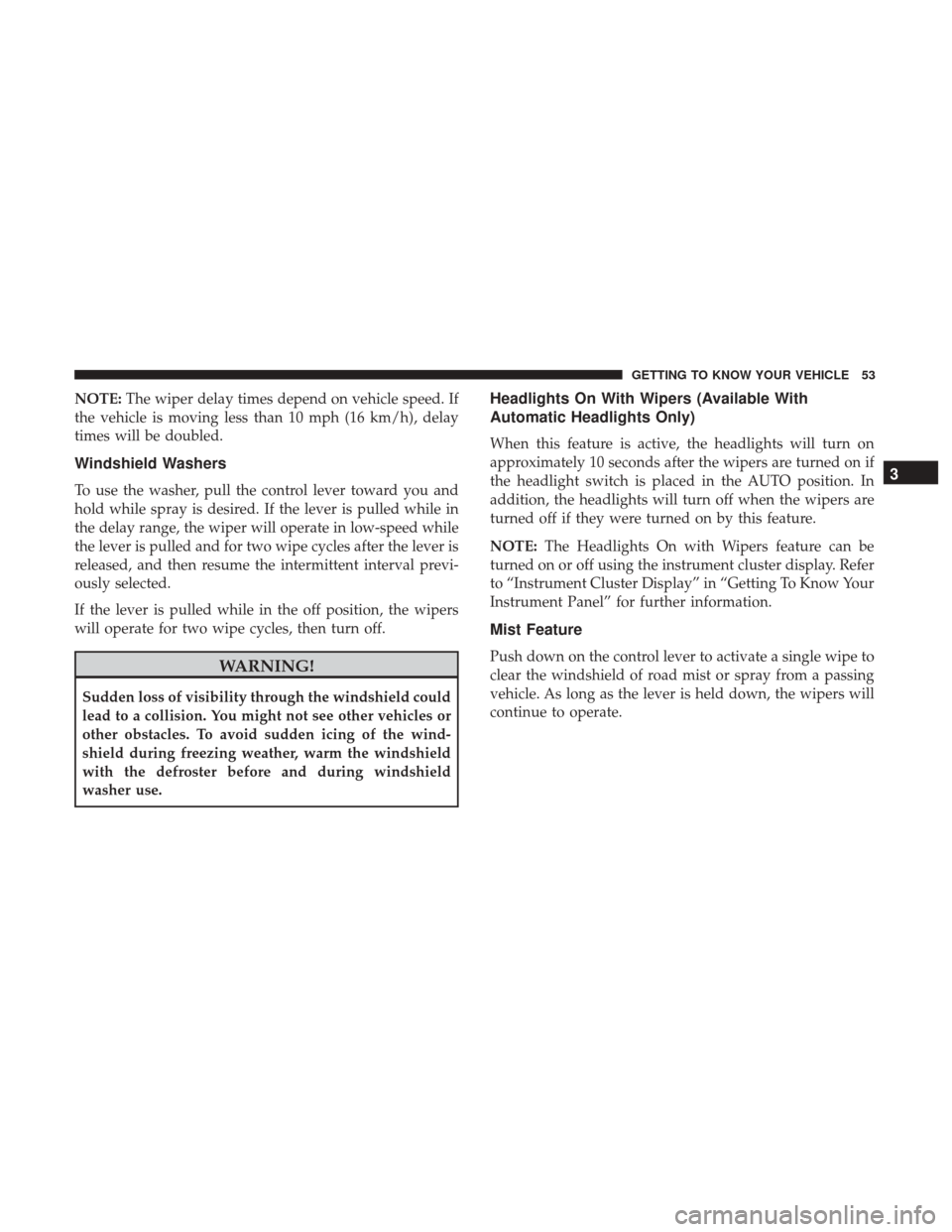
Push down on the control lever to activate a single wipe to
clear the windshield of road mist or spray from a passing
vehicle. As long as the lever is held down, the wipers will
continue to operate.
3
GETTING TO KNOW YOUR VEHICLE 53
Page 70 of 429
POWER WINDOWS — IF EQUIPPED
Power Window Switches
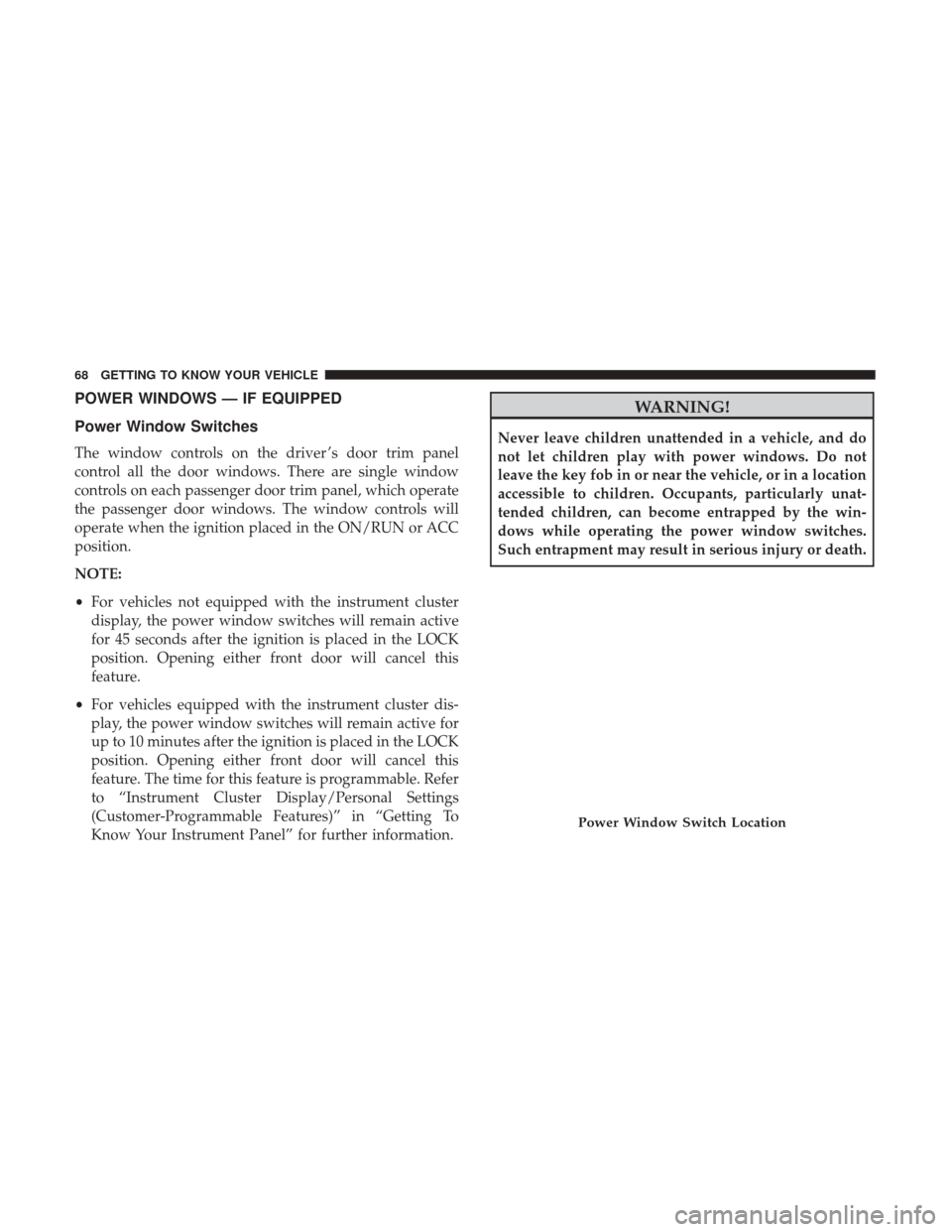
The window controls on the driver ’s door trim panel
control all the door windows. There are single window
controls on each passenger door trim panel, which operate
the passenger door windows. The window controls will
operate when the ignition placed in the ON/RUN or ACC
position.
NOTE:
•For vehicles not equipped with the instrument cluster
display, the power window switches will remain active
for 45 seconds after the ignition is placed in the LOCK
position. Opening either front door will cancel this
feature.
• For vehicles equipped with the instrument cluster dis-
play, the power window switches will remain active for
up to 10 minutes after the ignition is placed in the LOCK
position. Opening either front door will cancel this
feature. The time for this feature is programmable. Refer
to “Instrument Cluster Display/Personal Settings
(Customer-Programmable Features)” in “Getting To
Know Your Instrument Panel” for further information.
WARNING!
Never leave children unattended in a vehicle, and do
not let children play with power windows. Do not
leave the key fob in or near the vehicle, or in a location
accessible to children. Occupants, particularly unat-
tended children, can become entrapped by the win-
dows while operating the power window switches.
Such entrapment may result in serious injury or death.
Power Window Switch Location
68 GETTING TO KNOW YOUR VEHICLE
Page 72 of 429
POWER SUNROOF — IF EQUIPPED
The power sunroof switch is located on the overhead
console.
WARNING!
•Never leave children alone in a vehicle, or with
access to an unlocked vehicle. Never leave the key
fob in or near the vehicle, or in a location accessible
(Continued)
WARNING! (Continued)
to children. Occupants, particularly unattended chil-
dren, can become entrapped by the power sunroof
while operating the power sunroof switch. Such
entrapment may result in serious injury or death.
• In a collision, there is a greater risk of being thrown
from a vehicle with an open sunroof. You could also
be seriously injured or killed. Always fasten your
seat belt properly and make sure all passengers are
properly secured.
• Do not allow small children to operate the sunroof.
Never allow your fingers, other body parts, or any
object to project through the sunroof opening. Injury
may result.
Opening Sunroof
Opening Sunroof — Express
Push the switch rearward and release it within one-half
second. The sunroof and sunshade will open automatically
and stop when the full open position is reached. This is
called “Express Open.” During Express Open operation,
any other actuation of the sunroof switch will stop the
sunroof.
Power Sunroof Switch
70 GETTING TO KNOW YOUR VEHICLE
Page 75 of 429
2. Move the safety latch, located outside the vehicle underthe front edge of the hood, toward the center and raise
the hood.
Lift the hood prop rod, clipped to the right side (left side
facing hood) of the engine compartment to secure the hood
in the open position. Place the hood prop at the location
stamped into the inner hood surface.
WARNING!
Be sure the hood is fully latched before driving your
vehicle. If the hood is not fully latched, it could open
when the vehicle is in motion and block your vision.
Failure to follow this warning could result in serious
injury or death.Hood Safety Latch Location
Prop Rod Location
3
GETTING TO KNOW YOUR VEHICLE 73
Page 77 of 429
•Although the liftgate has no inside release mechanism,
the liftgate trim panel includes an opening with a
snap-in cap that provides access to release the latch in
the event of an electrical system malfunction.
WARNING!
•Driving with the liftgate open can allow poisonous
exhaust gases into your vehicle. You and your pas-
sengers could be injured by these fumes. Keep the
liftgate closed when you are operating the vehicle.
• If you are required to drive with the liftgate open,
make sure that all windows are closed, and the
climate control blower switch is set at high speed. Do
not use the recirculation mode.
Gas props support the liftgate in the open position. How-
ever, because the gas pressure drops with temperature, it
may be necessary to assist the props when opening the
liftgate in cold weather.
Cargo Area Features
Cargo Light
The light is mounted in the headliner above the cargo area
to illuminate the cargo area.
Cargo Cover
The cargo area trim panels include two notches for mount-
ing the available tonneau cover that accommodates the
reclining rear seat.
To install the Cargo Cover, insert either end of the cover
into one of the two notches located in the rear trim panels.
With one of the cover ends installed, push inward on the
opposite end and install it into the same notch location of
the rear trim panel.
Using the handle, pull the cover toward you and guide the
rear cover posts into the guides located on both sides of the
rear trim panel.
Rear Trim Notches
3
GETTING TO KNOW YOUR VEHICLE 75
Page 78 of 429
WARNING!
In a collision a cargo cover loose in the vehicle could
cause injury. It could fly around in a sudden stop and
strike someone in the vehicle. Do not store the cargo
cover on the cargo floor or in the passenger compart-
ment. Remove the cover from the vehicle when taken
from its mounting. Do not store in the vehicle.
Removable Load Floor
The cargo area load floor is removable and can be washed
with mild soap and water.
Cargo Cover Guides
Removable Load Floor
76 GETTING TO KNOW YOUR VEHICLE
Page 79 of 429
Cargo Tie-Down Loops
There are four tie-downs (D-rings) installed in the cargo
area for securing cargo.
WARNING!
•Cargo tie-down loops are not safe anchors for a child
seat tether strap. In a sudden stop or collision a loop
could pull loose and allow the child seat to come
loose. A child could be badly injured. Use only the
anchors provided for child seat tethers.
(Continued)
WARNING! (Continued)
•The weight and position of cargo and passengers can
change the vehicle center of gravity and vehicle
handling. To avoid loss of control resulting in per-
sonal injury, follow these guidelines for loading
your vehicle:
• Always place cargo evenly on the cargo floor. Put
heavier objects as low and as far forward as possible.
• Place as much cargo as possible in front of the rear
axle. Too much weight or improperly placed weight
over or behind the rear axle can cause the rear of the
vehicle to sway.
• Do not pile luggage or cargo higher than the top of
the seatback. This could impair visibility or become
a dangerous projectile in a sudden stop or collision.
• To help protect against personal injury, passengers
should not be seated in the rear cargo area. The rear
cargo space is intended for load carrying purposes
only, not for passengers, who should sit in seats and
use seat belts.
Cargo Area Tie-Downs
3
GETTING TO KNOW YOUR VEHICLE 77
Page 86 of 429
Troubleshooting Tips
If you are having trouble programming HomeLink, here
are some of the most common solutions:
•Replace the battery in the Garage Door Opener hand-
held transmitter.
• Push the LEARN button on the Garage Door Opener to
complete the training for a Rolling Code.
• Did you unplug the device for programming and re-
member to plug it back in?
If you have any problems, or require assistance, please call
toll-free 1-800-355-3515 or, on the Internet at
HomeLink.com for information or assistance.
WARNING!
• Vehicle exhaust contains carbon monoxide, a danger-
ous gas. Do not run your vehicle in the garage while
programming the transceiver. Exhaust gas can cause
serious injury or death.
• Your motorized door or gate will open and close
while you are programming the universal trans-
ceiver. Do not program the transceiver if people, pets
(Continued)
WARNING! (Continued)
or other objects are in the path of the door or gate.
Only use this transceiver with a garage door opener
that has a “stop and reverse” feature as required by
Federal safety standards. This includes most garage
door opener models manufactured after 1982. Do not
use a garage door opener without these safety fea-
tures. Call toll-free 1-800-355-3515 or, on the Internet
at HomeLink.com for safety information or assis-
tance.
General Information
This device complies with FCC rules Part 15 and Industry
Canada RSS-210. Operation is subject to the following two
conditions:
1. This device may not cause harmful interference, and
2. This device must accept any interference received, in-
cluding interference that may cause undesired opera-
tion.
84 GETTING TO KNOW YOUR VEHICLE