ECU JEEP COMPASS 2023 User Guide
[x] Cancel search | Manufacturer: JEEP, Model Year: 2023, Model line: COMPASS, Model: JEEP COMPASS 2023Pages: 344, PDF Size: 18.8 MB
Page 26 of 344
24GETTING TO KNOW YOUR VEHICLE
If wearing gloves, or if it has been raining/
snowing on the Passive Entry door handle, the
unlock sensitivity can be affected, resulting in a
slower response time.
If the vehicle is unlocked by Passive Entry and
no door is opened within 60 seconds, the
vehicle will relock and, if equipped, will arm the
Vehicle Security system.
To Unlock From The Driver's Side Or Passenger’s
Side
With a valid Passive Entry key fob within 5 ft
(1.5 m) of either front door handle, grab the door
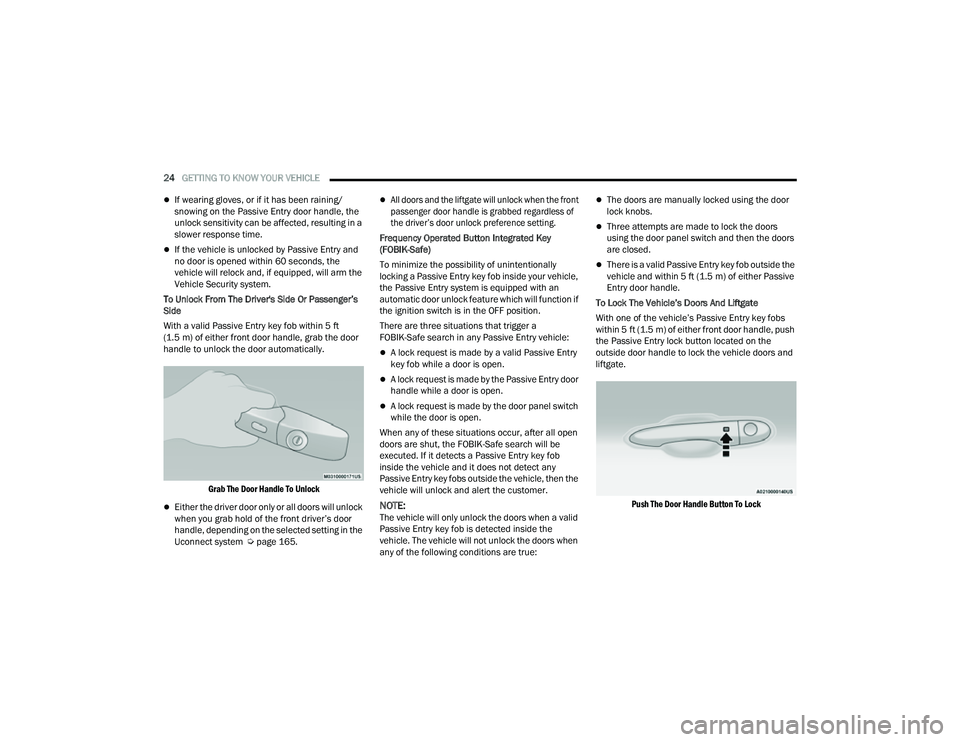
handle to unlock the door automatically.
Grab The Door Handle To Unlock
Either the driver door only or all doors will unlock
when you grab hold of the front driver’s door
handle, depending on the selected setting in the
Uconnect system Ú page 165.
All doors and the liftgate will unlock when the front
passenger door handle is grabbed regardless of
the driver’s door unlock preference setting.
Frequency Operated Button Integrated Key
(FOBIK-Safe)
To minimize the possibility of unintentionally
locking a Passive Entry key fob inside your vehicle,
the Passive Entry system is equipped with an
automatic door unlock feature which will function if
the ignition switch is in the OFF position.
There are three situations that trigger a
FOBIK-Safe search in any Passive Entry vehicle:
A lock request is made by a valid Passive Entry
key fob while a door is open.
A lock request is made by the Passive Entry door
handle while a door is open.
A lock request is made by the door panel switch
while the door is open.
When any of these situations occur, after all open
doors are shut, the FOBIK-Safe search will be
executed. If it detects a Passive Entry key fob
inside the vehicle and it does not detect any
Passive Entry key fobs outside the vehicle, then the
vehicle will unlock and alert the customer.
NOTE:The vehicle will only unlock the doors when a valid
Passive Entry key fob is detected inside the
vehicle. The vehicle will not unlock the doors when
any of the following conditions are true:
The doors are manually locked using the door
lock knobs.
Three attempts are made to lock the doors
using the door panel switch and then the doors
are closed.
There is a valid Passive Entry key fob outside the
vehicle and within 5 ft (1.5 m) of either Passive
Entry door handle.
To Lock The Vehicle’s Doors And Liftgate
With one of the vehicle’s Passive Entry key fobs
within 5 ft (1.5 m) of either front door handle, push
the Passive Entry lock button located on the
outside door handle to lock the vehicle doors and
liftgate.
Push The Door Handle Button To Lock
22_MP_OM_EN_USC_t.book Page 24
Page 33 of 344
GETTING TO KNOW YOUR VEHICLE31
TO LOWER THE REAR SEAT
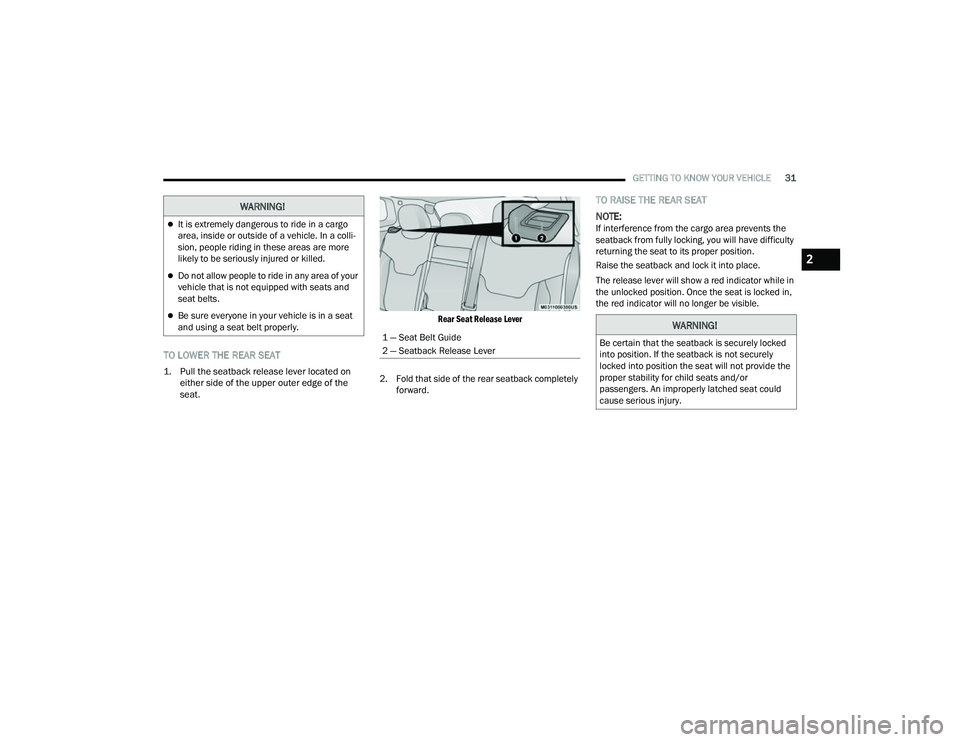
1. Pull the seatback release lever located on
either side of the upper outer edge of the
seat.
Rear Seat Release Lever
2. Fold that side of the rear seatback completely forward.
TO RAISE THE REAR SEAT
NOTE:
If interference from the cargo area prevents the
seatback from fully locking, you will have difficulty
returning the seat to its proper position.
Raise the seatback and lock it into place.
The release lever will show a red indicator while in
the unlocked position. Once the seat is locked in,
the red indicator will no longer be visible.
WARNING!
It is extremely dangerous to ride in a cargo
area, inside or outside of a vehicle. In a colli -
sion, people riding in these areas are more
likely to be seriously injured or killed.
Do not allow people to ride in any area of your
vehicle that is not equipped with seats and
seat belts.
Be sure everyone in your vehicle is in a seat
and using a seat belt properly.
1 — Seat Belt Guide
2 — Seatback Release LeverWARNING!
Be certain that the seatback is securely locked
into position. If the seatback is not securely
locked into position the seat will not provide the
proper stability for child seats and/or
passengers. An improperly latched seat could
cause serious injury.
2
22_MP_OM_EN_USC_t.book Page 31
Page 42 of 344
40GETTING TO KNOW YOUR VEHICLE
UNIVERSAL GARAGE DOOR OPENER
(HOMELINK®) — IF EQUIPPED
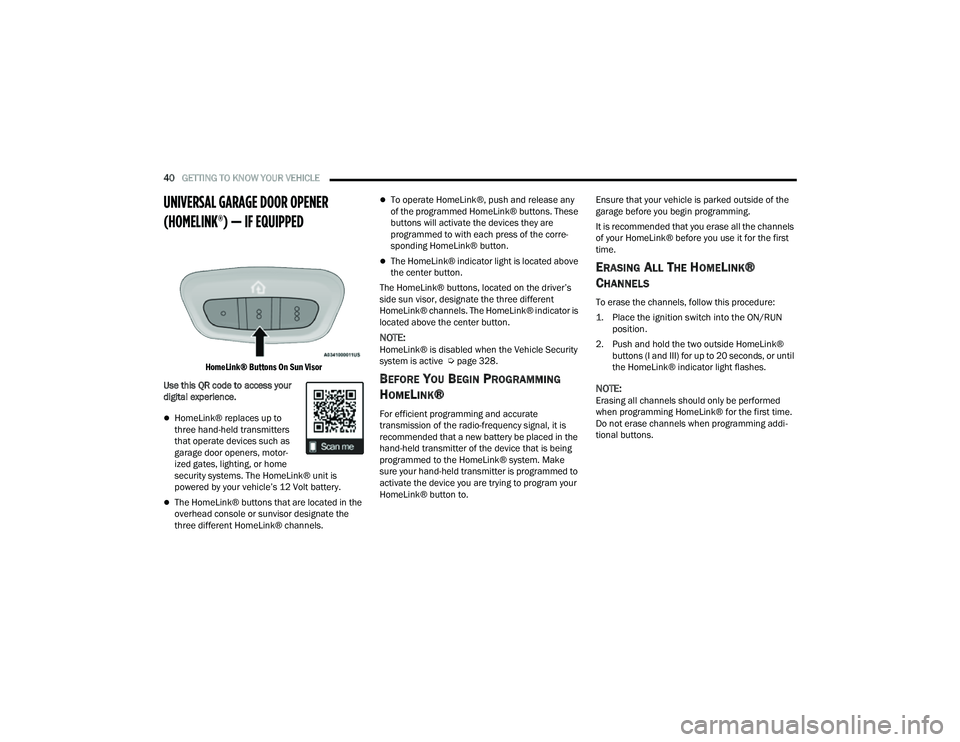
HomeLink® Buttons On Sun Visor
Use this QR code to access your
digital experience.
HomeLink® replaces up to
three hand-held transmitters
that operate devices such as
garage door openers, motor -
ized gates, lighting, or home
security systems. The HomeLink® unit is
powered by your vehicle’s 12 Volt battery.
The HomeLink® buttons that are located in the
overhead console or sunvisor designate the
three different HomeLink® channels.
To operate HomeLink®, push and release any
of the programmed HomeLink® buttons. These
buttons will activate the devices they are
programmed to with each press of the corre -
sponding HomeLink® button.
The HomeLink® indicator light is located above
the center button.
The HomeLink® buttons, located on the driver’s
side sun visor, designate the three different
HomeLink® channels. The HomeLink® indicator is
located above the center button.
NOTE:HomeLink® is disabled when the Vehicle Security
system is active Ú page 328.
BEFORE YOU BEGIN PROGRAMMING
H
OMELINK®
For efficient programming and accurate
transmission of the radio-frequency signal, it is
recommended that a new battery be placed in the
hand-held transmitter of the device that is being
programmed to the HomeLink® system. Make
sure your hand-held transmitter is programmed to
activate the device you are trying to program your
HomeLink® button to. Ensure that your vehicle is parked outside of the
garage before you begin programming.
It is recommended that you erase all the channels
of your HomeLink® before you use it for the first
time.
ERASING ALL THE HOMELINK®
C
HANNELS
To erase the channels, follow this procedure:
1. Place the ignition switch into the ON/RUN
position.
2. Push and hold the two outside HomeLink® buttons (I and III) for up to 20 seconds, or until
the HomeLink® indicator light flashes.
NOTE:Erasing all channels should only be performed
when programming HomeLink® for the first time.
Do not erase channels when programming addi -
tional buttons.
22_MP_OM_EN_USC_t.book Page 40
Page 66 of 344
64GETTING TO KNOW YOUR VEHICLE
OPENING AND CLOSING THE SUNROOF
The sunroof has two programmed open positions,
comfort stop position and full open position. The
comfort stop position has been optimized to
minimize wind buffeting when driving with side
windows closed and sunroof open. If the sunshade
is in the closed position when initiating a sunroof
open or vent command the sunshade will
automatically open to the half open position prior
to the sunroof opening.
Express Open/Close
Push the switch to open and release it within
one-half second and the sunroof will open to the
comfort stop (partially opened) position and
automatically stop. Push the switch and release it
again, and the sunroof will open to the full open
position then automatically stop.
Pull the switch to close and release it within
one-half second and the sunroof will completely
close automatically from any position.
During Express Open or Express Close operation,
any movement of the sunroof switch will stop the
sunroof. Manual Open/Close
Push and hold the switch to open. The sunroof will
open to the comfort stop (partially opened)
position and automatically stop. Push the switch
and hold it again, and the sunroof will open to the
full open position then automatically stop.
Pull and hold the switch to completely close the
sunroof from any position.
Any release of the switch during open or close
operation will stop the sunroof movement. The
sunroof will remain in a partially opened position
until the switch is operated and held again.
VENTING SUNROOF
Push and release the vent switch within one-half
second and the sunroof will move from the closed
position to the vent position. This is called “Express
Vent.” During Express Vent operation, any
movement of the switch will stop the sunroof.
NOTE:When the sunroof is in a full open or a partial open
position, Express Vent operation is not available.
You must push and hold the vent switch to cycle
the sunroof from a slide open position to the vent
position. Sunroof movement will stop if the switch
is released prior to the sunroof reaching the vent
position.
WARNING!
Never leave children unattended in a vehicle,
or with access to an unlocked vehicle. Never
leave the key fob in or near the vehicle, or in a
location accessible to children. Do not leave
the ignition of a vehicle equipped with Keyless
Enter ‘n Go™ in the ON/RUN position. Occu
-
pants, particularly unattended children, can
become entrapped by the power sunroof while
operating the power sunroof switch. Such
entrapment may result in serious injury or
death.
In a collision, there is a greater risk of being
thrown from a vehicle with an open sunroof.
You could also be seriously injured or killed.
Always fasten your seat belt properly and
make sure all passengers are also properly
secured.
Do not allow small children to operate the
sunroof. Never allow your fingers, other body
parts, or any object, to project through the
sunroof opening. Injury may result.
Do not use the sunroof and its related parts
for supporting and/or grabbing purposes.
Serious personal injury may result to fingers
and other body parts as well as damage to the
sunroof.
22_MP_OM_EN_USC_t.book Page 64
Page 67 of 344
GETTING TO KNOW YOUR VEHICLE65
OPENING AND CLOSING THE POWER
S
UNSHADE
The sunshade has two programmed open
positions: half open and full open. When opening
the sunshade from the closed position, the
sunshade will always stop at the half open position
regardless of express or manual operation. The
switch must be pushed again to continue on to full
open position.
Express Open/Close
Push the sunshade switch to open and release it
within one-half second and the sunshade will open
to the half open position and stop automatically.
Push the switch and release it again, and the
sunshade will open to the full open position and
stop automatically.
Pull the sunshade switch to close and release it
within one-half second. If the sunroof is in closed
position, the sunshade will full close automatically
from any position. If the sunroof is open or vented,
the sunshade cannot be closed beyond the half
open position. Pulling the sunshade switch when
the sunshade is in the half open position will
automatically close sunroof prior to the sunshade
closing. During Express Open or Express Close operation,
any movement of the sunshade switch will stop the
shade.
Manual Open/Close
Push and hold the sunshade switch to open. The
sunshade will open to the half open position and
stop automatically. Push and hold the switch
again, and the sunshade will open to the full open
position.
Pull and hold the sunshade switch to close. If the
sunroof is in closed position, the sunshade will fully
close from any position. If the sunroof is open or
vented, the sunshade will close to the half open
position and stop. Pulling and holding the switch
again will close both the sunroof and sunshade
completely.
Any release of the switch will stop the movement
and the sunshade will remain in a partially opened
position until the switch is pushed again.
PINCH PROTECT FEATURE
This feature will detect an obstruction in the
opening of the sunroof during Express Close
operation. If an obstruction in the path of the
sunroof is detected, the sunroof will automatically
retract. Remove the obstruction if this occurs.
Next, pull the sunroof close switch and release to
Express Close.
NOTE:If three consecutive sunroof close attempts result
in Pinch Protect reversals, Pinch Protect will
disable and the sunroof must be closed in Manual
Mode.
SUNROOF MAINTENANCE
Use only a non-abrasive cleaner and a soft cloth to
clean the glass panel. Periodically check for and
clear out any debris that may have collected in the
tracks.
2
22_MP_OM_EN_USC_t.book Page 65
Page 73 of 344
GETTING TO KNOW YOUR VEHICLE71
(Continued)
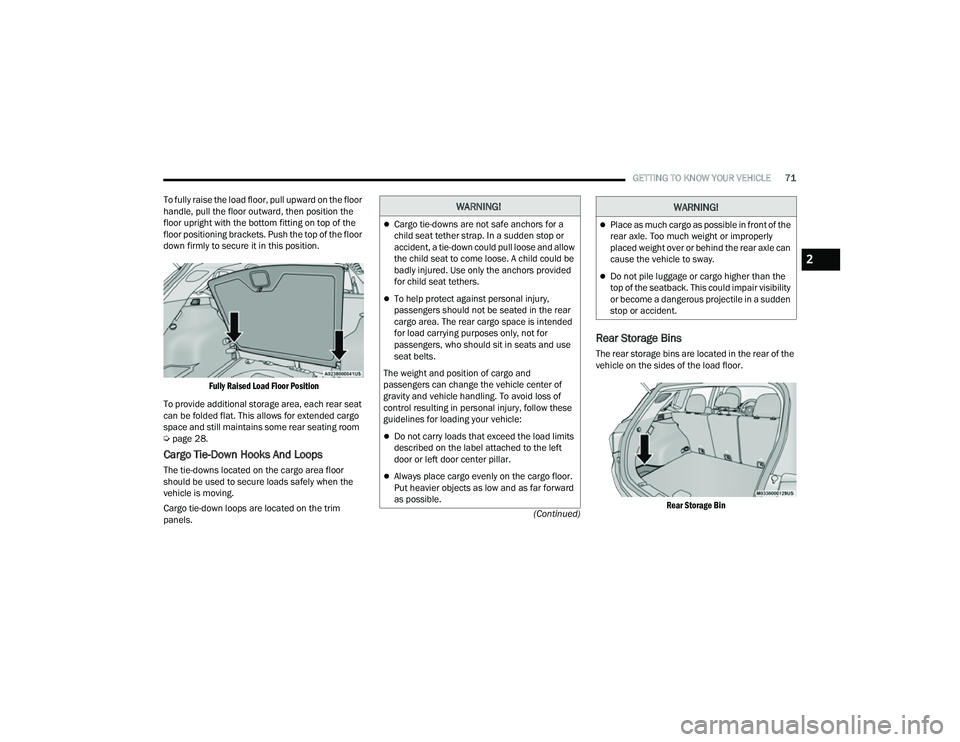
To fully raise the load floor, pull upward on the floor
handle, pull the floor outward, then position the
floor upright with the bottom fitting on top of the
floor positioning brackets. Push the top of the floor
down firmly to secure it in this position.
Fully Raised Load Floor Position
To provide additional storage area, each rear seat
can be folded flat. This allows for extended cargo
space and still maintains some rear seating room
Ú page 28.
Cargo Tie-Down Hooks And Loops
The tie-downs located on the cargo area floor
should be used to secure loads safely when the
vehicle is moving.
Cargo tie-down loops are located on the trim
panels.
Rear Storage Bins
The rear storage bins are located in the rear of the
vehicle on the sides of the load floor.
Rear Storage Bin
WARNING!
Cargo tie-downs are not safe anchors for a
child seat tether strap. In a sudden stop or
accident, a tie-down could pull loose and allow
the child seat to come loose. A child could be
badly injured. Use only the anchors provided
for child seat tethers.
To help protect against personal injury,
passengers should not be seated in the rear
cargo area. The rear cargo space is intended
for load carrying purposes only, not for
passengers, who should sit in seats and use
seat belts.
The weight and position of cargo and
passengers can change the vehicle center of
gravity and vehicle handling. To avoid loss of
control resulting in personal injury, follow these
guidelines for loading your vehicle:
Do not carry loads that exceed the load limits
described on the label attached to the left
door or left door center pillar.
Always place cargo evenly on the cargo floor.
Put heavier objects as low and as far forward
as possible.
Place as much cargo as possible in front of the
rear axle. Too much weight or improperly
placed weight over or behind the rear axle can
cause the vehicle to sway.
Do not pile luggage or cargo higher than the
top of the seatback. This could impair visibility
or become a dangerous projectile in a sudden
stop or accident.
WARNING!
2
22_MP_OM_EN_USC_t.book Page 71
Page 74 of 344
72GETTING TO KNOW YOUR VEHICLE
(Continued)
ROOF LUGGAGE RACK — IF EQUIPPED
The load carried on the roof, when equipped with a
luggage rack, must not exceed 150 lb (68 kg), and
it should be uniformly distributed over the cargo
area.
Crossbars should always be used whenever cargo
is placed on the roof rack. Check the straps
frequently to be sure that the load remains
securely attached.
NOTE:Crossbars can be purchased at your authorized
dealer through Mopar® parts.
External racks do not increase the total load
carrying capacity of the vehicle. Be sure that the
total occupant and luggage load inside the vehicle,
plus the load on the luggage rack, do not exceed
the maximum vehicle load capacity.
WARNING!
Cargo must be securely tied down before driving
your vehicle. Improperly secured loads can fly off
the vehicle, particularly at high speeds, resulting
in personal injury or property damage. Follow
the roof rack cautions when carrying cargo on
your roof rack.
CAUTION!
To avoid damage to the roof rack and vehicle,
do not exceed the maximum roof rack load
capacity. Always distribute heavy loads as
evenly as possible and secure the load appro-
priately.
Long loads, which extend over the windshield,
should be secured to both the front and rear of
the vehicle.
Place a blanket or other protection between
the surface of the roof and the load.
Travel at reduced speeds and turn corners
carefully when carrying large or heavy loads
on the roof rack. Wind forces, due to natural
causes or nearby truck traffic, can add sudden
upward lift. It is recommended to not carry
large flat loads, such as wood panels or surf -
boards, which may result in damage to the
cargo or your vehicle.
Load should always be secured to crossbars
first, with tie down loops used as additional
securing points if needed. Tie loops are
intended as supplementary tie down points
only. Do not use ratcheting mechanisms with
the tie loops. Check the straps frequently to be
sure that the load remains securely attached.
CAUTION!
22_MP_OM_EN_USC_t.book Page 72
Page 88 of 344
86GETTING TO KNOW YOUR INSTRUMENT PANEL
VEHICLE SETTINGS — IF EQUIPPED
Push and release the up or down arrow
button until the Vehicle Setup Menu item is
displayed in the instrument cluster display. This
menu item allows you to change the settings for
the following:
Display
Navigation Repetition
Security
Passenger Airbag
Seat Belt Reminder
Safety and Assistance
Speed Warning
Hill Start Assist
NOTE:Most vehicle settings will be moved into the radio
if a touchscreen radio is present Ú page 165.
Display
By selecting Display, the following settings can be
selected:
Language: select the language in which to
display the information/warnings.
Phone Repetition: displays information relating
to the phone mode. Units
By selecting Units, the unit of measurement to use
for displaying various values can be set. Possible
options are:
US
Metric
Custom: allows individual changes of units for
temperature, distance, consumption, and tire
pressure.
Clock And Date
By selecting Clock and Date, the time and date can
be set. Possible options are:
Set Time: adjust hours/minutes
Set Format: adjust the time format “12h”
(12 hours) or “24h” (24 hours)
Set Date: adjust day/month/year
Security
Passenger Air Bag Disable (PAD): a selection of
Passenger Air Bag Disable (ON/OFF) may be made
if a child restraint must be installed in the front
seat. Safety And Assistance
By selecting the item Safety and Assistance, the
following adjustments can be made:
ParkSense (If Equipped): a selection of the type
of information provided by ParkSense
Front ParkSense Volume (If Equipped): selec
-
tion of the volume of the beeps provided by the
front ParkSense
Rear ParkSense Volume (If Equipped): selection
of the volume of the beeps provided by the rear
ParkSense
Forward Collision Warning (FCW) (If Equipped): a
selection of operating modes of the system
Forward Collision Warning Plus
FCW Sensitivity (If Equipped): a selection of the
“readiness” of intervention of the Forward Colli -
sion Warning Plus system, based on the
distance to the obstacle
Rain Sensing Wipers (If Equipped): enabling/
disabling the automatic operation of wipers in
the event of rain
Active Lane Management Force (If Equipped):
selection of the force to be applied to the
steering wheel to put the car in the roadway
through the system of electrical drive, in case of
operation of the system Active Lane Manage -
ment
22_MP_OM_EN_USC_t.book Page 86
Page 91 of 344
GETTING TO KNOW YOUR INSTRUMENT PANEL89
Loss of the battery charge may indicate one or
more of the following conditions:
The charging system cannot deliver enough
electrical power to the vehicle system because
the electrical loads are larger than the capability
of charging system. The charging system is still
functioning properly.
Turning on all possible vehicle electrical loads
(e.g. HVAC to max settings, exterior and interior
lights, overloaded power outlets +12 Volts,
150W, USB ports) during certain driving condi -
tions (city driving, towing, frequent stopping).
Installing options like additional lights, upfitter
electrical accessories, audio systems, alarms
and similar devices.
Unusual driving cycles (short trips separated by
long parking periods).
The vehicle was parked for an extended period
of time (weeks, months).
The battery was recently replaced and was not
charged completely.
The battery was discharged by an electrical load
left on when the vehicle was parked.
The battery was used for an extended period
with the engine not running to supply radio,
lights, chargers, +12 Volts portable appliances
like vacuum cleaners, game consoles and
similar devices. What to do when an electrical load reduction
action message is present (“Battery Saver On” or
“Battery Saver Mode”)
During a trip:
Reduce power to unnecessary loads if possible:
Turn off redundant lights (interior or exterior)
Check what may be plugged into power
outlets +12 Volts, 150W, USB ports
Check HVAC settings (blower, temperature)
Check the audio settings (volume)
After a trip:
Check if any aftermarket equipment was
installed (additional lights, upfitter electrical
accessories, audio systems, alarms) and review
specifications if any (load and Ignition Off Draw
currents).
Evaluate the latest driving cycles (distance,
driving time and parking time).
The vehicle should have service performed if
the message is still present during consecutive
trips and the evaluation of the vehicle and
driving pattern did not help to identify the cause.
WARNING LIGHTS AND MESSAGES
The warning/indicator lights will illuminate in the
instrument panel together with a dedicated
message and/or acoustic signal when applicable.
These indications are indicative and precautionary
and as such must not be considered as exhaustive
and/or alternative to the information contained in
the Owner’s Manual, which you are advised to read
carefully in all cases. Always refer to the
information in this chapter in the event of a failure
indication. All active telltales will display first if
applicable. The system check menu may appear
different based upon equipment options and
current vehicle status. Some telltales are optional
and may not appear.
RED WARNING LIGHTS
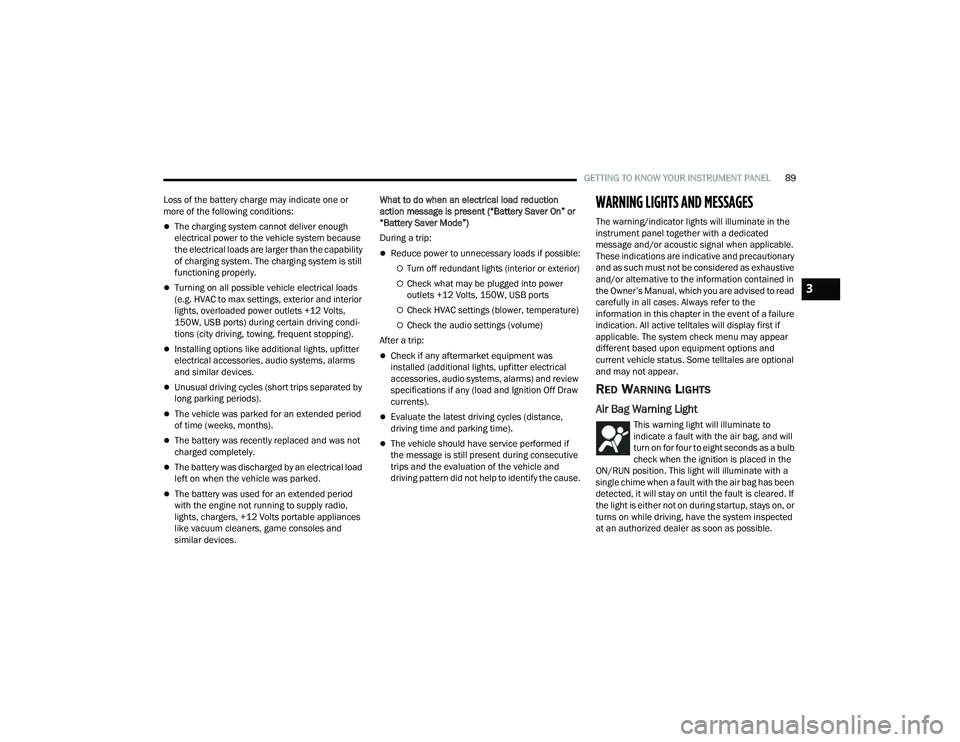
Air Bag Warning Light
This warning light will illuminate to
indicate a fault with the air bag, and will
turn on for four to eight seconds as a bulb
check when the ignition is placed in the
ON/RUN position. This light will illuminate with a
single chime when a fault with the air bag has been
detected, it will stay on until the fault is cleared. If
the light is either not on during startup, stays on, or
turns on while driving, have the system inspected
at an authorized dealer as soon as possible.
3
22_MP_OM_EN_USC_t.book Page 89
Page 94 of 344
92GETTING TO KNOW YOUR INSTRUMENT PANEL
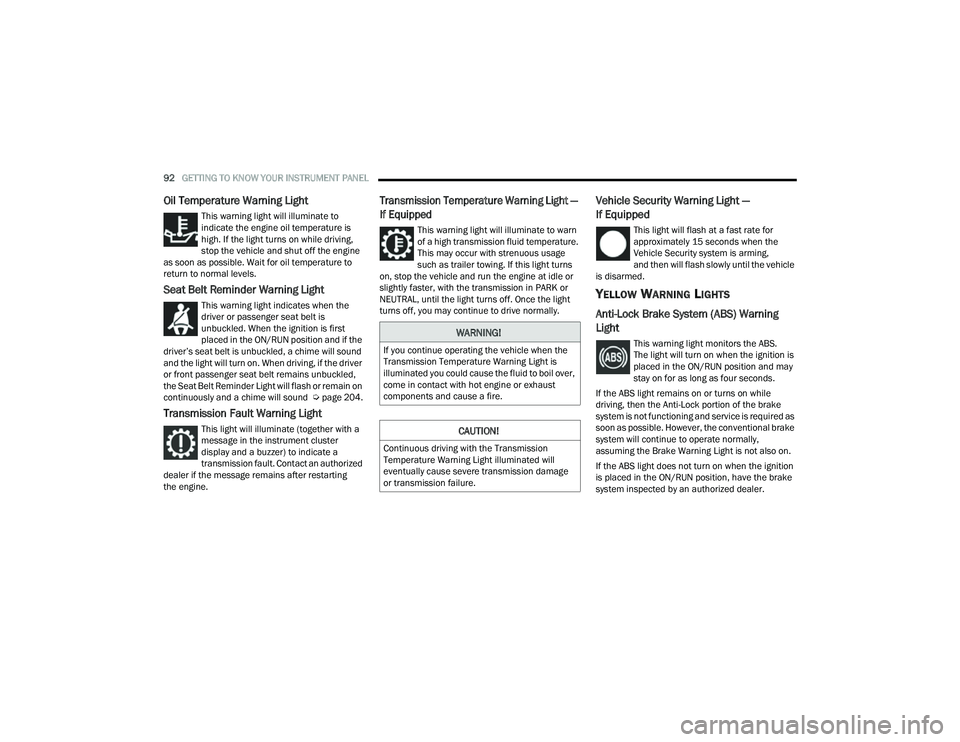
Oil Temperature Warning Light
This warning light will illuminate to
indicate the engine oil temperature is
high. If the light turns on while driving,
stop the vehicle and shut off the engine
as soon as possible. Wait for oil temperature to
return to normal levels.
Seat Belt Reminder Warning Light
This warning light indicates when the
driver or passenger seat belt is
unbuckled. When the ignition is first
placed in the ON/RUN position and if the
driver’s seat belt is unbuckled, a chime will sound
and the light will turn on. When driving, if the driver
or front passenger seat belt remains unbuckled,
the Seat Belt Reminder Light will flash or remain on
continuously and a chime will sound Ú page 204.
Transmission Fault Warning Light
This light will illuminate (together with a
message in the instrument cluster
display and a buzzer) to indicate a
transmission fault. Contact an authorized
dealer if the message remains after restarting
the engine.
Transmission Temperature Warning Light —
If Equipped
This warning light will illuminate to warn
of a high transmission fluid temperature.
This may occur with strenuous usage
such as trailer towing. If this light turns
on, stop the vehicle and run the engine at idle or
slightly faster, with the transmission in PARK or
NEUTRAL, until the light turns off. Once the light
turns off, you may continue to drive normally.
Vehicle Security Warning Light —
If Equipped
This light will flash at a fast rate for
approximately 15 seconds when the
Vehicle Security system is arming,
and then will flash slowly until the vehicle
is disarmed.
YELLOW WARNING LIGHTS
Anti-Lock Brake System (ABS) Warning
Light
This warning light monitors the ABS.
The light will turn on when the ignition is
placed in the ON/RUN position and may
stay on for as long as four seconds.
If the ABS light remains on or turns on while
driving, then the Anti-Lock portion of the brake
system is not functioning and service is required as
soon as possible. However, the conventional brake
system will continue to operate normally,
assuming the Brake Warning Light is not also on.
If the ABS light does not turn on when the ignition
is placed in the ON/RUN position, have the brake
system inspected by an authorized dealer.WARNING!
If you continue operating the vehicle when the
Transmission Temperature Warning Light is
illuminated you could cause the fluid to boil over,
come in contact with hot engine or exhaust
components and cause a fire.
CAUTION!
Continuous driving with the Transmission
Temperature Warning Light illuminated will
eventually cause severe transmission damage
or transmission failure.
22_MP_OM_EN_USC_t.book Page 92