oil pressure JEEP COMPASS 2023 Owners Manual
[x] Cancel search | Manufacturer: JEEP, Model Year: 2023, Model line: COMPASS, Model: JEEP COMPASS 2023Pages: 344, PDF Size: 18.8 MB
Page 8 of 344
6
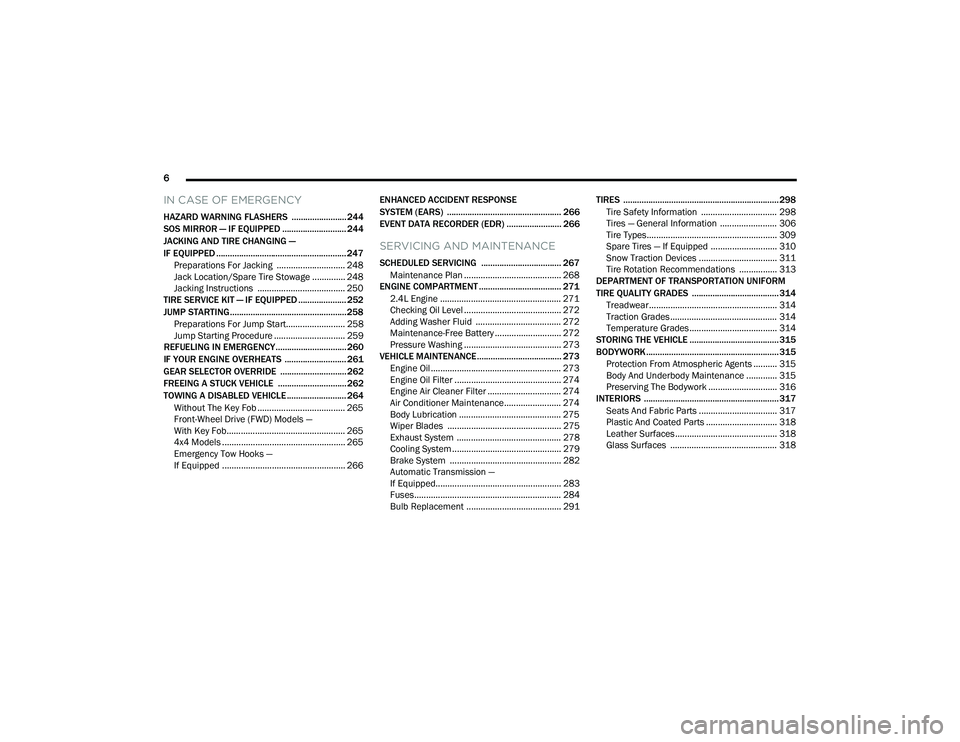
IN CASE OF EMERGENCY
HAZARD WARNING FLASHERS ........................ 244
SOS MIRROR — IF EQUIPPED ............................ 244
JACKING AND TIRE CHANGING —
IF EQUIPPED ......................................................... 247
Preparations For Jacking ............................. 248
Jack Location/Spare Tire Stowage .............. 248
Jacking Instructions ..................................... 250
TIRE SERVICE KIT — IF EQUIPPED ..................... 252
JUMP STARTING................................................... 258
Preparations For Jump Start......................... 258Jump Starting Procedure .............................. 259
REFUELING IN EMERGENCY............................... 260
IF YOUR ENGINE OVERHEATS ........................... 261
GEAR SELECTOR OVERRIDE ............................. 262
FREEING A STUCK VEHICLE .............................. 262
TOWING A DISABLED VEHICLE .......................... 264 Without The Key Fob ..................................... 265
Front-Wheel Drive (FWD) Models —
With Key Fob.................................................. 265
4x4 Models .................................................... 265
Emergency Tow Hooks —
If Equipped .................................................... 266 ENHANCED ACCIDENT RESPONSE
SYSTEM (EARS) .................................................. 266
EVENT DATA RECORDER (EDR) ........................ 266
SERVICING AND MAINTENANCE
SCHEDULED SERVICING ................................... 267
Maintenance Plan ......................................... 268
ENGINE COMPARTMENT .................................... 271
2.4L Engine ................................................... 271
Checking Oil Level ......................................... 272
Adding Washer Fluid .................................... 272
Maintenance-Free Battery ............................ 272
Pressure Washing ......................................... 273
VEHICLE MAINTENANCE..................................... 273
Engine Oil ....................................................... 273
Engine Oil Filter ............................................. 274Engine Air Cleaner Filter ............................... 274
Air Conditioner Maintenance........................ 274
Body Lubrication ........................................... 275Wiper Blades ................................................ 275Exhaust System ............................................ 278
Cooling System .............................................. 279
Brake System ............................................... 282
Automatic Transmission —
If Equipped..................................................... 283Fuses.............................................................. 284
Bulb Replacement ........................................ 291 TIRES .................................................................... 298
Tire Safety Information ................................ 298Tires — General Information ........................ 306Tire Types....................................................... 309Spare Tires — If Equipped ............................ 310
Snow Traction Devices ................................. 311
Tire Rotation Recommendations ................ 313
DEPARTMENT OF TRANSPORTATION UNIFORM
TIRE QUALITY GRADES ...................................... 314
Treadwear...................................................... 314
Traction Grades ............................................. 314Temperature Grades..................................... 314
STORING THE VEHICLE ....................................... 315
BODYWORK .......................................................... 315
Protection From Atmospheric Agents .......... 315
Body And Underbody Maintenance ............. 315
Preserving The Bodywork ............................. 316
INTERIORS ........................................................... 317
Seats And Fabric Parts ................................. 317
Plastic And Coated Parts .............................. 318
Leather Surfaces........................................... 318
Glass Surfaces ............................................. 318
22_MP_OM_EN_USC_t.book Page 6
Page 12 of 344
10
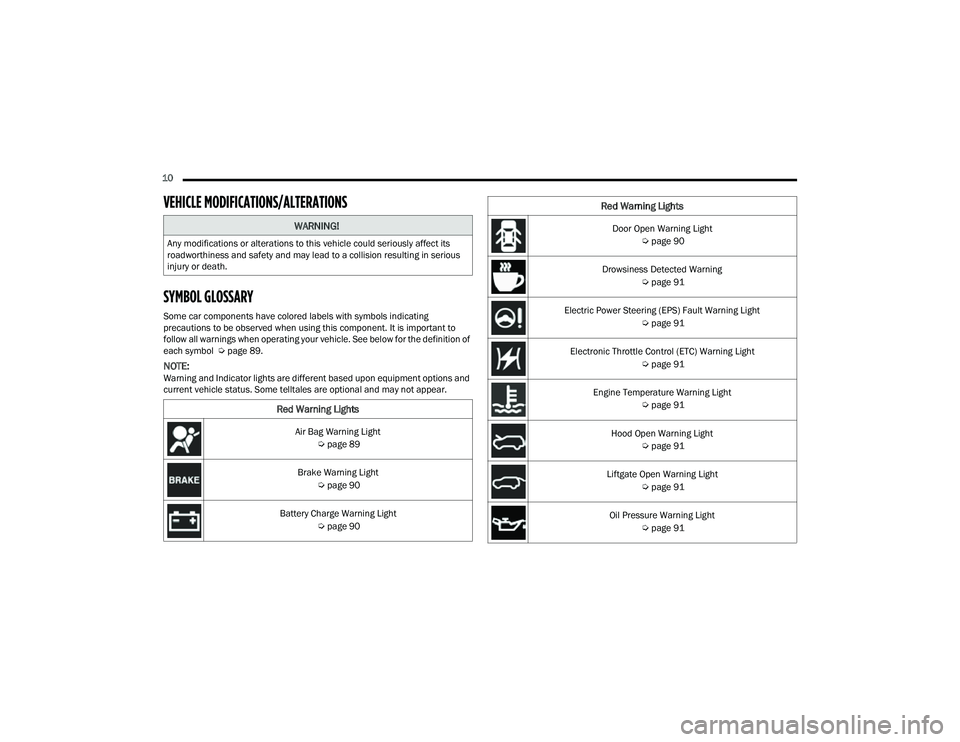
VEHICLE MODIFICATIONS/ALTERATIONS
SYMBOL GLOSSARY
Some car components have colored labels with symbols indicating
precautions to be observed when using this component. It is important to
follow all warnings when operating your vehicle. See below for the definition of
each symbol Úpage 89.
NOTE:Warning and Indicator lights are different based upon equipment options and
current vehicle status. Some telltales are optional and may not appear.
WARNING!
Any modifications or alterations to this vehicle could seriously affect its
roadworthiness and safety and may lead to a collision resulting in serious
injury or death.
Red Warning Lights
Air Bag Warning Light
Úpage 89
Brake Warning Light Úpage 90
Battery Charge Warning Light Úpage 90
Door Open Warning Light
Úpage 90
Drowsiness Detected Warning Úpage 91
Electric Power Steering (EPS) Fault Warning Light Úpage 91
Electronic Throttle Control (ETC) Warning Light Úpage 91
Engine Temperature Warning Light Úpage 91
Hood Open Warning Light Úpage 91
Liftgate Open Warning Light Úpage 91
Oil Pressure Warning Light Úpage 91
Red Warning Lights
22_MP_OM_EN_USC_t.book Page 10
Page 82 of 344
80GETTING TO KNOW YOUR INSTRUMENT PANEL
The instrument cluster display will normally display
the main menu or the screens of a selected feature
of the main menu. The main display area also
displays pop-up messages that consist of
approximately 60 possible warning or information
messages. These pop-up messages fall into
several categories:
Five Second Stored Messages
When the appropriate conditions occur, this
type of message takes control of the main
display area for five seconds and then returns to
the previous screen. Most of the messages of
this type are then stored (as long as the condi-
tion that activated it remains active) and can be
reviewed from the “Messages” main menu item.
Examples of this message type are “Right Front
Turn Signal Lamp Out” and “Low Tire Pressure.”
Unstored Messages
This message type is displayed indefinitely or
until the condition that activated the message is
cleared. Examples of this message type are
“Turn Signal On” (if a turn signal is left on) and
“Lights On” (if driver leaves the vehicle with the
lights on).
Unstored Messages Until RUN
These messages deal primarily with the Remote
Start feature. This message type is displayed
until the ignition is in the RUN state. Examples of
this message type are “Remote Start Canceled -
Door Ajar” and “Press Brake Pedal and Push
Button to Start.”
Five Second Unstored Messages
When the appropriate conditions occur, this
type of message takes control of the main
display area for five seconds and then returns to
the previous screen. An example of this
message type is “Automatic High Beams On.”
OIL CHANGE RESET
Your vehicle is equipped with an engine oil
change indicator system. The “Oil Change Due”
message will display in the instrument cluster
display for five seconds after a single chime has
sounded, to indicate the next scheduled oil
change interval. The engine oil change indicator
system is duty cycle based, which means the
engine oil change interval may fluctuate, depen -
dent upon your personal driving style.
Unless reset, this message will continue to
display each time the ignition is cycled to the
ON/RUN position.
To reset the oil change indicator after performing
the scheduled maintenance, refer to the following
procedure:
1. Without pressing the brake pedal, push the ENGINE START/STOP button and cycle the
ignition to the ON/RUN position (do not start
the engine).
2. Fully press the accelerator pedal, slowly, three times within ten seconds.
3. Cycle the ignition to the OFF position.
NOTE:If the indicator message illuminates when you start
the vehicle, the oil change indicator system did not
reset. If necessary, repeat this procedure.
22_MP_OM_EN_USC_t.book Page 80
Page 83 of 344
GETTING TO KNOW YOUR INSTRUMENT PANEL81
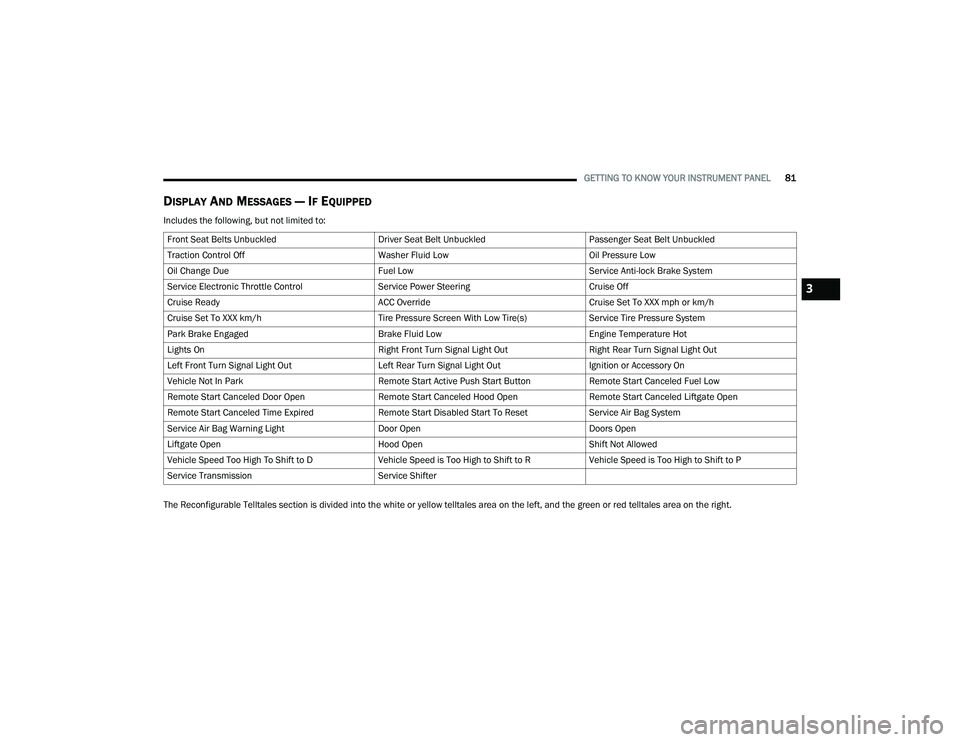
DISPLAY AND MESSAGES — IF EQUIPPED
Includes the following, but not limited to:
The Reconfigurable Telltales section is divided into the white or yellow telltales area on the left, and the green or red telltales area on the right.Front Seat Belts Unbuckled
Driver Seat Belt UnbuckledPassenger Seat Belt Unbuckled
Traction Control Off Washer Fluid LowOil Pressure Low
Oil Change Due Fuel LowService Anti-lock Brake System
Service Electronic Throttle Control Service Power SteeringCruise Off
Cruise Ready ACC OverrideCruise Set To XXX mph or km/h
Cruise Set To XXX km/h Tire Pressure Screen With Low Tire(s)Service Tire Pressure System
Park Brake Engaged Brake Fluid LowEngine Temperature Hot
Lights On Right Front Turn Signal Light OutRight Rear Turn Signal Light Out
Left Front Turn Signal Light Out Left Rear Turn Signal Light OutIgnition or Accessory On
Vehicle Not In Park Remote Start Active Push Start ButtonRemote Start Canceled Fuel Low
Remote Start Canceled Door Open Remote Start Canceled Hood OpenRemote Start Canceled Liftgate Open
Remote Start Canceled Time Expired Remote Start Disabled Start To ResetService Air Bag System
Service Air Bag Warning Light Door OpenDoors Open
Liftgate Open Hood OpenShift Not Allowed
Vehicle Speed Too High To Shift to D Vehicle Speed is Too High to Shift to RVehicle Speed is Too High to Shift to P
Service Transmission Service Shifter
3
22_MP_OM_EN_USC_t.book Page 81
Page 84 of 344
82GETTING TO KNOW YOUR INSTRUMENT PANEL
INSTRUMENT CLUSTER DISPLAY MENU
I
TEMS
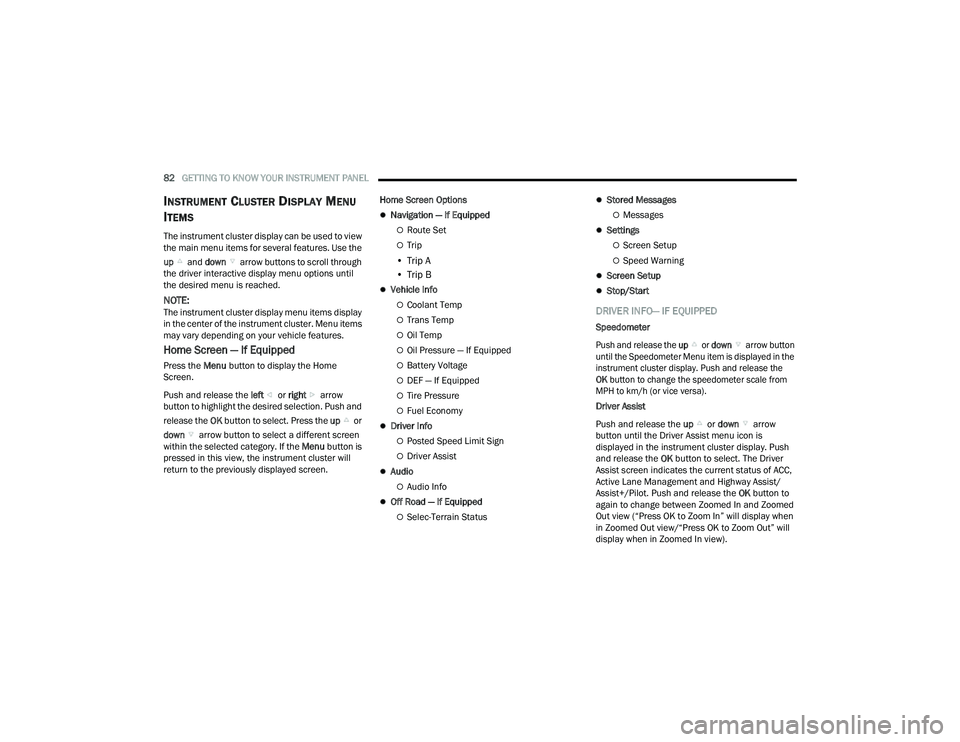
The instrument cluster display can be used to view
the main menu items for several features. Use the
up and down arrow buttons to scroll through
the driver interactive display menu options until
the desired menu is reached.
NOTE:The instrument cluster display menu items display
in the center of the instrument cluster. Menu items
may vary depending on your vehicle features.
Home Screen — If Equipped
Press the Menu button to display the Home
Screen.
Push and release the left or right arrow
button to highlight the desired selection. Push and
release the OK button to select. Press the up or
down arrow button to select a different screen
within the selected category. If the Menu button is
pressed in this view, the instrument cluster will
return to the previously displayed screen. Home Screen Options
Navigation — If Equipped
Route Set
Trip
• Trip A
• Trip B
Vehicle Info
Coolant Temp
Trans Temp
Oil Temp
Oil Pressure — If Equipped
Battery Voltage
DEF — If Equipped
Tire Pressure
Fuel Economy
Driver Info
Posted Speed Limit Sign
Driver Assist
Audio
Audio Info
Off Road — If Equipped
Selec-Terrain Status
Stored Messages
Messages
Settings
Screen Setup
Speed Warning
Screen Setup
Stop/Start
DRIVER INFO— IF EQUIPPED
Speedometer
Push and release the
up or down arrow button
until the Speedometer Menu item is displayed in the
instrument cluster display. Push and release the
OK button to change the speedometer scale from
MPH to km/h (or vice versa).
Driver Assist
Push and release the up or down arrow
button until the Driver Assist menu icon is
displayed in the instrument cluster display. Push
and release the OK button to select. The Driver
Assist screen indicates the current status of ACC,
Active Lane Management and Highway Assist/
Assist+/Pilot. Push and release the OK button to
again to change between Zoomed In and Zoomed
Out view (“Press OK to Zoom In” will display when
in Zoomed Out view/“Press OK to Zoom Out” will
display when in Zoomed In view).
22_MP_OM_EN_USC_t.book Page 82
Page 85 of 344
GETTING TO KNOW YOUR INSTRUMENT PANEL83
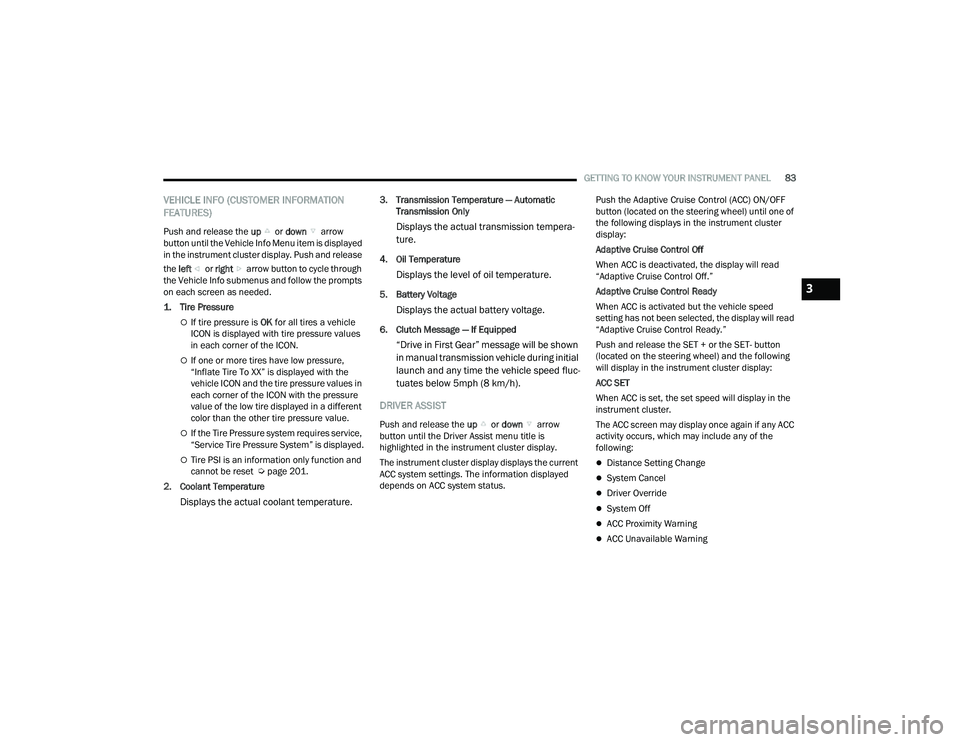
VEHICLE INFO (CUSTOMER INFORMATION
FEATURES)
Push and release the up or down arrow
button until the Vehicle Info Menu item is displayed
in the instrument cluster display. Push and release
the left or right arrow button to cycle through
the Vehicle Info submenus and follow the prompts
on each screen as needed.
1. Tire Pressure
If tire pressure is OK for all tires a vehicle
ICON is displayed with tire pressure values
in each corner of the ICON.
If one or more tires have low pressure,
“Inflate Tire To XX” is displayed with the
vehicle ICON and the tire pressure values in
each corner of the ICON with the pressure
value of the low tire displayed in a different
color than the other tire pressure value.
If the Tire Pressure system requires service,
“Service Tire Pressure System” is displayed.
Tire PSI is an information only function and
cannot be reset Ú page 201.
2. Coolant Temperature
Displays the actual coolant temperature.
3. Transmission Temperature — Automatic Transmission Only
Displays the actual transmission tempera -
ture.
4. Oil Temperature
Displays the level of oil temperature.
5. Battery Voltage
Displays the actual battery voltage.
6. Clutch Message — If Equipped
“Drive in First Gear” message will be shown
in manual transmission vehicle during initial
launch and any time the vehicle speed fluc -
tuates below 5mph (8 km/h).
DRIVER ASSIST
Push and release the up or down arrow
button until the Driver Assist menu title is
highlighted in the instrument cluster display.
The instrument cluster display displays the current
ACC system settings. The information displayed
depends on ACC system status. Push the Adaptive Cruise Control (ACC) ON/OFF
button (located on the steering wheel) until one of
the following displays in the instrument cluster
display:
Adaptive Cruise Control Off
When ACC is deactivated, the display will read
“Adaptive Cruise Control Off.”
Adaptive Cruise Control Ready
When ACC is activated but the vehicle speed
setting has not been selected, the display will read
“Adaptive Cruise Control Ready.”
Push and release the SET + or the SET- button
(located on the steering wheel) and the following
will display in the instrument cluster display:
ACC SET
When ACC is set, the set speed will display in the
instrument cluster.
The ACC screen may display once again if any ACC
activity occurs, which may include any of the
following:
Distance Setting Change
System Cancel
Driver Override
System Off
ACC Proximity Warning
ACC Unavailable Warning
3
22_MP_OM_EN_USC_t.book Page 83
Page 93 of 344
GETTING TO KNOW YOUR INSTRUMENT PANEL91
Drowsiness Detected Warning —
If Equipped
Driver drowsiness detection helps to
avoid crashes caused by fatigue by
advising drivers to take a break in time.
Once Drowsy Driver is detected, A pop-up
will display continuously until the driver presses
the OK button to clear.
Once the pop-up message is cleared, it is stored
until the condition is no longer true.
Electric Power Steering (EPS) Fault
Warning Light
This warning light will turn on when
there's a fault with the EPS system
Ú page 114.
Electronic Throttle Control (ETC) Warning
Light
This warning light will illuminate to
indicate a problem with the ETC system.
If a problem is detected while the vehicle
is running, the light will either stay on or flash depending on the nature of the problem.
Cycle the ignition when the vehicle is safely and
completely stopped and the transmission is placed
in the PARK position. The light should turn off. If
the light remains on with the vehicle running, your
vehicle will usually be drivable; however, see an
authorized dealer for service as soon as possible.
NOTE:This light may turn on if the accelerator and brake
pedals are pressed at the same time.
If the light continues to flash when the vehicle is
running, immediate service is required and you
may experience reduced performance, an
elevated/rough idle, or engine stall and your
vehicle may require towing. The light will come on
when the ignition is placed in the ON/RUN position
and remain on briefly as a bulb check. If the light
does not come on during starting, have the system
checked by an authorized dealer.
Engine Temperature Warning Light
This warning light will illuminate to warn
of an overheated engine condition. If the
engine coolant temperature is too high,
this light will illuminate and a single
chime will sound.
If the light turns on while driving, safely pull over
and stop the vehicle. If the Air Conditioning (A/C)
system is on, turn it off. Also, shift the transmission
into NEUTRAL (N) and idle the vehicle. If the temperature reading does not return to normal,
turn the engine off immediately and call for service
Ú
page 261.
Hood Open Warning Light
This warning light will illuminate when the
hood is left open and not fully closed.
NOTE:If the vehicle is moving, there will also be a single
chime.
Liftgate Open Warning Light
This warning light will illuminate when the
liftgate is open.
NOTE:If the vehicle is moving, there will also be a single
chime.
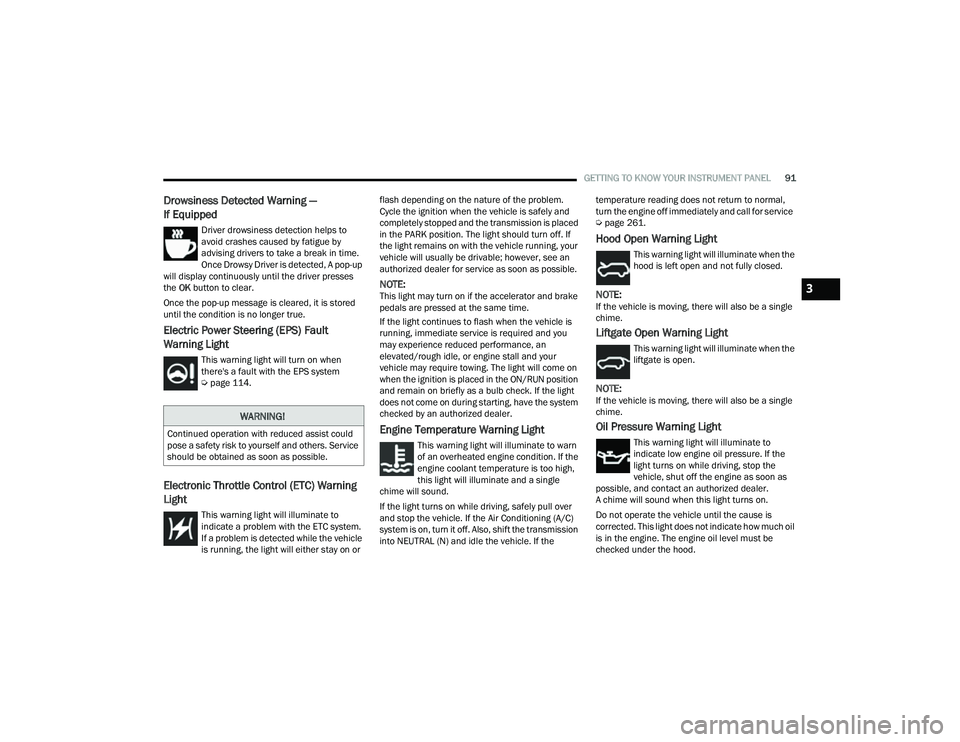
Oil Pressure Warning Light
This warning light will illuminate to
indicate low engine oil pressure. If the
light turns on while driving, stop the
vehicle, shut off the engine as soon as
possible, and contact an authorized dealer.
A chime will sound when this light turns on.
Do not operate the vehicle until the cause is
corrected. This light does not indicate how much oil
is in the engine. The engine oil level must be
checked under the hood.
WARNING!
Continued operation with reduced assist could
pose a safety risk to yourself and others. Service
should be obtained as soon as possible.
3
22_MP_OM_EN_USC_t.book Page 91
Page 244 of 344
242SAFETY
(Continued)
PERIODIC SAFETY CHECKS YOU SHOULD
M
AKE OUTSIDE THE VEHICLE
Tires
Examine tires for excessive tread wear and uneven
wear patterns. Check for stones, nails, glass, or
other objects lodged in the tread or sidewall.
Inspect the tread for cuts and cracks. Inspect
sidewalls for cuts, cracks, and bulges. Check the
lug nut/bolt torque for tightness. Check the tires
(including spare) for proper cold inflation pressure.
Lights
Have someone observe the operation of brake
lights and exterior lights while you work the
controls. Check turn signal and high beam
indicator lights on the instrument panel.
Door Latches
Check for proper closing, latching, and locking.
Fluid Leaks
Check area under the vehicle after overnight
parking for fuel, coolant, oil, or other fluid leaks.
Also, if gasoline fumes are detected or if fuel or
brake fluid leaks are suspected, the cause should
be located and corrected immediately.
ONLY use the driver’s side floor mat on the
driver’s side floor area. To check for interfer -
ence, with the vehicle properly parked with the
engine off, fully depress the accelerator, the
brake, and the clutch pedal (if present) to
check for interference. If your floor mat inter -
feres with the operation of any pedal, or is not
secure to the floor, remove the floor mat from
the vehicle and place the floor mat in your
trunk.
ONLY use the passenger’s side floor mat on
the passenger’s side floor area.
ALWAYS make sure objects cannot fall or slide
into the driver’s side floor area when the
vehicle is moving. Objects can become
trapped under accelerator, brake, or clutch
pedals and could cause a loss of vehicle
control.
WARNING!
NEVER place any objects under the floor mat
(e.g., towels, keys, etc.). These objects could
change the position of the floor mat and may
cause interference with the accelerator,
brake, or clutch pedals.
If the vehicle carpet has been removed and
re-installed, always properly attach carpet to
the floor and check the floor mat fasteners are
secure to the vehicle carpet. Fully depress
each pedal to check for interference with the
accelerator, brake, or clutch pedals then
re-install the floor mats.
It is recommended to only use mild soap and
water to clean your floor mats. After cleaning,
always check your floor mat has been properly
installed and is secured to your vehicle using
the floor mat fasteners by lightly pulling mat.
WARNING!
22_MP_OM_EN_USC_t.book Page 242
Page 257 of 344
IN CASE OF EMERGENCY255
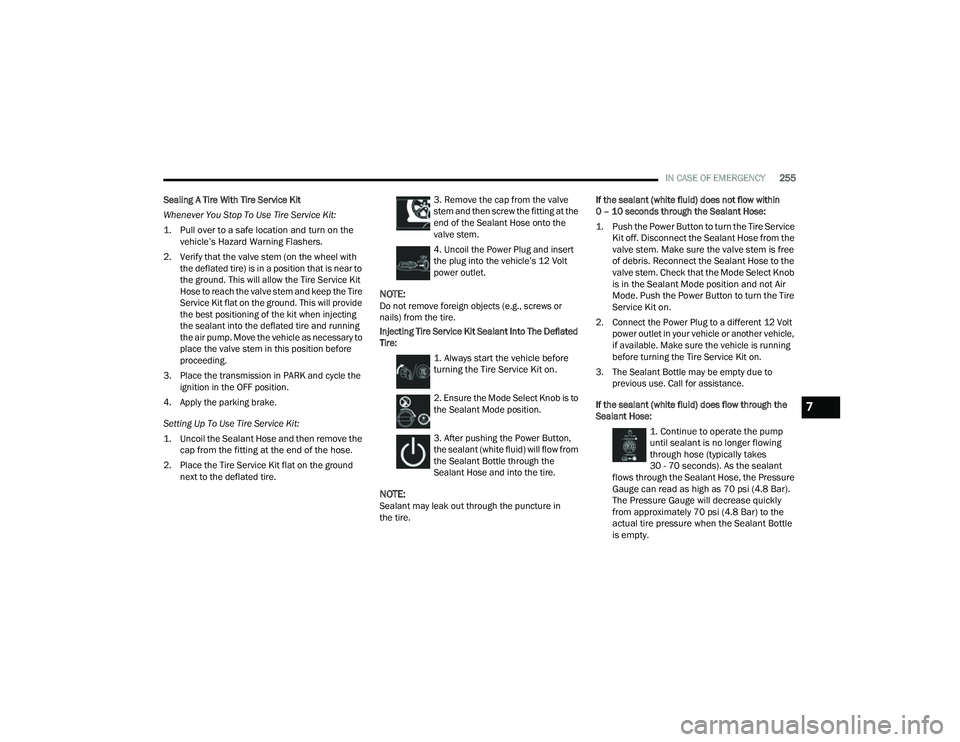
Sealing A Tire With Tire Service Kit
Whenever You Stop To Use Tire Service Kit:
1. Pull over to a safe location and turn on the vehicle’s Hazard Warning Flashers.
2. Verify that the valve stem (on the wheel with the deflated tire) is in a position that is near to
the ground. This will allow the Tire Service Kit
Hose to reach the valve stem and keep the Tire
Service Kit flat on the ground. This will provide
the best positioning of the kit when injecting
the sealant into the deflated tire and running
the air pump. Move the vehicle as necessary to
place the valve stem in this position before
proceeding.
3. Place the transmission in PARK and cycle the ignition in the OFF position.
4. Apply the parking brake.
Setting Up To Use Tire Service Kit:
1. Uncoil the Sealant Hose and then remove the cap from the fitting at the end of the hose.
2. Place the Tire Service Kit flat on the ground next to the deflated tire. 3. Remove the cap from the valve
stem and then screw the fitting at the
end of the Sealant Hose onto the
valve stem.
4. Uncoil the Power Plug and insert
the plug into the vehicle’s 12 Volt
power outlet.
NOTE:Do not remove foreign objects (e.g., screws or
nails) from the tire.
Injecting Tire Service Kit Sealant Into The Deflated
Tire:
1. Always start the vehicle before
turning the Tire Service Kit on.
2. Ensure the Mode Select Knob is to
the Sealant Mode position.
3. After pushing the Power Button,
the sealant (white fluid) will flow from
the Sealant Bottle through the
Sealant Hose and into the tire.
NOTE:Sealant may leak out through the puncture in
the tire. If the sealant (white fluid) does not flow within
0 – 10 seconds through the Sealant Hose:
1. Push the Power Button to turn the Tire Service
Kit off. Disconnect the Sealant Hose from the
valve stem. Make sure the valve stem is free
of debris. Reconnect the Sealant Hose to the
valve stem. Check that the Mode Select Knob
is in the Sealant Mode position and not Air
Mode. Push the Power Button to turn the Tire
Service Kit on.
2. Connect the Power Plug to a different 12 Volt power outlet in your vehicle or another vehicle,
if available. Make sure the vehicle is running
before turning the Tire Service Kit on.
3. The Sealant Bottle may be empty due to previous use. Call for assistance.
If the sealant (white fluid) does flow through the
Sealant Hose:
1. Continue to operate the pump
until sealant is no longer flowing
through hose (typically takes
30 - 70 seconds). As the sealant
flows through the Sealant Hose, the Pressure
Gauge can read as high as 70 psi (4.8 Bar).
The Pressure Gauge will decrease quickly
from approximately 70 psi (4.8 Bar) to the
actual tire pressure when the Sealant Bottle
is empty.
7
22_MP_OM_EN_USC_t.book Page 255
Page 258 of 344
256IN CASE OF EMERGENCY
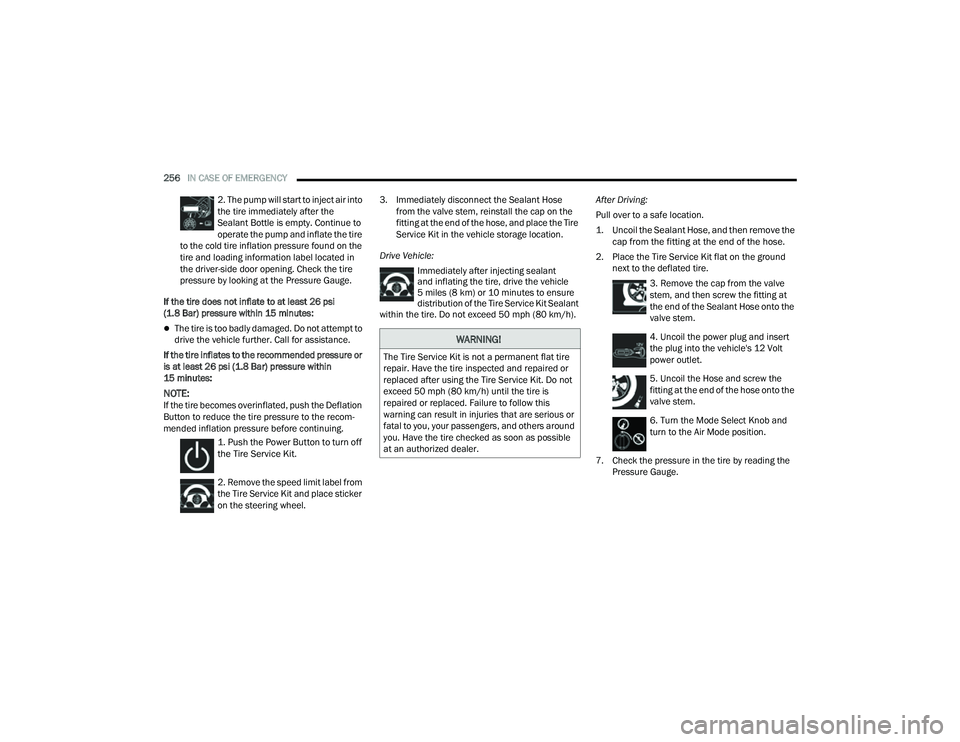
2. The pump will start to inject air into
the tire immediately after the
Sealant Bottle is empty. Continue to
operate the pump and inflate the tire
to the cold tire inflation pressure found on the
tire and loading information label located in
the driver-side door opening. Check the tire
pressure by looking at the Pressure Gauge.
If the tire does not inflate to at least 26 psi
(1.8 Bar) pressure within 15 minutes:
The tire is too badly damaged. Do not attempt to
drive the vehicle further. Call for assistance.
If the tire inflates to the recommended pressure or
is at least 26 psi (1.8 Bar) pressure within
15 minutes:
NOTE:If the tire becomes overinflated, push the Deflation
Button to reduce the tire pressure to the recom -
mended inflation pressure before continuing.
1. Push the Power Button to turn off
the Tire Service Kit.
2. Remove the speed limit label from
the Tire Service Kit and place sticker
on the steering wheel. 3. Immediately disconnect the Sealant Hose
from the valve stem, reinstall the cap on the
fitting at the end of the hose, and place the Tire
Service Kit in the vehicle storage location.
Drive Vehicle: Immediately after injecting sealant
and inflating the tire, drive the vehicle
5 miles (8 km) or 10 minutes to ensure distribution of the Tire Service Kit Sealant
within the tire. Do not exceed 50 mph (80 km/h). After Driving:
Pull over to a safe location.
1. Uncoil the Sealant Hose, and then remove the
cap from the fitting at the end of the hose.
2. Place the Tire Service Kit flat on the ground next to the deflated tire.
3. Remove the cap from the valve
stem, and then screw the fitting at
the end of the Sealant Hose onto the
valve stem.
4. Uncoil the power plug and insert
the plug into the vehicle's 12 Volt
power outlet.
5. Uncoil the Hose and screw the
fitting at the end of the hose onto the
valve stem.
6. Turn the Mode Select Knob and
turn to the Air Mode position.
7. Check the pressure in the tire by reading the Pressure Gauge.
WARNING!
The Tire Service Kit is not a permanent flat tire
repair. Have the tire inspected and repaired or
replaced after using the Tire Service Kit. Do not
exceed 50 mph (80 km/h) until the tire is
repaired or replaced. Failure to follow this
warning can result in injuries that are serious or
fatal to you, your passengers, and others around
you. Have the tire checked as soon as possible
at an authorized dealer.
22_MP_OM_EN_USC_t.book Page 256