horn JEEP GRAND CHEROKEE 2008 WK / 3.G SRT Owners Manual
[x] Cancel search | Manufacturer: JEEP, Model Year: 2008, Model line: GRAND CHEROKEE, Model: JEEP GRAND CHEROKEE 2008 WK / 3.GPages: 405, PDF Size: 2.93 MB
Page 19 of 405
NOTE:If a programmed key is lost, see your dealer to
have all remaining keys erased from the systems
memory. This will prevent the lost key from starting your
vehicle. The remaining keys must then be repro-
grammed. All vehicle keys must be taken to the dealer at
the time of service to be reprogrammed.
General Information
The Sentry Key system complies with FCC rules part 15
and with RSS-210 of Industry Canada. Operation is
subject to the following conditions:
²This device may not cause harmful interference.
²This device must accept any interference that may be
received, including interference that may cause undes-
ired operation.
SECURITY ALARM SYSTEM Ð IF EQUIPPED
This system monitors the vehicle doors, liftgate, liftgate
flipper glass, and ignition for unauthorized operation
and movement inside of the vehicle. When the alarm is
activated, the system provides both audible and visual
signals. The horn will sound repeatedly for three minutes
and the headlights and taillights will flash for an addi-
tional 15 minutes.
To Set the Alarm
The alarm will set when you use the remote keyless entry
transmitter to lock the doors and liftgate or when you use
the power door lock switch while the door is open. After
all the doors are locked and closed, a red light (located in
the instrument cluster) will flash rapidly for about 16
seconds to signal that the system is arming. During this
16 second pre-arm period, opening any door or the
liftgate will cancel the arming. If the system successfully
arms, the red light will flash at a slower rate to indicate
the alarm is set. A manual lock of the doors, either with
18 THINGS TO KNOW BEFORE STARTING YOUR VEHICLE
Page 20 of 405
the door lock plunger located on the inside of the doors
or with the driver's door key lock cylinder, will not set
the alarm.
To Disarm the System
To disarm the system, use the remote keyless entry
transmitter. If something has triggered the system in your
absence, the horn will sound three times when you
unlock the doors. Check the vehicle for tampering.
The Security Alarm System is designed to protect your
vehicle; however, you can create conditions where the
system will arm unexpectedly. If you remain in the
vehicle and lock the doors with the transmitter, once the
system is armed (after 16 seconds), when you pull the
door handle to exit the alarm will sound. If this occurs,
press the ªUnlockº button on the remote keyless entry
transmitter to disarm the system. The Security Alarm
System will not disarm with a manual unlock, eitherthrough the lock plunger located on the inside of the
door, or through a key in the driver's door key cylinder.
ILLUMINATED ENTRY
The interior lights come on when you open any door.
They will remain on for about 30 seconds after all doors
are closed then fade to off.
The lights also will fade to off if you turn on the ignition
after you close all the doors.
REMOTE KEYLESS ENTRY
This system allows you to lock or unlock the doors,
liftgate, or activate the panic alarm from distances up to
about 23 feet (7 meters) using a hand held radio trans-
mitter. The transmitter need not be pointed at the vehicle
to activate the system.
THINGS TO KNOW BEFORE STARTING YOUR VEHICLE 19
2
Page 22 of 405
Flash Lights with Remote Key Lock
This feature will cause the turn signal lights to flash when
the doors are locked or unlocked with the transmitter.
This feature can be turned on or off. To change the
current setting, proceed as follows:
²For vehicles equipped with the Electronic Vehicle
Information Center (EVIC), refer to ªFlash Lights with
Remote Key Lock,º under9Personal Settings (Cus-
tomer Programmable Features),º under ªElectronic
Vehicle Information Center (EVIC)º in Section 4 of this
manual for details.
Turn Headlights On with Remote Key Unlock
This feature activates the headlights for up to 90 seconds
when the doors are unlocked with the transmitter. The
time for this feature is programmable on vehicles
equipped with the Electronic Vehicle Information Center
(EVIC). For details, refer to ªTurn Headlights On withRemote Key Unlock,º under ªPersonal Settings (Cus-
tomer Programmable Features),º under ªElectronic Ve-
hicle Information Center (EVIC)º in Section 4 of this
manual.
To Lock the Doors
Press and release the ªLockº button on the transmitter to
lock all doors. The turn signal lights will flash and the
horn will chirp to acknowledge the signal.
Sound Horn with Remote Key Lock
This feature will cause the horn to chirp when the doors
are locked with the transmitter. This feature can be
turned on or off. To change the current setting, proceed as
follows:
²For vehicles equipped with the Electronic Vehicle
Information Center (EVIC), refer to ªSound Horn with
THINGS TO KNOW BEFORE STARTING YOUR VEHICLE 21
2
Page 23 of 405
Remote Key Lock,º under ªPersonal Settings (Cus-
tomer Programmable Features),º under ªElectronic
Vehicle Information Center (EVIC)º in Section 4 of this
manual for details.
To Release the Liftgate Flipper Glass
Press the ªFlipper Glass/Trunk Releaseº button on the
transmitter two times to release the flipper glass.
WARNING!
Driving with the flipper glass open can allow poi-
sonous exhaust gases into your vehicle. You and your
passengers could be injured by these fumes. Keep
the flipper glass closed when you are operating the
vehicle.
Using The Panic Alarm
To turn the panic alarm feature ON or OFF, press and
hold the PANIC button on the transmitter for at least one
second and release. When the panic alarm is on, the
headlights and park lights will flash, the horn will pulse
on and off, and the interior lights will turn on.
The panic alarm will stay on for 3 minutes unless you
turn it off by either pressing the PANIC button a second
time or drive the vehicle at a speed of 15 mph (24 km/h)
or greater.
NOTE:
²The interior lights will turn off if you turn the ignition
switch to the ACC or ON position while the panic
alarm is activated. However, the exterior lights and
horn will remain on.
22 THINGS TO KNOW BEFORE STARTING YOUR VEHICLE
Page 26 of 405
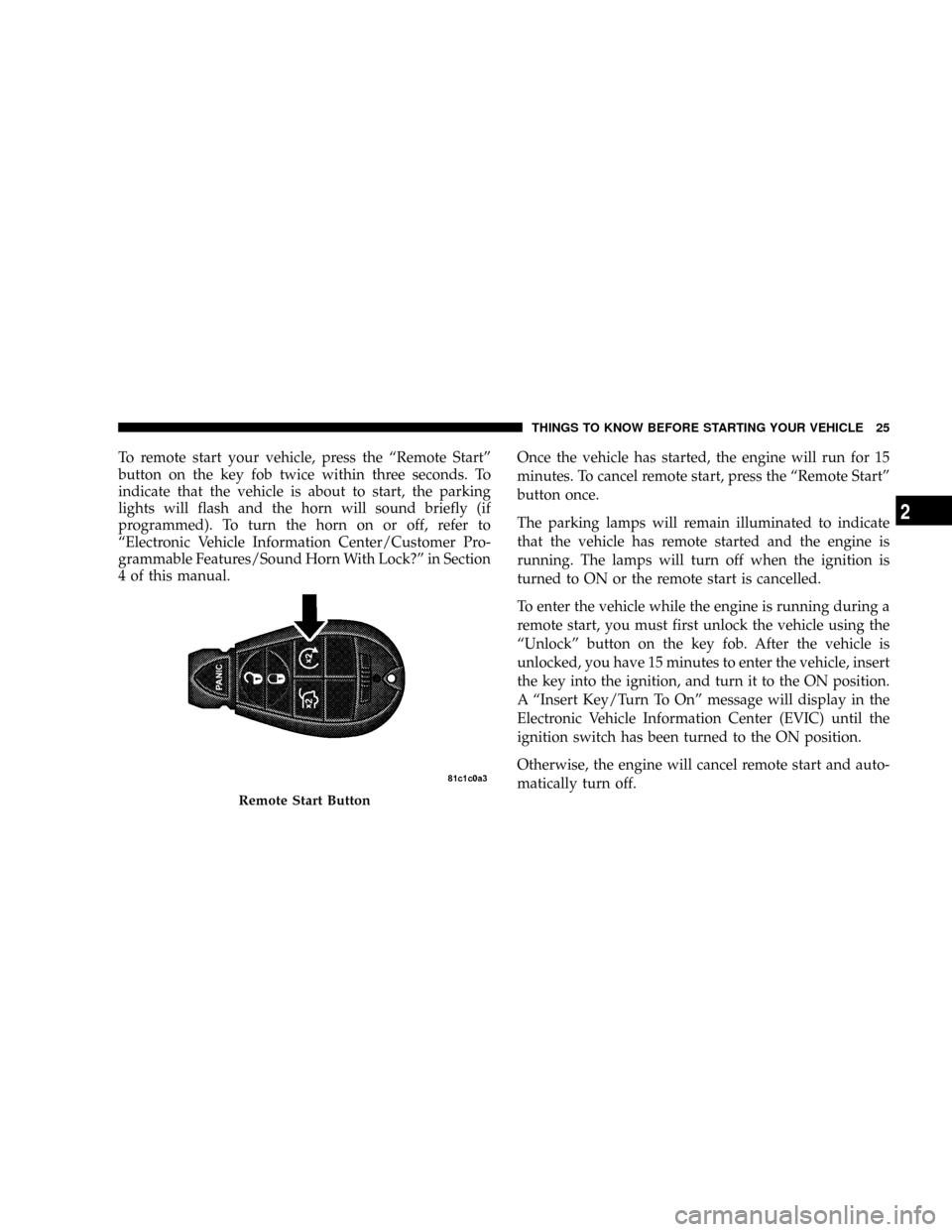
To remote start your vehicle, press the ªRemote Startº
button on the key fob twice within three seconds. To
indicate that the vehicle is about to start, the parking
lights will flash and the horn will sound briefly (if
programmed). To turn the horn on or off, refer to
ªElectronic Vehicle Information Center/Customer Pro-
grammable Features/Sound Horn With Lock?º in Section
4 of this manual.Once the vehicle has started, the engine will run for 15
minutes. To cancel remote start, press the ªRemote Startº
button once.
The parking lamps will remain illuminated to indicate
that the vehicle has remote started and the engine is
running. The lamps will turn off when the ignition is
turned to ON or the remote start is cancelled.
To enter the vehicle while the engine is running during a
remote start, you must first unlock the vehicle using the
ªUnlockº button on the key fob. After the vehicle is
unlocked, you have 15 minutes to enter the vehicle, insert
the key into the ignition, and turn it to the ON position.
A ªInsert Key/Turn To Onº message will display in the
Electronic Vehicle Information Center (EVIC) until the
ignition switch has been turned to the ON position.
Otherwise, the engine will cancel remote start and auto-
matically turn off.
Remote Start Button
THINGS TO KNOW BEFORE STARTING YOUR VEHICLE 25
2
Page 192 of 405
Auto Door Locks
When Y (YES) is selected, all of the doors will lock
automatically when the vehicle reaches a speed of 15
mph (24 km/h). To make your selection, press and
release the FUNCTION SELECT button until ªY (YES)º
or ªN (NO)º appears.
Auto Unlock On Exit
When Y (YES) is selected, all of the doors will unlock
when the vehicle is stopped and the transmission is in the
P (Park) or N (Neutral) position and the driver's door is
opened. To make your selection, press and release the
FUNCTION SELECT button until ªY (YES)º or ªN (NO)º
appears.
Remote Key Unlock
WhenDriver Door 1st Pressis selected, only the driver's
door will unlock on the first press of the remote keyless
entry unlock button. When Driver Door 1st Press is
selected, you must press of the remote keyless entryunlock button twice to unlock the passenger's doors.
WhenAll Doors 1st Pressis selected, all of the doors will
unlock on the first press of the remote keyless entry
unlock button. To make your selection, press and release
the FUNCTION SELECT button until ªDriver Door 1st
Pressº or ªAll Doors 1st Pressº appears.
Sound Horn with Lock
When Y (YES) is selected, a short horn sound will occur
when the remote keyless entry ªLockº button is pressed.
This feature may be selected with or without the flash
lights on lock/unlock feature. To make your selection,
press and release the FUNCTION SELECT button until
ªY (YES)º or ªN (NO)º appears.
Flash Lamps with Lock
When Y (YES) is selected, the front and rear turn signals
will flash when the doors are locked or unlocked with the
remote keyless entry transmitter. This feature may be
selected with or without the sound horn on lock feature
UNDERSTANDING YOUR INSTRUMENT PANEL 191
4
Page 345 of 405
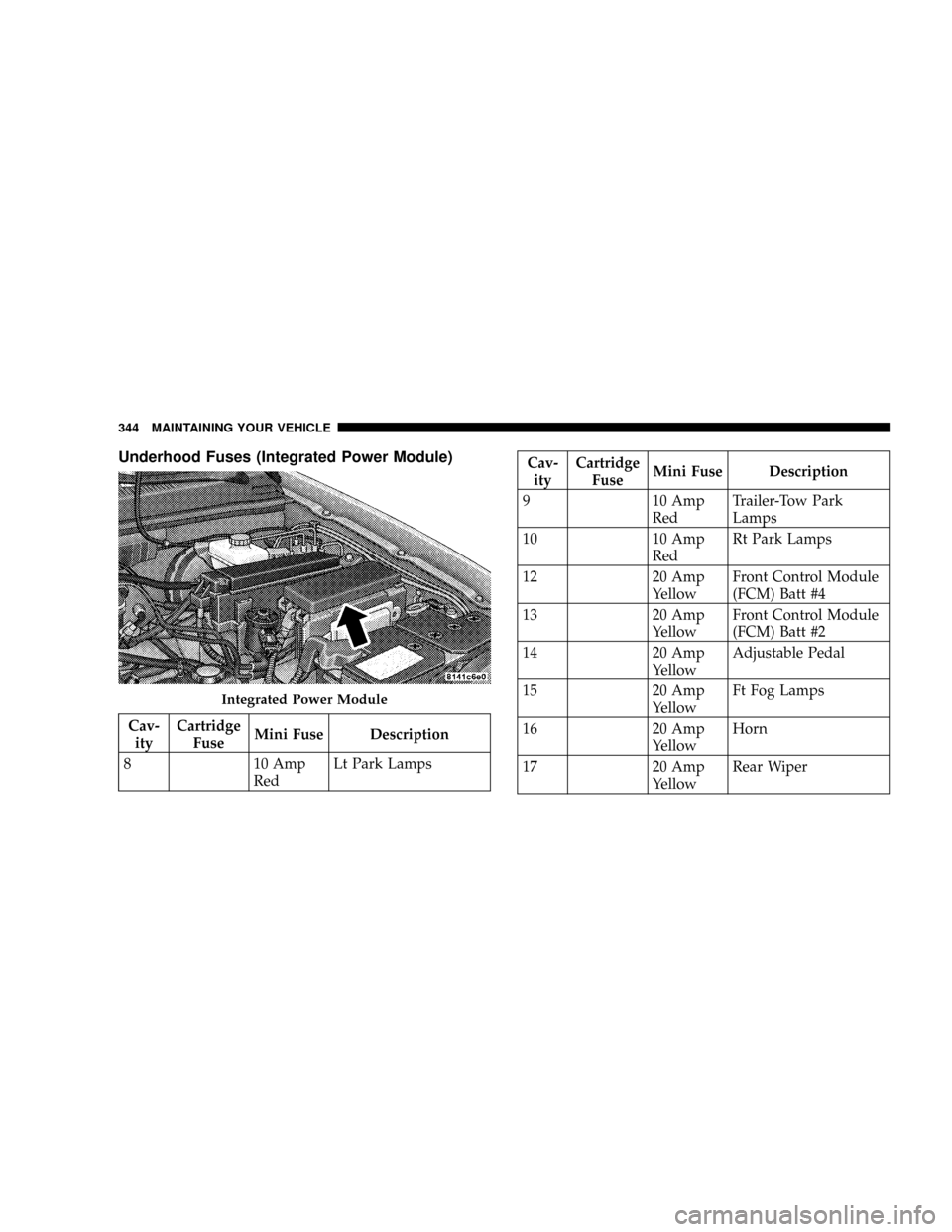
Underhood Fuses (Integrated Power Module)
Cav-
ityCartridge
FuseMini Fuse Description
8 10 Amp
RedLt Park Lamps
Cav-
ityCartridge
FuseMini Fuse Description
9 10 Amp
RedTrailer-Tow Park
Lamps
10 10 Amp
RedRt Park Lamps
12 20 Amp
YellowFront Control Module
(FCM) Batt #4
13 20 Amp
YellowFront Control Module
(FCM) Batt #2
14 20 Amp
YellowAdjustable Pedal
15 20 Amp
YellowFt Fog Lamps
16 20 Amp
YellowHorn
17 20 Amp
YellowRear Wiper
Integrated Power Module
344 MAINTAINING YOUR VEHICLE