cruise control JEEP GRAND CHEROKEE 2010 Owner handbook (in English)
[x] Cancel search | Manufacturer: JEEP, Model Year: 2010, Model line: GRAND CHEROKEE, Model: JEEP GRAND CHEROKEE 2010Pages: 350, PDF Size: 4.58 MB
Page 133 of 350
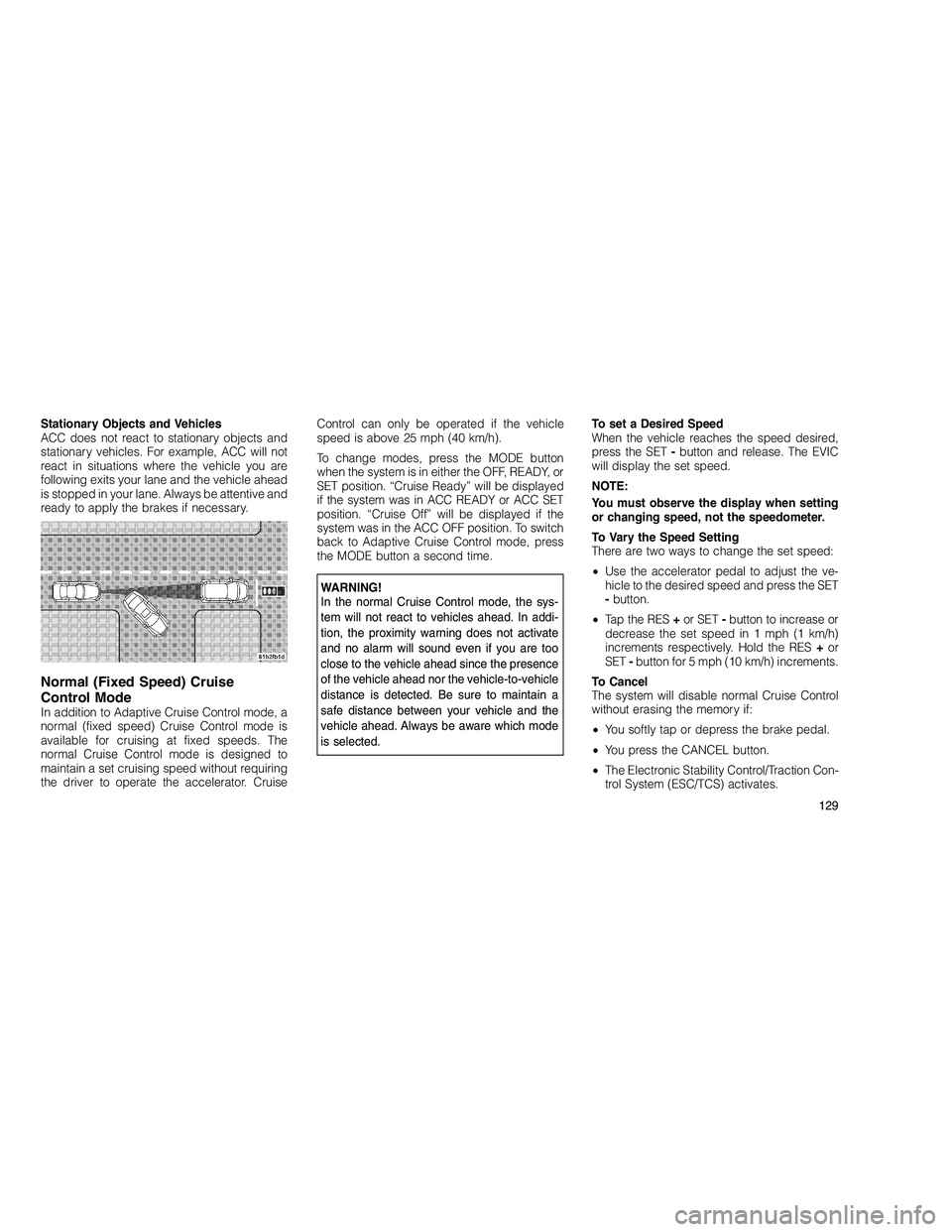
Stationary Objects and Vehicles
ACC does not react to stationary objects and
stationary vehicles. For example, ACC will not
react in situations where the vehicle you are
following exits your lane and the vehicle ahead
is stopped in your lane. Always be attentive and
ready to apply the brakes if necessary.
Normal (Fixed Speed) Cruise
Control Mode
In addition to Adaptive Cruise Control mode, a
normal (fixed speed) Cruise Control mode is
available for cruising at fixed speeds. The
normal Cruise Control mode is designed to
maintain a set cruising speed without requiring
the driver to operate the accelerator. CruiseControl can only be operated if the vehicle
speed is above 25 mph (40 km/h).
To change modes, press the MODE button
when the system is in either the OFF, READY, or
SET position. “Cruise Ready” will be displayed
if the system was in ACC READY or ACC SET
position. “Cruise Off” will be displayed if the
system was in the ACC OFF position. To switch
back to Adaptive Cruise Control mode, press
the MODE button a second time.
WARNING!
In the normal Cruise Control mode, the sys-
tem will not react to vehicles ahead. In addi-
tion, the proximity warning does not activate
and no alarm will sound even if you are too
close to the vehicle ahead since the presence
of the vehicle ahead nor the vehicle-to-vehicle
distance is detected. Be sure to maintain a
safe distance between your vehicle and the
vehicle ahead. Always be aware which mode
is selected.
To set a Desired Speed
When the vehicle reaches the speed desired,
press the SET
-button and release. The EVIC
will display the set speed.
NOTE:
You must observe the display when setting
or changing speed, not the speedometer.
To Vary the Speed Setting
There are two ways to change the set speed:
• Use the accelerator pedal to adjust the ve-
hicle to the desired speed and press the SET
- button.
• Tap the RES +or SET -button to increase or
decrease the set speed in 1 mph (1 km/h)
increments respectively. Hold the RES +or
SET -button for 5 mph (10 km/h) increments.
To Cancel
The system will disable normal Cruise Control
without erasing the memory if:
• You softly tap or depress the brake pedal.
• You press the CANCEL button.
• The Electronic Stability Control/Traction Con-
trol System (ESC/TCS) activates.
129
Page 134 of 350
To Resume
Press the RES+button and then remove your
foot from the accelerator pedal. The EVIC will
display the last set speed.
To Turn Off
The system will turn off and erase the set speed
in memory if:
• You push and release the ON/OFF button.
• You turn off the ignition.
• You switch off ESC.
• You engage Four-Wheel Drive Low.
If the Cruise Control system is turned off and
reactivated, the system will return to the last
driver setting (ACC or Normal Cruise Control).Forward Collision Warning —
If Equipped
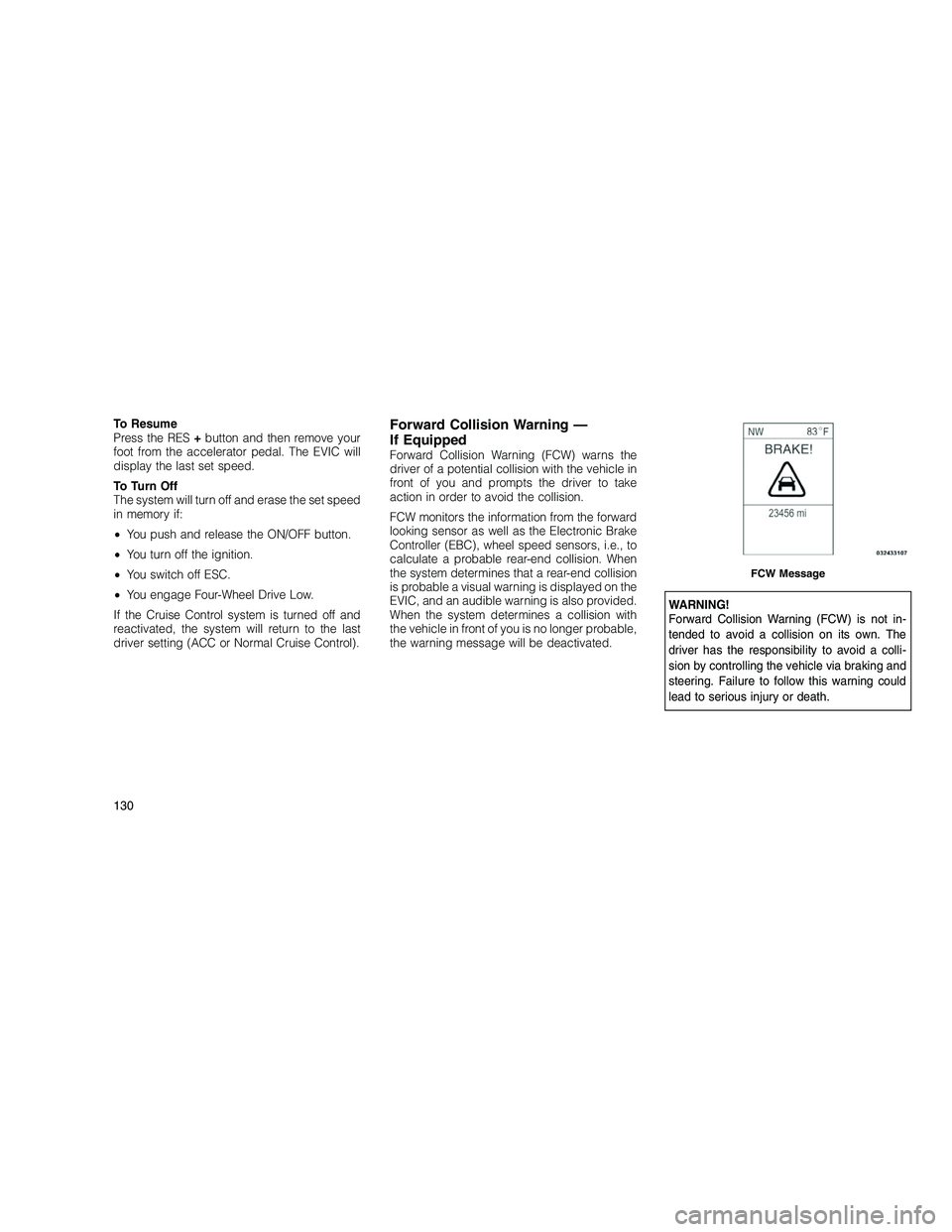
Forward Collision Warning (FCW) warns the
driver of a potential collision with the vehicle in
front of you and prompts the driver to take
action in order to avoid the collision.
FCW monitors the information from the forward
looking sensor as well as the Electronic Brake
Controller (EBC), wheel speed sensors, i.e., to
calculate a probable rear-end collision. When
the system determines that a rear-end collision
is probable a visual warning is displayed on the
EVIC, and an audible warning is also provided.
When the system determines a collision with
the vehicle in front of you is no longer probable,
the warning message will be deactivated.
WARNING!
Forward Collision Warning (FCW) is not in-
tended to avoid a collision on its own. The
driver has the responsibility to avoid a colli-
sion by controlling the vehicle via braking and
steering. Failure to follow this warning could
lead to serious injury or death.
FCW Message
130
Page 169 of 350
•Blind spot detection unavailable
• Blind spot system off
• Blind spot system unavailable sensor
blocked
• Blind spot system unavailable astronomy
zone — When the Blind Spot Module senses
a tower on the same frequency that it is
interfering with, it will automatically turn the
Blind Spot System off.
• Normal Cruise Ready — When Adaptive
Cruise Control (ACC) system is turned off
and Normal (Fixed Speed) Cruise Control
mode is available. Refer to “Adaptive Cruise
Control (ACC)” in “Understanding The Fea-
tures Of Your Vehicle” (if equipped).
• Adaptive Cruise Off — When the Adaptive
Cruise Control (ACC) system is turned off.
Refer to “Adaptive Cruise Control (ACC)” in
“Understanding The Features Of Your Ve-
hicle” (if equipped).
• ACC Ready — When the ACC system is
activated. Refer to “Adaptive Cruise Control
(ACC)” in “Understanding The Features Of
Your Vehicle” (if equipped). •
ACC Set — After setting the desired speed
in the ACC system. Refer to “Adaptive Cruise
Control (ACC)” in “Understanding The Fea-
tures Of Your Vehicle” (if equipped).
• ACC Cancelled — To disable the ACC sys-
tem. Refer to “Adaptive Cruise Control
(ACC)” in “Understanding The Features Of
Your Vehicle” (if equipped).
• Sensed Vehicle Indicator — The system de-
tects a slower moving vehicle in the same
lane. Refer to “Adaptive Cruise Control
(ACC)” in “Understanding The Features Of
Your Vehicle” (if equipped).
• Driver Override — If you apply the accelera-
tor after setting the desired speed in the
ACC system. Refer to “Adaptive Cruise Con-
trol (ACC)” in “Understanding The Features
Of Your Vehicle” (if equipped).
• Distance Set — After changing the desired
following distance in the ACC system, this
message will display momentarily. Refer to
“Adaptive Cruise Control (ACC)” in “Under-
standing The Features Of Your Vehicle” (if
equipped). •
Brake — If the ACC system predicts that its
maximum braking level is not sufficient to
maintain the set distance, this message will
flash and a chime will sound while ACC
continues to apply its maximum braking ca-
pacity. When this occurs, you should imme-
diately apply the brakes as needed to main-
tain a safe distance from the vehicle ahead.
Refer to “Adaptive Cruise Control (ACC)” in
“Understanding The Features Of Your Ve-
hicle” (if equipped).
• Clean Radar Sensor in the Front of Vehicle —
If the ACC system deactivates due to perfor-
mance limiting conditions. Refer to “Adap-
tive Cruise Control (ACC)” in “Understanding
The Features Of Your Vehicle” (if equipped).
• ACC/FCW Unavailable Vehicle System Error
— If the ACC system turns off due to a
temporary malfunction that limits functional-
ity. Refer to “Adaptive Cruise Control (ACC)”
in “Understanding The Features Of Your Ve-
hicle” (if equipped).
• ACC/FCW Unavailable Service Radar Sen-
sor — If the ACC system turns off due to an
internal system fault that requires service
165
Page 170 of 350
from an authorized dealer. Refer to “Adaptive
Cruise Control (ACC)” in “Understanding
The Features Of Your Vehicle” (if equipped).
• Coolant low
• Service air suspension system
• Oil change due
• Key in ignition
• Lights on
• Key in Ignition Lights On
• Ignition or Accessory On
• Ignition or Accessory On. Lights On
• Turn signal on
• Park assist on
• Warning object detected
• Memory 1 profile set
• Memory 2 profile set
• Memory system unavailable — Not in Park
• Memory system unavailable — Seatbelt
buckled •
Memory 1 profile recall
• Memory 2 profile recall
• Wrong Key
• Damaged Key
• Key not programmed
• Function currently unavailable — Power Lift-
gate
• Unlock to operate — Power Liftgate
• Put in Park to operate — Power Liftgate
• Automatic high beams on
• Automatic high beams off
• Service Four Wheel Drive System
• Four Wheel Drive System in neutral
• ECO — Fuel Saver Indicator
• TERRAIN SETTINGS — AUTOMATIC
• TERRAIN SETTINGS — ROCK
• TERRAIN SETTINGS — SAND/MUD
• TERRAIN SETTINGS — SNOW
• TERRAIN SETTINGS — SPORT •
Sport Not Available in 4 Low 4 High is
Required
• Rock Not Available in 4 Low 4 High is
Required
• To Tow Vehicle Safely, Read Neutral Shift
Procedure in Owners Manual
• For 4x4 Low Slow Below 5 MPH or 8 KPH Put
Trans in N Press 4 Low
• For 4x4 High Slow Below 5 MPH or 8 KPH
Put Trans in N Press 4 Low
• Terrain System Settings Not Available
• Raising Vehicle Ride Height (with icon)
• Lowering Vehicle Ride Height (with icon)
• Normal Vehicle Ride Height — This message
is displayed (for 5 seconds) when the ve-
hicle has achieved the Normal Vehicle Ride
Height.
• Off Road Ride Height Leve l 1 — This mes-
sage is displayed (for 5 seconds) when the
vehicle has achieved the Off Road Height
Level 1.
166
Page 172 of 350
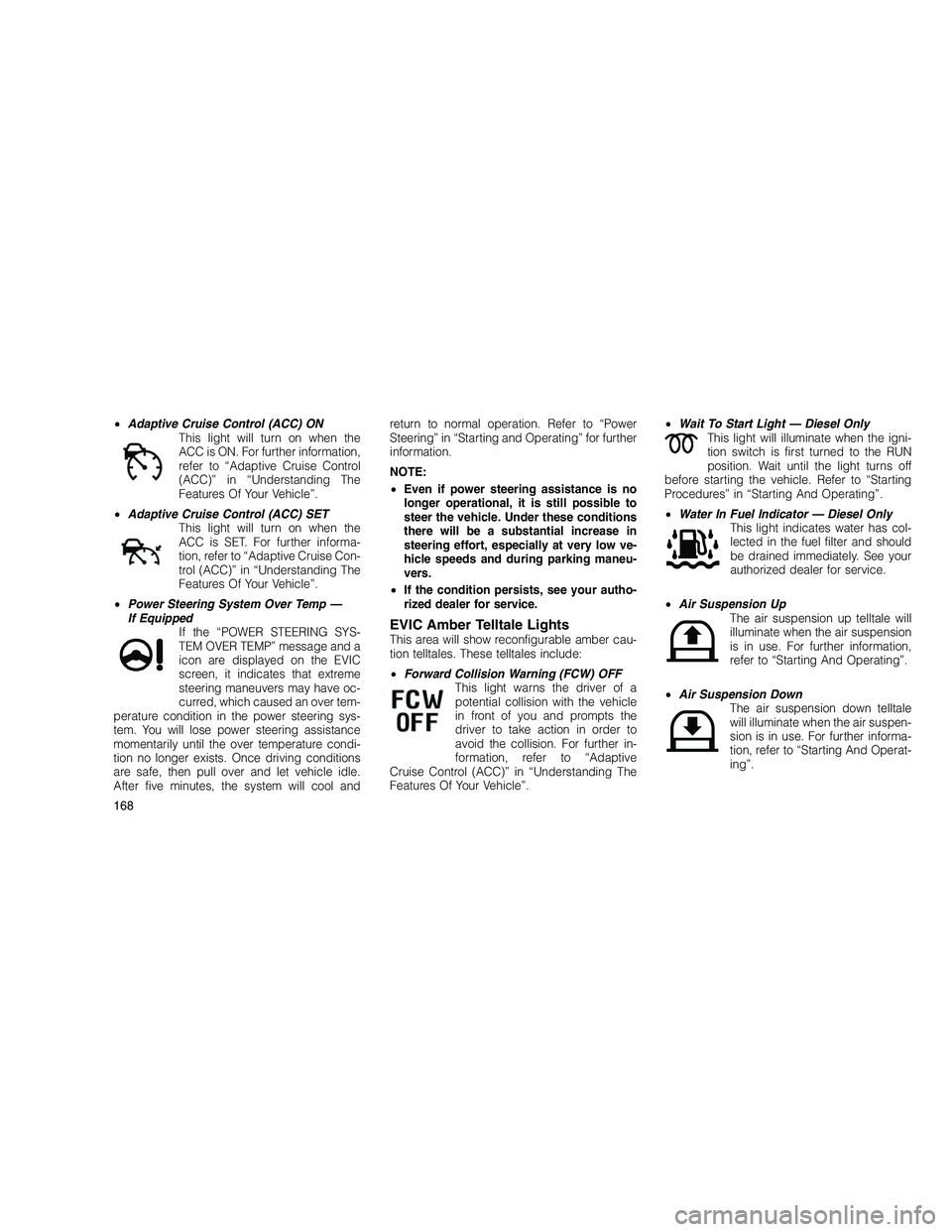
•Adaptive Cruise Control (ACC) ON
This light will turn on when the
ACC is ON. For further information,
refer to “Adaptive Cruise Control
(ACC)” in “Understanding The
Features Of Your Vehicle”.
• Adaptive Cruise Control (ACC) SET
This light will turn on when the
ACC is SET. For further informa-
tion, refer to “Adaptive Cruise Con-
trol (ACC)” in “Understanding The
Features Of Your Vehicle”.
• Power Steering System Over Temp —
If Equipped If the “POWER STEERING SYS-
TEM OVER TEMP” message and a
icon are displayed on the EVIC
screen, it indicates that extreme
steering maneuvers may have oc-
curred, which caused an over tem-
perature condition in the power steering sys-
tem. You will lose power steering assistance
momentarily until the over temperature condi-
tion no longer exists. Once driving conditions
are safe, then pull over and let vehicle idle.
After five minutes, the system will cool and return to normal operation. Refer to “Power
Steering” in “Starting and Operating” for further
information.
NOTE:
•
Even if power steering assistance is no
longer operational, it is still possible to
steer the vehicle. Under these conditions
there will be a substantial increase in
steering effort, especially at very low ve-
hicle speeds and during parking maneu-
vers.
• If the condition persists, see your autho-
rized dealer for service.
EVIC Amber Telltale LightsThis area will show reconfigurable amber cau-
tion telltales. These telltales include:
• Forward Collision Warning (FCW) OFF
This light warns the driver of a
potential collision with the vehicle
in front of you and prompts the
driver to take action in order to
avoid the collision. For further in-
formation, refer to “Adaptive
Cruise Control (ACC)” in “Understanding The
Features Of Your Vehicle”. •
Wait To Start Light — Diesel Only
This light will illuminate when the igni-
tion switch is first turned to the RUN
position. Wait until the light turns off
before starting the vehicle. Refer to “Starting
Procedures” in “Starting And Operating”.
• Water In Fuel Indicator — Diesel Only
This light indicates water has col-
lected in the fuel filter and should
be drained immediately. See your
authorized dealer for service.
• Air Suspension Up
The air suspension up telltale will
illuminate when the air suspension
is in use. For further information,
refer to “Starting And Operating”.
• Air Suspension Down
The air suspension down telltale
will illuminate when the air suspen-
sion is in use. For further informa-
tion, refer to “Starting And Operat-
ing”.
168
Page 184 of 350
has been deactivated. Refer to “Lights/
SmartBeam™ — If Equipped” in “Understand-
ing The Features Of Your Vehicle” for further
information.
Wiper Mode — If Equipped
When this feature is selected, the system will
automatically activate the windshield wipers if it
senses moisture on the windshield. To make
your selection, press and release the SELECT
button until a check-mark appears next to the
feature showing the system has been activated
or the check-mark is removed, showing the
system has been deactivated. When this fea-
ture is deactivated, the system reverts to the
standard intermittent wiper operation.
Hill Start Assist (HSA)
When this feature is selected, the HSA system
is active. Refer to “Electronic Brake Control
System” in “Starting And Operating” for system
function and operating information. To make
your selection, press and release the SELECT
button until a check-mark appears next to the
feature showing the system has been activated
or the check-mark is removed, showing the
system has been deactivated.Blind Spot Alert
There are three selections when operating
Blind Spot Alert. By pressing and releasing the
SELECT button once, the Blind Spot Alert fea-
ture can be activated in “Blind Spot: Lights
Only” mode. When this mode is selected the
Blind Spot Monitor (BSM) system is activated
and will only show a visual alert in the outside
mirrors. By pressing and releasing the SELECT
button a second time “Blind Spot: Lights/CHM”
mode is activated. In this mode the Blind Spot
Monitor (BSM) will show a visual alert in the
outside mirrors as well as an audible alert when
the turn signal is on. When “Blind Spot: Off” is
selected the Blind Spot Monitor (BSM) system
is deactivated.
NOTE:
If your vehicle has experienced any damage
in the area where the sensor is located, even
if the fascia is not damaged, the sensor may
have become misaligned. Take your vehicle
to an authorized dealer to verify sensor
alignment. Having a sensor that is mis-
aligned will result in the BSM not operating
to specification.
Forward Collision Warning
The Forward Collision Warning (FCW) feature
can be can be set to Far, set to Near or turned
Off. The default status of FCW is the Far setting.
This means the system will warn you of a
possible collision with the vehicle in front of you
when you are farther away. This gives you the
most reaction time. To change the setting for
more dynamic driving select the Near setting.
This warns you of a possible collision with the
vehicle in front of you when you are much
closer. This allows for a more dynamic driving
experience. To change FCW status press and
release the SELECT button until a check-mark
appears next to the feature showing the system
has been activated or the check-mark is re-
moved, showing the system has been deacti-
vated.
For further information, refer to ”Adaptive
Cruise Control (ACC)” in “Understanding The
Features Of Your Vehicle”.
180
Page 212 of 350
Overdrive Operation
The automatic transmission includes an elec-
tronically controlled Overdrive (fifth gear for
3.6L and 3.0L Diesel engine, fourth and fifth
gears for 5.7L engine). The transmission will
automatically shift to Overdrive, if the following
conditions are present:
•the shift lever is in DRIVE;
• the engine coolant has reached normal op-
erating temperature;
• vehicle speed is above approximately
30 mph (48 km/h);
• the TOW/HAUL switch has not been acti-
vated;
• transmission has reached normal operating
temperature.
NOTE:
If the vehicle is started in extremely cold
temperatures, the transmission may not
shift into Overdrive and will automatically
select the most desirable gear for operation
at this temperature. Normal operation will
resume when the transmission fluid tem-
perature has risen to a suitable level. Refer to the “Note” under “Torque Converter
Clutch” in this section.
During cold temperature operation you may
notice delayed upshifts, depending on en-
gine and transmission temperature. This
feature improves the warm-up time of the
engine and transmission.
If the transmission temperature gets ex-
tremely hot, the transmission will automati-
cally select the most desirable gear for op-
eration at this temperature. If the
transmission temperature becomes hot
enough, the “TRANSMISSION OVER TEMP”
message may display, and the transmission
may downshift out of Overdrive until the
transmission cools down. After cool down,
the transmission will resume normal opera-
tion.
The transmission will downshift from Overdrive,
to the most desirable gear, if the accelerator
pedal is fully pressed at vehicle speeds above
approximately 35 mph (56 km/h).
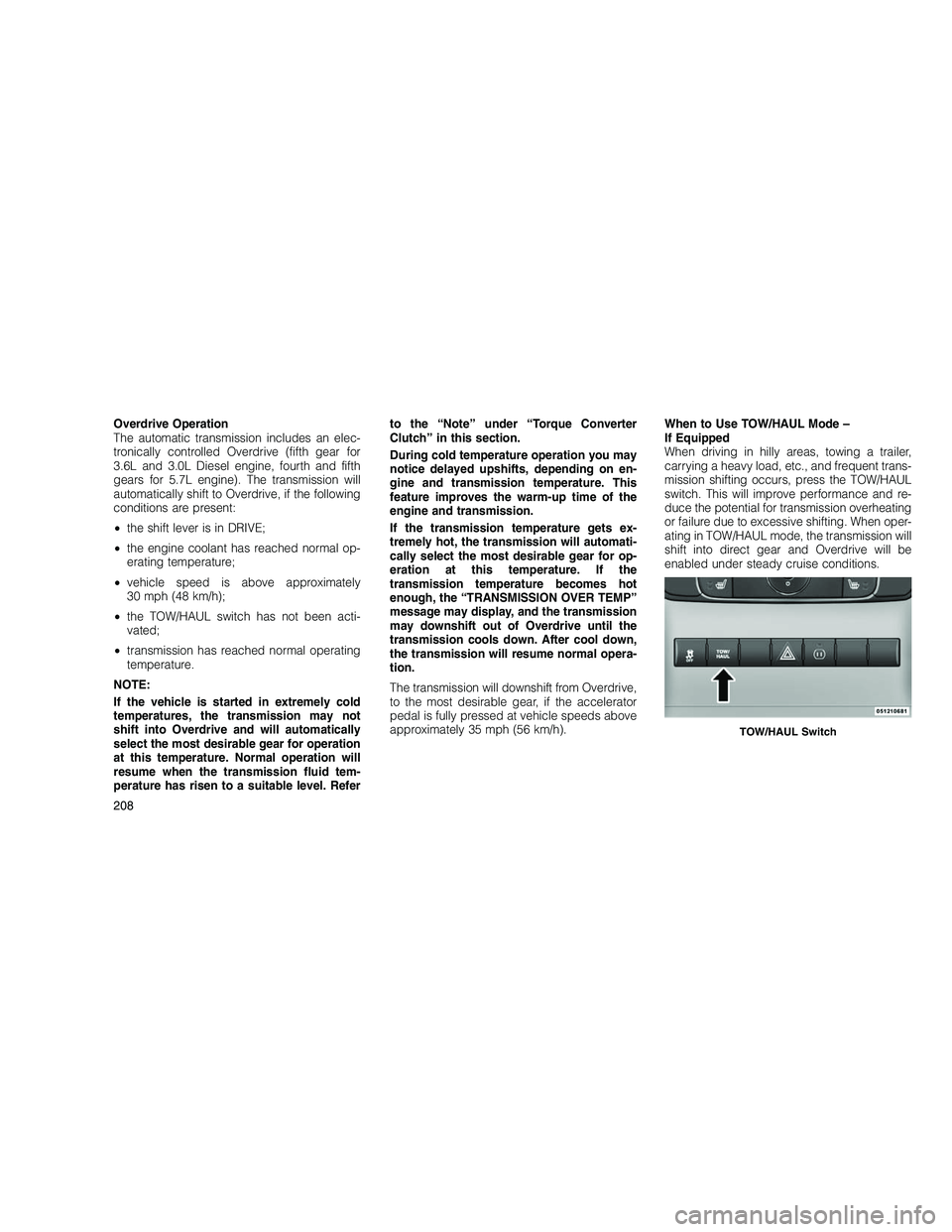
When to Use TOW/HAUL Mode –
If Equipped
When driving in hilly areas, towing a trailer,
carrying a heavy load, etc., and frequent trans-
mission shifting occurs, press the TOW/HAUL
switch. This will improve performance and re-
duce the potential for transmission overheating
or failure due to excessive shifting. When oper-
ating in TOW/HAUL mode, the transmission will
shift into direct gear and Overdrive will be
enabled under steady cruise conditions.
TOW/HAUL Switch
208
Page 295 of 350
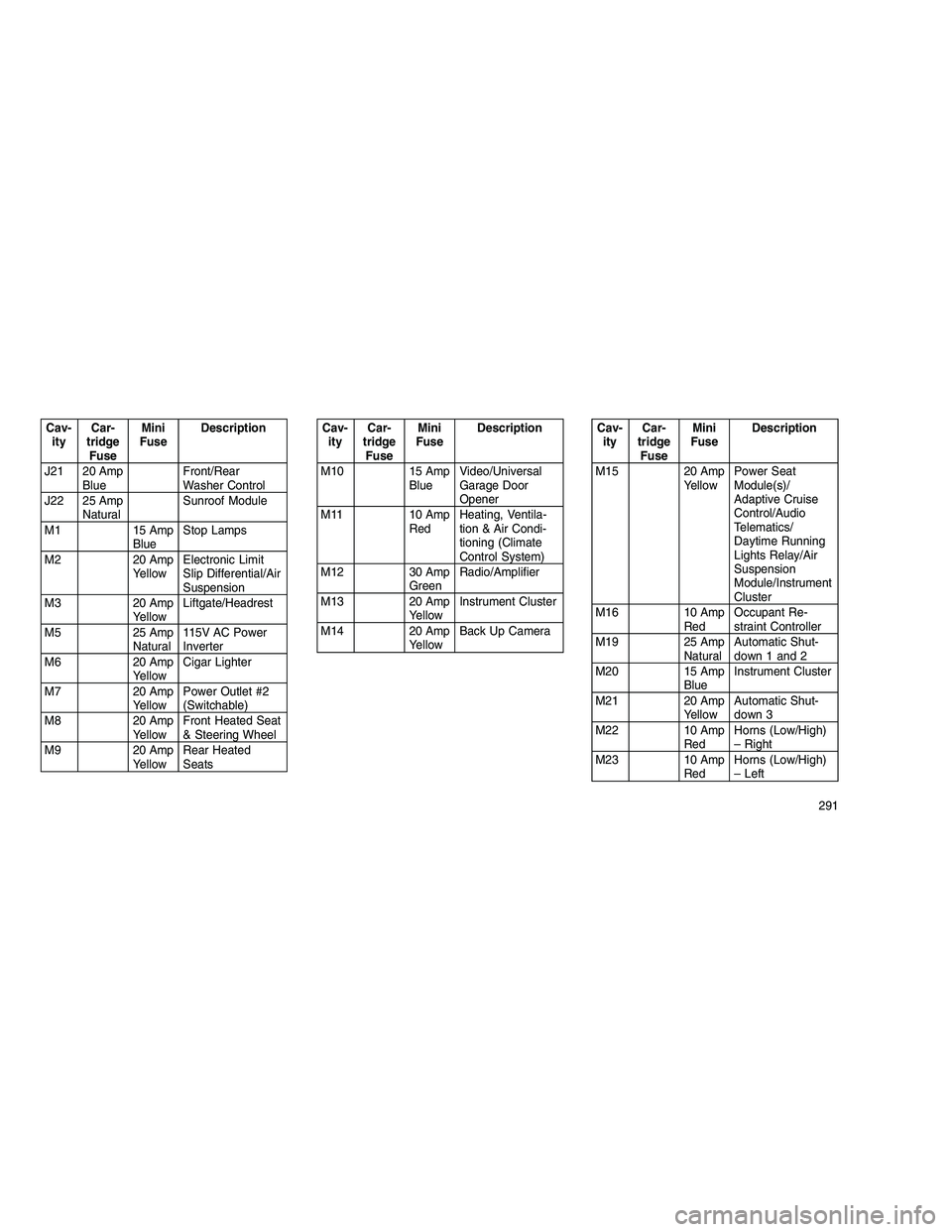
Cav-ity Car-
tridge Fuse Mini
Fuse Description
J21 20 Amp Blue Front/Rear
Washer Control
J22 25 Amp Natural Sunroof Module
M1 15 Amp BlueStop Lamps
M2 20 Amp YellowElectronic Limit
Slip Differential/Air
Suspension
M3 20 Amp YellowLiftgate/Headrest
M5 25 Amp Natural115V AC Power
Inverter
M6 20 Amp YellowCigar Lighter
M7 20 Amp YellowPower Outlet #2
(Switchable)
M8 20 Amp YellowFront Heated Seat
& Steering Wheel
M9 20 Amp YellowRear Heated
SeatsCav-
ity Car-
tridge Fuse Mini
Fuse Description
M10 15 Amp BlueVideo/Universal
Garage Door
Opener
M11 10 Amp RedHeating, Ventila-
tion & Air Condi-
tioning (Climate
Control System)
M12 30 Amp GreenRadio/Amplifier
M13 20 Amp YellowInstrument Cluster
M14 20 Amp YellowBack Up CameraCav-
ity Car-
tridge Fuse Mini
Fuse Description
M15 20 Amp YellowPower Seat
Module(s)/
Adaptive Cruise
Control/Audio
Telematics/
Daytime Running
Lights Relay/Air
Suspension
Module/Instrument
Cluster
M16 10 Amp RedOccupant Re-
straint Controller
M19 25 Amp NaturalAutomatic Shut-
down 1 and 2
M20 15 Amp BlueInstrument Cluster
M21 20 Amp YellowAutomatic Shut-
down 3
M22 10 Amp RedHorns (Low/High)
– Right
M23 10 Amp RedHorns (Low/High)
– Left
291
Page 340 of 350
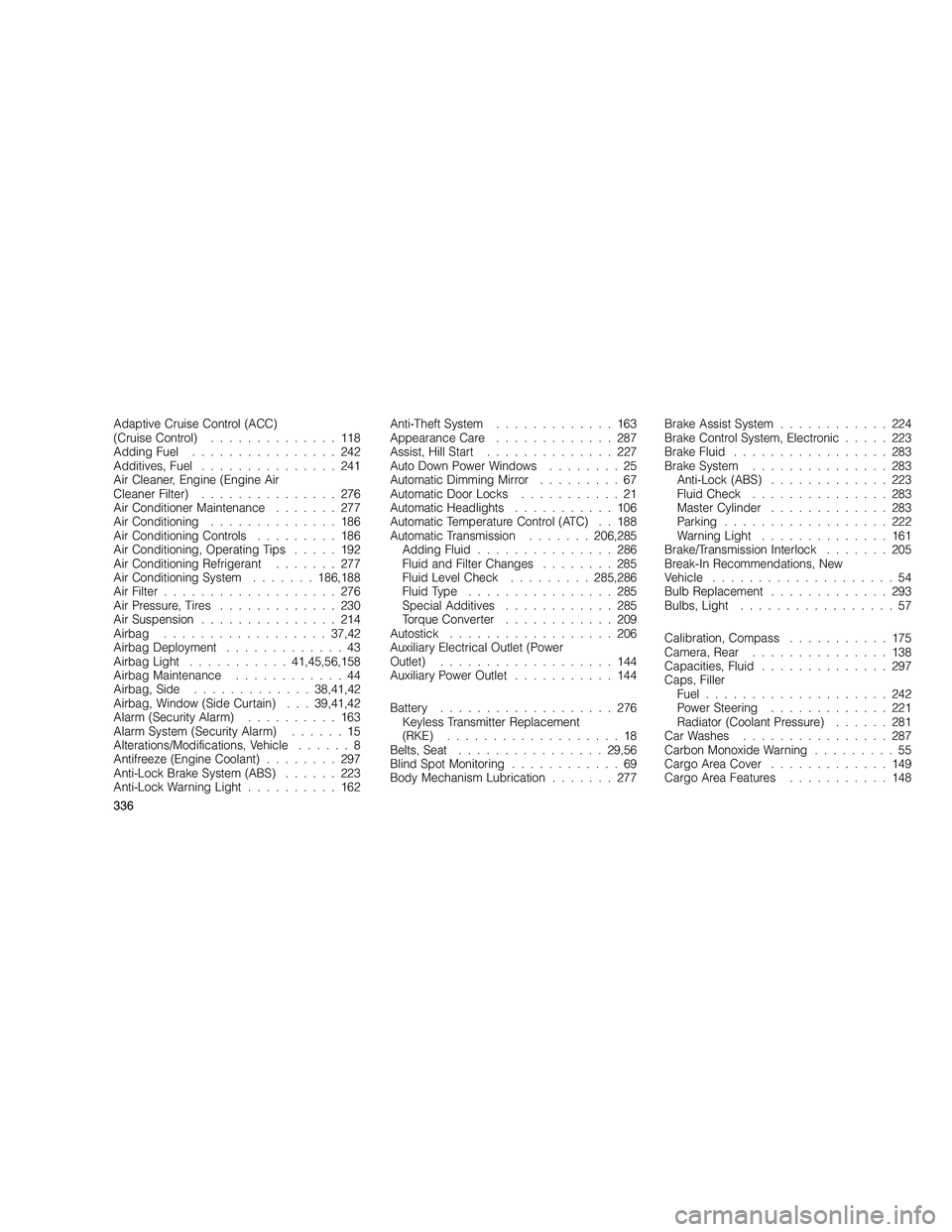
Adaptive Cruise Control (ACC)
(Cruise Control)..............118
Adding Fuel ................242
Additives, Fuel ...............241
Air Cleaner, Engine (Engine Air
Cleaner Filter) ...............276
Air Conditioner Maintenance .......277
Air Conditioning ..............186
Air Conditioning Controls .........186
Air Conditioning, Operating Tips .....192
Air Conditioning Refrigerant .......277
Air Conditioning System .......186,188
Air Filter ...................276
Air Pressure, Tires .............230
Air Suspension ...............214
Airbag .................. 37,42
Airbag Deployment .............43
Airbag Light ........... 41,45,56,158
Airbag Maintenance ............44
Airbag, Side ............. 38,41,42
Airbag, Window (Side Curtain) . . . 39,41,42
Alarm (Security Alarm) ..........163
Alarm System (Security Alarm) ......15
Alterations/Modifications, Vehicle ......8
Antifreeze (Engine Coolant) ........297
Anti-Lock Brake System (ABS) ......223
Anti-Lock Warning Light ..........162 Anti-Theft System
.............163
Appearance Care .............287
Assist, Hill Start ..............227
Auto Down Power Windows ........25
Automatic Dimming Mirror .........67
Automatic Door Locks ...........21
Automatic Headlights ...........106
Automatic Temperature Control (ATC) . . 188
Automatic Transmission .......206,285
Adding Fluid ...............286
Fluid and Filter Changes ........285
Fluid Level Check .........285,286
Fluid Type ................285
Special Additives ............285
Torque Converter ............209
Autostick ..................206
Auxiliary Electrical Outlet (Power
Outlet) ...................144
Auxiliary Power Outlet ...........144
Battery ...................276
Keyless Transmitter Replacement
(RKE) ...................18
Belts, Seat ................ 29,56
Blind Spot Monitoring ............69
Body Mechanism Lubrication .......277Brake Assist System............224
Brake Control System, Electronic .....223
Brake Fluid .................283
Brake System ...............283
Anti-Lock (ABS) .............223
Fluid Check ...............283
Master Cylinder .............283
Parking ..................222
Warning Light ..............161
Brake/Transmission Interlock .......205
Break-In Recommendations, New
Vehicle ....................54
Bulb Replacement .............293
Bulbs, Light .................57
Calibration, Compass ...........175
Camera, Rear ...............138
Capacities, Fluid ..............297
Caps, Filler Fuel ....................242
Power Steering .............221
Radiator (Coolant Pressure) ......281
Car Washes ................287
Carbon Monoxide Warning .........55
Cargo Area Cover .............149
Cargo Area Features ...........148
336
Page 341 of 350
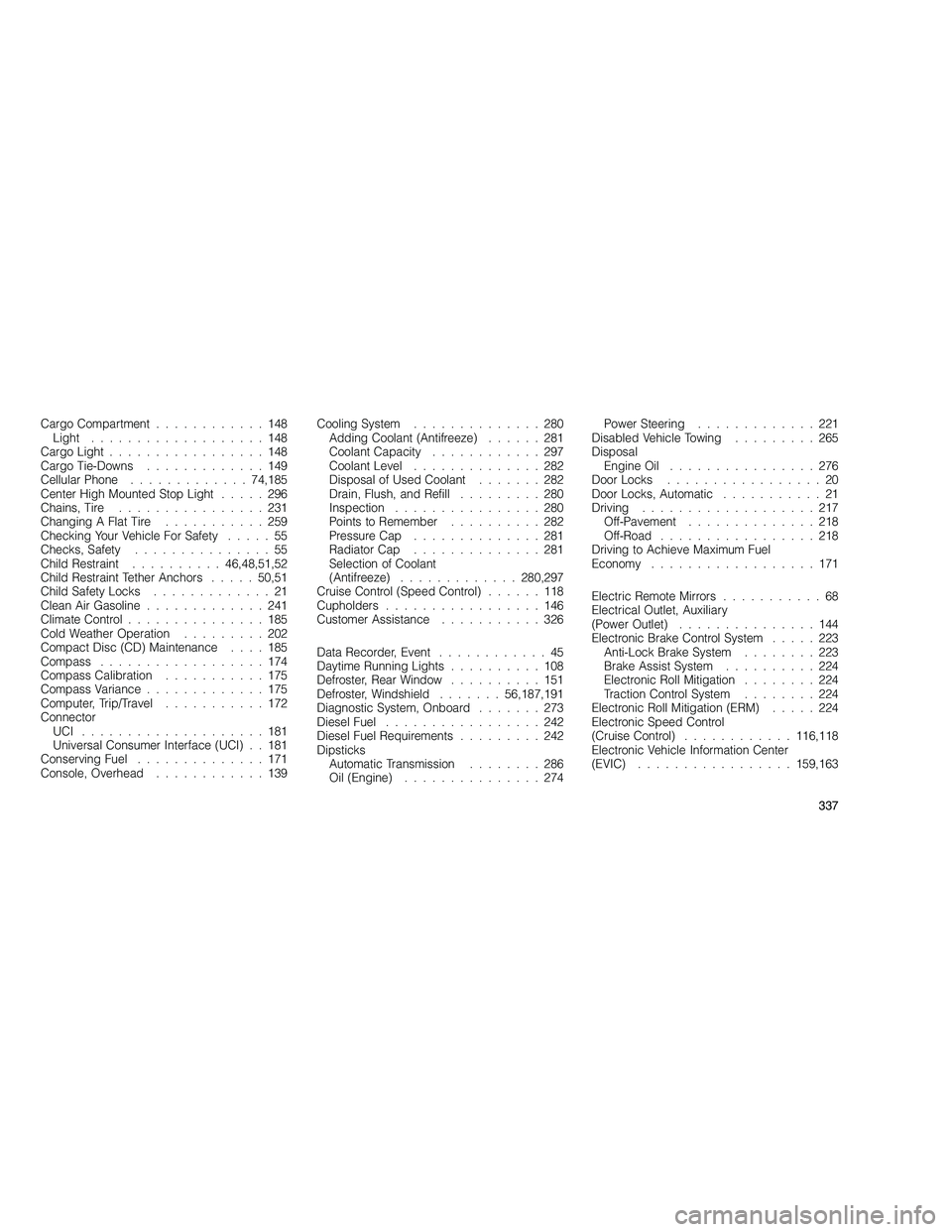
Cargo Compartment............148
Light ...................148
Cargo Light .................148
Cargo Tie-Downs .............149
Cellular Phone ............. 74,185
Center High Mounted Stop Light .....296
Chains, Tire ................231
Changing A Flat Tire ...........259
Checking Your Vehicle For Safety .....55
Checks, Safety ...............55
Child Restraint .......... 46,48,51,52
Child Restraint Tether Anchors .....50,51
Child Safety Locks .............21
Clean Air Gasoline .............241
Climate Control ...............185
Cold Weather Operation .........202
Compact Disc (CD) Maintenance ....185
Compass ..................174
Compass Calibration ...........175
Compass Variance .............175
Computer, Trip/Travel ...........172
Connector UCI ....................181
Universal Consumer Interface (UCI) . . 181
Conserving Fuel ..............171
Console, Overhead ............139 Cooling System
..............280
Adding Coolant (Antifreeze) ......281
Coolant Capacity ............297
Coolant Level ..............282
Disposal of Used Coolant .......282
Drain, Flush, and Refill .........280
Inspection ................280
Points to Remember ..........282
Pressure Cap ..............281
Radiator Cap ..............281
Selection of Coolant
(Antifreeze) ............. 280,297
Cruise Control (Speed Control) ......118
Cupholders .................146
Customer Assistance ...........326
Data Recorder, Event ............45
Daytime Running Lights ..........108
Defroster, Rear Window ..........151
Defroster, Windshield .......56,187,191
Diagnostic System, Onboard .......273
Diesel Fuel .................242
Diesel Fuel Requirements .........242
Dipsticks Automatic Transmission ........286
Oil (Engine) ...............274 Power Steering.............221
Disabled Vehicle Towing .........265
Disposal Engine Oil ................276
Door Locks .................20
Door Locks, Automatic ...........21
Driving ...................217
Off-Pavement ..............218
Off-Road .................218
Driving to Achieve Maximum Fuel
Economy ..................171
Electric Remote Mirrors ...........68
Electrical Outlet, Auxiliary
(Power Outlet) ...............144
Electronic Brake Control System .....223
Anti-Lock Brake System ........223
Brake Assist System ..........224
Electronic Roll Mitigation ........224
Traction Control System ........224
Electronic Roll Mitigation (ERM) .....224
Electronic Speed Control
(Cruise Control) ............ 116,118
Electronic Vehicle Information Center
(EVIC) ................. 159,163
337