air condition JEEP GRAND CHEROKEE 2011 Owner handbook (in English)
[x] Cancel search | Manufacturer: JEEP, Model Year: 2011, Model line: GRAND CHEROKEE, Model: JEEP GRAND CHEROKEE 2011Pages: 350, PDF Size: 4.58 MB
Page 163 of 350
than 30 mph (48 km/h), see your authorized
dealer as soon as possible to have the problem
diagnosed and corrected.
NOTE:
•The “ESC Off Indicator Light” and the
“ESC Activation/Malfunction Indicator
Light” come on momentarily each time
the ignition switch is turned to ON/RUN.
• Each time the ignition is turned to ON/
RUN, the ESC system will be ON even if it
was turned off previously.
• The ESC system will make buzzing or
clicking sounds when it is active. This is
normal; the sounds will stop when ESC
becomes inactive following the maneuver
that caused the ESC activation.
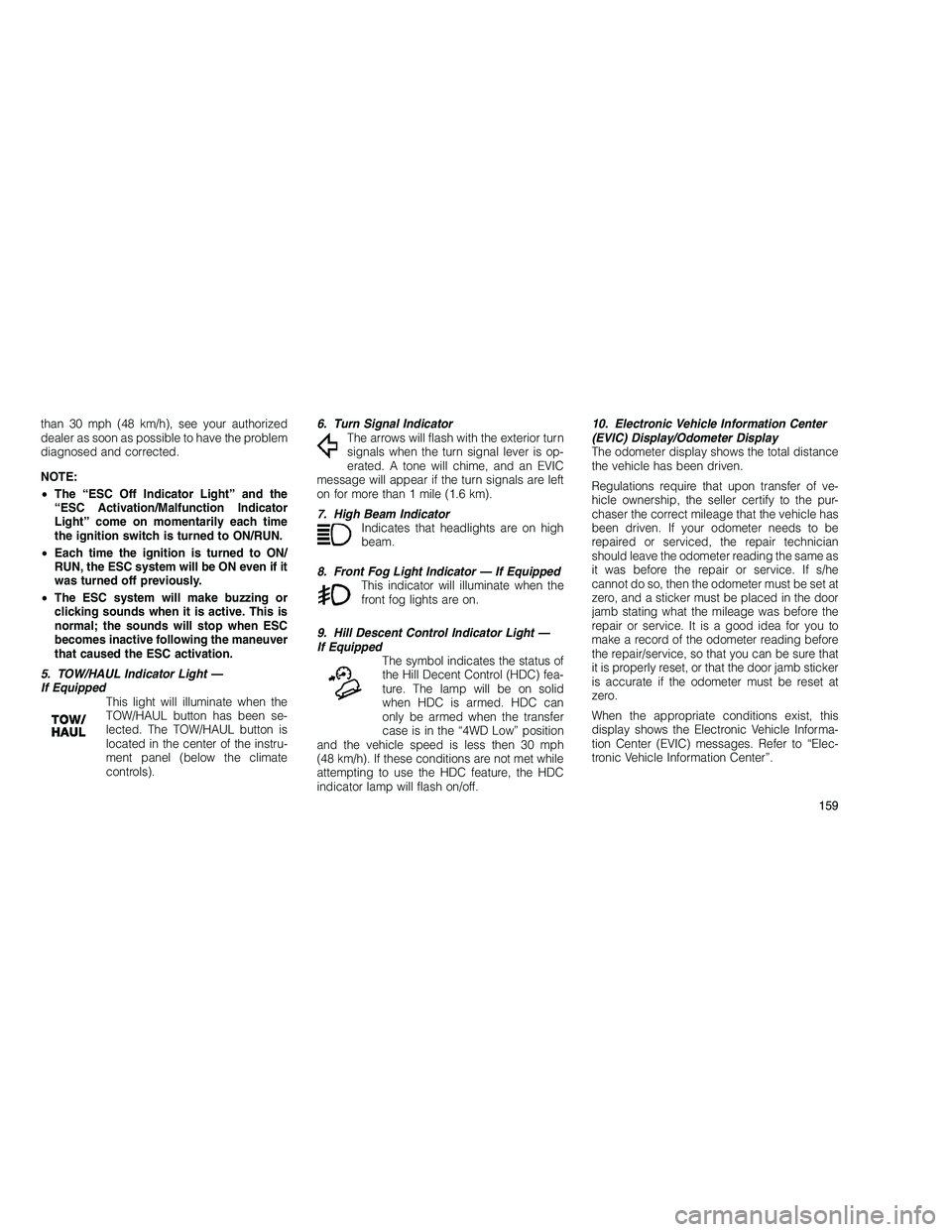
5. TOW/HAUL Indicator Light —
If Equipped This light will illuminate when the
TOW/HAUL button has been se-
lected. The TOW/HAUL button is
located in the center of the instru-
ment panel (below the climate
controls). 6. Turn Signal Indicator
The arrows will flash with the exterior turn
signals when the turn signal lever is op-
erated. A tone will chime, and an EVIC
message will appear if the turn signals are left
on for more than 1 mile (1.6 km).
7. High Beam Indicator Indicates that headlights are on high
beam.
8. Front Fog Light Indicator — If Equipped This indicator will illuminate when the
front fog lights are on.
9. Hill Descent Control Indicator Light —
If Equipped The symbol indicates the status of
the Hill Decent Control (HDC) fea-
ture. The lamp will be on solid
when HDC is armed. HDC can
only be armed when the transfer
case is in the “4WD Low” position
and the vehicle speed is less then 30 mph
(48 km/h). If these conditions are not met while
attempting to use the HDC feature, the HDC
indicator lamp will flash on/off. 10. Electronic Vehicle Information Center
(EVIC) Display/Odometer Display
The odometer display shows the total distance
the vehicle has been driven.
Regulations require that upon transfer of ve-
hicle ownership, the seller certify to the pur-
chaser the correct mileage that the vehicle has
been driven. If your odometer needs to be
repaired or serviced, the repair technician
should leave the odometer reading the same as
it was before the repair or service. If s/he
cannot do so, then the odometer must be set at
zero, and a sticker must be placed in the door
jamb stating what the mileage was before the
repair or service. It is a good idea for you to
make a record of the odometer reading before
the repair/service, so that you can be sure that
it is properly reset, or that the door jamb sticker
is accurate if the odometer must be reset at
zero.
When the appropriate conditions exist, this
display shows the Electronic Vehicle Informa-
tion Center (EVIC) messages. Refer to “Elec-
tronic Vehicle Information Center”.
159
Page 165 of 350
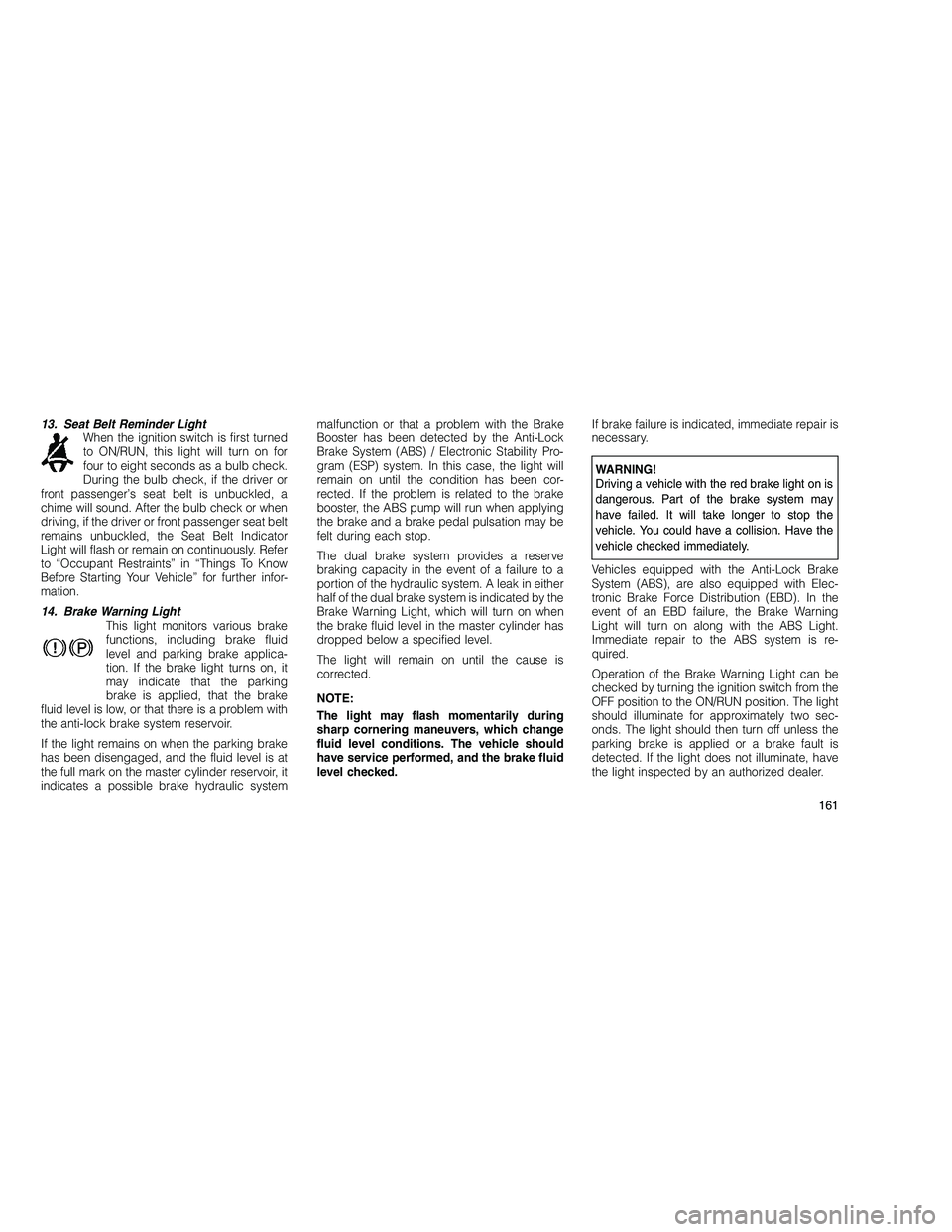
13. Seat Belt Reminder LightWhen the ignition switch is first turned
to ON/RUN, this light will turn on for
four to eight seconds as a bulb check.
During the bulb check, if the driver or
front passenger’s seat belt is unbuckled, a
chime will sound. After the bulb check or when
driving, if the driver or front passenger seat belt
remains unbuckled, the Seat Belt Indicator
Light will flash or remain on continuously. Refer
to “Occupant Restraints” in “Things To Know
Before Starting Your Vehicle” for further infor-
mation.
14. Brake Warning Light This light monitors various brake
functions, including brake fluid
level and parking brake applica-
tion. If the brake light turns on, it
may indicate that the parking
brake is applied, that the brake
fluid level is low, or that there is a problem with
the anti-lock brake system reservoir.
If the light remains on when the parking brake
has been disengaged, and the fluid level is at
the full mark on the master cylinder reservoir, it
indicates a possible brake hydraulic system malfunction or that a problem with the Brake
Booster has been detected by the Anti-Lock
Brake System (ABS) / Electronic Stability Pro-
gram (ESP) system. In this case, the light will
remain on until the condition has been cor-
rected. If the problem is related to the brake
booster, the ABS pump will run when applying
the brake and a brake pedal pulsation may be
felt during each stop.
The dual brake system provides a reserve
braking capacity in the event of a failure to a
portion of the hydraulic system. A leak in either
half of the dual brake system is indicated by the
Brake Warning Light, which will turn on when
the brake fluid level in the master cylinder has
dropped below a specified level.
The light will remain on until the cause is
corrected.
NOTE:
The light may flash momentarily during
sharp cornering maneuvers, which change
fluid level conditions. The vehicle should
have service performed, and the brake fluid
level checked.
If brake failure is indicated, immediate repair is
necessary.
WARNING!
Driving a vehicle with the red brake light on is
dangerous. Part of the brake system may
have failed. It will take longer to stop the
vehicle. You could have a collision. Have the
vehicle checked immediately.
Vehicles equipped with the Anti-Lock Brake
System (ABS), are also equipped with Elec-
tronic Brake Force Distribution (EBD). In the
event of an EBD failure, the Brake Warning
Light will turn on along with the ABS Light.
Immediate repair to the ABS system is re-
quired.
Operation of the Brake Warning Light can be
checked by turning the ignition switch from the
OFF position to the ON/RUN position. The light
should illuminate for approximately two sec-
onds. The light should then turn off unless the
parking brake is applied or a brake fault is
detected. If the light does not illuminate, have
the light inspected by an authorized dealer.
161
Page 167 of 350
23. Electronic Stability Control (ESC) OFF
Indicator Light — If EquippedThis light indicates the Electronic
Stability Control (ESC) is off.
24. Vehicle Security Light This light will flash rapidly for ap-
proximately 15 seconds when the
vehicle theft alarm is arming. The
light will flash at a slower speed
continuously after the alarm is set.
The security light will also come on
for about three seconds when the ignition is first
turned on.
25. Temperature Gauge
The temperature gauge shows engine coolant
temperature. Any reading within the normal
range indicates that the engine cooling system
is operating satisfactorily.
The gauge pointer will likely indicate a higher
temperature when driving in hot weather, up
mountain grades, or when towing a trailer. It should not be allowed to exceed the upper
limits of the normal operating range.
CAUTION!
Driving with a hot engine cooling system could
damage your vehicle. If the temperature
gauge reads “H” pull over and stop the ve-
hicle. Idle the vehicle with the air conditioner
turned off until the pointer drops back into the
normal range. If the pointer remains on the “H”
and you hear continuous chimes, turn the
engine off immediately, and call an authorized
dealership for service.
WARNING!
A hot engine cooling system is dangerous.
You or others could be badly burned by steam
or boiling coolant. You may want to call an
authorized dealership for service if your ve-
hicle overheats. If you decide to look under
the hood yourself, see “Maintaining Your Ve-
hicle”. Follow the warnings under the Cooling
System Pressure Cap paragraph.26. Rear Fog Light Indicator
This indicator will illuminate when the
rear fog lights are on.
ELECTRONIC VEHICLE
INFORMATION CENTER (EVIC)
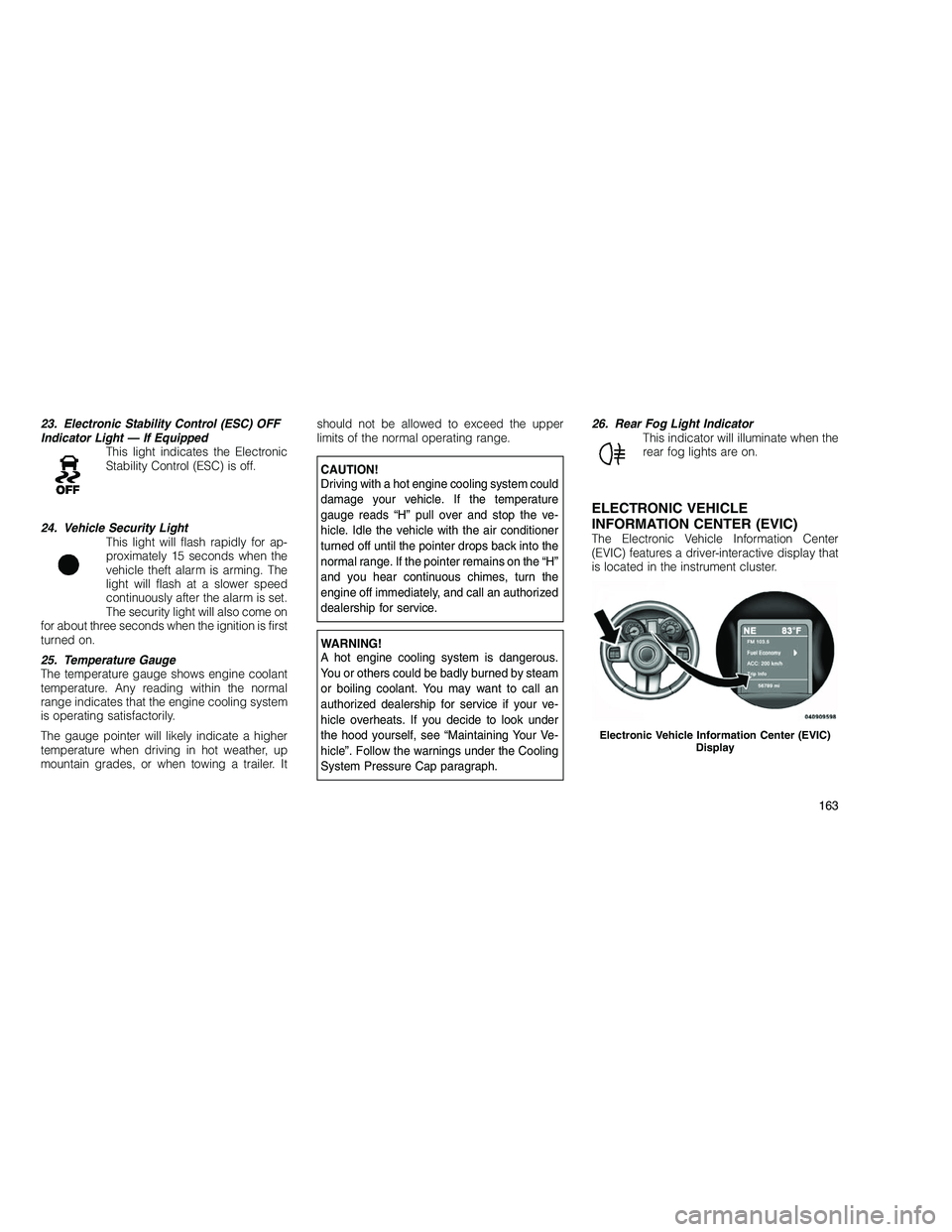
The Electronic Vehicle Information Center
(EVIC) features a driver-interactive display that
is located in the instrument cluster.
Electronic Vehicle Information Center (EVIC)
Display
163
Page 172 of 350
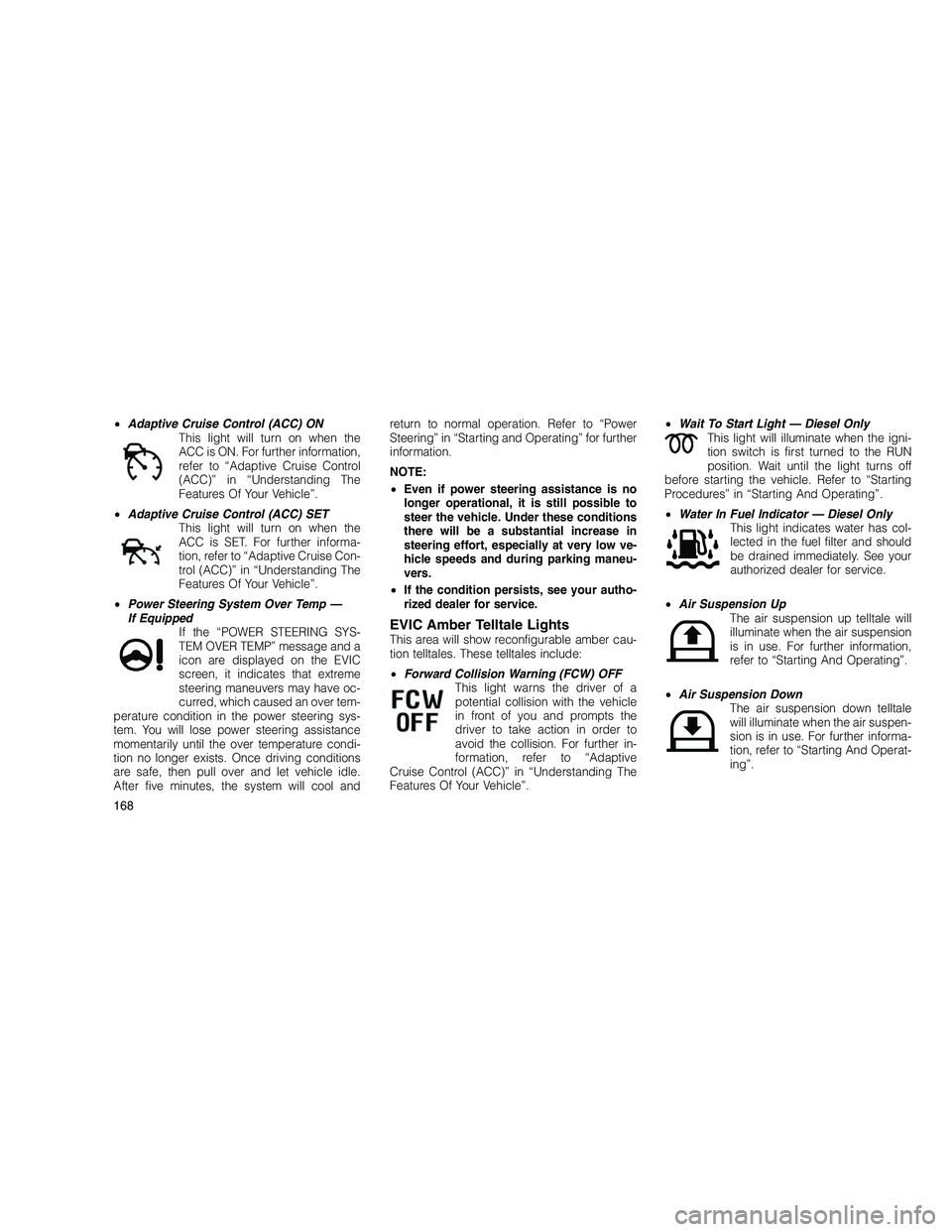
•Adaptive Cruise Control (ACC) ON
This light will turn on when the
ACC is ON. For further information,
refer to “Adaptive Cruise Control
(ACC)” in “Understanding The
Features Of Your Vehicle”.
• Adaptive Cruise Control (ACC) SET
This light will turn on when the
ACC is SET. For further informa-
tion, refer to “Adaptive Cruise Con-
trol (ACC)” in “Understanding The
Features Of Your Vehicle”.
• Power Steering System Over Temp —
If Equipped If the “POWER STEERING SYS-
TEM OVER TEMP” message and a
icon are displayed on the EVIC
screen, it indicates that extreme
steering maneuvers may have oc-
curred, which caused an over tem-
perature condition in the power steering sys-
tem. You will lose power steering assistance
momentarily until the over temperature condi-
tion no longer exists. Once driving conditions
are safe, then pull over and let vehicle idle.
After five minutes, the system will cool and return to normal operation. Refer to “Power
Steering” in “Starting and Operating” for further
information.
NOTE:
•
Even if power steering assistance is no
longer operational, it is still possible to
steer the vehicle. Under these conditions
there will be a substantial increase in
steering effort, especially at very low ve-
hicle speeds and during parking maneu-
vers.
• If the condition persists, see your autho-
rized dealer for service.
EVIC Amber Telltale LightsThis area will show reconfigurable amber cau-
tion telltales. These telltales include:
• Forward Collision Warning (FCW) OFF
This light warns the driver of a
potential collision with the vehicle
in front of you and prompts the
driver to take action in order to
avoid the collision. For further in-
formation, refer to “Adaptive
Cruise Control (ACC)” in “Understanding The
Features Of Your Vehicle”. •
Wait To Start Light — Diesel Only
This light will illuminate when the igni-
tion switch is first turned to the RUN
position. Wait until the light turns off
before starting the vehicle. Refer to “Starting
Procedures” in “Starting And Operating”.
• Water In Fuel Indicator — Diesel Only
This light indicates water has col-
lected in the fuel filter and should
be drained immediately. See your
authorized dealer for service.
• Air Suspension Up
The air suspension up telltale will
illuminate when the air suspension
is in use. For further information,
refer to “Starting And Operating”.
• Air Suspension Down
The air suspension down telltale
will illuminate when the air suspen-
sion is in use. For further informa-
tion, refer to “Starting And Operat-
ing”.
168
Page 189 of 350
the left-hand control is different depending on
which mode you are in.
The following describes the left-hand control
operation in each mode.
Radio OperationPressing the top of the switch will “Seek” up for
the next listenable station and pressing the
bottom of the switch will “Seek” down for the
next listenable station.
The button located in the center of the left-hand
control will tune to the next preset station that
you have programmed in the radio preset
pushbutton.
CD PlayerPressing the top of the switch once will go to
the next track on the CD. Pressing the bottom of
the switch once will go to the beginning of the
current track, or to the beginning of the previ-
ous track if it is within one second after the
current track begins to play.
If you press the switch up or down twice, it
plays the second track; three times, it will play
the third, etc.The center button on the left side rocker switch
has no function for a single-disc CD player.
However, when a multiple-disc CD player is
equipped on the vehicle, the center button will
select the next available CD in the player.
CD/DVD DISC MAINTENANCETo keep a CD/DVD in good condition, take the
following precautions:
1. Handle the disc by its edge; avoid touching
the surface.
2. If the disc is stained, clean the surface with
a soft cloth, wiping from center to edge.
3. Do not apply paper or tape to the disc; avoid
scratching the disc.
4. Do not use solvents such as benzene, thin-
ner, cleaners, or anti-static sprays.
5. Store the disc in its case after playing.
6. Do not expose the disc to direct sunlight.
7. Do not store the disc where temperatures
may become too high.
NOTE:
If you experience difficulty in playing a par-
ticular disc, it may be damaged (i.e.,
scratched, reflective coating removed, a
hair, moisture or dew on the disc) oversized,
or have protection encoding. Try a known
good disc before considering disc player
service.
RADIO OPERATION AND MOBILE
PHONES
Under certain conditions, the mobile phone
being on in your vehicle can cause erratic or
noisy performance from your radio. This condi-
tion may be lessened or eliminated by relocat-
ing the mobile phone antenna. This condition is
not harmful to the radio. If your radio perfor-
mance does not satisfactorily “clear” by the
repositioning of the antenna, it is recom-
mended that the radio volume be turned down
or off during mobile phone operation.
CLIMATE CONTROLSThe Air Conditioning and Heating System is
designed to make you comfortable in all types
of weather.
185
Page 190 of 350
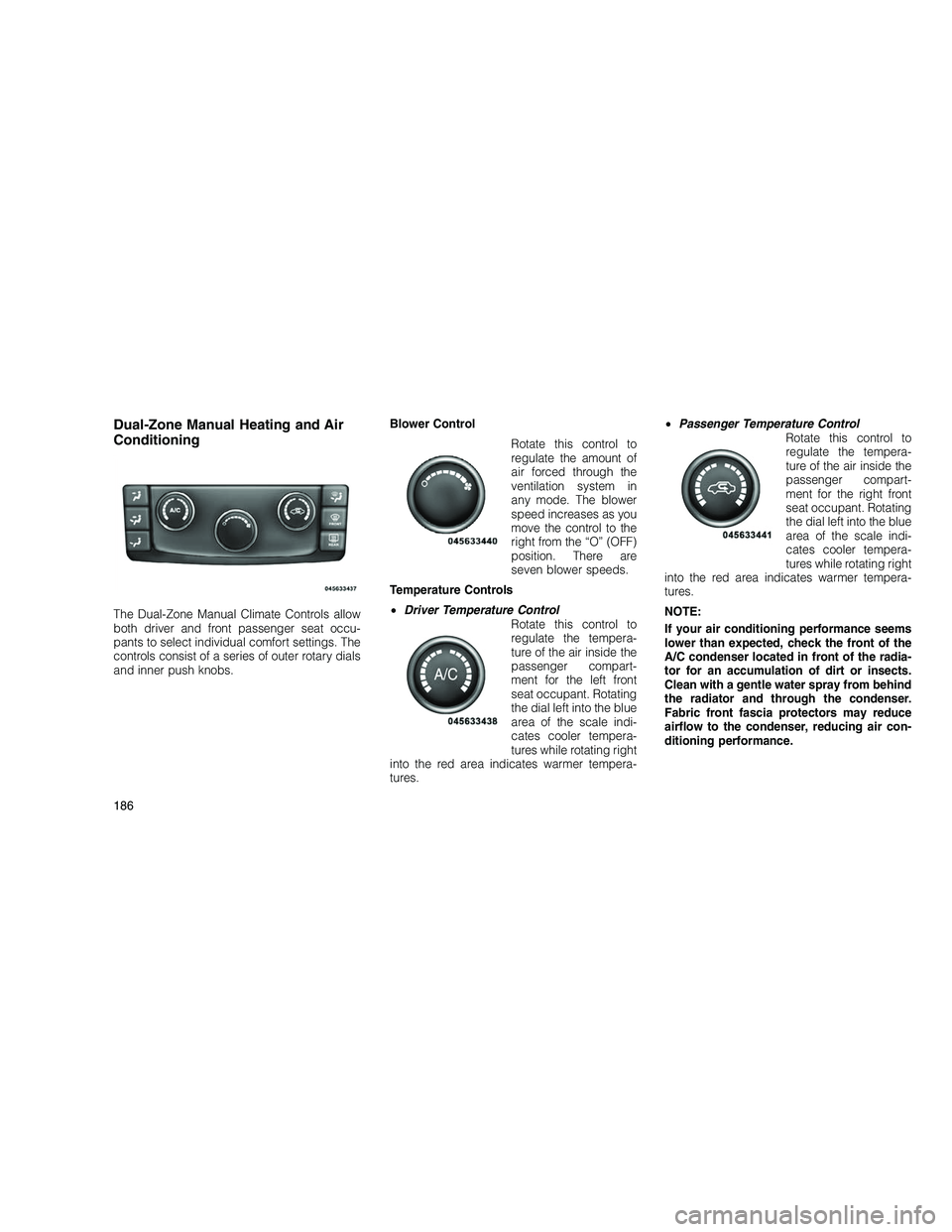
Dual-Zone Manual Heating and Air
Conditioning
The Dual-Zone Manual Climate Controls allow
both driver and front passenger seat occu-
pants to select individual comfort settings. The
controls consist of a series of outer rotary dials
and inner push knobs.Blower Control
Rotate this control to
regulate the amount of
air forced through the
ventilation system in
any mode. The blower
speed increases as you
move the control to the
right from the “O” (OFF)
position. There are
seven blower speeds.
Temperature Controls
• Driver Temperature Control
Rotate this control to
regulate the tempera-
ture of the air inside the
passenger compart-
ment for the left front
seat occupant. Rotating
the dial left into the blue
area of the scale indi-
cates cooler tempera-
tures while rotating right
into the red area indicates warmer tempera-
tures. •
Passenger Temperature Control
Rotate this control to
regulate the tempera-
ture of the air inside the
passenger compart-
ment for the right front
seat occupant. Rotating
the dial left into the blue
area of the scale indi-
cates cooler tempera-
tures while rotating right
into the red area indicates warmer tempera-
tures.
NOTE:
If your air conditioning performance seems
lower than expected, check the front of the
A/C condenser located in front of the radia-
tor for an accumulation of dirt or insects.
Clean with a gentle water spray from behind
the radiator and through the condenser.
Fabric front fascia protectors may reduce
airflow to the condenser, reducing air con-
ditioning performance.
186
Page 191 of 350
Mode Control (Air Direction)
Push the mode control buttons to choose from
several patterns of air distribution.
PanelAir is directed through the outlets in the
instrument panel. These outlets can be
adjusted to direct airflow.
NOTE:
The center instrument panel outlets can be
aimed so that they are directed toward the
rear seat passengers for maximum airflow
to the rear.
Bi-Level Air is directed through the panel and
floor outlets.
NOTE:
For all settings except full cold or full hot,
there is a difference in temperature between
the upper and lower outlets. The warmer air
flows to the floor outlets. This feature gives
improved comfort during sunny but cool
conditions. Floor
Air is directed through the floor outlets
with a small amount flowing through the
defrost and side window demist outlets.
Mix Air is directed through the floor, defrost,
and side window demist outlets. This
setting works best in cold or snowy
conditions that require extra heat to the
windshield. This setting is good for maintaining
comfort while reducing moisture on the wind-
shield.
Defrost Air is directed through the windshield
and side window demist outlets. Use
this mode with maximum blower and
temperature settings for best windshield and
side window defrosting.
NOTE:
• In Floor, Mix and Defrost modes a small
amount of air will flow through the out-
board panel outlets for occupant comfort.
• The air conditioning compressor oper-
ates in Mix, Defrost, or a blend of these
modes, even if the Air Conditioning (A/C) button is not pressed. This dehumidifies
the air to help dry the windshield. To
improve fuel economy, use these modes
only when necessary.
Recirculation Control Pressing the Recirculation Control
button will put the system in recir-
culation mode. This can be used
when outside conditions such as
smoke, odors, dust, or high humid-
ity are present. Activating recircu-
lation will cause the LED in the control button to
illuminate.
NOTE:
• Continuous use of the recirculation mode
may make the inside air stuffy and win-
dow fogging may occur. Extended use of
this mode is not recommended.
• The use of the recirculation mode in cold
or damp weather could cause windows to
fog on the inside, because of moisture
buildup inside the vehicle. Select the Out-
side Air position for maximum defogging.
• The A/C will engage automatically to pre-
vent fogging when the recirculation but-
187
Page 192 of 350
ton is pressed and the mode control is set
to panel or panel / floor.
• The A/C can be deselected manually with-
out disturbing the mode control selection.
• When the ignition switch is turned to the
LOCK position or the ignition switch
START/STOP button is cycled to OFF, the
recirculation feature will be cancelled.
Air Conditioning Control Press this button to en-
gage the Air Condition-
ing. A light will illumi-
nate when the Air
Conditioning System is
engaged. Rotating the
dial left into the blue
area of the scale indi-
cates cooler tempera-
tures while rotating right
into the red area indicates warmer tempera-
tures.
NOTE:
The air conditioning compressor will not
engage until the engine has been running
for about 10 seconds. •
MAX A/C
For maximum cooling use the A/C and recircu-
lation buttons at the same time.
• ECONOMY MODE
If economy mode is desired, press the A/C
button to turn OFF the indicator light and the
A/C compressor. Then, move the temperature
control to the desired temperature.
Dual-Zone Automatic Temperature
Control (ATC) — If Equipped
• The Automatic Temperature Control (ATC)
allows both driver and front passenger seat
occupants to select individual comfort set-
tings.
• When occupants in the vehicle select an
Auto mode operation, Auto blower operation
is set by using a push button on the control
unit and a comfort temperature setting by
using the temperature up and down buttons.
• The system provides set-and-forget opera-
tion for optimum comfort and convenience.
• The system can be controlled manually, if
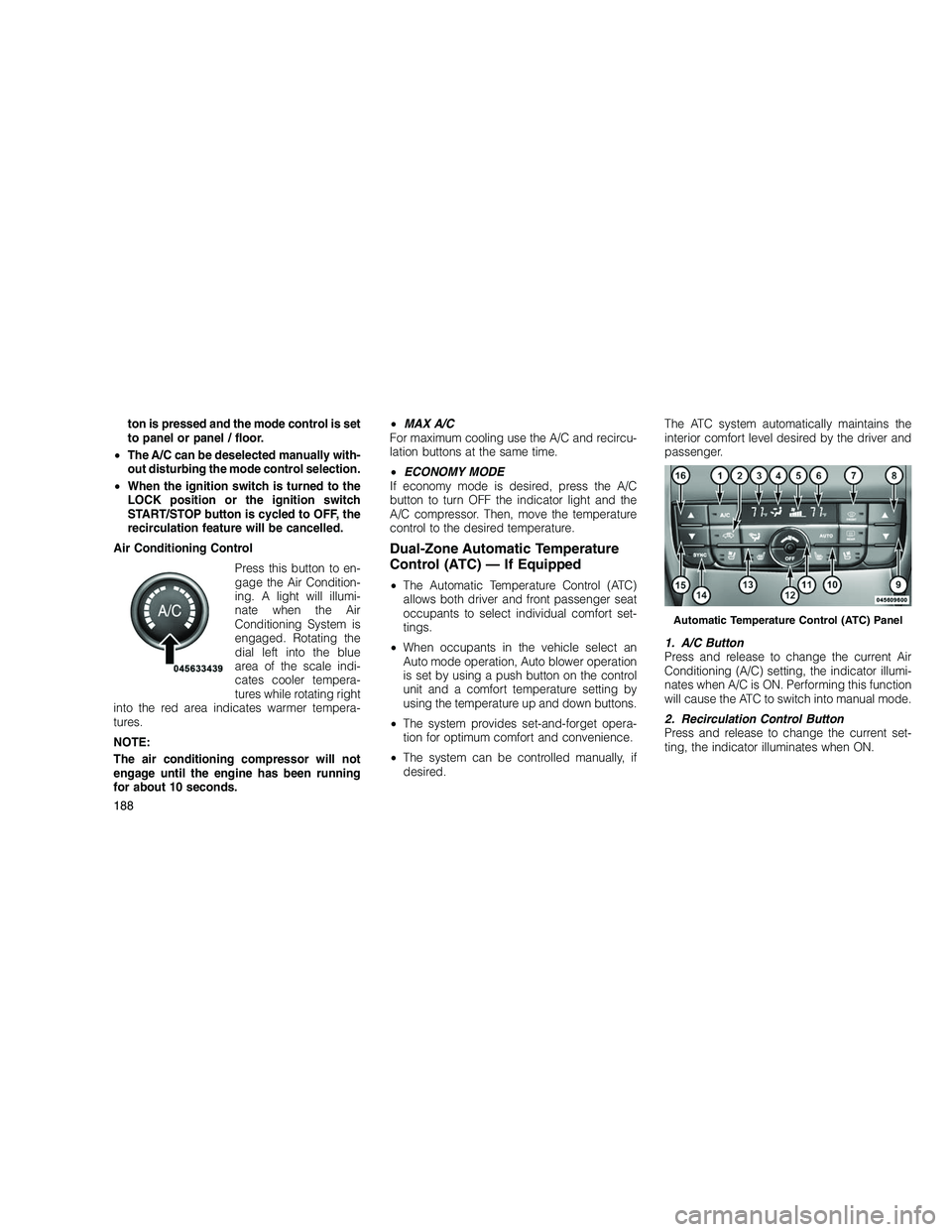
desired. The ATC system automatically maintains the
interior comfort level desired by the driver and
passenger.
1. A/C Button
Press and release to change the current Air
Conditioning (A/C) setting, the indicator illumi-
nates when A/C is ON. Performing this function
will cause the ATC to switch into manual mode.
2. Recirculation Control Button
Press and release to change the current set-
ting, the indicator illuminates when ON.
Automatic Temperature Control (ATC) Panel
188
Page 195 of 350
NOTE:
In many temperature positions, the BI-
LEVEL mode is designed to provide cooler
air out of the panel outlets and warmer air
from the floor outlets.
Floor Mode
Air comes from the floor outlets. A slight
amount of air is directed through the
defrost and side window demister outlets.
Mix ModeAir comes from the floor, defrost and
side window demist outlets. This mode
works best in cold or snowy conditions.
It allows you to stay comfortable while
keeping the windshield clear.
Defrost Mode Air comes from the windshield and side
window demist outlets. Use Defrost
mode with maximum temperature set-
tings for best windshield and side window
defrosting. When the defrost mode is selected,
the blower will automatically default to medium-
high unless the blower is controlled manually. NOTE:
While operating in the other modes, the
system will not automatically sense the
presence of fog, mist or ice on the wind-
shield. Defrost mode must be manually se-
lected to clear the windshield and side
glass.
Air Conditioning (A/C)
The Air Conditioning (A/C) button allows the
operator to manually activate or deactivate the
air conditioning system. When in A/C mode and
the ATC is set to a cool temperature, dehumidi-
fied air flows through the air outlets. If Economy
mode is desired, press the A/C button to turn
off the A/C mode in the ATC display and
deactivate the A/C system.
NOTE:
•
If the system is in Mix, Floor or Defrost
Mode, the A/C can be turned off, but the
A/C system shall remain active to prevent
fogging of the windows.
• If fog or mist appears on the windshield or
side glass, select Defrost mode and in-
crease blower speed. Recirculation Control
When outside air contains smoke,
odors, or high humidity, or if rapid
cooling is desired, you may wish to
recirculate interior air by pressing
the RECIRCULATION control but-
ton. Recirculation mode should
only be used temporarily. The recirculation LED
will illuminate when this button is selected.
Push the button a second time to turn off the
Recirculation mode LED and allow outside air
into the vehicle.
NOTE:
In cold weather, use of Recirculation mode
may lead to excessive window fogging. The
Recirculation mode is not allowed in the
Floor/Defrost Mix and Defrost modes to im-
prove window clearing operation. Recircula-
tion will be disabled automatically if these
modes are selected.
191
Page 196 of 350
Operating Tips
Window Fogging
Windows will fog on the inside when the humid-
ity inside the vehicle is high. This often occurs
in mild or cool temperatures when it’s rainy or
humid. In most cases, turning the air condition-
ing (pressing the A/C button) on will clear the
fog. Adjust the temperature control, air direc-
tion, and blower speed to maintain comfort.
As the temperature gets colder, it may be
necessary to direct air onto the windshield.
Adjust the temperature control and blower
speed to maintain comfort. Higher blower
speeds will reduce fogging. Interior fogging on
the windshield can be quickly removed by
selecting the DEFROST mode.Regular cleaning of the inside of the windows
with a non-filming cleaning solution (vinegar
and water works very well) will help prevent
contaminates (cigarette smoke, perfumes, etc.)
from sticking to the windows. Contaminates
increase the rate of window fogging.
Summer Operation
NOTE:
In some cases during high temperature
trailer tow operation the Air Conditioning
system performance may be reduced. This
is to help protect the engine from overheat-
ing during the high load condition.
Your air conditioning system is also equipped
with an automatic recirculation system. When
the system senses a heavy load or high heat
conditions, it may use partial Recirculation A/C
mode to provide additional comfort.Winter Operation
When operating the system during the winter
months, make sure the air intake, located di-
rectly in front of the windshield, is free of ice,
slush, snow, or other obstructions.
Vacation Storage
Anytime you store your vehicle, or keep it out of
service (i.e. vacation) for two weeks or more,
run the air conditioning system at idle for about
five minutes in the fresh air and high blower
setting. This will ensure adequate system lubri-
cation to minimize the possibility of compressor
damage when the system is started again.
192