service JEEP GRAND CHEROKEE 2013 WK2 / 4.G Owners Manual
[x] Cancel search | Manufacturer: JEEP, Model Year: 2013, Model line: GRAND CHEROKEE, Model: JEEP GRAND CHEROKEE 2013 WK2 / 4.GPages: 704, PDF Size: 5.14 MB
Page 6 of 704
INTRODUCTION
Congratulations on selecting your new Chrysler Group
LLC vehicle. Be assured that it represents precision
workmanship, distinctive styling, and high quality - all
essentials that are traditional to our vehicles.
This is a specialized utility vehicle. It can go places and
perform tasks that conventional passenger cars are not
intended. It handles and maneuvers differently from
many passenger cars both on-road and off-road, so take
time to become familiar with your vehicle.
The two-wheel drive version of this vehicle was designed
for on-road use only. It is not intended for off-road
driving or use in other severe conditions suited for a
four-wheel drive vehicle.
Before you start to drive this vehicle, read the Owner’s
Manual. Be sure you are familiar with all vehicle controls,
particularly those used for braking, steering, transmis-
sion, and transfer case shifting. Learn how your vehiclehandles on different road surfaces. Your driving skills
will improve with experience. When driving off-road or
working the vehicle, don’t overload the vehicle or expect
the vehicle to overcome the natural laws of physics.
Always observe federal, state, provincial and local laws
wherever you drive.
As with other vehicles of this type, failure to operate this
vehicle correctly may result in loss of control or a
collision. Refer to “On-Road/Off-Road Driving Tips” in
“Starting And Operating” for further information.
This Owner’s Manual has been prepared with the assis-
tance of service and engineering specialists to acquaint
you with the operation and maintenance of your vehicle.
It is supplemented by Warranty Information, and various
customer-oriented documents. Please take the time to
read these publications carefully. Following the instruc-
tions and recommendations in this manual will help
assure safe and enjoyable operation of your vehicle.
4 INTRODUCTION
Page 7 of 704
NOTE: After reviewing the owner information, it
should be stored in the vehicle for convenient referenc-
ing and remain with the vehicle when sold.
When it comes to service, remember that your authorized
dealer knows your vehicle best, has factory-trained tech-
nicians and genuine MOPAR® parts, and cares about
your satisfaction.
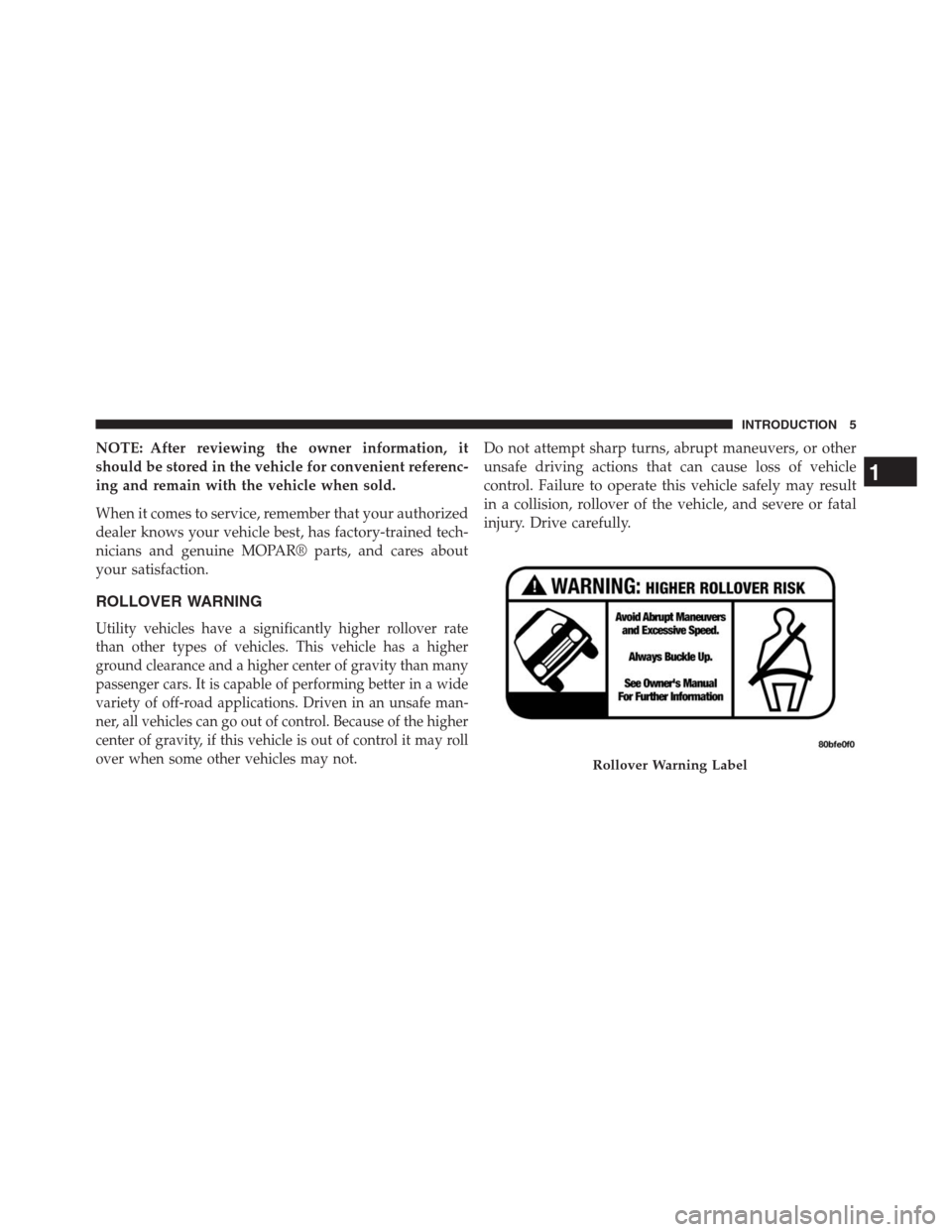
ROLLOVER WARNING
Utility vehicles have a significantly higher rollover rate
than other types of vehicles. This vehicle has a higher
ground clearance and a higher center of gravity than many
passenger cars. It is capable of performing better in a wide
variety of off-road applications. Driven in an unsafe man-
ner, all vehicles can go out of control. Because of the higher
center of gravity, if this vehicle is out of control it may roll
over when some other vehicles may not.
Do not attempt sharp turns, abrupt maneuvers, or other
unsafe driving actions that can cause loss of vehicle
control. Failure to operate this vehicle safely may result
in a collision, rollover of the vehicle, and severe or fatal
injury. Drive carefully.
Rollover Warning Label
1
INTRODUCTION 5
Page 18 of 704

To remove the emergency key, slide the mechanical latch
at the top of the Key Fob sideways with your thumb and
then pull the key out with your other hand.
NOTE:You can insert the double-sided emergency key
into the lock cylinders with either side up.Removing Key Fob From Ignition
Place the shift lever in PARK. Turn the Key Fob to the
OFF position and then remove the Key Fob.
With the Keyless Enter-N-Go™ feature, the EVIC will
display the ignition switch position “OFF/ACC/RUN”.
Refer to “Electronic Vehicle Information Center (EVIC)”
in “Understanding Your Instrument Panel” for further
information.
NOTE:
•If you try to remove the Key Fob before you place the
shift lever in PARK, it may become trapped temporar-
ily in the ignition switch. If this occurs, rotate the key
to the right slightly, then remove the Key Fob as
described. If a malfunction occurs, the system will trap
the key in the ignition switch to warn you that this
safety feature is inoperable. The engine can be started
and stopped, but the Key Fob cannot be removed until
you obtain service.
Emergency Key Removal
16 THINGS TO KNOW BEFORE STARTING YOUR VEHICLE
Page 21 of 704
SENTRY KEY®
The Sentry Key® Immobilizer system prevents unauthor-
ized vehicle operation by disabling the engine. The
system does not need to be armed or activated. Operation
is automatic, regardless of whether the vehicle is locked
or unlocked.
The system uses the factory-mated Key Fob with Remote
Keyless Entry (RKE) transmitter and Wireless Ignition
Node (WIN) to prevent unauthorized vehicle operation.
Therefore, only Key Fobs that are programmed to the
vehicle can be used to start and operate the vehicle. The
system will shut the engine off in two seconds if an
invalid Key Fob is used to start the engine.
After turning the ignition switch to the ON/RUN posi-
tion, the Vehicle Security Light will turn on for three
seconds for a bulb check. If the light remains on after the
bulb check, it indicates that there is a problem with the
electronics. In addition, if the light begins to flash afterthe bulb check, it indicates that someone used an invalid
Key Fob to start the engine. Either of these conditions will
result in the engine being shut off after two seconds.
If the Vehicle Security Light turns on during normal
vehicle operation (vehicle running for longer than 10 sec-
onds), it indicates that there is a fault in the electronics.
Should this occur, have the vehicle serviced as soon as
possible by an authorized dealer.
CAUTION!
•Do not make modifications or alterations to the
immobilizer system. Modifications or alterations to
the immobilization system may result in a loss of
security protection.
•The Sentry Key® Immobilizer system is not com-
patible with some after-market remote starting
systems. Use of these systems may result in vehicle
starting problems and loss of security protection.
2
THINGS TO KNOW BEFORE STARTING YOUR VEHICLE 19
Page 22 of 704
All of the Key Fobs provided with your new vehicle have
been programmed to the vehicle electronics.
Replacement Keys
NOTE:Only Key Fobs that are programmed to the
vehicle electronics can be used to start and operate the
vehicle. Once a Key Fob is programmed to a vehicle, it
cannot be programmed to any other vehicle.
CAUTION!
•Always remove the Key Fobs from the vehicle and
lock all doors when leaving the vehicle unat-
tended.
•For vehicles equipped with Keyless Enter-N-Go™,
always remember to place the ignition in the OFF
position.
At the time of purchase, the original owner is provided
with a four-digit Personal Identification Number (PIN).Keep the PIN in a secure location. This number is
required for authorized dealer replacement of Key Fobs.
Duplication of Key Fobs may be performed at an autho-
rized dealer, this procedure consists of programming a
blank Key Fob to the vehicle electronics. A blank Key Fob
is one that has never been programmed.
NOTE:When having the Sentry Key® Immobilizer Sys-
tem serviced, bring all vehicle keys with you to an
authorized dealer.Customer Key Programming
Programming Key Fobs or RKE transmitters may be
performed at an authorized dealer.
General Information
The Sentry Key® system complies with FCC rules Part 15
and with RSS-210 of Industry Canada. Operation is
subject to the following conditions:
•This device may not cause harmful interference.
20 THINGS TO KNOW BEFORE STARTING YOUR VEHICLE
Page 38 of 704
If you press the door lock switch while the Key Fob is in
the ignition switch and the driver’s door is open, the
doors will not lock.
If a rear door is locked, it cannot be opened from inside
the vehicle without first unlocking the door. The door
may be unlocked manually by raising the lock knob.
Automatic Door Locks — If Equipped
When enabled, the door locks will lock automatically
when the vehicle’s speed exceeds 15 mph (24 km/h). The
auto door lock feature can be enabled or disabled by your
authorized dealer . Please see your authorized dealer for
service.
Automatic Unlock On Exit Feature — If Equipped
If Auto Unlock is enabled, this feature will unlock all the
doors when the driver’s door is opened if the vehicle is
stopped and in PARK or NEUTRAL. Refer to “ElectronicVehicle Information Center (EVIC)/Personal Settings
(Customer-Programmable Features)” in “Understanding
Your Instrument Panel” for further information.
Child-Protection Door Lock System — Rear
Doors
To provide a safer environment for small children riding
in the rear seats, the rear doors are equipped with
Child-Protection Door Lock system.
To Engage Or Disengage The Child-Protection
Door Lock System
1. Open the rear door.
2. Insert the tip of the emergency key into the lock and
rotate to the LOCK or UNLOCK position.
3. Repeat steps 1 and 2 for the opposite rear door.
36 THINGS TO KNOW BEFORE STARTING YOUR VEHICLE
Page 64 of 704
all passenger-seating positions with a combination lap/
shoulder belt. Use the Automatic Locking Mode anytime a
child safety seat is installed in a seating position that has a
belt with this feature. Children 12 years old and under
should always be properly restrained in the rear seat.
How To Engage The Automatic Locking Mode
1. Buckle the combination lap and shoulder belt.
2. Grasp the shoulder portion and pull downward until
the entire belt is extracted.
3. Allow the belt to retract. As the belt retracts, you will
hear a clicking sound. This indicates the safety belt is
now in the Automatic Locking Mode.
How To Disengage The Automatic Locking Mode
Unbuckle the combination lap/shoulder belt and allow it
to retract completely to disengage the Automatic Locking
Mode and activate the vehicle sensitive (emergency)
locking mode.
WARNING!
•The belt and retractor assembly must be replaced if
the seat belt assembly Automatic Locking Retractor
(ALR) feature or any other seat belt function is not
working properly when checked according to the
procedures in the Service Manual.
•Failure to replace the belt and retractor assembly
could increase the risk of injury in collisions.
62 THINGS TO KNOW BEFORE STARTING YOUR VEHICLE
Page 79 of 704
turns on the Air Bag Warning Light, either momentarily
or continuously. A single chime will sound if the light
comes on again after initial startup.
It also includes diagnostics that will illuminate the instru-
ment cluster Air Bag Warning Light if a malfunction is
noted that could affect the air bag system. The diagnos-
tics also record the nature of the malfunction.
WARNING!
Ignoring the Air Bag Warning Light in your instru-
ment panel could mean you won’t have the air bags
to protect you in a collision. If the light does not come
on as a bulb check when the ignition is first turned
on, stays on after you start the vehicle, or if it comes
on as you drive, have an authorized dealer service the
air bag system immediately.
Driver And Passenger Advanced Front Air Bag
Inflator Units
The Driver and Passenger Advanced Front Air Bag
Inflator Units are located in the center of the steering
wheel and on the right side of the instrument panel.
When the ORC detects a collision requiring the Ad-
vanced Front Air Bags, it signals the inflator units. A large
quantity of non-toxic gas is generated to inflate the
Advanced Front Air Bags. Different air bag inflation rates
are possible, based on several factors, including the
collision type and severity. The steering wheel hub trim
cover and the upper right side of the instrument panel
separate and fold out of the way as the air bags inflate to
their full size. The air bags fully inflate in about 50 to
70 milliseconds. This is about half of the time it takes to
blink your eyes. The air bags then quickly deflate while
helping to restrain the driver and front passenger.
2
THINGS TO KNOW BEFORE STARTING YOUR VEHICLE 77
Page 82 of 704
NOTE:Front and/or side air bags will not deploy in all
collisions. This does not mean something is wrong with
the air bag system.
If you do have a collision which deploys the air bags, any
or all of the following may occur:
•The nylon air bag material may sometimes cause
abrasions and/or skin reddening to the driver and
front passenger as the air bags deploy and unfold. The
abrasions are similar to friction rope burns or those
you might get sliding along a carpet or gymnasium
floor. They are not caused by contact with chemicals.
They are not permanent and normally heal quickly.
However, if you haven’t healed significantly within a
few days, or if you have any blistering, see your doctor
immediately.
•As the air bags deflate, you may see some smoke-like
particles. The particles are a normal by-product of the
process that generates the non-toxic gas used for airbag inflation. These airborne particles may irritate the
skin, eyes, nose, or throat. If you have skin or eye
irritation, rinse the area with cool water. For nose or
throat irritation, move to fresh air. If the irritation
continues, see your doctor. If these particles settle on
your clothing, follow the garment manufacturer’s in-
structions for cleaning.
Do not drive your vehicle after the air bags have de-
ployed. If you are involved in another collision, the air
bags will not be in place to protect you.
WARNING!
Deployed air bags and seat belt pretensioners cannot
protect you in another collision. Have the air bags,
seat belt pretensioners, and the front seat belt retrac-
tor assemblies replaced by an authorized dealer im-
mediately. Also, have the Occupant Restraint Con-
troller (ORC) system serviced as well.
80 THINGS TO KNOW BEFORE STARTING YOUR VEHICLE
Page 83 of 704
Maintaining Your Air Bag System
WARNING!
•Modifications to any part of the air bag system
could cause it to fail when you need it. You could
be injured if the air bag system is not there to
protect you. Do not modify the components or
wiring, including adding any kind of badges or
stickers to the steering wheel hub trim cover or the
upper right side of the instrument panel. Do not
modify the front bumper, vehicle body structure, or
add aftermarket side steps or running boards.
•It is dangerous to try to repair any part of the air
bag system yourself. Be sure to tell anyone who
works on your vehicle that it has an air bag system.
(Continued)
WARNING!(Continued)
•Do not attempt to modify any part of your air bag
system. The air bag may inflate accidentally or may
not function properly if modifications are made.
Take your vehicle to an authorized dealer for any
air bag system service. If your seat, including your
trim cover and cushion, needs to be serviced in any
way (including removal or loosening/tightening of
seat attachment bolts), take the vehicle to your
authorized dealer. Only manufacturer approved
seat accessories may be used. If it is necessary to
modify the air bag system for persons with dis-
abilities, contact your authorized dealer.
2
THINGS TO KNOW BEFORE STARTING YOUR VEHICLE 81