instrument panel JEEP GRAND CHEROKEE 2016 WK2 / 4.G Owner's Manual
[x] Cancel search | Manufacturer: JEEP, Model Year: 2016, Model line: GRAND CHEROKEE, Model: JEEP GRAND CHEROKEE 2016 WK2 / 4.GPages: 276, PDF Size: 10.84 MB
Page 48 of 276
The brightness of the instrument panel lighting can be regulated by rotating the
dimmer control up (brighter) or down (dimmer). When the headlights are on you can
supplement the brightness of the odometer, trip odometer, radio and overhead
console by rotating the control to its farthest position up until you hear a click. This
feature is termed the “Parade” mode and is useful when headlights are required
during the day.
TURN SIGNAL/WIPER/WASHER/HIGH BEAM LEVER
The multifunction lever is located on the left side of the steering column.
Turn Signals
Move the multifunction lever up or down and the arrows on each side of the
instrument cluster flash to show proper operation of the front and rear turn signal
lights.
NOTE:
If either light remains on and does not flash, or there is a very fast flash rate, check
for a defective outside light bulb. If an indicator fails to light when the lever is moved,
it would suggest that the indicator bulb is defective.
Lane Change Assist
Tap the lever up or down once, without moving beyond the detent, and the turn signal
(right or left) will flash three times then automatically turn off.
High/Low Beam Switch
Push the multifunction lever toward the instrument panel to switch the headlights to
high beams. Pulling the multifunction back toward the steering wheel will turn the
low beams back on, or shut the high beams off.
Multifunction Lever
OPERATING YOUR VEHICLE
46
Page 50 of 276
Mist
Use the Mist feature when weather conditions make occasional usage of the wipers
necessary. Rotate the end of the lever downward to the Mist position and release for
a single wiping cycle.
NOTE:
The mist feature does not activate the washer pump; therefore, no washer fluid will
be sprayed on the windshield. The wash function must be used in order to spray the
windshield with washer fluid.
Rain Sensing Wipers — If Equipped
This feature senses moisture on the windshield and automatically activates the
wipers for the driver. The feature is especially useful for road splash or overspray from
the windshield washers of the vehicle ahead. Rotate the end of the multifunction
lever to one of four settings to activate this feature.
The sensitivity of the system can be adjusted with the multifunction lever. Wiper
delay position one is the least sensitive, and wiper delay position four is the most
sensitive. Setting three should be used for normal rain conditions. Settings one and
two can be used if the driver desires less wiper sensitivity. Setting four can be used
if the driver desires more sensitivity. Place the wiper switch in the OFF position when
not using the system.
NOTE:
• The Rain Sensing feature will not operate when the wiper switch is in the low orhigh-speed position.
• The Rain Sensing feature may not function properly when ice, or dried salt water is present on the windshield.
• Use of Rain-X or products containing wax or silicone may reduce Rain Sensing performance.
• The Rain Sensing feature can be turned on and off using the Uconnect System, refer to “Uconnect Settings” in “Understanding Your Instrument Panel” in the
Owners Manual on the DVD for further information.
OPERATING YOUR VEHICLE
48
Page 53 of 276
To Set A Desired Speed
Turn the Electronic Speed Control ON. When the vehicle has reached the desired
speed, push the SET (+) or SET (-) button and release. Release the accelerator and
the vehicle will operate at the selected speed. Once a speed has been set a message
CRUISE CONTROL SET TO MPH (km/h) will appear indicating what speed was set.
A CRUISE indicator lamp, along with set speed will also appear and stay on in the
instrument cluster when the speed is set.
To Deactivate
A soft tap on the brake pedal, pushing the CANCEL button, or normal brake pressure
while slowing the vehicle will deactivate the Electronic Speed Control without erasing
the set speed from memory.
Pushing the ON/OFF button or turning the ignition switch OFF erases the set speed
from memory.
To Resume Speed
To resume a previously set speed, push the RES (+) button and release. Resume can
be used at any speed above 20 mph (32 km/h).
To Vary The Speed Setting
To Increase Speed
When the Electronic Speed Control is set, you can increase speed by pushing the
SET+button.
The drivers preferred units can be selected through the instrument panel settings if
equipped. Refer to “Understanding Your Instrument Panel” in the Owner’s Manual
on the DVD for more information. The speed increment shown is dependant on the
chosen speed unit of U.S. (mph) or Metric (km/h):
U.S. Speed (mph)
• Pushing the SET +button once will result in a 1 mph increase in set speed. Each
subsequent tap of the button results in an increase of 1 mph.
• If the button is continually pushed, the set speed will continue to increase until the button is released, then the new set speed will be established.
Metric Speed (km/h)
• Pushing the SET +button once will result in a 1 km/h increase in set speed. Each
subsequent tap of the button results in an increase of 1 km/h.
• If the button is continually pushed, the set speed will continue to increase until the button is released, then the new set speed will be established.
OPERATING YOUR VEHICLE
51
Page 54 of 276
To Decrease Speed
When the Electronic Speed Control is set, you can decrease speed by pushing the
SET-button.
The drivers preferred units can be selected through the instrument panel settings if
equipped. Refer to “Understanding Your Instrument Panel” in the Owner’s Manual
on the DVD for more information. The speed increment shown is dependant on the
chosen speed unit of U.S. (mph) or Metric (km/h):
U.S. Speed (mph)
• Pushing the SET -button once will result in a 1 mph decrease in set speed. Each
subsequent tap of the button results in a decrease of 1 mph.
• If the button is continually pushed, the set speed will continue to decrease until the button is released, then the new set speed will be established.
Metric Speed (km/h)
• Pushing the SET -button once will result in a 1 km/h decrease in set speed. Each
subsequent tap of the button results in a decrease of 1 km/h.
• If the button is continually pushed, the set speed will continue to decrease until the button is released, then the new set speed will be established.
To Accelerate For Passing
Press the accelerator as you would normally. When the pedal is released, the vehicle
will return to the set speed.
Using Electronic Speed Control On Hills
The transmission may downshift on hills to maintain the vehicle set speed.
NOTE:
The Electronic Speed Control system maintains speed up and down hills. A slight
speed change on moderate hills is normal.
On steep hills, a greater speed loss or gain may occur so it may be preferable to drive
without Electronic Speed Control.
WARNING!
Electronic Speed Control can be dangerous where the system cannot maintain a
constant speed. Your vehicle could go too fast for the conditions, and you could
lose control and have an accident. Do not use Electronic Speed Control in heavy
traffic or on roads that are winding, icy, snow-covered or slippery.
OPERATING YOUR VEHICLE
52
Page 55 of 276
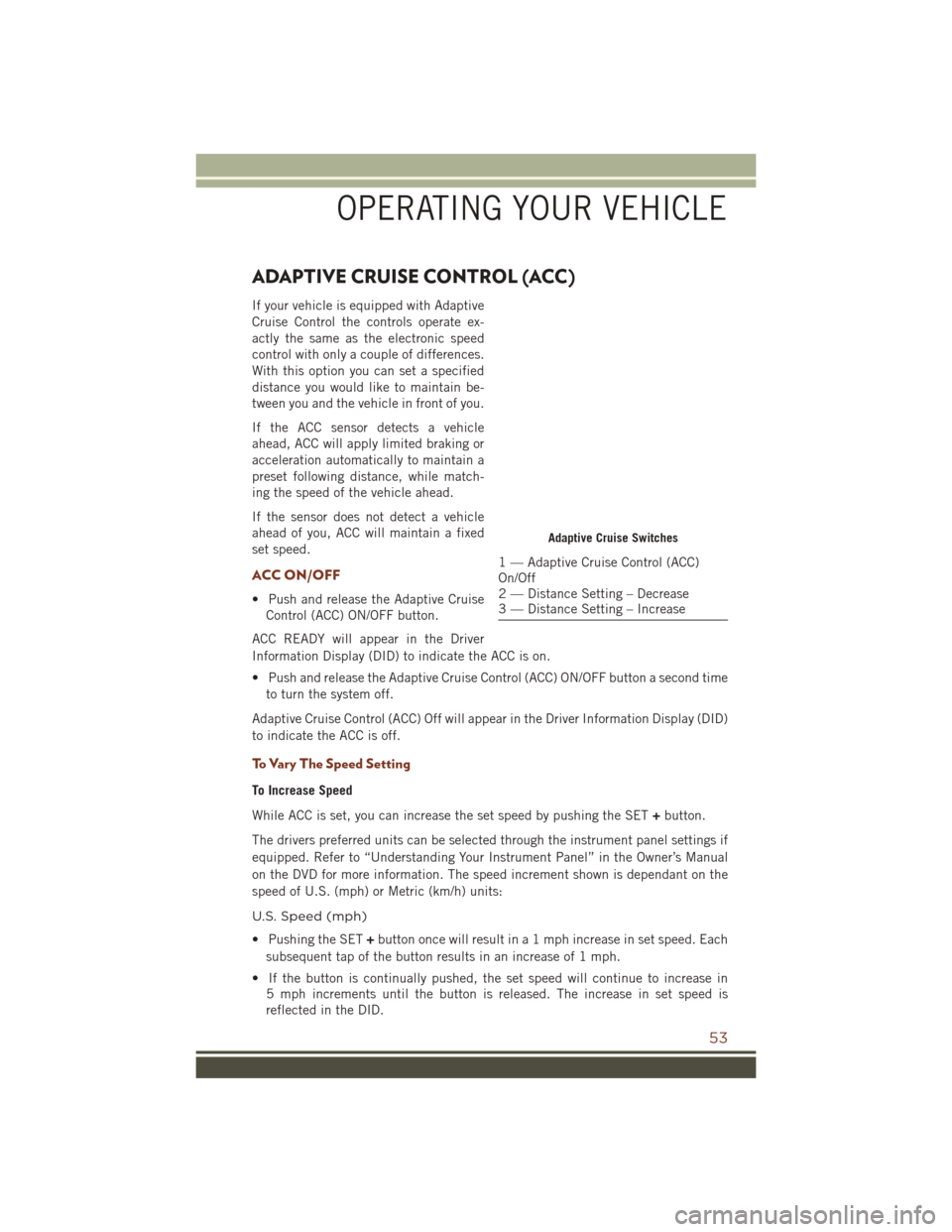
ADAPTIVE CRUISE CONTROL (ACC)
If your vehicle is equipped with Adaptive
Cruise Control the controls operate ex-
actly the same as the electronic speed
control with only a couple of differences.
With this option you can set a specified
distance you would like to maintain be-
tween you and the vehicle in front of you.
If the ACC sensor detects a vehicle
ahead, ACC will apply limited braking or
acceleration automatically to maintain a
preset following distance, while match-
ing the speed of the vehicle ahead.
If the sensor does not detect a vehicle
ahead of you, ACC will maintain a fixed
set speed.
ACC ON/OFF
• Push and release the Adaptive CruiseControl (ACC) ON/OFF button.
ACC READY will appear in the Driver
Information Display (DID) to indicate the ACC is on.
• Push and release the Adaptive Cruise Control (ACC) ON/OFF button a second time to turn the system off.
Adaptive Cruise Control (ACC) Off will appear in the Driver Information Display (DID)
to indicate the ACC is off.
To Vary The Speed Setting
To Increase Speed
While ACC is set, you can increase the set speed by pushing the SET +button.
The drivers preferred units can be selected through the instrument panel settings if
equipped. Refer to “Understanding Your Instrument Panel” in the Owner’s Manual
on the DVD for more information. The speed increment shown is dependant on the
speed of U.S. (mph) or Metric (km/h) units:
U.S. Speed (mph)
• Pushing the SET +button once will result in a 1 mph increase in set speed. Each
subsequent tap of the button results in an increase of 1 mph.
• If the button is continually pushed, the set speed will continue to increase in 5 mph increments until the button is released. The increase in set speed is
reflected in the DID.
Adaptive Cruise Switches
1 — Adaptive Cruise Control (ACC)
On/Off
2 — Distance Setting – Decrease
3 — Distance Setting – Increase
OPERATING YOUR VEHICLE
53
Page 56 of 276
Metric Speed (km/h)
• Pushing the SET+button once will result in a 1 km/h increase in set speed. Each
subsequent tap of the button results in an increase of 1 km/h.
• If the button is continually pushed, the set speed will continue to increase in 10 km/h increments until the button is released. The increase in set speed is
reflected in the DID.
To Decrease Speed
While ACC is set, the set speed can be decreased by pushing the SET -button.
The drivers preferred units can be selected through the instrument panel settings if
equipped. Refer to “Understanding Your Instrument Panel” in the Owner’s Manual
on the DVD for more information. The speed increment shown is dependant on the
speed of U.S. (mph) or Metric (km/h) units:
U.S. Speed (mph)
• Pushing the SET -button once will result in a 1 mph decrease in set speed. Each
subsequent tap of the button results in a decrease of 1 mph.
• If the button is continually pushed, the set speed will continue to decrease in 5 mph decrements until the button is released. The decrease in set speed is
reflected in the DID.
Metric Speed (km/h)
• Pushing the SET -button once will result in a 1 km/h decrease in set speed. Each
subsequent tap of the button results in a decrease of 1 km/h.
• If the button is continually pushed, the set speed will continue to decrease in 10 km/h decrements until the button is released. The decrease in set speed is
reflected in the DID.
NOTE:
• When you override and push the SET +button or SET -buttons, the new Set Speed
will be the current speed of the vehicle.
• When you use the SET -button to decelerate, if the engine’s braking power does
not slow the vehicle sufficiently to reach the set speed, the brake system will
automatically slow the vehicle.
• The ACC system applies the brake down to a full stop when following a target vehicle. If an ACC host vehicle follows a target vehicle to a standstill, the host
vehicle will release the vehicle brakes two seconds after coming to a full stop.
• The ACC system maintains set speed when driving up hill and down hill. However, a slight speed change on moderate hills is normal. In addition, downshifting may
occur while climbing uphill or descending downhill. This is normal operation and
necessary to maintain set speed. When driving up hill and down hill, the ACC
system will cancel if the braking temperature exceeds normal range (overheated).
OPERATING YOUR VEHICLE
54
Page 63 of 276
• Holding the (-) paddle depressed will downshift the transmission to the lowestgear possible at the current speed.
• Transmission shifting will be more noticeable when AutoStick is enabled.
• The system may revert to automatic shift mode if a fault or overheat condition is detected.
NOTE:
When Selec-Speed or Hill Descent Control is enabled, AutoStick is not active.
To disengage AutoStick, return the gear selector to the DRIVE position, or press and
hold the (+) shift paddle (if the gear selector is already in DRIVE) until "D" is once
again indicated in the instrument cluster. You can shift in or out of AutoStick at any
time without taking your foot off the accelerator pedal.
WARNING!
Do not downshift for additional engine braking on a slippery surface. The drive
wheels could lose their grip and the vehicle could skid, causing a collision or
personal injury.
FUEL ECONOMY (ECO) MODE
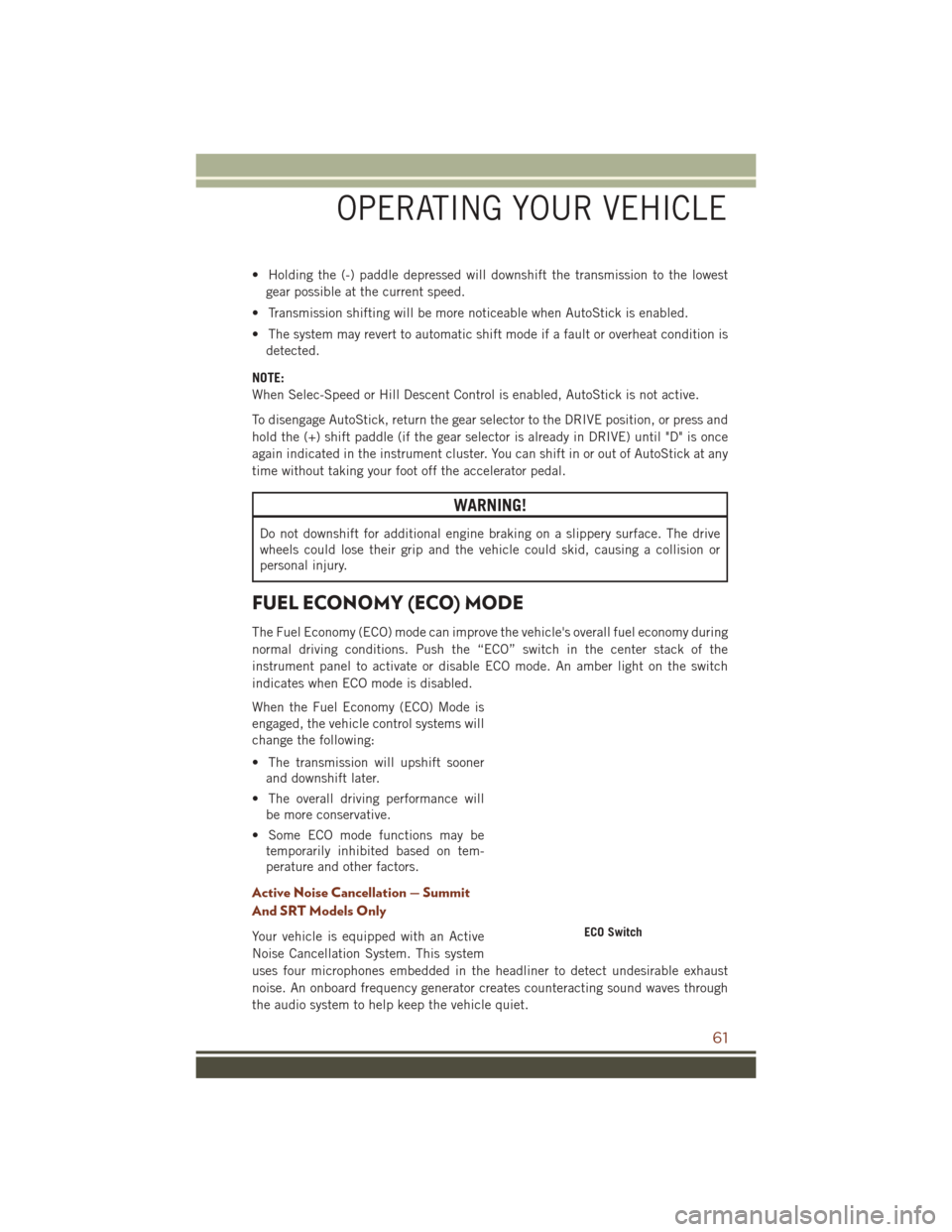
The Fuel Economy (ECO) mode can improve the vehicle's overall fuel economy during
normal driving conditions. Push the “ECO” switch in the center stack of the
instrument panel to activate or disable ECO mode. An amber light on the switch
indicates when ECO mode is disabled.
When the Fuel Economy (ECO) Mode is
engaged, the vehicle control systems will
change the following:
• The transmission will upshift sooner and downshift later.
• The overall driving performance will be more conservative.
• Some ECO mode functions may be temporarily inhibited based on tem-
perature and other factors.
Active Noise Cancellation — Summit
And SRT Models Only
Your vehicle is equipped with an Active
Noise Cancellation System. This system
uses four microphones embedded in the headliner to detect undesirable exhaust
noise. An onboard frequency generator creates counteracting sound waves through
the audio system to help keep the vehicle quiet.ECO Switch
OPERATING YOUR VEHICLE
61
Page 64 of 276
STOP/START SYSTEM — IF EQUIPPED
The Stop/Start function was developed to reduce fuel consumption. The system will
stop the engine automatically during a vehicle stop if the required conditions are
met. Releasing the brake pedal or pressing the accelerator pedal will automatically
re-start the engine.
Automatic Mode
The Stop/Start feature is enabled after every normal customer
engine start. At that time, the system will go into STOP/START
READY and if all other conditions are met, can go into a STOP/
START AUTOSTOP ACTIVE “Autostop” mode.
To Activate The Autostop Mode, The Following Must Occur:
• The system must be in STOP/START READY state. A STOP/START READY message will be displayed in the Driver Information Display (DID) within the
Stop/Start section. Refer to “Driver Information Display (DID)” in “Understanding
Your Instrument Panel” in your owner’s manual on the DVD for further information.
• The vehicle must be completely stopped.
• The shifter must be in a forward gear and the brake pedal depressed.
The engine will shut down, the tachometer will move to the zero position and the
Stop/Start telltale will illuminate indicating you are in Autostop. Customer settings
will be maintained upon return to an engine running condition.
Refer to the “Stop/Start System” in the “Starting And Operating” section located in
your Owner’s Manual on the DVD for further information.
Possible Reasons The Engine Does Not Autostop
Prior to engine shut down, the system will check many safety and comfort conditions
to see if they are fulfilled. Detailed information about the operation of the Stop/Start
system may be viewed in the DID Stop/Start Screen. In the following situations, the
engine will not stop:
• Driver’s seat belt is not buckled.
• Driver’s door is not closed.
• Battery temperature is too warm or cold.
• Battery charge is low.
• The vehicle is on a steep grade.
• Cabin heating or cooling is in process and an acceptable cabin temperature has not been achieved.
• HVAC is set to full defrost mode at a high blower speed.
OPERATING YOUR VEHICLE
62
Page 66 of 276
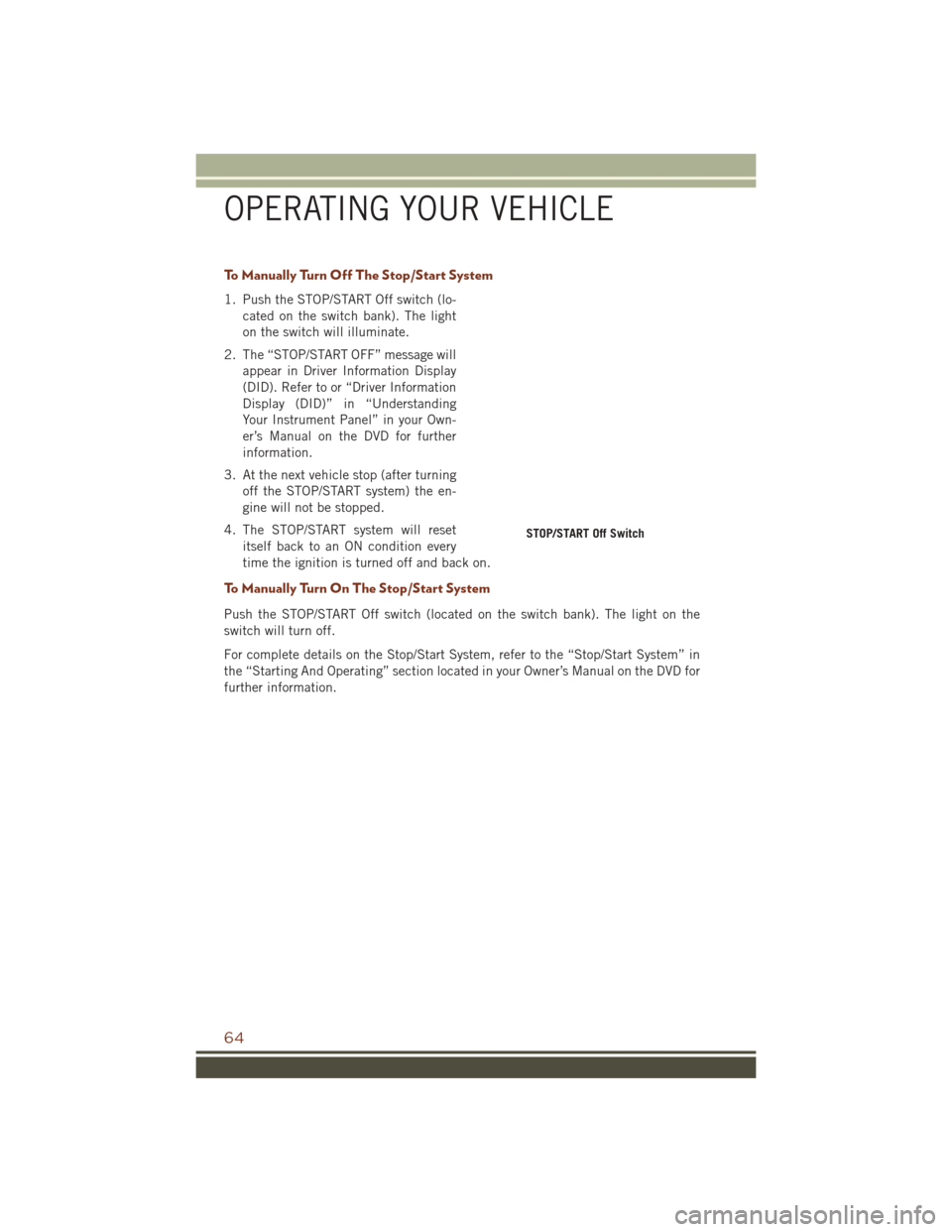
To Manually Turn Off The Stop/Start System
1. Push the STOP/START Off switch (lo-cated on the switch bank). The light
on the switch will illuminate.
2. The “STOP/START OFF” message will appear in Driver Information Display
(DID). Refer to or “Driver Information
Display (DID)” in “Understanding
Your Instrument Panel” in your Own-
er’s Manual on the DVD for further
information.
3. At the next vehicle stop (after turning off the STOP/START system) the en-
gine will not be stopped.
4. The STOP/START system will reset itself back to an ON condition every
time the ignition is turned off and back on.
To Manually Turn On The Stop/Start System
Push the STOP/START Off switch (located on the switch bank). The light on the
switch will turn off.
For complete details on the Stop/Start System, refer to the “Stop/Start System” in
the “Starting And Operating” section located in your Owner’s Manual on the DVD for
further information.
STOP/START Off Switch
OPERATING YOUR VEHICLE
64
Page 67 of 276
System Malfunction
If there is a malfunction in the STOP/START system, the system will not shut down
the engine. A “SERVICE STOP/START SYSTEM” message will appear in the Driver
Information Display (DID). Refer to “Driver Information Display (DID)“ in “Under-
standing Your Instrument Panel” for further information.
If the “SERVICE STOP/START SYSTEM” message appears in the DID, have the
system checked by your authorized dealer.
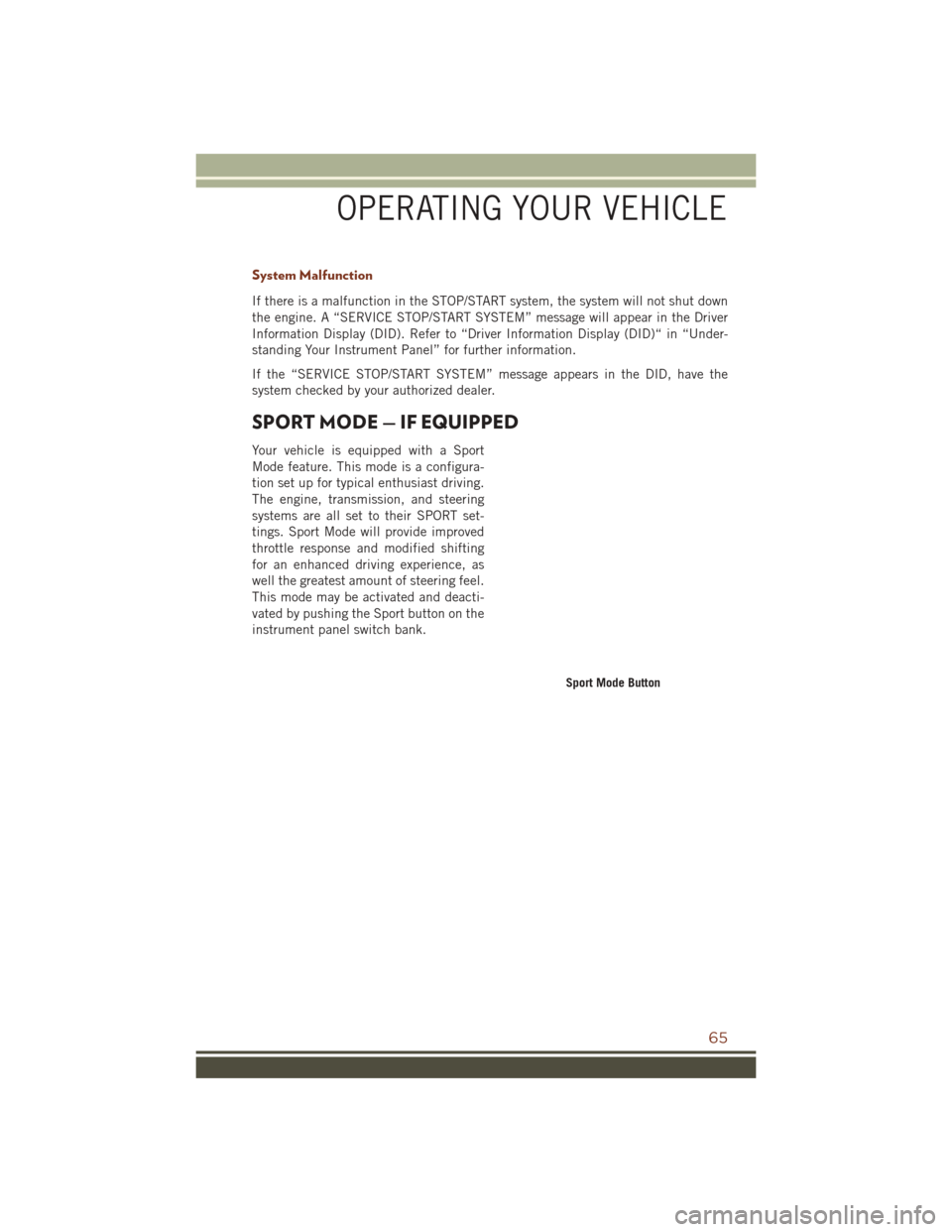
SPORT MODE — IF EQUIPPED
Your vehicle is equipped with a Sport
Mode feature. This mode is a configura-
tion set up for typical enthusiast driving.
The engine, transmission, and steering
systems are all set to their SPORT set-
tings. Sport Mode will provide improved
throttle response and modified shifting
for an enhanced driving experience, as
well the greatest amount of steering feel.
This mode may be activated and deacti-
vated by pushing the Sport button on the
instrument panel switch bank.
Sport Mode Button
OPERATING YOUR VEHICLE
65