transmission JEEP GRAND CHEROKEE 2016 WK2 / 4.G Owner's Manual
[x] Cancel search | Manufacturer: JEEP, Model Year: 2016, Model line: GRAND CHEROKEE, Model: JEEP GRAND CHEROKEE 2016 WK2 / 4.GPages: 276, PDF Size: 10.84 MB
Page 63 of 276
• Holding the (-) paddle depressed will downshift the transmission to the lowestgear possible at the current speed.
• Transmission shifting will be more noticeable when AutoStick is enabled.
• The system may revert to automatic shift mode if a fault or overheat condition is detected.
NOTE:
When Selec-Speed or Hill Descent Control is enabled, AutoStick is not active.
To disengage AutoStick, return the gear selector to the DRIVE position, or press and
hold the (+) shift paddle (if the gear selector is already in DRIVE) until "D" is once
again indicated in the instrument cluster. You can shift in or out of AutoStick at any
time without taking your foot off the accelerator pedal.
WARNING!
Do not downshift for additional engine braking on a slippery surface. The drive
wheels could lose their grip and the vehicle could skid, causing a collision or
personal injury.
FUEL ECONOMY (ECO) MODE
The Fuel Economy (ECO) mode can improve the vehicle's overall fuel economy during
normal driving conditions. Push the “ECO” switch in the center stack of the
instrument panel to activate or disable ECO mode. An amber light on the switch
indicates when ECO mode is disabled.
When the Fuel Economy (ECO) Mode is
engaged, the vehicle control systems will
change the following:
• The transmission will upshift sooner and downshift later.
• The overall driving performance will be more conservative.
• Some ECO mode functions may be temporarily inhibited based on tem-
perature and other factors.
Active Noise Cancellation — Summit
And SRT Models Only
Your vehicle is equipped with an Active
Noise Cancellation System. This system
uses four microphones embedded in the headliner to detect undesirable exhaust
noise. An onboard frequency generator creates counteracting sound waves through
the audio system to help keep the vehicle quiet.ECO Switch
OPERATING YOUR VEHICLE
61
Page 65 of 276
• HVAC set to MAX A/C.
• Engine has not reached normal operating temperature.
• The transmission is not in a forward gear.
• Hood is open.
• Vehicle is in 4LO transfer case mode.
• Brake pedal is not pressed with sufficient pressure.
Other Factors Which Can Inhibit Autostop Include:
• Accelerator pedal input.
• Engine temp too high.
• 5 MPH threshold not achieved from previous AUTOSTOP.
• Steering angle beyond threshold.
• ACC is on and speed is set.
It may be possible for the vehicle to be driven several times without the STOP/START
system going into a STOP/START READY state under more extreme conditions of the
items listed above.
To Start The Engine While In Autostop Mode
While in a forward gear, the engine will start when the brake pedal is released or the
throttle pedal is depressed. The transmission will automatically re-engage upon
engine restart.
Conditions That Will Cause The Engine To Start Automatically While In Autostop Mode:
• The transmission selector is moved out of DRIVE.
• To maintain cabin temperature comfort.
• HVAC is set to full defrost mode.
• HVAC system temperature or fan speed is manually adjusted.
• Battery voltage drops too low.
• Low brake vacuum (e.g. after several brake pedal applications).
• STOP/START OFF switch is pressed.
• A STOP/START system error occurs.
• 4WD system is put into 4LO mode.
OPERATING YOUR VEHICLE
63
Page 67 of 276
System Malfunction
If there is a malfunction in the STOP/START system, the system will not shut down
the engine. A “SERVICE STOP/START SYSTEM” message will appear in the Driver
Information Display (DID). Refer to “Driver Information Display (DID)“ in “Under-
standing Your Instrument Panel” for further information.
If the “SERVICE STOP/START SYSTEM” message appears in the DID, have the
system checked by your authorized dealer.
SPORT MODE — IF EQUIPPED
Your vehicle is equipped with a Sport
Mode feature. This mode is a configura-
tion set up for typical enthusiast driving.
The engine, transmission, and steering
systems are all set to their SPORT set-
tings. Sport Mode will provide improved
throttle response and modified shifting
for an enhanced driving experience, as
well the greatest amount of steering feel.
This mode may be activated and deacti-
vated by pushing the Sport button on the
instrument panel switch bank.
Sport Mode Button
OPERATING YOUR VEHICLE
65
Page 72 of 276
Parksense Rear Park Assist — If Equipped
The ParkSense Rear Park Assist system provides visual and audible indications of the
distance between the rear fascia and a detected obstacle when backing up, e.g.
during a parking maneuver. If your vehicle is equipped with this feature, the vehicle
brakes may be automatically applied and released when performing a reverse parking
maneuver if the system detects a possible collision with an obstacle.
The automatic braking function can be enabled/disabled from the Customer-
Programmable Features section of the Uconnect System.
ParkSense can be active only when the gear selector is in REVERSE. If ParkSense is
enabled at this gear selector position, the system will remain active until the vehicle
speed is increased to approximately 7 mph (11 km/h) or above. When in REVERSE
and above the system's operating speed, a warning will appear within the Driver
Information Display (DID) indicating the vehicle speed is too fast. The system will
become active again if the vehicle speed is decreased to speeds less than approxi-
mately 6 mph (9 km/h).
Cleaning The ParkSense Sensors
If “PARKSENSE UNAVAILABLE WIPE REAR SENSORS" or "PARKSENSE UNAVAIL-
ABLE WIPE FRONT SENSORS” appears in the “Driver Information Display (DID),”
clean the ParkSense sensors with water, car wash soap and a soft cloth. Do not use
rough or hard cloths. Do not scratch or poke the sensors. Otherwise, you could
damage the sensors.
PARKVIEW REAR BACK-UP CAMERA
You can see an on-screen image of the rear of your vehicle whenever the transmission
is shifted into REVERSE. The ParkView Rear Back-Up Camera image will be
displayed on the radio display screen, located on the center stack of the instrument
panel.
If the radio display screen appears foggy, clean the camera lens located on the rear
of the vehicle above the rear license plate.
Refer to “ParkView Rear Back-Up Camera — If Equipped” in “Understanding The
Features Of Your Vehicle” in your Owner's Manual on the DVD for further details.
WARNING!
Drivers must be careful when backing up; even when using the ParkView Rear
Back-Up Camera. Always check carefully behind your vehicle, and be sure to
check for pedestrians, animals, other vehicles, obstructions, or blind spots before
backing up. You must continue to pay attention while backing up. Failure to do so
can result in serious injury or death.
OPERATING YOUR VEHICLE
70
Page 152 of 276
UNIVERSAL GARAGE DOOR OPENER (HomeLink)
• HomeLink replaces up to three hand-held transmitters that operate devices
such as garage door openers, motor-
ized gates, lighting or home security
systems. The HomeLink unit is pow-
ered by your vehicles 12 Volt battery.
• The HomeLink buttons that are lo- cated in the overhead console or sun-
visor designate the three different
HomeLink channels.
• The HomeLink indicator is located above the center button.
Before You Begin Programming HomeLink
Ensure that your vehicle is parked outside of the garage before you begin program-
ming.
For efficient programming and accurate transmission of the radio-frequency signal,
it is recommended that a new battery be placed in the hand-held transmitter of the
device that is being programmed to the HomeLink system.
To erase the channels, place the ignition switch into the ON/RUN position, then push
and hold the two outside HomeLink buttons (I and III) for up to 20 seconds or until
the red indicator flashes.
NOTE:
Erasing all channels should only be performed when programming HomeLink for the
first time. Do not erase channels when programming additional buttons.
If you have any problems, or require assistance, please call toll-free
1-800-355-3515 or, on the Internet at HomeLink.com for information or assistance.
Programming A Rolling Code
NOTE:
For programming Garage Door Openers that were manufactured after 1995. These
Garage Door Openers can be identified by the “LEARN” or “TRAIN” button located
where the hanging antenna is attached to the Garage Door Opener. It is NOT the
button that is normally used to open and close the door. The name and color of the
button may vary by manufacturer.
1. Place the ignition switch into the ON/RUN position.
Universal Garage Door Opener (HomeLink)
ELECTRONICS
150
Page 158 of 276
Shifting Procedures
4WD HI To 4WD LOW
With the vehicle at speeds of 0 to 3 mph (0 to 5 km/h), the ignition switch in the
ON/RUN position or the engine running, shift the transmission into NEUTRAL and
press the “4WD LOW” button once on the transfer case switch. The “4WD LOW”
indicator light in the instrument cluster will begin to flash and remain on solid when
the shift is complete.
4WD LOW To 4WD HI
With the vehicle at speeds of 0 to 3 mph (0 to 5 km/h), the ignition switch in the
ON/RUN position or the engine running, shift the transmission into NEUTRAL, and
press the “4WD LOW” button once on the transfer case switch. The “4WD LOW”
indicator light in the instrument cluster will flash and turn off when the shift is
complete.
NOTE:
Shifting into or out of 4WD LOW is possible with the vehicle completely stopped;
however, difficulty may occur due to the mating clutch teeth not being properly
aligned. Several attempts may be required for clutch teeth alignment and shift
completion to occur. The preferred method is with the vehicle rolling 0 to 3 mph
(0 to 5 km/h). If the vehicle is moving faster than 3 mph (5 km/h), the transfer case
will not allow the shift.
NEUTRAL Shift Procedure
WARNING!
You or others could be injured or killed if you leave the vehicle unattended with the
transfer case in the NEUTRAL (N) position without first fully engaging the parking
brake. The transfer case NEUTRAL (N) position disengages both the front and rear
driveshafts from the powertrain and will allow the vehicle to roll, even if the
transmission is in PARK. The parking brake should always be applied when the
driver is not in the vehicle.
1. Bring the vehicle to a complete stop, with the engine running.
2. Press and hold the brake pedal.
3. Shift the transmission into NEUTRAL.
4. If vehicle is equipped with Quadra-Lift air suspension, ensure the vehicle is set to Normal Ride Height.
OFF-ROAD CAPABILITIES (4WD OPERATION)
156
Page 159 of 276
5. Using a ballpoint pen or similar object, press and hold the recessed transfer caseNEUTRAL (N) button (located by the selector switch) for four seconds. The light
behind the N symbol will blink, indicating shift in progress. The light will stop
blinking (stay on solid) when the shift to NEUTRAL (N) is complete. A “FOUR
WHEEL DRIVE SYSTEM IN NEUTRAL” message will display on the Driver
Information Display (DID).
6. After the shift is completed and the NEUTRAL (N) light stays on, release the NEUTRAL (N) button.
7. Shift the transmission into REVERSE.
8. Release the brake pedal for five seconds and ensure that there is no vehicle movement.
9. Press and hold the brake pedal. Shift the transmission back into NEUTRAL
10. Firmly apply the parking brake.
11. With the transmission and transfer case in NEUTRAL, press and hold the ENGINE START/STOP button until the engine turns off.
12. Move the transmission gear selector to PARK. Release the brake pedal.
13. Push the ENGINE STOP/START button twice (without pressing the brake pedal), to turn the ignition switch to the OFF position
Repeat these Steps 1 through 5 to shift out of NEUTRAL.
SELEC-TERRAIN
Selec-Terrain combines the capabilities of the vehicle control systems, along with
driver input, to provide the best performance for all terrains.
Rotate the mode control knob to select the following Selec-Terrain positions:
Snow – Tuning set for additional stability in inclement weather. Use on and off road
on loose traction surfaces such as snow. When in Snow mode (depending on certain
operating conditions), the transmission may use second gear (rather than first gear)
during launches, to minimize wheel slippage. If equipped with air suspension, the
level will change to Normal Ride Height (NRH).
Auto – Fully automatic full time four-wheel drive operation can be used on and off
road. Balances traction with seamless steering feel to provide improved handling and
acceleration over two-wheel drive vehicles. If equipped with air suspension, the level
will change to NRH.
Sand – Off road calibration for use on low traction surfaces such as sand or wet grass.
Driveline is maximized for traction. Some binding may be felt on less forgiving
surfaces. The electronic brake controls are set to limit traction control management
of throttle and wheel spin. If equipped with air suspension, the level will change to
NRH.
OFF-ROAD CAPABILITIES (4WD OPERATION)
157
Page 162 of 276
• Aero Mode (Lowers the vehicle approximately 0.6 in (15 mm) – This positionprovides improved aerodynamics by lowering the vehicle. The vehicle will auto-
matically enter Aero Mode when the vehicle speed remains between 52 mph
(83 km/h) and 56 mph (90 km/h) for greater than 20 seconds or if the vehicle
speed exceeds 56 mph (90 km/h). The vehicle will return to NRH from Aero Mode
if the vehicle speed remains between 20 mph (32 km/h) and 25 mph (40 km/h) for
greater than 20 seconds or if the vehicle speed falls below 20 mph (32 km/h). The
vehicle will enter Aero Mode, regardless of vehicle speed if the gear selector is in
the “SPORT” position.
• Transport Mode — To assist with flat bed towing, the air suspension system has a feature which will put the vehicle into Entry/Exit height and disable the automatic
load leveling system. Refer to “Programmable Features" (Uconnect Customer
Programmable Features) in “Electronics” for further information. Transport Mode
is selectable within the Suspension features.
NOTE:
This mode is intended to be enabled with engine running.
WARNING!
• You or others could be injured if you leave the vehicle unattended with the transfer case in the N (Neutral) position without first fully engaging the parking
brake. The transfer case N (Neutral) position disengages both the front and rear
driveshafts from the powertrain and will allow the vehicle to move regardless of
the transmission position. The parking brake should always be applied when
the driver is not in the vehicle.
• The air suspension system uses a high pressure volume of air to operate the
system. To avoid personal injury or damage to the system, see your authorized
dealer for service.
HILL START ASSIST/HILL DESCENT CONTROL/SELEC
SPEED CONTROL — IF EQUIPPED
• The Hill Start Assist system assists the driver when starting a vehicle from a stopon a hill.
• The Hill Descent Control system maintains vehicle speed while descending hills during off-road driving situations and is available in 4WD LOW range.
• The Selec Speed Control feature allows the driver to travel at slow speeds on level ground, uphill or downhill without actively controlling either the throttle or brake.
• Refer to your Owner's Manual on the DVD for further details.
OFF-ROAD CAPABILITIES (4WD OPERATION)
160
Page 169 of 276
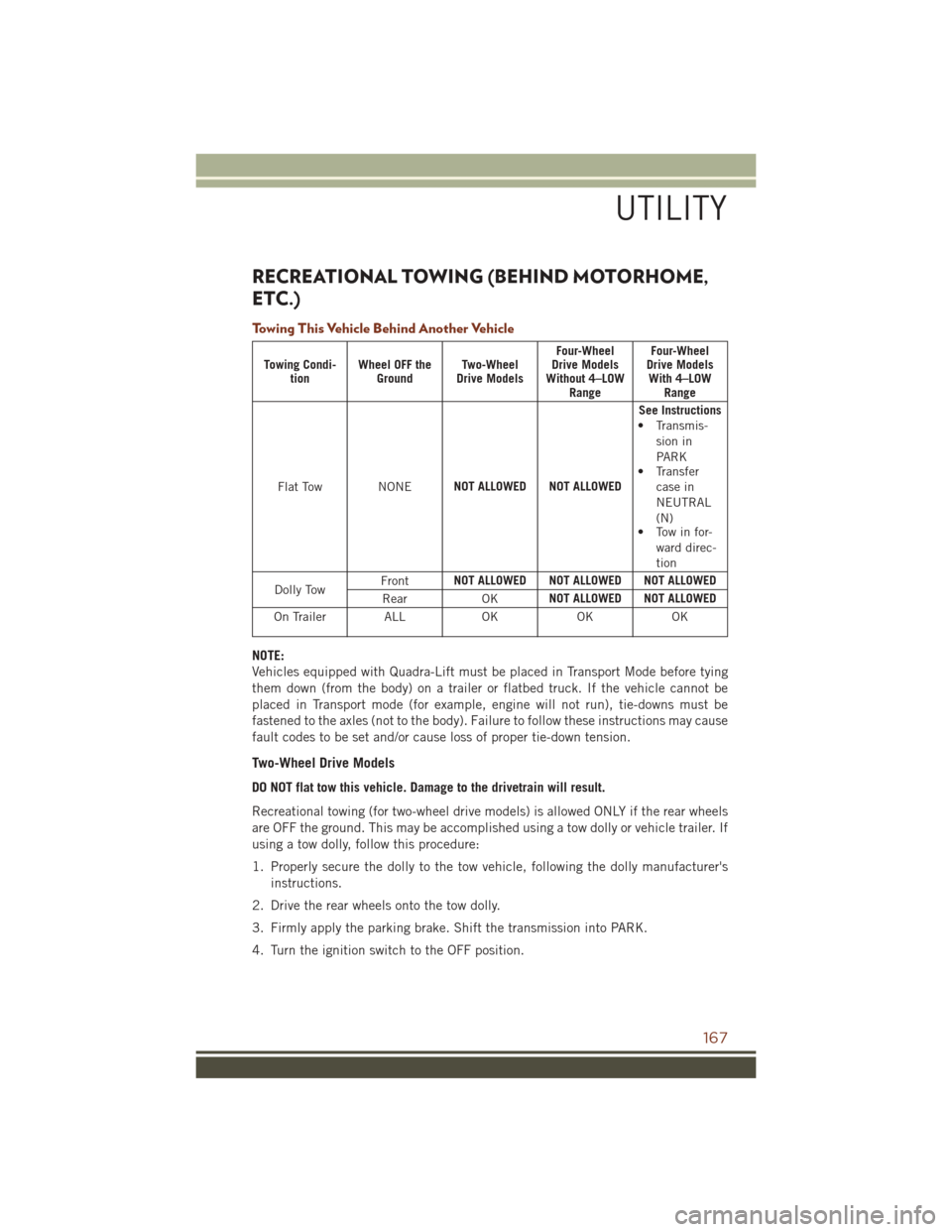
RECREATIONAL TOWING (BEHIND MOTORHOME,
ETC.)
Towing This Vehicle Behind Another Vehicle
Towing Condi-tion Wheel OFF the
Ground Two-Wheel
Drive Models Four-Wheel
Drive Models
Without 4–LOW Range Four-Wheel
Drive Models With 4–LOW Range
Flat Tow NONE NOT ALLOWED NOT ALLOWED See Instructions
• Transmis- sion in
PARK
• Transfer
case in
NEUTRAL
(N)
• Tow in for-
ward direc-
tion
Dolly Tow Front
NOT ALLOWED NOT ALLOWED NOT ALLOWED
Rear OKNOT ALLOWED NOT ALLOWED
On Trailer ALL OKOKOK
NOTE:
Vehicles equipped with Quadra-Lift must be placed in Transport Mode before tying
them down (from the body) on a trailer or flatbed truck. If the vehicle cannot be
placed in Transport mode (for example, engine will not run), tie-downs must be
fastened to the axles (not to the body). Failure to follow these instructions may cause
fault codes to be set and/or cause loss of proper tie-down tension.
Two-Wheel Drive Models
DO NOT flat tow this vehicle. Damage to the drivetrain will result.
Recreational towing (for two-wheel drive models) is allowed ONLY if the rear wheels
are OFF the ground. This may be accomplished using a tow dolly or vehicle trailer. If
using a tow dolly, follow this procedure:
1. Properly secure the dolly to the tow vehicle, following the dolly manufacturer's
instructions.
2. Drive the rear wheels onto the tow dolly.
3. Firmly apply the parking brake. Shift the transmission into PARK.
4. Turn the ignition switch to the OFF position.
UTILITY
167
Page 170 of 276
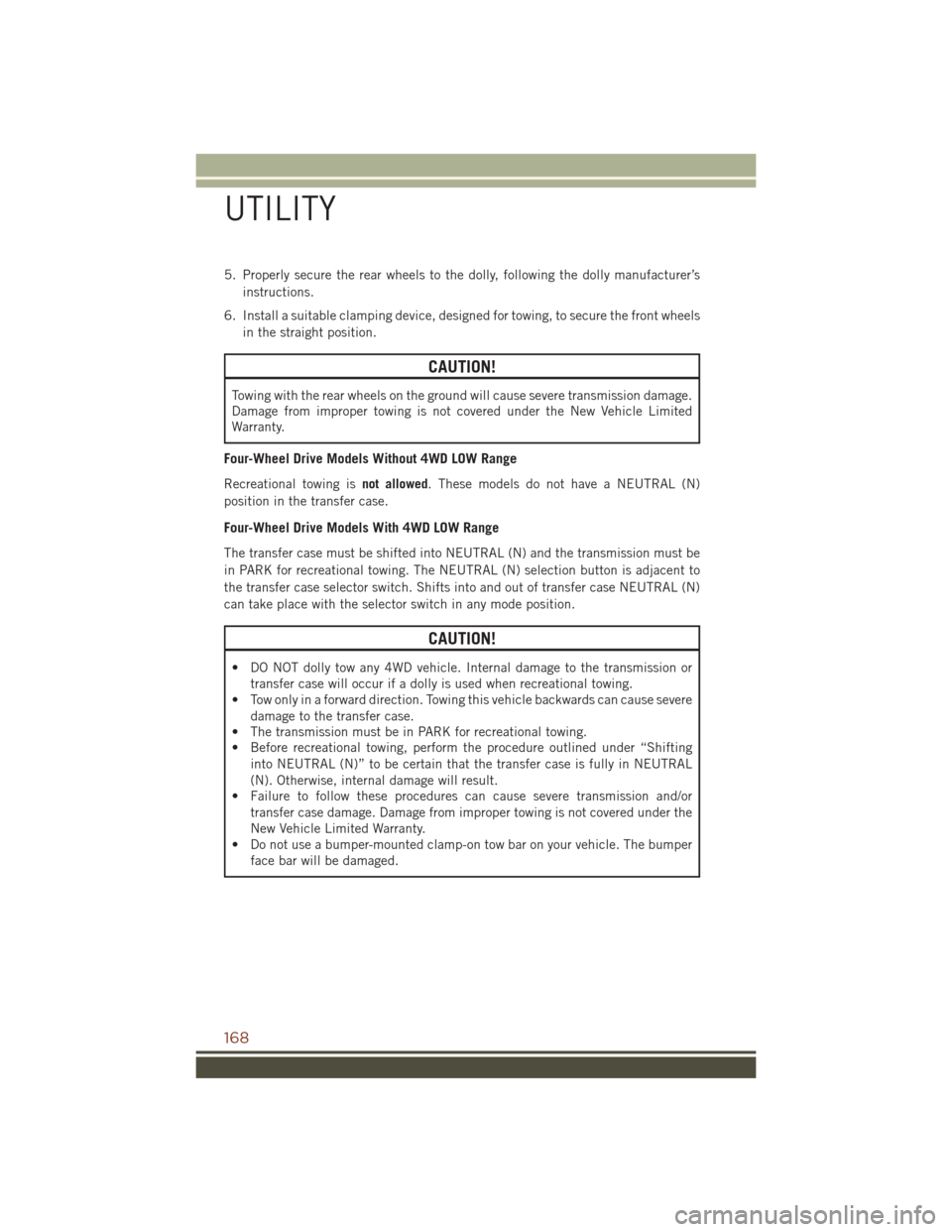
5. Properly secure the rear wheels to the dolly, following the dolly manufacturer’sinstructions.
6. Install a suitable clamping device, designed for towing, to secure the front wheels in the straight position.
CAUTION!
Towing with the rear wheels on the ground will cause severe transmission damage.
Damage from improper towing is not covered under the New Vehicle Limited
Warranty.
Four-Wheel Drive Models Without 4WD LOW Range
Recreational towing is not allowed. These models do not have a NEUTRAL (N)
position in the transfer case.
Four-Wheel Drive Models With 4WD LOW Range
The transfer case must be shifted into NEUTRAL (N) and the transmission must be
in PARK for recreational towing. The NEUTRAL (N) selection button is adjacent to
the transfer case selector switch. Shifts into and out of transfer case NEUTRAL (N)
can take place with the selector switch in any mode position.
CAUTION!
• DO NOT dolly tow any 4WD vehicle. Internal damage to the transmission or transfer case will occur if a dolly is used when recreational towing.
• Tow only in a forward direction. Towing this vehicle backwards can cause severe
damage to the transfer case.
• The transmission must be in PARK for recreational towing.
• Before recreational towing, perform the procedure outlined under “Shifting
into NEUTRAL (N)” to be certain that the transfer case is fully in NEUTRAL
(N). Otherwise, internal damage will result.
• Failure to follow these procedures can cause severe transmission and/or
transfer case damage. Damage from improper towing is not covered under the
New Vehicle Limited Warranty.
• Do not use a bumper-mounted clamp-on tow bar on your vehicle. The bumper
face bar will be damaged.
UTILITY
168