ignition JEEP GRAND CHEROKEE 2023 Workshop Manual
[x] Cancel search | Manufacturer: JEEP, Model Year: 2023, Model line: GRAND CHEROKEE, Model: JEEP GRAND CHEROKEE 2023Pages: 424, PDF Size: 15.48 MB
Page 130 of 424
128STARTING AND OPERATING
Only shift from DRIVE to PARK or REVERSE when
the accelerator pedal is released and the vehicle is
stopped. Be sure to keep your foot on the brake
pedal when shifting between these gears.
The transmission gear selector has only PARK,
REVERSE, NEUTRAL, and DRIVE positions. Manual
downshifts can be made using the steering wheel
mounted paddle shifters. Pulling the -/+ switches
(on the steering wheel) while in the DRIVE position
will select the highest available transmission gear,
and will display that gear limit in the instrument
cluster as 1, 2, 3, etc. Some models will display
both the selected gear limit, and the actual current
gear, while in AutoStick mode.
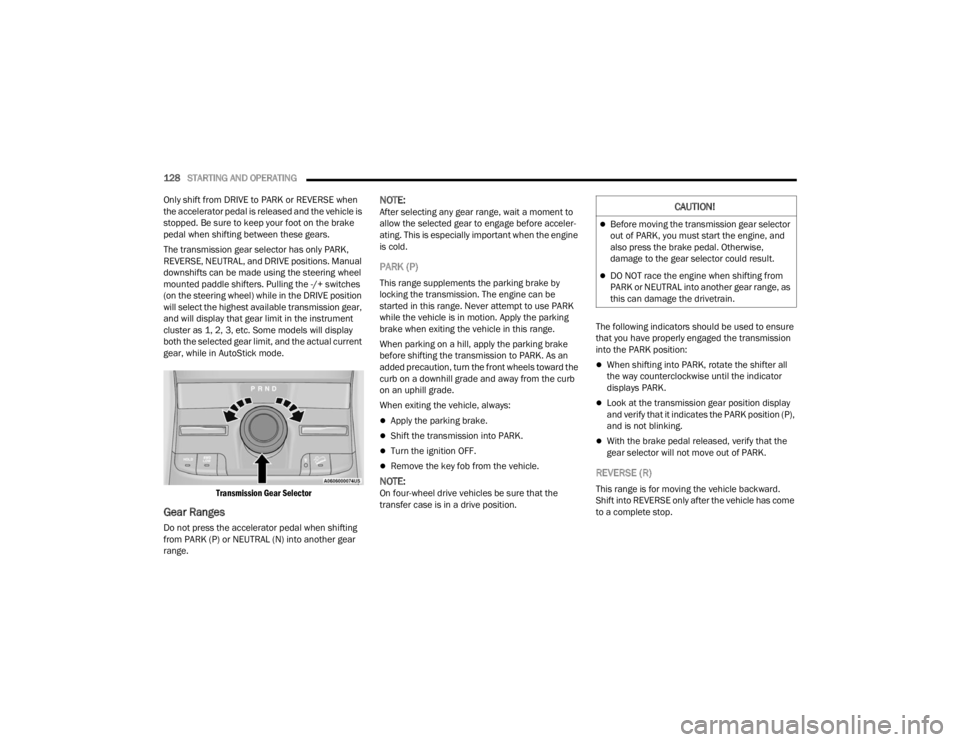
Transmission Gear Selector
Gear Ranges
Do not press the accelerator pedal when shifting
from PARK (P) or NEUTRAL (N) into another gear
range.
NOTE:After selecting any gear range, wait a moment to
allow the selected gear to engage before acceler -
ating. This is especially important when the engine
is cold.
PARK (P)
This range supplements the parking brake by
locking the transmission. The engine can be
started in this range. Never attempt to use PARK
while the vehicle is in motion. Apply the parking
brake when exiting the vehicle in this range.
When parking on a hill, apply the parking brake
before shifting the transmission to PARK. As an
added precaution, turn the front wheels toward the
curb on a downhill grade and away from the curb
on an uphill grade.
When exiting the vehicle, always:
Apply the parking brake.
Shift the transmission into PARK.
Turn the ignition OFF.
Remove the key fob from the vehicle.
NOTE:On four-wheel drive vehicles be sure that the
transfer case is in a drive position. The following indicators should be used to ensure
that you have properly engaged the transmission
into the PARK position:
When shifting into PARK, rotate the shifter all
the way counterclockwise until the indicator
displays PARK.
Look at the transmission gear position display
and verify that it indicates the PARK position (P),
and is not blinking.
With the brake pedal released, verify that the
gear selector will not move out of PARK.
REVERSE (R)
This range is for moving the vehicle backward.
Shift into REVERSE only after the vehicle has come
to a complete stop.
CAUTION!
Before moving the transmission gear selector
out of PARK, you must start the engine, and
also press the brake pedal. Otherwise,
damage to the gear selector could result.
DO NOT race the engine when shifting from
PARK or NEUTRAL into another gear range, as
this can damage the drivetrain.
23_WL_OM_EN_USC_t.book Page 128
Page 131 of 424

STARTING AND OPERATING129
NEUTRAL (N)
Use this range when the vehicle is standing for
prolonged periods with the engine running. Apply
the parking brake and shift the transmission into
PARK (P) if you must exit the vehicle.
DRIVE (D)
This range should be used for most city and
highway driving. It provides the smoothest upshifts
and downshifts, and the best fuel economy. The
transmission automatically upshifts through all
forward gears. When frequent transmission shifting occurs (such
as when operating the vehicle under heavy loading
conditions, in hilly terrain, traveling into strong
head winds, or while towing a heavy trailer), use
the AutoStick shift control to select a lower gear
Ú
page 130. Under these conditions, using a lower
gear will improve performance and extend
transmission life by reducing excessive shifting
and heat buildup.
During cold temperatures, transmission operation
may be modified depending on engine and
transmission temperature as well as vehicle
speed. This feature improves warm-up time of the
engine and transmission to achieve maximum
efficiency. Engagement of the torque converter
clutch is inhibited until the transmission fluid is
warm. Normal operation will resume once the
transmission temperature has risen to a suitable
level.
Transmission Limp Home Mode
Transmission function is monitored electronically
for abnormal conditions. If a condition is detected
that could result in transmission damage,
Transmission Limp Home Mode is activated. In this
mode, the transmission may operate only in
certain gears, or may not shift at all. Vehicle
performance may be severely degraded and the
engine may stall. In some situations, the
transmission may not re-engage if the engine is
turned off and restarted. The Malfunction Indicator Light (MIL) may be illuminated. A message in the
instrument cluster will inform the driver of the
more serious conditions, and indicate what actions
may be necessary.
In the event of a momentary problem, the
transmission can be reset to regain all forward
gears by performing the following steps:
NOTE:In cases where the instrument cluster message
indicates the transmission may not re-engage after
engine shutdown, perform this procedure only in a
desired location (preferably, at an authorized
dealer).
1. Stop the vehicle.
2. Shift the transmission into PARK (P), if
possible. If not, shift the transmission to
NEUTRAL (N).
3. Push and hold the ignition switch until the engine turns off.
4. Wait approximately 30 seconds.
5. Restart the engine.
6. Shift into the desired gear range. If the problem is no longer detected, the
transmission will return to normal operation.
WARNING!
Do not coast in NEUTRAL and never turn off the
ignition to coast down a hill. These are unsafe
practices that limit your response to changing
traffic or road conditions. You might lose control
of the vehicle and have a collision.
CAUTION!
Towing the vehicle, coasting, or driving for any
other reason with the transmission in NEUTRAL
can cause severe transmission damage.
For Recreational Towing see Ú page 195.
For Towing A Disabled Vehicle see Ú page 326.
4
23_WL_OM_EN_USC_t.book Page 129
Page 134 of 424
132STARTING AND OPERATING
Proper operation of four-wheel drive vehicles
depends on tires of equal size, type, and
circumference on each wheel. Any difference will
adversely affect performance and function of the
transfer case.
Because four-wheel drive provides improved
traction, there is a tendency to exceed safe turning
and stopping speeds. Do not go faster than road
conditions permit.
SHIFT POSITIONS
For additional information on the appropriate use
of each four-wheel drive system mode position,
see the following:
4WD HI
This is the default operating range for daily use.
N (NEUTRAL)
This range disengages the driveline from the
powertrain. It is used for towing your vehicle
behind another vehicle Ú page 195.
4WD LOW
This range is for low speed four-wheel drive. It
provides an additional gear reduction which allows
for increased torque to be delivered to both the
front and rear wheels while providing maximum
pulling power for loose, slippery road surfaces only.
Do not exceed 25 mph (40 km/h).
SHIFTING PROCEDURES
4WD HI To 4WD LOW
With the vehicle at speeds of 0 to 3 mph (0 to
5 km/h), the ignition switch in the ON/RUN
position and the engine running, shift the
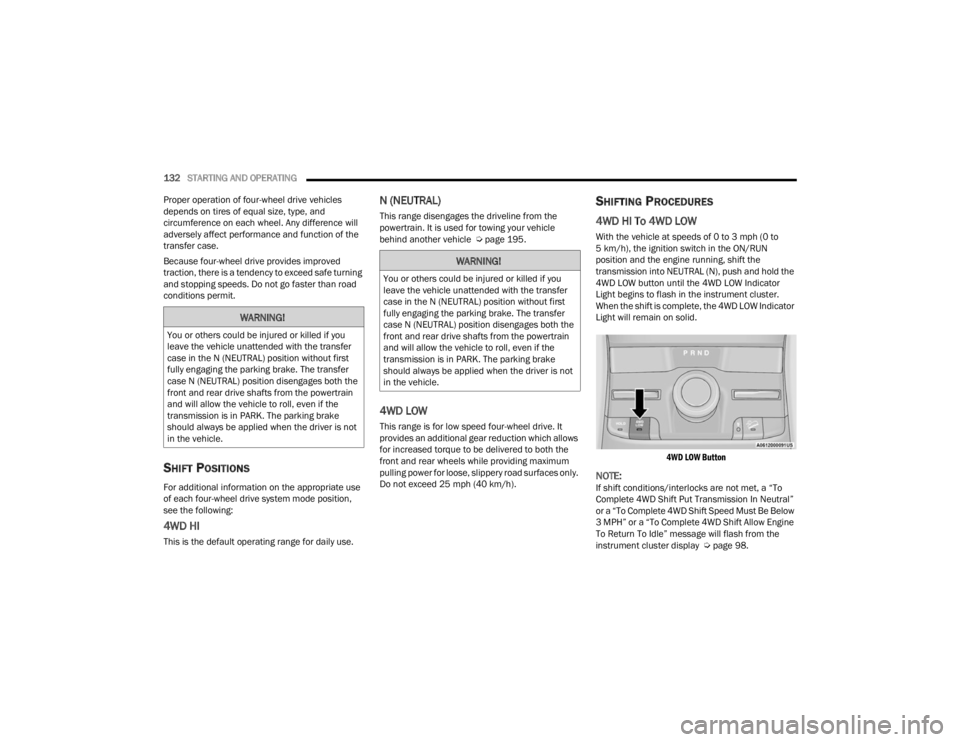
transmission into NEUTRAL (N), push and hold the
4WD LOW button until the 4WD LOW Indicator
Light begins to flash in the instrument cluster.
When the shift is complete, the 4WD LOW Indicator
Light will remain on solid.
4WD LOW Button
NOTE:If shift conditions/interlocks are not met, a “To
Complete 4WD Shift Put Transmission In Neutral”
or a “To Complete 4WD Shift Speed Must Be Below
3 MPH” or a “To Complete 4WD Shift Allow Engine
To Return To Idle” message will flash from the
instrument cluster display Ú page 98.
WARNING!
You or others could be injured or killed if you
leave the vehicle unattended with the transfer
case in the N (NEUTRAL) position without first
fully engaging the parking brake. The transfer
case N (NEUTRAL) position disengages both the
front and rear drive shafts from the powertrain
and will allow the vehicle to roll, even if the
transmission is in PARK. The parking brake
should always be applied when the driver is not
in the vehicle.
WARNING!
You or others could be injured or killed if you
leave the vehicle unattended with the transfer
case in the N (NEUTRAL) position without first
fully engaging the parking brake. The transfer
case N (NEUTRAL) position disengages both the
front and rear drive shafts from the powertrain
and will allow the vehicle to roll, even if the
transmission is in PARK. The parking brake
should always be applied when the driver is not
in the vehicle.
23_WL_OM_EN_USC_t.book Page 132
Page 135 of 424
STARTING AND OPERATING133
4WD LOW To 4WD HI
With the vehicle at speeds of 0 to 3 mph (0 to
5 km/h), the ignition switch in the ON position or
the engine running, shift the transmission into
NEUTRAL (N), push and hold the 4WD LOW button
until the 4WD LOW Indicator Light begins to flash
in the instrument cluster. When the shift is
complete, the 4WD LOW Indicator Light will
remain off.
NOTE:
If shift conditions/interlocks are not met —
“4WD Shift Cancelled” or “4WD Shift Aborted/
Retry Shift” message will be displayed on the
instrument cluster. To reattempt shift, put the
transmission in NEUTRAL (N) and push and hold
the 4WD LOW button.
If shift conditions/interlocks are not met, a “To
Complete 4WD Shift Put Transmission In
Neutral” or a “To Complete 4WD Shift Speed
Must Be Below 3 MPH” or a “To Complete 4WD
Shift Allow Engine To Return To Idle” message
will flash from the instrument cluster display
Úpage 98.
Shifting into or out of 4WD LOW is possible with
the vehicle completely stopped; however, diffi -
culty may occur due to the mating clutch teeth
not being properly aligned. Several attempts
may be required for clutch teeth alignment and shift completion to occur. The preferred
method is with the vehicle rolling 0 to 3 mph
(0 to 5 km/h). If the vehicle is moving faster
than 3 mph (5 km/h), the transfer case will not
allow the shift.
QUADRA-TRAC II SYSTEM —
I
F EQUIPPED
The Quadra-Trac II System features two torque
transfer couplings. The couplings include an
Electronic Limited-Slip Differential (ELSD) rear axle
and the Quadra-Trac II transfer case. The ELSD
axle is fully automatic and requires no driver input
to operate. Under normal driving conditions, the
unit functions as a standard axle, balancing torque
evenly between left and right wheels. With a
traction difference between left and right wheels,
the coupling will sense a speed difference. As one
wheel begins to spin faster than the other, torque
will automatically transfer from the wheel that has
less traction, to the wheel that has traction. While
the transfer case and axle coupling differ in design,
their operation is similar. Follow the Quadra-Trac II
transfer case shifting information, preceding this
section, for shifting this system.
ELECTRONIC SWAY BAR DISCONNECT —
I
F EQUIPPED
Your vehicle may be equipped with an electronic
disconnecting stabilizer/sway bar. This system
allows greater front suspension travel in off-road
situations.
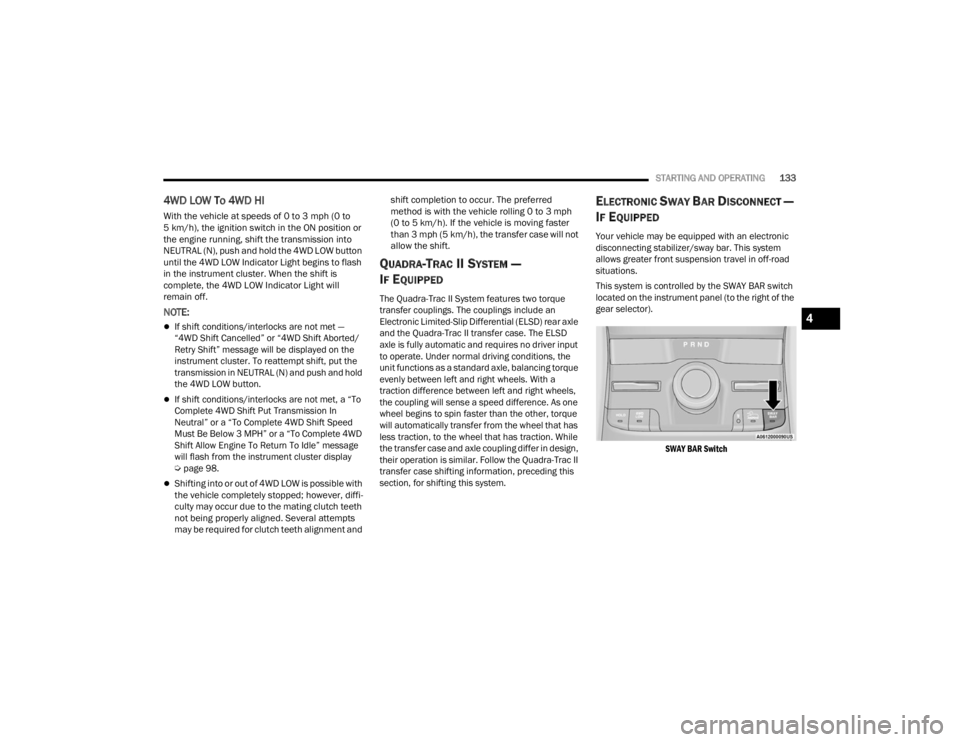
This system is controlled by the SWAY BAR switch
located on the instrument panel (to the right of the
gear selector).
SWAY BAR Switch
4
23_WL_OM_EN_USC_t.book Page 133
Page 139 of 424

STARTING AND OPERATING137
Normal Ride Height (NRH) 0.0 inches (0 mm) –
This is the standard position of the suspension
and is meant for normal driving.
Aero Height (Lowers the vehicle approximately
-0.8 inches [-21 mm] Front and -1.0 inches
[-25 mm] Rear) – This position provides
improved aerodynamics by lowering the vehicle.
The vehicle will automatically enter Aero when
the vehicle speed remains between 62 mph
(100 km/h) and 66 mph (106 km/h) for greater
than 20 seconds or if the vehicle speed exceeds
66 mph (106 km/h). The vehicle will return to
NRH from Aero if the vehicle speed remains
between 30 mph (48 km/h) and 35 mph
(56 km/h) for greater than 20 seconds or if the
vehicle speed falls below 30 mph (48 km/h).
The vehicle will enter Aero, regardless of vehicle
speed if the vehicle is in SPORT mode.
Entry/Exit Height (Lowers the vehicle approxi -
mately -1.8 inches [-46 mm] Front and
-2.0 inches [-50 mm] Rear) – This position
lowers the vehicle for easier passenger entry
and exit as well as lowering the rear of the
vehicle for easier loading and unloading of
cargo. To enter Entry/Exit, push the DOWN
button twice from NRH while the vehicle speed
is below 4 mph (6 km/h). To exit Entry/Exit,
push the UP button twice while in Entry/Exit or
drive the vehicle over 6 mph (10 km/h).
NOTE:Automatic lowering of the vehicle into Entry/Exit
can be enabled through the Uconnect Touch -
screen Radio by selecting the “Auto Entry/Exit”
setting. If this feature is enabled, the vehicle will
only lower if the gear selector is in PARK, the
terrain switch is in AUTO, the transfer case is in
AUTO and the vehicle level is either in Normal or
Aero Height. The vehicle will not automatically
lower to Entry/Exit height if the air suspension level
is in OR2 or OR1. If the vehicle is equipped with
Intrusion Theft Module (ITM), the lowering will be
suppressed when the ignition is switched OFF and
the door is open to prevent setting the alarm off.
The Selec-Terrain system will automatically change
the vehicle to the proper height based on the
position of the Selec-Terrain switch. The height can
be changed from the default Selec-Terrain setting
by normal use of the air suspension buttons
Ú page 134.
The system requires that the engine be running for
all changes. When lowering the vehicle all of the
doors must be closed. If a door is opened at any
time while the vehicle is lowering the change will
not be completed until the open door(s) is/are
closed.
The Quadra-Lift Air Suspension system uses a
lifting and lowering pattern which keeps the
headlights from incorrectly shining into oncoming
traffic. When raising the vehicle, the rear of the vehicle will move up first and then the front. When
lowering the vehicle, the front will move down first
and then the rear.
After the engine is turned off, it may be noticed that
the air suspension system operates briefly; this is
normal. The system is correcting the position of the
vehicle to ensure a proper appearance.
To assist with changing a spare tire, the
Quadra-Lift Air Suspension system has a feature
which allows the automatic leveling to be disabled
Ú
page 204.
Default Ride Height
Select Aero Height or Normal Ride Height as the
default for all vehicle speeds and operation.
This is the selected height that the suspension
will level for speed changes (e.g. raising from
Entry/Exit Height at speed, lowering from Off
Road Height at speed, etc.).
Default ride height can be changed by manually
adjusting the ride height switch to Normal Ride
Height or Aero Height and staying in the
selected height for 2.5 seconds. It will be stored
as the default ride height and the height will be
maintained until a new default ride height is
selected.
If equipped with a touchscreen radio, all enabling/
disabling of air suspension features must be done
through the radio Ú page 204.
4
23_WL_OM_EN_USC_t.book Page 137
Page 140 of 424

138STARTING AND OPERATING
AIR SUSPENSION MODES
The Air Suspension system has multiple modes to
protect the system in unique situations:
Tire/Jack Mode
To assist with changing a spare tire, the air
suspension system has a feature which allows the
automatic leveling to be disabled Ú page 204.
NOTE:This mode is intended to be enabled with the
ignition on.
Auto Entry/Exit Mode
To assist in entering and exiting the vehicle, the air
suspension system has a feature which
automatically lowers the vehicle to Entry/Exit ride
height Úpage 204.
NOTE:This mode is intended to be enabled with the
ignition on. Transport Mode
To assist with flat bed towing, the air suspension
system has a feature which will put the vehicle into
Entry/Exit height and disable the automatic load
leveling system Ú
page 204.
NOTE:This mode is intended to be enabled with the
ignition on.
Suspension Display Messages Mode
The “Suspension Display Messages” setting allows
you to only display suspension warnings
Úpage 204.
NOTE:This mode is intended to be enabled with the
ignition on.
Wheel Alignment Mode
Before performing a wheel alignment this mode
must be enabled Ú page 204.
NOTE:This mode is intended to be enabled with the
ignition on.
If equipped with a touchscreen radio, all enabling/
disabling of air suspension features must be done
through the radio Ú page 204.
INSTRUMENT CLUSTER DISPLAY
M
ESSAGES
When the appropriate conditions exist, a message
will appear in the instrument cluster Ú page 98.
OPERATION
The indicator lamps 1 through 5 will illuminate to
show the current position of the vehicle. Flashing
indicator lamps will show a position which the
system is working to achieve. When raising, if
multiple indicator lamps are flashing while raising,
the highest flashing indicator lamp is the position
the system is working to achieve. When lowering, if
multiple indicators are flashing while lowering, the
lowest solid indicator lamp is the position the
system is working to achieve.
Toggle up once will move the suspension one
position higher from the current position,
assuming all conditions are met (i.e. ignition on,
speed below threshold, etc). Toggle up can be
pushed multiple times. Each toggle up will raise
the requested level by one position up to a
maximum position of OR2 or the highest position
allowed based on current conditions (i.e. vehicle
speed, etc).
Toggle down once will move the suspension one
position lower from the current level, assuming all
conditions are met (i.e. ignition on, doors closed,
speed below threshold, etc). Toggle down can be
WARNING!
The air suspension system uses a high pressure
volume of air to operate the system. To avoid
personal injury or damage to the system, see an
authorized dealer for service.
23_WL_OM_EN_USC_t.book Page 138
Page 143 of 424
STARTING AND OPERATING141
TO START THE ENGINE WHILE IN
A
UTOSTOP MODE
While in a forward gear, the engine will start when
the brake pedal is released or the throttle pedal is
pressed. The transmission will automatically
re-engage upon engine restart.
Conditions That Will Cause The Engine To Start
Automatically While In Autostop Mode:
The transmission selector is moved out of
DRIVE.
To maintain cabin temperature comfort.
HVAC is set to full defrost mode.
HVAC system temperature or fan speed is
manually adjusted.
Battery voltage drops too low.
Stop/Start OFF switch is pushed.
A Stop/Start system error occurs.
Steering angle is beyond threshold.
TO MANUALLY TURN OFF THE STOP/
S
TART SYSTEM
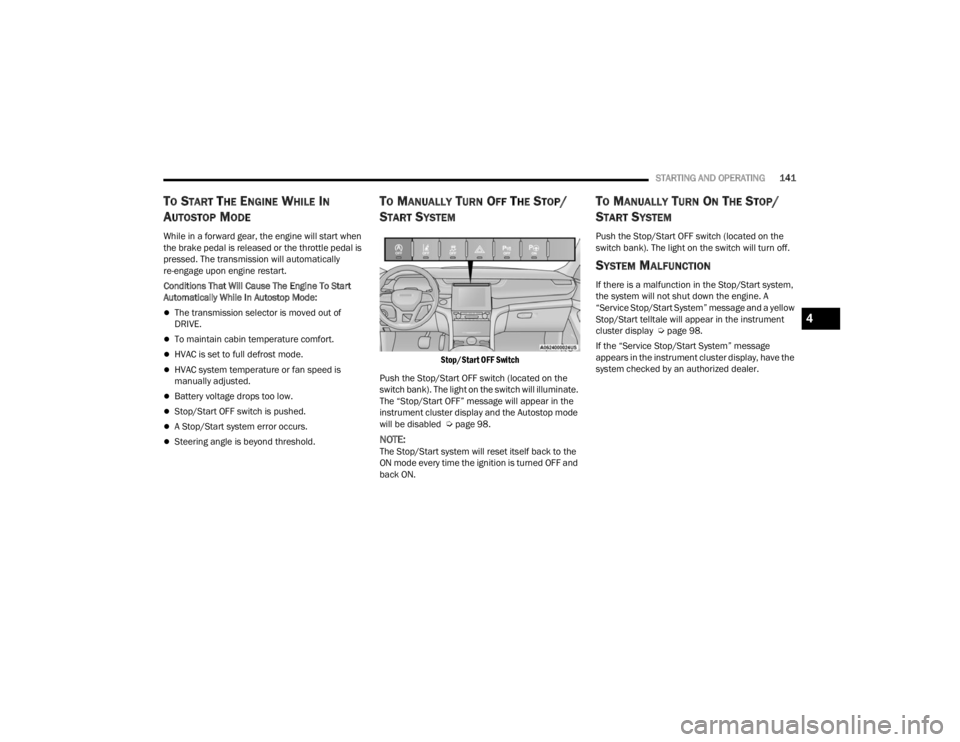
Stop/Start OFF Switch
Push the Stop/Start OFF switch (located on the
switch bank). The light on the switch will illuminate.
The “Stop/Start OFF” message will appear in the
instrument cluster display and the Autostop mode
will be disabled Ú page 98.
NOTE:The Stop/Start system will reset itself back to the
ON mode every time the ignition is turned OFF and
back ON.
TO MANUALLY TURN ON THE STOP/
S
TART SYSTEM
Push the Stop/Start OFF switch (located on the
switch bank). The light on the switch will turn off.
SYSTEM MALFUNCTION
If there is a malfunction in the Stop/Start system,
the system will not shut down the engine. A
“Service Stop/Start System” message and a yellow
Stop/Start telltale will appear in the instrument
cluster display Ú page 98.
If the “Service Stop/Start System” message
appears in the instrument cluster display, have the
system checked by an authorized dealer.
4
23_WL_OM_EN_USC_t.book Page 141
Page 147 of 424

STARTING AND OPERATING145
NOTE:
Keeping your foot on the accelerator pedal can
cause the vehicle to continue to accelerate
beyond the set speed. If this occurs, the
message “DRIVER OVERRIDE” will display in the
instrument cluster display.
If you continue to accelerate beyond the set
speed while ACC is enabled, the system will not
be controlling the distance between your vehicle
and the vehicle ahead. The vehicle speed will
only be determined by the position of the accel-
erator pedal.
To Cancel
The following conditions cancel the ACC or Fixed
Speed Cruise Control systems:
The brake pedal is applied
The CANC (cancel) button is pushed
The gear selector is removed from the DRIVE
position
The Electronic Stability Control/Traction Control
System (ESC/TCS) activates
The vehicle parking brake is applied
The Trailer Sway Control (TSC) activates
The braking temperature exceeds normal range
(overheated) The following conditions will only cancel the ACC
system:
Driver seat belt is unbuckled at low speeds
Driver door is opened at low speeds
To Turn Off
The system will turn off and erase the set speed in
memory if:
The Adaptive Cruise Control (ACC) on/off button
is pushed
Fixed Speed Cruise Control on/off button is
pushed
The ignition is placed in the OFF position
4WD Low is engaged
The Active Driving Assist (ADA) system (if
equipped) is enabled/engaged and the ADA
button is pressed
NOTE:If ADA is not enabled/engaged and the ADA button
is pressed, the ACC system will remain on or turn
on, depending on the state of ACC at the time of
the ADA button press.
To Resume
If there is a set speed in memory, push the RES
(resume) button and remove your foot from the
accelerator pedal. The instrument cluster display
will show the last set speed. Resume can be used at any speed above 20 mph
(32 km/h) when only Fixed Speed Cruise Control is
being used.
Resume can be used at any speed above 0 mph
(0 km/h) when ACC is active.
NOTE:
While in ACC mode, when the vehicle comes to
a complete stop longer than two seconds, the
driver will either have to push the RES (resume)
button or press the accelerator pedal to reen
-
gage the ACC system.
ACC cannot be resumed if there is a stationary
vehicle in front of your vehicle in close proximity.
WARNING!
The Resume function should only be used if
traffic and road conditions permit. Resuming a
set speed that is too high or too low for
prevailing traffic and road conditions could
cause the vehicle to accelerate or decelerate too
sharply for safe operation. Failure to follow these
warnings can result in a collision and death or
serious personal injury.
4
23_WL_OM_EN_USC_t.book Page 145
Page 151 of 424

STARTING AND OPERATING149
When the condition that created limited
functionality is no longer present, the system will
return to full functionality.
NOTE:If the “ACC Limited Functionality Clean Front Wind -
shield” message occurs frequently (e.g. more than
once on every trip) without any snow, rain, mud, or
other obstruction, have the windshield and forward
facing camera inspected at an authorized dealer.
SERVICE ACC WARNING
If the system turns off, and the instrument cluster
display reads “ACC Unavailable Service Required”
or “Cruise Unavailable Service Required”, there
may be an internal system fault or a temporary
malfunction that limits ACC functionality. Although
the vehicle is still drivable under normal
conditions, ACC will be temporarily unavailable. If
this occurs, try activating ACC again later, following
an ignition cycle. If the problem persists, see an
authorized dealer.
Precautions While Driving With ACC
In certain driving situations, ACC may have
detection issues. In these cases, ACC may brake
late or unexpectedly. The driver needs to stay alert
and may need to intervene. The following are
examples of these types of situations:
TOWING A TRAILER
Towing a trailer is not recommended when using
ACC.
OFFSET DRIVING
ACC may not detect a vehicle in the same lane that
is offset from your direct line of travel, or a vehicle
merging in from a side lane. There may not be
sufficient distance to the vehicle ahead. The offset
vehicle may move in and out of the line of travel,
which can cause your vehicle to brake or
accelerate unexpectedly.
Offset Driving Condition Example
TURNS AND BENDS
When driving on a curve with ACC engaged, the
system may increase or decrease the vehicle
speed for stability, with no vehicle ahead detected.
Once the vehicle is out of the curve, the system will
resume your original set speed. This is a part of
normal ACC system functionality.
NOTE:On tight turns ACC performance may be limited.
4
23_WL_OM_EN_USC_t.book Page 149
Page 159 of 424
STARTING AND OPERATING157
As the system detects driver inattentiveness as
previously described Ú page 152, the system
status indicator lights will change from green, to
yellow, to red. The following indicators will change
in color as warnings to the driver escalate:
Active Driving Assist Indicator (steering wheel
icon in the instrument cluster display or Head
Up Display [if equipped])
Glow effect of the instrument cluster display
For Hands-Free ADA only, light strips in the
driver and front passenger’s door panels (red
and green only)
For Base ADA, if driver attention is not returned,
the system will deactivate.
For Hands-Free ADA, if driver attention is not
returned, the system will perform a Stop-In-Lane
maneuver. Once the vehicle is at a standstill, the
vehicle will be shifted to PARK and the Electric Park
Brake (EPB) will be applied. Then, the vehicle will
attempt to place an emergency call through the
Assist and SOS system. If too many Stop-In-Lane
maneuvers are initiated, or if one is completed, the
system will be unavailable until the ignition is
cycled OFF, then back to ON.
Active Driving Assist Indicators Are Off
ADA is not turned on/enabled by the driver. Active Driving Assist Indicators Are White
ADA is turned on/enabled by the driver, but the
system is not actively steering and providing
speed control for the vehicle.
Active Driving Assist Indicators Are Green
System is actively steering and providing speed
control for the vehicle and the system detects
driver is attentive.
Active Driving Assist Indicators Are Yellow
Driver inattentiveness has been detected,
warning the driver to place hands on the
steering wheel, or look back toward the road (if
equipped with the Hands-Free system).
Active Driving Assist Indicators Are Red
Driver inattentiveness is still being detected, or
driver take-over is being requested, warning the
driver to place hands on the steering wheel, or if
equipped with the Hands-Free system, take
control of the vehicle.
NOTE:For both Base ADA and Hands-Free ADA, the driver
MUST replace hands on the steering wheel and
take control of the vehicle when the system is
deactivated.
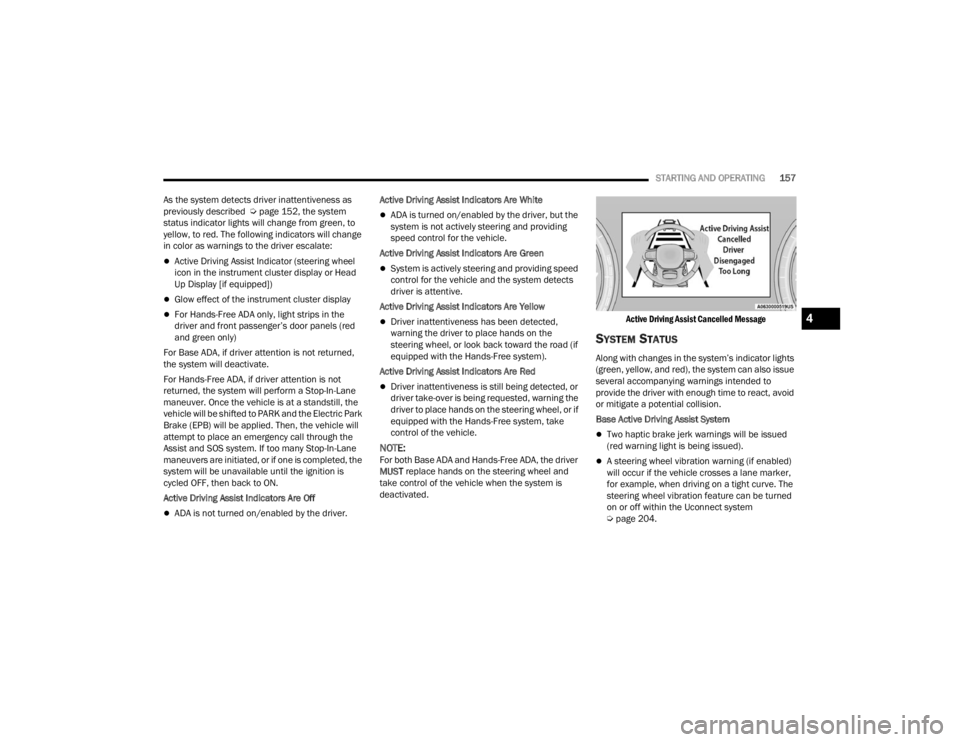
Active Driving Assist Cancelled Message
SYSTEM STATUS
Along with changes in the system’s indicator lights
(green, yellow, and red), the system can also issue
several accompanying warnings intended to
provide the driver with enough time to react, avoid
or mitigate a potential collision.
Base Active Driving Assist System
Two haptic brake jerk warnings will be issued
(red warning light is being issued).
A steering wheel vibration warning (if enabled)
will occur if the vehicle crosses a lane marker,
for example, when driving on a tight curve. The
steering wheel vibration feature can be turned
on or off within the Uconnect system
Ú
page 204.
4
23_WL_OM_EN_USC_t.book Page 157