phone JEEP LIBERTY 2008 KK / 2.G Service Manual
[x] Cancel search | Manufacturer: JEEP, Model Year: 2008, Model line: LIBERTY, Model: JEEP LIBERTY 2008 KK / 2.GPages: 493
Page 242 of 493

Operating Instructions - Radio Mode
NOTE:The ignition switch must be in the ON or ACC
position to operate the radio.
Power Switch/Volume Control (Rotary)
Press the ON/VOLUME control knob to turn on the
radio. Press the ON/VOLUME control knob a second
time to turn off the radio.
Electronic Volume Control
The electronic volume control turns continuously (360
degrees) in either direction without stopping. Turning the
ON/VOLUME control knob to the right increases the
volume and to the left decreases it.
When the audio system is turned on, the sound will be
set at the same volume level as last played.
SEEK Buttons
Press and release the SEEK buttons to search for the next
listenable station in AM/FM mode. Press the right switchto seek up and the left switch to seek down. The radio
will remain tuned to the new station until you make
another selection. Holding either button will bypass
stations without stopping until you release it.
SCAN Button
Pressing the SCAN button causes the tuner to search for
the next listenable station in AM or FM frequencies,
pausing for 5 seconds at each listenable station before
continuing to the next. To stop the search, press the
SCAN button a second time.
Voice Recognition Button (UConnectŸ Hands Free
Phone) Ð If Equipped
Press this button to operate the Hand Free Phone (UCon-
nectŸ) feature (if equipped). Refer to ªHands-Free Com-
munication (UConnectŸ)º in Section 3 for more informa-
tion.
242 INSTRUMENT PANEL AND CONTROLS
Page 243 of 493

If your vehicle is not equipped with or this feature is not
available on your vehicle, a ªNot Equipped With UCon-
nectº message will display on the radio screen.
Phone Button (UConnectŸ Hands Free Phone) Ð
If Equipped
Press this button to operate the Hand Free Phone (UCon-
nectŸ) feature (if equipped). Refer to ªHands-Free Com-
munication (UConnectŸ)º in Section 3 for more informa-
tion.
If your vehicle is not equipped with or this feature is not
available on your vehicle, a ªNot Equipped With UCon-
nectº message will display on the radio screen.
TIME Button
Press the TIME button and the time of day will display. In
AM or FM mode, pressing the TIME button will switch
between the time and frequency displays.
Clock Setting Procedure
1. Press and hold the TIME button, until the hours blink.
2. Adjust the hours by turning the right side TUNE
control knob.
3. After adjusting the hours, press the right side TUNE
control knob to set the minutes. The minutes will begin to
blink.
4. Adjust the minutes using the right side TUNE control
knob. Press the TUNE control knob to save time change.
5. To exit, press any button/knob or wait 5 seconds.
The clock can also be set by pressing the SETUP button.
For vehicles equipped with satellite radio, press the
SETUP button, use the TUNE control to select SET
CLOCK, and then follow the above procedure, starting at
INSTRUMENT PANEL AND CONTROLS 243
4
Page 253 of 493

Press and hold the INFO button again for 3 seconds to
return to9elapsed time9display.
Operation Instructions - Auxiliary Mode
The auxiliary (AUX) jack is an audio input jack, which
allows the user to plug in a portable device such as an
MP3 player, or cassette player, and utilize the vehicle's
audio system to amplify the source and play through the
vehicle speakers.
Pushing the AUX button will change the mode to auxil-
iary device if the AUX jack is connected.
NOTE:The AUX device must be turned on and the
device's volume set to proper level. If the AUX audio is
not loud enough, turn the device's volume up. If the AUX
audio sounds distorted, turn the device's volume down.
TIME Button (Auxiliary Mode)
Press this button to change the display to time of day. The
time of day will display for 5 seconds (when ignition is
off).
Operating Instructions - Hands Free Phone
(UConnectŸ) (If Equipped)
Refer to ªHands-Free Communication (UConnectŸ)º in
Section 3 of this manual.
Operating Instructions - Satellite Radio Mode (If
Equipped)
Refer to ªSatellite Radioº in this section.
Operating Instructions - Video Entertainment
System (VESt) (If Equipped)
Refer to separate ªVideo Entertainment System (VESt)
Guide.º
INSTRUMENT PANEL AND CONTROLS 253
4
Page 258 of 493

Operating Instructions - Hands Free Phone (If
Equipped)
Refer to ªHands-Free Communication (UConnectŸ)º in
Section 3 of this manual.
Operating Instructions - Video Entertainment
System (VESŸ) (If Equipped)
Refer to separate ªVideo Entertainment System (VESŸ)
Guide.º
REMOTE SOUND SYSTEM CONTROLS Ð IF
EQUIPPED
The remote sound system controls are located on the rear
surface of the steering wheel. The left- and right-hand
controls are rocker-type switches with a push-button in
the center of each switch. Reach behind the steering
wheel to access the switches.
Right-Hand Switch Functions
²
Press the top of the switch to increase the volume.
²Press the bottom of the switch to decrease the volume.
²Press the button in the center of the switch to change
modes (i.e., AM, FM, etc).
Remote Sound Controls
258 INSTRUMENT PANEL AND CONTROLS
Page 312 of 493
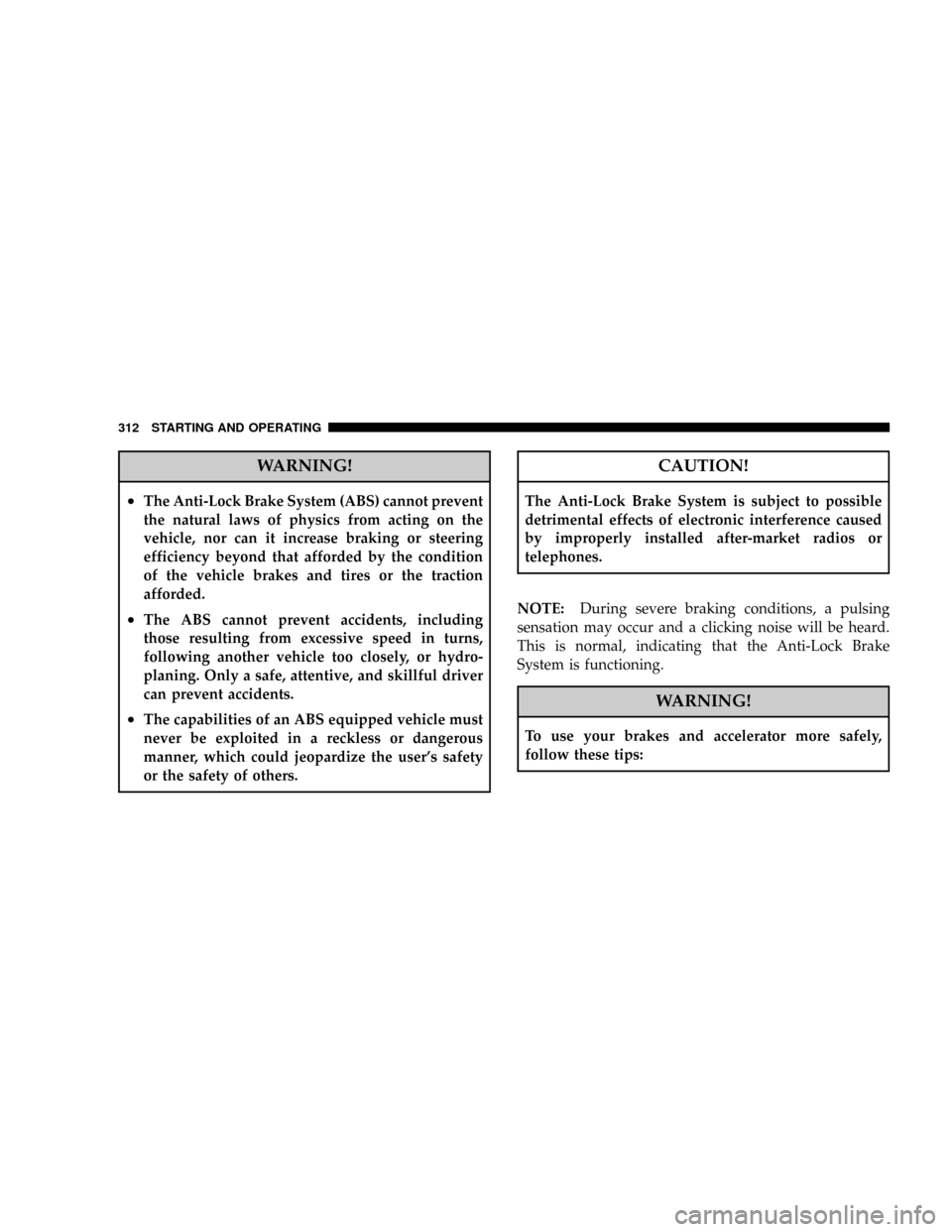
WARNING!
²The Anti-Lock Brake System (ABS) cannot prevent
the natural laws of physics from acting on the
vehicle, nor can it increase braking or steering
efficiency beyond that afforded by the condition
of the vehicle brakes and tires or the traction
afforded.
²The ABS cannot prevent accidents, including
those resulting from excessive speed in turns,
following another vehicle too closely, or hydro-
planing. Only a safe, attentive, and skillful driver
can prevent accidents.
²The capabilities of an ABS equipped vehicle must
never be exploited in a reckless or dangerous
manner, which could jeopardize the user's safety
or the safety of others.
CAUTION!
The Anti-Lock Brake System is subject to possible
detrimental effects of electronic interference caused
by improperly installed after-market radios or
telephones.
NOTE:During severe braking conditions, a pulsing
sensation may occur and a clicking noise will be heard.
This is normal, indicating that the Anti-Lock Brake
System is functioning.
WARNING!
To use your brakes and accelerator more safely,
follow these tips:
312 STARTING AND OPERATING
Page 461 of 493

technicians, special tools, and the latest information to
assure your vehicle is fixed correctly and in a timely
manner.
This is why you should always talk to your dealer's
service manager first. Most matters can be resolved with
this process.
²If for some reason you are still not satisfied, talk to the
general manager or owner of the dealership. They
want to know if you need assistance.
²If your dealership is unable to resolve the concern, you
may contact the Manufacturer's Customer Center.
Any communication to the Manufacturer's Customer
Center should include the following information:
²Owner's name and address
²Owner's telephone number (home and office)
²Dealership name
²Vehicle identification number
²Vehicle delivery date and mileage
DaimlerChrysler Motors Corporation Customer Center
P.O. Box 21±8004
Auburn Hills, MI 48321±8004
Phone: (800) 992-1997
DaimlerChrysler Canada Inc. Customer Center
P.O. Box 1621
Windsor, Ontario N9A 4H6
Phone: (800) 465±2001
In Mexico contact:
Av. Prolongacion Paseo de la Reforma, 1240
Sante Fe C.P. 05109
Mexico, D. F.
In Mexico (915) 729±1248 or 729±1240
Outside Mexico (525) 729±1248 or 729±1240
IF YOU NEED CONSUMER ASSISTANCE 461
9
Page 464 of 493

To contact NHTSA, you may either call the Auto Safety
Hotline toll free at 1±888±327±4236 (TTY: 1±800±424± 9153),
or go to http://www.safercar.gov; or write to: Administra-
tor, NHTSA, 400 Seventh Street, SW., Washington, DC
20590. You can also obtain other information about motor
vehicle safety from http://www.safercar.gov.
In Canada:
If you believe that your vehicle has a safety defect, you
should contact the Customer Service Department imme-
diately. Canadian customers who wish to report a safety
defect to the Canadian government should write to
Transport Canada, Motor Vehicle Defect Investigations
and Recalls, 2780 Sheffield Road, Ottawa, Ontario K1B
3V9.
PUBLICATION ORDER FORMS
To order the following manuals, you may use either the
website or the phone numbers listed below. Visa, Mas-
tercard, American Express, and Discover orders are ac-
cepted. If you prefer mailing your payment, please call
for an order form.
NOTE:A street address is required when ordering
manuals. (No P.O. Boxes).
²Service Manuals.
These comprehensive service manuals provide the
information that students and professional technicians
need in diagnosing/troubleshooting, problem solving,
maintaining, servicing, and repairing DaimlerChrysler
Corporation vehicles. A complete working knowledge
of the vehicle, system, and/or components is written
in straightforward language with illustrations, dia-
grams, and charts.
464 IF YOU NEED CONSUMER ASSISTANCE
Page 472 of 493

Brake, Parking.......................... 308
Brake System........................... 422
Anti-Lock (ABS)....................310,315
Fluid Check.......................423,449
Hoses.............................. 422
Master Cylinder....................... 423
Parking............................. 308
Warning Light........................ 202
Brakes............................... 422
Brake/Transmission Interlock............... 283
Break-In Recommendations, New Vehicle........ 79
Brightness, Interior Lights.................. 138
Bulb Replacement....................... 443
Bulbs, Light..........................82,443
Calibration, Compass..................204,212
Capacities, Fluid........................ 447
Caps, Filler
Fuel................................ 359Oil (Engine).......................... 404
Radiator (Coolant Pressure)............... 418
Car Washes............................ 429
Carbon Monoxide Warning...............80,358
Cargo Area Cover....................... 178
Cargo Area Features...................... 174
Cargo Compartment...................... 174
Light............................... 138
Cargo Light............................ 138
Cargo Load Floor........................ 174
Cargo Tie-Downs........................ 176
Cargo (Vehicle Loading)................... 361
Catalytic Converter...................... 407
CD (Compact Disc) Player................. 237
CD (Compact Disc) Player Maintenance........ 259
Cellular Phone.....................92,237,239
Certification Label....................... 361
Changing A Flat Tire..................... 385
Charging System Light.................... 194
472 INDEX
Page 478 of 493

Gauges
Coolant Temperature.................... 198
Fuel................................ 190
Odometer........................... 200
Speedometer......................... 194
Tachometer.......................... 195
Gear Ranges........................283,291
General Information...............17,26,118,355
General Maintenance..................... 402
Glass Cleaning.......................... 433
Gross Axle Weight Rating...............362,365
Gross Vehicle Weight Rating.............362,364
GVWR............................... 362
Hands-Free Phone (UConnectŸ)........92,237,239
Hard Drive (HDD)....................... 237
Hazard
Driving Through Flowing, Rising, or Shallow
Standing Water........................ 304Head Restraints......................... 122
Head Rests............................ 122
Headlights............................ 133
Automatic........................... 134
Bulb Replacement...................... 443
Cleaning............................ 432
Delay.............................. 134
High Beam/Low Beam Select Switch........ 137
Lights On Reminder.................... 135
On With Wipers....................134,143
Passing............................. 137
Replacing............................ 443
Switch.............................. 133
Time Delay.......................... 134
Heated Mirrors.......................... 91
Heated Seats........................... 123
Heater............................... 260
Heater, Engine Block..................... 280
High Beam Indicator..................... 193
478 INDEX
Page 484 of 493

Oil Filter, Change........................ 405
Onboard Diagnostic System..............399,400
Opener, Garage Door (HomeLinkt) ........... 155
Operating Precautions.................... 399
Outside Rearview Mirrors.................. 89
Overdrive..........................202,285
Overheating, Engine...................198,384
Owner's Manual (Operator Manual).......... 464
Paint Care............................. 428
Paint Damage.......................... 428
Panic Alarm............................ 24
Park Sense System, Rear................... 150
Parking Brake.......................... 308
Parking On Hill......................... 308
Passing Light........................... 137
PCV Valve............................ 409
Personal Settings........................ 216
Pets.................................. 78Pets, Transporting........................ 78
Phone, Cellular....................92,237,239
Phone, Hands-Free (UConnectŸ)........92,237,239
Placard, Tire and Loading Information......... 333
Polishing and Waxing..................... 429
Port
Universal Serial Bus (USB)................ 237
USB ................................ 237
Power
Distribution Center (Fuses)............... 436
Door Locks........................... 31
Inverter............................. 170
Mirrors.............................. 90
Seats............................... 121
Steering............................. 313
Steering, Checking..................... 412
Sunroof............................. 161
Sunroof (Sky Slider).................164,434
Windows............................. 36
484 INDEX