lock JEEP LIBERTY 2009 KK / 2.G Owner's Manual
[x] Cancel search | Manufacturer: JEEP, Model Year: 2009, Model line: LIBERTY, Model: JEEP LIBERTY 2009 KK / 2.GPages: 506
Page 34 of 506
3. Press the power door LOCK switch to lock the doors.
4. A single chime will indicate the completion of the
programming.
5. Repeat these steps if you want to return this feature to
its previous setting.
NOTE:Use the Automatic Door Locks feature in accor-
dance with local laws.
Automatic Unlock Doors on Exit
The doors will unlock automatically on vehicles with
power door locks if:
1. The Automatic Unlock Doors On Exit feature is en-
abled.
2. The transmission is in gear and the vehicle speed
returned to 0 mph (0 km/h).
3. The transmission is in NEUTRAL or PARK. 4. The driver door is opened.
5. The doors were not previously unlocked.
6. The vehicle speed is 0 mph (0 km/h).
Automatic Unlock Doors on Exit Programming
The Automatic Unlock Doors On Exit feature can be
enabled or disabled as follows:
•For vehicles equipped with the Electronic Vehicle
Information Center (EVIC), refer to “Personal Settings
(Customer-Programmable Features)” under “Elec-
tronic Vehicle Information Center (EVIC)” in Section 4.
•For vehicles not equipped with the EVIC, perform the
following procedure:
1. Close all doors and place the key in the ignition.
2. Cycle the ignition switch between LOCK and ON and
then back to LOCK four times, ending up in the LOCK
position.
32 THINGS TO KNOW BEFORE STARTING YOUR VEHICLE
Page 35 of 506
3. Press the power door UNLOCK switch to unlock the
doors.
4. A single chime will indicate the completion of the
programming.
Repeat these steps if you want to return this feature to its
previous setting.
NOTE:Use the Automatic Unlock Doors On Exit feature
in accordance with local laws.
Child-Protection Door Lock System (Rear Doors)
To provide a safer environment for small children riding
in the rear seats, the rear doors are equipped with a Child
Protection Door Lock system.
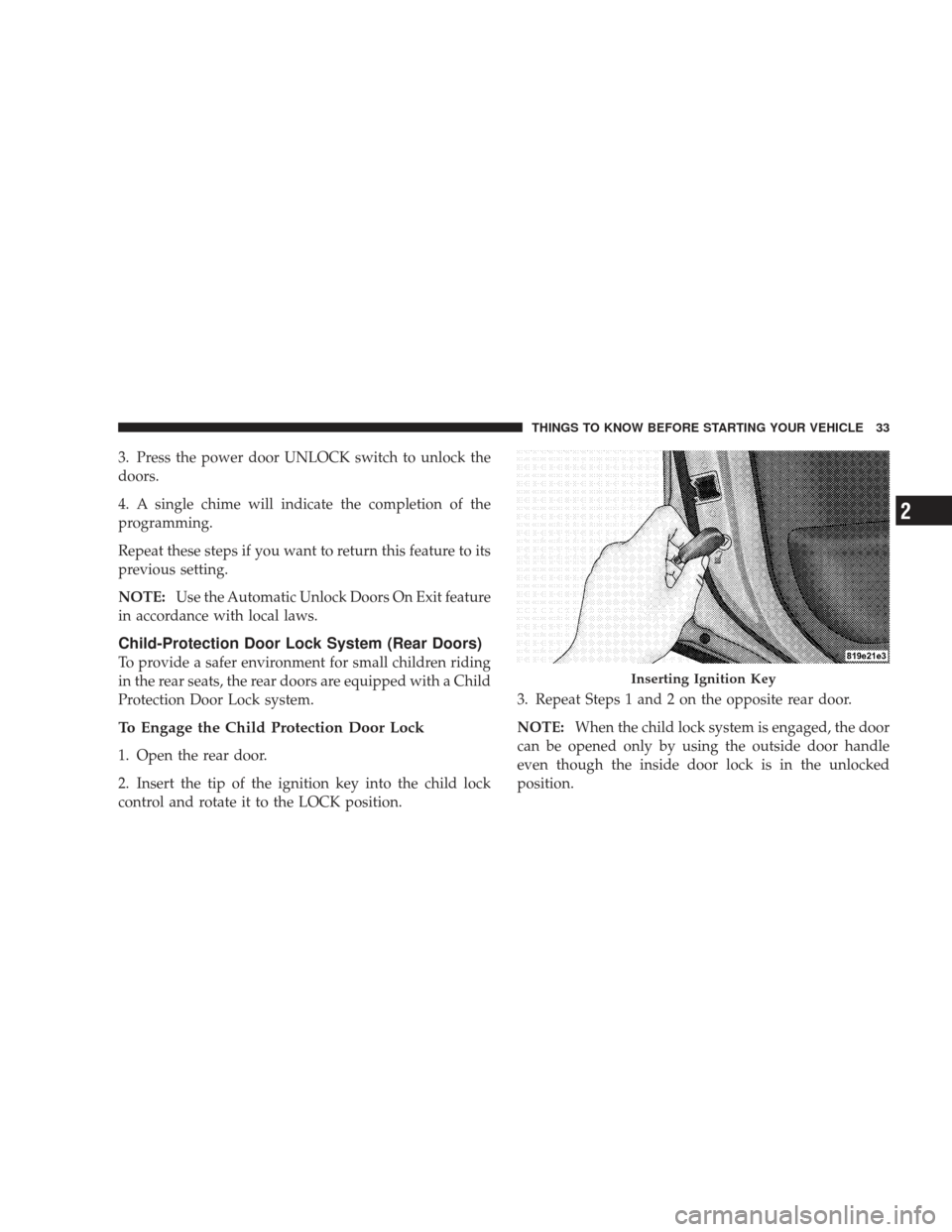
To Engage the Child Protection Door Lock
1. Open the rear door.
2. Insert the tip of the ignition key into the child lock
control and rotate it to the LOCK position. 3. Repeat Steps 1 and 2 on the opposite rear door.
NOTE:
When the child lock system is engaged, the door
can be opened only by using the outside door handle
even though the inside door lock is in the unlocked
position.
Inserting Ignition Key
THINGS TO KNOW BEFORE STARTING YOUR VEHICLE 33
2
Page 36 of 506
WARNING!
Avoid trapping anyone in a vehicle in a collision.
Remember that the rear doors can only be opened
from the outside when the child protection locks are
engaged.
NOTE:
•After engaging the Child Protection Door Lock sys-
tem, always test the door from the inside to make
certain it is in the desired position.
•For emergency exit with the system engaged, move
the lock plunger up (unlocked position), roll down the
window, and open the door with the outside door
handle.
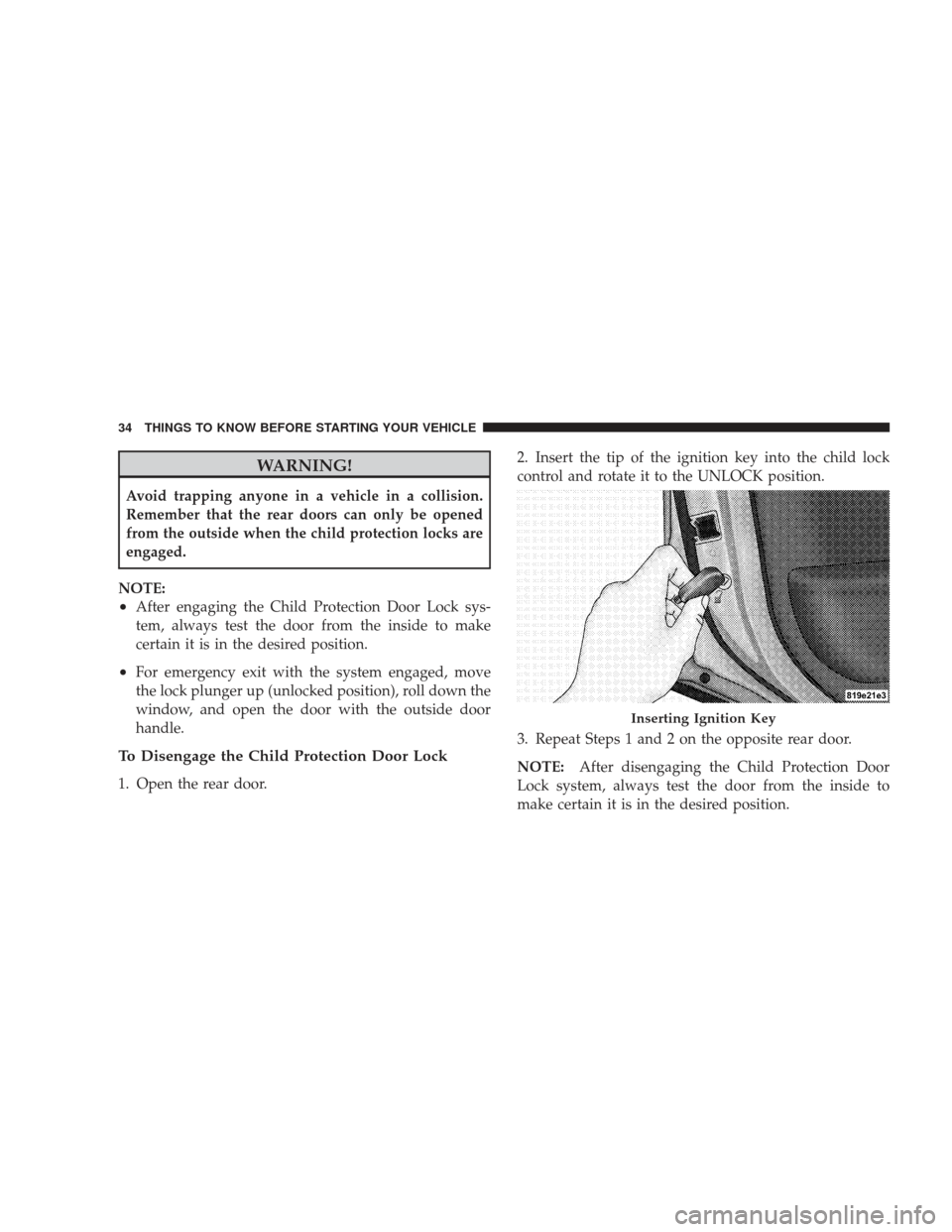
To Disengage the Child Protection Door Lock
1. Open the rear door. 2. Insert the tip of the ignition key into the child lock
control and rotate it to the UNLOCK position.
3. Repeat Steps 1 and 2 on the opposite rear door.
NOTE:
After disengaging the Child Protection Door
Lock system, always test the door from the inside to
make certain it is in the desired position.
Inserting Ignition Key
34 THINGS TO KNOW BEFORE STARTING YOUR VEHICLE
Page 38 of 506
To open the window part way, press the window switch
to the first detent and release it when you want the
window to stop.
To stop the window from going all the way down during
the Auto-Down operation, pull up on the switch briefly.
For vehicles not equipped with the Electronic Vehicle
Information Center (EVIC), the power window switches
will remain active for 45 seconds after the ignition switch
is turned to the LOCK position. Opening either front
door will cancel this feature.
For vehicles equipped with the EVIC, the power window
switches will remain active for up to 10 minutes after the
ignition switch is turned to the LOCK position. Opening
either front door will cancel this feature. The time is
programmable. For details, refer to “Delay Power Off to
Accessories Until Exit,” under “Personal Settings(Customer-Programmable Features” in the “Electronic
Vehicle Information Center (EVIC),” in Section 4 of this
manual.
Auto Up Feature with Anti-Pinch Protection — If
Equipped
On some models, the driver’s power window switch has
an Auto Up feature. Pull the window switch up to the
second detent, release, and the window will go up
automatically.
To stop the window from going all the way up during the
Auto Up operation, push down on the switch briefly.
To close the window part way, pull the window switch
up to the first detent and release when you want the
window to stop.
36 THINGS TO KNOW BEFORE STARTING YOUR VEHICLE
Page 39 of 506
For vehicles not equipped with the Electronic Vehicle
Information Center (EVIC), the power window switches
will remain active for 45 seconds after the ignition switch
is turned to the LOCK position. Opening either front
door will cancel this feature.
For vehicles equipped with the EVIC, the power window
switches will remain active for up to 10 minutes after the
ignition switch is turned to the LOCK position. Opening
either front door will cancel this feature. The time is
programmable. For details, refer to “Delay Power Off to
Accessories Until Exit,” under “Personal Settings
(Customer-Programmable Features)” in the “Electronic
Vehicle Information Center (EVIC),” in Section 4 of this
manual.NOTE:
•If the window runs into any obstacle during auto-
closure, it will reverse direction and then go back
down. Remove the obstacle and use the window
switch again to close the window.
•Any impact due to rough road conditions may trigger
the auto reverse function unexpectedly during auto-
closure. If this happens, pull the switch lightly to the
first detent and hold to close window manually.
WARNING!
There is no anti-pinch protection when the window
is almost closed. Be sure to clear all objects from the
window before closing.
THINGS TO KNOW BEFORE STARTING YOUR VEHICLE 37
2
Page 40 of 506
Window Lockout Switch
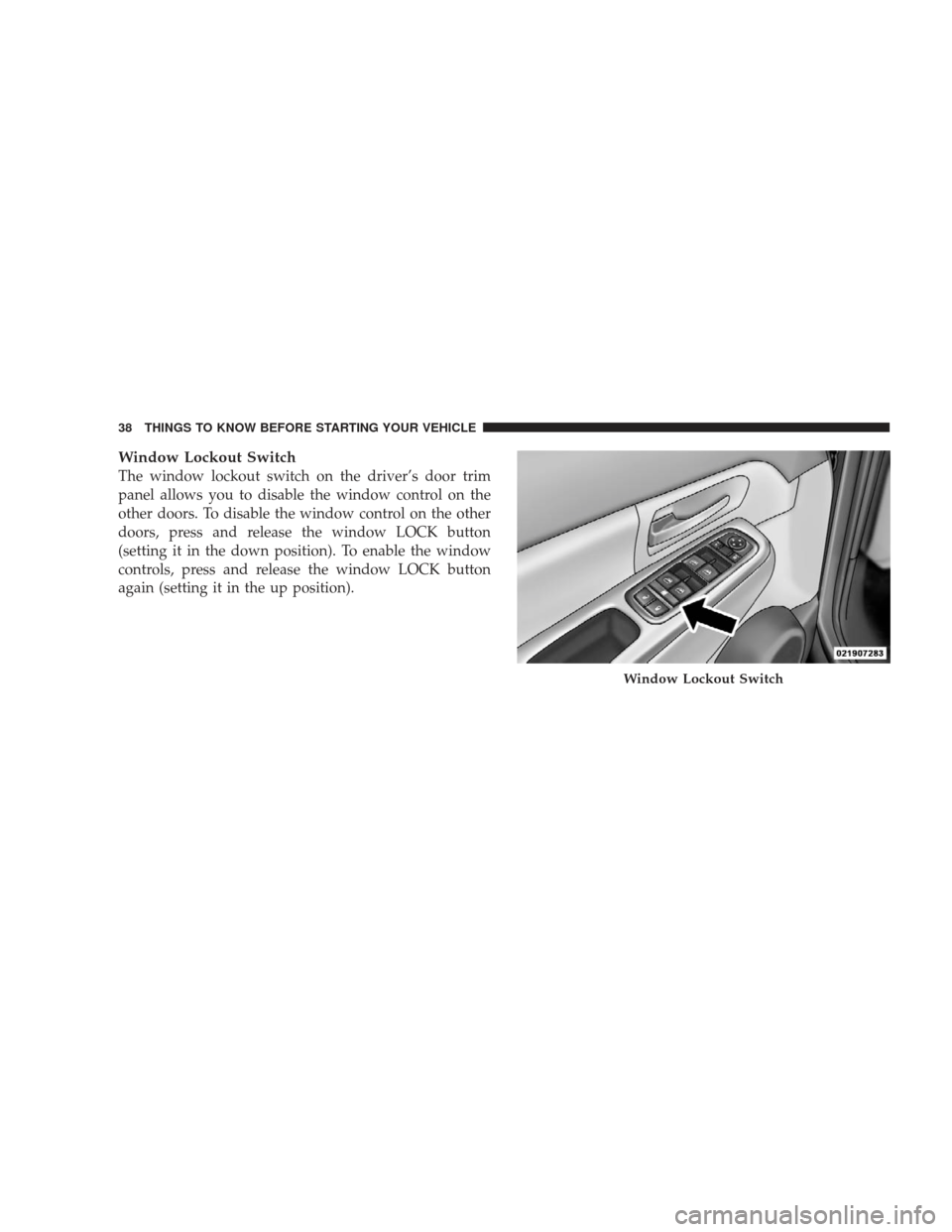
The window lockout switch on the driver’s door trim
panel allows you to disable the window control on the
other doors. To disable the window control on the other
doors, press and release the window LOCK button
(setting it in the down position). To enable the window
controls, press and release the window LOCK button
again (setting it in the up position).
Window Lockout Switch
38 THINGS TO KNOW BEFORE STARTING YOUR VEHICLE
Page 42 of 506
LIFTGATE
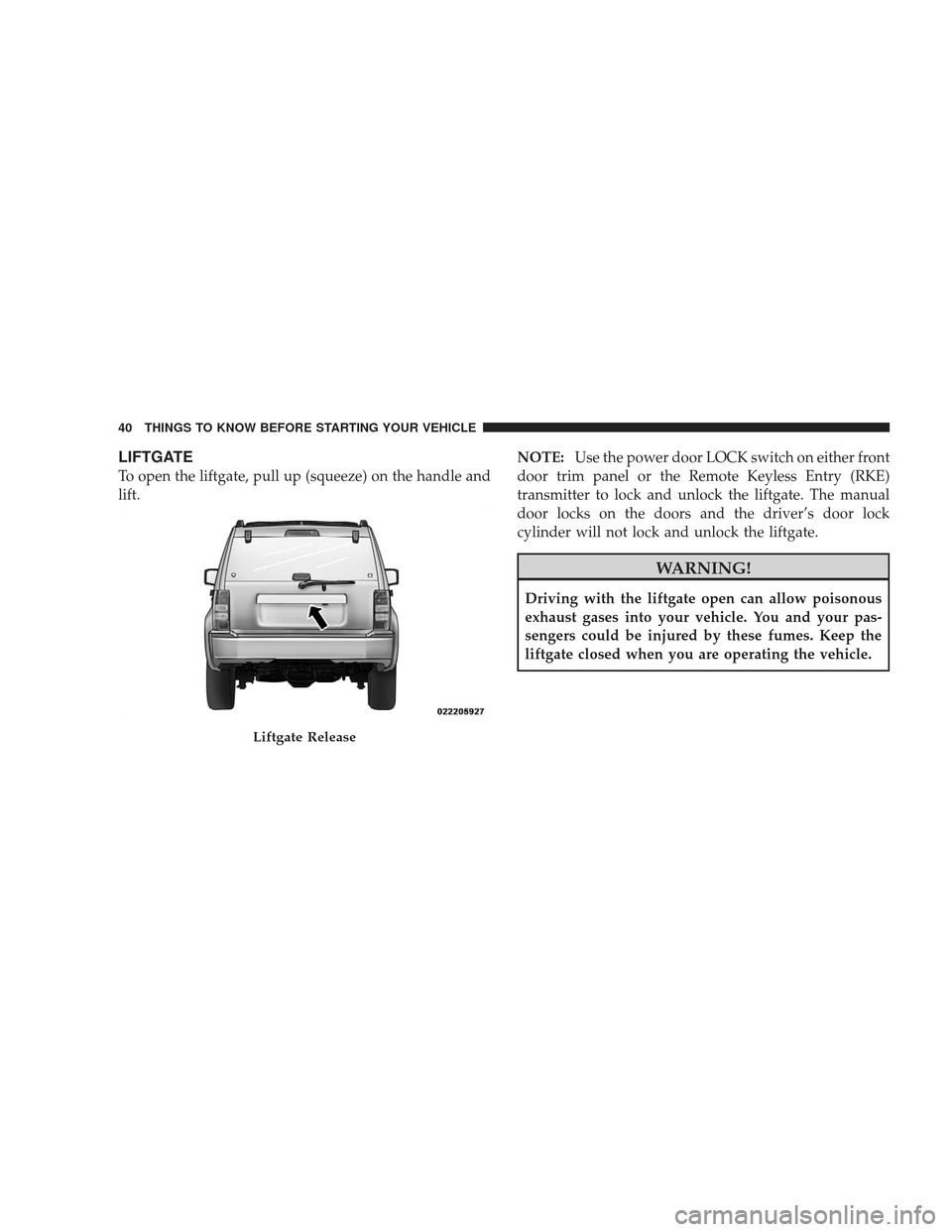
To open the liftgate, pull up (squeeze) on the handle and
lift.NOTE:
Use the power door LOCK switch on either front
door trim panel or the Remote Keyless Entry (RKE)
transmitter to lock and unlock the liftgate. The manual
door locks on the doors and the driver’s door lock
cylinder will not lock and unlock the liftgate.
WARNING!
Driving with the liftgate open can allow poisonous
exhaust gases into your vehicle. You and your pas-
sengers could be injured by these fumes. Keep the
liftgate closed when you are operating the vehicle.
Liftgate Release
40 THINGS TO KNOW BEFORE STARTING YOUR VEHICLE
Page 43 of 506
Liftgate Flipper Glass
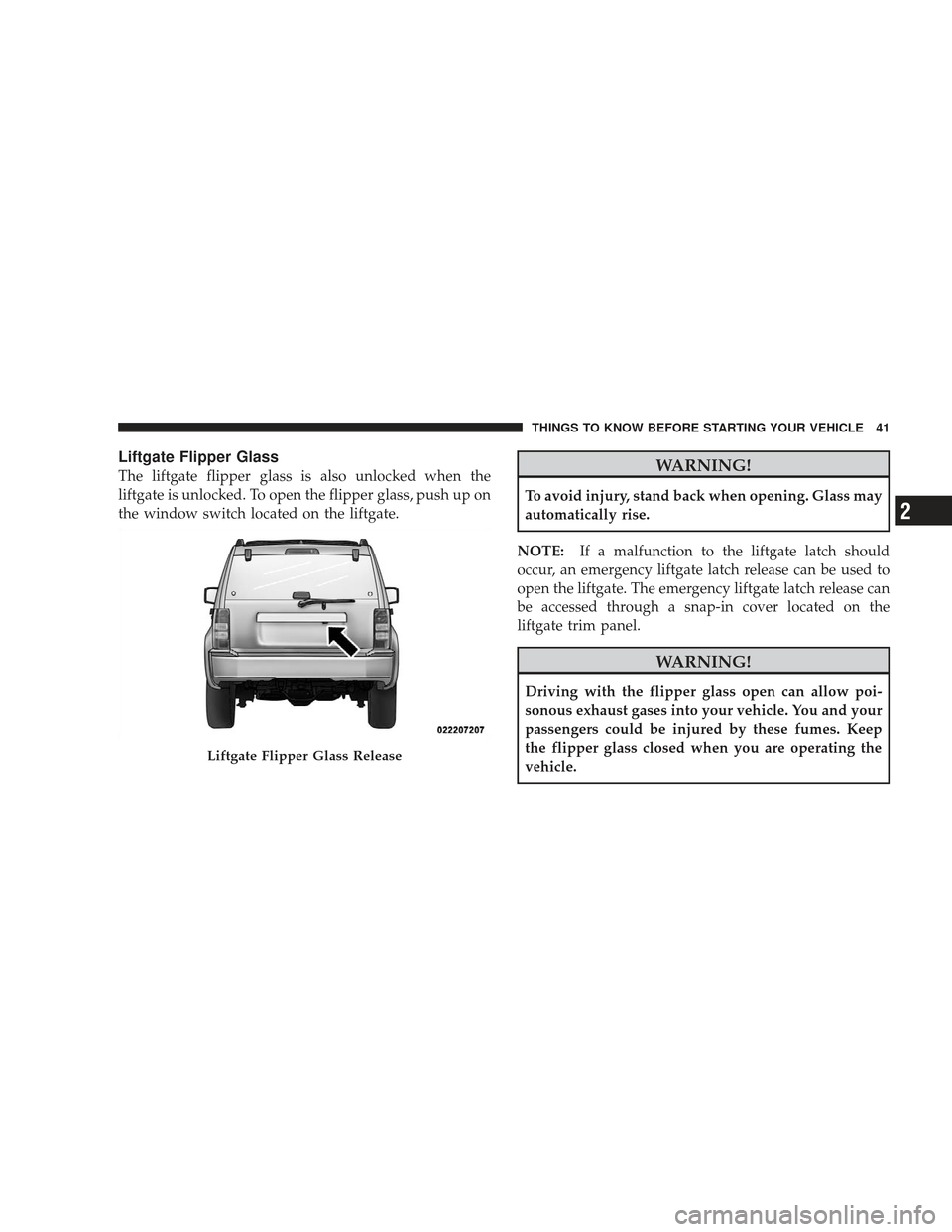
The liftgate flipper glass is also unlocked when the
liftgate is unlocked. To open the flipper glass, push up on
the window switch located on the liftgate.WARNING!
To avoid injury, stand back when opening. Glass may
automatically rise.
NOTE: If a malfunction to the liftgate latch should
occur, an emergency liftgate latch release can be used to
open the liftgate. The emergency liftgate latch release can
be accessed through a snap-in cover located on the
liftgate trim panel.
WARNING!
Driving with the flipper glass open can allow poi-
sonous exhaust gases into your vehicle. You and your
passengers could be injured by these fumes. Keep
the flipper glass closed when you are operating the
vehicle.
Liftgate Flipper Glass Release
THINGS TO KNOW BEFORE STARTING YOUR VEHICLE 41
2
Page 45 of 506
inside of the vehicle.Everyonein a motor vehicle should
be belted at all times to reduce or prevent injuries.
Lap/Shoulder Belts
All seating positions in your vehicle have combination
lap/shoulder belts. The belt webbing retractor is de-
signed to lock during very sudden stops or collisions.
This feature allows the shoulder part of the belt to move
freely with you under normal conditions. However, in a
collision, the belt will lock and reduce your risk of
striking the inside of the vehicle or being thrown out.
WARNING!
•It is extremely dangerous to ride in a cargo area,
inside or outside of a vehicle. In a collision, people
riding in these areas are more likely to be seri-
ously injured or killed.
(Continued)
WARNING! (Continued)
•Do not allow people to ride in any area of your
vehicle that is not equipped with seats and seat
belts.
•Be sure everyone in your vehicle is in a seat and
using a seat belt properly.
•Wearing a seat belt incorrectly is dangerous. Seat
belts are designed to go around the large bones of
your body. These are the strongest parts of your
body and can take the forces of a collision the best.
•Wearing your belt in the wrong place could make
your injuries in a collision much worse. You might
suffer internal injuries, or you could even slide out
of part of the belt. Follow these instructions to
wear your seat belt safely and to keep your pas-
sengers safe, too.(Continued)
THINGS TO KNOW BEFORE STARTING YOUR VEHICLE 43
2
Page 50 of 506
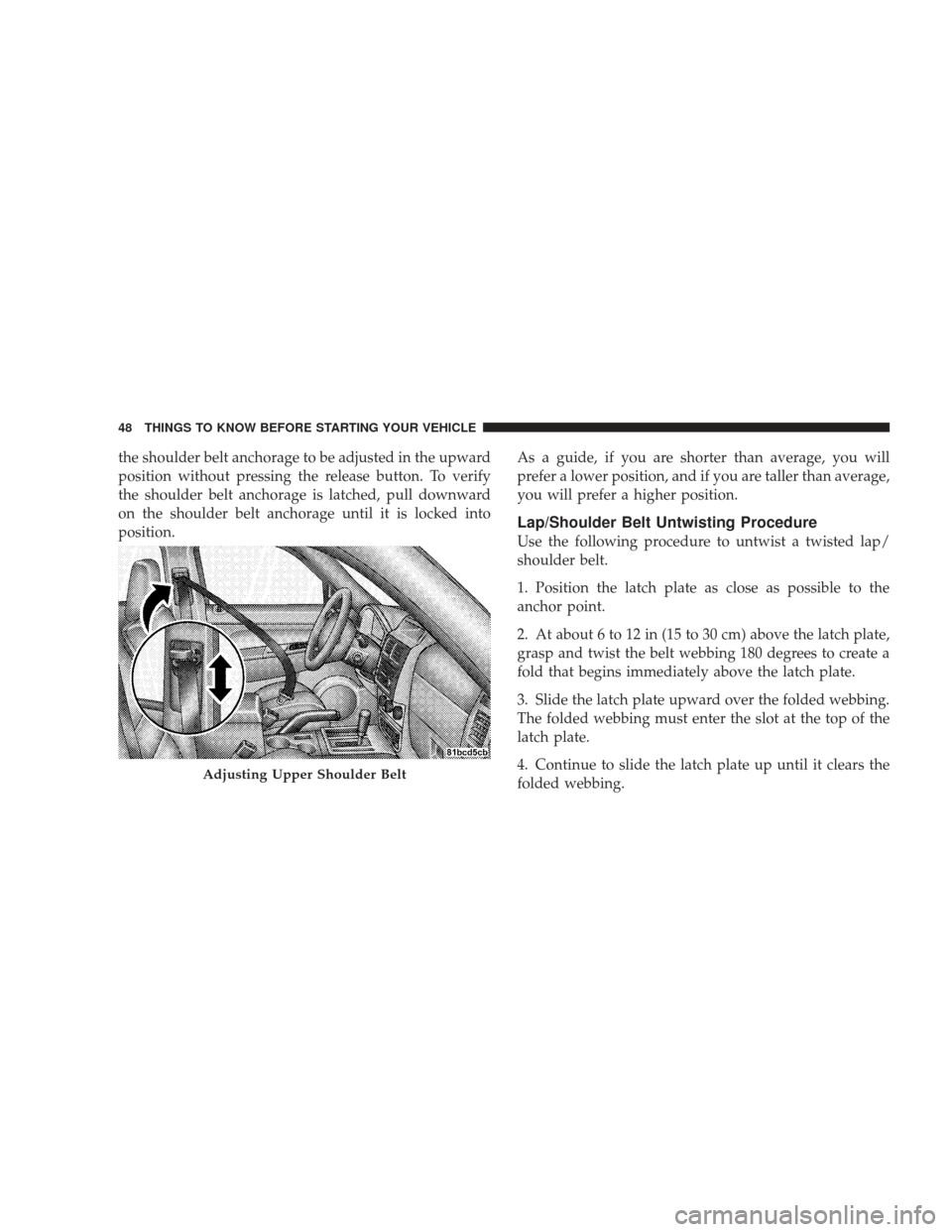
the shoulder belt anchorage to be adjusted in the upward
position without pressing the release button. To verify
the shoulder belt anchorage is latched, pull downward
on the shoulder belt anchorage until it is locked into
position.As a guide, if you are shorter than average, you will
prefer a lower position, and if you are taller than average,
you will prefer a higher position.
Lap/Shoulder Belt Untwisting Procedure
Use the following procedure to untwist a twisted lap/
shoulder belt.
1. Position the latch plate as close as possible to the
anchor point.
2. At about 6 to 12 in (15 to 30 cm) above the latch plate,
grasp and twist the belt webbing 180 degrees to create a
fold that begins immediately above the latch plate.
3. Slide the latch plate upward over the folded webbing.
The folded webbing must enter the slot at the top of the
latch plate.
4. Continue to slide the latch plate up until it clears the
folded webbing.
Adjusting Upper Shoulder Belt
48 THINGS TO KNOW BEFORE STARTING YOUR VEHICLE