ignition JEEP PATRIOT 2007 1.G Owner's Manual
[x] Cancel search | Manufacturer: JEEP, Model Year: 2007, Model line: PATRIOT, Model: JEEP PATRIOT 2007 1.GPages: 440, PDF Size: 7.26 MB
Page 55 of 440
²Front Acceleration Sensors
²Driver and Front Passenger Seat Belt Pretensioners
How The Airbag System Works
²
TheOccupant Restraint Controller (ORC)determines
if a frontal collision is severe enough to require the
airbags to inflate. The front airbag inflators are de-
signed to provide different rates of airbag inflation
from direction provided by the ORC. This ORC will
detect roll over.
²The ORC also monitors the readiness of the electronic
parts of the system whenever the ignition switch is in
the START or ON positions. These include all of the
items listed above except the knee bolster, the instru-
ment panel, and the steering wheel and column. If the
key is in the LOCK position, in the ACC position, or
not in the ignition, the airbags are not on and will not
inflate.
²The ORC also turns on the Airbag Warning
Light in the instrument panel for 6 to 8
seconds as a self-check when the ignition is
first turned on. After the self-check, the
Airbag Warning Light will turn off. If the ORC detects
a malfunction in any part of the system, it turns on the
Airbag Warning Light either momentarily or continu-
ously. A single chime will sound if the light comes on
again after initial start up.
WARNING!
Ignoring the AIRBAG Warning Light in your instru-
ment panel could mean you won't have the airbags to
protect you in a collision. If the light does not come
on, stays on after you start the vehicle, or if it comes
on as you drive, have the airbag system checked right
away.
54 THINGS TO KNOW BEFORE STARTING YOUR VEHICLE
Page 58 of 440
WARNING!
Deployed airbags can't protect you in another colli-
sion. Have the airbags replaced by an authorized
dealer as soon as possible.
Enhanced Accident Response System
In the event of an impact that causes airbag deployment,
with the vehicle stopped, and the vehicle communication
network intact, and the power intact, the Enhanced Acci-
dent Response System performs the following functions:
²Cuts off fuel to the engine.
²Flashes hazard lights.
²Turns on the interior lamps which remain on as long as
the battery has power or until the ignition key is
removed.
²Unlocks the doors automatically
Maintaining Your Airbag System
WARNING!
²Modifications to any part of the airbag system
could cause it to fail when you need it. You could
be injured because the airbags are not there to
protect you. Do not modify the components or
wiring, including adding any kind of badges or
stickers to the steering wheel hub trim cover or the
upper passenger side of the instrument panel. Do
not modify the front bumper, vehicle body struc-
ture, or frame.
²You need proper knee impact protection in a
collision. Do not mount or locate any aftermarket
equipment on or behind the knee impact bolster.
²It is dangerous to try to repair any part of the
airbag system yourself. Be sure to tell anyone who
works on your vehicle that it has airbags.
THINGS TO KNOW BEFORE STARTING YOUR VEHICLE 57
2
Page 59 of 440
Airbag Warning Light
You will want to have the airbags ready to
inflate for your protection in an impact. While
the airbag system is designed to be mainte-
nance free, if any of the following occurs, have
an authorized dealer service the system promptly:
²The Airbag Warning Light does not come on or flickers
during the 6 to 8 seconds when the ignition switch is
first turned on.
²The light remains on or flickers after the 6 to 8 second
interval.
²The light flickers or comes on and remains on while
driving.
Event Data Recorder (EDR)
In the event of an accident, your vehicle is designed to
record up to 5 - seconds of specific vehicle data param-
eters (see list below) in an event data recorder prior to the
moment of airbag deployment, or near-deployment, and
up to a quarter second of high-speed deceleration data
during and/or after air bag deployment or near-
deployment. EDR data are ONLY recorded if an airbag
deploys, or nearly deploys, and are otherwise unavail-
able.
NOTE:
1. A near-deployment event occurs when the airbag
sensor detects severe vehicle deceleration usually indica-
tive of a crash, but not severe enough to warrant airbag
deployment.
2. Under certain circumstances, EDR data may not be
recorded (e.g., loss of battery power).
58 THINGS TO KNOW BEFORE STARTING YOUR VEHICLE
Page 61 of 440
Data Parameters that May Be Recorded:
²Diagnostic trouble code(s) and warning lamp status
for electronically-controlled safety systems, including
the airbag system
²Airbag disable lamp status (if equipped)
²9Time9of airbag deployment (in terms of ignition
cycles and vehicle mileage)
²Airbag deployment level (if applicable)
²Impact acceleration and angle
²Seatbelt status
²Brake status (service and parking brakes)
²Accelerator status (including vehicle speed)
²Engine control status (including engine speed)
²Transmission gear selection
²Cruise control status
²Traction/stability control status
²Tire pressure monitoring system status
Child Restraint
Everyone in your vehicle needs to be buckled up at all
times Ð babies and children, too. Every state in the
United States and all Canadian provinces require that
small children ride in proper restraint systems. This is the
law, and you can be prosecuted for ignoring it.
Children 12 years and under should ride properly buck-
led up in a rear seat, if available. According to crash
statistics, children are safer when properly restrained in
the rear seats, rather than in the front.
60 THINGS TO KNOW BEFORE STARTING YOUR VEHICLE
Page 71 of 440
Do not run the engine in a closed garage or in confined
areas any longer than needed to move your vehicle in or
out of the area.
If it is necessary to sit in a parked vehicle with the engine
running, adjust your heating or cooling controls to force
outside air into the vehicle. Set the blower at high speed.
WARNING!
If you are required to drive with the deck lid / liftgate
open, make sure that all windows are closed, and the
climate control blower switch is set at high speed.
DO NOT use the recirculation mode.
Safety Checks You Should Make Inside The
Vehicle
Seat Belts
Inspect the belt system periodically, checking for cuts,
frays and loose parts. Damaged parts must be replaced
immediately. Do not disassemble or modify the system.
Front seat belt assemblies must be replaced after a
collision. Rear seat belt assemblies must be replaced after
a collision if they have been damaged (bent retractor, torn
webbing, etc. If there is any question regarding belt or
retractor condition, replace the belt.
Airbag Light
The light should come on and remain on for 6 to 8
seconds as a bulb check when the ignition switch is first
turned ON. If the LED is not lit during starting, have it
checked. If the light stays on or comes on while driving,
have the system checked by an authorized dealer.
70 THINGS TO KNOW BEFORE STARTING YOUR VEHICLE
Page 77 of 440
NHill Descent Control (HDC) ± If Equipped . . . 140
NESP (Electronic Stability Program).........141
mPower Sunroof Ð If Equipped.............146
NOpening Sunroof ± Manual..............147
NOpening Sunroof ± Express Mode..........147
NClosing Sunroof ± Manual...............147
NClosing Sunroof ± Express Mode..........147
NPinch Protect Feature...................147
NPinch Protect Override.................148
NVenting Sunroof ± Express...............148
NSunshade Operation...................148
NWind Buffeting.......................148
NSunroof Maintenance...................149NIgnition Off Operation..................149
mElectrical Power Outlets Ð If Equipped.......149
NElectrical Outlet Use With Engine Off.......151
mConsole Features.......................151
mCargo Area Features.....................152
NCargo Light/Removable Self- Recharging
Flashlight ± If Equipped................152
NRetractable Cargo Area Cover Ð If Equipped . 154
NRemovable Load Floor..................156
NCargo Tie-Down Loops.................156
NFold Down Speakers ± If Equipped.........157
mRear Window Features...................158
NRear Window Wiper/Washer.............158
76 UNDERSTANDING THE FEATURES OF YOUR VEHICLE
Page 94 of 440
hold may not become active automatically. This is cell
phone dependent. To bring the call back from hold, press
and hold the `Phone' button until you hear a single beep.
Redial
²
Press the 'Phone' button to begin.
²After the9Ready9prompt and the following beep, say
9Redial.9
²The UConnectŸ system will call the last number that
was dialed on your cellular phone. Note: this may not
be the last number dialed from the UConnectŸ sys-
tem.
Call Continuation
Call continuation is progression of a phone call on
UConnectŸ system after the vehicle ignition key has
been switched to off. Call continuation functionality
available on the vehicle can be any one of three types:
²After ignition key is switched off, a call can continue
on the UConnectŸ system either until the call ends or
until the vehicle battery condition dictates cessation of
the call on the UConnectŸ system and transfer of the
call to the mobile phone.
²After ignition key is switched to off, a call can continue
on the UConnectŸ system for certain duration, after
which the call is automatically transferred from the
UConnectŸ system to the mobile phone.
²An active call is automatically transferred to the
mobile phone after ignition key is switched to off.
UConnectŸ System Features
Language Selection
To change the language that the UConnectŸ system is
using,
²Press the 'Phone' button to begin.
UNDERSTANDING THE FEATURES OF YOUR VEHICLE 93
3
Page 103 of 440
²In a convertible vehicle, the system performance may
be compromised with roof top down.
²Performance, such as audio clarity, echo, and loudness
to a large degree rely on the phone and network, and
not the UConnectŸ system.
²Echo at far end can sometime be reduced by lowering
the in-vehicle audio volume.
Bluetooth Communication Link
Occasionally, Cellular phones have been found to lose
connection to the UConnectŸ system. When this hap-
pens, the connection can generally be re-established byswitching the phone off/on. Your cell phone is recom-
mended to remain in Bluetooth9on9mode.
Power-Up
After switching the ignition key from OFF to either ON
or ACC position, or after a reset, you must wait at least
five (5) seconds prior to using the system.
102 UNDERSTANDING THE FEATURES OF YOUR VEHICLE
Page 113 of 440
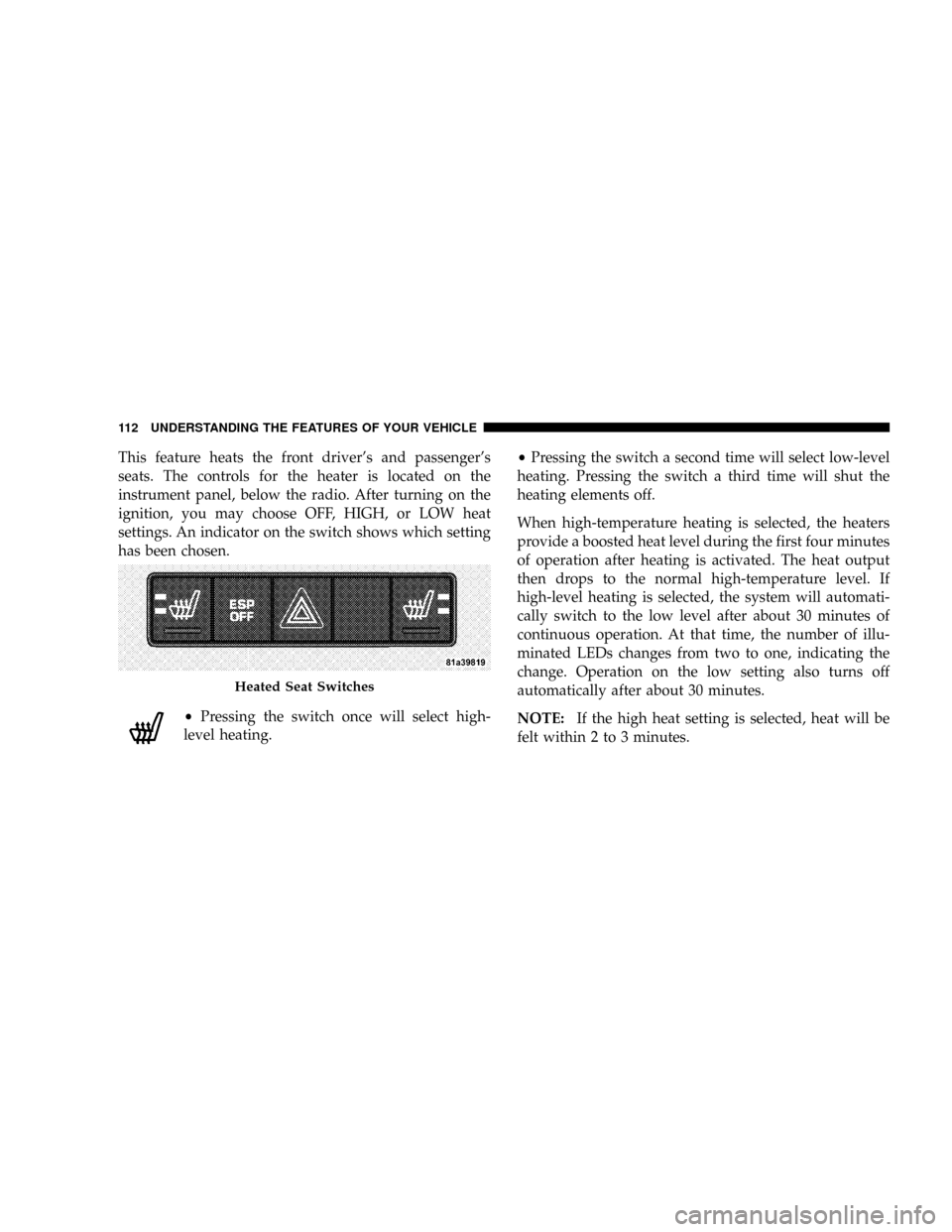
This feature heats the front driver's and passenger's
seats. The controls for the heater is located on the
instrument panel, below the radio. After turning on the
ignition, you may choose OFF, HIGH, or LOW heat
settings. An indicator on the switch shows which setting
has been chosen.
²Pressing the switch once will select high-
level heating.²Pressing the switch a second time will select low-level
heating. Pressing the switch a third time will shut the
heating elements off.
When high-temperature heating is selected, the heaters
provide a boosted heat level during the first four minutes
of operation after heating is activated. The heat output
then drops to the normal high-temperature level. If
high-level heating is selected, the system will automati-
cally switch to the low level after about 30 minutes of
continuous operation. At that time, the number of illu-
minated LEDs changes from two to one, indicating the
change. Operation on the low setting also turns off
automatically after about 30 minutes.
NOTE:If the high heat setting is selected, heat will be
felt within 2 to 3 minutes.
Heated Seat Switches
112 UNDERSTANDING THE FEATURES OF YOUR VEHICLE
Page 121 of 440
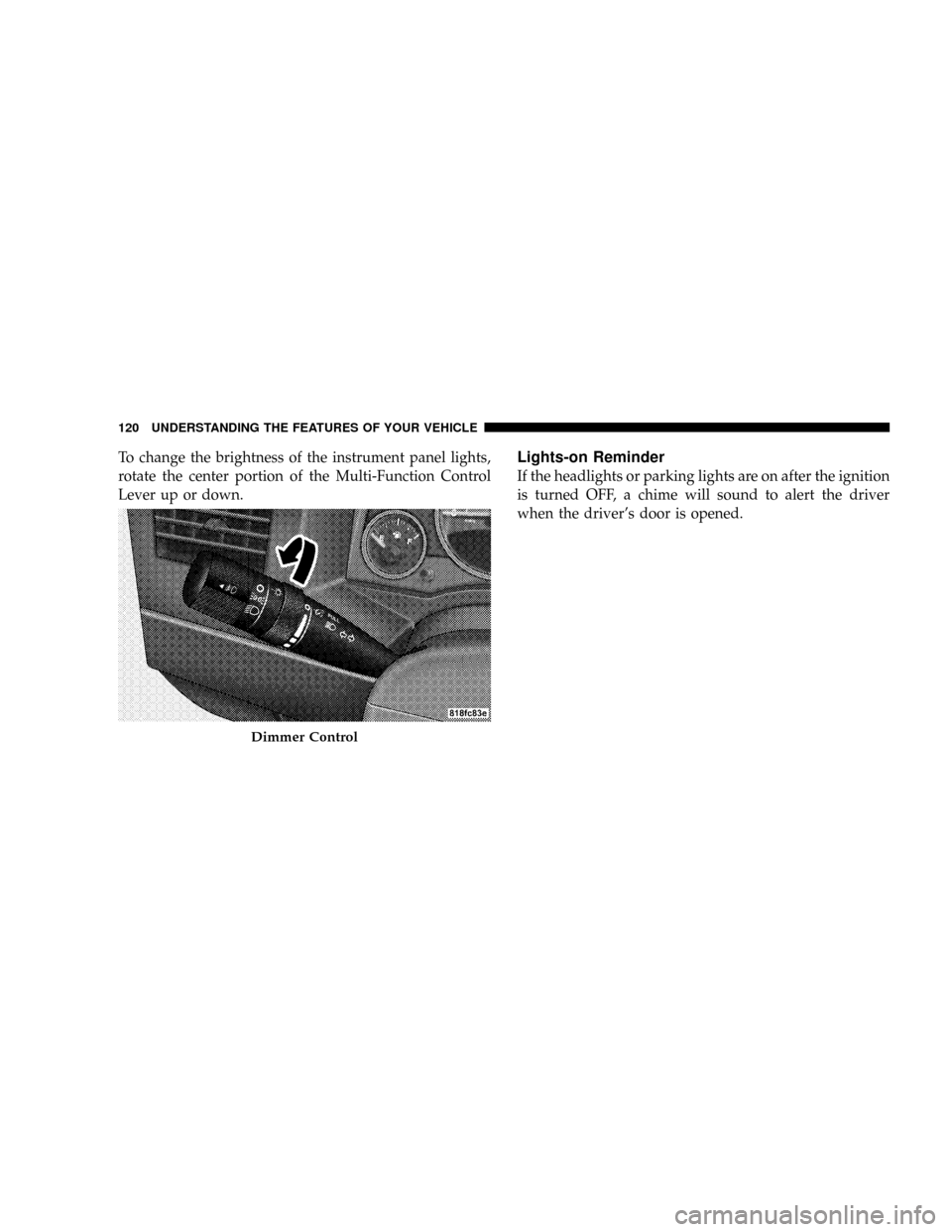
To change the brightness of the instrument panel lights,
rotate the center portion of the Multi-Function Control
Lever up or down.Lights-on Reminder
If the headlights or parking lights are on after the ignition
is turned OFF, a chime will sound to alert the driver
when the driver's door is opened.
Dimmer Control
120 UNDERSTANDING THE FEATURES OF YOUR VEHICLE