light JEEP PATRIOT 2013 1.G Owner's Manual
[x] Cancel search | Manufacturer: JEEP, Model Year: 2013, Model line: PATRIOT, Model: JEEP PATRIOT 2013 1.GPages: 108, PDF Size: 3.17 MB
Page 75 of 108
• For vehicles equipped with plastictrim, the plastic has been cut away
to expose the jacking locations in
the body.
• Do not raise the vehicle until you are sure the jack is securely engaged.
3. Turn the jack screw to the left until the jack can be placed under the jacking
location. Once the jack is positioned,
turn the jack screw to the right until
the jack head is properly engaged with
the lift area closest to the wheel to be
changed.
4. Using the swivel wrench raise the ve- hicle by turning the jack screw to the
right. Raise the vehicle only until the
tire just clears the surface and enough
clearance is obtained to install the
spare tire. Minimum tire lift provides
maximum stability.
5. Remove the wheel nuts and pull the wheel and wheel covers, where appli-
cable, off the hub. Install the spare
wheel and wheel nuts with the cone
shaped end of the nuts toward the
wheel. Lightly tighten the nuts.
NOTE:
The wheel cover is held on the wheel by
the wheel nuts. When reinstalling the
original wheel, properly align the wheel
cover to the valve stem, place the wheel
cover onto the wheel, then install the
wheel nuts.
6. Lower the vehicle by turning the jack screw to the left.
7.
Finish tightening the nuts. Push down
on the wrench while at the end of the
handle for increased leverage. Tighten
the lug nuts in a star pattern until each
nut has been tightened twice. The
correct wheel nut torque is 100 ft lbs
(135 N·m). If you doubt that you have tightened the nuts correctly, have them
checked with a torque wrench by your authorized dealer or service station.
WHAT TO DO IN EMERGENCIES
73
Page 76 of 108
8. Remove the wheel blocks and lower the jack until it is free. Reassemble the lugwrench to the jack assembly and stow it in the spare tire area. Secure the
assembly using the means provided.
9. Place the deflated (flat) tire in the cargo area, have the tire repaired or replaced as
soon as possible.
10. Check the spare tire pressure as soon as possible. Correct the tire pressure as required.
Road Tire Installation
Vehicles Equipped With Wheel Covers
1. Mount the road tire on the axle.
2. To ease the installation process for steel wheels with wheel covers, install two lugnuts on the mounting studs which are on each side of the valve stem. Install the
lug nuts with the cone shaped end of the nut toward the wheel. Lightly tighten the
lug nuts.
3. Align the valve notch in the wheel cover with the valve stem on the
wheel. Install the cover by hand,
snapping the cover over the two lug
nuts. Do not use a hammer or exces-
sive force to install the cover.
4. Install the remaining lug nuts with the cone shaped end of the nut toward the
wheel. Lightly tighten the lug nuts.
5. Lower the vehicle to the ground by turning the jack handle counterclock-
wise.
6. Finish tightening the lug nuts. Push down on the wrench while at the end
of the handle for increased leverage.
Tighten the lug nuts in a star pattern
until each nut has been tightened twice. The correct tightness of each lug nut is
100 ft/lbs (135 N·m). If in doubt about the correct tightness, have them checked
with a torque wrench by your authorized dealer or service station.
7. After 25 miles (40 km) check the lug nut torque with a torque wrench to ensure that all lug nuts are properly seated against the wheel.
1 — Valve Stem 4 — Wheel Cover
2 — Valve Notch 5 — Mounting Stud
3 — Wheel Lug
Nut
WHAT TO DO IN EMERGENCIES
74
Page 77 of 108
Vehicles Without Wheel Covers
1. Mount the road tire on the axle.
2. Install the remaining lug nuts with the cone shaped end of the nut toward thewheel. Lightly tighten the lug nuts.
3. Lower the vehicle to the ground by turning the jack handle counterclockwise.
4. Finish tightening the lug nuts. Push down on the wrench while at the end of the handle for increased leverage. Tighten the lug nuts in a star pattern until each nut
has been tightened twice. The correct tightness of each lug nut is 100 ft/lbs
(135 N·m). If in doubt about the correct tightness, have them checked with a
torque wrench by your authorized dealer or service station.
5. After 25 miles (40 km) check the lug nut torque with a torque wrench to ensure that all lug nuts are properly seated against the wheel.
CAUTION!
• Do not attempt to raise the vehicle by jacking on locations other than thoseindicated in the Jacking Instructions for this vehicle.
• Be sure to mount the spare tire with the valve stem facing outward. The vehicle
could be damaged if the spare tire is mounted incorrectly.
WHAT TO DO IN EMERGENCIES
75
Page 90 of 108
Your authorized dealer will reset the oil change indicator message after completing
the scheduled oil change. If a scheduled oil change is performed by someone other
than your authorized dealer, the message can be reset by referring to the steps
described under “Electronic Vehicle Information Center (EVIC)/Oil Change Re-
quired” in “Understanding Your Instrument Panel” or under “Instrument Cluster
Description/Odometer/Trip Odometer” in “Understanding Your Instrument Panel” for
further information.
NOTE:
Under no circumstances should oil change intervals exceed 10,000 miles
(16,000 km) or twelve months, whichever comes first.
Once A Month Or Before A Long Trip:
• Check engine oil level
• Check windshield washer fluid level
• Check the tire inflation pressures and look for unusual wear or damage
• Check the fluid levels of the coolant reservoir, brake master cylinder, powersteering and fill as needed
• Check function of all interior and exterior lights
Required Maintenance Intervals.
Refer to the maintenance schedules on the following page for the required mainte-
nance intervals.
At Every Oil Change Interval As Indicated By Oil Change Indicator System:
• Change oil and filter
• Rotate the tires. Rotate at the first sign of irregular wear, even if it occurs before the oil
indicator system turns on.
• Inspect battery and clean and tighten terminals as required
• Inspect brake pads, shoes, rotors, drums, hoses and park brake
• Inspect engine cooling system protection and hoses
• Inspect exhaust system
• Inspect engine air cleaner if using in dusty or off-road conditions
MAINTAINING YOUR VEHICLE
88
Page 94 of 108
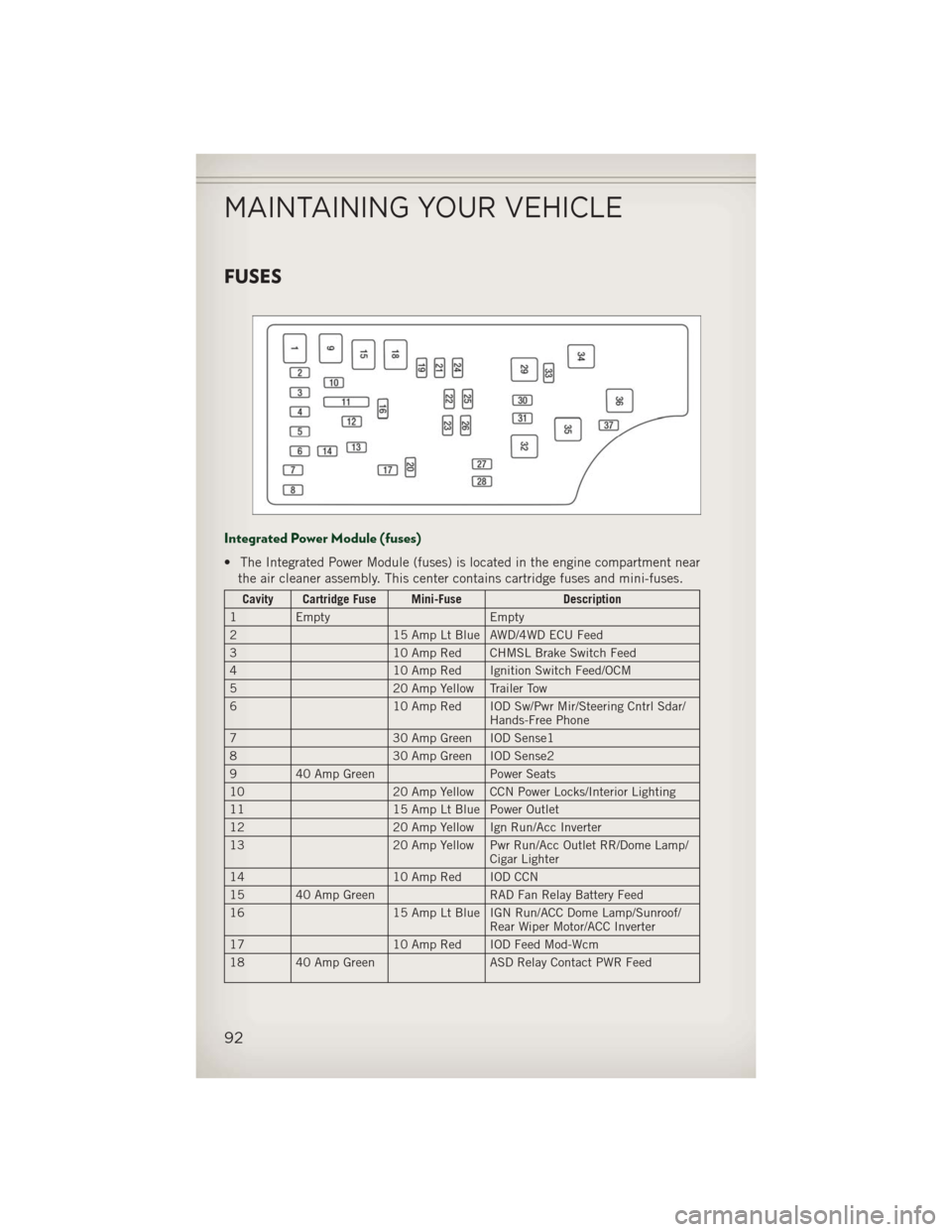
FUSES
Integrated Power Module (fuses)
• The Integrated Power Module (fuses) is located in the engine compartment nearthe air cleaner assembly. This center contains cartridge fuses and mini-fuses.
Cavity Cartridge Fuse Mini-Fuse Description
1 Empty Empty
2 15 Amp Lt Blue AWD/4WD ECU Feed
3 10 Amp Red CHMSL Brake Switch Feed
4 10 Amp Red Ignition Switch Feed/OCM
5 20 Amp Yellow Trailer Tow
6 10 Amp Red IOD Sw/Pwr Mir/Steering Cntrl Sdar/
Hands-Free Phone
7 30 Amp Green IOD Sense1
8 30 Amp Green IOD Sense2
9 40 Amp Green Power Seats
10 20 Amp Yellow CCN Power Locks/Interior Lighting
11 15 Amp Lt Blue Power Outlet
12 20 Amp Yellow Ign Run/Acc Inverter
13 20 Amp Yellow Pwr Run/Acc Outlet RR/Dome Lamp/
Cigar Lighter
14 10 Amp Red IOD CCN
15 40 Amp Green RAD Fan Relay Battery Feed
16 15 Amp Lt Blue IGN Run/ACC Dome Lamp/Sunroof/
Rear Wiper Motor/ACC Inverter
17 10 Amp Red IOD Feed Mod-Wcm
18 40 Amp Green ASD Relay Contact PWR Feed
MAINTAINING YOUR VEHICLE
92
Page 97 of 108
WHEEL AND WHEEL TRIM CARE
• All wheels and wheel trim, especially aluminum and chrome plated wheels,should be cleaned regularly with a mild soap and water to prevent corrosion.
• To remove heavy soil and/or excessive brake dust, use MOPAR
®Wheel Cleaner or
equivalent or select a non-abrasive, non-acidic cleaner.
CAUTION!
Do not use scouring pads, steel wool, a bristle brush, or metal polishes. Do not use
oven cleaner. These products may damage the wheel's protective finish. Avoid
automatic car washes that use acidic solutions or harsh brushes that may damage
the wheel's protective finish. Only MOPAR
®Wheel Cleaner or equivalent is
recommended.
EXTERIOR BULBS
LIGHT BULBS – Exterior Bulb Number
Low Beam Headlamp H11
High Beam Headlamp 9005
Front Park/Turn Signal 7444NA
Front Side Marker Lamp 194
Front Fog Lamp H11
Center High Mounted Stop Lamp (CHMSL) LED Assembly (Serviced at Authorized Dealer)
Rear Tail/Stop Lamp LED Assembly
(Serviced at Authorized Dealer)
Rear Turn Lamp 7440NA (WY21W) Amber
Backup Lamp 7440 (W21W) Crystal
License Lamp W5W
MAINTAINING YOUR VEHICLE
95
Page 98 of 108
AUTHENTIC ACCESSORIES BY MOPAR®
• The following highlights just some of the many Authentic Jeep Accessories byMopar featuring a fit, finish, and functionality specifically for your Jeep Patriot.
• In choosing Authentic Accessories you gain far more than expressive style, premium protection, or extreme entertainment, you also benefit from enhancing
your vehicle with accessories that have been thoroughly tested and factory-
approved.
• For the full line of Authentic Jeep Accessories by Mopar, visit your local Jeep dealership or online at mopar.com.
EXTERIOR:
• Front & Rear Tow Hooks • Sunroof Air Deflector • Front Air Deflector
• Hitch Receiver •
Front & Rear Air Deflectors• Molded Splash Guards
• Fog Lights • Vehicle Cover• Off Road Lights
• Tent Kit
INTERIOR:
•
Premium Carpet Floor Mats• Door Sill Guards • Bright Pedal Kit
• Slush Mats • Ambient Light Kit • Heated Seats
• Katzkin Leather Interiors • Dog Bed Cargo Area Mat • Vertical Convenience Net
• Water Resistant Seat
Covers • Shift Knob
• Floor ConvenienceNet & Envelope Net
• Roadside Safety Kit
ELECTRONICS:
•
Portable Navigation Systems• Uconnect®Web (WiFi) • DVD Rear Seat Video
• iPod®Adapter • Upgrades • Remote Start
• Kicker®Sound System • Uconnect®Phone • Electronic Vehicle Tracking System (EVTS)
• Ecometer
CARRIERS:
• Hitch-mount Bike Carrier • Roof Mount Bike Carrier • Roof Box Cargo Carrier
• Roof Mount Ski and
Snowboard Carrier • Roof Mount Water Sports
Carrier •
Roof Mount Canoe
Carrier
• Roof Top Cargo Carrier • Sport Utility Bars
• iPod®is a registered trademark of Apple, Inc.
• Kicker
®is a registered trademark of Stillwater Designs and Audio, Inc.
MOPAR ACCESSORIES
96
Page 99 of 108
Airbag..................12
Air Conditioning............25
Alarm,Panic ..............10
Arming Theft System (Security Alarm) ...........11
Automatic Temperature Control (ATC).................25
Automatic Transmission FluidType .............86
Overheating ............71
AxleFluid................86
Belts, Seat ...............11
Brake Fluid ...............86
Break-In Recommendations, New Vehicle .............20
BulbReplacement...........95
Calibration,Compass .........57
ChangeOilIndicator..........70
ChangingAFlatTire..........71
Child Restraint .............13
Child Restraint Tether Anchors ....13
Compass Calibration ..........57
Cooling System Coolant Capacity .........86
Cruise Control (Speed Control) ....23
CruiseLight...............23
Dimmer Control .............21
Dimmer Switch, Headlight ......21
Disarming, Theft System .......11
Electronics
Your Vehicle's Sound System...28
Electronic Speed Control (Cruise Control) ...........23
Electronic Stability Control (ESC)...66
Electronic Vehicle Information Center(EVIC)..........57,58
Emergency, In Case of Brake Warning Light .......68
Jacking ...............71
Jump Starting ...........76
Overheating ............70 Engine
Break-In Recommendations . . .20
Compartment ...........84
Jump Starting ...........76
Oil Selection ............86
Overheating ............70
Event Data Recorder ..........82
Exterior Lights .............95
Flash-To-Pass ..............21
Fluid Capacities ............86
Fluids ..................86
FogLights................21
Folding Front Passenger Seat .....16
FoldingRearSeat ...........17
Four Wheel Drive Operation ......63
Freeing A Stuck Vehicle ........81
Front Heated Seats ...........18
Fuel Filler Cap (Gas Cap) .......69
Specifications ...........86
Garage Door Opener (HomeLink®)...59
Gas Cap (Fuel Filler Cap) .......69
Headlights ................20
Dimmer Switch ..........21
HighBeam .............21
Heated Seats ..............18
High Beam/Low Beam Select (Dimmer) Switch ..........21
HomeLink®(Garage Door Opener)...59
Hood Release ..............83
Instrument Cluster Indicators ..............9
Instrument Cluster Warning Lights . . .8
Intermittent Wipers (Delay Wipers)..22
Introduction ...............2
Inverter Outlet (115V) .........61
Inverter, Power .............61
iPod
®/USB/MP3 Control ........51
Bluetooth Streaming Audio . . .57
Jacking Instructions ..........72
Jack Location ..............71
INDEX
97
Page 100 of 108
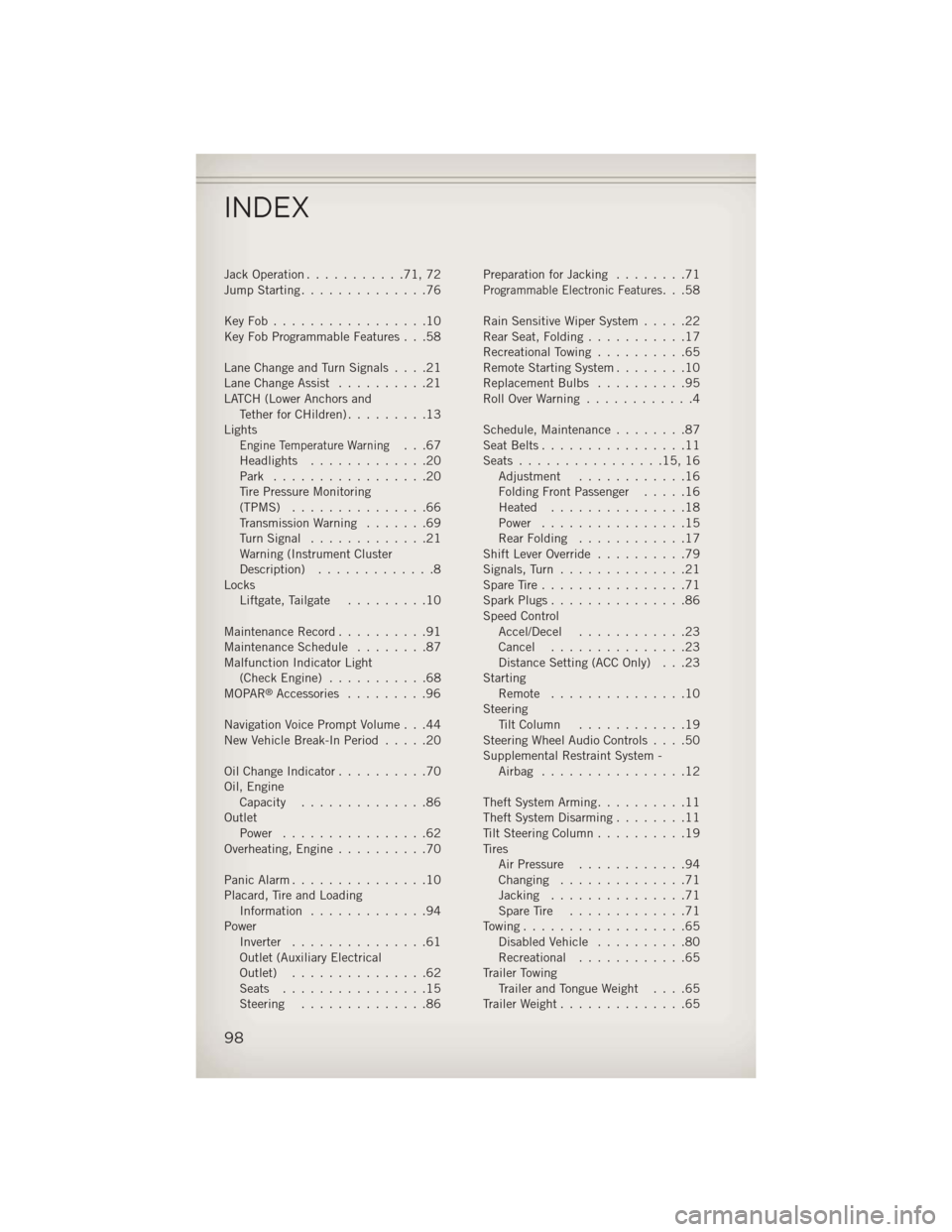
Jack Operation...........71,72
Jump Starting ..............76
KeyFob.................10
Key Fob Programmable Features . . .58
LaneChangeandTurnSignals....21
Lane Change Assist ..........21
LATCH (Lower Anchors and TetherforCHildren).........13
Lights
Engine Temperature Warning...67
Headlights .............20
Park .................20
Tire Pressure Monitoring
(TPMS) ...............66
Transmission Warning .......69
TurnSignal .............21
Warning (Instrument Cluster
Description) .............8
Locks Liftgate, Tailgate .........10
Maintenance Record ..........91
MaintenanceSchedule ........87
Malfunction Indicator Light (CheckEngine) ...........68
MOPAR
®Accessories .........96
Navigation Voice Prompt Volume . . .44
New Vehicle Break-In Period .....20
Oil Change Indicator ..........70
Oil, Engine Capacity ..............86
Outlet Power ................62
Overheating, Engine ..........70
Panic Alarm ...............10
Placard, Tire and Loading Information .............94
Power Inverter ...............61
Outlet (Auxiliary Electrical
Outlet) ...............62
Seats ................15
Steering ..............86 Preparation for Jacking
........71
Programmable Electronic Features...58
Rain Sensitive Wiper System .....22
RearSeat,Folding...........17
Recreational Towing ..........65
Remote Starting System ........10
Replacement Bulbs ..........95
RollOverWarning ............4
Schedule,Maintenance........87
Seat Belts ................11
Seats ................15,16
Adjustment ............16
Folding Front Passenger .....16
Heated ...............18
Power ................15
RearFolding ............17
Shift Lever Override ..........79
Signals, Turn ..............21
SpareTire................71
SparkPlugs...............86
Speed Control Accel/Decel ............23
Cancel ...............23
Distance Setting (ACC Only) . . .23
Starting Remote ...............10
Steering TiltColumn ............19
Steering Wheel Audio Controls ....50
Supplemental Restraint System - Airbag ................12
Theft System Arming ..........11
Theft System Disarming ........11
Tilt Steering Column ..........19
Tires Air Pressure ............94
Changing ..............71
Jacking ...............71
SpareTire .............71
Towing..................65 Disabled Vehicle ..........80
Recreational ............65
Trailer Towing Trailer and Tongue Weight ....65
Trailer Weight ..............65
INDEX
98
Page 102 of 108
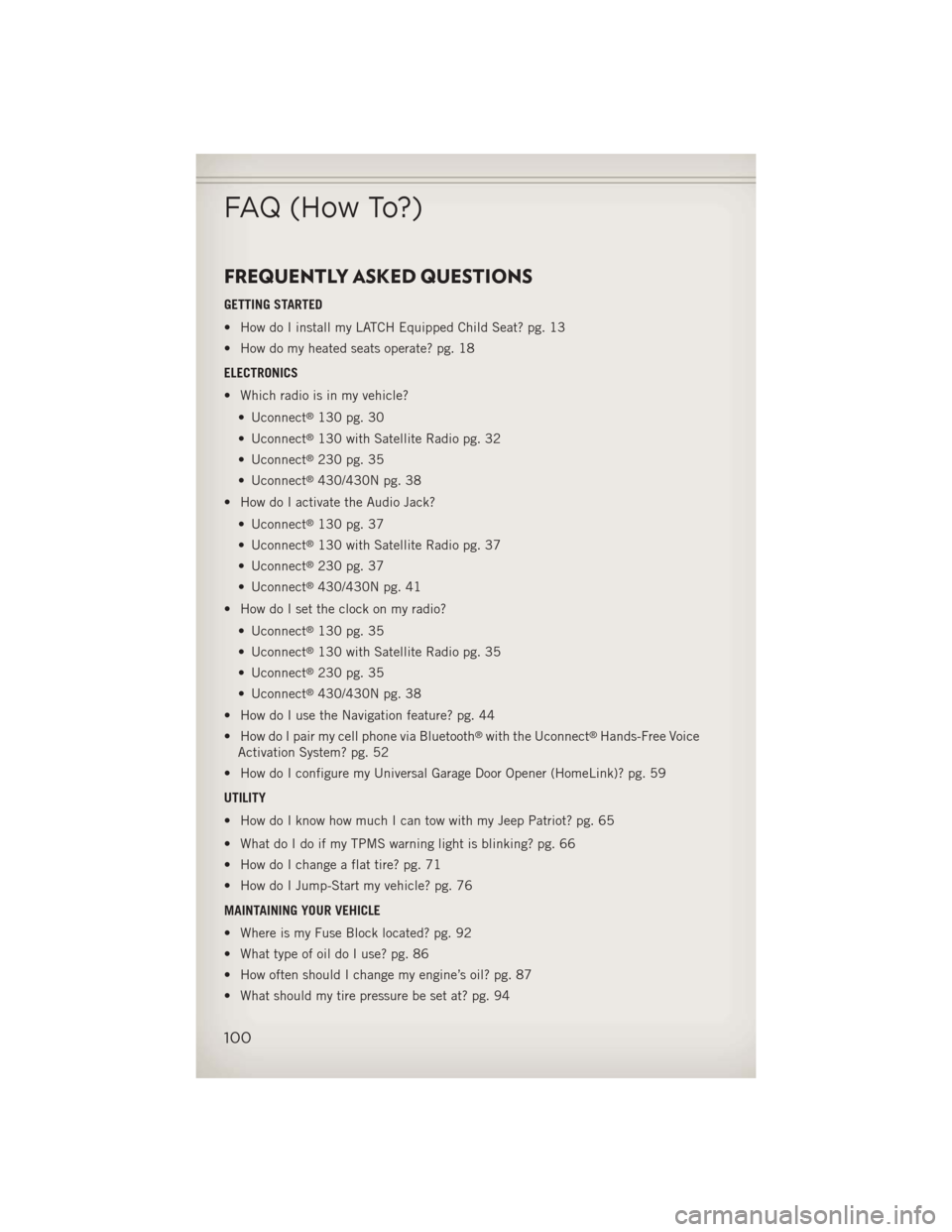
FREQUENTLY ASKED QUESTIONS
GETTING STARTED
• How do I install my LATCH Equipped Child Seat? pg. 13
• How do my heated seats operate? pg. 18
ELECTRONICS
• Which radio is in my vehicle?• Uconnect
®130 pg. 30
• Uconnect
®130 with Satellite Radio pg. 32
• Uconnect
®230 pg. 35
• Uconnect
®430/430N pg. 38
• How do I activate the Audio Jack?
• Uconnect
®130 pg. 37
• Uconnect
®130 with Satellite Radio pg. 37
• Uconnect
®230 pg. 37
• Uconnect
®430/430N pg. 41
• How do I set the clock on my radio?
• Uconnect
®130 pg. 35
• Uconnect
®130 with Satellite Radio pg. 35
• Uconnect
®230 pg. 35
• Uconnect
®430/430N pg. 38
• How do I use the Navigation feature? pg. 44
• How do I pair my cell phone via Bluetooth
®with the Uconnect®Hands-Free Voice
Activation System? pg. 52
• How do I configure my Universal Garage Door Opener (HomeLink)? pg. 59
UTILITY
• How do I know how much I can tow with my Jeep Patriot? pg. 65
• What do I do if my TPMS warning light is blinking? pg. 66
• How do I change a flat tire? pg. 71
• How do I Jump-Start my vehicle? pg. 76
MAINTAINING YOUR VEHICLE
• Where is my Fuse Block located? pg. 92
• What type of oil do I use? pg. 86
• How often should I change my engine’s oil? pg. 87
• What should my tire pressure be set at? pg. 94
FAQ (How To?)
100