radio JEEP PATRIOT 2013 1.G Owner's Guide
[x] Cancel search | Manufacturer: JEEP, Model Year: 2013, Model line: PATRIOT, Model: JEEP PATRIOT 2013 1.GPages: 108, PDF Size: 3.17 MB
Page 79 of 108
NOTE:
When using a portable battery booster pack follow the manufacturer’s operating
instructions and precautions.
Preparations For Jump-Start
• The battery in your vehicle is located in the front of the engine compartment belowthe air intake duct. To access the battery remove the air intake duct by turning the
two finger screws, located on the radiator support.
1. Set the parking brake, shift the automatic transmission into PARK and turn the ignition to LOCK.
2. Turn off the heater, radio, and all unnecessary electrical accessories.
3. If using another vehicle to jump-start the battery, park the vehicle within the jumper cables reach, set the parking brake and make sure the ignition is OFF.
WHAT TO DO IN EMERGENCIES
77
Page 95 of 108
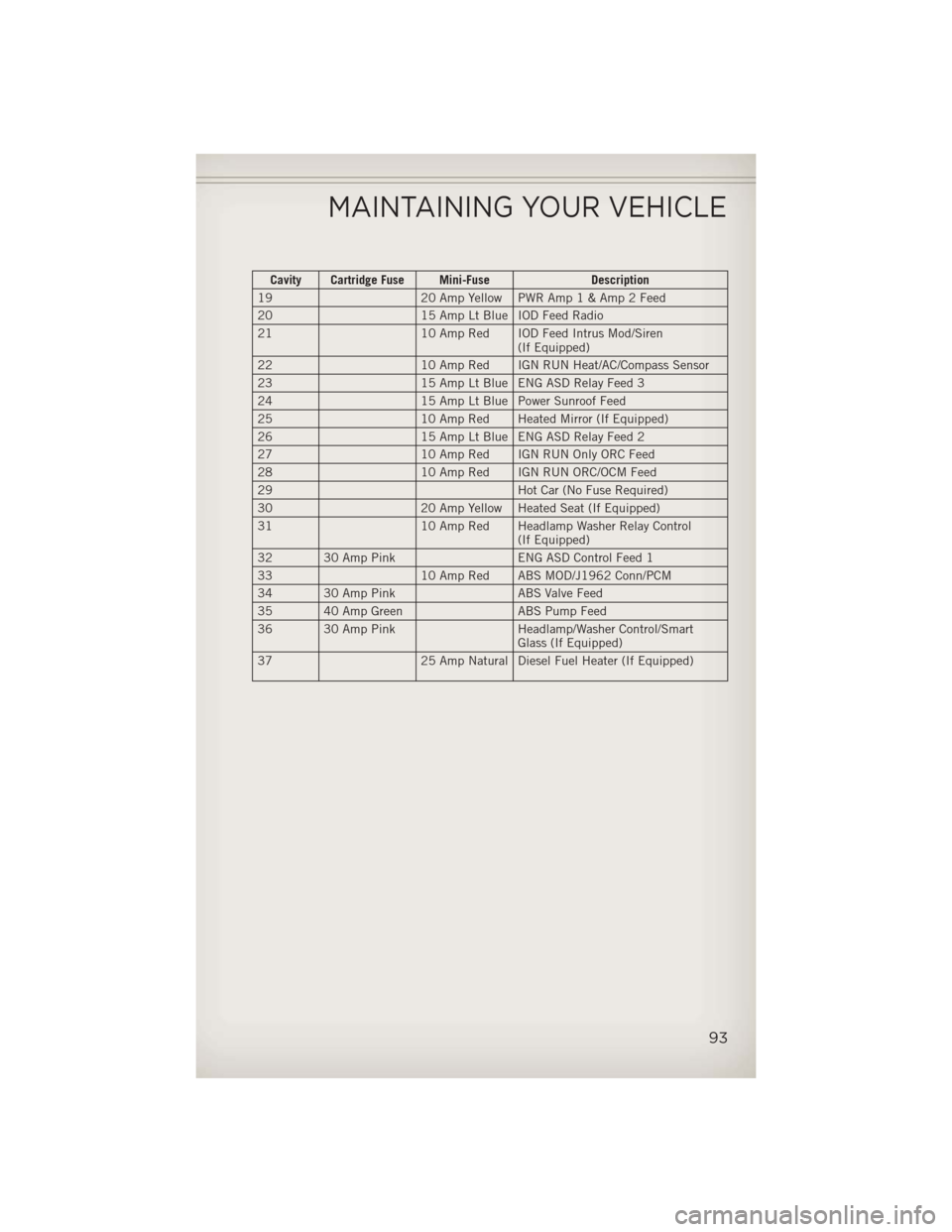
Cavity Cartridge Fuse Mini-FuseDescription
19 20 Amp Yellow PWR Amp1&Amp2Feed
20 15 Amp Lt Blue IOD Feed Radio
21 10 Amp Red IOD Feed Intrus Mod/Siren
(If Equipped)
22 10 Amp Red IGN RUN Heat/AC/Compass Sensor
23 15 Amp Lt Blue ENG ASD Relay Feed 3
24 15 Amp Lt Blue Power Sunroof Feed
25 10 Amp Red Heated Mirror (If Equipped)
26 15 Amp Lt Blue ENG ASD Relay Feed 2
27 10 Amp Red IGN RUN Only ORC Feed
28 10 Amp Red IGN RUN ORC/OCM Feed
29 Hot Car (No Fuse Required)
30 20 Amp Yellow Heated Seat (If Equipped)
31 10 Amp Red Headlamp Washer Relay Control
(If Equipped)
32 30 Amp Pink ENG ASD Control Feed 1
33 10 Amp Red ABS MOD/J1962 Conn/PCM
34 30 Amp Pink ABS Valve Feed
35 40 Amp Green ABS Pump Feed
36 30 Amp Pink Headlamp/Washer Control/Smart
Glass (If Equipped)
37 25 Amp Natural Diesel Fuel Heater (If Equipped)
MAINTAINING YOUR VEHICLE
93
Page 102 of 108
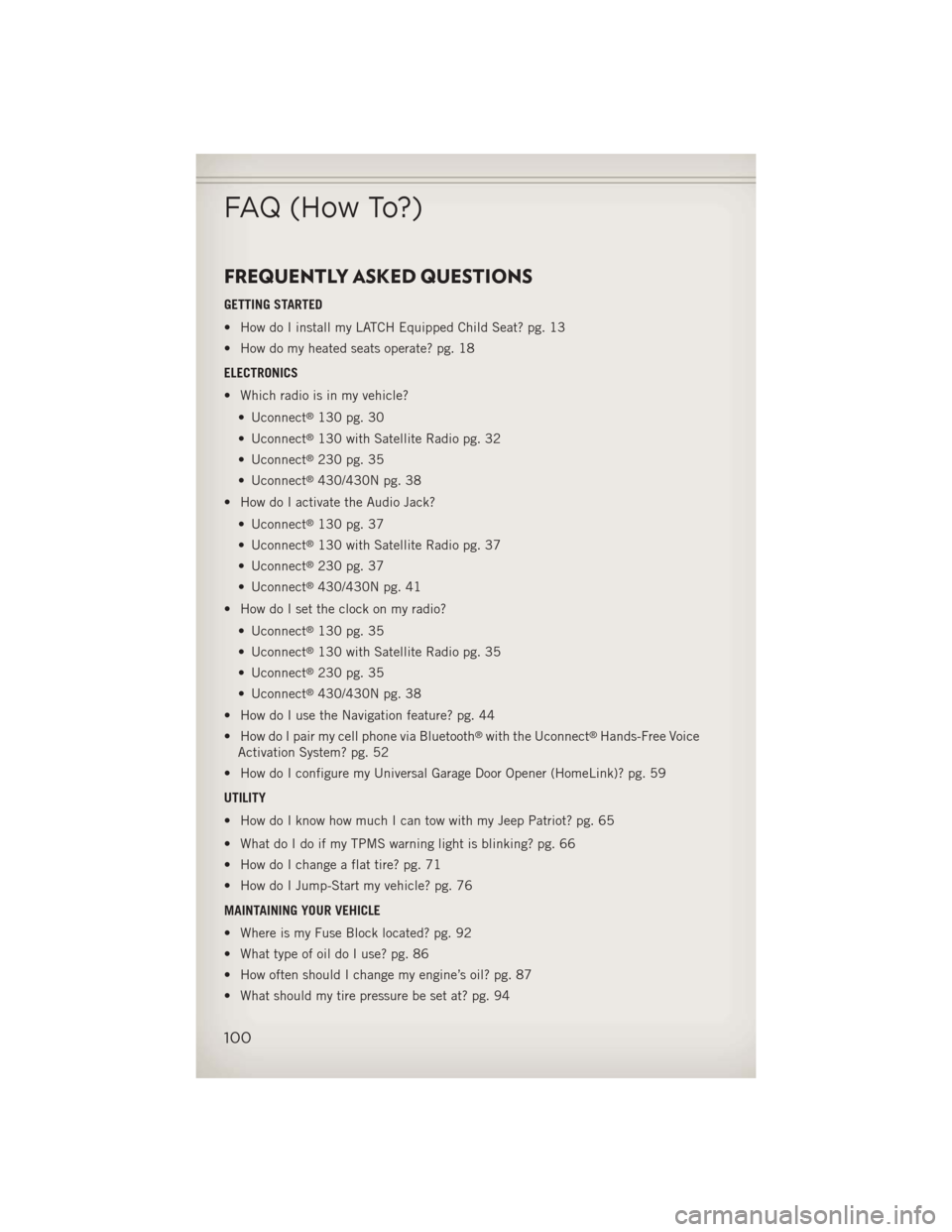
FREQUENTLY ASKED QUESTIONS
GETTING STARTED
• How do I install my LATCH Equipped Child Seat? pg. 13
• How do my heated seats operate? pg. 18
ELECTRONICS
• Which radio is in my vehicle?• Uconnect
®130 pg. 30
• Uconnect
®130 with Satellite Radio pg. 32
• Uconnect
®230 pg. 35
• Uconnect
®430/430N pg. 38
• How do I activate the Audio Jack?
• Uconnect
®130 pg. 37
• Uconnect
®130 with Satellite Radio pg. 37
• Uconnect
®230 pg. 37
• Uconnect
®430/430N pg. 41
• How do I set the clock on my radio?
• Uconnect
®130 pg. 35
• Uconnect
®130 with Satellite Radio pg. 35
• Uconnect
®230 pg. 35
• Uconnect
®430/430N pg. 38
• How do I use the Navigation feature? pg. 44
• How do I pair my cell phone via Bluetooth
®with the Uconnect®Hands-Free Voice
Activation System? pg. 52
• How do I configure my Universal Garage Door Opener (HomeLink)? pg. 59
UTILITY
• How do I know how much I can tow with my Jeep Patriot? pg. 65
• What do I do if my TPMS warning light is blinking? pg. 66
• How do I change a flat tire? pg. 71
• How do I Jump-Start my vehicle? pg. 76
MAINTAINING YOUR VEHICLE
• Where is my Fuse Block located? pg. 92
• What type of oil do I use? pg. 86
• How often should I change my engine’s oil? pg. 87
• What should my tire pressure be set at? pg. 94
FAQ (How To?)
100
Page 107 of 108
The driver’s primary responsibility is th\te sa\fe operation o\f the vehicle.
Drivin\b while distracted can result in loss o\f vehicle control, resultin\b
in a collision and perso\tnal injury. Chrysler Group LLC stron\bly
recommends that the driver use extreme caution when us\tin\b any
device or \feature that may take their attention off the road. Use o\f any
electrical devices such as cell phones, computers, portable radios,
vehicle navi\bation or other devices by the driver while the vehicle is
movin\b is dan\berous and could lead to a serious collision. Textin\b while
drivin\b is also dan\t\berous and should never be done while th\te vehicle is
movin\b. I\f you find yoursel\f unable to devote your \full attention to
vehicle operation, pull off the r\toad to a sa\fe location and stop your
vehicle. Some States or Provinces prohibit the use o\f cellular
telephones or textin\b while drivin\b. \tIt is always the driver’s
responsibility to comply with all loca\tl laws.
Important:
This User Guide is \tintended to \familiarize you with the importan\tt \features
o\f your vehicle. The DVD enclosed conta\fns your O\bner’s Manual,
Nav\fgat\fon/Uconnect
® Manuals, Warranty Booklets, T\fre Warranty
and Roads\fde Ass\fstance (ne\b veh\fcles purchased \fn the U.S.) or
Roads\fde Ass\fstance (ne\b veh\fcles purchased \fn Canada) \fn\d electron\fc
format. We hope you find it use\ful. Replacement DVD kits may be
purchased by visitin\b www.techauthority.com. Jeep
® is a re\bistered
trademark o\f Chrysler Group LLC. © 2012 Chrysler Group LLC.
Dr\fv\fng and Alcohol:
Drunken drivin\b is one o\t\f the most \frequent causes o\f collisions. Your
drivin\b ability can\t be seriously impa\tired with blood alcohol levels \far below
the le\bal minimum. I\t\f you are drinkin\b, don’t d\trive. Ride with a desi\bn\tated
non-drinkin\b driver, call a cab, a \friend, or use \tpublic transportation.
WARNING!
Drivin\b a\fter drinkin\b can lea\td to a collision. Your perceptions are
less sharp, your reflexes are slower, and your jud\bment is imp\taired
when you have been drinkin\b. Ne\tver drink and then d\trive.
This \buide has been \tprepared to help you \bet quickly
acquainted with your new Jeep and to provide a convenient
re\ference source \for common questions. However, it is not a
substitute \for your Owner’s Manual.
For complete operational instructions, maintenance procedures
and important sa\fety messa\bes, please consult your Owner’s
Manual, Navi\bation/Uconnect
® Manuals and other \tWarnin\b
Labels in your vehicle.
Not all \features shown in this \buide ma\ty apply to your vehicle.
For additional in\formation on accessories to help personalize
your vehicle, visit www.mopar.com or your local Jeep dea\tler.
If you are the first registered retail owner of
your \fehicle, you may o\btain a complimentary
printed copy of the Owner’s Manual, Na\figation/
Uconnect
® Manuals or Warranty Booklet \by calling
1-877-426-5337 (U.S.) or 1-800-387-1143 (Canada)
or \by contacting your dealer.
1118478_13c_Patriot_User_Guide_102212.indd 210/22/12 12:28 PMChrysler PDF maker.indd 310/22/12 12:42 PM