phone JEEP PATRIOT 2015 1.G Owner's Manual
[x] Cancel search | Manufacturer: JEEP, Model Year: 2015, Model line: PATRIOT, Model: JEEP PATRIOT 2015 1.GPages: 132, PDF Size: 19.28 MB
Page 67 of 132
• This downloaded phonebook cannot be edited or deleted on the Uconnect®
Phone. These can only be edited on the mobile phone. The changes are transferred
and updated to Uconnect®Phone on the next phone connection.
Making A Phone Call
• Push the “Phone” button.
• After the BEEP, say “dial” (or “call” a name).
• After the BEEP, say number (or name).
Receiving A Call — Accept (And End)
• When an incoming call rings/is announced on Uconnect®, push the “Phone”
button.
• To end a call, push the “Phone” button.
Mute (Or Unmute) Microphone During Call
• During a call, push the “Voice Command” button.
• After the BEEP, say “mute” (or “mute off”).
Transfer Ongoing Call Between Handset And Vehicle
• During a call, push the “Voice Command” button.
• After the BEEP, say “transfer call.”
Changing The Volume
• Start a dialogue by pushing the “Phone” button, then adjust the volume
during a normal call.
• Use the radio ON/OFF VOLUME rotary knob to adjust the volume to a comfortable
level while the Uconnect®system is speaking. Please note the volume setting for
Uconnect®is different than the audio system.
WARNING!
• Any voice commanded system should be used only in safe driving conditions
following applicable laws regarding phone use. Your attention should be
focused on safely operating the vehicle. Failure to do so may result in a
collision causing you and others to be severely injured or killed.
• In an emergency, to use Uconnect®Phone, your mobile phone must be:
• turned on
• paired to Uconnect®Phone
• have network coverage
ELECTRONICS
65
Page 68 of 132
Uconnect® VOICE COMMAND
Voice Command Operation
The Uconnect®Voice Command system allows you to control your AM, FM radio,
satellite radio, disc player, HDD, Uconnect®Phone, a memo recorder, and supported
portable media devices.
• When you push the “Voice Command” buttonlocated on the radio
faceplate or steering wheel, you will hear a beep. The beep is your signal to give a
command. If you do not say a command within a few seconds, the system will
present you with a list of options. If you ever want to interrupt the system while it
lists options, push the “Voice Command” button, listen for the BEEP, and
say your command.
NOTE:
U.S. residents visit driveuconnect.com for more info on which voice command
features apply to your vehicle. Canadian residents visit driveuconnect.ca for more
info on which voice command features apply to your vehicle.
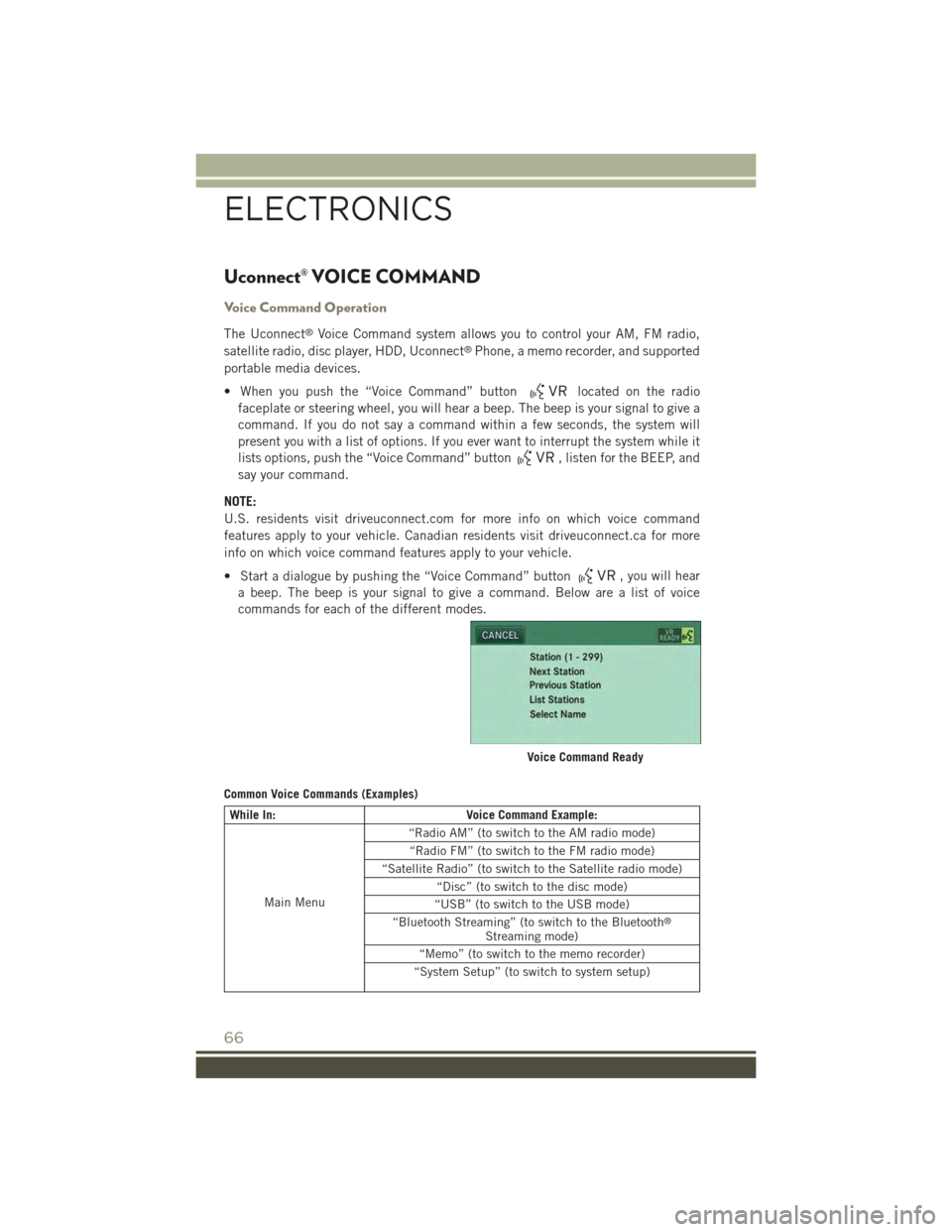
• Start a dialogue by pushing the “Voice Command” button, you will hear
a beep. The beep is your signal to give a command. Below are a list of voice
commands for each of the different modes.
Common Voice Commands (Examples)
While In:Voice Command Example:
Main Menu
“Radio AM” (to switch to the AM radio mode)
“Radio FM” (to switch to the FM radio mode)
“Satellite Radio” (to switch to the Satellite radio mode)
“Disc” (to switch to the disc mode)
“USB” (to switch to the USB mode)
“Bluetooth Streaming” (to switch to the Bluetooth®
Streaming mode)
“Memo” (to switch to the memo recorder)
“System Setup” (to switch to system setup)
Voice Command Ready
ELECTRONICS
66
Page 70 of 132
Voice Text Reply
If equipped with Uconnect®Voice Command, your Uconnect®430N/730N radio
may be able to play incoming Short Message Service (SMS) messages (text mes-
sages) through the vehicle's sound system. It also allows you to respond by selecting
from various predefined phrases.
NOTE:
Not all phones are compatible with this feature. Refer to the phone compatibility list
at UconnectPhone.com. Connected mobile phones must be bluetooth-compatible
and paired with your radio.
• Push the “Voice Command” buttonand after the BEEP, say “SMS” to get
started.
NOTE:
To access the tutorial, push the “Voice Command” button. After the BEEP,
say “tutorial.” Push any button on the faceplate or press any button on the
touchscreen to cancel the tutorial.
WARNING!
Any voice commanded system should be used only in safe driving conditions
following applicable laws regarding phone use. Your attention should be focused
on safely operating the vehicle. Failure to do so may result in a collision causing
you and others to be severely injured or killed.
Bluetooth® STREAMING AUDIO
If equipped with Uconnect®Voice Command, your Bluetooth®-equipped iPod®
devices, cell phones or other media players, may also be able to stream music to your
vehicle's speakers. Your connected device must be Bluetooth®-compatible, and
paired with your radio (see Uconnect®Phone for pairing instructions).
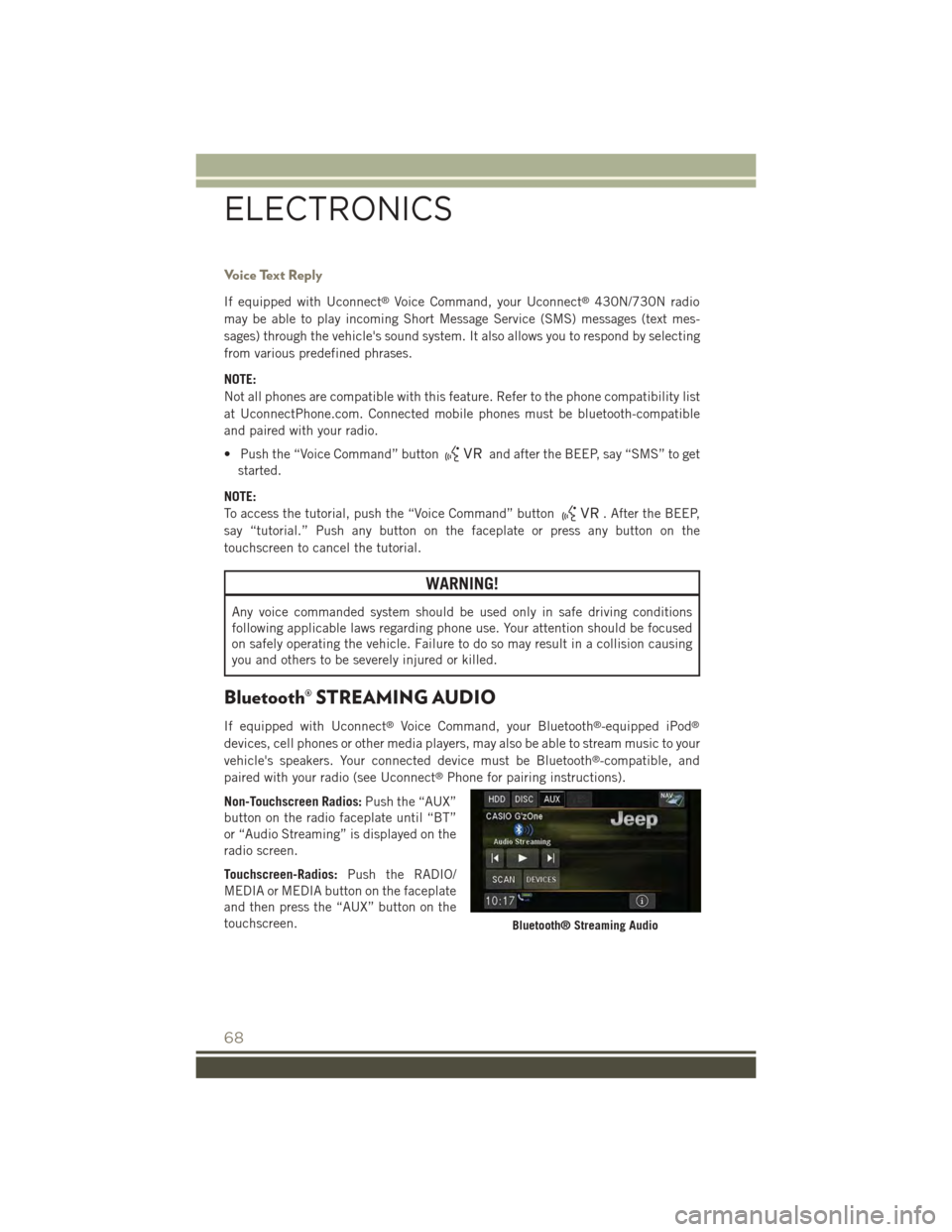
Non-Touchscreen Radios:Push the “AUX”
button on the radio faceplate until “BT”
or “Audio Streaming” is displayed on the
radio screen.
Touchscreen-Radios:Push the RADIO/
MEDIA or MEDIA button on the faceplate
and then press the “AUX” button on the
touchscreen.Bluetooth® Streaming Audio
ELECTRONICS
68
Page 77 of 132
POWER INVERTER
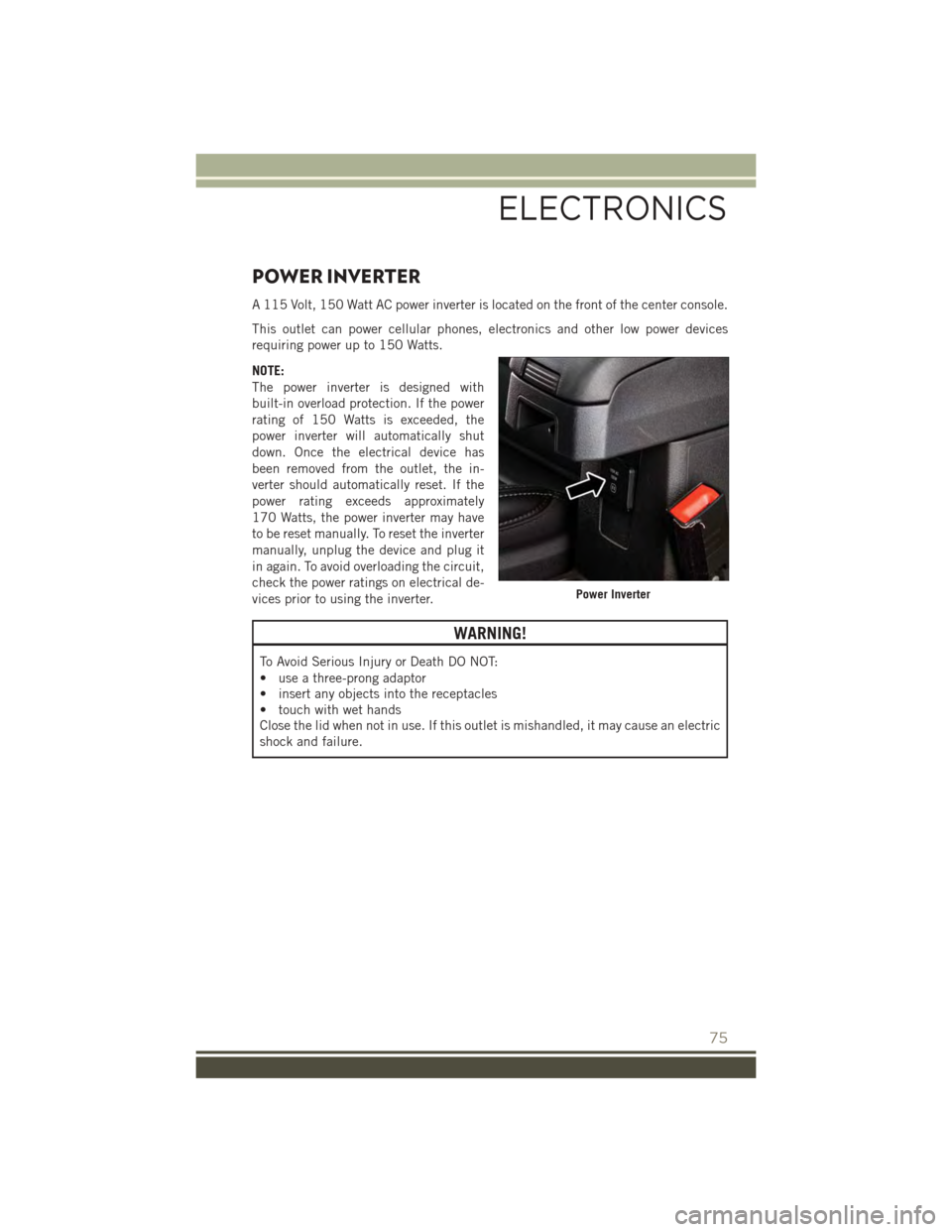
A 115 Volt, 150 Watt AC power inverter is located on the front of the center console.
This outlet can power cellular phones, electronics and other low power devices
requiring power up to 150 Watts.
NOTE:
The power inverter is designed with
built-in overload protection. If the power
rating of 150 Watts is exceeded, the
power inverter will automatically shut
down. Once the electrical device has
been removed from the outlet, the in-
verter should automatically reset. If the
power rating exceeds approximately
170 Watts, the power inverter may have
to be reset manually. To reset the inverter
manually, unplug the device and plug it
in again. To avoid overloading the circuit,
check the power ratings on electrical de-
vices prior to using the inverter.
WARNING!
To Avoid Serious Injury or Death DO NOT:
• use a three-prong adaptor
• insert any objects into the receptacles
• touch with wet hands
Close the lid when not in use. If this outlet is mishandled, it may cause an electric
shock and failure.
Power Inverter
ELECTRONICS
75
Page 83 of 132
ROADSIDE ASSISTANCE
Dial toll-free 1-800-521-2779 for U.S. Residents or 1-800-363-4869 for Canadian
Residents.
• Provide your name, vehicle identification number, license plate number, and your
location, including the telephone number from which you are calling.
• Briefly describe the nature of the problem and answer a few simple questions.
• You will be given the name of the service provider and an estimated time of arrival.
If you feel you are in an “unsafe situation”, please let us know. With your consent,
we will contact local police or safety authorities.
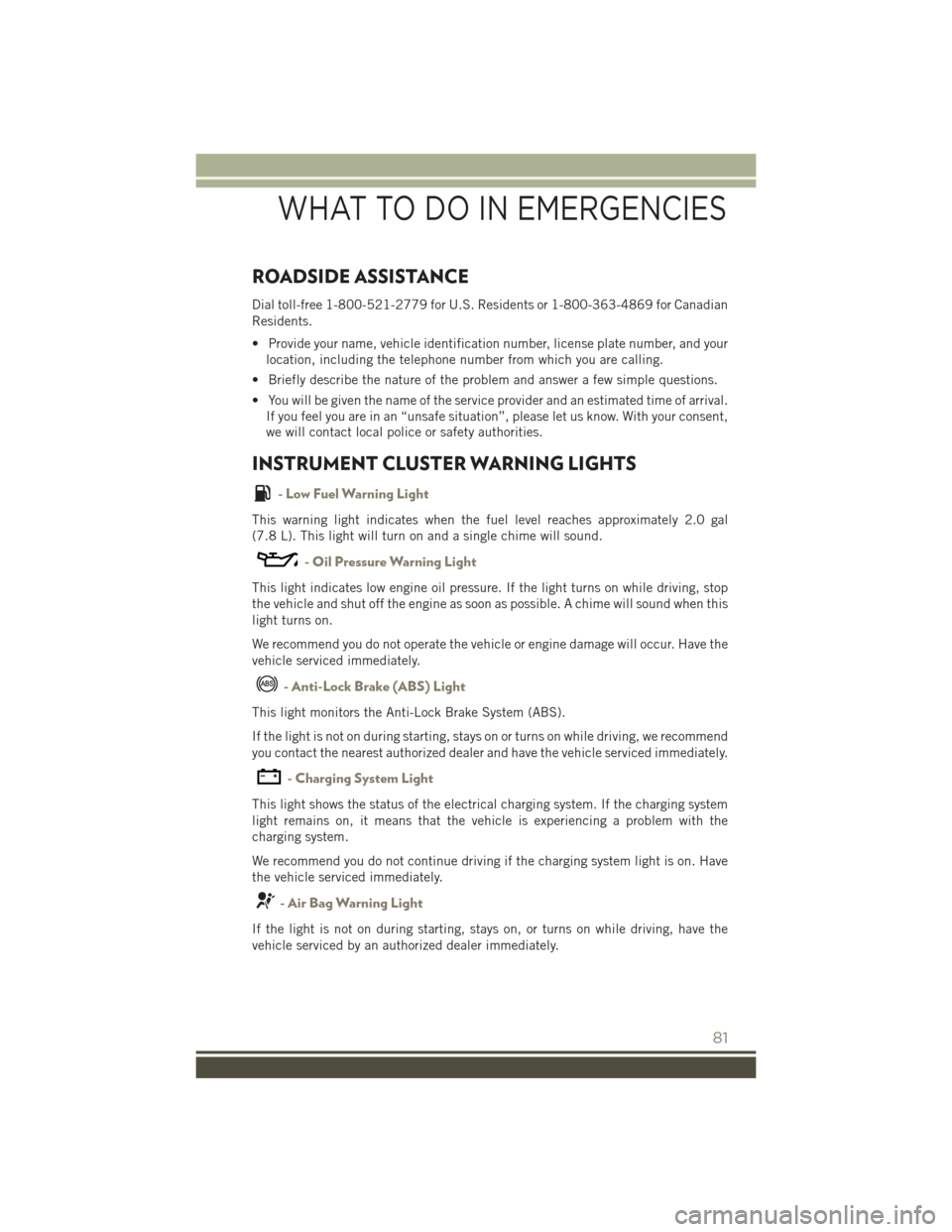
INSTRUMENT CLUSTER WARNING LIGHTS
- Low Fuel Warning Light
This warning light indicates when the fuel level reaches approximately 2.0 gal
(7.8 L). This light will turn on and a single chime will sound.
- Oil Pressure Warning Light
This light indicates low engine oil pressure. If the light turns on while driving, stop
the vehicle and shut off the engine as soon as possible. A chime will sound when this
light turns on.
We recommend you do not operate the vehicle or engine damage will occur. Have the
vehicle serviced immediately.
- Anti-Lock Brake (ABS) Light
This light monitors the Anti-Lock Brake System (ABS).
If the light is not on during starting, stays on or turns on while driving, we recommend
you contact the nearest authorized dealer and have the vehicle serviced immediately.
-ChargingSystemLight
This light shows the status of the electrical charging system. If the charging system
light remains on, it means that the vehicle is experiencing a problem with the
charging system.
We recommend you do not continue driving if the charging system light is on. Have
the vehicle serviced immediately.
- Air Bag Warning Light
If the light is not on during starting, stays on, or turns on while driving, have the
vehicle serviced by an authorized dealer immediately.
WHAT TO DO IN EMERGENCIES
81
Page 99 of 132
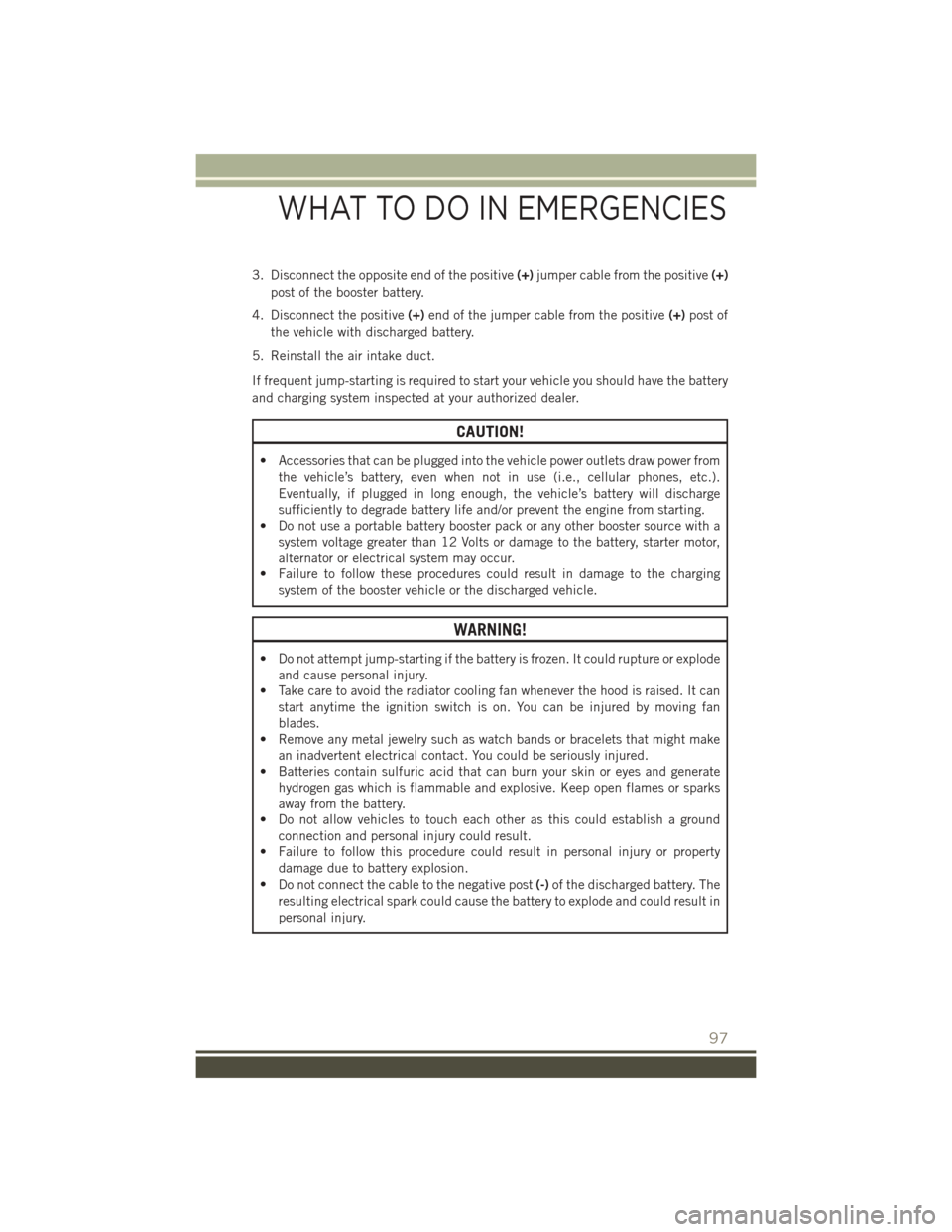
3. Disconnect the opposite end of the positive(+)jumper cable from the positive(+)
post of the booster battery.
4. Disconnect the positive(+)end of the jumper cable from the positive(+)post of
the vehicle with discharged battery.
5. Reinstall the air intake duct.
If frequent jump-starting is required to start your vehicle you should have the battery
and charging system inspected at your authorized dealer.
CAUTION!
• Accessories that can be plugged into the vehicle power outlets draw power from
the vehicle’s battery, even when not in use (i.e., cellular phones, etc.).
Eventually, if plugged in long enough, the vehicle’s battery will discharge
sufficiently to degrade battery life and/or prevent the engine from starting.
• Do not use a portable battery booster pack or any other booster source with a
system voltage greater than 12 Volts or damage to the battery, starter motor,
alternator or electrical system may occur.
• Failure to follow these procedures could result in damage to the charging
system of the booster vehicle or the discharged vehicle.
WARNING!
• Do not attempt jump-starting if the battery is frozen. It could rupture or explode
and cause personal injury.
• Take care to avoid the radiator cooling fan whenever the hood is raised. It can
start anytime the ignition switch is on. You can be injured by moving fan
blades.
• Remove any metal jewelry such as watch bands or bracelets that might make
an inadvertent electrical contact. You could be seriously injured.
• Batteries contain sulfuric acid that can burn your skin or eyes and generate
hydrogen gas which is flammable and explosive. Keep open flames or sparks
away from the battery.
• Do not allow vehicles to touch each other as this could establish a ground
connection and personal injury could result.
• Failure to follow this procedure could result in personal injury or property
damage due to battery explosion.
•Do not connect the cable to the negative post(-)of the discharged battery. The
resulting electrical spark could cause the battery to explode and could result in
personal injury.
WHAT TO DO IN EMERGENCIES
97
Page 115 of 132
FUSES
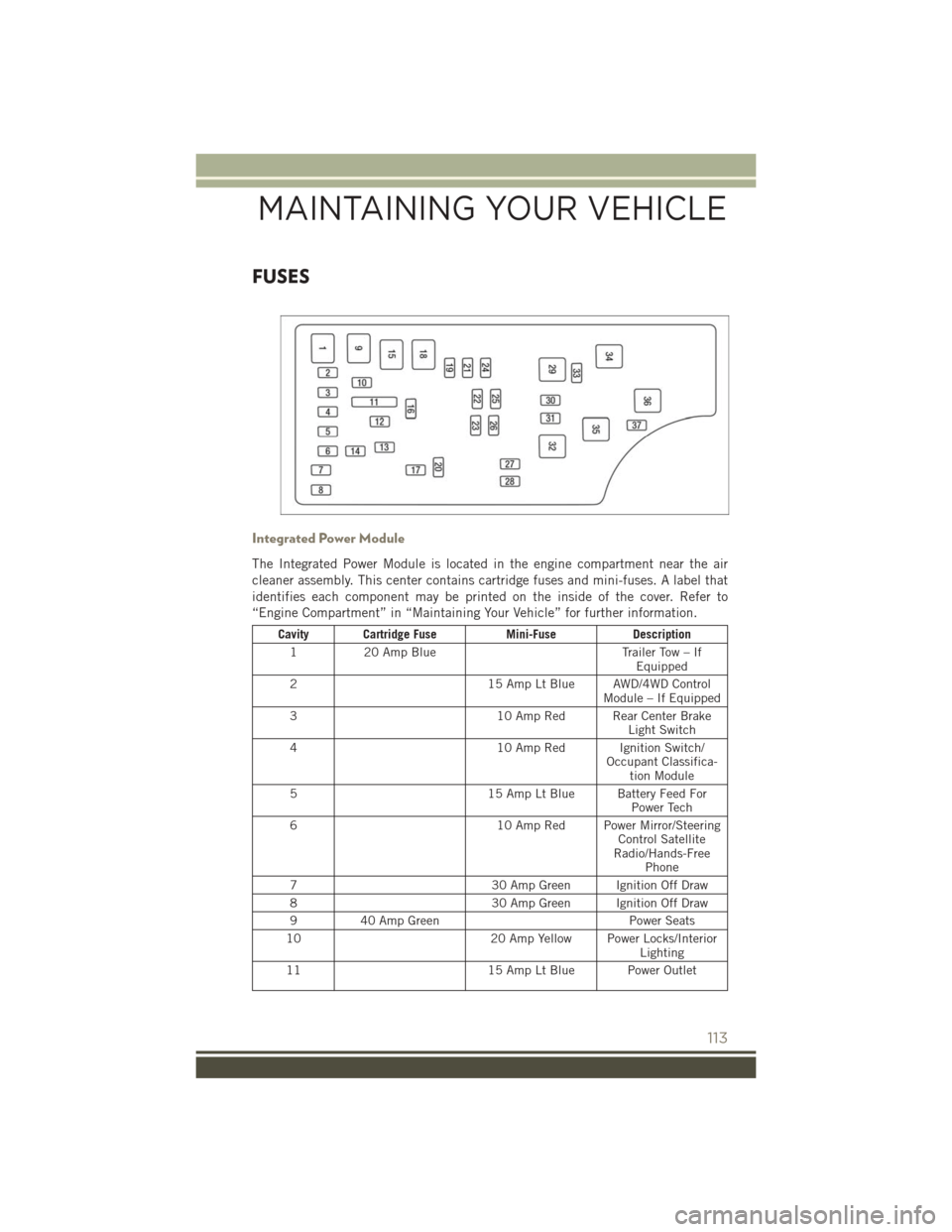
Integrated Power Module
The Integrated Power Module is located in the engine compartment near the air
cleaner assembly. This center contains cartridge fuses and mini-fuses. A label that
identifies each component may be printed on the inside of the cover. Refer to
“Engine Compartment” in “Maintaining Your Vehicle” for further information.
Cavity Cartridge FuseMini-FuseDescription
120 Amp BlueTrailer Tow – IfEquipped
215 Amp Lt Blue AWD/4WD ControlModule – If Equipped
310 Amp Red Rear Center BrakeLight Switch
410 Amp Red Ignition Switch/Occupant Classifica-tion Module
515 Amp Lt Blue Battery Feed ForPower Tech
610 Amp Red Power Mirror/SteeringControl SatelliteRadio/Hands-FreePhone
730 Amp Green Ignition Off Draw
830 Amp Green Ignition Off Draw
940 Amp GreenPower Seats
1020 Amp Yellow Power Locks/InteriorLighting
1115 Amp Lt Blue Power Outlet
MAINTAINING YOUR VEHICLE
113
Page 121 of 132
CHRYSLER GROUP LLC CUSTOMER CENTER
P.O. Box 21–8004 Auburn Hills, MI 48321–8004 Phone: 1–877–426–5337
CHRYSLER CANADA INC. CUSTOMER CENTER
P.O. Box 1621 Windsor, Ontario N9A 4H6 Phone: 1–800–465–2001 (English)
Phone: 1–800–387–9983 (French)
ASSISTANCE FOR THE HEARING IMPAIRED
To assist customers who have hearing difficulties, the manufacturer has installed
special TDD (Telecommunication Devices for the Deaf) equipment at its customer
center. Any hearing or speech impaired customer, who has access to a TDD or a
conventional teletypewriter (TTY) in the United States, can communicate with the
manufacturer by dialing 1–800–380–CHRY. Canadian residents with hearing diffi-
culties that require assistance can use the special needs relay service offered by Bell
Canada. For TTY teletypewriter users, dial 711 and for Voice callers, dial
1–800–855–0511 to connect with a Bell Relay Service operator.
WARNING!
Engine exhaust, some of its constituents, and certain vehicle components con-
tain, or emit, chemicals known to the State of California to cause cancer and birth
defects, or other reproductive harm. In addition, certain fluids contained in
vehicles and certain products of component wear contain, or emit, chemicals
known to the State of California to cause cancer and birth defects, or other
reproductive harm.
PUBLICATIONS ORDERING
• If you are the first registered retail owner of your vehicle, you may obtain a
complimentary printed copy of the Owner's Manual, Navigation/Uconnect®Manu-
als or Warranty Booklet. United States customers may visit the Jeep Contact Us
page at www.jeep.com scroll to the bottom of the page and select the “Contact Us”
link, then select the “Owner’s Manual and Glove Box Material” from the left menu.
You may also obtain a complimentary copy by calling 1–877–426–5337 (U.S.) or
1–800–387–1143 (Canada).
• Replacement User Guide kits or DVDs or, if you prefer, additional printed copies
of the Owner's Manual, Warranty Booklet or Radio Manuals may be purchased by
visiting www.techauthority.com or by calling 1–877–890–4038 (U.S.) or
1–800–387–1143 (Canada). Visa, Master Card, American Express and Discover
orders are accepted. If you prefer mailing your order, please call the above
numbers for an order form.
CUSTOMER ASSISTANCE
119
Page 124 of 132
FREQUENTLY ASKED QUESTIONS
GETTING STARTED
How do I install my LATCH Equipped Child Seat? pg. 18
How do my heated seats operate? pg. 25
ELECTRONICS
Which radio is in my vehicle?
• Uconnect®130 pg. 38
• Uconnect®130 with Satellite Radio pg. 40
• Uconnect®230 pg. 43
• Uconnect®430/430N pg. 46
How do I activate the Audio Jack?
• Uconnect®130 pg. 42
• Uconnect®130 with Satellite Radio pg. 42
• Uconnect®230 pg. 42
• Uconnect®430/430N pg. 51
How do I set the clock on my radio?
• Uconnect®130 pg. 44
• Uconnect®130 with Satellite Radio pg. 44
• Uconnect®230 pg. 44
• Uconnect®430/430N pg. 47
How do I use the Navigation feature? pg. 54
How do I pair my cell phone via Bluetooth®with the Uconnect®Hands-Free Voice
Activation System? pg. 63
How do I configure my Universal Garage Door Opener (HomeLink®)? pg. 72
UTILITY
How do I know how much I can tow with my Jeep Patriot? pg. 79
WHAT TO DO IN EMERGENCIES
What do I do if my TPMS warning light is blinking? pg. 82
How do I change a flat tire? pg. 88
How do I Jump-Start my vehicle? pg. 95
FAQ (How To?)
122
Page 126 of 132
Adding Engine Coolant
(Antifreeze).............108
Adding Washer Fluid.........108
Air Bag
Advanced Front Air Bag . . . . . .14
Advance Front Air Bag . . . . . .14
Air Bags . . . . . . . . . . . . . . .14
Air Bag Warning Light . . . . . . .14
Front Air Bag . . . . . . . . . . . .14
Rollover...............14Side Air bags . . . . . . . . . . . .16Side Impact Curtains.......16Side Impacts . . . . . . . . . . . .14Air bag Light . . . . . . . . . . . . . .81Air Cleaner, Engine (Engine Air CleanerFilter)................108Air Conditioner Maintenance....108Air Conditioning............33Air Conditioning Refrigerant.....108Air Conditioning System.......108Air Recirculation..........33,34AlarmArm The System..........12Disarm The System........12Vehicle Security Alarm......12Alarm, Panic..............10Alarm (Security Alarm)......12,86Antifreeze (Engine Coolant) . .106, 108Capacities............106Disposal . . . . . . . . . . . . . .108Anti-Lock Warning Light........81Appearance Care...........108Assistance Towing...........81Audio Jack........39,42,45,51Audio Settings........39,41,44Audio Systems (Radio).........38Automatic Temperature Control(ATC) . . . . . . . . . . . . . . . . .33Automatic Transmission........32Fluid Type . . . . . . . . . . . .107Overheating............88Axle Fluid . . . . . . . . . . . . . . .107
Battery..............95,108Bluetooth®
Connecting To A Particular MobilePhone Or Audio Device AfterPairing................63
Body Mechanism Lubrication....108
Brake Fluid . . . . . . . . . . . . . .107
Brakes . . . . . . . . . . . . . . . . .108
Brake System.............108
Master Cylinder.........108
Warning Light...........83
Break-In Recommendations, New
Vehicle................27
Bulb Replacement..........118
Bulbs, Light . . . . . . . . . . . . . .118
Calibration, Compass.........69Capacities, Antifreeze (EngineCoolant)..............106Capacities, Fluid...........106Caps, FillerOil (Engine)............108Car Washes . . . . . . . . . . . . . .108CD (Compact Disc)Player.........39,42,45,50Change Oil Indicator..........86Changing A Flat Tire . . . . . . . . . .88Charging System Light.........81Child Restraint.............17Child RestraintsLower Anchors And Tethers ForChildren . . . . . . . . . . . . . .17CleaningWheels..............108Windshield Wiper Blades....108Climate Control.............32Clock Setting.......38,41,44,47Cluster Warning/Indicator LightsAnti-Lock Brake (ABS) Light . . .81Brake Warning Light........83Charging System Light......81Electronic Stability Control (ESC)Activation/Malfunction IndicatorLight . . . . . . . . . . . . . . . .85Electronic Throttle Control (ETC)Indicator Light...........82Front Fog Light Indicator.....86High Beam Indicator.......86Instrument Cluster WarningLights . . . . . . . . . . . . . . . .81Malfunction Indicator Light(MIL) . . . . . . . . . . . . . . . . .85Oil Pressure Warning Light....81
INDEX
124