ECO mode JEEP PATRIOT 2021 Owner handbook (in English)
[x] Cancel search | Manufacturer: JEEP, Model Year: 2021, Model line: PATRIOT, Model: JEEP PATRIOT 2021Pages: 332, PDF Size: 1.99 MB
Page 151 of 332
•Jump forward in the current track by pushing
and holding theFF>> button.
•A single push backward <
tively, for five seconds.
•Use the <
jump to the previous or next track. Pushing
theSEEK>> button during play mode will
jump to the next track in the list, or push the
VR button and say"Next or Previous Track."
•While a track is playing, push theINFO
button to see the associated metadata (artist,
track title, album, etc.) for that track. Pushing
theINFObutton again jumps to the next
screen of data for that track. Once all screens
have been viewed, the lastINFObutton push
will go back to the play mode screen on the
radio.
•Pushing theREPEATbutton will change the
audio device mode to repeat the current
playing track or push the VR button and say
"Repeat ON"or"Repeat Off."
•Push theSCANbutton to use iPod/USB/MP3
device scan mode, which will play the first tenseconds of each track in the current list and
then forward to the next song. To stop SCAN
mode and start playing the desired track,
when it is playing the track, push theSCAN
button again. During Scan mode, pushing the
<
the previous and next tracks.
•RNDbutton (available on sales code RES
radio only): Pushing this button toggles be-
tween Shuffle ON and Shuffle OFF modes for
the iPod or external USB device, or push the
VR button and say"Shuffle ON"or"Shuffle
Off."If theRNDicon is showing on the radio
display, then the shuffle mode is ON.
List Or Browse ModeDuring Play mode, pushing any of the buttons
described below, will bring up List mode. List
mode enables scrolling through the list of
menus and tracks on the audio device.
TUNEcontrol knob: TheTUNEcontrol knob
functions in a similar manner as the scroll wheel
on the audio device or external USB device.
•Turning it clockwise (forward) and counter-
clockwise (backward) scrolls through thelists, displaying the track detail on the radio
display. Once the track to be played is high-
lighted on the radio display, push theTUNE
control knob to select and start playing the
track. Turning theTUNEcontrol knob fast will
scroll through the list faster. During fast
scroll, a slight delay in updating the informa-
tion on the radio display may be noticeable.
During all List modes, the iPod displays all lists
in “wrap-around” mode. So if the track is at the
bottom of the list, just turn the wheel backward
(counterclockwise) to get to the track faster.
In List mode, the radioPRESETbuttons are
used as shortcuts to the following lists on the
iPod or external USB device:
•Preset 1 – Playlists
•Preset 2 – Artists
•Preset 3 – Albums
•Preset 4 – Genres
•Preset 5 – Audiobooks
•Preset 6 – Podcasts
147
Page 152 of 332
Pushing a PRESET button will display the cur-
rent list on the top line and the first item in that
list on the second line.
To exit List mode without selecting a track, push
the samePRESETbutton again to go back to
Play mode.
LISTbutton: TheLISTbutton will display the top
level menu of the iPod or external USB device.
•Turn theTUNEcontrol knob to list the top-
menu item to be selected and push the
TUNEcontrol knob. This will display the next
sub-menu list item on the audio device, then
follow the same steps to go to the desired
track in that list. Not all iPod or external USB
device sub-menu levels are available on this
system.
MUSIC TYPEbutton: TheMUSIC TYPEbutton
is another shortcut button to the genre listing on
your audio device.CAUTION!
•Leaving the iPod or external USB device
(or any supported device) anywhere in the
vehicle in extreme heat or cold can alter
the operation or damage the device. Fol-
low the device manufacturer’s guidelines.
•Placing items on the iPod or external USB
device, or connections to the iPod or ex-
ternal USB device in the vehicle, can
cause damage to the device and/or to the
connectors.
WARNING!
Do not plug in or remove the iPod or external
USB device while driving. Failure to follow
this warning could result in an accident.
Bluetooth Streaming Audio (BTSA)Music can be streamed from your cellular
phone to the Uconnect phone system.Refer to the Uconnect Owner’s Manual Supple-
ment for further information on Bluetooth con-
nectivity.
Controlling BTSA Using Radio Buttons
To enter BTSA mode, push either “AUX” button
on the radio or push the VR
button and say
“Bluetooth Streaming Audio.”
Play Mode
When switched to BTSA mode, some audio
devices can start playing music over the vehi-
cle’s audio system, but some devices require
the music to be initiated on the device first, then
it will get streamed to the Uconnect phone
system. Seven devices can be paired to the
Uconnect phone system, but just one can be
selected and played.
Selecting A Different Audio Device
1. Push the Phone
button to begin.
2. After the"Ready"prompt and following the
beep, say"Setup", then say"Select Audio
Devices."
148
Page 153 of 332
3. Say the name of the audio device or ask the
Uconnect phone system to list the audio
devices.
Next Track
Use the SEEK UP button, or push the VR
button on the radio and say “Next Track,” to
jump to the next music track on your cellular
phone.
Previous Track
Use the SEEK DOWN button, or push the VR
button on the radio and say “Previous
Track,” to jump to the previous music track on
your cellular phone.
Browse
Browsing is not available on a Bluetooth
Streaming Audio (BTSA) device. Only the cur-
rent song that is playing will display info.
NAVIGATION SYSTEM — IF
EQUIPPED
Refer to your Navigation User’s Manual.
STEERING WHEEL AUDIO
CONTROLS
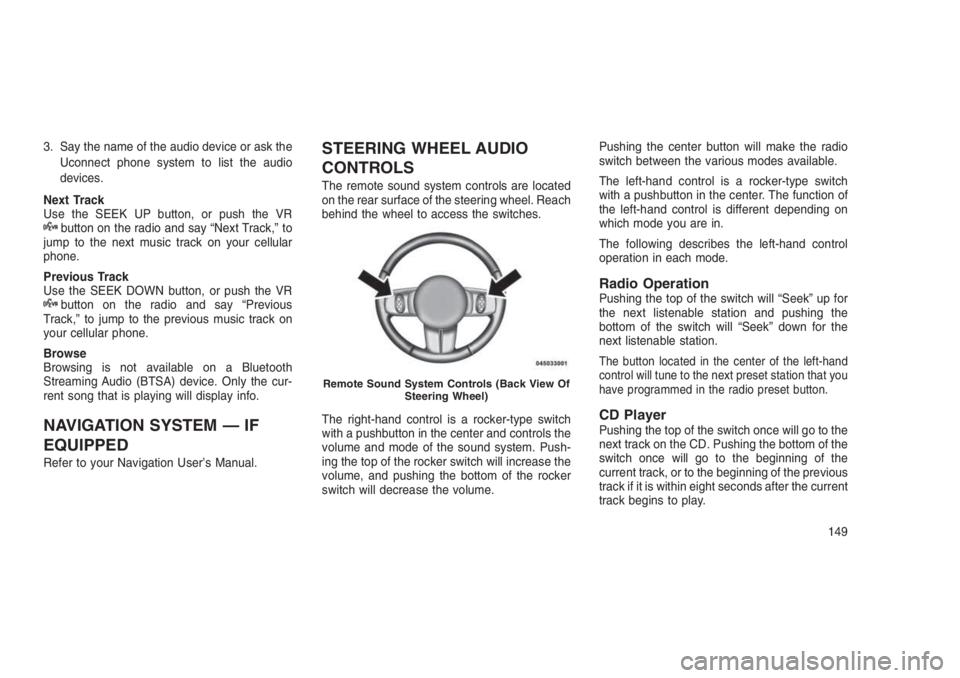
The remote sound system controls are located
on the rear surface of the steering wheel. Reach
behind the wheel to access the switches.
The right-hand control is a rocker-type switch
with a pushbutton in the center and controls the
volume and mode of the sound system. Push-
ing the top of the rocker switch will increase the
volume, and pushing the bottom of the rocker
switch will decrease the volume.Pushing the center button will make the radio
switch between the various modes available.
The left-hand control is a rocker-type switch
with a pushbutton in the center. The function of
the left-hand control is different depending on
which mode you are in.
The following describes the left-hand control
operation in each mode.
Radio OperationPushing the top of the switch will “Seek” up for
the next listenable station and pushing the
bottom of the switch will “Seek” down for the
next listenable station.
The button located in the center of the left-hand
control will tune to the next preset station that you
have programmed in the radio preset button.
CD PlayerPushing the top of the switch once will go to the
next track on the CD. Pushing the bottom of the
switch once will go to the beginning of the
current track, or to the beginning of the previous
track if it is within eight seconds after the current
track begins to play.
Remote Sound System Controls (Back View Of
Steering Wheel)
149
Page 155 of 332
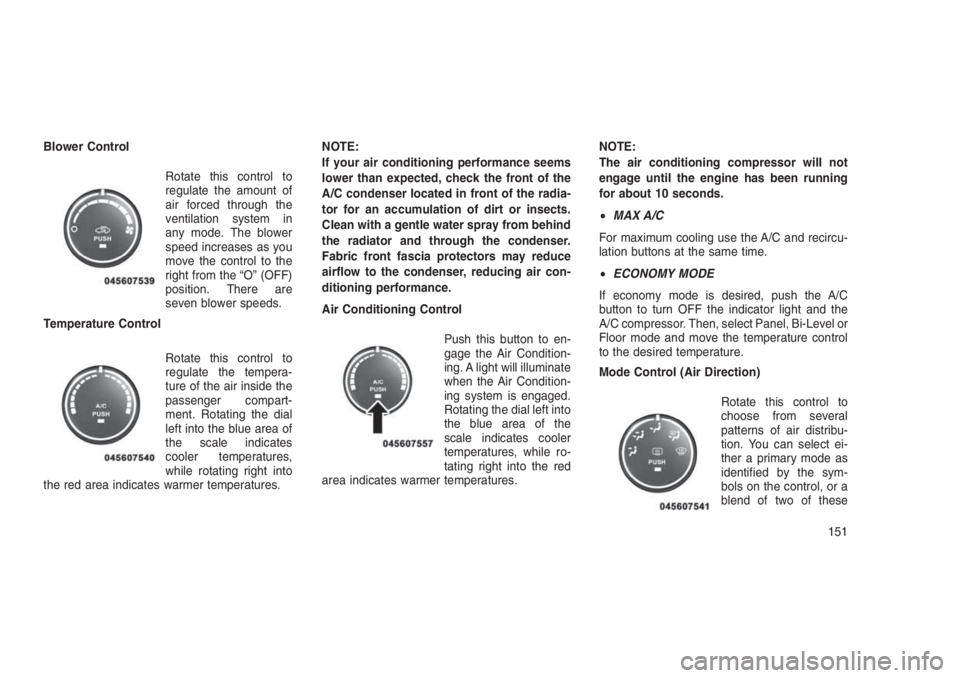
Blower Control
Rotate this control to
regulate the amount of
air forced through the
ventilation system in
any mode. The blower
speed increases as you
move the control to the
right from the “O” (OFF)
position. There are
seven blower speeds.
Temperature Control
Rotate this control to
regulate the tempera-
ture of the air inside the
passenger compart-
ment. Rotating the dial
left into the blue area of
the scale indicates
cooler temperatures,
while rotating right into
the red area indicates warmer temperatures.NOTE:
If your air conditioning performance seems
lower than expected, check the front of the
A/C condenser located in front of the radia-
tor for an accumulation of dirt or insects.
Clean with a gentle water spray from behind
the radiator and through the condenser.
Fabric front fascia protectors may reduce
airflow to the condenser, reducing air con-
ditioning performance.
Air Conditioning Control
Push this button to en-
gage the Air Condition-
ing. A light will illuminate
when the Air Condition-
ing system is engaged.
Rotating the dial left into
the blue area of the
scale indicates cooler
temperatures, while ro-
tating right into the red
area indicates warmer temperatures.NOTE:
The air conditioning compressor will not
engage until the engine has been running
for about 10 seconds.
•MAX A/C
For maximum cooling use the A/C and recircu-
lation buttons at the same time.
•ECONOMY MODE
If economy mode is desired, push the A/C
button to turn OFF the indicator light and the
A/C compressor. Then, select Panel, Bi-Level or
Floor mode and move the temperature control
to the desired temperature.
Mode Control (Air Direction)
Rotate this control to
choose from several
patterns of air distribu-
tion. You can select ei-
ther a primary mode as
identified by the sym-
bols on the control, or a
blend of two of these
151
Page 156 of 332
modes. The closer the setting is to a particular
symbol, the more air distribution you receive
from that mode.
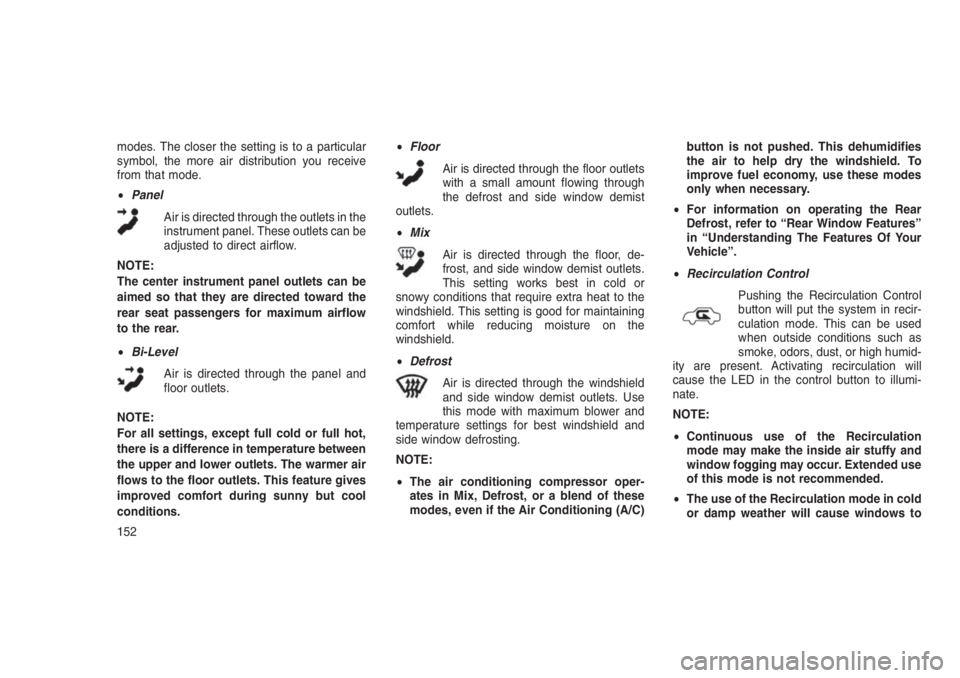
•Panel
Air is directed through the outlets in the
instrument panel. These outlets can be
adjusted to direct airflow.
NOTE:
The center instrument panel outlets can be
aimed so that they are directed toward the
rear seat passengers for maximum airflow
to the rear.
•Bi-Level
Air is directed through the panel and
floor outlets.
NOTE:
For all settings, except full cold or full hot,
there is a difference in temperature between
the upper and lower outlets. The warmer air
flows to the floor outlets. This feature gives
improved comfort during sunny but cool
conditions.•Floor
Air is directed through the floor outlets
with a small amount flowing through
the defrost and side window demist
outlets.
•Mix
Air is directed through the floor, de-
frost, and side window demist outlets.
This setting works best in cold or
snowy conditions that require extra heat to the
windshield. This setting is good for maintaining
comfort while reducing moisture on the
windshield.
•Defrost
Air is directed through the windshield
and side window demist outlets. Use
this mode with maximum blower and
temperature settings for best windshield and
side window defrosting.
NOTE:
•The air conditioning compressor oper-
ates in Mix, Defrost, or a blend of these
modes, even if the Air Conditioning (A/C)button is not pushed. This dehumidifies
the air to help dry the windshield. To
improve fuel economy, use these modes
only when necessary.
•For information on operating the Rear
Defrost, refer to “Rear Window Features”
in “Understanding The Features Of Your
Vehicle”.
•Recirculation Control
Pushing the Recirculation Control
button will put the system in recir-
culation mode. This can be used
when outside conditions such as
smoke, odors, dust, or high humid-
ity are present. Activating recirculation will
cause the LED in the control button to illumi-
nate.
NOTE:
•Continuous use of the Recirculation
mode may make the inside air stuffy and
window fogging may occur. Extended use
of this mode is not recommended.
•The use of the Recirculation mode in cold
or damp weather will cause windows to
152
Page 157 of 332
fog on the inside, because of moisture
buildup inside the vehicle. Select the out-
side air position for maximum defogging.
•The A/C will engage automatically to pre-
vent fogging when the recirculation but-
ton is pushed and the mode control is set
to panel or panel / floor.
•The A/C can be deselected manually with-
out disturbing the mode control selection.
•When the ignition switch is turned to the
LOCK position, the recirculation feature
will be cancelled.
Automatic Temperature Control
(ATC) — If Equipped
The Automatic Temperature Control system au-
tomatically maintains the climate in the cabin of
the vehicle at the comfort levels desired by the
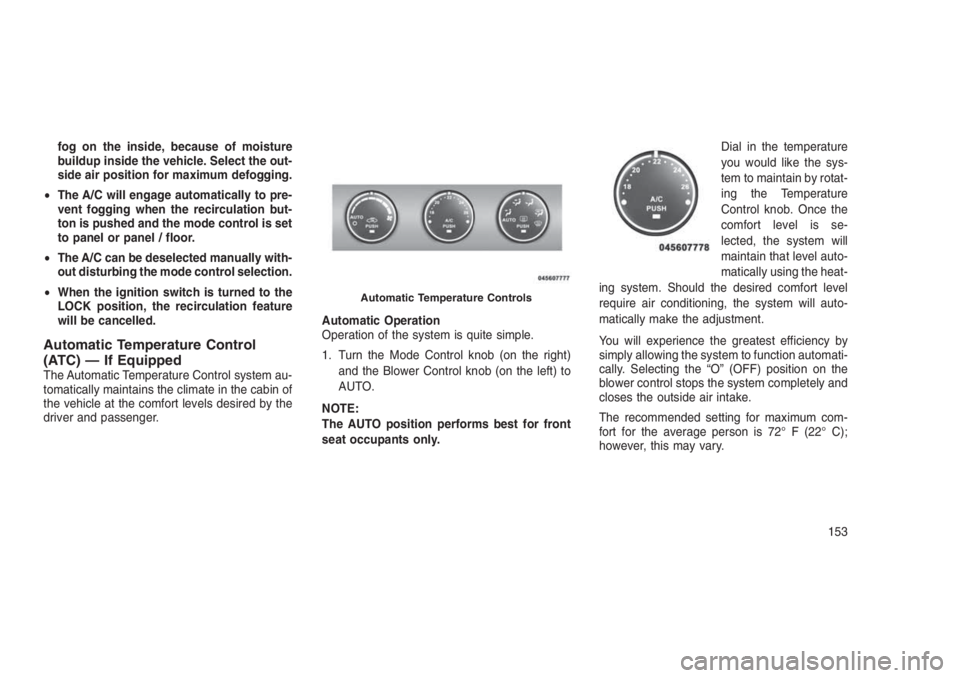
driver and passenger.Automatic Operation
Operation of the system is quite simple.
1. Turn the Mode Control knob (on the right)
and the Blower Control knob (on the left) to
AUTO.
NOTE:
The AUTO position performs best for front
seat occupants only.Dial in the temperature
you would like the sys-
tem to maintain by rotat-
ing the Temperature
Control knob. Once the
comfort level is se-
lected, the system will
maintain that level auto-
matically using the heat-
ing system. Should the desired comfort level
require air conditioning, the system will auto-
matically make the adjustment.
You will experience the greatest efficiency by
simply allowing the system to function automati-
cally. Selecting the “O” (OFF) position on the
blower control stops the system completely and
closes the outside air intake.
The recommended setting for maximum com-
fort for the average person is 72° F (22° C);
however, this may vary.
Automatic Temperature Controls
153
Page 161 of 332
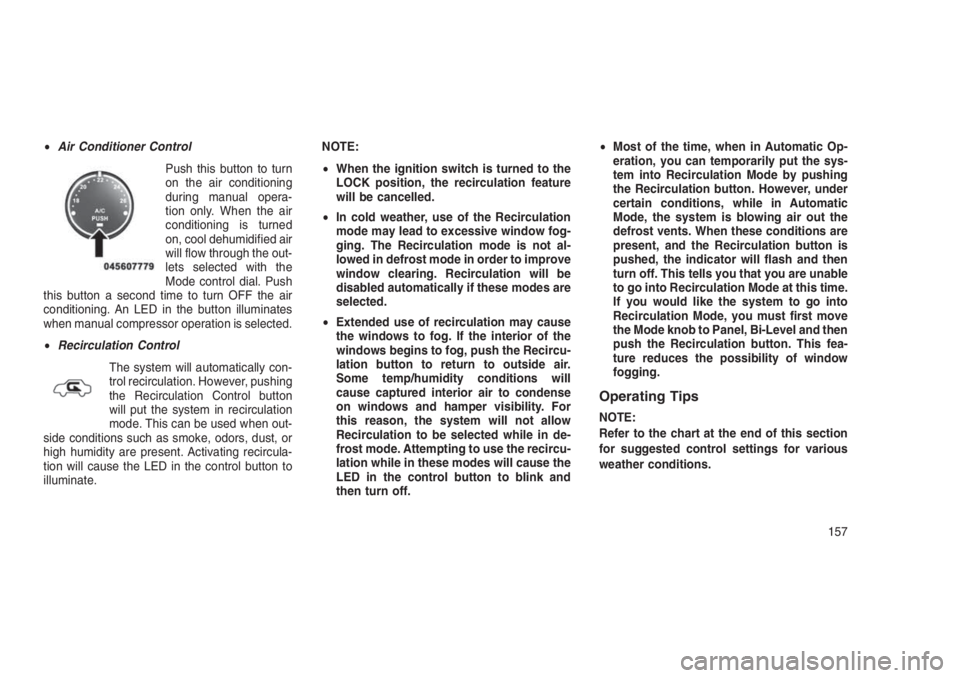
•Air Conditioner Control
Push this button to turn
on the air conditioning
during manual opera-
tion only. When the air
conditioning is turned
on, cool dehumidified air
will flow through the out-
lets selected with the
Mode control dial. Push
this button a second time to turn OFF the air
conditioning. An LED in the button illuminates
when manual compressor operation is selected.
•Recirculation Control
The system will automatically con-
trol recirculation. However, pushing
the Recirculation Control button
will put the system in recirculation
mode. This can be used when out-
side conditions such as smoke, odors, dust, or
high humidity are present. Activating recircula-
tion will cause the LED in the control button to
illuminate.NOTE:
•When the ignition switch is turned to the
LOCK position, the recirculation feature
will be cancelled.
•In cold weather, use of the Recirculation
mode may lead to excessive window fog-
ging. The Recirculation mode is not al-
lowed in defrost mode in order to improve
window clearing. Recirculation will be
disabled automatically if these modes are
selected.
•Extended use of recirculation may cause
the windows to fog. If the interior of the
windows begins to fog, push the Recircu-
lation button to return to outside air.
Some temp/humidity conditions will
cause captured interior air to condense
on windows and hamper visibility. For
this reason, the system will not allow
Recirculation to be selected while in de-
frost mode. Attempting to use the recircu-
lation while in these modes will cause the
LED in the control button to blink and
then turn off.•Most of the time, when in Automatic Op-
eration, you can temporarily put the sys-
tem into Recirculation Mode by pushing
the Recirculation button. However, under
certain conditions, while in Automatic
Mode, the system is blowing air out the
defrost vents. When these conditions are
present, and the Recirculation button is
pushed, the indicator will flash and then
turn off. This tells you that you are unable
to go into Recirculation Mode at this time.
If you would like the system to go into
Recirculation Mode, you must first move
the Mode knob to Panel, Bi-Level and then
push the Recirculation button. This fea-
ture reduces the possibility of window
fogging.
Operating Tips
NOTE:
Refer to the chart at the end of this section
for suggested control settings for various
weather conditions.
157
Page 162 of 332
Summer Operation
The engine cooling system must be protected
with a high-quality antifreeze coolant to provide
proper corrosion protection and to protect
against engine overheating. A solution of 50%
OAT (Organic Additive Technology) coolant that
meets the requirements of FCA Material Stan-
dard MS.90032 and 50% water is recom-
mended. Refer to “Maintenance Procedures” in
“Maintaining Your Vehicle” for proper coolant
selection.
Winter Operation
Use of the air Recirculation Mode during winter
months is not recommended because it may
cause window fogging.
Vacation Storage
Anytime you store your vehicle, or keep it out of
service (i.e., vacation) for two weeks or more,
run the air conditioning system at idle for about
five minutes in the fresh air and high blower
settings. This will ensure adequate system lu-
brication to minimize the possibility of compres-
sor damage when the system is started again.Window Fogging
Interior fogging on the windshield can be quickly
removed by turning the mode selector to De-
frost. The Defrost/Floor mode can be used to
maintain a clear windshield and provide suffi-
cient heating. If side window fogging becomes a
problem, increase blower speed. Vehicle win-
dows tend to fog on the inside in mild but rainy
or humid weather.
NOTE:
Recirculate without A/C should not be used
for long periods as fogging may occur.
Side Window Demisters
A side window demister outlet is located at each
end of the instrument panel. These non-
adjustable outlets direct air toward the side
windows when the system is in the FLOOR,
MIX, or DEFROST mode. The air is directed at
the area of the windows through which you view
the outside mirrors.Outside Air Intake
Make sure the air intake, located directly in front
of the windshield, is free of obstructions such as
leaves. Leaves collected in the air intake may
reduce airflow, and if they enter the plenum,
they could plug the water drains. In winter
months, make sure the air intake is clear of ice,
slush, and snow.
A/C Air Filter — If Equipped
The A/C Filter prevents most dust and pollen
from entering the cabin. The filter acts on air
coming from outside the vehicle and recircu-
lated air within the passenger compartment.
Refer to “Maintenance Procedures” in “Main-
taining Your Vehicle” for A/C Air Filter service
information or see your authorized dealer for
service. Refer to “Maintenance Schedules” in
“Maintaining Your Vehicle” for filter service inter-
vals.
158
Page 176 of 332
CAUTION!
Towing the vehicle, coasting, or driving for
any other reason with the transmission in
NEUTRAL can cause severe transmission
damage. Refer to “Recreational Towing” in
“Starting And Operating” and “Towing A Dis-
abled Vehicle” in “What To Do In Emergen-
cies” for further information.
DRIVE (D)
This range should be used for most city and
highway driving. It provides the smoothest up-
shifts and downshifts, and the best fuel
economy. The transmission automatically up-
shifts through underdrive first, second, third,
and fourth gears, direct fifth gear and overdrive
sixth gear. The DRIVE position provides opti-
mum driving characteristics under all normal
operating conditions.
When frequent transmission shifting occurs
(such as when operating the vehicle under
heavy loading conditions, in hilly terrain, travel-
ing into strong head winds, or while towing
heavy trailers), use the AutoStick shift control(refer to “AutoStick (Six-Speed Automatic
Transmission)” in this section for further infor-
mation) to select a lower gear. Under these
conditions, using a lower gear will improve
performance and extend transmission life by
reducing excessive shifting and heat buildup.
If the transmission temperature exceeds normal
operating limits, the transmission controller will
modify the transmission shift schedule and ex-
pand the range of torque converter clutch en-
gagement. This is done to prevent transmission
damage due to overheating. If the transmission
becomes extremely hot, the “Transmission
Temperature Warning Light” may illuminate and
the transmission may operate differently until
the transmission cools down.
During very cold temperatures (-4°F [-20°C] or
below), transmission operation may be modified
depending on engine and transmission tem-
perature as well as vehicle speed. Normal op-
eration will resume once the transmission tem-
perature has risen to a suitable level.
Transmission Limp Home Mode
Transmission function is monitored electroni-
cally for abnormal conditions. If a condition isdetected that could result in transmission dam-
age, Transmission Limp Home Mode is acti-
vated. In this mode, the transmission remains in
fourth gear regardless of which forward gear is
selected. PARK, REVERSE, and NEUTRAL will
continue to operate. The Malfunction Indicator
Light (MIL) may be illuminated. Limp Home
Mode allows the vehicle to be driven to an
authorized dealer for service without damaging
the transmission.
In the event of a momentary problem, the
transmission can be reset to regain all forward
gears by performing the following steps:
1. Stop the vehicle.
2. Shift the transmission into PARK.
3. Turn the ignition switch to the LOCK/OFF
position.
4. Wait approximately 10 seconds.
5. Restart the engine.
6. Shift into the desired gear range. If the
problem is no longer detected, the transmis-
sion will return to normal operation.
172
Page 180 of 332
CAUTION!(Continued)
NEUTRAL can cause severe transmission
damage. Refer to “Recreational Towing” in
“Starting And Operating” and “Towing A Dis-
abled Vehicle” in “What To Do In Emergen-
cies” for further information.
DRIVE (D)
This range should be used for most city and
highway driving. It provides the best fuel
economy. The DRIVE position provides opti-
mum driving characteristics under all normal
operating conditions.
When frequent transmission shifting occurs
(such as when operating the vehicle under
heavy loading conditions, in hilly terrain, travel-
ing into strong head winds, or while towing
heavy trailers), use the AutoStick shift control (if
equipped, refer to"AutoStick (CVT)"in this
section for further information) to select a lower
gear ratio. Under these conditions, using a
lower gear ratio will improve performance and
extend transmission life by reducing excessive
shifting and heat buildup.During sustained high speed driv-
ing or trailer towing up long grades
on hot days, the automatic trans-
mission oil may become too hot. If
this happens, the transmission
overheat indicator light will come on, and the
vehicle will slow slightly until the transmission
cools down enough to allow a return to the
requested speed. This is done to prevent trans-
mission damage due to overheating. If the high
speed is maintained, the overheating may reoc-
cur, as before, in a cyclic fashion.
LOW (L) — If Equipped
Use this range for engine braking when de-
scending very steep grades. In this range, the
transmission will downshift for maximum engine
braking, and upshifts will occur only to prevent
engine overspeed.
AUTOSTICK
AutoStick (Six-Speed Automatic
Transmission) — If Equipped
AutoStick is a driver-interactive transmission
feature providing manual shift control, givingyou more control of the vehicle. AutoStick al-
lows you to maximize engine braking, eliminate
undesirable upshifts and downshifts, and im-
prove overall vehicle performance. This system
can also provide you with more control during
passing, city driving, cold slippery conditions,
mountain driving, trailer towing, and many other
situations.
Operation
When the gear selector is in the DRIVE position,
the transmission will operate automatically,
shifting between the six available gears. To
engage AutoStick, simply tap the gear selector
to the right or left (+/-) while in the DRIVE
position. Tapping (-) to enter AutoStick mode will
downshift the transmission to the next lower
gear, while using (+) to enter AutoStick mode
will retain the current gear. When AutoStick is
active, the current transmission gear is dis-
played in the instrument cluster.
In AutoStick mode, the transmission will shift up
or down when the driver moves the gear selec-
tor to the right (+) or left (-), unless an engine
lugging or overspeed condition would result. It
176