headlights JEEP RENEGADE 2015 1.G Owners Manual
[x] Cancel search | Manufacturer: JEEP, Model Year: 2015, Model line: RENEGADE, Model: JEEP RENEGADE 2015 1.GPages: 678, PDF Size: 29.84 MB
Page 22 of 678
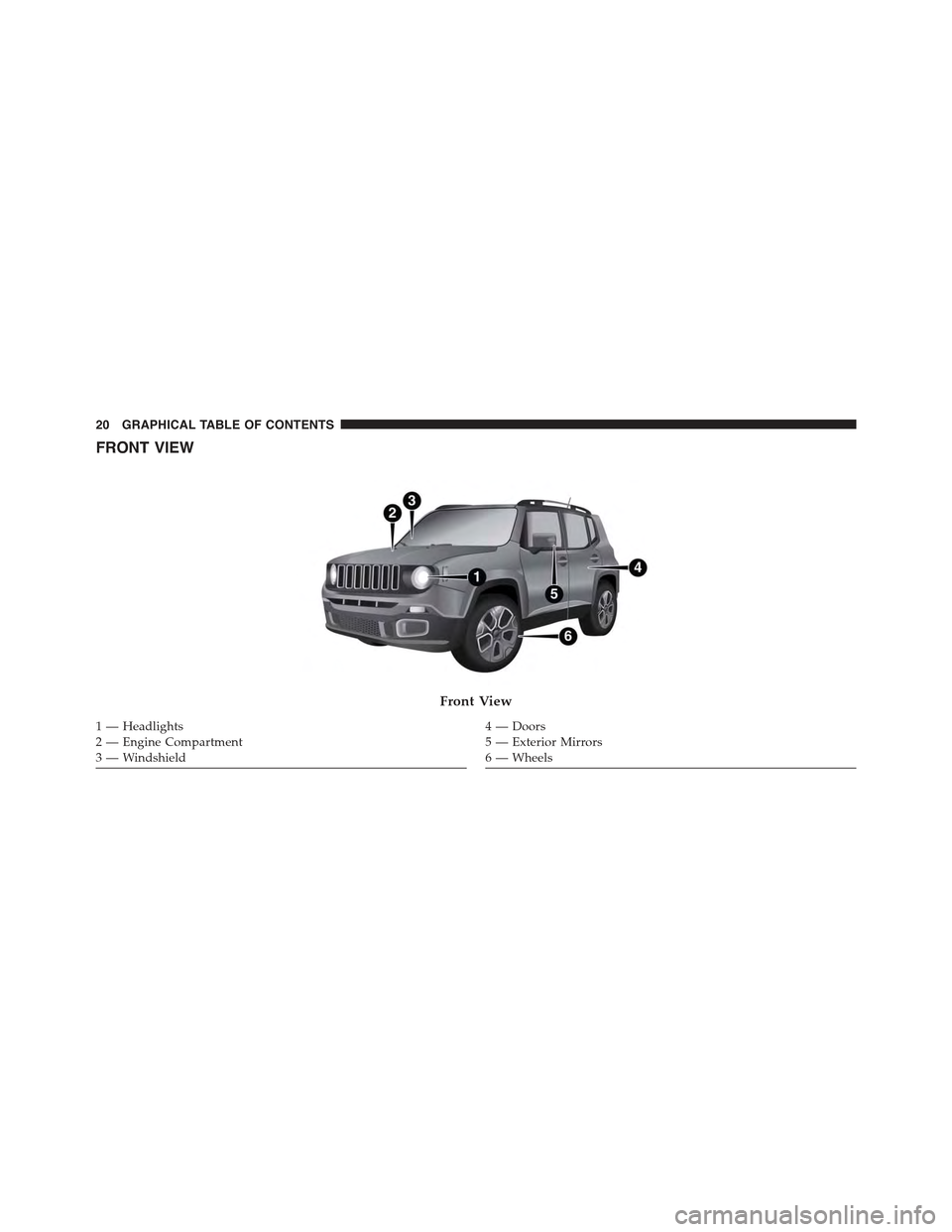
FRONT VIEW
Front View
1 — Headlights2—EngineCompartment3 — Windshield
4—Doors5 — Exterior Mirrors6 — Wheels
20 GRAPHICAL TABLE OF CONTENTS
Page 23 of 678
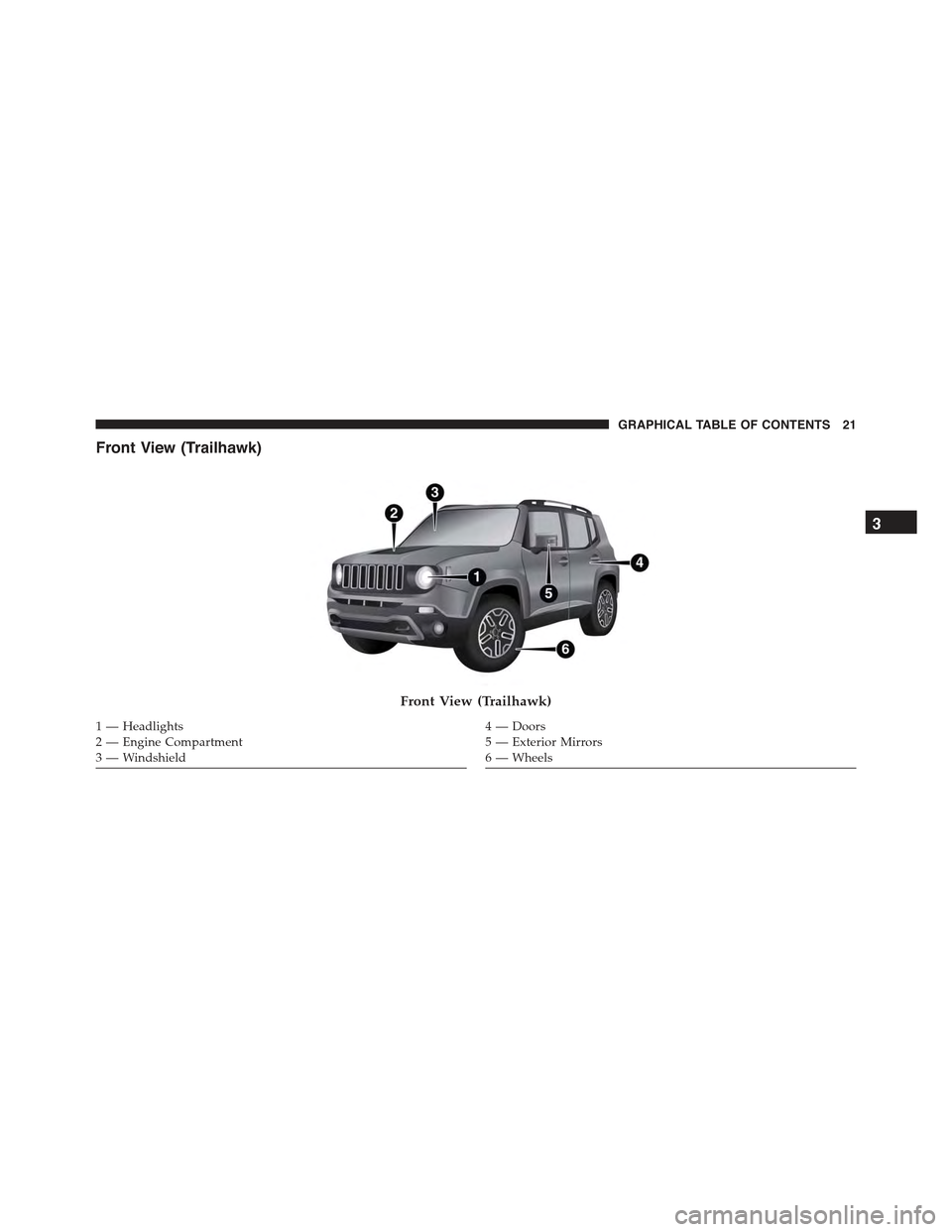
Front View (Trailhawk)
Front View (Trailhawk)
1 — Headlights2—EngineCompartment3 — Windshield
4—Doors5 — Exterior Mirrors6 — Wheels
3
GRAPHICAL TABLE OF CONTENTS 21
Page 31 of 678
▫General Information....................95
!EXTERIOR LIGHTS......................95
▫Headlights...........................95
▫Automatic Lighting — If Equipped.........96
▫Daytime Running Lights (DRL) — If Equipped . .97
▫Front Fog Lights — If Equipped...........97
▫Parking Lights........................98
▫Headlight Time Delay...................98
▫High Beam Headlights..................98
▫Turn Signals.........................99
!INTERIOR LIGHTS.....................100
▫Front Courtesy Light...................100
▫Rear Dome Light — If Equipped...........103
▫Cargo Area Lights.....................104
▫Instrument Panel Dimmer And Ambient Light
Control............................105
!WINDSHIELD WIPER/WASHER...........106
▫Rear Window Wiper/Washer.............107
▫Windshield Wiper De-Icer — If Equipped . . . .109
!WINDOWS...........................110
▫Power Windows......................110
!CLIMATE CONTROLS...................113
▫Air Outlet And Diffuser Locations — Passenger
Compartment........................113
▫Manual Climate Controls — If Equipped.....115
▫Dual Zone Automatic Climate Controls — If
Equipped...........................119
4
GETTING TO KNOW YOUR VEHICLE 29
Page 97 of 678
General Information
This vehicle has systems that operate on radio frequency
that comply with Part 15 of the Federal Communications
Commission (FCC) rules and with Industry Canada
Standards RSS- GEN/210/220/310.
Operation is subject to the following two conditions:
1. The device may not cause harmful interference.
2. The device must accept any interference received,
including interference that may cause undesired op-
eration of the device.
Changes or modifications to any of these systems by
other than an authorized service facility could void
authorization to use this equipment.
EXTERIOR LIGHTS
Headlights
The headlight switch is located on the left side of the
instrument panel. The headlight switch controls the
operation of the headlights, side marker lights, daytime
running lights, fog lights and the dimming of the instru-
ment cluster and interior lighting.
4
GETTING TO KNOW YOUR VEHICLE 95
Page 98 of 678
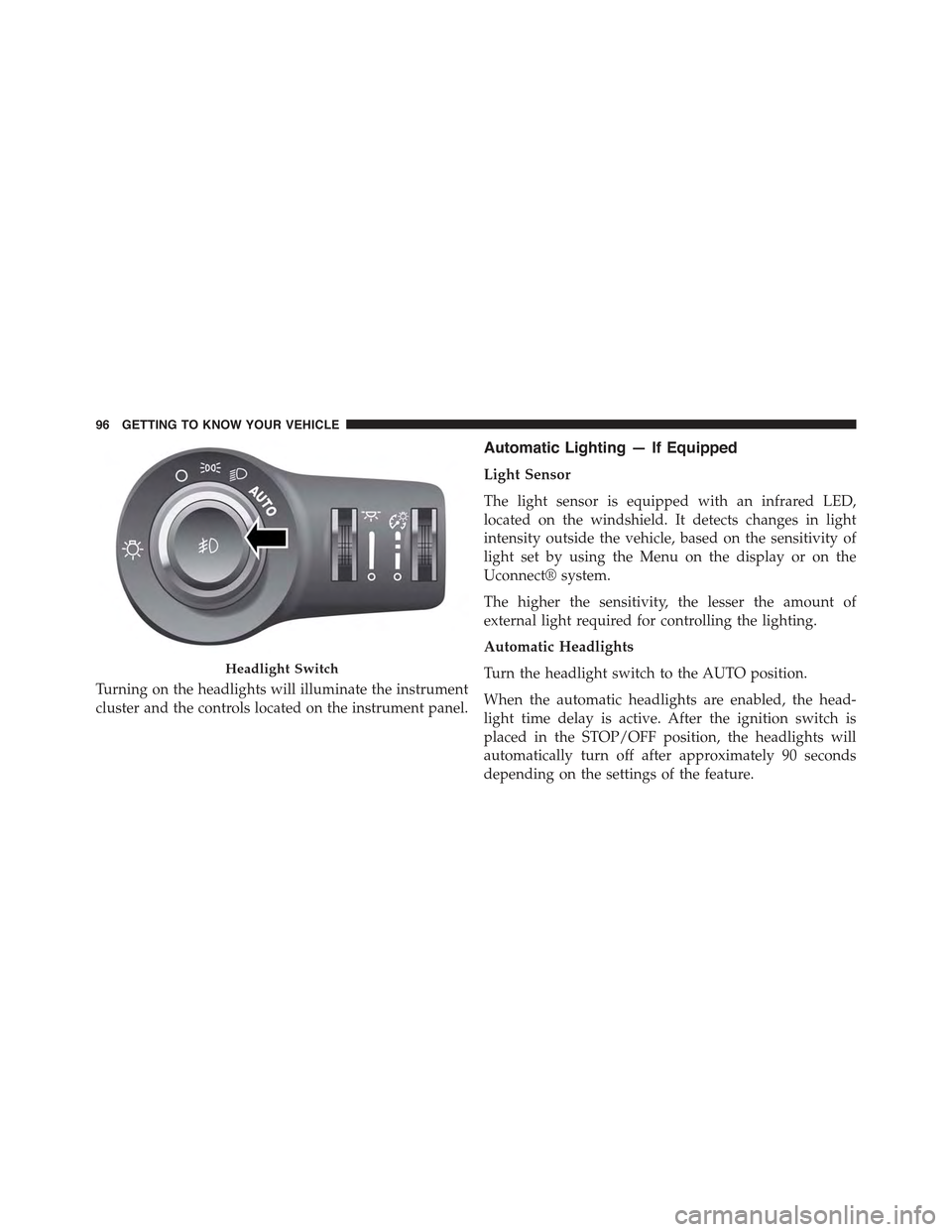
Turning on the headlights will illuminate the instrument
cluster and the controls located on the instrument panel.
Automatic Lighting — If Equipped
Light Sensor
The light sensor is equipped with an infrared LED,
located on the windshield. It detects changes in light
intensity outside the vehicle, based on the sensitivity of
light set by using the Menu on the display or on the
Uconnect® system.
The higher the sensitivity, the lesser the amount of
external light required for controlling the lighting.
Automatic Headlights
Turn the headlight switch to the AUTO position.
When the automatic headlights are enabled, the head-
light time delay is active. After the ignition switch is
placed in the STOP/OFF position, the headlights will
automatically turn off after approximately 90 seconds
depending on the settings of the feature.
Headlight Switch
96 GETTING TO KNOW YOUR VEHICLE
Page 99 of 678
The timing of the headlights is adjustable between 0, 30,
60 and 90 seconds. Refer to “Uconnect® Settings” in
“Multimedia” for further information.
NOTE:The engine must be running before the head-
lights will come on in the automatic mode.
Daytime Running Lights (DRL) — If Equipped
The Daytime Running Lights (DRLs) will turn on when
the engine is started and remain on unless the headlights
are turned on, the electronic parking brake is applied, or
the engine is shut off.
The DRLs will be disabled during turn signal operation
and resume operation when the turn signal operation has
ended.
Front Fog Lights — If Equipped
The front fog light switch is built into the headlight
switch.
To activate the front fog lights, turn on the parking
lights or the low beam headlights and push the
headlight switch. To turn off the front fog lights, push the
headlight switch a second time or turn off the headlight
switch.
An indicator light in the instrument cluster illuminates
when the fog lights are turned on.
NOTE:The fog lights will operate with the low beam
headlights or parking lights on. Selecting the high beam
headlights will turn off the fog lights.
4
GETTING TO KNOW YOUR VEHICLE 97
Page 100 of 678
Parking Lights
Rotate the headlight switch to the first position to turn on
the parking lights. The parking light indicator in the
cluster will illuminate.
Headlight Time Delay
This feature provides the safety of headlight illumination
for up to 90 seconds when leaving your vehicle in an
unlit area.
The time delay of the headlights is programmable be-
tween 0, 30, 60 and 90 seconds. Refer to “Uconnect®
Settings” in “Multimedia” for further information.
Headlight Delay Activation
To activate the delay feature, place the ignition in the
STOP/OFF position while the headlights are still on.
Then, turn off the headlights within two minutes. The
delay interval begins when the headlight switch is turned
off.
Headlight Delay Disable
The feature is disabled by turning on the headlights, the
parking lights or by placing the ignition in the MAR/
RUN position.
If you shut off the lights before the ignition is turned on,
they will turn off in the normal manner.
NOTE:The lights must be turned off within two minutes
of placing the ignition in the STOP/OFF position to
activate this feature.
High Beam Headlights
To turn on the high beam headlights, push the turn signal
lever forward (toward the front of the vehicle) and an
indicator will illuminate in the cluster. To turn off the
high beams, pull the turn signal lever rearward (toward
the rear of the vehicle).
98 GETTING TO KNOW YOUR VEHICLE
Page 101 of 678
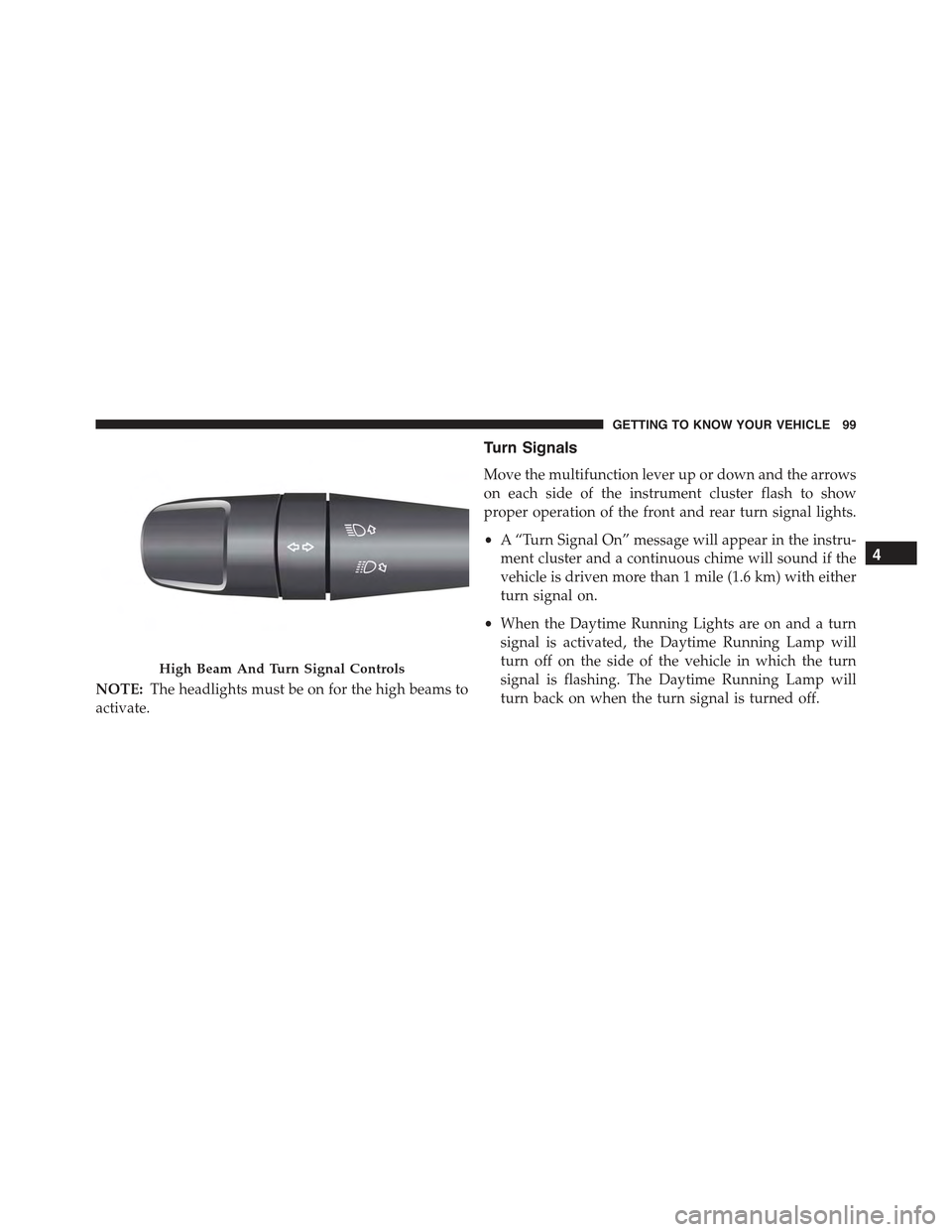
NOTE:The headlights must be on for the high beams to
activate.
Turn Signals
Move the multifunction lever up or down and the arrows
on each side of the instrument cluster flash to show
proper operation of the front and rear turn signal lights.
•A “Turn Signal On” message will appear in the instru-
ment cluster and a continuous chime will sound if the
vehicle is driven more than 1 mile (1.6 km) with either
turn signal on.
•When the Daytime Running Lights are on and a turn
signal is activated, the Daytime Running Lamp will
turn off on the side of the vehicle in which the turn
signal is flashing. The Daytime Running Lamp will
turn back on when the turn signal is turned off.
High Beam And Turn Signal Controls
4
GETTING TO KNOW YOUR VEHICLE 99
Page 107 of 678
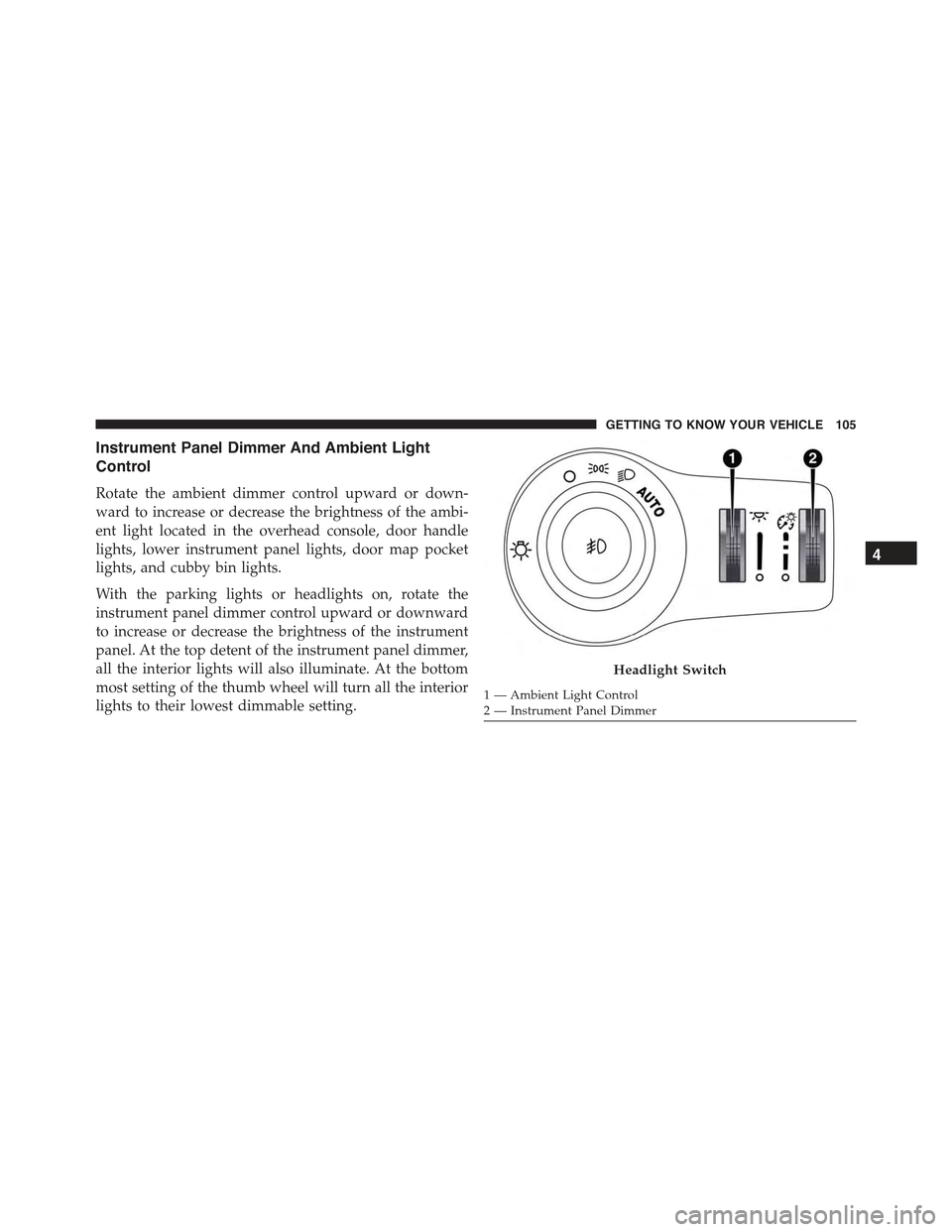
Instrument Panel Dimmer And Ambient Light
Control
Rotate the ambient dimmer control upward or down-
ward to increase or decrease the brightness of the ambi-
ent light located in the overhead console, door handle
lights, lower instrument panel lights, door map pocket
lights, and cubby bin lights.
With the parking lights or headlights on, rotate the
instrument panel dimmer control upward or downward
to increase or decrease the brightness of the instrument
panel. At the top detent of the instrument panel dimmer,
all the interior lights will also illuminate. At the bottom
most setting of the thumb wheel will turn all the interior
lights to their lowest dimmable setting.
Headlight Switch
1—AmbientLightControl2—InstrumentPanelDimmer
4
GETTING TO KNOW YOUR VEHICLE 105
Page 194 of 678
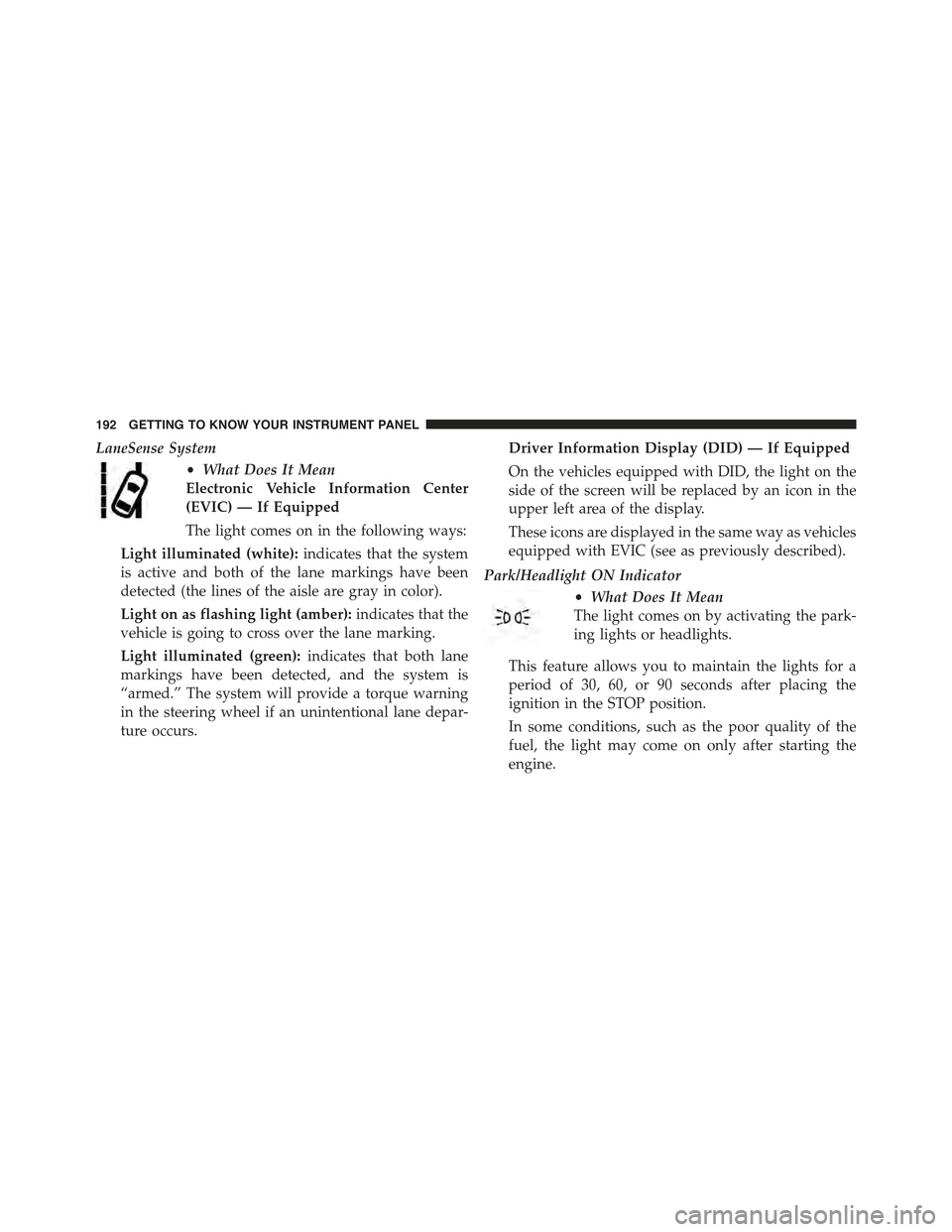
LaneSense System
•What Does It Mean
Electronic Vehicle Information Center
(EVIC) — If Equipped
The light comes on in the following ways:
Light illuminated (white):indicates that the system
is active and both of the lane markings have been
detected (the lines of the aisle are gray in color).
Light on as flashing light (amber):indicates that the
vehicle is going to cross over the lane marking.
Light illuminated (green):indicates that both lane
markings have been detected, and the system is
“armed.” The system will provide a torque warning
in the steering wheel if an unintentional lane depar-
ture occurs.
Driver Information Display (DID) — If Equipped
On the vehicles equipped with DID, the light on the
side of the screen will be replaced by an icon in the
upper left area of the display.
These icons are displayed in the same way as vehicles
equipped with EVIC (see as previously described).
Park/Headlight ON Indicator
•What Does It Mean
The light comes on by activating the park-
ing lights or headlights.
This feature allows you to maintain the lights for a
period of 30, 60, or 90 seconds after placing the
ignition in the STOP position.
In some conditions, such as the poor quality of the
fuel, the light may come on only after starting the
engine.
192 GETTING TO KNOW YOUR INSTRUMENT PANEL