remote control JEEP RENEGADE 2015 1.G Owners Manual
[x] Cancel search | Manufacturer: JEEP, Model Year: 2015, Model line: RENEGADE, Model: JEEP RENEGADE 2015 1.GPages: 678, PDF Size: 29.84 MB
Page 29 of 678
GETTING TO KNOW YOUR VEHICLE
CONTENTS
!KEYS................................31
▫Key Fob With Remote Control.............31
!IGNITION SWITCH.....................41
▫Operation............................41
!REMOTE STARTING SYSTEM — IF EQUIPPED . .45
▫Remote Start Cancel Message — If Equipped . . .46
▫How To Use Remote Start................46
▫To Enter Remote Start Mode...............47
▫To Exit Remote Start Mode Without Driving The
Vehicle.............................48
▫To Exit Remote Start Mode And Drive The
Vehicle..............................48
▫Remote Start Comfort Systems — If Equipped . .48
▫Remote Start Windshield Wiper De–Icer
Activation — If Equipped................49
!SENTRY KEY®.........................49
▫General Information....................50
!VEHICLE SECURITY ALARM..............50
▫To Arm The System....................51
▫To Disarm The System...................52
4
Page 33 of 678
KEYS
Your vehicle uses either a key start ignition system or
keyless ignition system. The key start ignition system
consists of a Key Fob with a Remote Keyless Entry (RKE)
transmitter and an Ignition Node Module (IGNM). The
keyless ignition system consists of a Key Fob with
Remote Keyless Entry (RKE) transmitter and a Keyless
Ignition Node (KIN).
Key Fob With Remote Control
The Key Fob with Remote Control contains a Remote
Keyless Entry (RKE) transmitter. The RKE system allows
you to lock or unlock the doors and liftgate or activate the
Panic Alarm from distances up to approximately 66 ft (20
m) using a handheld Key Fob with a RKE transmitter.
The RKE transmitter does not need to be pointed at the
vehicle to activate the system.
NOTE:In the ON/RUN position, the LOCK button is
disabled. Only the UNLOCK button is enabled.
4
GETTING TO KNOW YOUR VEHICLE 31
Page 35 of 678
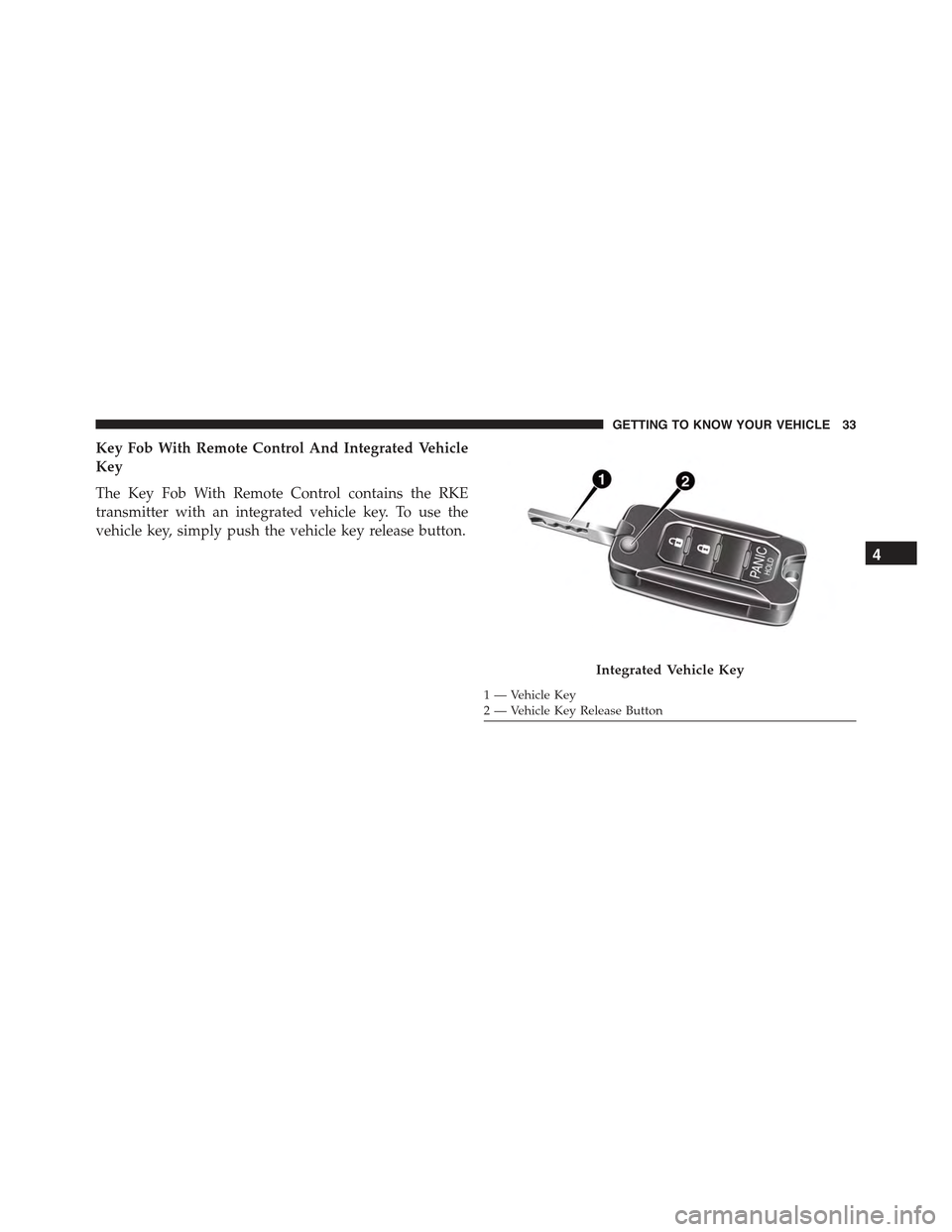
Key Fob With Remote Control And Integrated Vehicle
Key
The Key Fob With Remote Control contains the RKE
transmitter with an integrated vehicle key. To use the
vehicle key, simply push the vehicle key release button.
Integrated Vehicle Key
1 — Vehicle Key2 — Vehicle Key Release Button
4
GETTING TO KNOW YOUR VEHICLE 33
Page 37 of 678
1st Push Of Key Fob Unlocks
This feature lets you program the system to unlock either
the driver’s door or all doors on the first push of the
UNLOCK button on the RKE transmitter. To change the
current setting, refer to “Uconnect® SETTINGS” in “Mul-
timedia” for further information.
NOTE:If the vehicle is equipped with Passive Entry,
refer to “Keyless Enter-N-Go™” in “Getting To Know
Your Vehicle” for further information.
To Lock The Doors And Liftgate
The doors may be locked by inserting the vehicle key into
the exterior driver’s door lock cylinder.
Push and release the LOCK button on the RKE transmit-
ter to lock all doors and liftgate. The turn signal lights
will flash and the horn will chirp to acknowledge the
signal. Settings in radio can change to lights only, chirp
only, or both.
If the vehicle is equipped with Passive Entry, refer to
“Keyless Enter-N-Go™” in “Getting To Know Your Ve-
hicle” for further information.
Key Fob With Remote Control And Integrated Vehicle
Key
If one or more doors are open, or the liftgate is open, the
doors will lock. This is signaled by a quick flash of the
turn signals.
Vehicles With Keyless Enter-N-Go™
If one or more doors are open, or the liftgate is open, the
doors will lock. The doors will unlock again only if the
key is inside the passenger compartment.
4
GETTING TO KNOW YOUR VEHICLE 35
Page 38 of 678
NOTE:
•The current setting can be changed within the Elec-
tronic Vehicle Information Center (EVIC) menu or in
the Uconnect® Settings so that the system will allow/
inhibit the ability to lock the doors when one or more
of them are open.
•For more information, refer to “Multi-Functional Dis-
play (EVIC)” in “Getting To Know Your Instrument
Panel,” subsection “Electronic Vehicle Information
Center (EVIC)/ Driver Information Display (DID),” or
“Uconnect® Settings” in “Multimedia.”
Replacing The Battery In The Key Fob With
Remote Control
The recommended replacement battery is one CR2032
battery.
NOTE:
•Perchlorate Material — special handling may apply.
See www.dtsc.ca.gov/hazardouswaste/perchlorate
•Do not touch the battery terminals that are on the back
housing or the printed circuit board.
Key Fob With Remote Control
1. Separating RKE halves requires screw removal (if
equipped) and gently prying the two halves of the
RKE transmitter apart using a screwdriver or similar
tool. Make sure not to damage the seal during re-
moval.
36 GETTING TO KNOW YOUR VEHICLE
Page 47 of 678
WARNING!(Continued)
•Do not leave children or animals inside parked
vehicles in hot weather. Interior heat build-up may
cause serious injury or death.
CAUTION!
An unlocked car is an invitation to thieves. Always
remove key from the ignition and lock all doors
when leaving the vehicle unattended.
NOTE:For further information, refer to#Starting the
Engine,#in#Starting And Operating.#
REMOTE STARTING SYSTEM — IF EQUIPPED
This system uses the Remote Keyless Entry
(RKE) transmitter to start the engine conve-
niently from outside the vehicle while still
maintaining security. The system has a range of
at least 300 ft (91 m).
The Remote Starting System also activates the Climate
Control and (if equipped) the optional heated seats and
optional heated steering wheel depending on tempera-
tures outside and inside the car.
NOTE:
•The vehicle must be equipped with an automatic
transmission to be equipped with Remote Start.
•Obstructions between the vehicle and RKE transmitter
may reduce this range.
4
GETTING TO KNOW YOUR VEHICLE 45
Page 49 of 678
•Ignition in OFF position for Keyless Enter-N-Go™
vehicle
•Fuel level meets minimum requirement
WARNING!
•Do not start or run an engine in a closed garage or
confined area. Exhaust gas contains Carbon Mon-
oxide (CO) which is odorless and colorless. Carbon
Monoxide is poisonous and can cause serious in-
jury or death when inhaled.
•Keep Remote Keyless Entry (RKE) transmitters
away from children. Operation of the Remote Start
System, windows, door locks or other controls
could cause serious injury or death.
To Enter Remote Start Mode
Push and release the REMOTE START button
on the RKE transmitter twice within five sec-
onds. The vehicle doors will lock, the parking
lights will flash, and the horn will chirp twice.
Then, the engine will start, and the vehicle will remain in
the Remote Start mode for a 15-minute cycle.
NOTE:
•If an engine fault is present or fuel level is low, the
vehicle will start and then shut down in 10 seconds.
•The park lamps will turn on and remain on during
Remote Start mode.
•For security, power window operation is disabled
when the vehicle is in the Remote Start mode.
4
GETTING TO KNOW YOUR VEHICLE 47
Page 65 of 678
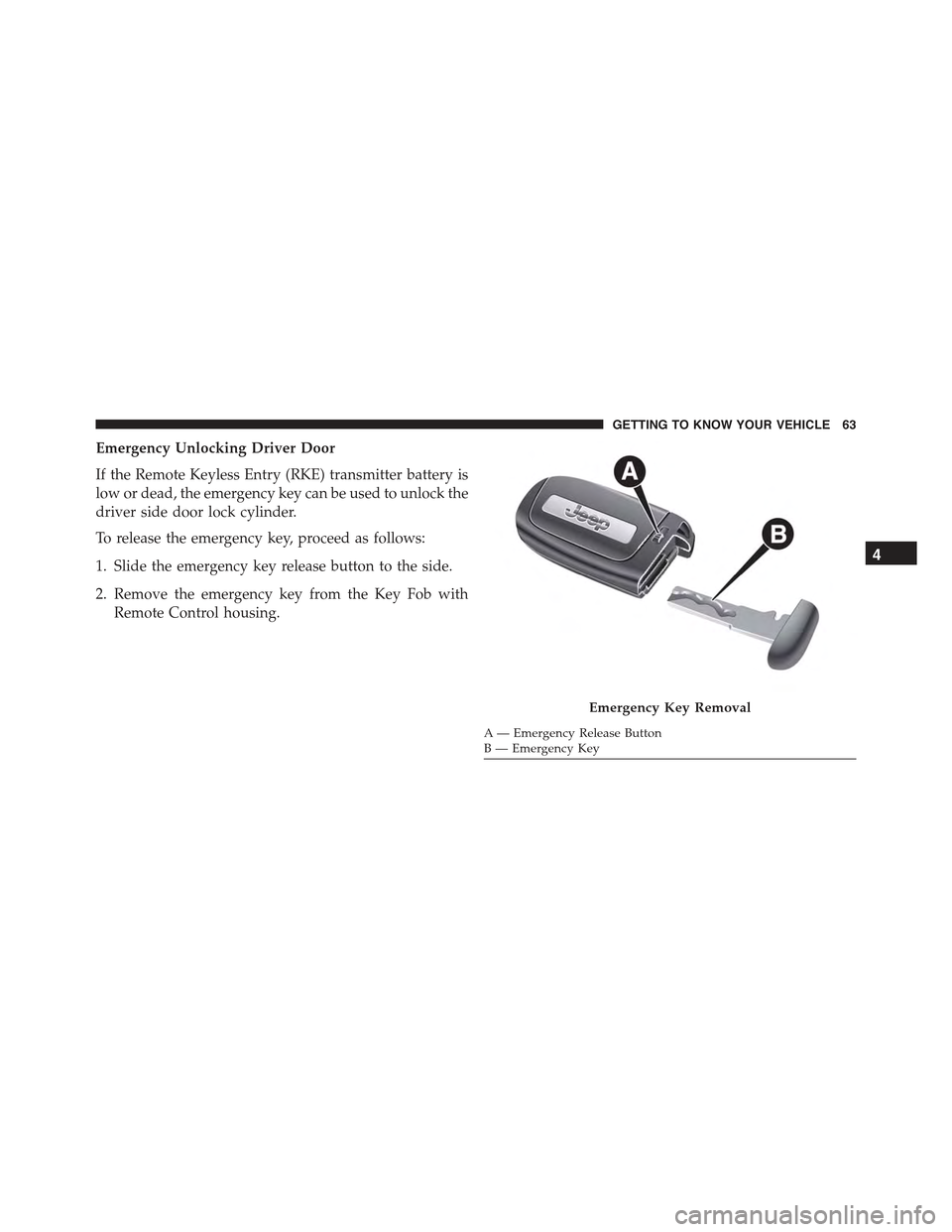
Emergency Unlocking Driver Door
If the Remote Keyless Entry (RKE) transmitter battery is
low or dead, the emergency key can be used to unlock the
driver side door lock cylinder.
To release the emergency key, proceed as follows:
1. Slide the emergency key release button to the side.
2. Remove the emergency key from the Key Fob with
Remote Control housing.
Emergency Key Removal
A — Emergency Release ButtonB — Emergency Key
4
GETTING TO KNOW YOUR VEHICLE 63
Page 155 of 678
NOTE:Before closing the liftgate, make sure to be in
possession of the key because the liftgate will be locked
automatically.
Liftgate Initialization
As a result of a possible disconnection of the battery or
the interruption of the fuse protection, you will need to
#initialize#the opening/closing mechanism of the liftgate
as follows:
1. Close all the doors and the liftgate.
2. Press the LIFTGATE button on the Key Fob with
Remote Control.
3. Press the LIFTGATE button on the Key Fob with
Remote Control a second time.
Cargo Area Features
Cargo Load Floor
The vehicle is equipped with a load floor that can be
adjusted as needed.
Position 1 (Floor Flush):
This position allows you to make the load floor flat for
ease of loading/unloading objects from the cargo area.
This position also makes it possible to use the space
below as another compartment for storing fragile or
smaller objects.
Position 2 (Elevated Position):
When the rear seatbacks and front passenger seat is
folded flat, it will allow for loading objects of long
dimensions. It is recommended to use this position only
during the actual transporting of the objects, then bring
the load floor in position 1.
4
GETTING TO KNOW YOUR VEHICLE 153
Page 186 of 678
•Unstored Messages
This message type is displayed indefinitely or until the
condition that activated the message is cleared. Examples
of this message type are#Turn Signal On#(if a turn signal
is left on) and#Lights On#(if driver leaves the vehicle).
•Unstored Messages Until RUN
These messages deal primarily with the Remote Start
feature. This message type is displayed until the ignition
is in the MAR/RUN state. Examples of this message type
are#Remote Start Aborted - Door Ajar#and#Press Brake
Pedal and Push Button to Start.#
•Five Second Unstored Messages
When the appropriate conditions occur, this type of
message takes control of the main display area for five
seconds and then returns to the previous screen. Ex-
amples of this message type are#Memory System Un-
available - Not in Park#and#Automatic High Beams On.#
Telltales On The EVIC/DID Instrument Cluster
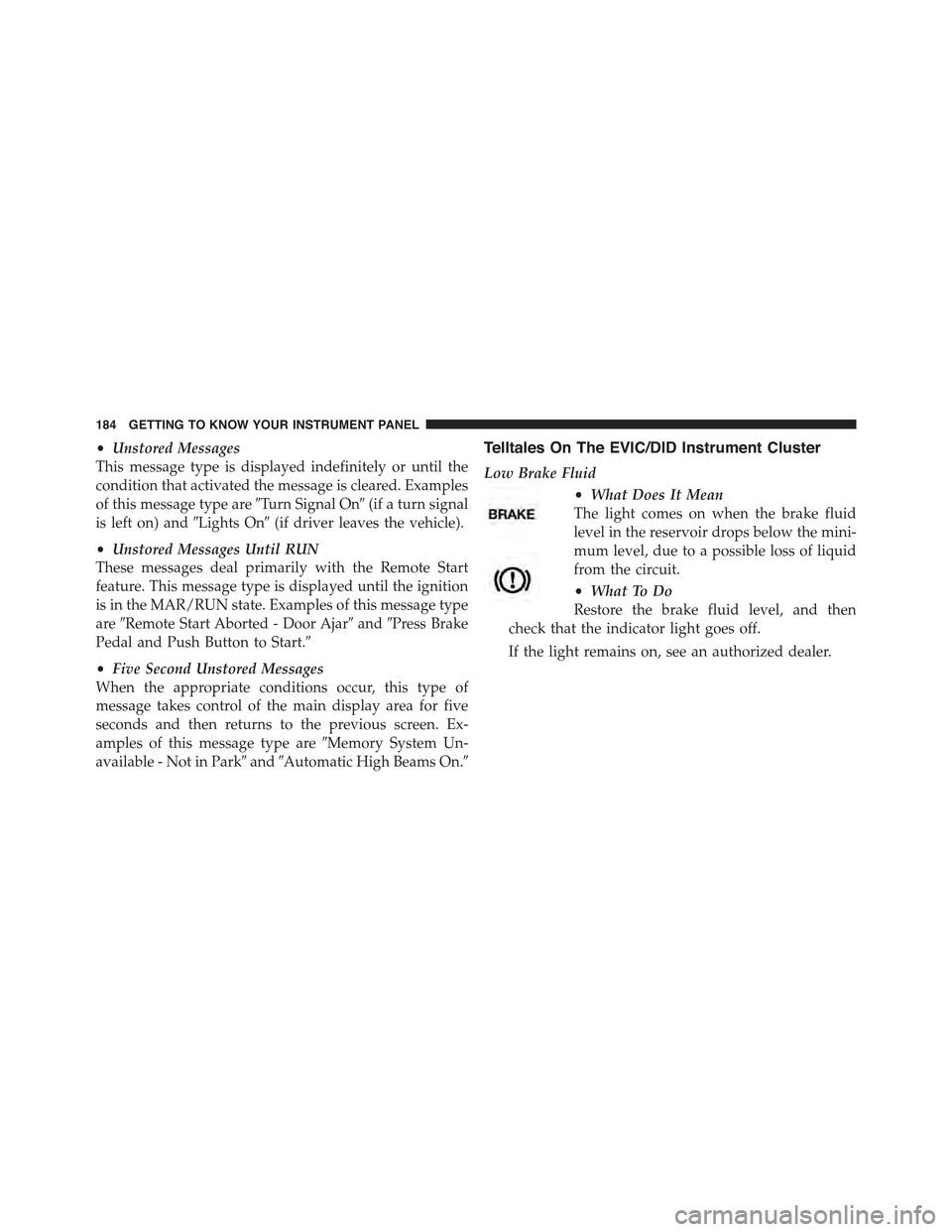
Low Brake Fluid
•What Does It Mean
The light comes on when the brake fluid
level in the reservoir drops below the mini-
mum level, due to a possible loss of liquid
from the circuit.
•What To Do
Restore the brake fluid level, and then
check that the indicator light goes off.
If the light remains on, see an authorized dealer.
184 GETTING TO KNOW YOUR INSTRUMENT PANEL