center console JEEP RENEGADE 2023 User Guide
[x] Cancel search | Manufacturer: JEEP, Model Year: 2023, Model line: RENEGADE, Model: JEEP RENEGADE 2023Pages: 364, PDF Size: 18.65 MB
Page 212 of 364

210 MULTIMEDIA
Remote Horn & Lights
Description
It is easy to locate a vehicle in a dark, crowded or
noisy p
arking area by activating the horn and
lights. It may also help if you need to draw attention
to your vehicle for any reason.
If you want, you can set up push notifications every
time a
command is sent to turn on the horn and
lights.
Working Vehicle Conditions
The vehicle must in PARK or at a standstill.
The vehicle must be in an open area with cell
tower reception.
Your mobile device must have a cellular or Wi-Fi
connection.
NOTE:
The Remote Horn & Lights feature is designed to
be lou d
and get noticed. Please keep in mind the
surroundings when using this feature. You are
responsible for compliance with local laws, rules
and ordinances in the location of your vehicle
when using Remote Horn & Lights.
Assist — If Equipped
Description
Vehicles equipped with the SiriusXM Guardian™
connec t
ed services feature may contain an ASSIST
button in the vehicle. Once your SiriusXM Guardian™ connected services have been
activated, the ASSIST button can connect you
directly to the Customer Care call center (if
equipped). You will be directed to one of the
following four services:
Roadside Assistance
— If you get a flat tire or
need a tow, you’ll be connected to someone
who can help anytime.
Connected Services — Contact the SiriusXM
Guardian™ Customer Care call center to acti -
vate your services, renew after your trial has
e xpire
d, for in-vehicle support for your SiriusXM
Guardian™ connected services, or help
answering any general questions surrounding
your connected services.
Uconnect Care — In-vehicle support for all
non-connected Uconnect system features, such
as radio and Bluetooth® connections.
Vehicle Care — Total support for your vehicle.
SiriusXM Guardian™ In-Vehicle Assistance
Featu r
es — If Equipped
With SiriusXM Guardian™, your vehicle has
onboard
assistance features located on the
rearview mirror or overhead console designed to
enhance your driving experience if you should ever
need assistance or support.
How It Works
Simply push the ASSIST button in the vehicle and
y ou wi l
l be presented with your ASSIST options on the touchscreen. Make your selection by pressing
the touchscreen.
Requirements
This feature is available only on vehicles sold in
the US and Canada.
Vehicle must be properly equipped with the
SiriusXM Guardian™ connected services.
Vehicle must have an operable LTE (voice/data)
or 3G or 4G (data) network connection.
Vehicle must be registered with SiriusXM
Guardian™ and have an active subscription that
includes the applicable feature.
Vehicle must be powered in the ON/RUN or ACC
(Accessory) position with a properly functioning
electrical system.
Disclaimers
If Roadside Assistance Call is provided to your
v ehicl
e, you agree to be responsible for any
additional roadside assistance service costs that
you may incur. In order to provide SiriusXM
Guardian™ connected services to you, we may
record and monitor your conversations with
Roadside Assistance Call, Vehicle Care, Uconnect
Care, or SiriusXM Guardian™ Customer Care,
whether such conversations are initiated through
the SiriusXM Guardian™ connected services in
your vehicle, or via a landline or mobile device, and
may share information obtained through such
recording and monitoring in accordance with
Page 227 of 364
SAFETY 225
(64 km/h). At speeds over 40 mph (64 km/h), the
system
automatically switches to “Partial Off” mode,
described above. When the vehicle speed returns to
less than 35 mph (56 km/h), the ESC system will
retur n
to “Full Off” mode. The ESC OFF Indicator
Light is always illuminated when ESC is off. To turn
ESC on again, momentarily push the ESC OFF
button. This will restore the normal “ESC On” mode
of operation.
NOTE:
With the ESC switched off, the enhanced vehicle
stabi l
ity offered by ESC is unavailable. In an emer -
gency evasive maneuver, the ESC system will not
e ngage
to assist in maintaining stability. “Full Off”
mode is only intended for off-highway or off-road
use.
NOTE:
“Full Off” is the only operating mode for ESC in
4WD Low. The ESC system will be in this mode
whenever the vehicle is started in 4WD Low or
the power transfer unit is shifted into 4WD Low.
The “ESC OFF” message will display and a chime
will sound when the gear selector is moved from
any position to the PARK (P) position and then
moved out of the PARK position. This will occur
even if the message was cleared previously.
Selec-Terrain — If Equipped
On models equipped with Selec-Terrain, the
a ctiva
tion of some driving modes provide partial off or full off of some active safety systems in order
to optimize performance in specific modes.
Partial or full off of the active safety systems will be
indic
a
ted by a light in the instrument cluster.
In "SAND" and "MUD", the active safety systems
are pa
rtially disabled and put in place to ensure
maximum performance in the specific mode of
operation. However, you can reactivate them
completely at any time by pushing the ESC button.
NOTE:
In 4WD Low, the active safety systems are
comple t
ely bypassed in order to ensure maximum
off-road performance.
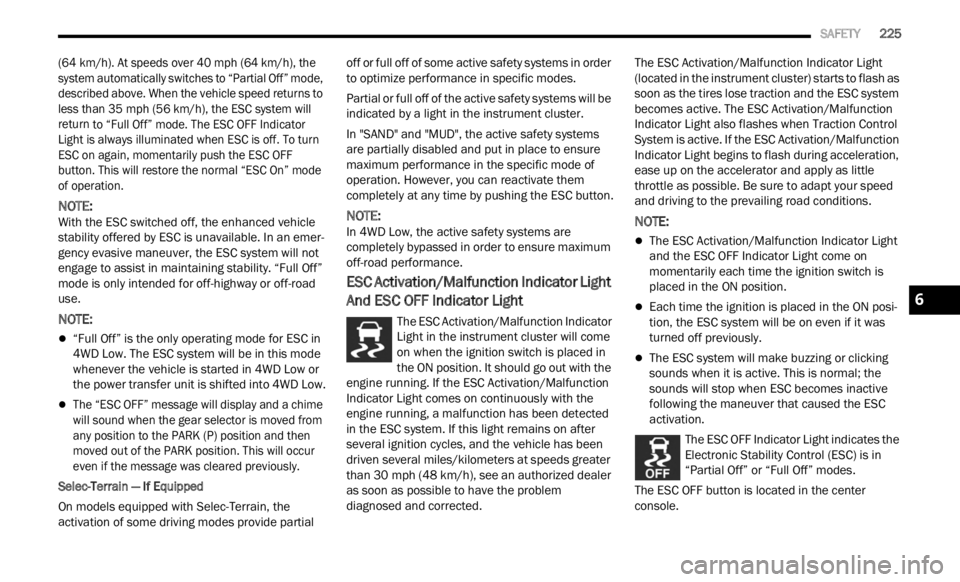
ESC Activation/Malfunction Indicator Light
And ESC OFF Indicator Light
The ESC Activation/Malfunction Indicator
Light in the instrument cluster will come
on whe n
the ignition switch is placed in
the ON position. It should go out with the
engine running. If the ESC Activation/Malfunction
Indicator Light comes on continuously with the
engine running, a malfunction has been detected
in the ESC system. If this light remains on after
several ignition cycles, and the vehicle has been
driven several miles/kilometers at speeds greater
than 30 mph (48 km/h), see an authorized dealer
as soon
as possible to have the problem
diagnosed and corrected. The ESC Activation/Malfunction Indicator Light
(locat
e
d in the instrument cluster) starts to flash as
soon as the tires lose traction and the ESC system
becomes active. The ESC Activation/Malfunction
Indicator Light also flashes when Traction Control
System is active. If the ESC Activation/Malfunction
Indicator Light begins to flash during acceleration,
ease up on the accelerator and apply as little
throttle as possible. Be sure to adapt your speed
and driving to the prevailing road conditions.
NOTE:
The ESC Activation/Malfunction Indicator Light
and the ESC OFF Indicator Light come on
momentarily each time the ignition switch is
placed in the ON position.
Each time the ignition is placed in the ON posi -
tion, the ESC system will be on even if it was
turne d
off previously.
The ESC system will make buzzing or clicking
sounds when it is active. This is normal; the
sounds will stop when ESC becomes inactive
following the maneuver that caused the ESC
activation.
The ESC OFF Indicator Light indicates the
Electronic Stability Control (ESC) is in
“Part i
al Off” or “Full Off” modes.
The ESC OFF button is located in the center
console.
6
Page 271 of 364
IN CASE OF EMERGENCY 269
(Continued)
ASSIST Call
The ASSIST Button is used to automatically
connec t
you to any one of the following support
centers:
Roadside Assistance (if equipped) – If you get a
flat tire, or need a tow, just push the ASSIST
button and you’ll be connected to someone who
can help. Roadside Assistance will know what
vehicle you’re driving and its location. Additional
fees may apply for roadside assistance.
SiriusXM Guardian™ Customer Care (if
equipped) – In-vehicle support for SiriusXM
Guardian™.
Vehicle Customer Care (if equipped) – Total
support for all other vehicle issues.
UConnect Care (if equipped) – Total support for
all the UConnect feature.
SOS Call
1. Push the SOS Call button on the overhead cons o
le.
NOTE:
In case the SOS Call button is pushed in error,
there
will be a 10 second delay before the SOS Call
system initiates a call to a SOS operator. To cancel
the SOS Call connection, push the SOS call button
on the overhead console or press the cancellation
button on the Device Screen. Termination of the
SOS Call will turn off the green LED light on the
overhead console. 2. The LED lights located within the SOS and
ASSI S
T buttons on the overhead console will
turn green once a connection to a SOS
operator has been made.
3. The SOS Call system may transmit the followi
ng important vehicle information to a
SOS operator:
Indication that the occupant placed a SOS
Call.
The vehicle brand.
The last known GPS coordinates of the
vehicle.
4. You should be able to speak with the SOS operat
or through the vehicle audio system to
determine if additional help is needed.
NOTE:
Your vehicle may be transmitting data as
authorized by the subscriber.
Once a connection is made between the
vehicle’s SOS Call system and the SOS oper -
ator, the SOS operator may be able to open
a voice
connection with the vehicle to deter -
mine if additional help is needed. Once the
S OS ope
rator opens a voice connection with
the vehicle’s SOS Call system, the operator
should be able to speak with you or other
vehicle occupants and hear sounds occur -
ring in the vehicle. The vehicle’s SOS Call
syste m
will attempt to remain connected
with the SOS operator until the SOS oper -
ator terminates the connection.
5. T he SOS operator may attempt to contact
approp
riate emergency responders and
provide them with important vehicle
information and GPS coordinates.WARNING!
ALWAYS obey traffic laws and pay attention to
the road. ALWAYS drive safely with your hands on
the steering wheel. You have full responsibility
and assume all risks related to the use of the
features and applications in this vehicle. Only
use the features and applications when it is safe
to do so. Failure to do so may result in an
accident involving serious injury or death.
WARNING!
If anyone in the vehicle could be in danger
(e.g., fire or smoke is visible, dangerous road
conditions or location), do not wait for voice
contact from an Emergency Services Agent. All
occupants should exit the vehicle immediately
and move to a safe location.
7