ad blue JEEP WRANGLER 2010 JK / 3.G User Guide
[x] Cancel search | Manufacturer: JEEP, Model Year: 2010, Model line: WRANGLER, Model: JEEP WRANGLER 2010 JK / 3.GPages: 554, PDF Size: 10.76 MB
Page 272 of 554
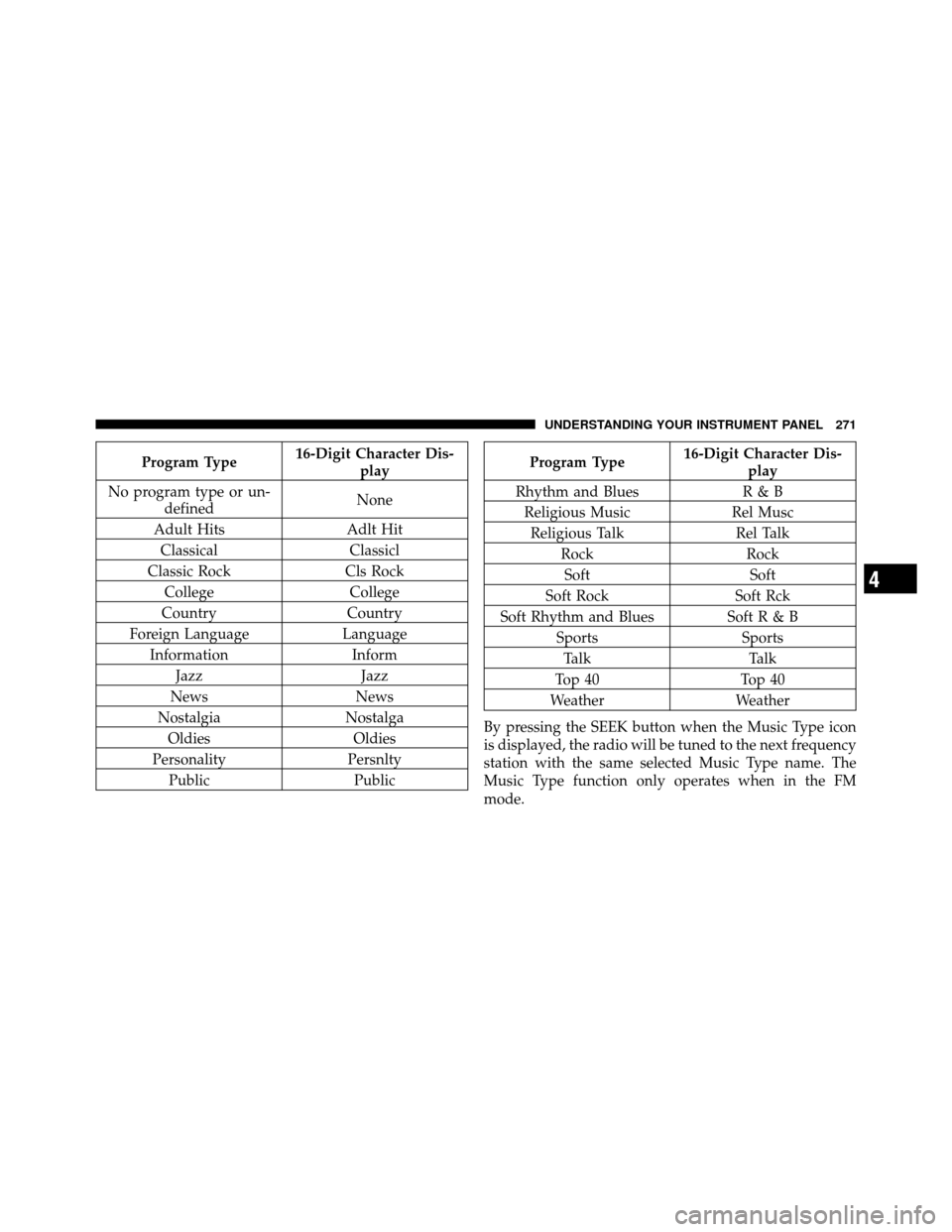
Program Type16-Digit Character Dis-
play
No program type or un- defined None
Adult Hits Adlt Hit
Classical Classicl
Classic Rock Cls Rock
College College
Country Country
Foreign Language Language
Information Inform
Jazz Jazz
News News
Nostalgia Nostalga
Oldies Oldies
Personality Persnlty
Public PublicProgram Type16-Digit Character Dis-
play
Rhythm and Blues R & B Religious Music Rel MuscReligious Talk Rel Talk
Rock Rock
Soft Soft
Soft Rock Soft Rck
Soft Rhythm and Blues SoftR&B Sports Sports
Talk Talk
Top 40 Top 40
Weather Weather
By pressing the SEEK button when the Music Type icon
is displayed, the radio will be tuned to the next frequency
station with the same selected Music Type name. The
Music Type function only operates when in the FM
mode.
4
UNDERSTANDING YOUR INSTRUMENT PANEL 271
Page 300 of 554
Push the rotary TUNE/SCROLL control knob again to
exit setting tone, balance, and fade.
MUSIC TYPE Button
Pressing this button once will turn on the Music Type
mode for five seconds. Pressing the MUSIC TYPE button
or turning the TUNE/SCROLL control knob within five
seconds will allow the program format type to be se-
lected. Many radio stations do not currently broadcast
Music Type information.
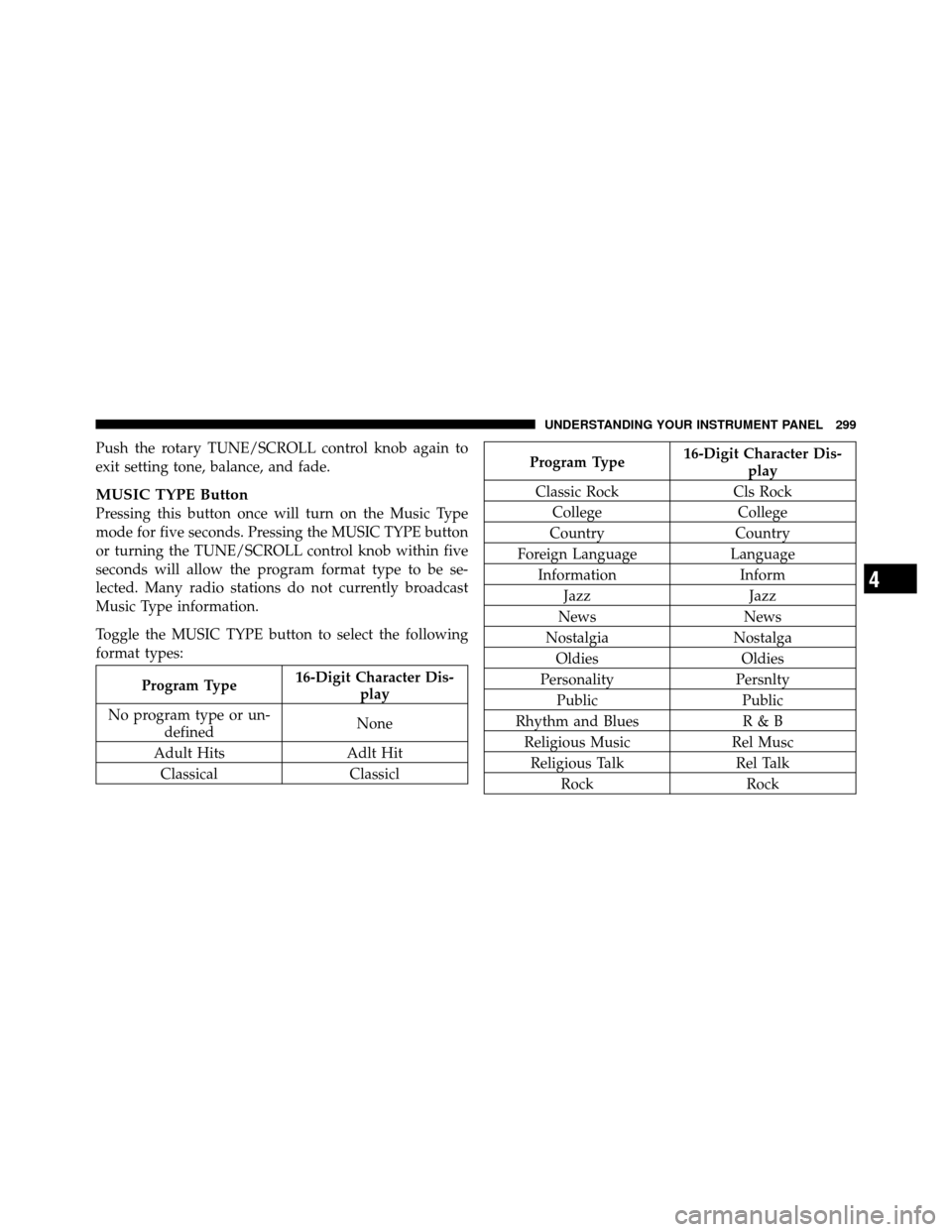
Toggle the MUSIC TYPE button to select the following
format types:
Program Type16-Digit Character Dis-
play
No program type or un- defined None
Adult Hits Adlt Hit
Classical Classicl
Program Type16-Digit Character Dis-
play
Classic Rock Cls Rock College College
Country Country
Foreign Language Language
Information Inform
Jazz Jazz
News News
Nostalgia Nostalga
Oldies Oldies
Personality Persnlty
Public Public
Rhythm and Blues R & B
Religious Music Rel Musc
Religious Talk Rel Talk
Rock Rock
4
UNDERSTANDING YOUR INSTRUMENT PANEL 299
Page 301 of 554
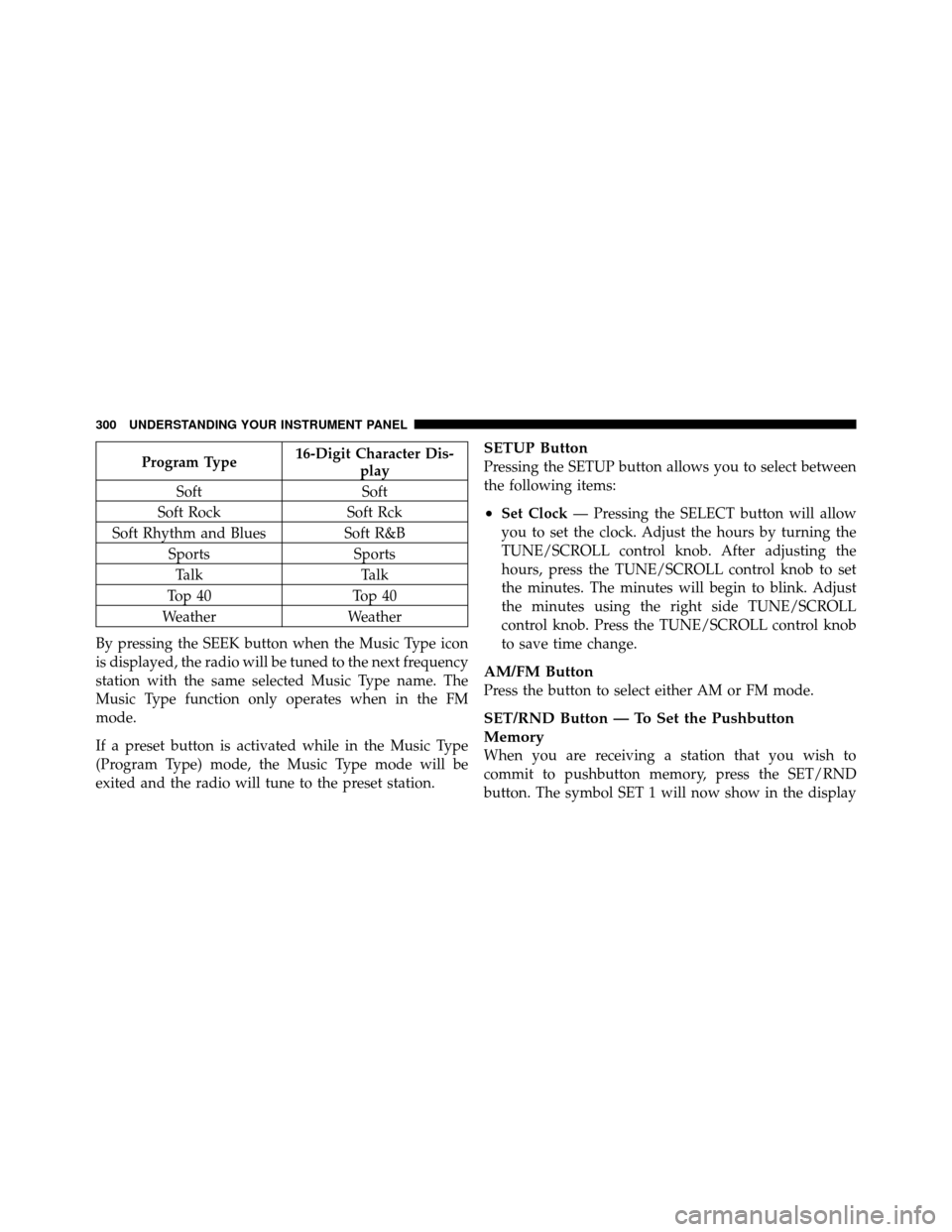
Program Type16-Digit Character Dis-
play
Soft Soft
Soft Rock Soft Rck
Soft Rhythm and Blues Soft R&B
Sports Sports
Talk Talk
Top 40 Top 40
Weather Weather
By pressing the SEEK button when the Music Type icon
is displayed, the radio will be tuned to the next frequency
station with the same selected Music Type name. The
Music Type function only operates when in the FM
mode.
If a preset button is activated while in the Music Type
(Program Type) mode, the Music Type mode will be
exited and the radio will tune to the preset station.SETUP Button
Pressing the SETUP button allows you to select between
the following items:
•Set Clock — Pressing the SELECT button will allow
you to set the clock. Adjust the hours by turning the
TUNE/SCROLL control knob. After adjusting the
hours, press the TUNE/SCROLL control knob to set
the minutes. The minutes will begin to blink. Adjust
the minutes using the right side TUNE/SCROLL
control knob. Press the TUNE/SCROLL control knob
to save time change.
AM/FM Button
Press the button to select either AM or FM mode.
SET/RND Button — To Set the Pushbutton
Memory
When you are receiving a station that you wish to
commit to pushbutton memory, press the SET/RND
button. The symbol SET 1 will now show in the display
300 UNDERSTANDING YOUR INSTRUMENT PANEL
Page 320 of 554
DefrostAir is directed through the windshield and side
window demist outlets. Use this mode with maxi-
mum fan and temperature settings for best windshield
and side window defrosting.
Blower Control
Use this control (center rotary knob) to regulate the
amount of air forced through the system in any mode
you select. The fan speed increases as you move the
control to the right from the OFF position.
NOTE: For vehicles equipped with Remote Start, the
climate controls will not function during Remote Start
operation if the blower control is left in the “O” (Off)
position.
Temperature Control
Use this control (right rotary knob) to regulate the
temperature of the air inside the passenger compartment.
The blue area of the scale indicates cooler temperatures
while the red area indicates warmer temperatures.
Manual Heating and Air Conditioning System — If
Equipped
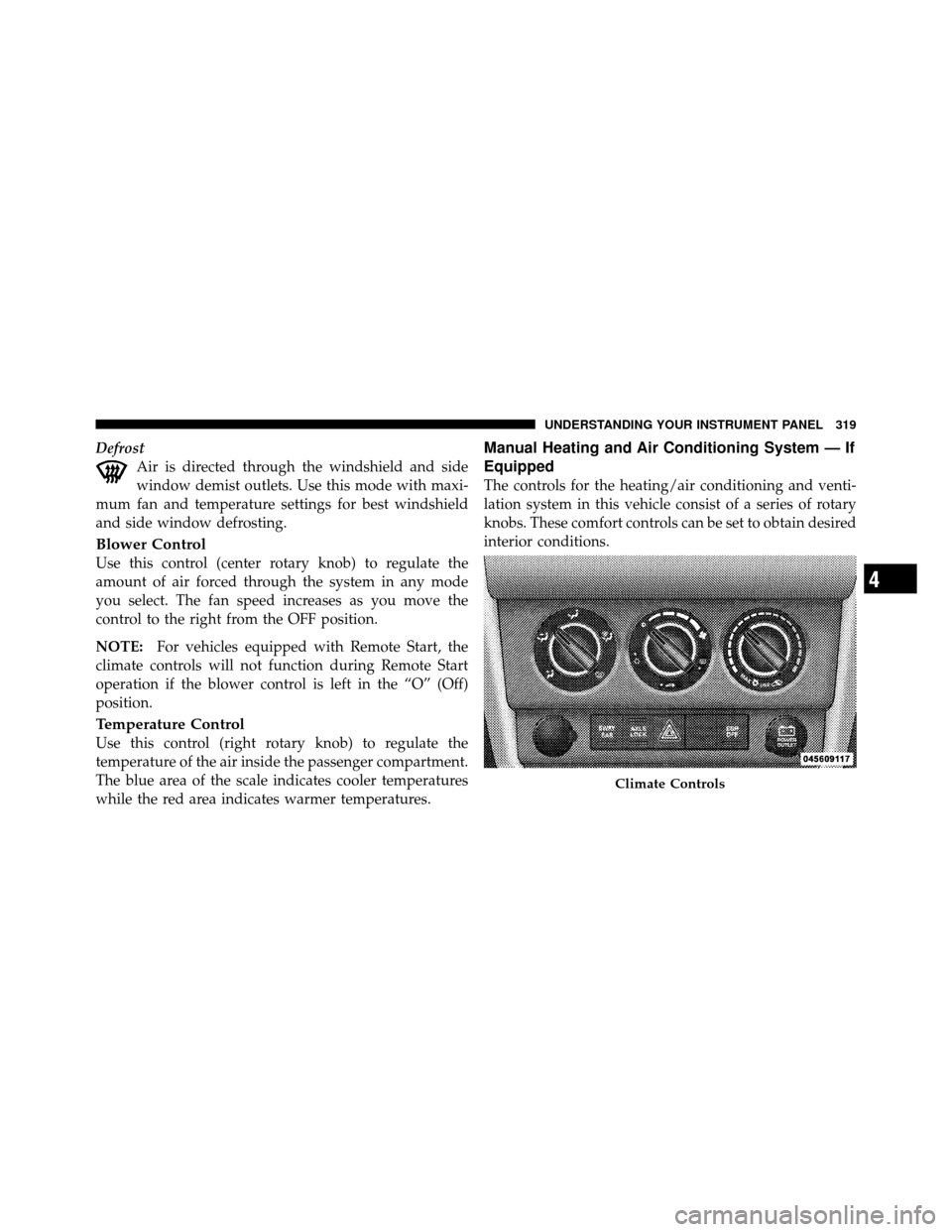
The controls for the heating/air conditioning and venti-
lation system in this vehicle consist of a series of rotary
knobs. These comfort controls can be set to obtain desired
interior conditions.
Climate Controls
4
UNDERSTANDING YOUR INSTRUMENT PANEL 319
Page 322 of 554
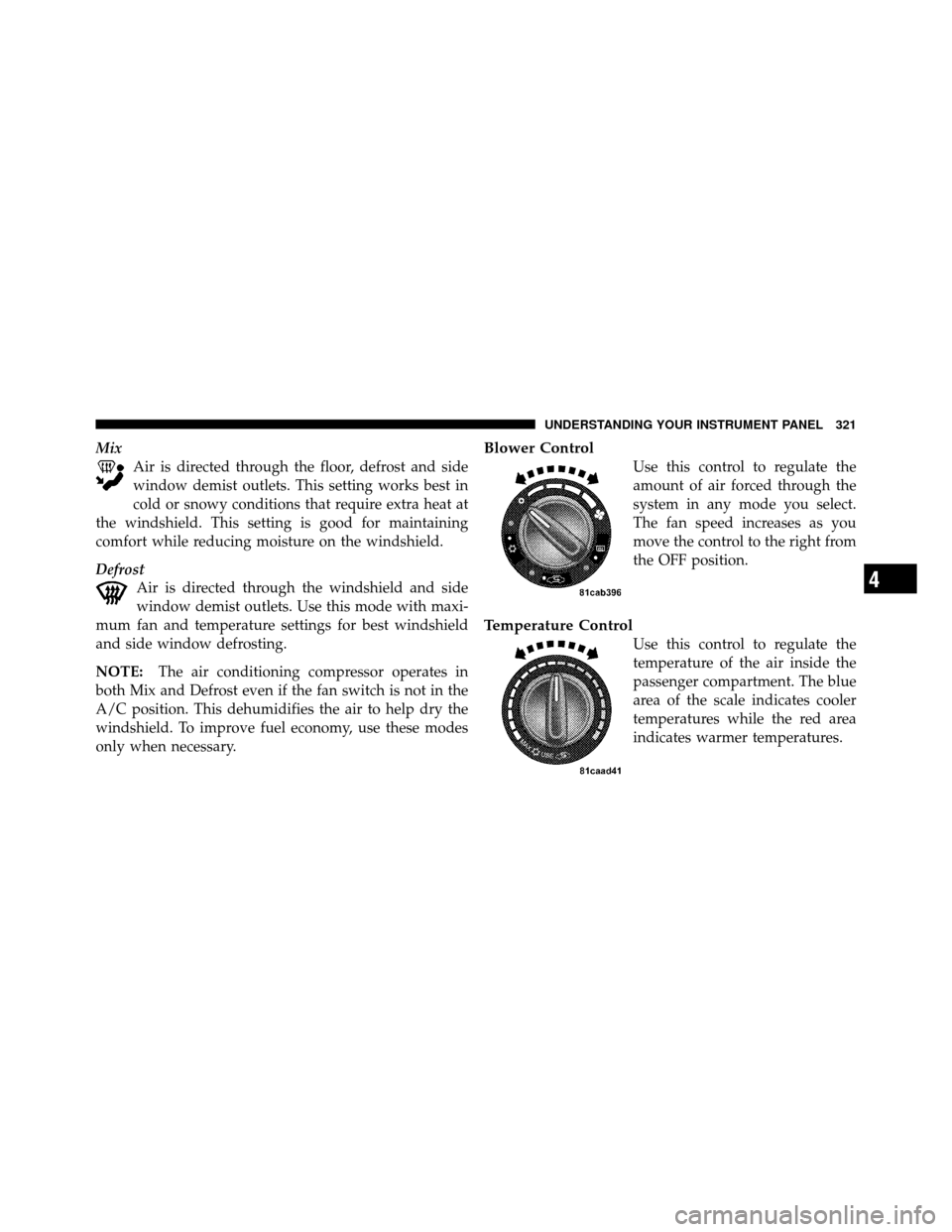
MixAir is directed through the floor, defrost and side
window demist outlets. This setting works best in
cold or snowy conditions that require extra heat at
the windshield. This setting is good for maintaining
comfort while reducing moisture on the windshield.
Defrost Air is directed through the windshield and side
window demist outlets. Use this mode with maxi-
mum fan and temperature settings for best windshield
and side window defrosting.
NOTE: The air conditioning compressor operates in
both Mix and Defrost even if the fan switch is not in the
A/C position. This dehumidifies the air to help dry the
windshield. To improve fuel economy, use these modes
only when necessary.Blower Control
Use this control to regulate the
amount of air forced through the
system in any mode you select.
The fan speed increases as you
move the control to the right from
the OFF position.
Temperature Control
Use this control to regulate the
temperature of the air inside the
passenger compartment. The blue
area of the scale indicates cooler
temperatures while the red area
indicates warmer temperatures.
4
UNDERSTANDING YOUR INSTRUMENT PANEL 321
Page 492 of 554
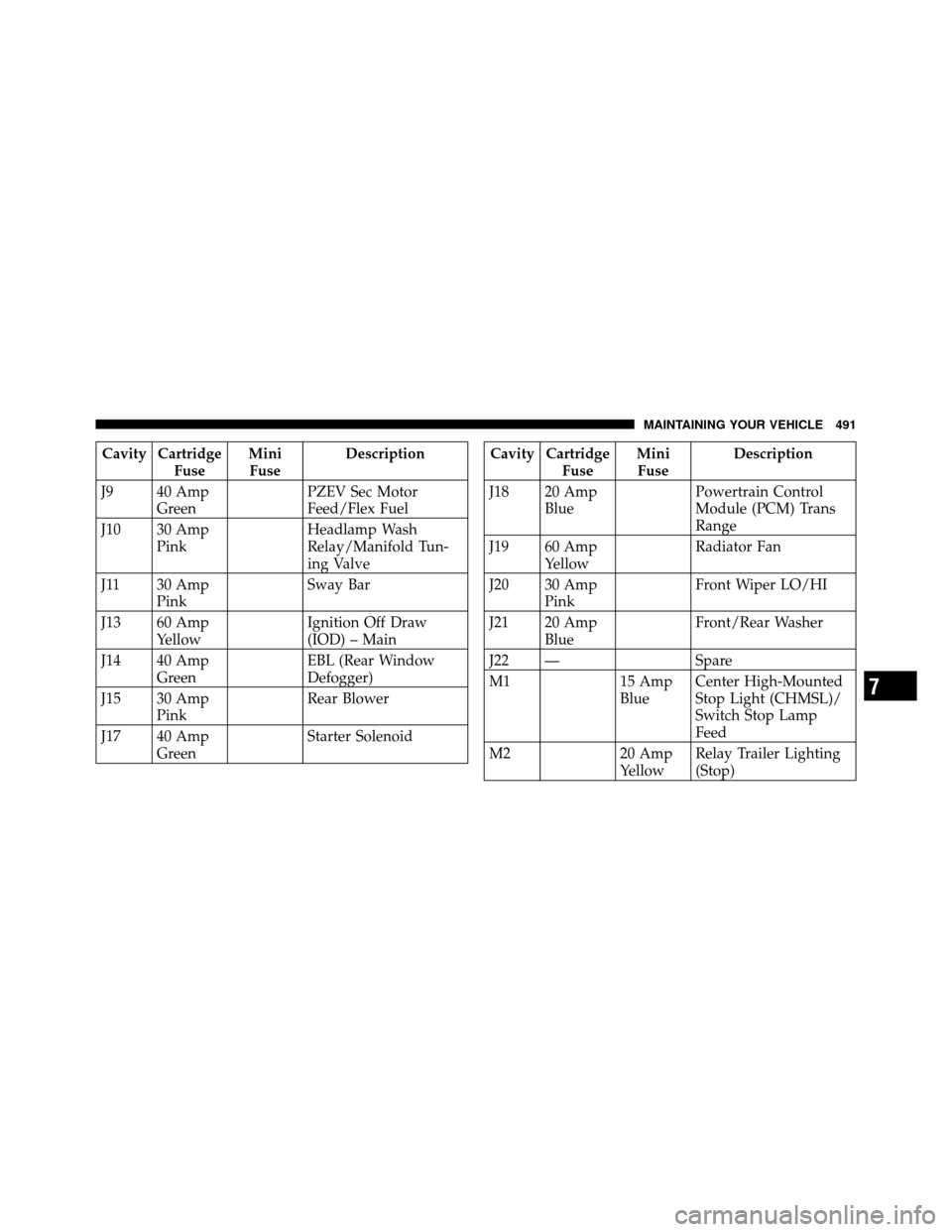
Cavity CartridgeFuse Mini
Fuse Description
J9 40 Amp Green PZEV Sec Motor
Feed/Flex Fuel
J10 30 Amp Pink Headlamp Wash
Relay/Manifold Tun-
ing Valve
J11 30 Amp Pink Sway Bar
J13 60 Amp Yellow Ignition Off Draw
(IOD) – Main
J14 40 Amp Green EBL (Rear Window
Defogger)
J15 30 Amp Pink Rear Blower
J17 40 Amp Green Starter SolenoidCavity Cartridge
Fuse Mini
Fuse Description
J18 20 Amp Blue Powertrain Control
Module (PCM) Trans
Range
J19 60 Amp Yellow Radiator Fan
J20 30 Amp Pink Front Wiper LO/HI
J21 20 Amp Blue Front/Rear Washer
J22 — Spare
M1 15 Amp
BlueCenter High-Mounted
Stop Light (CHMSL)/
Switch Stop Lamp
Feed
M2 20 Amp
YellowRelay Trailer Lighting
(Stop)
7
MAINTAINING YOUR VEHICLE 491
Page 495 of 554
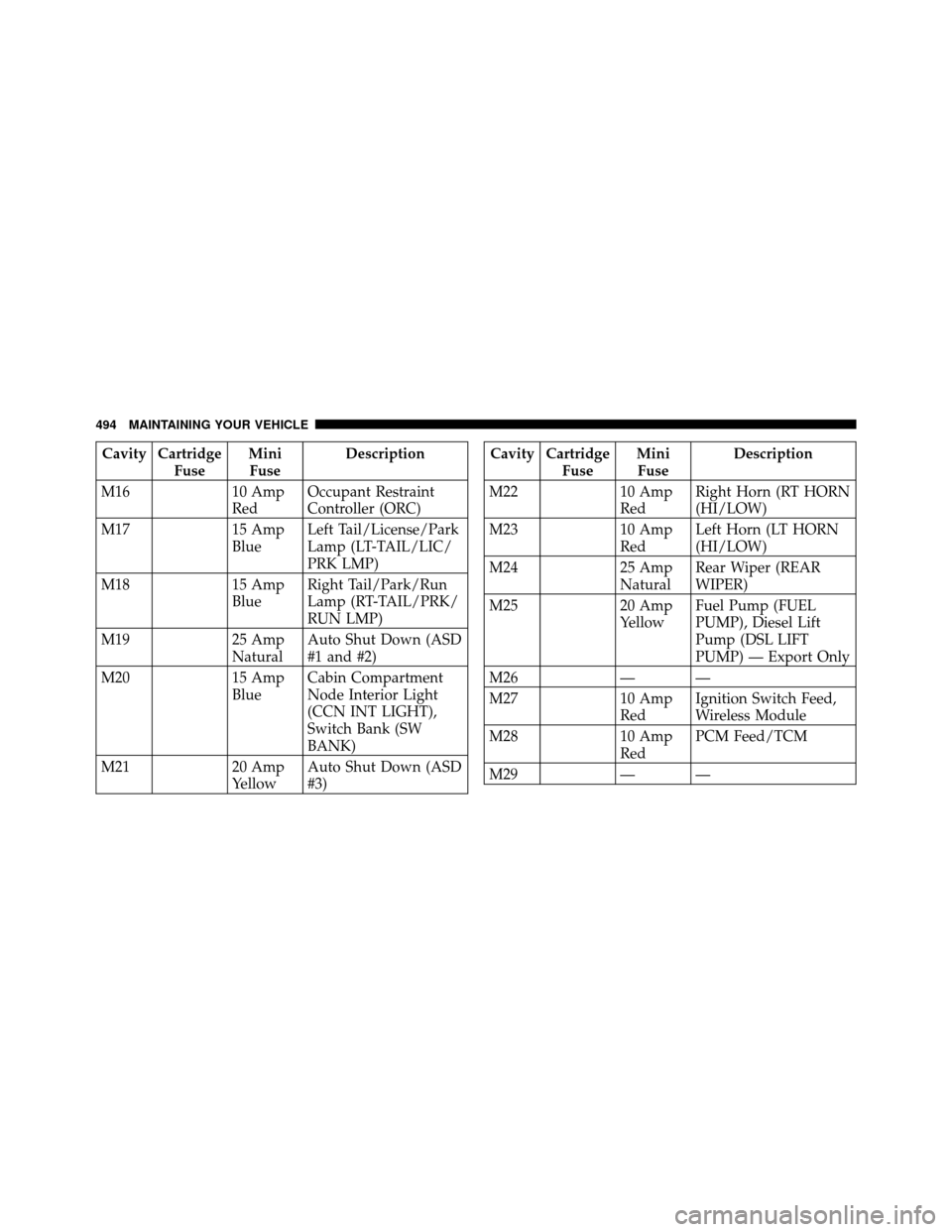
Cavity CartridgeFuse Mini
Fuse Description
M16 10 Amp
RedOccupant Restraint
Controller (ORC)
M17 15 Amp
BlueLeft Tail/License/Park
Lamp (LT-TAIL/LIC/
PRK LMP)
M18 15 Amp
BlueRight Tail/Park/Run
Lamp (RT-TAIL/PRK/
RUN LMP)
M19 25 Amp
NaturalAuto Shut Down (ASD
#1 and #2)
M20 15 Amp
BlueCabin Compartment
Node Interior Light
(CCN INT LIGHT),
Switch Bank (SW
BANK)
M21 20 Amp
YellowAuto Shut Down (ASD
#3)Cavity Cartridge
Fuse Mini
Fuse Description
M22 10 Amp
RedRight Horn (RT HORN
(HI/LOW)
M23 10 Amp
RedLeft Horn (LT HORN
(HI/LOW)
M24 25 Amp
NaturalRear Wiper (REAR
WIPER)
M25 20 Amp
YellowFuel Pump (FUEL
PUMP), Diesel Lift
Pump (DSL LIFT
PUMP) — Export Only
M26 — —
M27 10 Amp
RedIgnition Switch Feed,
Wireless Module
M28 10 Amp
RedPCM Feed/TCM
M29 — —
494 MAINTAINING YOUR VEHICLE
Page 496 of 554
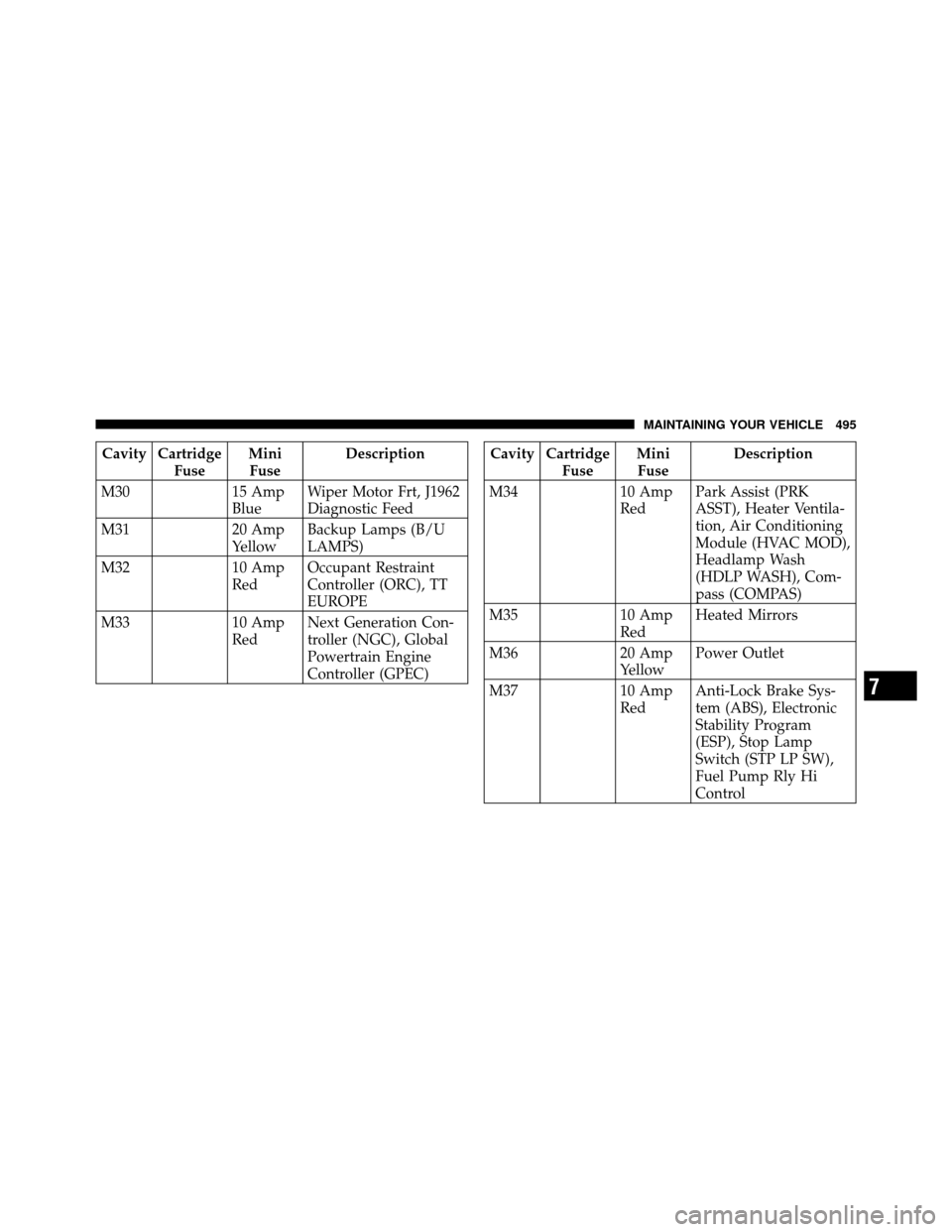
Cavity CartridgeFuse Mini
Fuse Description
M30 15 Amp
BlueWiper Motor Frt, J1962
Diagnostic Feed
M31 20 Amp
YellowBackup Lamps (B/U
LAMPS)
M32 10 Amp
RedOccupant Restraint
Controller (ORC), TT
EUROPE
M33 10 Amp
RedNext Generation Con-
troller (NGC), Global
Powertrain Engine
Controller (GPEC)Cavity Cartridge
Fuse Mini
Fuse Description
M34 10 Amp
RedPark Assist (PRK
ASST), Heater Ventila-
tion, Air Conditioning
Module (HVAC MOD),
Headlamp Wash
(HDLP WASH), Com-
pass (COMPAS)
M35 10 Amp
RedHeated Mirrors
M36 20 Amp
YellowPower Outlet
M37 10 Amp
RedAnti-Lock Brake Sys-
tem (ABS), Electronic
Stability Program
(ESP), Stop Lamp
Switch (STP LP SW),
Fuel Pump Rly Hi
Control
7
MAINTAINING YOUR VEHICLE 495