instrument cluster JEEP WRANGLER 2013 Owners Manual
[x] Cancel search | Manufacturer: JEEP, Model Year: 2013, Model line: WRANGLER, Model: JEEP WRANGLER 2013Pages: 663, PDF Size: 4.83 MB
Page 183 of 663
NOTE:In order to ensure proper operation, the Elec-
tronic Speed Control System has been designed to shut
down if multiple Speed Control functions are operated at
the same time. If this occurs, the Electronic Speed Control
System can be reactivated by pushing the Electronic
Speed Control ON/OFF button and resetting the desired
vehicle set speed.
To Activate
Push the ON/OFF button. The Cruise Indicator Light in
the instrument cluster will illuminate. To turn the system
off, push the ON/OFF button a second time. The Cruise
Indicator Light will turn off. The system should be
turned off when not in use.
Page 314 of 663
WARNING!(Continued)
Vehicle”. Follow the warnings under the Cooling
System Pressure Cap paragraph.
19. Cruise Indicator This indicator shows when the electronic speed
control system is turned on.
20. 4WD Indicator Light — If Equipped
This light alerts the driver that the vehicle is in
the four-wheel drive mode, and the front and
rear driveshafts are mechanically locked to-
gether forcing the front and rear wheels to
rotate at the same speed.
21. Odometer / Trip Odometer / ECO (Fuel Saver Indi-
cator) Button
Press this button to change the display from odometer to
either of the two trip odometer settings or the “ECO” display. Trip A or Trip B will appear when in the trip
odometer mode. Press and hold the button for two
seconds to reset the trip odometer to 0 miles or kilome-
ters. The odometer must be in trip mode to reset.
22. Shift Lever Indicator
The Shift Lever Indicator is self-contained within the
instrument cluster. It displays the gear position of the
automatic transmission.
23. Tire Pressure Monitoring Telltale Light
Each tire, including the spare (if provided),
should be checked monthly when cold and
inflated to the inflation pressure recommended
by the vehicle manufacturer on the vehicle
placard or tire inflation pressure label. (If your vehicle
has tires of a different size than the size indicated on the
vehicle placard or tire inflation pressure label, you should
determine the proper tire inflation pressure for those
tires.)
Page 427 of 663
WARNING!(Continued)
•Do not leave the key fob in or near the vehicle, or
in a location accessible to children. A child could
operate power windows, other controls, or move
the vehicle.
• It is dangerous to shift out of PARK or NEUTRAL
if the engine speed is higher than idle speed. If
your foot is not firmly pressing the brake pedal, the
vehicle could accelerate quickly forward or in re-
verse. You could lose control of the vehicle and hit
someone or something. Only shift into gear when
the engine is idling normally and your foot is
firmly pressing the brake pedal.
Key Ignition Park Interlock
This vehicle is equipped with a Key Ignition Park Inter-
lock which requires the shift lever to be placed in PARK
before the ignition switch can be turned to the LOCK/ OFF position. The key can only be removed from the
ignition when the ignition is in the LOCK/OFF position,
and the shift lever is locked in PARK whenever the
ignition switch is in the LOCK/OFF position.
Brake/Transmission Shift Interlock System
This vehicle is equipped with a Brake Transmission Shift
Interlock System (BTSI) that holds the shift lever in PARK
unless the brakes are applied. To shift the transmission
out of PARK, the ignition switch must be turned to the
ON/RUN position (engine running or not) and the brake
pedal must be pressed.
Five-Speed Automatic Transmission
The shift lever position display (located in the instrument
cluster) indicates the transmission gear range. You must
press the brake pedal to move the shift lever out of PARK
(refer to “Brake/Transmission Shift Interlock System” in
this section). To drive, move the shift lever from PARK or
NEUTRAL to the DRIVE position.
5
STARTING AND OPERATING 425
Page 434 of 663
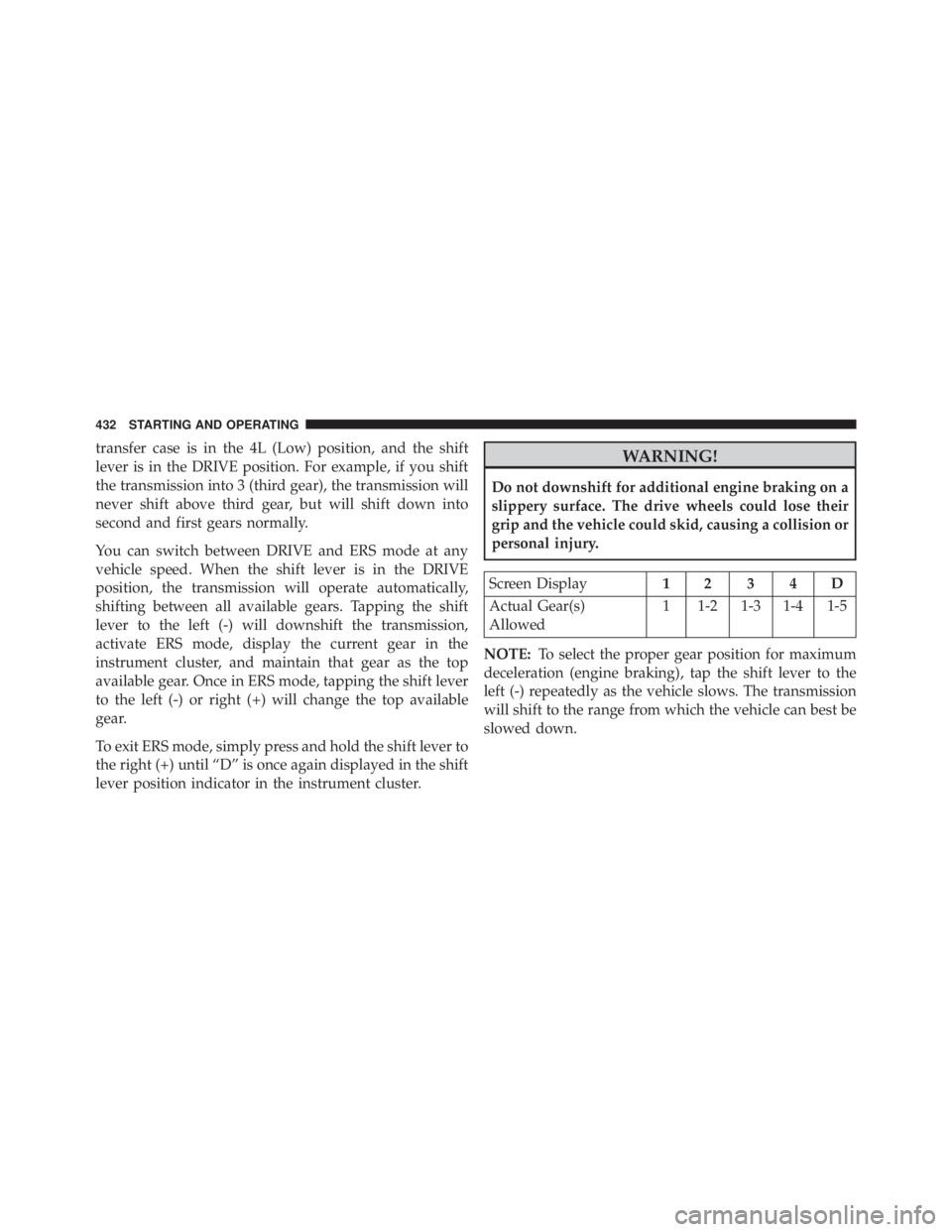
transfer case is in the 4L (Low) position, and the shift
lever is in the DRIVE position. For example, if you shift
the transmission into 3 (third gear), the transmission will
never shift above third gear, but will shift down into
second and first gears normally.
You can switch between DRIVE and ERS mode at any
vehicle speed. When the shift lever is in the DRIVE
position, the transmission will operate automatically,
shifting between all available gears. Tapping the shift
lever to the left (-) will downshift the transmission,
activate ERS mode, display the current gear in the
instrument cluster, and maintain that gear as the top
available gear. Once in ERS mode, tapping the shift lever
to the left (-) or right (+) will change the top available
gear.
To exit ERS mode, simply press and hold the shift lever to
the right (+) until “D” is once again displayed in the shift
lever position indicator in the instrument cluster.
Page 471 of 663
•Oversteer - when the vehicle is turning more than
appropriate for the steering wheel position.
• Understeer - when the vehicle is turning less than
appropriate for the steering wheel position.
The “ESC Activation/Malfunction Indicator Light” (lo-
cated in the instrument cluster), starts to flash as soon as
the tires lose traction and the ESC system becomes active.
The “ESC Activation/Malfunction Indicator Light” also
flashes when TCS is active. If the “ESC Activation/
Malfunction Indicator Light” begins to flash during ac-
celeration, ease up on the accelerator and apply as little
throttle as possible. Be sure to adapt your speed and
driving to the prevailing road conditions.