auxiliary JEEP WRANGLER 2015 JK / 3.G Owners Manual
[x] Cancel search | Manufacturer: JEEP, Model Year: 2015, Model line: WRANGLER, Model: JEEP WRANGLER 2015 JK / 3.GPages: 695, PDF Size: 20.64 MB
Page 185 of 695
WARNING!
Electronic Speed Control can be dangerous where the
system cannot maintain a constant speed. Your ve-
hicle could go too fast for the conditions, and you
could lose control and have an accident. Do not use
Electronic Speed Control in heavy traffic or on roads
that are winding, icy, snow-covered or slippery.
ELECTRICAL POWER OUTLET
There are two 12 Volt (13 Amp) auxiliary power outlets
that can provide power for accessories designed for use
with the standard power outlet adapters.
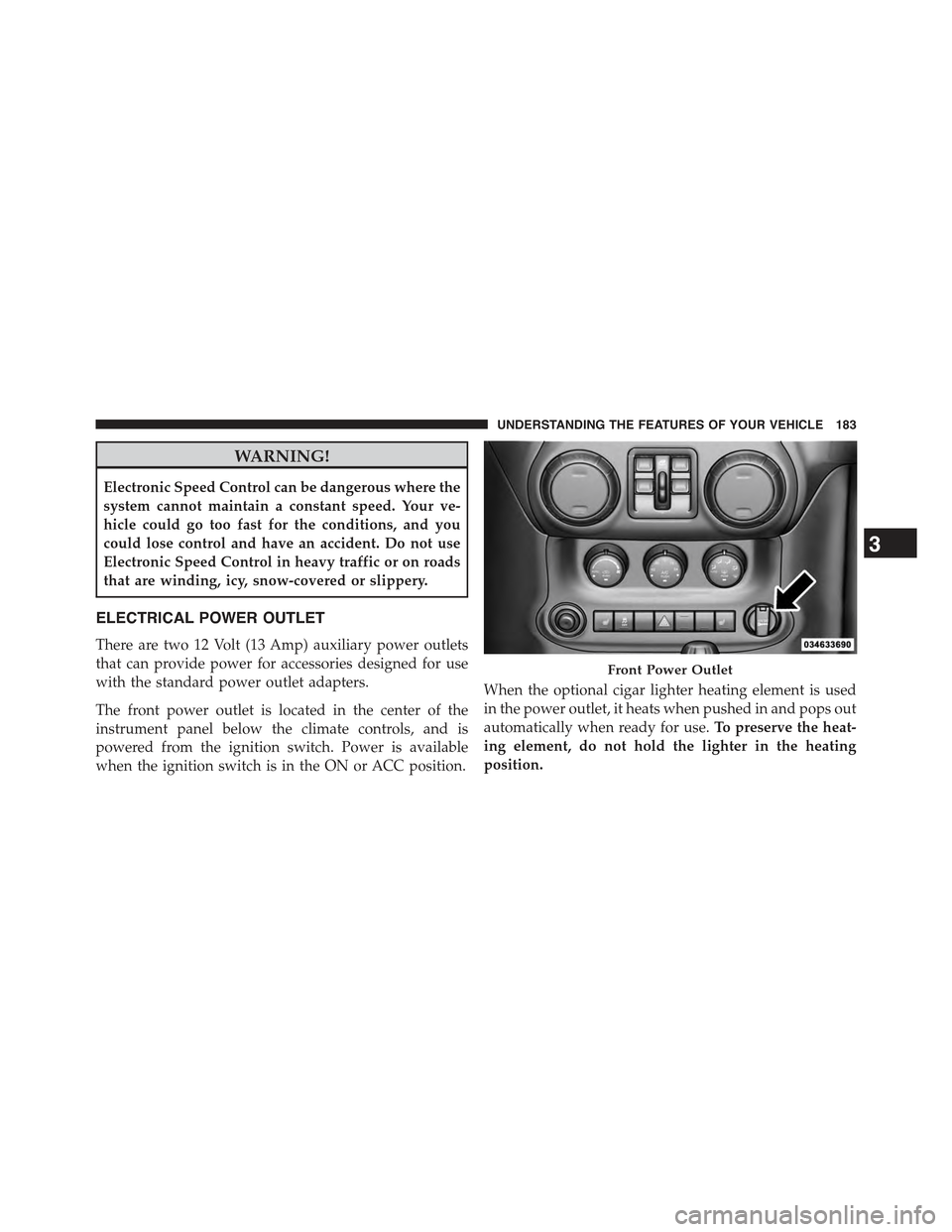
The front power outlet is located in the center of the
instrument panel below the climate controls, and is
powered from the ignition switch. Power is available
when the ignition switch is in the ON or ACC position.
When the optional cigar lighter heating element is used
in the power outlet, it heats when pushed in and pops out
automatically when ready for use.To preserve the heat-
ing element, do not hold the lighter in the heating
position.
Front Power Outlet
3
UNDERSTANDING THE FEATURES OF YOUR VEHICLE 183
Page 304 of 695
▫Advanced EVIC Messages (Customer Information
Features)............................337
▫System Status........................337
▫Personal Settings (Customer-Programmable
Features)...........................338
!Uconnect® 230 – AM/FM STEREO RADIO AND
6–DISC CD/DVD CHANGER (MP3/WMA AUX
JACK)..............................342
▫Operating Instructions — Radio Mode.......342
▫Operation Instructions — DISC Mode For CD And
MP3/WMA Audio Play, DVD – Video.......350
▫Notes On Playing MP3/WMA Files.........352
▫LIST Button — DISC Mode For MP3/WMA
Play...............................355
▫INFO Button — DISC Mode For MP3/WMA
Play...............................355
▫Uconnect® (Satellite Radio) — If Equipped . . .358
!Uconnect® 730N/430/430N CD/DVD/HDD/NAV
— IF EQUIPPED.......................362
▫Operating Instructions (Voice Command System)
— If Equipped.......................362
▫Operating Instructions (Uconnect® Phone) — If
Equipped...........................362
!Uconnect® 130........................362
▫Operating Instructions — Radio Mode.......363
▫Operation Instructions — CD MODE For CD And
MP3 Audio Play......................366
▫Notes On Playing MP3 Files..............368
▫Operation Instructions — Auxiliary Mode . . . .371
302 UNDERSTANDING YOUR INSTRUMENT PANEL
Page 358 of 695
Push the INFO button once more to return to#elapsed
time#priority mode.
Push and hold the INFO button for three seconds or more
and radio will display song titles for each file.
Push and hold the INFO button again for three seconds
to return to#elapsed time#display.
Operation Instructions — Auxiliary Mode
The auxiliary (AUX) jack is an audio input jack which
allows the user to plug in a portable device such as an
MP3/WMA player, an ipod®, or a microphone and
utilize the vehicles audio system to amplify the source
and play through the vehicle speakers.
Pushing the AUX button will change the mode to auxil-
iary device if the AUX jack is connected.
NOTE:The AUX device must be turned on and the
device’s volume set to the proper level. If the AUX audio
is not loud enough, turn the device’s volume up. If the
AUX audio sounds distorted, turn the device’s volume
down.
SEEK Button (Auxiliary Mode)
No function.
SCAN Button (Auxiliary Mode)
No function.
EJECT Button (Auxiliary Mode)
No function.
356 UNDERSTANDING YOUR INSTRUMENT PANEL
Page 359 of 695
TIME Button (Auxiliary Mode)
Push the TIME button to change the display from elapsed
playing time to time of day. The time of day will display
for five seconds.
RW/FF (Auxiliary Mode)
No function.
SET Button (Auxiliary Mode)
No function.
Operating Instructions (Voice Command System) —
If Equipped
Refer to “Voice Command” for further details.
Operating Instructions (Uconnect® Phone) — If
Equipped
Refer to “Uconnect® Phone” for further details.
Dolby®
Manufactured under license from Dolby® Laboratories.
Dolby® and the double-D symbol are trademarks of
Dolby® Laboratories.
Macrovision
This product incorporates copyright protection technol-
ogy that is protected by U.S. patents and other intellec-
tual property rights. Use of this copyright protection
technology must be authorized by Macrovision, and is
intended for home and other limited viewing uses only,
unless otherwise authorized by Macrovision. Reverse
engineering or disassembly is prohibited.
DTS™
“DTS™ and “DTS™ 2.0” are trademarks of Digital The-
ater Systems, Inc.
4
UNDERSTANDING YOUR INSTRUMENT PANEL 357
Page 373 of 695
To increase the speed of disc loading, it is recommended
to use CD-R media and single-session discs. To create a
single-session disc, enable the “Disc at Once” option
before writing to the disc.
Operation Instructions — Auxiliary Mode
The auxiliary (AUX) jack is an audio input jack, which
allows the user to plug in a portable device, such as an
MP3 player, or iPod®, and utilize the vehicle’s audio
system to amplify the source and play through the
vehicle speakers.
Pushing the DISC/AUX button will change the mode to
auxiliary device if the AUX jack is connected.
NOTE:The AUX device must be turned on and the
device’s volume set to proper level. If the AUX audio is
not loud enough, turn the device’s volume up. If the AUX
audio sounds distorted, turn the device’s volume down.
TIME Button (Auxiliary Mode)
Push this button to change the display to time of day. The
time of day will display for five seconds (when ignition is
OFF).4
UNDERSTANDING YOUR INSTRUMENT PANEL 371
Page 386 of 695
INFO Button — CD Mode For MP3 Play
Pushing the INFO button repeatedly will scroll through
the following TAG information: Song Title, Artist, File
Name, and Folder Name (if available).
Push the INFO button once more to return to#elapsed
time#priority mode.
Push and hold the INFO button for three seconds or more
and the radio will display song titles for each file.
Push and hold the INFO button again for three seconds
to return to#elapsed time#display.
Operation Instructions — Auxiliary Mode
The auxiliary (AUX) jack is an audio input jack which
allows the user to plug in a portable device such as an
MP3 player or iPod® and utilize the vehicle’s audio
system to amplify the source and play through the
vehicle speakers.
Pushing the AUX button will change the mode to auxil-
iary device if the AUX jack is connected.
NOTE:The AUX device must be turned on and the
device’s volume set to the proper level. If the AUX audio
is not loud enough, turn the device’s volume up. If the
AUX audio sounds distorted, turn the device’s volume
down.
TIME Button (Auxiliary Mode)
Push this button to change the display to time of day. The
time of day will display for five seconds (when the
ignition is OFF).
Uconnect® (Satellite Radio) — If Equipped
Satellite radio uses direct satellite-to-receiver broadcast-
ing technology to provide clear digital sound, coast to
coast. The subscription service provider is Sirius Satellite
Radio. This service offers over 130 channels of music,
384 UNDERSTANDING YOUR INSTRUMENT PANEL
Page 675 of 695
Auto Down Power Windows..................45
Automatic Dimming Mirror..................112
Automatic Door Locks......................41
Automatic Headlights......................168
Automatic Oil Change Indicator...............331
Automatic Temperature Control (ATC)..........404
Automatic Transmission....................431
Adding Fluid..........................622
Fluid and Filter Changes..................622
Fluid Change..........................622
Fluid Level Check.......................620
Fluid Type............................619
Special Additives.......................620
Autostick...............................439
Auxiliary Electrical Outlet (Power Outlet)........183
Auxiliary Power Outlet.....................183
Axle Fluid..............................649
Axle Lock...............................446
Battery.................................596
Keyless Transmitter Replacement (RKE)........27
Belts, Seat...............................101
Body Mechanism Lubrication.................601
B-Pillar Location..........................493
Brake Assist System.......................471
Brake Control System, Electronic..............469
Brake Fluid.............................649
Brakes.................................468
Brake System............................468
Anti-Lock (ABS)........................469
Master Cylinder........................618
Parking..............................466
Warning Light.........................307
Brake/Transmission Interlock.................431
Bulb Replacement.........................641
Bulbs, Light.............................103
Calibration, Compass......................32510
INDEX 673
Page 678 of 695
Dimmer Switch, Headlight...................170
Dipsticks
Oil (Engine)...........................588
Power Steering.........................465
Disabled Vehicle Towing....................577
Disarming, Security System...................21
Disposal
Antifreeze (Engine Coolant)................616
Door Locks..............................38
Child-Protection Door Lock — Rear Doors......42
Door Locks............................38
Key Fob . . . . . . . . . . . . . . . . . . . . . . . . . . . . . . .38
Remote...............................38
Remote Keyless Entry (RKE)................38
Door Locks, Automatic......................41
Doors..................................32
Driver’s Seat Back Tilt......................154
Driving................................449
Dual Top...............................192
Electrical Outlet, Auxiliary (Power Outlet)........183
Electrical Power Outlets.....................183
Electric Remote Mirrors.....................113
Electronic Brake Control System...............469
Brake Assist System.....................471
Electronic Roll Mitigation.................476
Traction Control System...................471
Electronic Roll Mitigation (ERM)..............476
Electronic Speed Control (Cruise Control)........179
Electronic Stability Control (ESC)..............477
Electronic Throttle Control Warning Light........321
Electronic Vehicle Information Center (EVIC)......321
Emergency Brake.........................466
Emergency, In Case of
Jacking...............................563
Jump Starting..........................570
Tow Hooks............................575
676 INDEX
Page 692 of 695
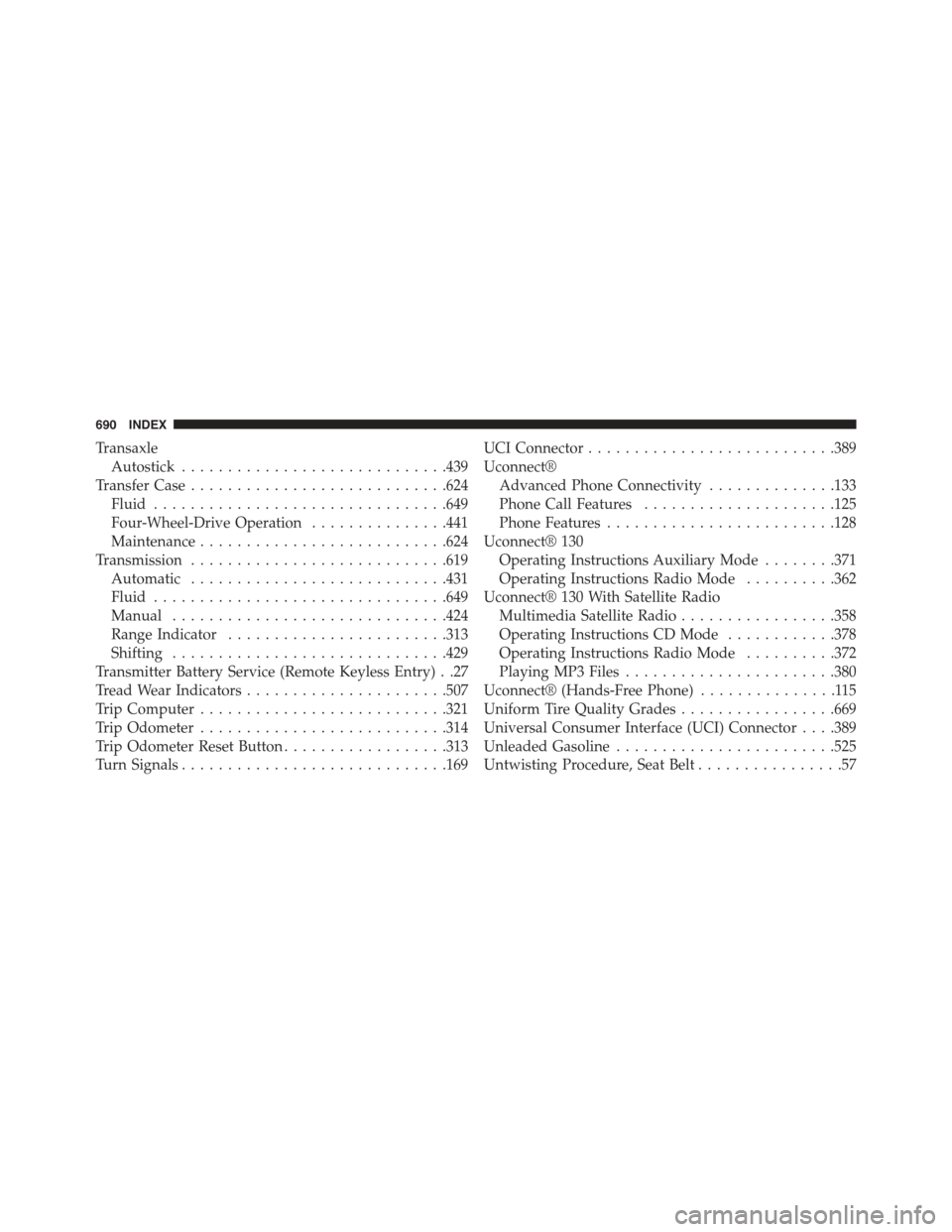
Transaxle
Autostick.............................439
Transfer Case............................624
Fluid................................649
Four-Wheel-Drive Operation...............441
Maintenance...........................624
Transmission............................619
Automatic............................431
Fluid................................649
Manual..............................424
Range Indicator........................313
Shifting..............................429
Transmitter Battery Service (Remote Keyless Entry) . .27
Tread Wear Indicators......................507
Trip Computer...........................321
Trip Odometer...........................314
Trip Odometer Reset Button..................313
Turn Signals.............................169
UCI Connector...........................389
Uconnect®
Advanced Phone Connectivity..............133
Phone Call Features.....................125
Phone Features.........................128
Uconnect® 130
Operating Instructions Auxiliary Mode........371
Operating Instructions Radio Mode..........362
Uconnect® 130 With Satellite Radio
Multimedia Satellite Radio.................358
Operating Instructions CD Mode............378
Operating Instructions Radio Mode..........372
Playing MP3 Files.......................380
Uconnect® (Hands-Free Phone)...............115
Uniform Tire Quality Grades.................669
Universal Consumer Interface (UCI) Connector . . . .389
Unleaded Gasoline........................525
Untwisting Procedure, Seat Belt................57
690 INDEX